Build Your Own Link-in-Bio Page in ClickFunnels | Coaching Corner #027
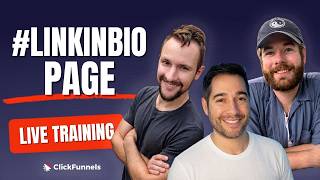
Tyson, David, and Rob show how to build a link-in-bio page in ClickFunnels, the single page that aggregates multiple links for Instagram, TikTok, and other platforms that limit bio links. They walk through three design examples, explain a three-tier strategy (lead magnets at top, evergreen offers in middle, secondary socials at bottom), and cover technical tips like adding UTM parameters and making columns sticky.
Chapters
Hey, hey, what's up, guys? How's it going?
How are you doing, everyone?
Doing fantastic.
Oh, good to be back.
Yeah, I feel like we've missed you the past couple of episodes here. We got a friendly face. We had to bring you back, right? He's excited to get back on.
You know, the people are asking, people reach out, they're like, hey, Rob, how come you're not in the coaching corner? Where have you been? What have you been working on? I can't tell you.
Something cool, obviously. Whatever it is, soon. Wow, very soon. That's great. Fair enough. Well, that's great.
Today, welcome everyone.
I say this every week and I'm going to say it again. I'm going to say it's the end of time. We have another cool one for you and it's going to be amazing. It's gonna be a fun time. You're gonna learn a lot and you're gonna walk away with some fun things maybe some, some freebies. I don't know, some, some cool assets, something to add to your profile, something to add to your, I don't know, current, current setup, whatever you're doing. Uh, and what is that? What are we talking about today, David?
We're talking about the LinkedIn bio page, everyone. We've gotten a couple of requests for this one, so this one today is all about how to do the LinkedIn bio page inside of ClickFunnels and what social media platforms to put them on, where is best to put them on, where is, you know, where should you not put them on because not all social media platforms are created equally. And, uh, and yeah, we're going to show you all about how to do the LinkedIn bio page. We're going to show you lots of good examples and maybe even give you some free downloads. How many of you would like a free download at the end of this?
Yeah, free downloads, free downloads, they're so good.
Yeah, who doesn't, right?
Very good. Yeah, so with that said, let me just share, share. Yeah.
You got it, Jason. Wow, I said, I said Tyson. We have to listen to the recording.
Oh, we were friends, David. Okay, uh, yeah, LinkedIn bio page. We're gonna be covering how to build— well, where to build, what it kind of looks like, give you some examples. Uh, David's got a plethora of examples. He was even building up to the time, up to the clock before we hit go live on the stream today.
I'm building right now.
He's building, building in the background as I'm talking, uh, to give you some, some other resources. We just, we're givers over here, you know. We want to see you, um, yeah. Now what is a LinkedIn bio page? Maybe you've heard of like Linktree, for example. This is a pretty common one that you'll see in most cases on social media. Um, a very strong platform that you'll see this often would be like Instagram as an example. Instagram is super well known to have a link in bio. Everyone's saying link in bio with every post and every, every story, whatever it is, just because that's the main area where they want you to go, right?
And I dare say it's also called a funnel hub.
A funnel hub?
I call it a funnel hub light.
Funnel hub light. Okay, fine, fair enough.
All right, I go with connection hub, uh, but You know, FunnelHub is like a site to me, in my eyes, like in my brain. That's— I can't register anything else now. But I hear what you're saying. I hear why you say it.
Uh, see, to me, yeah, I guess it depends how you define FunnelHub. I, I think of FunnelHub as a one-page that links to multiple other funnels. Yeah, it could be.
Yeah, right. Okay, you did— yeah, on technicality, you got me here. I, I don't have arguments otherwise, to be honest.
That's true.
Either way, all it is is it's a collection of links on a singular page, kind of like exactly what Rob just described, leading people to your offers, to the things that you want them to see, your other social media pages. Uh, if you're post— putting this on Instagram, you probably also want to show them that you exist on Facebook or YouTube or X or wherever you like to hang out online. Just so it's easy to connect the dots for them, right? Um, there's no guesswork in this scenario.
Um, yeah, okay, great place to put your, your affiliate links for all your products and stuff, especially whenever you cannot add any affiliate codes or links to the video description itself. So namely, the examples like we're talking about are Instagram and TikTok, and there's some others out there. But yeah, if you can't add the, you know, the link in the description of the video you need a link in bio, and therefore this was born.
Yeah, uh, rule of thumb for what platforms to, to do this on: Instagram, I've already mentioned, this is a very common one where you can add links. Um, we'll get into like things to look out for a little bit when you're doing this because it's prime real estate. You don't want to abuse it. You don't want to just throw a bunch of junk in this page and or whatever, you know. Um, yeah, Instagram, you get one link in bio. Actually, they expanded, I believe, and you can have three now. You can have more than one link.
I think you can add more than one now.
Yep. Yeah, it used to be just one link in bio, but yeah, it's being expanded. Um, either way though, if you do more than one link, then you— when you click in an area, it shows like a pop-up, then they have to select what to click on, and that might cause a little bit of friction there as well. So still one link might make sense where it leads to just one single page with all the main links that they need to see. Um, that might be a better way to go about it. Uh, TikTok, one link in bio, uh, no links in posts. So that's the main reason why you'd want to link in bio is that, uh, nothing— you can't do any linked assets in any post, any comments or anything like that. That's gonna be problematic. So, yep. Um, YouTube, you can put it in your channel information bar. The, like, if someone goes and views your about information, you can put your own links there wherever you want them to go. You also put it in your descriptions and stuff, um, but worth knowing. X, you get one link in bio as well, and you can also link on posts. LinkedIn, you can do both as well. Uh, you had a, a hit list, David, around platforms that you probably wouldn't want to do this on. Do you have— can you expand on that a little bit?
What do you— yes, I wouldn't really do that on Facebook. So for Facebook, you can add multiple links, and you can also add links to the videos themselves. But I've— in my experience, I've seen a lot more pages that have like people's professional main website link rather than a link in bio. But you can do multiple.
So Okay, got it.
Yeah, that's one.
Um, we've talked about these for a second now. Maybe it's worth taking a second to show what I'm referring to. So I'm going to skip ahead a little bit just to give you some sort of a reference. This is— again, we've made the, the connection between, uh, like a Linktree-style page. If you've heard that name before, this is pretty much the same thing. You got to envision that people that land on this page are going to be probably primarily on mobile, so design that way. We want to make it so if I pull this up on my phone, all the buttons are stacked properly, you know, we see the correct flow. And you— I'll probably even take the same approach on desktop depending. I've seen some, seen some go both ways. There's an example here from Russell that's, uh, that we really like over here. I don't know, I think it's a really nice looking page. Um, I actually don't have a link for that on here. Uh, David, do you?
Hold on, which one?
Russell's? To Russell's? Yeah, yeah, yeah. Alternative approach here.
Yeah, if you go back to the, um, is it on there?
Scroll down.
Yeah, Russell's style.
Is that it?
Oh yeah, there you go.
Uh, I was talking about his actual one, but yeah. Oh, here I got the link.
Um, Yeah, I got it too. Let's go ahead, Rob.
All righty, this is the gist, but like it's a different style, you know. You can, you can throw some flair in there.
Oh, he's got— yeah, throw it up there.
Nice.
There we go.
Yeah, look at that, looks good, Russell. Nice, way to go.
Like he's got all his socials on the left here, helping entrepreneurs build their online business Yeah, that is exactly what he's doing. He's got all his socials here. You can probably get his books here on Amazon, listen to his podcast, watch his YouTube. I mean, he still has somewhere where he's collecting leads, right? So you can come in here and if you want to join the newsletter, add your name and email address, and that's a new lead that he converted from a visitor. But he's got everything here. It's— and it can be as simple as Tyson was showing in that first example where it's lit— and I've seen hundreds of them where it's just a picture of the person and then the links right underneath because it's simple, it's direct. There's not really much to do beyond that. But Russell adds a little flair to his. He's got logos for all of his offers. He's got, you know, nice copy over here. I mean, but he's been doing this for years. But this looks really nice. It all does the same thing. And then even here, you know, go build your own, your own link like this in ClickFunnels, and it'll be something cool.
Good. I was gonna say something cool to notice about this one is if you scroll up on the right, for those that have a Funnel Builder eye, we notice that the column on the left is sticking in place. So there is a short, you know, uh, code that you can ask AI or Claude to figure out for you and tell it to stick this column on the scroll.
Does that move?
Yeah, it does.
That's pretty cool.
But how long do you think this took to take to make? Probably not that long.
It took me about 10 minutes.
It just did it.
So powerful to have something like this. And you'd be so surprised how many people have an online presence, hundreds of thousands of followers on YouTube or Instagram or TikTok, right? That you click on the link in their bio and it sends them to a DM or to a page that doesn't like direct them to other offers or affiliate marketing campaigns or anything. Like, this is such a simple thing that you can do, and you can do it so fast within ClickFunnels. Are we going to show them a demo of how to build this in ClickFunnels, or are we going to do better?
Hmm, uh, we're going to just give it to them, actually. I mean, you can— we'll show you how to build it, but we're also going to give you like direct links where you can just—
yeah, let's, let's show a few more examples. Uh, I got, I got one here, so okay, let me share this one, and then we can maybe even show them how to do it, but then we'll definitely also just give it to you. We'll make things even faster for you.
We're trying to make it even easier, but you know, there's no thought process required besides updating some links, maybe some colors, I don't know, an image. That's it.
Yeah, so here's an example. Uh, this is, um, probably— this is from that company that you've probably heard of called Linktree. Uh, they have been one of the main ones that has like popularized this FunnelHub Lite style, uh, where you can just post your links on buttons And now they have this deal where you can have a little button that pops over to a shop option. And yes, don't worry, I've made one of these for you. Okay, so check this out. All right, so over here, if you go down— and again, over here, by the way, if you would like to get the page link for this and for all of these download share folders, just go to clickfunnels.com/coachingcorner where you can actually view these previews yourself and get the share link to import it directly to your account. All right, so to see what we just were looking at, we're going to click on that bottom one there. And I just made this in about 10 minutes also. Okay, and we're going to click on shop and it shows your, your images where you can post your, you know, your Amazon affiliate products or any other affiliate products that you have or any kind of products that you sell yourself. Click back on links and it just does a show/hide.
Cool. Nice.
And then you got your social icons right there.
Nice. Uh, we have a quick question from the crowd. Yeah, so what we were talking about before, uh, Daniel James, he wants to know, so Russell's would be still be a 3-column page with code to keep one still?
Correct.
That's it.
And there we go, look at that, we've even built one. We've recreated Russell's Russell's, uh, Linktree. You know what I really like about the Linktree is people can find it, and then based on what offer they click, based on what they choose to, you know, what path to go on, you can tag them what they're interested in.
Yeah, right.
So you can go, you can— they'll come here, they'll see all the different offers you have, right? But maybe they'll click on one, maybe they'll click on a couple of them., but you can tag which ones that they're interested in and then move them to those nurturing sequences based on those offers.
Sure. Think about that.
That is super powerful. Now you're taking all of your engaged viewers, bring them to one place and finding out what each one of them wants.
Yeah.
And it's a great way to see like which one of your offers is the most popular, which one needs the most attention, which one isn't. Maybe that you have to revamp one of them. So just keep that in mind when you're building this out. It's more than just links.
By the way, here's a great way to do that at the backend. So for the button itself, you're going to do go to, it's going to be custom URL. And then at the backend of that, uh, just do a question mark, UTM, uh, underscore source equals— no, no, UTM equals source.
All right. Yeah.
UTM equals source. Right. No, no, yeah, you can also—
no, no, you just go to, uh, ChatGPT or Claude and give them your URL and say that you would like to add UTM parameters for this, um, for this URL, um, and tell them what it's for. That's it.
All right, so let's keep going. We've got a couple more to go through. Tyson, how many of these of the yours did we get through?
I just clicked on one as an example, the first one.
Okay. So pretty simple example here. Uh, next one, dark example. Good stuff here. So these don't have to be very complicated. That's the goal, and they shouldn't be.
Yeah, this is just— it's just like giving direction to somebody. Go choose the path that you want to go on. It's not—
it's—
this should not take a lot of time.
Yeah.
Okay, and let's click on this one. A lot of good stuff here. So you can go to that, uh, link today, right now, clickfunnels.com/coachingcorner, and get each one of these imported into your account. How cool is that? And let me show you mine. Here's mine. I got like a simple background, trying to keep people not distracted, you know, focus on just the buttons here. I've got mine split up into a couple of different categories: Featured Offers, Make Money Online, Health and Wellness. And then I've got just buttons here where they do a little hover pop and just kind of highlight And then if you'll notice, there's a little wobble on the ones that I really want them to look at.
That was so slight, but now I see that.
Yeah, okay. And down here, all those, like, just like that.
It's just a link of pages. Um, let's see. Next, could we dive into the slides for a second again? Yeah, yeah, yeah. Show the other— your other example real quick. Just so— okay, we'll do it after you're done with examples.
So here's a fun one, you guys. I've been seeing people do, um, like a TikTok shop, and basically it's just— it's a linked link in bio pretty much, but it has just the shopping section. So like if we go over here to this one, it's pretty much just a shop section. And we've got this in the, uh, in the downloads for you. And all it is is 3 rows where I took the Um, I took the, uh, the TikTok video embed code and I dropped it here. That way it would autoplay for the product. And then obviously you can drop any images here as well for your own affiliate stuff. So go out there, have some fun, make some products, drop the videos here, and then it'll give people a nice way to search for them. Now, question: do we add the price here on this page? I've not seen that, like, it in— I've seen it in more examples where the price is not there. I've seen it in fewer examples where the price is there, like on this one.
Yeah, maybe low ticket. I've seen examples where low ticket products are mentioned, maybe like a $27 product or, yeah, a $37 product, but they are the tripwire entry point stuff, right? Not, not— but not most of the time. I, I think that a lot of times you'll see the free free products, free lead magnets that are getting people in the funnel first, more than anything else.
Yeah, good point.
Um, yeah, anyways, so actually, if you scroll up, we can just— you keep sharing your screen. Go up to, uh, how to prioritize your links and zoom in just a little bit.
Good question.
Where are we at?
Uh, just zoom in a little bit and go down. Keep going. Next one. Oh, you don't have the updated page.
Oh no, I'm so sorry.
I was like, wait, hold on, you're missing something.
All right, what do we got? Let's type it out.
No, I'll just share my screen. I got it.
Okay, okay, go for it.
I think you just don't have the updated one.
Yeah, don't refresh yours.
My bad. Okay, so how to prioritize the links. I think that's everyone's first impulse is going to just shove all the links in no matter what, and there's not really a grand, like, an actual order of things on the page. Um, I'd say at the top of the page you want to make sure that the links are your current priority, top priority. So the lead magnets, the things that are actually going to get you inside of the, of the funnel, inside the ecosystem, right? Probably simple points that are not going to require a lot of friction. Like, there's not much— there's no— I feel like the product pricing situation, I don't think people buying things from Lincoln Bios— it might happen, but I feel like it's less common. Like, it's just like an entry, entry-level situation. Yeah. Um, so, you know, your lead magnets, your booking link, stuff like that. The middle of the page, you want your evergreen offers, things that are always relevant, they never go away. Um, things just that, uh, they never go out of style, right? Um, and then bottom is probably going to be secondary links like other socials and like related content, things that are cool to see but they're not like the main thing you want them to see right away. You guys have anything to add on or take away from, from these 3 points?
I do, yeah. So this, um, kind of reminds me of how Amazon is now allowing people to create their own shop, like, of affiliate links. It's basically like allowing people to, um, create their own wall of products that they recommend. So that— it reminds me of this, this shopping version of the Link in Bio page where you can just add the products, whatever products that you want on it.
Are you showing— oh, are you— were you showing an example?
No, I don't have one, uh, pulled up.
Okay, I was making sure. I saw you switch screens, so I was making sure you were I don't know if I know. Oh, I think I, I get what you're saying, where you're getting out here.
Yeah, I mean, I, I agree, like prioritizing these links like this makes a lot of sense. Like, bring that— you just brought them from a social back to here, so the bottom should be the socials, right? That's not the focus of bring them to your link in bio page. You want them to learn a little bit more about you, but even better, find the offers, find the things that you're— your trainings, your courses, uh, you know, your products, whatever it is that you're promoting. That's why you want them there. You want, you know, you're, you're trying to convert your lead into a customer, or at least your audience into customers. So put your current priorities at the top. Like it says, you're— the things that you're launching, your lead magnets, your booking link, absolutely at the top.
Yeah, like your number one priority, I feel like, because yeah, social is the bottom rung of just getting the entry, entry point into your world. Um, you're trying to build trust and trust as quickly as possible. So free products, like add value through something that they can just walk in the door and, uh, taste test, you know, give them a little taste test of what, what you can do, we can help them out with. Um, yeah.
Let me touch on this real quick. So to, to build on that here recently, like whenever I've been launching my self-defense course, I came out with a self-defense lead magnet. And so that was free. If it's free, then definitely make sure that it's highlighted. If it's not free, for me, what I did was I just left that blank. I didn't put the price in it, but I've heard also that this can be arranged in a value ladder arrangements you know, from free to most expensive. Or yeah, or like if you want them to book the call, you know, you could put that up top. But I've seen it— a strategy is like free at the top, most expensive down towards the bottom.
Okay. Yeah, that makes sense. Yeah. Huh, still showing a— showing like the price on there, or just it's leading to a page to get them in that funnel?
In the funnel.
Huh.
Okay.
Yeah. Okay.
Yeah, so the easiest stuff at the top, most difficult at the bottom. Let's see, do I have that one? Oh yeah, so I kind of followed that here. Um, hire me to build the 24/7 Sales Machine funnel. So that's like a book of your strategy call. That's kind of a more difficult thing than a free lead magnet. So I did follow that here.
Right, right, right. Okay. Yeah, okay, that makes sense.
What do you guys think about If you have multiple offers that don't connect to each other, is it also going to one page?
Yeah, here what I did here, um, and I can't say I've had like, you know, a fire off the wall success with it, but it could just be the, you know, the amount of content that I'm putting out there. I'm not really putting out a whole lot of, a lot of content. So if I was, then, you know, more traffic obviously would, would increase these pages. But what I did was I just had like little categories here. I had featured offers at the top, that way I could swap things in and out. And I had a make money online category, a health and wellness category, and a sales funnels and marketing.
Oh, I see. Okay, interesting. Yeah, I guess that could work, you know, if, if you have these different categories of offers that you have so they can see like where they can use your services. Or maybe they came in for— maybe they came in for health and wellness but then they're like, hey, I like to make money online, right? And they see that category and they're like, let's check it out, it's free 5-day money, you know, online challenge, see what that's about.
Yeah, yeah, exactly. Fair. Okay, uh, I don't know, I feel like if there's too much going on you might distract people. I might be the— I'm gonna be the devil's advocate here.
Yeah, that's true, that's true. Like, and I do, to be honest, I have more offers that I could put here but I don't because I'm trying to keep it a little bit more focused.
I'm proud of you. I guess it's too easy to like throw things out there, but yeah. Okay, one last thing to mention, or that I want to bring this back before we part ways from today's episode, is what to keep in mind. Um, link in bio is prime real estate, so you should treat it that way. I don't think throwing random links to every affiliate product that you've ever had and your offers and someone else's offers is going to be in your best benefit. So, um, use the space that you're creating to help them move along the value ladder here into the actual steps that you want them to take. Like, take, take the time, do that, because you only have a split second to make that impression. Uh, Rob, you look like you— if someone was like sitting on your tongue, you wanted to say something on this.
I see it. No, no. All right, no, I think it's a really important thing. If there's anything that you take away from what we've spoken about today is go build one, please. Yes, or just take one to start with down below, or just take one like we gave you a link. Go take one of— look at all the ones that were shared with you and just import it into your— import it into your ClickFunnels account. It's super easy, super fast. If you want Russell's, I'm sure Russell paid some money to a designer to figure out what the best one was. Just go take it, right? But please do this. And when you have the opportunity to have a link in bio, this is what you should be— where you should be sending people, right?
Yes.
You want to be converting your audience into leads, and this is one of the best ways to do it.
Yep.
Can I, can I take some space here? Okay, so instructions on how to do more research. So this would be a great thing. So we gave you examples, but you might want to do some more market research on what other people are doing. So here's how you do that. Just simply go to one of the platforms like either TikTok or Instagram and come over here to the search bar and just search for #linkinbio. And look at there, 3.32.5 million posts. There's a lot. So click on one, you're gonna, you're gonna see something about like what they're promoting. They had— this means if it's gonna show up here, then it means that they have link hashtag link in bio in the post. Then you click on the actual profile itself and you just investigate their links.
Okay, that's the first one there, Linktree.
Yep, this one here's got a link.
There we go, this looks example. Linktree.
And there you go, look at that. He's actually selling something in his Linktree. And David, like you were saying, there are the links and then there's the shop. But hey, maybe he makes a couple sales from here. Maybe in his videos, in this person's videos, they're showing, you know, this— I don't know, these dog bones or these dog toys or the leashes. You're like, that looks cool, I want it. And you just pop into their link in their bio and buy it. Like, you never know where a sale can come from. Why not give your audience every opportunity to buy the things that you're promoting?
There's another Linktree for dog stuff. So these ones here are links.
Mm-hmm.
And they did this. This person didn't put the shop button here, but it is shop now. So let's see where that goes. Amazon store. Okay, here we go. This is what I was talking about. Amazon store where you can create your own Amazon store.
Very cool. Yeah, watch out Shopify.
Yeah, I mean, is Shopify the same level as Amazon?
I know, Jason. Come on, Jason. Hey, hey, all right, what about that cookie? That one, that cookie.
Ooh, let's go here first and then the cookie.
Which character are you?
Everybody loves some Baby Grogu. All right, let's see, they're linking bio here. There's some starwars.asia.com.
Let's— well, we might— yeah, it's just, it's the process. You're gonna go through, you're gonna find some look good, some that do not look good, some that— if it feels off to you as you're viewing it, and you're— if you, you the customer are going through and saying, hey, I, I don't know, I That's not it. I think something's wrong with this. Don't use it as your example that you're building off of. Go find another one that you like.
Even when you, you're browsing TikTok, Instagram, whichever, if you actually purchase something, see what that process was like. You were just on their page looking at their content and you clicked on their link in bio and bought the thing from there. Just like pull yourself out of the moment. And say, hey, like, how did they get me to do that? And just work your way backwards.
That's the key.
That's the key.
What do they do that worked?
Uh, let's see, one final point and we'll, we'll close up shop. This is a living page. It's not set in stone forever. Your offers change, you grow as a person, uh, so you can update as needed. You know, don't, uh, just set it once and forget about it. This is what This is an entry point for a lot of people that are just coming into your world, especially if most of your lead source happens to be social media. Then definitely make sure you're aware of this page because it's probably gonna be that initial stepping stone that they're gonna see right out the gate, right? That's it.
That's all we got.
And again, go to coachingcorner.com or sorry, what were you gonna say? Yeah, you're right, uh, clickfunnels.com/coaching-corner. There we go. If you like your video and I guess plat— or template to start from.
That's it. I was gonna say— hey, I was gonna say, do this: AF— sorry, ABFH. Always be funnel hacking. Always be funnel hacking. If you are scrolling through your YouTube or in Instagram or TikTok and you come across a video that you're just like, you can't get off it and you're like, oh my gosh, I need that product. Maybe record that video, save the link, email it to yourself, then save the page links, email it to yourself and come back and funnel hack it later. Yeah, always be funnel hacking, guys. A quick reminder, if you have any more questions for us directly, then you can send us the email at outreach@clickfunnels.com. And also a reminder, we have open office hours live Monday, Wednesday, and Friday, 2 hours each of those days. That you can find at codeclonals.com/office-hours.
That's it. We'll be there tomorrow. Look forward to seeing your beautiful faces. Yeah. All right, see you. Thanks for joining everyone. Happy Tuesday. See you next week.
Oh, this is helpful. Bye for now.
See ya.
More from Todd

How to Set Up and Send Your First Newsletter In Daily Draft | Coaching Corner #044








