A short tutorial describing how to enable and assign Payments AI within ClickFunnels. It explains installing the Payments AI app, connecting a gateway, and configuring Payments AI as the default payment processor for an entire workspace, a specific storefront, or an individual funnel, while highlighting benefits like flexibility, pricing, and security.
Chapters
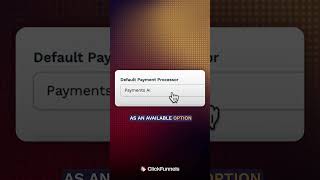
If you're using payments inside of ClickFunnels, Payments AI is one of the most powerful tools available to you and it's already built in. To get started, head on over to the left hand side and tap on Add Apps, Locate Payments AI, go ahead and install it into your account. You'll be redirected to the Payments AI portal where you can log in or create an account. From here you need to connect to Gateway. Tap on Gateways at the top. On the left hand side you can see Payments AI. Once submitted and approved, that status will change to Connected. Head back to your ClickFunnels workspace and go into Settings right here under the General tab. Go ahead and scroll down to Payment Processors and from the dropdown you'll now see Payments AI as an available option. Selecting it makes it the default processor for your entire workspace and make sure you update if changed. But what if you want to assign Payments AI to just a specific store or a funnel instead of your whole account? Let's take a look at Store first. Tap on Store and then go to the settings in the top right. You can scroll down to the Payment Processor section and here we can assign Payments AI just for your storefront if needed. Now let's check out a funnel. Head to Funnels from the top navigation bar and then tap on the Gear icon of any specific funnel you want to adjust. Scroll down and you'll find the Payment Processor field. This lets you assign Payments AI to just this funnel without affecting your store or other funnels at the end of the day. Payments AI gives you more flexibility, better pricing, and more security over time. It's not just another payment option, it's the one ClickFunnels built to protect and power your business.