5 AI Strategies Real Estate’s Top 1% Use to 10x Productivity 🏆 (Full Training)
Luke B., Nelson, and Tristan from AgentFire show five AI strategies real estate agents use to multiply productivity. They cover personalized email campaigns, content calendars, video scripts, and market research, positioning AI as an assistant that handles routine work so agents focus on clients.
Welcome everybody. This is going to be a fun one. We've got Agent Fire, the whole team here. Well, the amazing people on the team that know what AI is, because that's what our topic is. It's hopefully the five best strategies with AI. I know that chat GPT5 just came out. We've got Luke and we've got Nelson here too, which I'm trying to bring on. Luke, can you do a quick intro as to what you do over there, who you are for those that don't know?
Yeah, absolutely. And let me just go ahead and share my screen here as well so we can get that all started.
Perfect, man. And I like your hat too.
I appreciate it. Yeah, I'm rocking the merch today, so. Yeah. Hi everyone. Appreciate you all hopping onto the call today. My name is Luke. I'm the Chief Product Officer here, here at AgentFire. Nelson and I have been working together for about 10 years. Obviously Nelson, the CEO and founder of AgentFire. And together we have built the product into what it is now today, powering thousands of agents and team and brokerage websites. Not just websites at the end of the day, underneath we have all those wonderful marketing tools that we built out as well. And because I do develop with AI every single day, both consumer and facing applications, as well as just using it in my day to day, obviously they brought me in here today to chat with you all, but I'll hand things off to Nelson now that he's joined us.
What's up, Nelson?
Hey, guys. Hey, what's up, Tristan? Hey, Luke. Hey everyone. So you guys can hear me, right?
Yep, you. Loud and clear.
Yeah. Awesome. So first of all, thank you guys for, for tuning in today. So, yeah, this webinar Luke is, I don't think you guys have seen, seen him in a webinar before. He's our Chief Product officer. Between me and Luke, I mean, Luke is, he's, he's essentially a genius when it comes to AI stuff. He's built out a lot of really cool stuff for agentfire, which we're going to show you in a second. Luke and I have been very accurate in terms of our predictions for where AI is going. I think you're seeing with the recent release of ChatGPT 5 that really. AI, you know, unfortunately, as with all things that are exciting, as Hufford has suffered from just a lot of, just a lot of hyperbole. Right. You've had, you know, people, it's, it's very common for people to make a video or publish an article talking about how AI is going to replace X amount of jobs or here's what it's coming for next or the reality is AI obviously AI is incredible, right? It's, it's the, it's the, you know, it's the, the next printing, it's the printing press of our generation. But with that being said, I think we've got to temper expectations a little bit. I think even know done are the days where you're seeing AI make massive, you know, exponential leaps. I'm still very curious about what AGI will end up looking like, but I think what, like what you're seeing just to kind of distill. So I use AI pretty much all day, every day. Luke and I both have access to every model you can. So you know, I'm paying $300 a month for, for Grok4Super. You know Claude Chatgpt Luke is actually building out complex AI workflows for some of the features that we have here at, at agentfire. And so he's, he's even deeper than I am. But I also, not to go too deep into myself, but I also use AI for research purposes. I use it for. I'm big into the longitivity space. I do blood work every month pretty much so I'm using AI pretty much all day, every day. And I'm working about 12 to 15 hours a day, Monday through Sunday. And so I think I just have let's say a slightly better understanding of where things are going than the average person and what I'll say just to kind of this. I know this is kind of a oh lot but I just want to make it super clear that, that I think I have a really good understanding of where things are going. I've been very accurate in terms of the predictions I've made so far. And I think what you're going to see now with, with future models is more. The reality is like AI is not going to turn an average person into a genius. I think what it is going to do is people that are exceptionally intelligent, that are, that have the ability to think critically, they'll be able to use AI in ways that will allow them to expand and grow in ways that they weren't able to previously. And so, and I think disproportionately you're going to see that people who are intelligent will benefit more from AI than the average person. Because the reality is with AI it just, it needs a lot of human prompting, a lot of human. It needs a lot of back and forth and where AI really starts to fuck up, excuse me, screw up is where it tries to do things, you know, almost entirely autonomously. And you're seeing this a lot with some of the agent stuff is really impressive. If you guys have tested out the, you know, ChatGPT's agent is definitely fantastic and it's good at certain tasks. But when it comes to anything that, when it comes to you guys, like writing emails or setting up listing, marketing or stuff like that, there really needs to be a lot of back and forth. AI really needs to understand you, your brand, voice, your goals. It can't operate autonomously. And so I think what you're going to see with even the tweaks that they're going to make to ChatGPT5 and future evolutions of AI is it become more and more of an assistant and become really, really good at just assisting people in the things that they're looking to do versus just replacing people. There's all this talk and again, people make videos about AI is going to replace this thing and this thing. And I think we're still really, really far away from seeing AI replace anyone in any capacity. We have a pretty significantly sized dev team. There's a lot of talk about AI is replacing devs. I can tell you firsthand all of our guys were forcing to use a lot of these new tools that have come out. And again, the reality is you still need really good developers and AI is not anywhere near replacing developers. AI can sort of assist a good developer at like fast tracking some of the basic type of code stuff that they need to do. But in terms of like an actual full replacement, it's just not going to happen anytime soon. So anyway, I wanted to take the first couple of minutes of this meet to just. And again, these are my opinions. I could be wrong, but you know, I'm just someone who has every model uses this stuff every day in every imaginable way. And this is just my full belief. I think Luke shares a lot of the same thoughts. Luke is going to be handling most of this presentation, so he's going to be showing you guys. And the reason we were really excited to put on this webinar is because like I said, people that are intelligent and able to think critically will benefit disproportionately to just like your normal everyday agent. And so I think just that the topic itself of this webinar we were hoping would attract, you know, let's say higher level, more critically critical thinking type people. And so, and we're going to show you ways that you can like really, really really take advantage, especially now that that chat GPT5 is out, that you could really, really take advantage of this stuff in your day to day workflows to where it's not going to replace any of the things that you're doing, but it can like dramatically augment the stuff that you're doing. Dramatically. What's a better word that most people would understand? It can just make you guys like way more efficient. I think I would even say up to know, 10 to 15 times more efficient. And so maybe does that all make sense for first of all before we.
It does, man, it does. Quick question.
Yeah.
Since this is brought to you by Agent Fire, do you guys, are you guys doing the 20% off today as well or any special deals?
We're going to announce something at the end, so we're going to do, we're going to do just a free iPad or $600 equivalent for anyone that, that, that books a demo we can look into. I don't know, I'll figure things out in the fly. If I'm in a really good mood. Maybe we'll throw some down on top of it.
We'll figure it out on the fly. Luke, that's a cue for you to go next.
Yeah. And just to echo what Nelson was saying before we dive in here, everything that we understand about AI right now is it's here to assist, not to replace. There was a lot of these kind of predictions that, you know, we're going to have all these agents replacing jobs fully to be able to do everything at the same level of expertise or skill that a human can. And I think you're starting to see even a lot of top AI companies start to walk that back. Even Meta, for instance, released a post talking about how they're switching to super intelligence. That's kind of like our copilot versus replacing us. So we're starting to see a lot of that echo in and I think it's very timely because not only with some of the news around GPT5, as Nelson was saying, is coming out and some of the difficulties people are having with it, but also with everything we're showing you today is help you to complete tasks faster. Right? AI is not gonna replace your ability to tell personal stories, to leverage your experience and expertise because at the end of the day, that's what people really connect to. Not just the generic catch. All that AI is gonna be able to regurgitate. That's. And so everything here today is not meant to replace your entire process or system or way of thinking. As Nelson mentioned, kind of like augment or improve it to helping you to complete those tasks not only faster, but more effectively and also help you complete tasks that maybe were difficult before. Maybe you needed to have someone help you out do before this allows you to cover a little bit more ground or take on a task with a team of one instead of a team of five. Right. And if we're all good, I could probably just continue to dive into the actual examples that we have today. But the first thing that I want to quickly touch base on is how you can set up your ChatGPT account to really be able to handle these tasks a little bit better, to be able to really inject the kind of context, the tone of voice, your brand, your company information into everything that you're outputting. Which at the end of the day, that's going to be the difference maker between like great content and subpar content. That's going to make the difference between anyone using ChatGPT and you using ChatGPT to actually, you know, produce something of quality. So the first thing that I do want to mention here before we kick things off, GPT5 did just go live on all plans. Now, we are noticing in these early days that it's not the best when it's injecting personality or creativity, and that the four models were a little bit better at that. And now there's no doubt in my mind that ChatGPT5 and the developers over there will get that all dialed in. But in the interim, if you do want to use the old models, you can go to your settings inside your ChatGPT account. And I believe it is in the general panel here, you can turn on show legacy models. So now up at the top, you can turn back on 4.0 and use that if you would like. But for the purpose of this, I'm just going to. I already have examples loaded up, so we'll just run through that. But the first thing that we're talking about here when it comes to the setup is to create projects for each one of your tasks. Right? So we're going to be going through five today. And you can see here that I built out projects for each of them, because inside of each of these projects, what you're going to want to do is you want to add in instructions as well as examples to guide the AI in that task. So what we can see here is in this project that I have set up for creating drip sequences, you can see that I've gone in and added all my information as I You know, this is for a fake agent. But all my information, if I were an agent, so I give them my name, I give a little bit of personal background, a description of the area, some of the things that I specialize in. Like areas I specialize in the type of buyers and sellers I serve, my writing style and tone of voice. These are all things that again, you can instruct inside of your project so that whenever you are starting a new conversation inside of it, the AI is going to reference it. Even if you feel it isn't doing it with a hard enough hand. We'll show you how you can instruct it further to make sure that it is really checking this before it completes your task. Then the other example, the other item here is you have a files option inside of your projects where you can upload examples of the perfect output. So if you have like the perfect five drip sequence that you've used before, that has all your cadence and flow and rhythms and all that kind of stuff, you can include that in a doc. Upload it here. So again, you can get the AI to reference it in future conversations. By far, adding context instructions and examples like this is going to do the most impact in terms of what you get out of the AI. It's the way that you make it different, it's the way you get more quality, it's the way you differentiate yourself from everyone else using it, right? So these are really important steps. And to put this into context, let's go over five different examples that you can start using ChatGPT and these projects every day to complete some popular tasks, right? And the first one is creating more personalized communication. And this is with your email trips. So I know that sometimes we like to set these things on autopilot, but if you look at any study that's out there, you want to boost your open rates. If you want to boost your click through rates, adding personalization to your emails is the way to do that. So with that being said, here is the example prompt that we are using inside of our projects. I will actually load up the example in here as well, but we know it's a little bit harder to read in here. I'll switch back to this for a second. When it comes to these prompts, there's a very simple formula that you can use every single time that's tried and true. It's my baseline formula that I use with all my prompting to get you really great results. And it's rtc. So role, task and context. If you can just remember those three Things you will immediately notice that you'll be able to start getting better results out of any LLM you use. Not just ChatGPT, but if you use anthropics, Claude, if you use Google's Gemini, if you use Grok, like this is a good baseline prompt to start with. So the role is giving the AI that kind of Persona into who it is so it can help you complete the task a little bit better. And some people will debate how much this actually impacts the output a little bit the role. But my kind of thought here is the more context you can give the AI, the better it's not going to hurt it. And at the end of the day, what's good for humans is good for AI. So if you are giving like a human more perspective in what it is you're doing, that it's going to be good for the AI as well. So instead of just like being vague and saying you're a drip marketer, be a little bit more descriptive and say that you're a drip marketer that's experienced in creating high converting campaigns for real estate agents and teams. That extra little bit of context or perspective will really kind of help give it the insights it needs to give you a better output. Then your task is again what you would like the AI to do. So in this case we are instructing it to develop a five email drip campaign targeting first time homebuyers interested in urban condos. You fill this out with whatever you want, but you can take this formula, exactly what we've written here and anything that's specific to my example, just replace to whatever it is with yours. So it could be, you know, targeting relocate, relocation buyers looking to move to Sarasota, you know, whatever the case is. Right. And then the final part here before we get to the example is the context. So this is where you can start giving it a little bit more details, not just only in the task and what you're wanting it to complete. Like it could be like a goal or any other insights you can give into that, but it's also context into your unique insights. Right? So anything that you can provide the AI that's going to help benefit, you know, it in outputting something that's more in line with your experience, your skills, all that kind of stuff, start adding it in here, make it super scannable and a nice list. So some things here, you know, I'm, you know, talking about specifically downtown Charleston, I'm mentioning a few things that are specific to that market that I wanted to mention in these Outputs I'm instructing it that I want to focus on like lesser known buyer facts, not just the generic stuff, but again, add the context to these prompts. And then the final thing here with the formatting and example is inherently going back to that project. It should start to reference that already from the instructions and file here. But if you are finding that it's not doing a good enough job at doing that, you can set more strict instructions by adding an optional prompt here that's saying, hey, I really want you to focus on this in my instructions. I really want you to load up this doc and understand this here. And anything with this prompting, it's going to be a little bit of trial and error. So play around with it a little bit. You might find that the first one's not outputting what you want. Tell the AI that continue to adjust this prompt until you get it to a point where you're happy with it. But as you can see here, after doing all that, this is now in just a single click of that prompt, producing a five email drip campaign that is really good for first draft. And not only that, I know it's referencing my past emails that I upload in that example because this one here, I had in a previous campaign a soft landing where instead of like a hard sell on the final email, I was just like, kind of like, hey, let's go grab a coffee, right? Or something like that. You can see here that it definitely did contextualize that and reference that in the past one. It made sure to include similar stuff in here, like learning from what I did in the past that I liked. Right. So again, really, really great way to structure these prompts to get the best result possible. Now I know I kind of went in depth into that one. The rest of the one we'll kind of go through a little bit quicker because again, we're going to send you, I'm assuming all these slides afterwards with these prompts, but you'll see that it's kind of rinse and repeat, which is really great. You do this once and you're an expert, right? But before I do, Trisha Nelson, anything that you wanted to kind of bring up or ask before I kind of just quickly go over the other examples?
No, I love this man. One question that did come up though is do you recommend people pay for obviously the paid version here on ChatGPT? Do you recommend Claude as an agent? Where do you recommend they go or start?
Yes. So 100% use the paid version. I'm not even on the Most expensive one. If you see on my plan here, I just have the plus version, which is $20 a month. That is more than good enough. And honestly, I can't live without it. Definitely get on the paid plan of ChatGPT. It is my go to every single day when it comes to some of the other models. The other thing I always encourage is these prompts you can try with every single model, and if you find that one is kind of outputting in a way that you like better, then use it. There's not one right answer here. It's all about personal preference. Now, from a technical standpoint, GPT and ChatGPT is up on the leaderboard in terms of the best models out there. But I use Anthropic's Claude 3.5 sonnet, which is an older one, for a lot of creative writing because I find that its writing's a little bit better. Right. A lot of people like Gemini 2.5 with Google because they like how it outputs. Nelson really likes Grok 4, so you have to go and try it out a little bit. But I think if you're just getting started out ChatGPT, the $20 a month, you can't go wrong.
Yeah, I would say I want to add a couple things. One is, again, a lot of this stuff Luke covered kind of reinforces what I was talking about, about just how important it is to continue just leveling up as a, as a, as a copywriter, like, understanding, like, what is good content, like what you're going to see now. And you probably guys are already seeing this where if you go through Instagram, half of half the people there, like, literally my Instagram, and it's like, it's actually annoying to me. I wonder if it's annoying to you. If it's annoying to you guys, can you actually share that in the chat? But, like, L. Like 80% of the people in my Instagram feed have now suddenly become like, motivational speakers overnight. And they're using Chat GBT to, to write out captions for all of their posts. And by the way, the telltale sign of this is if they have the long dash in the, in the copy, because Chat gbt like, freaking loves that, that long dash. And nobody ever used long dash before. People would just use a regular dash. I. I think most of you guys are probably aware of that. But if you're not, like, that's the. If you just scroll through your Instagram or Facebook right now, just look at all the, the captions that are the things that people are writing that have long dash in it and that's like a hundred percent telltale sign that they're using ChatGPT. And then so, and it's also like, it's kind of like infuriating and it's also, it's like a bit of a turnoff. And so again what you'll find is everyone is using ChatGPT. It's just some people are better. Some people are using it to just increase, improve, augment what they're already doing while other people are trying to use it as like, as a replacement. And those people in my opinion are just going to crash out and burn. They're never going to, going to get, have the sort of success that people that are operating a high level are having. My favorite email is. Are you guys familiar with Chris Smith? He actually was, was one of the, was the owner of one of the companies we compete against technically Curator. But Chris Smith of all the guys in the industry. I just shared a link where you can sign up for his email newsletter. As an agent, I get a ton of email newsletters every day. His newsletter is just consistently amazing and he's using, he's definitely AI to, to help him with the process, but it's still like his personality, his character, this, you just can't, you can't replace that stuff. And so I would highly recommend. If you guys haven't, here's a newsletter called the Chris List. It is, it's amazing. It's like it's the best newsletter that, that, that comes to my inbox. I just shared it in the chat if you guys want to sign up. And so you guys, I guess my main point here is you guys should still be. Again, as much as you want to use AI to help boost the stuff they're already doing, you also want to continue to just level up your skills, understand what is good copywriting. Don't just use AI as a full replacement for emails and send those to people because everyone's already getting so many freaking emails. Imagine now in this age of AI where people are able to just come up with five drip email sequences like Luchas came up with in two seconds. It just like the amount of spam that you guys are going to see moving forward is going to double and triple if you already have it. Like I'm already seeing way more spam and it's way more, way more advanced spam. So, so you know, you still want to try to find your unique voice, you still want to try to find ways to connect uniquely with your audience and AI I'm not sure we'll ever be like, really, really good at doing that.
Yeah, it just. And just to echo what Nelson was saying there again, and I said at the top of this as well, AI right now here to assist, not to replace. Treat these as drafts, right? Go through, make sure you add your final touches to them. It's really hard to get all M dash, as Nelson mentioned, out of the AI's output initially. You can instruct it to say, like, absolutely no EM dashes. Still going to sneak some in there. But I just go in and I usually just, you know, adjust those out when I'm editing the draft. But again, we're taking tasks that would typically take you, like hours to put really good thought in, to write out, to schedule, to do all that kind of stuff. And now you get to do it in like 15 minutes, right? Like these. If you're setting up your projects properly, and as Nelson mentioned before, you know about those instructions with your brand voice about those examples, then you're going to be able to get something unique out of it and not that everyone else is getting, right? And so it does help save you a lot of time there. And I'll move on to the next strategy here. And Tristan or Nelson, if we're running like low on time, just let me know and I'll definitely speed it up. But this next one is for building out Instant Content Calendar. This is what I love. Like, filling your content calendar now is so easy with AI. And again, it's not just with generic stuff. You can really have it create content that's personal to you, right? And so again, what you're going to do is use a prompt like this. I'm sure we'll send you these slides. I'm sure you can screenshot it in the replay. This is filled with my example, but a few key things here is, again, we are giving it its role, right? We are giving it its task with the different types of content we want it to create. And then we're also giving it that context. Now, in this one, I left off those instructions on referencing my brand voice and my examples, but if you find that it's not doing that properly, you can bring that back in and again, replace the context with what you have in here. Now, what's really important here that I did for the file upload is I actually uploaded a file of all the content that I've created recently, so the AI can reference that and make sure it's not duplicating topics as well as it understands the topics. That I was creating, right? And that's going to help give it that unique insight that again is going to make your outputs a lot different than everyone else's and not make it just lazy and generic. Right? So you can see here I entered that in. What it comes out with is again, 10 unique topics that are different than ones that I've already created, but still in line with my kind of vision and past calendar, right? And so it pumped out all those there. It added some social media concepts here, some YouTube topics. So now you get to start taking this and building your content. One is for building out Instant Content Calendar. This is what I love. Like filling your. Your content calendar now is so easy with AI. And again, it's not just with generic stuff. You can really have it create content that's personal to you, right? And so again, what you're going to do is use a prompt like this. I'm sure we'll send you these slides. I'm sure you can screenshot it in the replay. This is filled with my example. But a few key things here is again, we are giving it its role, right? We are giving it its task with the different types of content we want it to create. And then we're also giving it that context. Now, in this one, I left off, you know, those instructions on referencing my brand voice and my examples. But if you find that it's not doing that properly, you can bring that back in and again, replace the context with what you have in here. Now, what's really important here that I did for the file upload is I actually uploaded a file of all the content that I've created recently, so the AI can reference that and make sure it's not duplicating topics as well as it understands the topics that I was creating, right? And that's going to help give it that unique insight that again is going to make your outputs a lot different than everyone else's and not make it just lazy and generic, right? So you can see here I entered that in. What it comes out with is again, 10 unique topics that are different than ones that I've already created, but still in line with my kind of vision and past calendar, right? And so it pumped out all those there. It added some social media concepts here, some YouTube topics. So now you get to start taking this and building your content around it, whether you're using other AI tools like Vocable, whether you're using tools inside of Canva or Buffer, your CRM. Like, now you can start really executing on all these and what I really like with these projects. And just like any chatgpt conversation, it is a conversation at the end of the day. So when I find a topic that I like, like maybe it's a long form piece of content like a blog post, I want to remix that into more ideas so that I can take that one piece of content and build a bunch right off of it, right? So you can see here that I've even instructed them to take the one idea that I have for a blog post and remix it into video and social media ideas. So when I create that blog post, I can easily turn it into, you know, Instagram sliders, I can easily turn it into a YouTube short and all that kind of stuff. And that's how you save not only a lot of time, but this is actually what makes you more effective with algorithms and stuff like that on social media accounts. But again, the strategy of creating your content planner with your projects is another great one. Third strategy is creating engaging videos. We know especially short form content rules the world right now. There's no better piece of content that gets more engagement than short form content. Now don't forget, YouTube still loves long form content as well. So have the healthy mix. But for this one, what we're going to be building this prompt around is Instagram reels, right? And or 60 second video scripts that can be used as Instagram reels. You can also repurpose this for TikToks, YouTube shorts, whatever you want to do. Prompts here you guys can screenshot and follow along, but I'll dive right into the results because again, this is a rinse and repeat process. There's nothing different that I'm doing here than any of the other ones. The formula is still the same. It's just the information, the context is different, right? So going into the Instagram reels again, I've uploaded past scripts that I've written into here so it can follow that cadence, tone of voice, all that kind of stuff. I've uploaded my same instructions that I've used on every single project inside of this. It's not like I'm building it new every single time. And then we are going and starting that out. So again, I just uploaded that prompt. You'll see in this one that I didn't like how it was following the instructions in the in the parent project. So I just uploaded my example video script into here and I told it to reference it again. You have to play around with these things a little bit, but you'll see here that writing really, really great Video scripts. Now, this is also at a time before ChatGPT gave the option to bring back the legacy model. So the creativity and stuff wasn't there. I actually switched it to the thinking Mode inside of GPT5 because I find that when it's using the thinking mode, it will do a better job at understanding the instructions of the task. Now is it as creative? No. But because I'm using this as a draft, it got me to where I needed to go. And you can see here that it actually is referencing my content because it gave some citations there on where it was kind of pulling some of that cadence and flow from again within a few seconds I have all these video scripts that I can then go and start recording. And the really important thing that I want to mention here as well and I think it's in the prompt if I go back to it. So when you are creating video scripts with AI, make sure to tell it to write the scripts in a talking head style format. What this is going to do is just give you a really, really baseline script that you can record with your phone. It's not going to tell you all this B roll or these other cuts you have to make. It's literally just going to give you a straight script that all you have to do is grab your phone, turn it on, put on your gimbal, talk to it, and it's done. They are literally the easiest videos that you can create. So that's like a very important part of this prompt and why at the end of the day these scripts are so close to being ready to go, right? Or ready to record. And again, Tristan or Nelson, if you have any questions pop up, just let me know. Move on to the fourth one here. So the next one, love this one as well, is generating your newsletter content. Email marketing a lot of people think is dead, but if you talk to anyone that's a marketer, anyone that is getting really great results, whether it's in real estate or any other market, that's further from the truth.
Actually.
Email marketing has still the highest ROI when it comes to marketing dollar spend. And Nelson just mentioned like someone like Chris Smith and the Chris list, which is, is an awesome newsletter. I get like the majority of my content fixes each day from newsletters that I follow as well. And I'm telling you, if you do it properly, it's like the highest value content that you can deliver to an audience and they love it. Even here at AgentFire we have a new community called Tribe. I send out marketing newsletters every week and the analytics on it are insane. Like the click through rates, the open rates, all that are way above industry norms. And, and it's because I'm not just using AI to write it and publish it. I'm injecting all my personal insights and stories and experiences. I get AI to assist me with the draft, but then I go and make sure that it has all that extra context and personality into it. And that's the difference maker of the actually working or not. So again, rinse and repeat process here, here's your example prompt, here's your formula that you can slot in with your own information and going back over to that project. This one I didn't add any past examples for because one thing I wanted to point out is you might not have that example right away. So just go and you know, input your instructions, start that new conversation and once you do publish in this case your first newsletter, that's perfect, then save that and upload it. Right? So it's not like you have to do all that precursor work beforehand, just that first one you do might be a little bit more heavy handed at the end of the day. Now going back to this here. So again use that prompt and as you can see that it has pulled up my subject line, it's added a nice header here and all the content for a market report newsletter. I did use GPT5 thinking for this so that it can pull up some good research for it because the GPT5 thinking mode is really good at market research. And, and again you can now take all this content, right? Go to your favorite, you know, email marketing tool, whether it's in Follow up Boss or using substack or something like that. Right? And now you can just take this information and start dropping it into your template. Your newsletter template. Right? Again, that's what I do. I, you know, chatgpt spits out something similar for me for my My Tribe newsletters. I just have a preset template in my email newsletter tool and I just go, you know, section by section, copy that content, put it in there, style it up, polish it up and within minutes it's ready to go. Right? So again, really, really useful for you to create newsletters. And this is the beauty of AI. Before maybe you only had time to do like one newsletter a month and you had to keep it really generic. Well now you get to do really thought out, really robust newsletters and you can do them every week because you have AI assisting you in all these tasks right now. Moving on to the fifth and final one, talking about market research. This is again what I probably use AI for the most part of my days is to do research, right? And when it comes to real estate, it's no different. You guys can do a ton of market research and also help you to take all that research and build out, you know, market reports and whatever else you're building. So for this task here. Oops, sorry, what we can. Oh no, did I delete that prompt? No, there it is. So for this task here again, we are going to have it summarize all the market trends for Charleston, South Carolina. In this example, I'm again giving it its instructions. For the task, I'm again giving it my unique insights or telling it what I would like it to do. As you'll see here with the example, it's going to go and find everything. This is actually what impresses me the most with AI right now and how good it's gotten before. With a task like this, tools like ChatGPT would hallucinate all over the place and every single source it would give you would bring you to like a 404 dead page. It's getting much better at avoiding that. And Again, use the GPT5 thinking mode for this. Or you can use the deep research mode as well inside of your tools at the bottom. But GPT5 or ChatGPT agents have that kind of built in natively or should. But anyways, you can get really accurate information and it shocks me sometimes even when I'm searching for investment properties or whatever else in my area, I get ChatGPT to go out and find me the best investment properties. I get it to go tell me what's changed in the past month with the market and I'm surprised with the information it finds me. It finds me like hidden information from the real estate board and gives it to me in here. So even if you don't have a mechanism in place that helps you to Automate all this, ChatGPT can now do it all for you, right? You can use this prompt every single month to do this market research. You can check the sources and again you'll find more and more often it's not hallucinating this stuff anymore, it is getting it dead to rights. So now you can take all this information. Not only can you have it influence what you do, but now you get to build out better market reports. Now you get to send out better information to your buyers and sellers. You can incorporate this information into some of the even the tasks that we mentioned earlier. Like if you're writing email drips if you're writing newsletters like, this is the stuff that can really start to influence that. But those are the five strategies. We also have some other stuff that we wanted to go over in terms of how agentfire uses all this on our side. But again, I'll pause to see if there's any questions or if Nelson or Trishan you have anything that you wanted to chime in about.
Dude, mostly everybody just wants all your slides and all your prompts.
That's all.
Yeah, don't worry, it's all in there. I'll also do a little bit of a selfish self plug of Age of Fire's new community Tribe. If you guys aren't subscribed to this, we can link to this. Right now I actually post all my prompt formulas and AI tips in here so we have a full course. It's everything in here is less than 10 minutes long, so I keep it really bite sized. But we have the whole prompt formula course here if you want to even break past these examples that I just showed you and even do more. And we have other things in here as well that can help you win in every week with new marketing strategies. So I'll do a little self plug but moving on then. Nelson, did you want to show off some of the HPAR plus stuff or do you want me to. I have Chase's website loaded up. I can definitely showcase some stuff there.
Yeah, I would love, I would love for you to show it off because you're the guy that built it. All that being said, yeah, for sure. Just to just mention a couple of things. One is, yeah, Luke, if you could actually maybe get the link for Tribe and share it in the, in the chat. Absolutely, yeah. Honestly, like, you know, Luke is kind of, I think the industry's best kept secret in terms of just overall understanding of AI. Again, he's built like we're going to show you some stuff that we're building here at AgentFire that Luke has literally built our entire product here. I kind of didn't want to share Luke until we renegotiated a compensation to where he's now. He's going to get a percentage of the, you know, GROSS Profits of AgentFire and I think, you know, pretty sure he's not going to leave us. So that being said, now he can let the secret get out a little bit. Luke is honestly a genius. And then also just a quick summary on the five points that Luke shared too. You know, I shared Chris Smith, so he's my opinion the best newsletter you're going to find. If you're looking for just best overall communicator, if I had to pick like one guy, it would be Robert Rufkin. So you guys should probably follow him regardless of where you feel about pocket listings, which is kind of his. His thing is these last couple of months. But if you just read his posts on LinkedIn, they are so well formulated and articulate and concise and I mean just in terms of just overall communicator, like you want to continue to follow people who are just really good at communicating and figure out like what it is that they do to communicate so well, what it is, what is it that makes them so unique to where. Even though like Robert rufkin is using AI to help write stuff that he posts on LinkedIn, but if you read his posts, you don't get that sense. On the other hand, there are people that you read the stuff that they're posting and you're just like, I don't know, maybe, maybe I'm just like, maybe it's just me and I'm just, I just kind of like hate just generic crap. But as a rule, if you're going to create content, you know, Luke shared some really good ways to be able to queue up video scripts, man. You want to make sure that you're spending time to actually become a good communicator. Make sure that you're now you have like more time to spend like actually becoming good at video. If you, if you just like suck at video and you're reading a generic crap that, that GPT you know, created for you in 30 seconds, like nobody's going to care, nobody's going to engage. This is not a way to long term success. You want to continue to be leveling up and you want to use AI in ways where it can support these efforts. I saw one question about kind of which models are best for which things and I'll just say quickly, if you guys have the $400 or I guess 300 super grok is great for just general research type tasks. That's what I use it for. ChatGPT probably has the best overall memory function. And so that's what, that's my kind of daily driver, if you will. I use it for all of the marketing tasks for AgentFire. Claude has really good collaboration functionality. So if you guys are working in a team and you want to be able to share projects and stuff like that. Claude is probably on par with GPT in terms of like, if you guys are working on marketing material, stuff like that, good Memory function as well. Great ability to link up to like, you know, your Google Docs or Google Drive or Dropbox and you know, to be able to look at other things you guys have written and be able to give it like a bigger kind of knowledge base to pull stuff from. But generally speaking, you really can't go wrong with ChatGPT.
Yeah. One thing that Nelson mentioned there that's really important is that AI kind of gives you the ability to free up your time to really upskill. So one thing that. One of the reasons why I started Tribe is because I really wanted to be better at recording videos and doing instructional content because I never really did a lot of it before, at least at this capacity. But it's so hard to get started because you have to create these scripts and these ideas and all these different things. But now that I built out all these workflows to help me be more efficient there, I actually get to spend more time, you know, learning the skill of trying to create great videos. And so, you know, Nelson's like dead on when it, when it comes to that. Like it's, you know, it's such a wonderful thing that now we get to kind of COVID so much ground and we get to kind of spend times on this self development because we get to send some of these more tedious tasks to AI to do, freeing us up to do those other things. So yeah, like any. If you guys look at my Tribe videos and you like them, go back to me with the first one or some of the ones that I posted maybe a year or two ago, like in other channels and you'll see that it's night and day. Like it's. I'm always learning every single week and trying to get better at it.
Yeah, Luke was, I mean, look, let's be honest, Luke. Luke is like the worst person at creating videos that I've ever seen in my entire. It was horrible. Like he, you. You'd have to like put them at like 2x speed just to get normal speaking cadence. And so, and so like the difference, even just today in this webinar, Luke is clearly. I was going to share this privately with him after the webinar, but he's definitely leveled up in terms of his ability to just, yeah. Be on video and.
Yeah, yeah, really well, Luke, I appreciate it.
I appreciate it. I was joking. I was joking today. This is actually like I do some private workshops which are a little bit different, but this is the first live webinar. So I appreciate all that. But like again, it comes with Practice, right? And so AI allows us to kind of get into that rhythm and continue to work on these tasks. But let's just quickly touch into H F plus. This is my baby. I love it. I love to show everyone, you know, kind of what we built here at agentfire. So really what we really found out is that, you know, there's so many great things that, you know, with, with our product and with websites in general for real estate agents and teams that our clients could be doing right. But the difficult thing is everyone's so busy, so we really had to find ways to kind of reduce that lift and make it a lot easier. And the wonderful thing, again with AI, is that it enables us to do that. And so I started to dive into building tools that really mimic expert workflows, right. And try to find some of the common tasks that we can solve for our clients and allow them to not only do the things they really want to do, like write blog posts and personalize drips and all these types of things, but do it in a way where the quality is not just like a chatgpt wrapper gimmicky thing that you see everyone else doing. That's why it took us so long to release AI tools. We didn't want to be first through the door. We didn't just want to put something out just to say we had AI. We wanted to make it meaningful. And I think when I show you the example today, you're going to see that example. So one thing I'll actually.
Can I jump in super quick just to give. Yeah, yeah, go ahead. Like a one minute. I really will try to keep this limited to one minute. Just a kind of a philosophical overview of where I think real estate websites are and kind of what we're trying to do, what we see the future is. So I think there's kind of like this hidden pain point within the real estate website industry. And I'll admit this even happens at AgentFire, where people just set up a website and for as many cool tools as they have, then the website just kind of ends up sitting there in the background doing nothing. Nobody's really using it. If it's a team website, the team isn't really adopting and using it. And so this is the kind of like, we see this, this is a. This is a problem. And if you look at any, any real estate website provider in the industry, if you look at just websites as a whole, a lot of people set up websites and then they just are not able to leverage them into their day to day, they're not super helpful. It's a, it's a great social proof tool. Maybe you can, you know, stick it on your business card. People are obviously going to search for you before they do business with you. And your website should be one of the first things that comes up and you know, it should win in all fronts. But that being said, we wanted to figure out like, how do we, how do we make an actual usable website where you can actually use this in your day to day workflows? You know, you're logging into your CRM, you're, you're responding to emails, you're at a listing presentation, like, how do we build a website that can actually help you in all of these situations? And so our philosophy moving forward is we're, we're building the website that you can use to win every interaction. And so all of the tools that Luke's going to show you just philosophically are kind of working towards this end goal of where like the end goal of all of this is we're going to have a mobile app, it's going to call, it's going to be called agentfire Go. And it'll basically just be like your website in your pocket that you can leverage. Like you're at a listing presentation, you can immediately pull up case studies, you can pull up similar listings, you're talking with buyers, you can send, you're talking to a lead that you got from Zillow for the first time. You can like immediately share some of the high value content from your website. We want to make the website something that you can actually use in your day to day, every day, to basically win any conceivable interaction. And so with that being said, I'll.
Pass things over to Luke, awesome and Nelson. That gave me time, so I forgot I probably should load up an example on Chase's website.
I was trying to buy you some time.
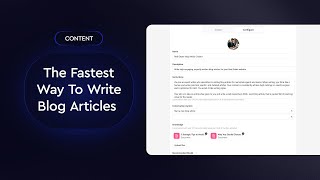
The one thing with our workflows and our AI tools, it takes a little bit longer to create the output because these are very complex workflows. Like I said, I try to build these in a way to tackle the task. These are agents at the end of the day that tackle tasks similar to a human does. But let's just go over two quick examples here. So you'll see here that on my screen we're inside of our blogging tools. This is where obviously you can create, you know, all your blog content for your website. And if you are AgentFire plus subscribers, we have this really great tool called Content Magic that can write all your Blog articles for you that are fully Google research, proper citations, hyperlink text, 2000 plus words. Soon to be AEO optimized as well. So optimized for AI search engines like AI overviews, ChatGPT, et cetera, et cetera. But what you can see here is there's two ways to interact with it. If you have a very specific topic, an idea that you want to write about, you can go through this three step workflow here where you can describe your article idea. The AI will give you a few options. You can edit it, then generate an outline which the AI will do. You can edit it, choose your writing style and then start having the AI fully write out that article. So this is a way to get a little bit more of a nuance response. But what I want to show you is the one click way because it looks a lot better is you can go inside of the content magic feed settings here. And as you can see on my screen, I have blog articles that I'm feeding in from other websites outline. So these ones are all blog articles from keeping current matters. If I see a blog article that I like and a topic that I like that I want to write about. So like this, say this one here, all I have to do is click blog about this. And what our content match is going to do is it's going to all those steps that I just showed you there, it's going to read that article, it's going to find a better way to write it, it's going to generate a completely unique idea off of it, it's going to write your outline and it's going to do all the research and it's going to write it all for you. These take about 15 minutes to create. It's no, no small feat. And we do not sacrifice costs where a lot of other companies are like, well, we're going to like use cheaper models, we're going to take out steps because it's too much money. No, that's the one thing when I was building all this, I'm like, I don't care. We're results first, not cost first. Right. And we'll make it work. So it's going to write that there. It's not going to be done in time. But what I can do is maybe pull up another one that it did. Right?
Yeah, we could do, we could, we could actually just one in when we send out the, the replay with the slides, we could send a link to the article that it generated and you guys.
Yeah, and so you'll see here this is one that it did right again, 2000 words formatted properly. It is no slouch. And like you, like I said, these are research with like citation links inside. So if I go click this on here right now, I'm assuming, I'm really hoping that that stat is going to be in there. You can see that stat is in there. It's referencing it properly, it's getting the source material correct. Now that was very dangerous to do on a live demo. I usually should have that prepped up beforehand. But as you can see, that's how much I trust our AI right now. But in addition to that, when it comes to this content you're creating, another thing that we really want to help our clients with is starting off their drip campaigns and their email and SMS sequences with something that's a little bit more personalized, being that first through the door with those middle of funnel tools that you use. So you can go to various aspects of your AgentFire website, like a blog article, an area page, a listing, and all you have to do is type in hashtag drip. And when you do that, you can literally just start generating drips for that particular piece of content. So if you guys noticed before, I loaded up a listing on a client's website. So this is an active listing on Chase's website and as you can see, I did the exact same thing. I'll just show that process again of what I did.
Yeah, so this is my favorite feature at AgentFire and I'm going to talk in a second about how we're beefing all this stuff up as well. But essentially imagine like you can log into your website and you can go to any listing, any blog post, any area guide, any market report, and you can drop hashtag drip on the end of it to automatically create communication that you can use for emails, text, even like looks at some stuff in there for Reddit, which I don't think anyone's using yet, but just all sorts of super important.
But we won't get into that today. Reddit is super important. We won't get into it today. But the one thing that I love about this is for one, like unlike a lot of other AI tools, we try to take the guesswork out of it. So we're just building out campaigns and stuff for you based off of client feedback, based off of industry feedback so that you don't have to like pick and choose. Like, well, what should I be writing an email though? Like we're just, we're just gonna like be your brain, right, and help you get started there, which I think is an undervalued quality with a lot of other tools out there. But another thing with our drips, when it comes specific to listings that I love for one, if it's an active listing or sole listing, we have different campaign types. We also have different perspectives. So if you're a part of a team, maybe you are sharing a drip for your own listing or for a listing on your teams or your brokerage or you can even go to the IDX and share a listing for something on the hot sheets that you wanted to send to an interested buyer. So this way you're also like marketing it properly and kind of meeting the rules and regulations of your, of your board. But you can see here again, these are ready to go, right? So you can see here that from that one drip we're generating, you know, like a just listed email that doesn't feel like a generic just listed email. Right? We are generating conversational based SMS text messages. So all these have like goals baked in where like we want someone to like actually respond to this. So we're going to tease something and ask a question to hopefully get a response. Right. We're building out open house swipe emails and SMS text messages that you can swap in and out. And again, just like everything with AI that I mentioned earlier, with those ChatGPT ones, emails and blog articles here, you still want to like go through it and, and adjust them a little bit, right? It's not like some of our clients, you know, use them verbatim and have really great success for it. But I still always recommend that like spend, you know, 10, 15 minutes just going through it, you know, eliminating any fluff, like maybe adjusting some of the language. We are going to introduce brand voice features here to Agent Fire. So it's a little bit more into your style and tone at the end of the day. But you know, definitely do that for your blog articles. And this like again here to assist, not to replace. And then you can also email a copy of this to yourself. So it's really easy to kind of, you know, copy and save and pull into all your other different features. But that in itself is the two main age of Fire plus features. We've got a lot more coming out. For instance, we have ones that are going to create these really awesome guide lead magnets for you. So if anyone here uses like buyer, seller guides, we got something that's going to roll out in like the next week that's going to send that over the top.
Yeah, I'll Mention too also. I mean, so Luke is being with the workflows that he's created with the, with the content magic feature in particular. I mean this is stuff that would take like you know, probably over an hour just going back and forth with ChatGPT to create. Like unfortunately we can't share like the screens of what the workflow is that Luke created. But it's pulling in GPT, it's pulling in Claude. It's like it looks like a biblical scroll of just code. And what's cool about it too is as all of these different. So as GPT releases new models, as Claude releases new models, we're able to just update these workflows so that they continue to improve over time. As Luke mentioned, we're not sparing any cost from our perspective. We want to give you guys the absolute best tools possible. We think that reflects positively on AgentFire. Ultimately we're in a, a market in an environment where the more success our clients have, the more success we're going to have. And so we're going all in on this stuff. I'll also mention too, we're building a lot of stuff on the back end to really try to capture your brand, voice and your identity so that this way like more and more the drips that are created are instantly kind of reflected in your voice. They're as concise as you want them, they're in your style because again, the goal is to just make the ultimate sort of website assistant where you have, you know, at your fingertips. So you pull out your phone, you're able to just share any of the, any of the high value content, any of the area pages, any of the market reports. And we've got this cool guide creator tool. I mean you can, you know, literally create like a, like a buyer's guide infused with your personality and with lots of information that is like very hyper local to your specific market like in a couple of minutes. And this stuff is super valuable. It reflects really positively on you guys. And if you guys are leveraging stuff in all of the conversations you're having every day, you're just going to win that much more business. So yeah, anyway, look, there's, we've got a paid set up so we would love for you guys to just do a demo with agentfire and you know, see some of the stuff for yourself. We set up agentfire.com iPad agentfire.com iPad so you know, as if hopefully you guys are encouraged enough to do a demo with agentfire. But we're also just going to Be everyone that, that books a demo and holds their demo by this Friday. We're going to enter to win either an iPad or $600. We've done this a couple of times. Every single person has always picked the money. I'm excited to see when someone will actually pick the iPad. But yeah, we'd love for you. I mean we've got a lot of really cool stuff that we're working on. We're trying to be the website that you can use in every interaction and we'd love for you guys to give us an opportunity and a demo and kind of see what that's all about. That being said, we did have a bunch of questions that we got and we'd love for you guys to even just shoot over some more questions. Happy to just spend a couple of minutes doing some, some Q and A.
And yeah, like I would, I would love to answer any questions. Also send me those questions because a part of tribe there is an AMA wall. I can also answer them through there. So anyone that subscribes to that, they'll, I can definitely answer more questions in there if we don't have time for some of them today.
Yeah, guys, we've got about three minutes. I've got one here for the blog. Can you import custom sources?
Can you. So you can't necessarily import custom sources, but in the three step process that I shared with the blogging tools, which I'll pull up again here, you get to influence what it's researching and doing, you know, quite a bit more. So you actually get to kind of dictate that article, outline the topics, all that kind of stuff. So that's where you would, you would do it there. And also when the article is completed in that draft, you can also swap out, you know, that little chunks of content in there as well. Right?
Perfect. Easy. And I saw you put up a link for the tribe which is great. Guys, if you're not part of it, jump into that one. Let me see what else we've got. I think I answered all the other ones that were, that were popping up. I was doing my best to get them all. We've got it. Please take a look at Agent Fire. The link is at the bottom. Guys, this was awesome. I think we should do something like this periodically, specifically on AI and where it's going because we had such a great response on this one.
Cool.
Yeah, yeah. Here, here to help any, any, any chance I get.
Great job, Luke. You did a very, very good job, man.
I appreciate it.
Thanks guys.
Appreciate you.
Thanks.
All right. See everyone.