How To Organize Your Work & Life If You're Self-Employed (for maximum efficiency and productivity)
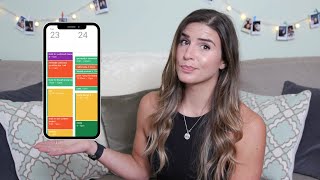
In this solo tutorial, health coach Victoria S. Dorsano walks viewers through her personal system for managing time as a self‑employed professional. She explains why a digital calendar (Google Calendar) is essential, then details her monthly "master organization" session where she plans a month ahead, uses color‑coding to visualize work‑life balance, and batches similar tasks by day (admin on Monday, coaching and networking on Tue‑Thu, new client calls on Friday, spill‑over tasks on Saturday, YouTube work on Sunday). She highlights the importance of scheduling non‑negotiables such as workouts, meals, social commitments, and monthly financial reviews. Dorsano shows how to create tentative "HOLD" blocks for flexible plans, set recurring weekly planning sessions, allocate time for email follow‑ups, grocery shopping, meal prep, and personal care. Throughout she stresses the need for structure for ADHD, the discipline of time‑blocking, adjusting blocks when needed, and staying accountable to oneself. The video ends with a call for feedback and subscription.
Chapters
Working for yourself definitely has its perks, but it's not always what it's cracked up to be, especially if you don't know how to manage your time well. So today I want to go through and actually show you guys a real-life example of how I personally organize my work week and my months ahead as somebody who is self-employed. And I want to show how I make my work-life balance a priority in my scheduling, because as you guys know, I'm a health coach and that's something that's really important to me. You know, you got to practice what you preach, so So let's go ahead and dive in. First off, I want to start by saying that there is absolutely no one-size-fits-all approach to this. This is just personally what works for me, right? Different types of people function with different types of structure and sometimes with a lack there of structure. But for me personally, I have ADHD and I completely fall apart basically if I don't have any structure in my life. So it's really important for me to have these things structured and planned in my calendar like I'm doing today. So I have found a great way for me to use systems like time clocking and batching to really help keep my days organized and work efficiently and my work life well balanced. So the main scheduling system I use is Google Calendar. I'm not saying that that's like the end-all be-all that you have to use. Everybody has a different calendar system that they like to use, or sometimes not even like an actual digital calendar. Although if you are self-employed, I do really recommend having a digital calendar because you're going to be probably networking, talking to different people, they're going to be sending calendar invites that has to go somewhere, right? So I do recommend doing something digitally if you can, but Google Calendar just well integrated with other, other things like Google Tasks. You know, you can integrate it with so many other different pieces of software, with Trello project management stuff, with CRMs and all that good stuff. So I really like it for its versatility and how you can use it, and the color coding system is easy. The app's really easy to navigate. I have a Gmail account, so it just really syncs in really nicely. So that's what I'm going to be showing you guys today, is how I do this through Google Calendar. But these skills can absolutely still transfer to other calendars, other systems that you're using too. So So if you don't have Google Calendar, don't sign off of this video yet. This stuff can still apply to you too. All right, so let's kick it off. So usually I'll start with something called like a master organization session once a month, and I'll do it for a month ahead. And then I like to do like kind of mini refining sessions once a week to kind of make sure that the things are flowing nicely week to week, because we don't always have like a grand vision of how everything's gonna play out on a monthly basis, you know, a month ahead of schedule. But it helps to at least start with a month ahead schedule to kind of create some of the cornerstones of what are What are the regular things that you want to happen in your month? And sometimes you can even put those things on repeat and you, it makes it easier month by month as you go through these master sessions. But before I dive into this master organization session, moving for the next month ahead, I wanna talk a little bit about something called batching, as I mentioned that before. So personally with the work I do, I find batching really, really, really helpful. And what this kind of batching general structure is, is basically creating kind of similar tasks or similar, um, basically yeah, similar tasks or similar types of events on the same day or same chunk of time. So it just really helps me to understand where I should slot things when I have a certain batch structure for how my week and my month is gonna go. So just for reference, I'll give you guys a little sample of how I batch my work into my weekdays. So Mondays are typically days for me where I'm doing like kind of admin-related tasks. I'm doing social media-related stuff, sometimes posting in my social media groups or, um, creating different social media reels or things of that sort. Start sometimes writing copy. Not always. I like to save that for when I'm doing more of like my, my YouTube scripting stuff to kind of similarly keep those tasks together, right? Because they're kind of in the same wheelhouse of writing and, and creation from that standpoint. But let's say Mondays are just basically for me like kind of catching up on odds and ends things and just kind of doing some of the nitty-gritty things that I just need to do and need to schedule, need to get out for the week and that sort of thing. And obviously, as somebody who is self-employed and has my own health coaching business, it is really important for me to designate times for the coaching to happen, right? That's, that's the bread and butter of what I do. So I will set aside Tuesdays, Wednesdays, and Thursdays as mainly coaching session days and networking days. So things that require kind of like a lot of social activity, they're very people-oriented activities, right? So sometimes on Tuesdays I'll mix in a little script writing for YouTube, and sometimes on Thursdays I'll mix in filming. Um, but you know, it just depends on what my week is gonna look like, what my workload is. But I try to at least set aside a good chunk of time on each of those days for more people-related things. For my coaching calls, for again networking calls, for things that are just going to require a lot of social energy from me. Because fun fact, I'm actually an introvert and it takes a lot of energy for me to consistently be in that kind of social mood where I'm talking to a lot of people in the day. So I just have to make sure that I kind of stick myself in an environment where I can get in that zone and stay there for the day, and then plan some good recharging activities later on just so I'm not super cranky. And then as far as my Fridays go, I like to do new client calls only on that day. And then if I happen to have like free time in between I'm gonna do some spillover tasks from the week and things that just didn't get done that I needed to get done, whether that's responding to some emails or messages or getting some client materials created or things like that. And then on Saturdays, I usually like to block about 3 hours or so to complete any additional spillover tasks just in case I don't get anything, you know, fully done that I needed to get done during the week. So that's important. It's kind of like a temporary hold I put on my calendar. It's not necessarily like set in stone, but it's more so like a just-in-case kind of block so I can remember like, okay, this is here, designated in case I have anything that I didn't get done throughout the week, and I can just carry that over into Saturday morning. And then alas, we come to the end of the week with a Sunday, and I spend usually about an hour, hour and a half, to sometimes 2 hours prepping and posting to YouTube and just getting kind of all the YouTube stuff done that needs to be wrapped up for the week. So now you can kind of see the general kind of batch structure that I like to keep to, meaning that like Monday's admin, we have Tuesday, Wednesday, and Thursday are kind of coaching and people-oriented things, and then we have, um, you know, YouTube sprinkled in there, but then We have Friday as new client stuff and spillover tasks, Saturday is spillover, and then Sunday is YouTube posting. So I kind of batch things out where we have similar tasks happening on similar days or similar tasks maybe that are requiring the same type of brain activity. And that's really important because there is a loss of efficiency when you are transferring from two very different tasks. So it just helps things move a lot smoother when I can have tasks that require the same kind of aspect of my brain or that particular type of skillset, whether that's writing copy or again, kind of people-oriented things where I'm in a social activity where I'm kind of gearing up to talk a lot, or whether that's, you know, filming kind of fills into that social category as well where I'm talking more, which clearly I haven't done a lot of today because I am flubbing my words like crazy. Anyways, but you know, you kind of get what I'm saying. It's important to batch. I'm going to move on. I'm just a huge fan of it, point blank. Then I like to make sure I'm going into this monthly master organization session with a color system in mind, especially if I'm starting completely fresh. So I'm, I'm speaking to this as if you don't already have a system. If you do, amazing. But having a color system to your calendar is really important, uh, in terms of being able to take a glance and be able to see if things are out of balance. And what I mean is, for me personally, I have my work work-related things in purple, my personal-related things in blue, clients are typically scheduled in green, and any kind of PT sessions that I do on the side are in yellow. And then sometimes I'll put like tasks or reminders in orange or red. So that's a really important thing for me because I can take a glance really quickly at a week and be like, oof, this is not a really well-structured week. I see a lot of purple and very little blue, or I see a lot of blue and very little purple, or whatever it might be. And I kind of get an understanding of what my work-life balance is at a quick glance and what needs to shift or change. So that's why for me having a coloring system is really important, and it just helps me be able to see like, how am I balancing this week? Am I, am I doing okay? Am I not? All right, so without further ado, let's go ahead and dive into the master organization sash. Here's what I look at and how I go about this. So first, I like to always start off with my non-negotiables for basically my, my health, my wellness, my social life, my well-being. And this includes social commitments, workouts, meal breaks, massages, etc. So you can see here I actually already have a lot of these pre-scheduled in because this is just my calendar. I went ahead and I'm in October, so I'm about a month, a month and a half ahead because a lot of my September's already blocked out and scheduled. So this is more blank than usual for me, but kind of understanding some of this structure that I mentioned, right? We have our Monday days that are a little bit more admin Don't laugh at me that I have a block in Sundays to whiten my teeth, 'cause otherwise I forget. Um, uh, and then we have our Tuesday, Wednesday, Thursday throughout the rest of the week. We have all this stuff, right? So you'll see here, I've already scheduled in my non-negotiables for my health, wellbeing, my social commitments, all that stuff. So I will always schedule in my workouts first. For me personally, I follow a workout program in an app, so it gives me my workout of the day. I already know what to expect. If you don't have a workout program that you are following, my suggestion is to go into these calendar blocks and actually add in a link to a workout that you want to follow or a workout program, whatever it might be, so you have those already pre-scheduled and, and in your mind you kind of already know what you want to do. Um, so that's, that's how I like to at least have these blocks in there, right, for my workouts. Then we go into social commitments and things that are important, you know, for you know, I consider my well-being too when I'm having social activities. So I have my Monday Bible study, I have my women's group on Tuesdays, I have another young professionals fellowship group that I meet with on Wednesdays, and then on Thursdays, every other Thursday, I'll typically have another women's group that will happen that I've already blocked out. So you can see that those commitments are already in there for myself as well, right? I have my workouts, I have my social activities that happen weekly. Those are already scheduled on repeat for the whole month. So those are all good to go. Next thing I would do is actually go ahead and start to schedule in meal breaks. And this is— it sounds silly, right? Because when you're self-employed, you can take meal breaks whenever you want to. But I find it important to schedule them in so you just have the intention of setting aside at least 30 minutes to eat and to just to eat and not be distracted with other things and not feel like you need to eat while you're doing other things. So let's go ahead and put actually a break in here at I'm just gonna do this, and this is gonna go in blue. So I'm gonna do the 30-minute, and we're just gonna put it on repeat. This is the nice thing about Google Calendar, right? So let's do every weekday, and then obviously for here, if I wanted to do this, I can do, um, Monday, Tuesday, Wednesday. I can do all these days, right? And then I can do, uh, just till the end of the month if I want to. So I will say ends on the end of October, just so I can revisit. Maybe that's not a great lunchtime for me, maybe I need to shift things around, but at least it's in there, right? So let's hit done. We got lunch scheduled, yahoo! Okay, so I have lunches in there, right? I have that time for myself to make sure that I I am eating in the day and I'm taking care of myself. So, you know, other things that can be important to schedule, you can schedule massages. Like if you have a monthly massage or monthly chiropractic appointment or something like that, you can put that in there as well. Um, I also am a big fan of scheduling in monthly financial reviews. So I typically like to do those at the end of the month and I will put that in here. Usually on a Friday because it is important to make sure your cash flow is looking good as a business owner or someone who is self-employed. And this is going to go under my work. Yes, I'm going to be looking at my personal finances too, but it feels more like work, you know. It's like it's finances, at least to me. It's not super fun, but you gotta do it, you know, so we're gonna save that boop. All right. So yes, monthly financial reviews are really, really, really, really, really, really, really, really important if you are self employed. And this was something that I didn't really wanna believe as being something I needed to do on a monthly basis at first. But it's important and once you start to get into the groove of it and actually just really helps you get an outlook of your business. You can revisit your cash flow, you can reconcile accounts, you can create and review kind of like quarterly projections to just see if you're on track with things and, you know, where your finances are at. It's just, it's, it's really important to do, guys. So make sure you put that block in there too. You might even want to consider doing that on a weekly basis if you are just starting out, just to kind of see how things are going. The next thing I like to do from here is really look at my larger business goals and kind of break those down into chunks and try to figure out if I need to break down these bigger projects and goals into smaller tasks that I can then put into my calendar and schedule those in for the month. Because if I don't make those a reality for myself, it's so easy to get sidetracked with other things, with clients, with, you know, organizing your email inbox, like pretty much anything you can get distracted with if you're not making your goals a reality and actually scheduling, breaking them into smaller tasks and scheduling them into your calendar. So I like to do that in my monthly organization session as well. So for me personally, uh, a goal that I have, I actually have my goals whiteboard right over there on my wall that I'm looking at right now. Uh, a goal that I have before the end of the year, I have several, but a lot of them I'm already kind of in the process of working towards and have those kind of broken down on my calendar already. But, um, something that I don't is I wanna create another course, um, for some of my health coaching clients that is gonna be more geared towards young professionals. So that is something that I need to start breaking down into smaller chunks and doing some research on and scheduling that in. Um, so let's just put it in here for good measure. So let's say on, uh, that'll probably be on Friday afternoons. I know Fridays are typically my new client call days. Um, well, actually, let's schedule that for Mondays. Let's do Mondays. Um, so this will probably be something like— right now, since I don't know exactly what my tasks are going to be, I need to do a little bit more digging into like figuring out exactly what I want this goal to break down into in terms of like smaller measurable tasks, I'm just gonna put a hold in my calendar, and I'm gonna talk about that in a second. So I'm gonna do hold health coaching course creation, and we're just gonna do— maybe put an hour in there. And I'll probably put that, you know, in there weekly on Monday. Actually, let me customize that so that doesn't go on forever and ever and ever. On— we'll do end of October. And guys, I know this kind of seems tedious to do, but I promise you it helps so much, and it helps you stay accountable to yourself. It is so important when you are self-employed to stay accountable to yourself. So if this seems like a lot, it is, but it's well worth it to not miss out on your opportunities as somebody who's self-employed of being able to grow their business or grow whatever they're doing in their self-employment. So we got that in there, right? That's our, our, my little, my little hold block in there, and I'll talk to you guys about what that means in a sec. Um, then after that, in this master session, what I'll typically do from here is look and see if there's any fun events or anything I'd like to do with friends, and then I will also then tentatively block out those times as well and then kind of solidify plans later if need be. So if I'm looking at my calendar right now, right, and I'm kind of looking and I'm seeing that, okay, you know, my first weekend here pretty light, um, nothing too much going on there. That second weekend, nothing too much. I have an event this weekend, so I will be gone. I've already blocked that out. Looking towards the end, I have an event it looks like on Saturday. Cool. So I might want to do something fun these first few weekends of October and see what's going on, right? So I might put the intention out there and be like, okay, this Saturday is pretty empty right now. Let me just like, let's just put a hold. So I'm gonna say hold plan something fun with friends, and we're gonna make that, I don't know, let's just put a big block in there, you know, why not? That'll be in blue. That's a fun personal thing, right? It's my friend Megan's birthday that day, so hey Megan, maybe we'll do something for your birthday. If there's one thing I've learned Tentative blocks are great, and I put them in my calendar as HOLD. As you can see, I'll put all in caps, HOLD, and then I'll put the event name to signal that they're not necessarily set in stone, but I'm putting it there as an intention to be able to come back to later, see if that's actually something I wanna do, if I have bandwidth for that thing or not, and I can always delete it or move it around. That's the great thing about Google Calendar is if it's not serving me that day, I can bump it to the next week or delete it altogether. And it's great. So I like to use tentative holds as intentions or things to think about, but not necessarily as like a, this needs to happen. The other thing about Google Calendar I'll mention is in these holds, you can also mark them as free, right? So if you have a calendar where people can book sessions on your calendar and you don't necessarily want to take away that time from people, you can also just label it as free, uh, so that's still available for people to book in your calendar. All right, you guys, now we have our month all kind of mapped out pretty well. We have our repeating blocks of things, right? I have some repeating admin tasks in here, some repeating networking calls and group calls that I'm a part of, my monthly financial review, my lunch breaks, my social commitments, my fun weekend things, teeth whitening, and weekly reset. Also, I should explain, a weekly reset, super, super helpful. That's something that you just go in and clean out your inbox, you clean out your photos, you'll clean out anything kind of digital that you need to just refresh, wipe clean. Um, but yeah, so that's what the weekly reset is, and I just do that on Sundays to kind of just fresh— like, have a fresh start on a Monday. So there's that. All right, so let's move on to the weekly sessions. So my weekly calendar planning sessions look like this, and typically what I recommend you guys doing is putting a little block, whether this is on a Sunday or a Friday night or whatever it might be. We're gonna put in Weekly Time Block. So you are gonna time block your weekly time block. It's pretty meta, I know. So I usually maybe make that like 30 minutes. It doesn't— it honestly probably takes less than that, but I just put that time out there. I'm gonna leave that as a personal block. We're gonna hit save. And let's actually put this as a repeat. My bad. Repeats weekly on a Sunday. Boom. All right, so we have this weekly time blocking sesh, right? So every Sunday I'm gonna go in ahead of my week and I'm gonna look at what needs to be moved around, what needs to be shifted, what, you know, what needs to be taken off, what needs to be bumped to next month, and kind of look at it from that standpoint. Because we already have some of those monthly things in there, but there's obviously going to be some things week to week that you're going to put in that are going to unique to that week, right? So for me, for what I do, this is typically what I look at ahead when it's Sunday and I'm looking ahead for the week. I'm looking at, do I have all the client appointments that I need scheduled for that week? Am I missing anybody? Um, I will also schedule in, you know, times to respond to emails and follow-ups and kind of any other kind of things like that that might get missed otherwise. And this can also include like project tasks and things that I just want to get done, and I'll just slot them into the open times that I have throughout that week, right? So if I'm looking here, um, something for me, 'cause again, you know, ADHD, and when you're again self-employed or a business owner, you have like a million things running through your mind all the time. So that's fun. But you also have to learn your, what's gonna be the best reminder system for you. And personally I use the calendar as that as well. So for things like that might be kind of common sense for most people, I like to actually put a time block in there for like email follow-ups, right? Like checking my email inbox, clearing that out on a daily basis, responding back to everybody. If I don't have it in my calendar, it's not gonna happen, so it's gotta go in here. So we're gonna put that in there. Um, I typically will do that at the end of the day, right? So I'll put that in here. So I'll do, um, email follow-ups. So let's just put a 15-minute block for the end of the day. We're going to make that there, and then we are going to put a little repeat meets. And obviously you'll see like I'm double scheduling over things. That's okay, we're going to slide things around, we're going to move them around, right? So like hair color, cool, I can't necessarily move that, that's an appointment I have. So I'm just going to take this little guy, boop boop boop, move him up for the day. He'll be up here, he's going to be at what, 3:00 PM? Cool. This ACE course, this is continuing education for me. Um, technically this should probably be in purple cuz it is work, but it's fine. So I'm actually gonna move this to be earlier in the afternoon. There we go, boom. See, so easy. There's no erasing, there's no scratching out. You just, you just bump it over. So this is how I kinda like to go through my day. So then if there's anything else, like let's say I need to do some YouTube scripting, right? So I might do that on Tuesday morning. Let's say here I'm gonna, YouTube script, 'cause maybe I need to shoot some videos this week and get those out over the weekend. I'm probably gonna need more time than that. Let's say it's gonna be 12. Boom, boom, boom. And here's the thing, guys, I wanna mention this too, is it's gonna take some time for you to learn exactly how long each of these tasks are gonna take for you. Everybody's different with that. For me, I like to try to create a shorter amount of time than what originally I'm thinking. So if I'm thinking, like, in my mind I went through this, I was like, YouTube scripting for me, probably in the past I would've been like, I need 4 hours for it. If I give myself 4 hours for it, it's going to take 4 hours. If I give myself 2 hours, it's gonna take 2 hours and I will get it done in those 2 hours. So there's obviously a limitation to that. I can't say like, I'm gonna squeeze it in in 30 minutes. Like, that's unrealistic. But I've kind of found what that boundary is for me to kind of encapsulate my workflow in so that, you know, I'm not giving myself ample time, but I'm giving myself enough time to kind of like speed it up, get it done, Victoria. Like, don't get distracted, you know. So that takes some learning and some practice to understand what the time blocks are gonna look like for you, because everyone's unique, everyone takes different time, you know, allotments for different things. So that's just part of the process of learning yourself and how you work as somebody that's self-employed. So if I'm gonna be YouTube scripting this week, I'm probably gonna want to YouTube film. So I'll probably put that in for a afternoon here. And here's the thing, you guys, too, like I mentioned, um, let's do 3 to 5. Um, like I mentioned before, you can plan to have these things, but again, for like your business, there's going to be a certain thing that takes priority, that takes precedent, right? For me, that's client appointments. So I've promised clients that Tuesday, Wednesday, Thursday, I'm open to book 4 sessions. I'm going to move my other things around if they want that time slot and that's the only time slot that they can take. I'm not gonna be stingy with that because that's the service I'm offering. So you have to understand, like, you can only plan so far ahead sometimes. And, you know, if you do consider planning ahead, right now I'm 2 months ahead. I know that there's probably gonna be clients that are gonna schedule in some of these time blocks. I'm gonna need to move things around. But again, I'm just kind of setting the intention of what I want to work on work on, knowing what I have, you know, what I have to do for that month, what my goals are, how to make that needle move forward, right? So again, just kind of be flexible with it. Don't get too freaked out that you have something in that spot and you need to move it. It's okay. The next thing on like a more health kind of personal care side of things that I do on a weekly basis is I will plan out times to go to the grocery store. And I know that sounds kind of like remedial that I would remind myself that I need to go to the grocery store, but again, like, if it's not in my calendar, it's not going to happen. And it just also helps me to see it every single week and be like, oh yeah, I'm taking care of myself. Oh yeah, I'm doing this for myself. Oh yeah, I'm setting aside time to actually go to the store and meal prep and all that stuff, right? So that's something that's important, and I recommend that for all my clients that are working on improving their nutrition, is actually setting out the time in your week to intend to go to the grocery store and to intend to meal prep the best you can. And again, some weeks that might fall apart. There might be a family emergency, there might be something else that pops up in your work-life schedule, and and that's okay. You might just have to, you know, order pre-made meals, and that's, that's just what it is. But at least having the intention of having those slots there and the time allotted to go, that's like a step in the right direction. So for me, I'm kind of a weirdo. I like going to the grocery store on Friday evenings because it's usually kind of dead, like no one goes on Friday evenings, and it's just easy to get it out of the way. So I'm gonna put that in here. I usually go at like 5, and this is what I'm gonna do. See, super easy. I'm gonna move this email follow-up up there because I like to go to the grocery store at about 5, and we're gonna put you in there for maybe an hour, probably an hour and a half. I like to take my blocks and actually include drive time typically in there too. So if I'm considering driving to and from, getting groceries, all that stuff, we're looking at an hour and a half All right, so here is where I'll also look at— okay, I'm gonna meal prep for the week ahead. I'm gonna put that in there. And again, you'll start to learn how much time you need for all these things too. Like, it's gonna differ for every person. So we got that in there. Like I said, that's just something that's important to make sure that you're staying healthy and you're doing what you need to do to continue to stay healthy. So at this point, I'll also start to look at and see like if everything's kind of in a slot that makes sense in terms of batching, right? And following that same structure that I mentioned earlier on in this video about trying to keep certain days kind of certain themes as best as possible, or at least keep certain things together that have require a certain mindset. So if I'm looking at this, right, so this is some prep work, writing a newsletter. So these are kind of admin-y things. Social media stuff. I have a client session here for Power Plate, and then I have this, yes, course creation block that I just put in here. So this is kind of like, kind of creative, kind of admin-y. It's a mix. I'll always say that Mondays are kind of a little jumpy for me. I don't love that they're that way, but I feel like that's the best kind of structure I found. It just kind of adds in things that need to get done. So I won't say that like Monday is a truly great example of batching really well, but it's okay. All right, so then kind of moving throughout the rest of the week and seeing how my rest of my days are structured. I'm not actually fully loving how Tuesday is looking right now. We have YouTube scripting and then networking call, and then, um, you know, my lunch break. We have my continuing education, email follow-ups, then the hair appointment, and then a women's group. So that's pretty jumpy for me. Some of it's social, yes, but like scripting is a little bit more like introverted. So I actually might, just to kind of keep it in a similar mindset, and since I don't have any clients here right now. I actually might just go ahead and move that over to Thursday, keep this open for more, um, client appointments here since I'm already going to be having a networking call. And then I might— we'll probably keep that there. This is a little odd day because I have a hair appointment, but you know, it is what it is. So now looking at Wednesday, I'm probably going to keep this open for coaching calls as much as possible because I already have one in there. So this is going to be the day I'm going to offer to try to slot most of my clients. If they obviously need Tuesdays or Thursdays, I'm going to move things around and get those in there, but I'm going to try my my best to keep things here if possible, if their schedules allow. Then we're gonna look at Thursday. Now that I've aligned this, this looks like it's gonna be more of a YouTube-themed day, right, in terms of what I'm doing, which is great. That's gonna be a similar mindset of things that I'm doing, although scripting and filming are gonna be a little different. I'm gonna batch, you know, scripting 2 or 3 videos and then batch filming 2 or 3 videos at the same time to try to stay in that same mindset the best I possibly can. And then we look at Friday. And again, since I'm a month and a half ahead right now, there's not too much on here that normally would be on here. Typically my calendar is going to have a few new calls in here, connection calls, things like that that come as a byproduct of going to networking groups and things of that sort. But since I'm a month and a half ahead, that's not so much the case right now. So it's looking pretty open. I at least have my intentional holds for, you know, a social activity, for meal prep, for going to the grocery store, for all my personal items, for some of my work to-dos. And then I'm leaving some blank space open for, you know, clients at this point. So that's kind of how I go through it on a week-to-week basis, and I will do that, like I said, on a Sunday night or sometimes a Saturday night and just move ahead for my week and look at what needs to be, what needs to be allocated. And again, it doesn't always work out perfectly, but about 60% of the time it does, and I can manage to batch things well as best as I can, which ultimately helps me to again avoid losing time from task switching between multiple things that require very different skill sets, right? Now that I've laid out the mastermind for this template that I use to move through each month and then each week and kind of categorize all the things that I want to get done, need to do for my personal well-being, for my financial well-being, all those things that we've kind of mapped out, right? You guys might be asking, okay, what happens if a day comes up and you just absolutely do not want to do what you have scheduled for that day? And And that's absolutely a fair point to bring up. And that definitely will happen. There definitely will be days that come along and you're just like, yeah, I have all these things I scheduled in here a week ahead of time and I just don't wanna do any of 'em. Listen, we're all humans and we're not meant to be motivated all of the time. You're definitely gonna have days where you have tasks on your plate and you just absolutely do not feel like getting them done. And when you look at it in reality, like, do you really have to do those things 50% of the time? Probably not. I mean, they might be kind of odds and ends, admin-y things that you don't necessarily need to get done that day unless it's like a client appointment or something that you have, like a phone call or something like that. But after being your own boss for a while, you start to realize that sure, you can put off those things for another day, 2 days, another week even, but at some point it will come back to bite you in the ass and you still might not feel motivated motivated to do those things even then. Yes, it definitely does take some discipline to set your schedule and to stick to it, and you're not going to do it perfectly, but at least by having a structure and a system like the one that we went through today, you will at least be able to remove one of the obstacles to being efficient and effective as a self-employed individual. So you guys, I hope this was helpful. I know we went into a lot of detail on the calendar stuff, but I wanted to show you guys a real-life example of what I do for scheduling, how I am able to manage, you know, my workload and break that down into smaller things and put them into the calendar and try to stay, you know, as disciplined as possible to stick with it. And again, you're gonna have some days it's not going to go perfectly. That is okay. But it is important to understand that if you are self-employed, like, it's up to you. You're going to be the one that's holding yourself accountable to these things. So it serves you in your best interest to have a structure, to have some kind of system that you're following that you can utilize to really help you be the best you. God, that sounds so cheesy. So let me know what you guys think about this calendar system. Is this overwhelming for you? Does this help to have some structure and some ideas like this? Let me know in the comments down below. And as always, if you could go ahead and subscribe to my channel and like this video, I greatly, greatly, greatly appreciate it. We are on our way to 1,000 subscribers. I'm so excited. So every last subscriber counts. Thank you guys who have subscribed so far and have supported this channel. I— it just, it means so much to me. So thank you from the bottom of my heart, and until next time, bye!
More from Victoria

I Tested the XPOLAR X2 on My Knee for 3 Weeks — Does Contrast Therapy Actually Work?






3 things you should do to make sure you get the most out of your fish oil #legion