Learn how to save and name HTML files so browsers can read them. Use .html or .htm extensions, avoid spaces and special characters, and name your homepage index.html so it loads automatically when someone visits your directory.
Chapters
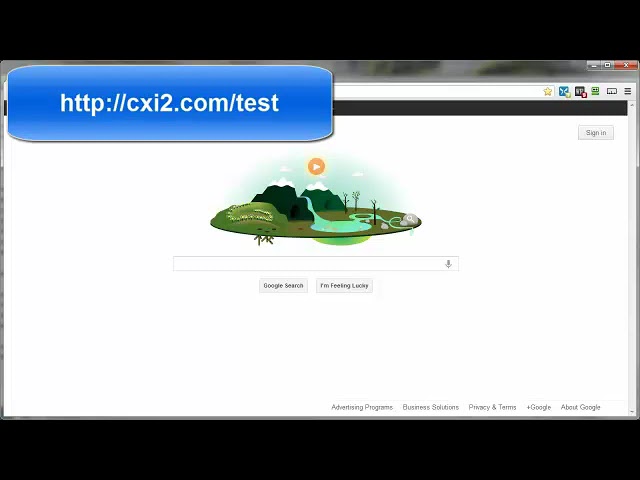
For most people that have been on the internet for any length of time, saving a file is like blinking. It's done so easily you don't even think about it. You just click, click, save. Now, if you want that file to be a web page that browsers will be able to read, then there are a couple of standards you need to be aware of. Now, this video will demonstrate the ways to save your file as a web page. For a basic web page, the file extension needs to be either .htm or .html. They are looked at in the eyes of the browsers as pretty much the same thing, so you can use either one, but for the sake of consistency, pick one and stick with it. I'm going to be using .html mainly because it's been around longer, so if nothing else, out of respect for the elder. Okay, we have the extension part of the naming figured out, but what about the actual filename itself? You can name it really whatever you want, like myfirstwebpage.html. Or any other descriptive type name. But remember to leave zero spaces and no funky characters. Purists say that only lowercase letters should be used, but as far as the browsers are concerned, they don't care if it's a big letter or a little letter. So letters, numbers, underscores, and hyphens, and anything else should not be used. So now you know that you can name the file pretty much anything you want within the naming guidelines I just mentioned. But here's why you will want to consider just naming it index.html. Let's back up a second here. A web address tells the browser where to look for all the coding of a particular web page so that it will show all the goodies, you know, the images, the text and formatting. For example, http://cxitoo.com/test tells the browsers to head on over to this folder in this domain and show me all the web page goodness. But in that folder named test, there needs to be an HTML file. That HTML file can only be named index.html for the browser to automatically pick it up out of the folder without some additional help. Now let's say, for example, that file name we wanted to see was not index.html. Then the browser is blind to it, just simply can't see it. We're going to need to tell the browser the exact name in order for it to be seen. Let me show you what I mean. Now I've already logged into my server through FileZilla, and I'm at the test directory in my domain name. So now then, all I need to do is drag my index.html file over to the test directory, or you can right-click and left-click on upload. That, or just left-click, hold, and drag it on over there. Either way, it's going to end up in the same location. And this is the URL now. And with this being named index.htm or index.html, the browser will automatically pick this up without it actually having to be declared in the URL. So let's go ahead and test this. Let me just copy this, come on into the browser, paste it up here, and go. And there's our web page. Now then If we were to actually declare that file name, that being index.html, then it will be the exact same thing. It's just that it's not necessary. The browsers automatically look for index file names in the directories. As you can see, the exact same thing. Refresh, the exact same thing. Now then, let's try this with a different name for the exact same file. Let's come on into our folder here on my desktop. I'm just going to right-click, copy, right-click, paste, and just rename this anything you want. Name it one of your descriptive names. myfirstwebpage.html. I'm just going to go ahead and copy that because I'm going to need that here in a second. Copy that into my clipboard. Come on back to our FileZilla. Refresh this so that file shows up. There we go. Now then, let's go ahead and delete this one from our server so it's no longer there. Let's come on back to our browser, refresh, and there we are. This gives us the contents of that directory, and right now it's empty, just as it shows in our FTP client. So now let's go ahead and upload our same exact file only with a different name, the descriptive name. Left-click, hold, and drag it on over. Now then, if we come on back to our directory here and refresh, unlike with the index.html file, the browser doesn't recognize it automatically. It sees it's there in the directory, but it's not pulling it up unless we specifically declare it in the URL like this. And there it is, the exact same web page. But if you do not save that HTML file and as index.html or HTML, then the browser will not automatically pick it up. You'll have to specify that name in the URL. So to recap, you need to use the extension .html or .htm, and if you want the browser to auto-find the home page, then it needs to be named index.html or index.htm. Otherwise, you need to provide the exact file name within the web address. That's going to bring us to the end of this video on saving your HTML files.