Content Audit vs Topical Audit: Which One Should You Run First?
Yoyao Hsueh demonstrates two audit workflows in Topical Authority: Content Audit aligns existing pages to a topical map using vector embeddings and cosine similarity, while Topical Audit discovers topic hierarchy automatically. The platform flags semantic cannibalization, scores topic coverage, and recommends actions like optimize, redirect, or reassign to build topical authority.
Chapters
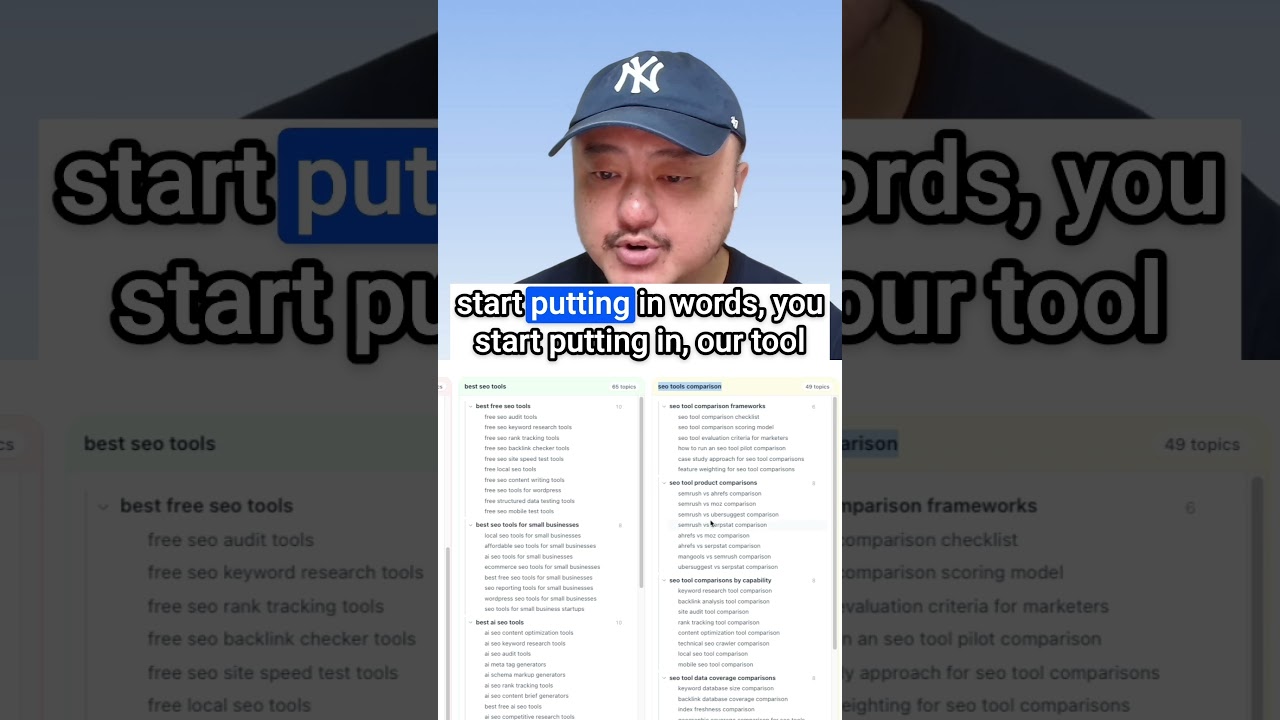
All right. So we have 2 highly requested audit workflows. First off, we have the content audit workflow that ties directly into your topical map and strategy workflow. And then we have the topical audit tool, which allows you to find the topical relevance and depth of your website, all without a topical map. You'll be able to find your topical gaps and topical opportunities. But first, let's take a look at the content audit tool. All right. So when we are in the topical authority tool, we just click on the scanner tab here. And here we just do a little configuration. Website URL will be prefilled. And if your topical map here is focused on your blog content, your resources content, you just want to add the subfolder where they're all located. And so now we're not bringing in any of your service pages or other pages that are not under the blog subfolder. And here you can choose your server location for where you want to analyze your content from, and then set a page limit. There is a max of 5,000 pages, but you don't have that many pages, then set it to however many pages you have. Let's say we start with 100. And now what it's doing is it's discovering all the pages you have under the blog subfolder. And then it's crawling each of those pages to analyze its content, embed it. And through vector embeddings, we are comparing all the content in all your pages. It's going to be comparing them to each of the topics that are in your topical map. We'll give it a little bit. For about 100 pages, it usually takes about 5 to 10 minutes. It depends on the length of each of your articles. All right. And so we will come back when this is done. And we're back. Let's take a look here. So now we have a good overall idea of how the site is doing and when it compares to our topical map. We're not covering the rankings here. We're not covering the coverage in the AI overviews or AI mode or ChatGPT. We're looking at how relevant the topic actually is in comparison to our topical map. We want to make sure we're not cannibalizing ourselves here when it comes to semantic relevance. So here, let's take a look at the topic coverage. The topic coverage score is a percentage of how much of the topical map you've actually covered. The matched topics, there are 225 topics in the topical map. And we've covered 32 of them. Then there are the 100 pages that we crawled. And it seems like we have heavy cannibalization across 17 of the 32 topics. There are quite a number of issues, but the issues cover the content to optimize and the 17 topics that we want to resolve cannibalization on. We'll take a look at that really quick in a second. The topic coverage map. Let's see how it breaks down, how these 4 main topic pillars and how much of those pillars we've covered already. You can take a look at this bar chart. You can also click radar over here for a spider chart if you prefer that. Down here is the detailed page analysis where each of these pages get a score. We get a semantic similarity score on how close the page content is to the topic itself. So we have 4 ways to use CTAs to get more legal clients. And we have an 88% match to call to action CTA strategies for legal websites. With that 88%, the platform recommends to keep this. And then you could keep going down how to choose your legal niche, niche marketing for law firms, 87.6%. You keep scrolling down through all the topics and we could load all 100 here. Once we start getting down here, the matching gets a little more iffy, right? And you want to see if we optimize it or what do we do with these articles? And this is where you have to go through the various recommendations. Now let's take a look at the cannibalization. You can get to it by clicking here in the action item, resolve cannibalization. Or you can click the tab up here for cannibalization. Now we have our 17 topics. Here's one topic. Here's another topic. They're broken up into sections. And you can see all of these pages were mapped to the content marketing for law firms topic. Let's take a look at each of these. Looks like these are the paginated blog roll and then the author pages. So none of these really match just by the titles themselves. But in terms of the content on the pages, they could be relating to content marketing for law firms. But since they don't really match, what we can do is choose various actions. We can choose that this is the primary page for it. We want to redirect this page to somewhere else. We want to reassign it to a different topic. Okay. You could select your topic here. And then we can also keep it separate. So in this case, we want to keep it separate. And what it'll do is you can see it disappearing from this list because we don't want to associate any of these author pages with that topic. Now down here, client retention for law firms. We could do the future of law firms is client-centered. None of these really are a match either. So this is where we get a lot of cannibalization because we're not quite sure of what is going to be the best match. And since these are all about vector embeddings and cosine similarity, a lot of times you get some false positives and sometimes you won't. Sometimes you'll get great matches. It all depends on the content that's on the page. Right. And if you do see a match, here we go. Like lead generation for law firms. You can see how business lawyers can land more clients, how to open a practice as a millennial lawyer. So you could see that even though this is an 80.3 for this author, there's probably a good amount of information on the Megan Bennett author page that is relevant to lead generation. Maybe she wrote a bunch of articles on lead generation, but we could say, okay, for now, let's say how business lawyers can land more clients as the primary article. Okay. To match with lead generation for law firms. And then we just say how to open a practice as a millennial lawyer. We can keep this separate and we can also keep this author page separate. All right. So this is the content audit. It'll go through and look through all your content pages to see what you have and compare it to all the topics that are in your topical map. This is really helpful if you have an existing site already and you have many articles already written, right? So we've created our topical map. And now what you want to do is you want to match a lot of the articles you've already created to your topical map to see which ones you don't have to publish again, or which ones you need to optimize, which ones you need to adjust the internal links. So that is the content audit for your content according to your topical map. Okay. I forgot to mention something. So I'm adding this back in. Once you're done with the scanner, after we've done a content audit, your planner tab will also update. You'll see this new icon in the actions column. Let's expand all real quick. So now we can see the radar icon. We can also hover over it and you can see the alert triangle here is telling us that there is cannibalization going on. So if we click it, you'll be able to see the different pages that are being matched here for this topic on digital marketing for law firms. Okay. So it's the same options as in the scanner and cannibalization section. So you can still keep it separate, set it as primary. And I think for all of these, we want to keep it separate because we don't have an article yet for it. 11 questions before hiring. Nope. Nope. Okay. So we don't have any articles for it. And then let's scroll down here to one without one. So we have this match here, responding to negative feedback. So this is the topic, responding to negative reviews for law firms. And then the article is value negative feedback lawyers. Now you can open it. And if you already know what it is, you can go ahead and click publish. Okay. So Now we have marked it as published here. We could do the same thing here. Malpractice claim reputation repair strategies for legal practices. You'll want to look at it a little closer. And if it doesn't match, then you can always remove it later. Now, another cannibalization. Okay. So what you'll see is you'll see these icons, green, meaning it's a good match and you'll still want to confirm it before clicking publish on it. And then we have the yellow for optimize. Okay. So this is an article we'll want to optimize, but you can see the URL for this is blog author. So it's another author page. We'll know to keep it separate as well. We'll have to go back to the scanner tab to be able to do that. Lots of extra features from the scanner. You'll be able to quickly match all your existing content to your new topical map and find where all the gaps are. You know, how on topic all your content was, because if you start seeing a lot of existing content that's not being matched to any of your topics, now you know that you'll want to start pruning. You'll want to start doing some 301 redirects as well. And that is it. And let's head over to topical audit now. So this is one where you don't have a topical map, but you want to analyze and see what topical relevance you have on this site, or you want to analyze your competitors' topical relevance. So let's say I have a site on SEO. And I want to compare myself to Semrush. But we want to cover the blog articles first. So we can choose where we are. Let's say the US again, and we'll limit to 100 pages for now to keep it quick. And then we'll just click start edit. What it's doing now is it's looking for 100 of the blog articles. Then it's going to crawl those articles, analyze them. And give back to us the topical relevance and what topics they cover in a nice topical hierarchy too. So it's the first step to a topical map. Our AI agents will also analyze the topical hierarchy of the pages we crawled, and it'll give us an analysis, what it's done well, where there are topical gaps, where there are opportunities for the site to improve their relevance. And if there are any pages that are just not related to any of the other topics on the site. So again, this will take a few minutes and we'll come back when it's done. Okay. And we're back. Now we can see here the discovered topics. We have 17 pillars, 24 total topics. 17 pillars is actually a good amount. So it analyzed all these different topics and you can see how each of these cover different areas, right? I can see why they were not associated with each other very closely. So let's just take a look at here. It seems like this content marketing SEO performance was the biggest one. And we can see here 3 different levels, maybe see if any of these have more levels under them. Nope. We just have 3 levels of pillar, hub, and chapters. So level 1, level 2, level 3, and then we have a level 4 of pieces. I don't think any of these have gone down that far, but we can see the hierarchy here, right? Where we go from content marketing and SEO down to on and off page down to link building. Okay. So you can see when it goes through the vector embeddings, they're going to pick the most relevant page to represent the silo of articles. And here our agents have chosen content marketing and SEO performance as the overall topic for this section. Okay. So we have the link building, then we have backlink acquisitions and keyword research and all the different articles that are semantically relevant to the different topics. Okay. So this gives you a great overview, really easy to see our competitor has covered a wide variety of articles. We can see which one of these we sort of want to attack first or not attack first. We can get an idea of where Semrush has been covering some of their articles and where we might have opportunities to outrank them. Or we might have opportunities to show our expertise and depth inside one of those topic areas. So we can see here the topical cohesion score. How tight the site is in terms of keeping their content around core topics. So we can see the site is tightly focused on SEO, content marketing, and AI-driven search marketing topics. And here are some of the topics that diverge. Here are some of the topics that are not as related to SEO, content marketing, and AI-driven search marketing. We can see the missing topics, some of the topics that were not found in the 100 pages. I'm pretty sure that Semrush has covered a lot of these, but they just weren't in the 100 that were analyzed. Then it gives us ideas on how to expand our topics to gain more authority. So you can run it on your own sites. You can run it on your competitor sites, and you can find what where the gaps are in their content. Or you can find where the gaps are in your content and find opportunities to build your topical expertise and topical authority even more. Super handy tool here, Topical Audit. A lot of people have been wanting this for quite some time. I hope you're able to try it out and give it a go.
More from Yoyao



How to Run a Complete Content Audit on Your Topical Map (Rankings + AI Search)