Revamp Your Scheduling: ServiceTitan Insights for CSRs | Podcast Ep. 05 | Mastering ServiceTitan
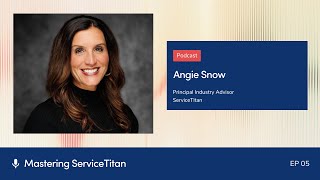
Podcast interview (Mastering ServiceTitan Ep. 05) with Angie Snow and host Josh Lu focused on optimizing the ServiceTitan job booking page and the CSR Manager dashboard. Angie explains CSR best practices (handling calls/chats, classifying calls, using tags/custom fields, adjustable capacity planning), setup tips (multiple screens, universal search, call classification reasons), and managerial tactics (listening to call recordings, using the CSR Manager dashboard and Titan Advisor) to improve booking rates and call-center performance.
Foreign.
Welcome to Mastering Service Titan, where we get expert advice from power users. I'm your host, Josh Lu, and today I'm here with Angie Snow. Angie is our principal industry advisor here at Servicetitan, and you may know her from being at Pantheon, seeing her at Toolbox live events, her CSR trainings. Angie's basically everywhere, so you've probably heard of Angie Snow. Angie, thanks so much for coming to the show.
Thank you. Oh, my gosh. Thanks for having me, Josh. And congratulations on the podcast. This is a great, great show. I'm so happy you're doing it.
Thank you. Yeah, we want to just give our customers another way to get information. You know, we have a lot of written content, a lot of video, but maybe they can listen while they're washing the dishes and not taking up extra time to learn, so.
Absolutely. I love it.
Thanks so much. So today we're going to dive deep into the job booking page as well as the CSR manager dashboard. But before we dive in to all those details, I wanted to ask you, what makes you so passionate and motivated and driven to help the frontline CSRs and dispatchers?
Oh, I love this question. It's because that was my first job as inside of my own heating and air conditioning company. When my husband and I bought our company, I wore a lot of hats, and one of those was, I just need you to answer the phone. Right. Just be that person to answer the phone. And with no real formal training or experience, I just started talking to customers, and I learned really quick what worked, what didn't work, how to build relationships with technicians, how to make technicians mad at you. Same with customers. And so as I started scaling my company and growing my company, I needed a way to train my CSRs so that we could provide an amazing customer experience, regardless of who was answering the phone. So it's something I've been passionate about. And as I've built programs and trainings and processes for them that I've seen work, it's something that I've. I've wanted to share with a lot of people. So it's. I love being able to create that amazing, positive customer experience. And now that we have a tool like Service Titan, this didn't exist when I started my business. And now that we have such a great way to organize it and structure it, it's even. It's 100 times better than when I started.
Just answer the phone seems like a way more complex job than really just answering the phones. And I remember, I forget which customer I was talking to. But she was like, yeah, I got into the trades because I was just going to answer the phones for a summer, and here I am, like 15 years later.
I know. I think that's maybe one of the biggest misconception I think, especially in, like, our industry and the trades, is, you know, just someone to answer the phones, a voice for the company. It's. It's so much more than that. It's about gathering the information you need so that you can make the best decisions. Book it on the right technician. It's about showing empathy and compassion toward the customer so they feel like they can trust you. And it's about organizing the calls and prioritizing the calls so that your company can actually, like, take advantage of the opportunities that are there and maximize on those opportunities. There's so much more to it. The longer I've been doing it, I'm like, wow, let's. Let's find a way to really optimize this and maximize this so that contractors can get the most out of their call center and out of their business. It's what I've heard. I was just talking to a contractor yesterday, and she calls her call center the heartbeat of her company. They are the ones pumping out the jobs and really capturing those. So that's. I love that. I thought that was really cool.
Yeah, that's a beautiful way to put it. And so we'll dive in deep today. There's a lot of service titan functionality that we'll be covering, and that's what this podcast is all about and how to maximize service titan. And today we're focusing on this CSR role. So for brand new folks, can you first highlight what are some of the key functions on the job booking page?
Yeah, so CSRs are probably going to live on the job booking page, which is in csr. In Service Titan, it's the second tab over the little one that looks like a suitcase. And on the job booking page, there are several things that you'll want to pay attention to. On the far left is the booking. These are the different channels in which jobs are coming in. So at the top you'll see calls, and that's typically the one that CSRs pay attention to the most. The phone rings, they want to answer it. Then there are bookings which can come in a variety of ways. Different bookings, if you have those set up with different. Other. Different channels or other integrations. And then chat is the third one, which is where customers chat back and forth with you. And we know about 70% of people do not like to make a phone call. So chatting is the way to go. So pay attention to the chat bubble. If you have phones pro, which I know not everyone does, there is also that second chance leads category. And by each of those, there's a little number so that in red, like a little red bubble. I've got mine open right now. I've got one call open. I've got one chat open, and I've got six second chance leads. And a second chance lead is when your CSR may have not booked a call that could have been booked. It's a potential lead that was not booked. And so that lets me know I've got six people that I could probably call back pretty quick and see if I could recapture that lead. That's why it's called second chance lead. So pay attention to that booking that one. Like, that is kind of the first thing I check. Like, how are we doing? Are we caught up on chats? How are the calls coming in? And do I have any second chance leads I need to follow up on?
Perfect. Yeah. So many different channels that they can come in on. And that 70% number, I was surprised, but then not so surprised. Just thinking about our generation these days. Like, I wouldn't be surprised if that number continued to just go up and up. We don't want to talk to anybody anymore. It's kind of sad, right?
And one of the things that CSRs need to realize is that when your customers called in, they found your phone number somewhere. Where did they find your number? And the beautiful thing about Service Titan is we have set up marketing campaigns within Service Titan, and each one of those campaigns is tied to a specific phone number. So when your customer calls in, there is a little field on this page that says marketing campaign. You'll be able to see how that customer called in, because that will match up with the phone number they called in. Now, I see some CSRs changing that to, like, oh, you said you found us here. Let me just change that. People are used to asking, how did you find our number? Because we didn't have such an intelligent system like Service Titan that could track where people were finding numbers. The thing that CSRs need to realize is it's important to not change that marketing campaign. Whatever number is that a customer calls in, leave that there. And they may call from different methods every time they call. They may call from a magnet one time. They may call from looking you up on your website, a different phone number another time. And sometimes they just have their phone number saved in your phone, which is really awesome too. So we, whatever method that is, keep that. Because as a marketing team, as an owner, we need those insights to know where customers are finding the phone number. So this is one little tip for new CSRs. Don't change that marketing campaign when those calls come in.
Yeah. Let the technology work for you. No need to change it. I'm sure we'll be going into a lot of other tips and wanted to hear about some best practices on getting the most out of the job booking page. I know you mentioned having some multiple screens and how to relate to the search.
Yeah, I think the first thing I would do with a brand new CSR is get multiple screens set up. So whether they have a laptop, which I know most companies are moving to laptops now because we do have the convenience of working remotely if we need to. And so having a laptop, but then having one or two additional screens that your CSRs can look at at the same time, they may want the dispatch board screen open on another page, they may want the search page open on another page and, and then the job booking screen open on the other screen. So you've got these different screens, one with search, one with dispatch, one with the booking screen, because it gets difficult when you're having to flip back and forth between screens. And we know we can open multiple tabs, but to move those tabs on different screens just gives your CSR such a better picture of, of what's going on. So having the multiple screens open and on one of those screens the search function. Because we have this beautiful universal search now that we can search so many things. Names, addresses, job numbers, anything you need to search. Having that as a quick open access already available for your CSR when minutes are counting, seconds. We don't want to keep our customers on hold while we're trying to find something. So having that open and available will definitely help.
Wow. Universal search is a game changer. I can't imagine how it must have been done before and how much extra time was probably spent finding things and putting the records down.
I feel like we're just spoiled. Like we are just spoiled to be able to find things so quickly and so easy with that, with that search button.
So that's amazing.
So, yeah, so that's, that's another tip. Just have that search screen open. Pay attention to your booking column on the left side of the screen so you can see if the calls, chat second chance leads. Keep an eye on that. And then I, I think my last best practice is to just make sure you're Clicking that green bubble, the call comes in. Click on the green bubble and then after the call is done, classify your call. This is a huge problem in so many companies is their data is skewed, their numbers are skewed because CSRs get off the phone, perhaps they don't book the call and then they're jumping onto the next call and then they leave. If. What happens if you don't classify that call is it shows up in an abandoned call bucket and it's a mess because your data is off and it is just. You're not organized. So make sure when the call's over, if you're not able to book the call for whatever reason, or maybe it wasn't even a bookable call, you need to classify it and say, why I didn't book the call. For new people on Service Titan, especially if you're in an admin role or a manager role, you'll want to go to Settings and set up all of your classification reasons, like why did a call not get booked or why did it set all of those up so that your CSRs have easy access to that and keep that list as small as possible. It's really hard when there's a really long list for csrs. Why didn't I book this call? Like, keep it a. Keep it a pretty succisting list.
Yeah. Are there any items on that classification list that come to top of mind that maybe everybody should have?
Yeah. So this is the one I hear and I even get pushback from my own CSRs. They were price shopping, so they didn't book the call because they were price shopping. And so under your, under your settings, this is listed under call reasons. So if you go to settings and type in call reasons, it's under the operations section. You can add new things there, you can close it out. But for price shopping and this one people can put on there, if people are calling to ask about a price, it is actually a lead. And CSRs want to say they were just price shopping, so that's not a lead, but it actually is a lead. So in your call reasons, you need to make sure that says true, that this is a lead and that your CSRs are trained with ways to still convert that call into a book job. There are so many different ways to help price shoppers see the value to feel connected to your company. And that's why I've been creating a lot of these CSR trainings and videos. They're about 10 minutes or less so that you can show them to your Team and share them on team meetings and overcome this price objection. So the, the price shopping one is a lead. So just because it says price shopping, don't excuse that. That is a very bookable call. Another one says the schedule. Like you were just. You didn't have a time that worked with my schedule. Especially right now here in Utah, it is hot. And so if we can't get them in the same day, they're calling someone else. And most of the time we can't. We're booked out several days. And that is a lead that we've missed. It's unrealistic to expect a hundred percent booking rate when you're already filled to capacity. The weather is crazy hot. That's just. That is a lead that was not booked. So it has to be classified. Right. So that we can understand the data. Understand, my gosh, do we need to hire more people? Are we really turning away this many leads because of the schedule? So these schedule reasons are huge. To track those, to help operations decide, maybe we need to hire more people or whatever that is. It just gives us insights so that we can make better decisions for our company in our call center.
That's perfect. And so you mentioned if they don't get classified, they go into abandoned calls. Can you talk a little bit about what is the abandoned calls section and what are the benefits of using that?
So in abandoned calls, those are calls that maybe were not linked to a CSR or maybe were not classified. So these are calls that were not booked but just did not get linked to the csr. So by clicking on the green bubble and then putting a call reason in for not booking the call, that is how we classify calls. If the CSR skips that step and I've asked some companies, why do you skip this step? It's. It's not very hard. And they say because our phones are so busy, I can see how many calls are waiting in the queue. And so I'm just jumping to the next call because I don't want to miss a call. I don't want to make them wait any longer. And that's a decision you need to make in your company. Like, is that okay to just leave these calls and abandoned. I know we have a policy in our company is a call accidentally gets abandoned or we need to. If that was your call, you need to go back and claim it and classify it Accurately classifying calls is something that CSRs should be trained to do. This is not something that the call center manager cleans up at the end of the day CSRs should be responsible to classify their own calls. And it's a CSR manager's job or maybe even a lead CSR to go in and double check and make sure those calls are actually classified accurately. Some red flags you might see as a CSR with 100% booking rate. I'm not saying that doesn't happen. It could happen. But if it does, you may think, hmm, did they really classify all those calls accurately or are they just trying to play a numbers game to make their numbers look good? And that's really why I say my second feature that I want to focus on is that CSR Manager Dashboard, because that will give the manager insights as, as to the accuracy, how well the team's performing, clear down to each individual csr.
Perfect. Yeah, I do want to dive into the CSR Manager dashboard in a moment, but last question I have on the job booking page. Do you have any advice on initial setup or if people already set up and maybe they want to, like, look at some things again and review? Can you talk about tags or if people are on ACP or not and how that impacts the setup?
Yeah, absolutely. Now, when I first heard acp, I was like, what the heck is acp? Because we talk a lot of acronyms here at ServiceTitan. So ACP is adjustable capacity Planning, and that is a feature that you can turn on in Service Titan. It's a free feature. Anyone could use it. You should have, I would say, more than three or four technicians to turn this on. But what you'll want to do if you do turn on Adjustable Capacity Planning, it will help you know what capacity you have available for different job types and the different technicians that are able to do those job types. So Adjustable Capacity Planning can actually keep your CSRs all the way off of the dispatch board. They don't even need to look at the dispatch board because they know how many slots you have available for different types of jobs. So that is a really cool feature to set up if you don't want your CSRs really messing around in your dispatch board or looking at the dispatch board. And that's. It's really nice. Once you have that turned on, a little get availability button pops up. And so when the CSR is looking for a particular job to book, they just hit Get Availability and it shows them what's available, and it's a much easier process for the csr. So Adjustable Capacity Planning is amazing. We have a ton of resources and training videos on that if you want more information. And then my second tip for setup is to use tags and to have some tags even already linked to different job types that pop up. I know we have different levels of job types depending on the complexity of the job, the age of the unit. If it's a very old unit, I may have a tag already attached to that job type that says, you know, this is a lead conversion opportunity. So make sure we're sending one of our best technicians that knows how to flip those into leads. And so that is a tag that can automatically be applied. If you don't have those automatically applied it it makes it a little trickier for csr. So use tags because those are, those are great. I think. One more tip or setup tip that I'd like to share is also the job summary field at the very or the summary field at the very bottom of this job booking screen. This is where your CSR types in any additional notes that the technician should know in setting up. One really cool thing you can do is set up automated questions inside of the job summary field based on the job type. So if it's a tune up job, what questions do you want your CSRS to ask? And then all of that information gets captured. Your csrs. It's almost kind of like a little place to put a script for your CSRs. So all of that information gets captured and put right in the job summary field every single time. Your CSAR has no excuse to miss any of that information because there are little prompts there. Or if you want to get a little more advanced, I would also suggest using custom fields. Now we have our basic custom fields under job details. You've got your job type, your business unit, marketing campaign priority, the start date arrival window. Are there additional fields that you'd like to add there? Like maybe you want the age of the unit or you want to know if there's a gate code or if they have pets or a couple years ago we'd always ask about COVID symptoms when that was a thing, right? Like you can create a custom field for anything you want and put it on your job booking screen. The beautiful thing about using custom fields versus just having it all in the job summary, which is also a good, a good place for it. But with custom fields you are able to actually pull reports from those fields. So let's say your marketing person wants to send out a campaign to people who have equipment over 10 years old. And if you have a custom field for the age of equipment, and that is one of the things, they can pull a report and they can simply send out you know, pull report, pull that base, send out a campaign to those specific customers. So you can do a lot with that. It's been really fun in our CSR dispatcher group to ask, what custom fields do you use on your job booking screen? We get all kinds of answers. Josh. We get like special notes about birthdays and I've used one for referrals. Like did, did are you who referred you to our company? And then I can pull a report and send out a thank you list to everyone who sent referrals. So there are so many awesome use cases you can use for that. Just be careful that all of a sudden your job booking screen isn't like two feet long because you have way too many custom fields.
That's amazing. And I love that you shared advice that can help with people just getting set up. And then for those who are already set up, maybe you can go back and look and reevaluate. Can I take advantage of these custom fields? Is there reporting or better tagging that I want to use? So I love all that advice there. So we covered the setup, we covered the functionality of the job booking page. Let's jump over to the CSR manager dashboard. I feel like not everybody knows about this and could. So could you first describe what is it and what are the benefits?
Yeah. And especially if you're small or a smaller company and you're like, I'm not sure, I haven't really dove into this. Or maybe you're a large company, but you really want greater insights into your call center performance. Specifically on the very first. Usually when people open up to Service Titan, the dashboard opens up. That's kind of my default page when I open it up. But if you see on your dashboard main page and you go to the far left, there's actually a lot of different dashboards. These dashboards are customizable. And so we have technician performance dashboards, Technician sales business unit performance. There are so many different dashboards that you can create, create your own custom dashboard, anything you want. But we do have a default dashboard in there for CSR managers. And so when you click on that, you go to that dropdown menu and find the CSR dispatcher or the CSR manager dashboard. The first thing that opens up is it will show your company metrics. And again, this is customizable. You can add, you can change this, but, but this is the default one. It shows first of all your booking rate and it, you can change it by day automatically. It will show up just for today. So it will show you how your team is performing today, but you can customize that and look back at one week ago or the last month or the last year. You really can decide how much data you want to look at all at once. But the default is set for today. Shows you how many calls came in and of those leads. Oh, I'm sorry, how many leads came in and how many of those leads were booked. It gives you a booking percentage. And then that's also where you're going to find your stack of abandoned calls, your stack of abandoned calls that have not been classified accurately or may need to be reclassified. So you'll find all your abandoned calls on that dashboard. And then you'll also be able to see individual metrics. You'll be able to go right into each individual. There's a graph there. You can click on any individual. It will open up a separate scorecard for them. And so it's. It's just really nice data to help you get an overall picture of how is my team performing today? How many calls is each CSR answering? Why is this CSR answering 25 calls and this CSR has only answered two calls? What's going on today? You know, it really gives you some insights.
Yeah. Can you give us a little peek behind the curtains? Please don't mention anyone's names. Of course. But as you're looking at this dashboard right now, what are you looking for and how are you interpreting some of those numbers?
Well, one thing that I'm looking at is I'm seeing. So right Now I have four CSRs that have answered phone calls today because they've all got calls. And with that, I can see the booking rate of each CSR, and I see two of my CSRs at 100%, which is pretty good. I see one CSR at 80% and one. It's one that's about 70. And I. And so for our company, we need to be above 80. So the one that's below 80, I'm a little concerned about. Why is that CSR below 80% today? Sometimes just you have an off day or something happens. So I'm looking at booking rates. That's a KPI I look at. But I'm also looking at total calls that they've been answering and. And how many calls they're excusing. It's a call that they said was not a lead. And so if someone has a huge number of excused calls, I'm looking at one CSR today that has excused 21 calls. And I'm like, wow, that's a lot of calls to excuse. Are those all really excusable calls? And so I might click into that data and start going through and looking at the call reasons she selected for excusing those calls. Why did she classify them as not a bookable lead? Because that might be a training opportunity for me. Like there's, there's something a little bit off there. So I like to look and see are the number of excuse calls, like what are those calls looking like? And check in on those.
Yeah, I can see the concern on your face when you're seeing, I'm like, oh, that number. When it comes to excuse calls, what are examples of calls that should be excused and then some common ones that people excuse that really shouldn't be.
Yeah, let's say you have a customer calling in to ask about a bill or a service they've already received, then that's not a lead, that's, there's not a potential to book another job from that. So yes, excuse that call. We get a lot of telemarketing calls or you know, things like that. Sometimes we have our technicians call in on the main line and that's obviously you're not booking a call off of a technician calling in. And some of the data that we've seen as we've analyzed it on our data team here at ServiceTitan and through other channels, we've noticed about 30% of the calls that come in are typically bookable leads where 70% are not. So your excused ratio to actual lead ratio should be about a, maybe a 30, 70. I've even seen it lower 20, upper 40 like you know, somewhere in that range. So keeping that metric in mind is a good, a good thing to think about. About 30% of your calls should be actually bookable leads. And I, I said earlier, some of the ones that I see that people are excusing are the price ones, the schedule ones saying ah, they wanted something sooner so I couldn't book it. No, we can teach you skills and we can teach you how to still book that call. There are a lot of ways to still book calls even if your schedule won't allow it. So we teach a lot of those things in our, in our trainings.
Perfect. And we'll link in the description all those trainings. So don't you worry, you can check those out as follow up items and then yeah, let's transition here to some tactical advice for people who are brand new to service time or maybe they just went live. Where would you have them start? What do you think is most important to look at first.
I, I would explore your csr, just CSR Manager dashboard. Especially if you're an admin or a manager, get familiar with that. Become familiar with abandoned call. Start listening to some of those, classifying them with your team and helping them understand so they can classify them on their own. And then all your job should be is just a quick, quickly checking it. One of the most beautiful things about ServiceTitan is the call recordings. Everything is inside. So it's so easy to listen to a call. It's so easy to download a call and email a call to a coworker that's like, hey, I noticed this on this call. What did you think about it? And the calls are attached to the job so it's very easy to find these calls and go through, listen to them. That's the number one thing that companies can do to improve their booking rates is start listening to your calls. You don't know what your CSRs are doing or what they're saying. Like listen to your calls and it will give you a lot of insight. So I would just say take advantage of what is in the program already for you. Become familiar with it. Once you are familiar with it, then start looking for ways to build it out. And let's get more robust in the functions and the features that we're utilizing. Let's maybe add equipment to that job booking page where we can attach the equipment to the job that we're working on. Like there are so many different levels that you can take it to. But I would say get familiar with the basics first and then we can start expanding from there.
Perfect. And actually a side question, do you have any, you know, you've been in the industry and working with the this role in particular for so long. Do you have any mistakes made or lessons learned that you're like, I messed this up and you don't have to type of stories.
I would say if, if there's a call or something that is, that is a little disturbing to listen to, shall we say this? I would address the CSR as soon as possible. Don't wait until your meeting next week. Don't wait until you're one on one. Like talk about it now. I know if the roles were reversed and I was a CSR and I totally botched a call and you knew about it and you were stewing about it for a week, waiting till our next one on one that would make me feel uncomfortable. Like why can't you just talk to me and, and let's. And and train me and help me. I want to be better as a CSR. And I think your CSRs, like our CSRs, truly do want to perform. They just need a little bit of guidance. I once had a CSR. I mean, I've had a lot of CSRs that have had, had really crappy calls. One CSR used the phrase sorry, sorry a lot in their call. Sorry. And to a customer, like, I know in her mind she was just trying to show empathy. Oh, sorry that happened, sorry. But it was the tone, it was, it didn't come across well. And so it's like, let's have a conversation about that. Let's work on this. And she became one of my most genuine empathetic. She brought a lot more intonation into her voice. She really improved just because we had those conversations. So if you hear something like address it quickly with your csars, don't sit on it or wait on it, like talk about it quickly because they, they want to do a good job. And I think all the CSRs listening today can say, yes, we want to do a good job, help us. So that would be my. Don't wait on it is my advice.
That is such good advice. And it's really funny because I was just talking to a friend on 2 days ago about how we all have blind spots and, you know, if we have something stuck in our teeth, we hope that the people around us tell us we have something stuck in our teeth instead of letting us walk around all day with something stuck in our teeth. So he told me when he, he drives down sometimes to visit me, it's like a two hour drive side tangent. And apparently last time he came down, I was like, oh, you have a Prius. Like, let's just take your car when you're around here. So he continued to drive us around town, you know, visiting and whatnot. And he told me, he's like, you know, I drove two hours. Next time, how about when I arrive, can you drive? And I had no idea that was a blind spot of mine. Right. I didn't know he felt that way. And so I'm so glad he told that to me. So next time when he visits, I don't make him drive even more. So.
Right. I love that. And I think bringing that back to like these CSR recordings, there was a time when we didn't have access to immediate recordings like that. We just didn't have it. And so yes, sometimes it did take a week to give that feedback. Um, but this is just such a benefit to have everything we need at our fingertips to manage and lead and guide these CSRs to greatness. That there's no excuse, there's no excuses. It really, if you're a CSR manager, there should be some time on your calendar every single day to review a couple of calls and have a few conversations or even just go sit next to them and their cubicles, listen to the calls, give them some immediate feedback. I know I'm the kind of person that I want that feedback, just like you said, like, give it to me so I can keep improving. It shows that we're engaged and we care and we want them to be successful.
Such a good tip. Now, how about for the listener who's been on server site for a few years and maybe they just want to optimize or take this process to the next level. What would you recommend for those folks?
Well, we've got a lot of great ways you can continue to utilize and optimize Service Titan. And the best thing that I would recommend is to go up to your little rocket ship on Service Titan. That is our Titan Advisor rocketship. That tells you how much of service Titan you're actually utilizing. And everyone has a Titan score right now. And that score shows how well you're utilizing it. The more you utilize, the higher the score goes up. So I would click on that rocketship, and once you open up Titan Advisor, on the left there is a tab that says job booking and dispatching. It will give you green saying, you're doing great in all these areas. It will give you yellow saying, hey, here are a few areas you're really not utilizing that well. And then red, you're not using this one at all. So there, it will give you dispatching tips, how to use our maps, how to optimize your capacity. Even better, maybe you're not messaging your technicians as much like it will tell you the things you're not doing that you could be doing. And so sometimes we just don't know what's available. And this is such a great little tool to help us know, hey, did you know you could do this and it could save you time or help you increase your capacity there. Like, it's. It's right in our product and it walks us through it and teaches us how to use it better. It's brilliant. Shout out to Titan Advisor team.
Seriously, Titan Advisor is amazing. And what's so cool about it is it's personalized for every single business too. So it's not just some cookie cutter, you know, go set this up. It's like it knows how you're using it and what the low hanging fruit would be for you to adopt next. And actually episode three of this podcast is with Krista Landon. I think she had like, she had a super high Titan score when she went live. I think maybe a record or something like that. And she is the Titan Advisor queen. And so check out episode three if you want tips on how to make the most out of Titan Advisor and increase your Titan score. I do also want to shout out there is a contest going on right now. By the time this episode's release, I think we might be in the middle of the contest where the contest is to see how much you can increase your Titan score and those who increase it by the biggest percentage. There's going to be some cool stuff. I need to link the description and the details below. But yeah, winners will be announced at Pantheon. So by the time this releases, I think that'll be about a month out. So another incentive for you to take a look at Titan Advisor and work on that score.
That's amazing. Great, great competition.
Yeah, I think. Yeah, contractors love competition. Right? So got a contest out there.
Yeah. Awesome.
And lastly, Angie. So people, if this is their first time hearing you, which I doubt it is, but if they want to find more of you and more of those trainings, where should people go to say hi or follow up?
Well, I am really excited because we are. We're making a few adjustments from our service Titan community. We have a group there of CSARs and dispatchers that we've come together and we do a lot of really cool things. Monthly lunch and learns the third Thursday of every month, 11:30 Pacific Time, 2:30 Eastern Time. And this is a live training with me and a couple of other experts for an hour where we give you a great training and then we also open it up for your questions and so you get some kind of office hours with us to ask some things. So if you'd like more information on that, I'm going to be posting that as well as additional resources on my LinkedIn page. So come find me on LinkedIn. Look, look me up, Angie Snow. I'll be continuing to post a lot of great CSR dispatcher resources there. If you don't have a LinkedIn account, get one. Come on.
We'll put all those links in the description. And I did want to follow up and say that CSR dispatcher Lunch and learn is amazing. I've been lucky to get to attend one. And I still remember, I think that day you talked about the power of gratitude and it's just cool to hear not only just service time focus, but just overall mindset and really all the value that you bring to this community. And so link is in the description for you to sign up for those lunch and learns you can hop on once a month and chat with Angie, the team and other CSRs and dispatchers.
Love that. Yes, I'd love to connect. Thanks Josh.
Perfect. Yeah, thanks so much for coming on the show and we'll see you all next time.
Next.
More from Bill

ServiceTitan Virtual Agents: Simplify Before You Scale | Podcast Ep. 110 | Mastering ServiceTitan
Life After Live Events: How to Turn Post-Conference Energy into Real Profits | Podcast Ep. 297




