ServiceTitan Virtual Agents: Simplify Before You Scale | Podcast Ep. 110 | Mastering ServiceTitan
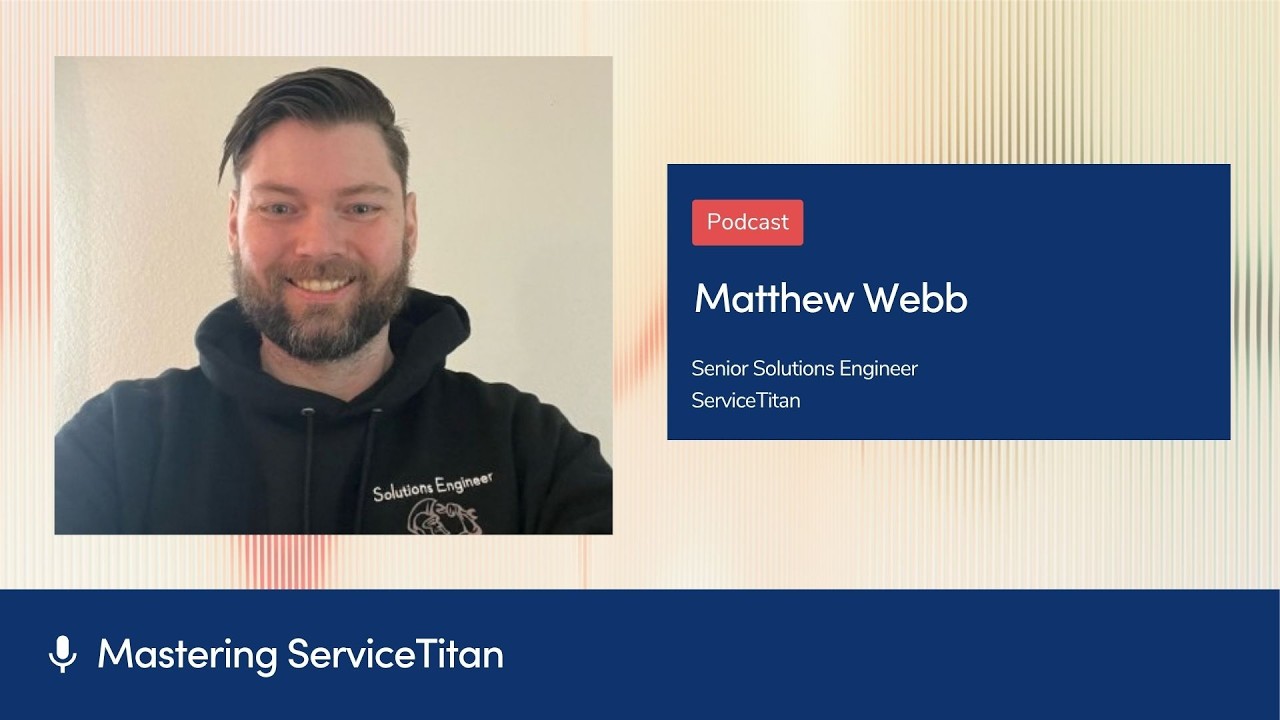
In this Mastering ServiceTitan podcast episode, host Josh Liu interviews Matt Webb, ServiceTitan Virtual Agent Account Manager, to explore the evolving capabilities of ServiceTitan’s virtual agents (VAs). They define VAs as a suite of voice, SMS, and web‑chat bots that can handle after‑hours calls, overflow, emergency escalations, and act as a receptionist‑style front‑line. The conversation covers four primary business goals—after‑hours handling, overflow management, emergency pulse, and receptionist routing—followed by a deep dive into best‑practice frameworks. Webb introduces the “3 C’s of change” (Channel, Collaboration, Customer base) to guide successful adoption, and outlines practical workflows such as parts‑arrival notifications, speed‑to‑lead follow‑ups, appointment‑moving, and unsold‑estimate follow‑up. They discuss how to start small (e.g., overflow handling) and scale, emphasizing the “simplify before you scale” mindset. Prerequisites are detailed: call‑forwarding setup, adaptive capacity configuration, and granular VA configuration (persona, voice, job types, questions, knowledge‑base, language options). Voice‑agent voice selection, handling spam via IVR, escalation triggers and paths, and knowledge‑base management are explained. The episode wraps with onboarding advice, pay‑as‑you‑go licensing, and encouragement to experiment, iterate, and leverage dashboards for data‑driven optimization.
Chapters
I love this quote I heard recently. It's that the fortune is in the follow-up, because if you are not following up with your customers, you are losing revenue. How many times do you reach out to somebody and just go, oh, the other people just hit me up and I just picked them because they responded, right?
Welcome to Mastering ServiceTitan, where you get expert advice from power users. I'm your host, Josh Liu, and today I'm joined by Matt Webb, virtual agent account manager here at ServiceTitan, and we are covering all things ServiceTitan virtual agents. A lot of best practices. This product changes a lot and there's always new stuff. So I feel like we need to kick off with a definition just to clarify and give people the latest. So Matt, can you maybe explain the latest on what are ServiceTime virtual agents?
Of course, Josh. Thanks for being here. Glad to chat about it. I think there's so much to cover. Like you said, it's constantly evolving and changing. We could probably do a podcast every day and we'd still be a little bit behind. So what we mean by virtual agent right now is combination of voice agents, SMS agents, and now web chat agents. So in the past, we really kind of said service titans, voice agents, right? And we kind of use that word a lot, voice agent, voice agent with the VA. Now the VA is kind of just expanded to mean virtual agent covering those different chats.
Got it. And then voice, people are probably familiar with. Can you explain a little bit about voice versus SMS versus— and this is the first time I'm hearing about web chat. So yeah, maybe you can clarify. The 3 functions there?
Yeah, it's really sort of the same way that we'd be getting information and talking to our customers with, right? So they may want to text us, they may want to call when they need to book an appointment, or they may want to, you know, chat in, right? There's a lot of chat services. We have things like chat-to-text where it'll convert the web message on your website into a text message. You can respond that way. It's basically just, you know, a matter of kind of having a live interaction with the customer. And then which channel are they preferring? Because we do see some people where they will call in, right? And then people are like, I'm in meetings all day, or maybe I'm not as comfortable on the phones. I want to just text them, hey, something's wrong with my AC. Can you help me? And then also with the web chat piece as well, putting that on your website to just say, hey, chat with us here. You know, kind of like a, like a new age AI Clippy, you know, just like, do you need help? You do? Okay. Reach out here. Let's have that conversation.
Can we talk a little bit about people's goals and the different scenarios that they like to implement virtual agents? I know before we started recording, you were mentioning that People come in and first question I always ask them is like, what's your goal? What are the different goals that you see people have when they talk about bringing on virtual agents?
Yeah, it's a great question. Some people will strictly just say, I know I need this, like I wanna learn more, right? I know AI's gonna take over in the future. It's Skynet, it's crazy. Like let's just learn more. But really when it comes to the workflows, we kind of see 4 main goals, right? You need the ability to Hire and kind of, I'm saying hire because it's kind of what you're doing for the agent, right? You're saying like, as if you had a person to just help you out a little bit for after-hours situations, right? Nobody's actually on the phones. You're not paying anybody to take those phone calls. Normally it either goes to a voicemail, maybe to an answering service. Now you can have the voice agent have that full-on conversation with the customer. So handling after-hours calls is really big. Handling overflow as well during the day, especially in your phone system, being able to set that up to say after so many rings, or if it goes to my CSRs first. Then go to the voice agent, making sure that we're not losing any any deals, especially as we start going into like more seasonal changes for the colder months here. My my heat's out. I need I need to talk to me. I need to talk to somebody. If you have 100 people calling in, and let's say you have a staff of 10, that's 90 calls that are going to wait, potentially be missed, and if it's an emergency, they're probably going to call somebody else. So that overflow is huge, and then kind of pairing them together is the emergency pulse. Typically, this does happen. In an after-hours situation where somebody calls in, sometimes they will call in, they get off work late, it's 7, 8 PM, and they just want to book an appointment for next week. That's great. That's the first use case. If I call in and I'm like, hey, I need somebody here today. I need somebody here right now. Right? My came home. My kitchen is absolutely flooded. Can you get somebody out here? Then that's where we can also escalate, and we want to make sure that we're if you have a technician on staff that's on call, we can reach out. We can assign the job. We can alert them that hey, they need to be going to help this customer. And then the fourth one is kind of the mix of everything in one, which is more of a receptionist style bot and agent where they're going to take the call. They're kind of, you know, tip of the spear or whatever you want to call it, first in line, I guess. And then from there, they would go through and kind of say like, how can I route you? You know, do you want to book a job? Amazing. Let's go ahead and get you booked. Do you have a question? Great. We can talk about knowledge base, other configuration setup pieces. Do you need me to route you to somebody else? Right. If I called in and I said, hey, I need to, I'm calling Josh back. I'm going to talk to Josh. We can actually treat that as an escalation and then we can go ahead and forward that call to your cell phone.
Wow. It's amazing how custom it has gotten. And like, it seems to every single week just be able to cover more and more scenarios and it's getting smarter and smarter. Today I wanted to focus a lot on some best practices and what helps people be successful with ServiceNow Virtual Agents, because this is also one of the products I've seen where you can kind of go to the site and just turn it on and start messing with it. And so maybe we can give some people some advice on those best practices. I love the 3 C's of change that you sent over to me before we started recording. Can you talk about the 3 C's of change and what helps people be successful?
So I love alliterations. It really helps my brain remember everything, but also it's just super straightforward. We're talking about change, right? We're changing to the AI, we're updating the AI, all these things. The 3 C's would be first things first, our channel. So of the channels that we have, which ones are you actually interested in using? Do you want voice calls? Do you want text messages? Do you want web chat? You know, making sure that we can set up those different channels for you because it's really important. Like, you know your customers best, you know how they're gonna be engaging with you. If you're seeing a lot of people constantly texting into the office, like, why I gotta go here and manage my, be looking at this other screen constantly. Great. We can make sure that we're automatically responding to those messages for you. The next one I would say is collaboration. Which is really how do you want, you know, AI to augment the team and to really help supercharge productivity? My mindset is never like replace somebody with AI. It's really like, how do you unlock other things for them? How can you have the voice agent book all these straightforward maintenance calls that you're gonna be getting for heat checks and other things right now, and then allow your CSRs to handle those big escalation calls? So things you'll need to pull a permit or look up invoices, right? Like the data intensive stuff that sometimes if you're on the phone for 15, 20 minutes, Now you can't be getting on those other calls. So the collaboration between the teams, whether you're having a human or an agent do it, I think is very important. And having that understanding of like, we're here to help and the agent's now going to automatically respond through text message, let's say, to a customer. And then if it gets escalated, now I need you to jump in and handle it because you're best to handle it, right? So the collaboration back and forth, super important. And then the last C is actually your customer base. And in order to be successful, you need people to actually be willing to engage with AI. Now, when it comes to voice, Of course, there's gonna be always that subset of people that can pick up on it. Their ears are very tuned to it. They're like, oh, I wanna talk to a human immediately, right? We've got voice settings that you can change the persona. We have all these different things you can kind of get around with it. How you do the intro as well. If you say to a customer, hi, I'm AI Matthew, and you know, if at any point you wanna talk to a human, say so now, everybody's gonna say human. So it really just depends on how receptive customers are. And I think this is probably the most important because what you're saying as a business is I need to unlock some more productivity, some efficiency, some additional revenue streams here. Right? If you could go hire a CSR to work those extra 4 hours every night, you would. The problem is it's costly, right? And really, we want to make sure that we can bring them together as a team. So if your customers are receptive to it, it's amazing. Now, I will say what kind of sucks is in the industry, voice agents get a bad rap because so many people are used to calling in and it's not a great experience. I recently had to call into my pharmacy and it was like, Say something if you speak Spanish. I'm like waiting, like, no. 8 seconds later, it's like, oh, are you the doctor? Like, no, I'm calling the customer line. It was just a really bad experience. Whereas most people, when they're calling in, what I find is that they just want help. They want to feel like they're going to get help. They want to, you know, get some progress out of the call. And that's where our agents are amazing at doing that and getting them to actually book the job and then kind of collaborating and having that handoff with the rest of the team.
There's a few good examples in there that I want to dig into a little bit. Maybe first on the collaboration side, you mentioned some workflows. If it's like a pretty routine maintenance job and we want to have them book it versus something more complex and building those workflows so that a human can handle the more complex things. Do you have any more examples of like the most common workflows people set up to augment their teams?
Yeah, a bunch of workflows that you can build from the agent side would be things such as parts arrival. You know, you, Check off on the job that that customer's parts arrived. This happens with a lot of phone calls that we get when we look at the data. People call in and they just want to know what's happening next, right? Hey, you said that my— you were going to get that blower motor and the capacitor, everything for me. Do you have it yet? You know, you had to get an OEM part that's under warranty, whatever. All these like little intricacies per system. And then, okay, we can handle it or not, right? So the agent can escalate. It can take a message when somebody's calling in around that. And then we do also have the ability to say when the team has tagged that job, Hey, your parts have arrived. Now reach out to the customer and then book. Other workflows that we typically see are things like speed to lead, where somebody's submitting a form, right? Maybe it's a thumbtack, Angie's lead, whatever it may be that comes in as a lead into the system. Let's go ahead and automatically send them a text. Or when it comes to the lead portion, maybe we want to give them an outbound phone call as well. Leave them a voicemail. They pick up, hey, you're looking to book a job right now. We need, you know, this is a very hot lead. We need to handle it immediately. Let's do so and make sure that we never miss a step there. And then other workflows that we're building are things right now where we have like moving up an appointment. You know, I think the best example for this is probably like people going to the doctors where you may need some routine check and like, oh, we're going to book you 3 months out. You're like, you have anything sooner? That's the basic what it's doing. You're highlighting that there's a space in the board and you want to actually bring a customer that's further out in because somebody canceled, right? So letting them know, being able to book that, reach out to the customer. So it's really just all these different triggers that we're setting up to say, let's do something and reach out to the customer on behalf of this, right? So whether it's you just submitted a lead, let's take care of it. If we need to move up an appointment, if your parts arrived, or a really, really big one, that'll be definitely live by the time that this podcast drops, is unsold estimate flow. That's probably the most critical piece, um, when it comes to anything. I, I love this quote I heard recently. It's that the fortune is in the follow-up. Because if you are not following up with your customers, you are losing revenue, right? How many times do you reach out to somebody and they just go, oh, the other people just hit me up and I just picked them because they responded, right? Most people, when they have an issue, they do not want to deal with it. So if I'm looking at 2 people to fix my garbage disposal and one's being very responsive, they're probably going to get my business. So unsold estimates from, hey, it's unsold to it's sold to it's actually going to be booked as well. Because that, that's the really big piece that sometimes gets missed. It's like, They sign off on the estimate. Great, it's sold. What, what happens now? Now the agent can reach out and actually say, hey, it's sold, let's get you booked for it. Which is really cool because it does kind of complete that journey for them. So there's a lot of those workflows that are going to be happening agentically, and that it's going to allow your team to also collaborate when somebody's sending those messages to say, I want to do a takeover, right? The agent's responding over text message. I'm going to take over. I've got it from here because I've worked with this customer for the past 5 years.
Wow, Matt. What I'm realizing is there are levels to this. Like, you can get so advanced with these agents. You know, you talk to so many different customers. Which ones should they prioritize? Or are there some that are like, oh my gosh, I want to do all of it? Like, where should people start and how should they think about how much change to bring on at once?
Yeah. I mean, even going over it, like, I get very excited. I'm like, oh, there's so many things we could do. I think it's really just where is your kind of like leaky bucket right now, right? If you're talking to the team and sometimes this is seen as a negative thing, but if you're just like looking at them and saying like, hey, like I just genuinely wanna know like what's hard for you to do during the day? I've got all these customers to follow up on. I've got these unsold estimates and I know they're really important, but people are calling live and they're doing this and I have to dispatch people and I have to send marketing copy and all these different things that people are doing in the office. Great. Can we take something off your plate to help you do other stuff? Can we just reach out automatically to every lead that comes in? Great. Because it does 2 things. It standardizes it, and then it's also going to make sure that it happens constantly. It meets the trigger, they get that message. Now, if they escalate or if there's something else happening, we still need to tap you in, right? But how can we handle all the foundational and the basics? So really it's just going back to your goal. Like, we want to make more money, we want to be more efficient, we want to do X, we want to give people more time back in their day. Right? We want to upskill them to other opportunities within the business. Um, all those things are going to help if we can just handle the basics for new leads coming in, follow up with them. Uh, definitely the unsold estimates. I think everybody should have that one on. We're getting the most buzz around that one right now. And then just putting in your actual call tree for the voice agents when you want to tap them in.
Gotcha. So if I was a CSR on the team and I got, you know, a manager come up to me and ask me what my biggest headache is and what's something I can take off my plate, I feel like that would also be a great way to drive change management and get them bought in on bringing in virtual agents just from like a manager and leadership perspective. So I love that approach that you mentioned. I do want to talk about the C, the customer base. I feel like this one really depends on where people are, rural versus like bigger cities, and I don't know, just how people are more comfortable or not with agents. You had that great example of like, if you call a company and the first thing you hear is, hey, I'm AI Matt, you know, People are kind of trained to just human, human, let me just talk to somebody. Have you heard of any approaches people use that are working really well if they're having the VA be the frontline?
Yeah. First, the disclaimer of I'm not a lawyer, right? So check your local and state laws. But typically when you tell somebody, hey, this is overflow, everybody's busy, so sorry we couldn't take your call, right? You're already framing it in a negative way versus just, hi, this is Matt, how can I help you? Right? Because most people, they're calling because they need help. That's what they're looking for, right? Or if they're calling the office for something like, I just need to leave a voicemail. Yeah, the agent can handle it. Or maybe we want to deal with that upstream in some of the phone settings and the IVR to say, you know, press 1 to book a job, press 2 to leave a voicemail, press 3 to speak to accounting, right? Little things like that that we can direct people. I think it's okay to direct them as long as it gets them where they need to go. Or telling people, right? Sometimes in the IVR too, you may want to say, hey, you're in a queue. Hey, your time's valuable, right? Everybody's busy right now, right? We're handling other emergencies. If you want to skip ahead, press 1. Press two to book with our brand new AI agent. So people feel like they have a choice. You know, there's always going to be people that want to to escalate no matter what because they think that whoever that first point of contact, they just they can't help them. Right? I I need a manager. I need the owner. I need whoever. Can they help them? So the agents are kind of trained to be like, yeah, you know, even if they're curious, are you AI? We get that a lot because they hear how human it sounds and like, oh, are you AI? It's like, yeah, I am. I'm actually AI, but I'm here to help you. Can we make sure we're helping you? Oh, you're right. You're helping me. We're moving. We're getting progress. You know, even though that there's people that are maybe a little bit more antagonistic, it's going to be variable across the board, right? You're always going to get people that are, I love AI, I hate AI, right? It seems to be such a very, you know, hot topic issue across the board. So if you just don't highlight it to them, if you have to legally do so, but if you just don't highlight it to them, usually it's just, how can I help you?
And there's a lot of great examples you mentioned there with the routing or, and how do they do, or how they do the intro. If a, you know, customer comes up to you and they can't decide, like, should I do the routing or should I have it do an intro? Is there anything they can think about or is there any way they can test which intro or routing might fit their business best?
I mean, you can change the voice. You can test different flows if you, if you'd like to, right? And change it. We do have a dashboard that you're going to be able to see as well of all the different calls that are taken, the outcomes of the calls, which ones are escalated, which ones are booked. We're just giving you all the data. So really, if you're seeing, you know, a dashboard, and I look at this a lot for people, and I'm looking at their kind of chart going, oh, you got a lot of live agent requests. Let's look at your intro and see how you're introducing the customers. And sometimes you will see where, you know, people do the whole, like, if you want to speak to a human, say human. And they go, oh, you told me to do that? Human. So just by removing that piece, we're saying, I'm here to help, right? Because you're almost kind of saying, like, I'm not good enough. If you need to escalate, please escalate.
Right.
So we're usually looking at those settings, um, once we have data back as well. Because some people are really surprised. They go like, wow, I thought that people wouldn't like AI and they actually love it. Yeah. Because it's helpful.
Gotcha. Is there a, like, out-of-the-box default or like one you recommend people just start with?
Ooh, voices right now. Uh, there are a couple that are pretty good. Uh, if you already have the voice agent on, the top ones are, I don't wanna say robotic, they're more to the point. The bottom ones are more human. So a lot of people love like the Donna voice that's on the top. They love the Becky voice that's on the bottom. Uh, in the past we launched the Lindsay voice, which I know you did an episode with my colleague and coworker Lindsay. Uh, that was kind of based on, like, it's not really based on her. It doesn't sound exactly like her, but you know, it has the same name. So really it's just kind of preference. But for everybody, I would just encourage you, I think there's about 14 or 15 voices now. I would just encourage you to play the little snippet and see, yeah, that kind of vibes with their office and that would work because you want to kind of treat them as if they're an extension of the team.
Maybe we go to prerequisites real quick. Um, your other 3 C's, call forwarding, capacity, and configuration.
Yeah. I love the alliterations.
Yeah. Yeah. It really helps people remember. So yeah, before we get too deep, maybe we go over prerequisites because I'm sure someone's listening. They're like, okay, I really want to do this. Uh, am I even ready for it? So, uh, if you can walk us through that, that'd be super helpful.
So those 3 C's would be call forwarding. So this is going to be phone system stuff. You need a way to forward to a phone number. So if you're just using cell phones today, it's really tough unless you have some type of rule with like Verizon, AT&T to say like after hours I want to forward. You basically need some kind of rule, right? For overflow, do this. For after hours, do this. Depending on those scenarios that we talked about earlier, you need capacity. Probably the biggest one possible with adaptive capacity and the biggest sticking point for setup is because when a customer calls in and they need help, we want to make sure we can actually provide them help. Sometimes we hear situations where somebody will say, Oh, well, it got escalated or there wasn't capacity in the dashboard because it's not configured. And you're telling customers, hey, like I have a leak in my kitchen and you go, oh, the soonest we can get to you is a month out. They're going to hang up. They're going to call somebody else who's available sooner. So you want to make sure that we have that capacity really dialed in. And you can also control capacity with the adaptive capacity rules to kind of say like, you know, we want to bump up demand calls or we want to drop down some of the maintenance visits a little bit. We want to shift capacity around. We want to make sure this technician who's going to drive really, really far away for this job, make sure you don't look at his capacity. So there's all these little things that we can set up and configure that are vital because at the end of the day, right, you want to make sure you're available and the customer is available and it's as close to as soon as possible to get them in the door and not lose that lead. And then the last C is just the actual config itself, which is going to be things that we alluded to earlier, like what's the persona? What's the voice of the agent? What's their opening message, their transcript? What questions are you going to be asking them? What job types are you even going to allow the agent to book or not book or reschedule or cancel? All these little things that we'll set up. And, and that's where I think we spend most of the time with customers and onboardings, walking them through and kind of just getting that dialed in. Right. What would you want to happen when this situation occurs? And then they get to go through and say, you know what, I, I would love it if they could, you know, maybe book certain repairs, but I don't want them to be able to reschedule or cancel like an install job. Great. We can set that up for you.
Yeah. Let's dive into some of these a little bit more. I'm sure we'll spend most of our time on the 3rd C configuration. But real quick, just to check off call forwarding, I have heard that ServiceTime virtual agents can work with any phone system. Is that still true? Any updates or nuances there people should know about?
Pretty much as long as you have a way to forward it. There are tricks that people do where like if it was cell phones, they just go like, after 5 PM, AT&T, forward all my calls, right? You could do something like that. The more rules, the better in that front. But the call forwarding piece, yeah, it works with pretty much any phone system, right? You're just forwarding to the voice agent so that they can pick up on behalf of the business. And that is also where, you know, there are a couple of those configurations around things like the interactive voice response menu, IVRs, where you're saying, hey, like press 1 for this, press 2 for this. How do we want to route during the day versus after hours? Right. A lot of that's actually controlled from the phone system itself. So if you're on a product that we have, like Phones Pro or Contact Center Pro, then we kind of walk you through that directly. If not, we're just like, hey, if you're on a RingCentral or something, great. Like, do you have access to those settings? So that's probably the biggest piece is just having access or somebody, whether it's yourself that we're setting them up with or IT, you can go in and you can punch in the number that we're going to give you. Great.
And then capacity. I know this is a huge rabbit hole in and of itself. We have episodes on adaptive capacity and a lot of resources there, but in terms of setting up adaptive capacity specifically to maximize virtual agents. Any high-level things we can mention here?
Yeah, the biggest things that they'll talk about in the adaptive capacity stuff are like technician shifts and skills usually. What I always like to do on a call before we call into the agent and actually test the booking is go through either the adaptive capacity reporting or just try to book a job like normal. And when you hit the get adaptive availability button, it's going to show you capacity. So I was recently doing this on an onboarding where somebody is like, yeah, you know, customer called in and. And, and there were actually, I guess it was optimization in this case, but customer called in and they, you know, it was that whole thing of like, ah, 3 weeks out for your appointment. Like, okay, let's check your capacity. Let's try to book it as if we were taking the call right now. And I go, oh, you know, they had 4 plumbers, but only 1 was assigned that particular job type. So then that became kind of the, oh, well, yeah, and he's busy. So therefore everybody else is also, you know, off the board. So just kind of double checking those settings, uh, shifts-wise. You know, do you even have capacity? Because when we call in and we want them to call in on that first call with us, we also want to make sure that it can book the job for you, right? Let's pretend like you're actually a customer, whether you're a new customer or you got a test account. Let's book a call. Now we got to make sure we go and we remove it from the dispatch board so that, you know, it's not getting assigned to somebody and things like that. But hey, hey team, we're making a test call.
Great. And then the last one, configuration. I'm sure we can dive in pretty deep into configuration. I know there's like the knowledge base and job types, descriptions. There's FAQs you can add in there. Where should we start when we talk about configuration and those rules that you set up for your agents?
Yeah, I mean, I like to walk the customer down the settings from top to bottom, but most of the settings are really just, do you want it on or off? Right? So there's going to be a checkbox for, do you want the agent to speak Spanish? There's a new checkbox that we have where, do you want the agent to Use natural language. The uh's, um's, likes, you know, kind of the pauses in between. I typically want to remove that now because when you tell the agents to act human, they tend to overdo it a little bit, right? They'll say, oh, oh, wait a minute, wait a minute. You know, things like that, right? So a lot of the settings are just kind of on off. Now, you already mentioned some of the big ones, things like the knowledge base, things like the job types, and things like the questions you're going to ask for customers. So I like to think about this as. Questions we're going to ask them, questions they may ask us. Questions we're going to ask them. Let's start with that piece. The questions we're going to ask them are actually going to be related to the job types that we are allowing the agent to book for. For example, if we had job types, a lot of our shops will do this where they will say no AC or no heat, 0 to 5, and then 6 to 10 and 11 plus. So it's going to help with capacity to determine, hey, you have a system that's 11, 20 years old. Maybe you wanna send one of our comfort advisors. So let's look at their capacity instead. Now, when we're doing that, we need the agent to be able to understand where to slot them in. So you can actually just say, hey, here's a question. When you have a no heat, no cool, ask them, how old is the equipment? Where's the equipment located? You know, little things that you already would be asking them on a call to help understand which job type would I be picking as a CSR. It's the same idea. What questions do I need to ask you based on which job types we have set up? It's going to really help smooth things out because there are times when, you know, they're looking at their job types and maybe they haven't updated their job types in a while and they're going like, why do I have fabrication? Why do I have this random— no, we're not using that $29 tuna special anymore. Are you kidding me? They don't like that job type. And then that becomes kind of an eye-opener for them. So I think if you do that prep beforehand, it makes it really easy because we typically don't know. We can give you all the other best practices, settings, what to call something. Oh, you should do 5 to 10 versus 10 to 11 plus. But we don't know what you want to book or what you don't. So that's really helpful to get set up.
Side question on that one. If it's a current customer and we already have the information of their equipment age, can the virtual agents access that customer information, that data?
Not right now. Like, not directly. But what we are working on— so one of the sneak peeks we'll get into are like better membership controls and rules and actually being able to understand This membership is associated to this piece of equipment and it's active. And therefore I need to maybe not quote a dispatch fee. So because we have so much access to data, what we are building is like, we want to get the job booking done really, really well. Okay. Now we need to be able to book maintenances and these other things too. Let's add to it. We didn't want to do was just give the entire access of the service site and data to the agent and then overwhelm the agents. So like, oh my God, like you had something 6 months ago. I need to do this. And then they're trying to like learn and extract inside and then they take 20 minutes to respond. We don't want that. We want fast responses. It will in the future pull in more, uh, equipment information. But see, it's things like those, like the use cases as we start talking about it. I love it because then I get to go to the product team and really fight for the customers. Like, when are we getting that? You know, hey, XYZ person in the product team, I'm not gonna name any names. They're, they're all great to work with though. But it's like, hey, Josh just announced this on the podcast to everybody. There's gonna be 100 million people listening to this. We need this feature ASAP.
Anything else we should know about the knowledge base piece? Because I feel like that one, just me looking in from the outside, seems like I could just throw anything and everything in there and it could get kind of crazy with how to manage it. What are the formats? Is it a doc or Google Sheet? Like, do I put FAQ in there? Yeah, maybe you can walk us through some best practices of managing and maintaining that knowledge base.
So that's now the other side of the coin here, which is going to be questions you may get asked. So I like to frame it as a frequently asked question, right? As the FAQ, just what are you going to get asked and what response do you want to give to customers? So usually it'll be things like hours of operation. Do you guys work on weekends? Yes, we do. We work 24/7, whatever it is, right? It's kind of the same way that you'd be training a CSR too, because the knowledge base for the agent is kind of like, uh, I got to put you on hold. Give me a second. That's kind of what they're doing, right? They're not really putting them on hold because that experience would be a little bit clunky, but it's the same idea of like, give me a moment. Let me go double check with a supervisor, right? Let me ask my manager. Let me ask somebody in Slack. Like, let me just kind of go figure this out real quick. It's basically what they're doing. So the information you want to put in there is the information you need to give a customer for those situations. Now we do have things like escalations for transfer triggers where we may say if a customer is asking about upgrading their membership plan. Automatically escalate them to somebody on the team. I like using that instead of throwing a ton of data inside the knowledge base around memberships, strictly because if the agent gets it wrong, it's a it's a big problem. So instead, we just kind of escalate. So simple things like that. If you're multi-trade, right? You may have a customer that only ever use you for electrical, and they're kind of like, "Hey, do you guys also do HVAC? You guys also do plumbing?" Yeah, we do. We do these services. I like to frame the questions as we do this except this. We do most or kind of all plumbing except for certain drains. So you're giving the customer that information and then they can ask more, they can be escalated, they can leave a message, but ultimately we want to get them to book a job. So it's questions that are kind of geared towards, you need some information, let's get you back to booking.
Gotcha. You brought something up that I want to double-click on, which is escalations. I don't think we've talked too much about this yet on the podcast. So I am curious, Are there best practices in terms of specifically which calls to escalate and then how to set up those triggers to escalate?
Yeah, so right now it's trigger and then escalation path. So some triggers met, what do you want to happen when that trigger is met? A very common one is live agent, right? Human agents, representative, whatever people are going to say. Do you want to escalate? You want to take a message, right? There's a trigger for taking a message where it will just take a message. You can pick and choose between each of them. Do you want it to take a message? Do you want it to escalate? When it comes to escalating, once that trigger's met, you can pick the path, which is pretty cool because if I call in and I hit the escalation for, I need to talk to a person, so I say like, hey, I, I need to talk to Josh. Great. And that path is set to forward to your cell phone. That call's gonna go to your cell phone. If instead I say, hey, I need to talk to the accounting department, like if we're using it for a, like a receptionist style workflow. Great. Here's the accounting department. So you're picking and choosing that. A lot of times when we talk to owners too, we're like, oh, you know, it could forward to yourself. I'm like, oh, absolutely not. No, no, no. My phone would never stop ringing. No, no, no. I, people know me by name. Do not do that. Okay. We have that option, but you have the flexibility to control it. We also have custom triggers. This, I think, is absolutely critical when we're talking about getting somebody out of that loop with the agent and sending them somewhere else. If, for instance, you never want somebody to work a commercial job, you take commercial jobs, just, you're not going to let the voice agent book. What you could do is if somebody says the word commercial, Or if they say tenant, I'm the property manager. If they're using these different triggers, you can automatically escalate. So you don't have to worry about it because you're going to have to escalate anyways and kind of get a second set of eyes on it. So might as well just do it upfront. And it's been really fun to test it. I did it where I just put the word bamboozle. I was like, let's see if, let's see if this works. I called in and it's like, hi, I'm Lindsay. Great to chat with you. Right? And I was like, bamboozle. And immediately it's like, let me transfer you. So, you know, it's very smart in that way based on what you want it to do. And it just goes back to the goals, right? When do you want it to escalate or not? Do you, If it's a lead, you still want to keep talking to that customer. If it's somebody who's just calling in and they go like, I need to speak to HR, I need to talk about parts arrival, whatever, maybe you just want to take a message because you're going to get back to them later, but you don't want to take up that time talking to them instead of another customer that's looking to get work done.
How about spam calls? How does the virtual agent, especially if you have it as Frontline, how do they handle spam calls and classifying?
One of the big things with spam calls is a lot of spam bots, Sure. Everybody's heard the, your car warranty is expired, whatever. They're not gonna press 1. So a lot of times just having an IVR upfront gates them from the rest of the conversation. So I also love an IVR. I mean, I don't love it, right? I love it in the sense that I get directed to where I need to go if it's short and sweet. Press 1 for job booking, press 2 to speak to accounting or somebody else in the office, something like that. So I'm looking to book a job, I press 1, the agent takes over, it eliminates some of the spam calls, and then now, you know, I'm looking to book a job. Versus if I called in and I said I just wanted to leave a voicemail, the bot can handle it. But really, you should just have a third option that says leave us a voicemail.
I am curious too about— so, you know, we got pretty into the nitty-gritty. There's a lot of customizations, a lot of optimizations, it feels like. How do you help customers who maybe are trying to over-optimize too quickly, or like maybe they're a little bit nervous, they want to get it perfect? How do you talk to customers like that who want to start but then also want it to be perfect right away? And that desire, I guess, like we all want the best and those who are listening are probably those who want to optimize everything and understand everything before they jump in. Any advice there if someone wants it perfect right away?
I would probably say simplify before you scale. What is the goal that you're trying to do? Oh, we want to book more jobs. We want to free up the office. We want to make more revenue. Whatever it is, right? Okay. Now, is this aiding in the goal? Yes. Let's keep doing more of it. Walk through the process, get the data. And then now once you've got the foundation built, then it becomes a lot easier to scale it, right? Okay. Now let's put it in front of the line because we know that it can book jobs, it can take messages, it can do all these things for us. It's transferring to the right person when we need them to. Perfect, right? But when you start, usually it's the use case of, is it overflow or after hours? Can it, can it book a job for you? Can it handle that call? Are we making sure we're not, we're containing the call, we're not losing the lead somewhere. So in that way, it's like, you know, I'm very much the over-optimizer, right? I'm like, oh, everything has to be perfect. I'm the perfectionist, right? And then you just kind of remind yourself like 80% good is pretty good to start, right? So like, what does finished look like in that sense? What does an implementation look like? Great. Now we've got data and let's tweak it because really you do need some of the data. Because what'll happen is you're going to know very quickly if you don't have capacity because you're going to be looking at the dashboard and seeing, why do I keep seeing no capacity? And it keeps trying to book this job type. Oh, I never assigned the technician that skill or that zone. And now I'm at half capacity. Let's go fix that. Optimize once you get it set up is what I would say. And just pick, pick one of the use cases, right? If you try to do everything under the sun, it becomes very complicated very fast.
I love that. Simplify before you scale. So it's still a best practice. You know, people start off, if they want to just dip their toe, just start with overflow or just start with after hours. And then adjust from there.
If you have the ability to do it in your, in your call system today, like the call forwarding stuff for rules, I actually would probably start with overflow because I think if somebody's calling in during the day and you miss that call, that is money you're missing. A lot of times if people are calling after hours, it may be an emergency call, but not every— it is emergency work. And it's typically, I'm just going to leave a voicemail. So I actually like starting with during the day and it also frees up the CSRs and then it makes the You know, new AI agent kind of feel like a team member here. But again, it's just up to the business, right? If your CSR group's pretty dialed in, I was talking to a shop where they've got a lot of CSRs in their call center. They don't ever miss a call. They have like a 99.9%, like, call acceptance rate. So I'm like, great, let's do after hours only because you're never gonna tap into VA during the day. I'm like, oh yeah, that makes sense. 'Cause we're not having everybody work 24/7. So. Let's do that.
So this episode will come out, I think, right after Pantheon, or maybe the week right after, and I bet your team is going to get flooded with people who are turning on the virtual agents and getting them set up. If someone's listening to this, I think you can set it up yourself, right? There's a link they can go to and set it up themselves, or they can book a demo and talk to your team. Like, how should people think about the next step?
So if you are going to onboard and you've already signed up, so typically what we're doing is a lot of like Pay-as-you-go style contracts, which is just you set it up, you use it, great. You get charged, you don't use it, not a big deal, right? We want to know if you're not using it because me and my team, we truly do want to make it the best product here. You know, you can get it set up pretty fast. A lot of it is just walking through the steps. Really, the big things are like the job types, the questions you're going to ask, and the knowledge base. So it's where a lot of people kind of get stuck because they go, ask me to upload a file, what do I do? How do I generate this? We've got, of course, training and video, but I feel like for the onboarding, it's Usually good to go over it live. If somebody wants a demo, I'm sure we're gonna be doing demos at Pantheon. I'll be at the booth too, so come say hi. If you wanna learn more, ask anybody in the team, ask other people. I think we're kind of at this place with AI overall where if you're really not using it, you're gonna get left behind. Because if I have a speed-to-lead workflow and I can respond immediately, that's typically who's gonna get the work, right? And if it takes your team until the next morning to respond, That can be a problem. So now just, hey, do it automatically, get in, get something set up, and then start optimizing afterwards because eventually it's just going to be like the future is going to be my AI agent calls your AI agent to schedule the podcast. So that's what it's going to be, right? I don't even look at my calendar and they just say, oh, I got a new invite. Great. Right. And then eventually I'll just be completely replaced by AI. You know, it'd be funny if it was just like, that's not really me.
Awesome. Yeah, it's crazy how things are moving so fast. Thank you so much for coming on the podcast and Also, just for being so clear, I love the alliterations. I love the heuristics. And yeah, we will catch you all at Pantheon. And by the time this comes out, you'll probably be on VA or about to be on VA. And so I hope this helps.
Yeah, you'll probably be booking an onboarding call and you'll be like, oh my God, I love the presentation around unsolved estimates. I need that immediately. And you will probably have already met me or somebody on the team. So yeah, looking forward to it. And if anybody wants to reach out to me, M-W-E-B-B at serverside.com. But if you reach out to me or if you reach out to, I believe it's virtualagents@serverside.com, somebody on the team will, will follow up with you and make sure we can get you either a demo or we can get you actually onboard.
Sounds good. And we'll include all those links in the description of the episode. And thank you all for listening. We'll catch you on the next one.
More from Bill

Life After Live Events: How to Turn Post-Conference Energy into Real Profits | Podcast Ep. 297




