ServiceTitan Reporting: The Key to Operational Efficiency | Podcast Ep. 23 | Mastering ServiceTitan
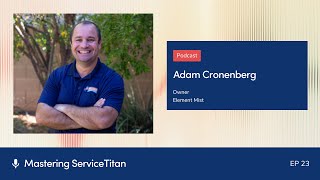
Podcast interview (host Josh Liu; guest Adam Cronenberg) about using ServiceTitan’s reporting features to improve operational efficiency. Adam explains reporting basics (pre-built and custom reports, scheduling, exports), practical use cases (daily huddle, exception/alert reports for dispatch, inventory and payroll checks, sales/install status), and the mindset for continuous small improvements (Two-Second Lean, automation, documentation, training and community resources).
Foreign.
Welcome to Mastering Service Titan, where we get expert advice from power users. I'm your host, Josh Liu, and today I'm joined by Adam Cronenberg, the partner at two companies, Besser Garage Doors and Element Mist. And we'll be diving into the topic of reporting today. So Adam, welcome to the show.
Thanks for having me, Josh.
Yeah, I'm super excited to dive into this topic. We haven't covered it in detail yet and I know you have some really advanced stuff that we can get into towards the end of the episode. But let's start with the basics first. What is reporting in Servicetitan?
You haven't covered it yet. It's everyone's favorite topic, reporting. But no, reporting in Servicetitan just allows you access to the incredible amount of information that is stored within the Servicetitan database. It's kind of broken down in a couple of different ways. There's some pre built or canned reports that you can go in and access. There's a bunch of different categories so you can limit access to certain categories of reports. For example, you know, you may only want your call center staff to see any of the call metric type reports, your accounting staff to see accounting reports, your operations team to see operational reports. There's a lot of permissions built around it too for some data safety and security, but really just allows you access to just the incredible amount of information that is collected and stored within ServiceTitan. And there's a lot of those pre built reports that are great that Servicetitan has built out for you or for those more advanced users, you can get in and really get at those data sets and build reports for yourself. And then there's a whole host of features around the scheduling of these reports, able to export them, send them to your email, how often you want them run. So I think it's one of my favorite parts about the service line software, but something that is definitely probably overlooked when people are getting going on the software as well.
Yeah, reporting and numbers and Excel is not my strength and so I'll have a. I might have a lot of dumb questions for you, but at the basic level, how does reporting work?
Yeah, so you can view the reports just strictly in the Service Titan user interface or ui right as the code. When you see that, it took me a while to figure out what people were talking about when they meant that. But you can pull up reports and you can see them and you can look at information. A lot of the fields are hyperlinked, so if you're looking at a jobs report and you see that it's like blue underneath it. You know, you can click on that and get into the job that you are looking at in that report. You can also export them, and you can export them into a couple of different formats, a PDF document or an Excel file. And obviously the beauty of Excel is you can start to manipulate it from there. Within the user interface, there's actually a lot of ways you can sort and drag and move the columns around and add different KPIs and change the order. So really nifty for looking up some information. Or if you're going to start to use the reports and want them in a certain format, you can save that and it'll pop up that way every single time. There's some other cool features too. If you like a report and you want to kind of copy it, maybe you want to make just one tweak to it. Here's a duplicate button as well. And so really, really powerful tool. And then as I mentioned, you can schedule these reports to come to your inbox, so you don't have to remember to log into the system to run the report. You can say, hey, I'd like to look at this once a week, please send it to me or my team at this time on this date for this set of data. And you can kind of set it and forget it. Some of the newer features, if there's some people who are familiar with the reports, but you can actually set them by business unit. Many years ago, you had to go in and set up a cadence of scheduled reports anytime you onboarded a new employee. Now you can just say this in person in this business unit, I want to have this report come to them. And so as you add technicians or remove technicians, you don't have to remember to go and add that person to the report. So really nifty features that are built out within service sign reporting.
Very cool. Let's start with some of the basics or fundamentals. If there's someone listening right now and they haven't really played with reportings, where would you recommend that they start?
I would say just go in and play around with them, right? Just go look, see what sort of canned reports are available. Look at the information that's there. You can sort by a couple of different features. Because you can click on the Remotes tab in service site, it's going to pop up a whole bunch of reports, assuming you have access to all those reports. If you're an admin and you're listening to this, you're like, I don't see any reports. You might need to go give yourself the reporting permissions or if your manager contact your, your admin and they can give you those permissions. But, you know, go find a report, look at it, see what sort of data is there, play with it. You know, don't save what you're doing is changing. Like if you're just like messing around, but, you know, just, you can mess around, you can change the order, change the days, change the format, add a new KPI in there, remove a KPI, but just kind of get used to seeing it. And you know, just by tinkering, I like to call it service site and tinker time, where you just get some, some quiet time and you look at reporting, you know, maybe get into the knowledge base. But you can start to get a really good sense of the level of information that is available. And then, you know, you can start to really see how you can utilize that in your business. Especially around some of these scheduled reports. But some of these are old. There's what's called, it used to be called reports 2.0. I'm not sure if it's still called that. It's probably just called Reports now at this point. But there was Legacy Reports and then reports 2.0. But even something like the legacy reports, I still know a lot of shops that utilize that. The Daily Huddle report is a great snapshot that a lot of business owners look at on a nightly basis just to say, hey, what happened across my business today? How are we trending? What's our pace? Stuff like that. But you really don't know what's in there until you get started with just playing with it. And I would just say don't be afraid to play around, right? As long as that's overriding reports, you're going to be fine. And if you do want to play with overriding it, just duplicate the report you're on. You know, you can give it a new name, figure out the category. I have a ton of reports in my system just called like test. And so once every, I don't know, quarter, I go in and delete a bunch of those old ones. But you can start to see the level of information that's available there. And once you get a lot more comfortable with the reporting, you'll really come to rely on it. Not just to get information, to kind of view them and say, oh, that's interesting, but also to do workflows for your team to make sure certain actions are happening, to look for certain exception reports. So just really starts with just diving in there like most things in Service site and getting comfortable. You can always play in your next environment too if you really want to make sure you don't screw anything up. And you know, if it's older data, you know, like I don't care. But that's a great place to have some fun as well in that next sandbox environment.
Gotcha for some of those basics. Like you mentioned the huddle that's kind of like a pre built report. Are there some other basic reports that maybe every owner or manager should be taking a look at every day?
First few that come to mind is that service signs really done a good job of building out reports that are needed. And so if you're struggling with a certain issue like you know, I want to do my AR reconciliation and tie out my accounting software with what Service Titan has, sometimes a lot of people are like I got to go like kind of figure this out or look at like invoices or look at the AR module within Service Titan. There's a lot of pre built reports like that that can really help. I know a number of years ago I was working with a company I was struggling with trying to match the, when we were using Service Titan payments, but to match the batches that were going to the bank against the payments and finding that. And there's actually like a thesis reconciliation report that Service Titan built that ties into the back end credit card processor and so you don't have to all of a sudden get into the credit cards back end processor that often to go look and see the batch. You can get a lot of that information within Service Titan and that's some reporting that you know, I don't think most Service Titan users are aware of. But there's a whole host, you know, whether you use an inventory and looking at a stock inventory report, whether you're looking at jobs, you know, I like to go in there and search and just say okay, show me the reports that are created by Service Titan. I just start to look at the list, I'm like oh that's super helpful. Like I need to look at this report now. I don't even have to build it, you know, maybe I want to modify it slightly, but just, just a bunch of good canned reports that are available and they're continually being updated too. So that's one thing I like to tell folks is you know, just the product you see today, you know, even at the time you're listening to this webinar is not the product that if you log into your account right now. You'll, you know, we'll see there's continually updates and enhancements.
In our previous conversation, you mentioned a report for exceptions as well. Like the job type. I think it was that door won't close for garage doors. Can you talk a little bit about that use case that you set up? Because I thought that was pretty clever.
I like to think of reports and a kind of an ancillary feature is alerts. Alerts are really like, hey, this just happened. And we want to let you know whether that's a text message or an email, right? This estimate was just sold. This item on this task was just used. This guy just, you know, completed this job. So there's a lot of information in regards to that. So, you know, the example you're referencing, we have a job type called door won't close. And sometimes those are good calls, like the door's gone off track. And sometimes, you know, we were just out there, did a brand new door, brand new motor. Customer cleaned out their garage to do the install because, you know, a lot of people's garage is not the most clean. And then they put all their stuff right in front of their little safety sensors and they call us and like, hey, my door won't close. The opener's just beeping. You guys were just out here, you know, and oftentimes I want to know when those jobs come in so that I can look at the situation, look at the history, you know, and if my guy was just there, we did an install, try to call the customer and say, hey, you know, I don't think we need to waste your time in coming back out. You probably just put something in front of your safety eye. So if you just move that and you know, magically, it's like, oh, that worked. Thank you. You know, and for us, I don't have to roll a truck out there and block up a time slot, you know, so that's kind of where alerts can come in. But reports can kind of work the same way as well, you know, and one of the cool things about the cadence of the reports and being an email is you can send multiple reports throughout the day, you know, and so I have a report and I like to call them exception reporting or they kind of get into their workflows. But we do arrival windows, right? So like seven to noon, one to six. Well, by like 10 o' clock in the morning, most of my seven to noon customers, hopefully half those jobs are done. Hopefully the other half were like on the way or on Site working, you know, and maybe there's a couple left, we're running behind or ran into a big job. But I like to send a report to my dispatcher at 10am and say, here's all the jobs that are booked for this seven to noon window where we have not already completed, dispatched, arrived, et cetera. So basically like jobs that are still in scheduled status. Have you reached out to these customers just to give them a heads up? Because it's so much better to call someone at 10 and say I am so sorry, we are running behind today, we are still coming, but it's going to be a little bit later. We just wanted to give you the heads up that to get that call at 12:01 and they're like, where the hell are you guys? Because you kind of know at 10 if you're going to make it or not, you know, And a lot of times I see companies and dispatchers, they're just like scrolling the dispatch board trying to find this information. It's like the information you're scrolling to try to find is in a report, you know, and so if you can use that report and send it, you can see that, you know, and we have like a little tag that we put on that report and it says called customer to update, you know, about job. And so, you know, I oftentimes will then send myself a report at 10:30 just to make sure my dispatcher at 10 is doing those action items. Right? You can get information, but information is just information. Unless you do something with it, it's is it actionable? And so, you know, I think those, those cues of reports really help drive efficiencies in your operation is a very underlooked aspect of the efficiency gain, you know, and the investment that service type gives you that ROI on that efficiency gain. And you can set that same report up for the afternoon window, right? So I have it come at 10 and I have it come at 4 and we can do the exact same thing. And within reporting and how you send reports to, you know, individuals within your organization or even externally, you can have an option where you can filter the reporting. You can filter it down to show only that person their relevant information. You can send them the base report, you know, so if you have a couple of different departments and you want the same report, but you only want each department head to see their data, you know, you can filter it as such. If you're sending it out to, you know, your technicians, you can filter it in a way that the technicians only see their information and so really, really powerful tools on that. Just streamline the operations. You know, we, we send a report every single week to our technicians in the field before our weekly meeting. It goes out like four in the morning on the day of our meeting and it says, here's the checks and cash that we are expecting you to turn in today. You know, please find them before you come into the office. Not, oh, I didn't know I was supposed to bring that in. I don't know where it is. Right. And, and, and again, all that efficiency gain and then one of the other things we like to do is try to batch action items as much as possible. And I'm not talking about like batching and posting, but, you know, a lot of times, you know, best practices is to review every single invoice. You know, look for a few certain things and then to put it into a batch and then you, then you can export it. But instead of going invoice by invoice, you know, we've taken the stance of what information are we trying to look at when we do this invoice review? Is there ways we can look at the invoice data set and not have to like click into every job, but, but look at it in mass. So, you know, one of the data sets is the invoice item templates. And so we built a report that says, okay, you know, what did we sell and what materials and equipment and costs and all that stuff was used on that job. You know, and it's really quickly. We can go scan through 100 jobs in a fairly short order and look at that kind of job by job because of the report versus having to click in and review 100 invoices manually. And so reports, really, in that mastery of them and being able to get at that information plays a big, big, big role in streamlining your information. And I think the other thing that really getting to know reports does, especially within the service Titan ecosystem, is make sure that you know how service Titan is supposed to operate. Because if you're looking at a report and you're like, that number looks weird, you know that why is it this way? It can cause you to kind of dig in. They have very good, detailed descriptions of what that metric is, where you can find that. And oftentimes you find an area where your workflows that you thought you were doing are either a not being followed or maybe you don't have something set up correctly. And so by really being purposeful, looking the reports, you can say, okay, we should have been doing this a Little bit differently. Let me get with my, you know, front office or my technician manager and you know, let's talk about the proper way to process these jobs so that we get the desired outcome in the report. Because in any system and service titan is no, no different. Bad information in, bad information out. But a lot of times people look at these reports like, oh, this day is wrong. Well, the data is not wrong. The data is what the data is. It's. Are you making sure that the inputs that you are putting in are accurate? Because that's the only way then the information coming out is accurate. And when you kind of spend more time in reports, you start to see that you can identify some of those discrepancies and you know, build another report for that and kind of find those things. I know I covered a lot there, Josh, on reports, but as you can tell, I'm pretty passionate about it. I know a handful of people that are. But it is one of my favorite features in serviceitan.
Yeah, and it's, it's really cool to hear that just how wide reporting can go in terms of its impact on the business. I love that example you use for your dispatchers of like kind of proactively sending them this scheduled report so that they don't have to go looking for it later. And then you have a report to come in 30 minutes later just to check the status of those things. And it's kind of, it's cool how the reports affecting real world actions. You mentioned the discrepancies of workflows and stuff. In our previous conversation, there was like, I think there was a discrepancy with like how you guys would pay installers when there was like rescheduled appointments and something was off there, like the revenue was looking different. Does that ring a bell? Can you share that story about how you fix that?
So a lot of times with the introduction of appointments, you can have like one appointment of a job completed but not the other. But then like the job itself isn't completed. And so the person's like, no, I did that, but we just needed to go back and get this warranty part right. So. Well, what they should have done is complete the job, you know, from our perspective using the inventory module, the parts need to be consumed that day for the job to be completed, to be included in payroll and you know, actually the job completed that day, you know, and if we need a warranty part, like let's book a warranty job to go back on a different job and to do that. But so what you can do is look at reports and say hey, you know, show me all the job statuses where the jobs are not complete, that having a first appointment date within this period, maybe the pay period I'm looking at and just make sure that, you know, all jobs where we actually went out and did them are done, right. Maybe there's the case where the guy went out and didn't install the door and then like okay, that appointment's fine, but you know, I want to kind of look at that, right. I have a couple of items in my price book in regards to payroll where I want the technicians to be able to charge for that item. So but it has a flat rate bonus on top of their normal pay associated with it. So I want to make sure that that task is not getting abused and then it's getting used purposely. So we know we operate here at Vestor on a biweekly payroll. I run a report that says hey, show me all the times that this specific task was used in this pay period, you know, and I'll go spot check those jobs and be like okay, that was the appropriate usage or no, you know, this guy's trying to game the system, you know, and we have that there for a reason. I want to make sure that the, the guys are able to do that. But you know, I'm quickly able to. I got a series of reports, about eight of them every week or every two weeks I look at for payroll and I just run through them real quick, make sure it's good. And then you know, I can release payroll to the guys to, to go out and review. But being able to kind of isolate those exceptions and validate them or whether they should be or shouldn't be there is again really helpful for the workflows.
So you mentioned. Oh man, I wish we could just go over like all 900 of those use cases because there's so many.
But I don't think anybody would still be listening by the time we to like number seven.
But because it's, it's just so cool to see the different ideas here and to expose people to that because you're such a wealth of knowledge when it comes to the all the different use cases. If you were to look at let's say those 900 and pick out maybe the next two or three that you think are really underutilized or maybe universal that everybody should be using. Do any come to the top of your mind?
So one involves around inventory, you know, and not every shop is on the inventory module, but for those that are inventory Accuracy again, bad data in, bad data out. It is just a pain point, right? Techs do stuff in the field and you know, they call in the office and like, even though they use the tablet every day and have for years, they call in a dispatcher and act like the dispatcher is the expert at service site, mobile. It's always been funny to me, you know, and I've never actually run jobs on service site and mobile. I've played with it plenty enough, but like, I play with it, film a video and they're like calling me like, how do I do this? I'm like, I don't know, call your field supervisor. Like, they are in there day in and day out, but stuff happens. Whether they're overriding that, you know, invoice data and they wipe out the materials that are already added to there. And so one of the reports I built has the customer and then the materials that came off of their truck that day. And so it goes out to every single one of my guys. Again, that schedule report, I don't have to remember to set it. It's just by business unit. As we add technicians, it goes to them, but it basically says, here is the materials that we have recorded in the system that came off your truck yesterday. And ultimately the technician is responsible for their materials. They're the ones receiving all the POs or transfers to their inventory location. They're the ones that are invoicing the customer with all the materials on it. So ultimately, when we go to an inventory count, their vehicle, they're the ones responsible of it. And so we try to give them all the tools as much as possible to be able to manage and control that. Because it's hot, it's cold, you know, it's late, it's early. Like, I totally get it right? And we even have a form that's like, did you stop and review your materials and what does everybody do? Yep. I'm like, yeah, the answer was no, you didn't do that. I can see that you didn't do that, but thanks for checking that box anyway. I love just giving you check boxes to check for no reason. But again, it happens. And so that report, you know, goes out to them every single morning while there is still fresh in their mind, says, hey, this is what you used yesterday. You know, please review it. If this looks incorrect, please let us know, like, we'll go fix it. You're like, oh, I'm an idiot. I used two of those, not ten. I fat fingered it right? Or whatever. And we'll be Able to fix it. We do look at this data independently and try to vet it. But, you know, I don't necessarily always know how many I know. Like, why did you use that? That doesn't make sense. But I don't. Did you use three or four? Right. I'm not gonna know. And obviously I'll catch it when we do like an inventory punishment. But being able to, to give that information to the text on a daily basis to kind of look at gives them a lot more control, you know. And again, not every guy looks at it all the time, but those that really do, you know, they're like, they never have problems with inventory. And everyone's like, oh, inventory just doesn't work. You know, I hear it on the message boards and I'm like, no, it does, but you just, you really have to do it, right? So you know that that's one report that I think is pretty universal that you can access, you know, and again, it's a custom report. It's not stock service type report. You're going to have to get in there, build it out, you know, and send it to the individual technicians. But I found to be super, super helpful. And anytime I hear a guy complain about inventory, I start asking them about that report and they go from kind of mad about inventory not working to a little sheepish about like, well, not necessarily doing my job. And I'm like, oh, okay, but this system sucks, right? You know, and it's kind of, kind of funny on that. Other reports that I kind of like, we give our sales, our door salespeople commission when doors get installed. And so they're always like asking like, when is this door going in? Right. And so, you know, they'll call the operations team and you know, I tried Brian to get it in a little bit earlier, but we send a report to every guy every day that says, hey, here are the doors that you sold and here's the current status of them. And we use a custom field that kind of indicates like when we anticipate that door to be installed, whether it's on hold or if it's scheduled or completed. And so really solves that, that problem of guys constantly, you know, calling into the office for information because the office is busy. I think that's kind of something guys in the field don't always understand. It's busy. And if we're answering questions that, you know, I understand it's important, but if I can provide a way to get you that information in an automated manner, it just makes us more efficient Again, that, that ROI that you get from Service Titan. So I make new custom reports every day. Like I really look at my Titan advisor all the time and it's like I don't know what the metric is for that, but it's like creating one new customer report in the next 90 days. It's like I've created like 72 of them and half of them I like, I use real quick and then I like delete. But you know, there's a ton of information available and just that familiarity with reporting gets there. And since I have an audience today, I'm going to talk about request features I would like. And if you are loving reporting and you're still listening, you know, let your CSM know, go on the Facebook masterminds. But. And some of these are in the works. But you know, those of us that are more advanced on reporting would love to be able to conjoin data sets. A lot of times I'll have to like take two reports out into Excel, match them via, you know, a specific item. I heard that that's coming out for Enterprise Hub users. I'm literally thinking of combining my two accounts into one just so I can get it on Enterprise Hub just to get this earlier. So probably not the wisest idea, but I'm sure it's going to come right behind it for just single tenant users. But then the ability for a lot of these forms, not reforms, but these reports to do math in there to say, okay, I want to multiply this times this or subtract this times that. So if those ideas are not already out when you're watching this video, I'm sure including my own, there's a lot of ideas in the community and in the ideas section, go and upvote those. So I'm sure everybody will, will benefit from that.
Yes, go and update those.
I mean make my shameless plug for my ideas and how service time to get better.
No, I love it because it just highlights more uses and more possibility that you can get out of the reporting feature. I think part of this, Adam, that it is your superpower is your mindset when it comes to reporting. And also just the practice like you said you did like 72 customer reports and after that, I mean you're going to be darn good at reports. But can you share a little bit about your mindset about it seems like you're good at seeing some inefficiency in the business or something manual or something repeatable and then somehow you're able to map it back to where Can I go find this, automate it and then increase efficiency? Can you talk a little bit about how people can adopt that mindset?
There's a really good book called Two Second Lean by Paul Akers. And my former owner, Tommy Mello, obviously big, big name in the trades, kind of turned me onto the concept and it really had a complete shift in my mindset. Right. And for those of you who aren't familiar with the concept, Paul Akers wrote this book and he gives his team, you know, 15 minutes every day to work on a process improvement. And his goal is to them to find any concept or any process where they think they can shave just two seconds. And the whole concept is, over time, those two second improvements really add up to being a huge time savings. And so, you know, I start to look at the business and the operations in that similar manner. And I know service time does too, like, okay, this is too many clicks to get here. How do we, you know, reduce that? Right. Every time we save a dispatcher or an office person a click, it makes their life a lot easier, you know, when good things happen. When we made it easier for estimates to be built by technicians in the field with proposal and template estimates, sales went up. Because you're offering your customer options, guess what? They're buying more. It's pretty crazy. And that's not my word for it. You guys have the data, right? And so I try to look at the operations and say what repeat tasks are going on or what could I help isolate? What questions are my dispatchers and CSRs getting that I could really kind of enhance? And all of those little improvements just add up to a really big thing. I mean, it's one of the reasons I'm a big fan of service height payments. It's all done, it's all automated. We're kind of getting off of the reporting topic, but kind of on how I view things. And reporting is a tool. But you know, if I can go in and, you know, spend an hour of my time saving my front office staff five minutes or two seconds or whatever a day, you know, that's a huge time ROI that you get back. And so the ability to schedule these reports is really huge. You know, I wish there were other aspects that could be automated and sent out. Right. Again, my shameless plug for some enhancements. But, you know, just, it just comes down to a mindset. But what I hear a lot from business owners, especially smaller shops, like, ah, it's just overwhelming. You don't know. I don't, I don't have time. I'm never going to make time. I get it. But things aren't going to change either. Like, if you think just magically you sign up for Service Titan and your business is going to be that much more streamlined. It can be, but you need to make the investment into mastering it. Doing things like listening to this podcast. And so I think that was a mentality shift. And sometimes it's meant working really late at night or working early or spending some time on the weekend, but you're like, man, that was super helpful. And now I just freed up an extra hour of my time once a week. You know that I can either continue to invest more in the business with my time or spend time with family or what, what's important to you, but you have to have that, that mindset on it and you have to not be afraid to go in and make some mistakes. But, you know, I think that shift, and that book in particular really opened my mind to why are we doing it this way? Is this the best way? Is there a better way? You know, is there other technology? One of the things I've been playing with a lot lately is Zapier because it involves the integrations within Service Titan. So, you know, I recently looked at how our csrs book calls and we have like a big job summary. It has like, please make sure they fill out all this information and whatnot. And half the time we're not getting all the fields inputted or the information is incorrect or it doesn't make sense. And so I actually started like creating custom fields, tying them to the job types where the CSRs just have to select the dropdown, you know, then there's a free form section for anything else. And it's only been a week, but the csrs love it because they're cutting down their average call booking time, right? So I've made it more efficient, more streamlined. Again, that data is available now for reporting off of too, which is great. But now they can handle more calls, right? The same people can be more productive and there's that efficiency gain, you know, and then I'm able to use that information that's collected and I can use Zapier to, you know, do 900 other things with them, apply tags to these jobs, route them, but it's just that mindset. But I also feel very fortunate. I've used Service Titan since 2016. I got on Service Titan when it was like a little two speed car. Now it's like a freaking fighter jet. And like you get all these buttons and you're afraid you're gonna push something and break it. But the support and the training and the groups and the resources and the consultants, those didn't exist either. So I don't know if that answers your question, Josh, but that's just kind of how I view service titan. And you know, it's the biggest tool in my arsenal to really run and operate our business successfully.
Oh yeah, you answered my question. And much more. I, I love that idea of the two seconds like start small and then over time that, that time savings compounds and you know, in, in a few months or a year, all of a sudden it's a different looking business, a way more well oiled machine. And it also highlights that point of like learning to work on the business instead of always in the business. And maybe like you said, you take an hour but you help save someone 5, 5 minutes every single day. And all that compounds. There was one thing you said that I kind of want to reiterate and maybe explore a bit, which is you're looking at repeated tasks or maybe questions that are being asked repeatedly. Was that right? As an example, as you were looking at your business, what are some of those questions that come up all the time that are like just quick wins that listeners can go and schedule a.
Report for a whole host of those. I mean, custom fields I think is a really powerful tool to be able to isolate that. The example I was talking about, we have in there, what time did you tell the customer? And they have to list like seven to noon, one to six, first appointment, last appointment, middle of the day. I'm like, why not create a dropdown that they just have to select what they want. And so that really kind of saves them a lot of time in that call booking process. And then from a operational efficiency standpoint within custom fields, I can require that field to be completed before, allow them to book the job. Whereas with the summary, there was an enhancement that came out, I don't know, six months ago where they just have to type something. But you know, like, people are complaining like, oh, the CSR has never found out the job summary. So like, cool, we'll make it so they have to type something. Well, that kind of defeats the purpose. Like, you know, they still have to select the right item, but, you know, they have to select something. So the information that we're relaying from the office into the field, you know, is that much more accurate. And, you know, and I tell our team and we try to have an open policy. I'm a big believer in teaching Amanda Fish and he'll eat for a lifetime. Then, you know, here's your food for the day, your fish. And so any questions that I get over and over again, I try to write down. You know, I'm a big, huge user of Loom, which is a software that does screen recording and capture. Service Titan used to use it, probably still do. That's where I learned of it. But I'll film a quick video and say, oh, I just learned this, or I just saw this, or so and so just had this question. You probably have a similar question because you have a similar role, you know, and then I try to spend a lot of time putting them in libraries and documentating where to find this information, because I think that's super helpful. You do something all day, every day. You're like, okay, I got it. But, you know, I have to go back and like, watch my own videos sometimes. I'm like, okay, I know how to do this because at least I used to. But I'm not like, in it, breathing it right now. I don't do that every day. Let me go back and reference that, you know, or oh, this just came out from Service Titan, right? It's like Christmas with the new release notes and like, oh, what else got I got today? Then I can go in and, and look at. Right? And so that sort of stuff. But again, that, that comes on to working on the business, not in it. Building a business system that enables your team to succeed. Not the answer is, go run to this person. And then that's fine for a while. And it's fine like, okay, I'm still building out our process around this. Like, any questions, just come see me. Don't just go down a path that's going to break things. But ultimately, good business system has the information available for the team to succeed without there needing to be that, you know, important point person that does everything.
Wow, that is such a gem you just mentioned there, that they should just always have the information surface to them with instead of having to manually go call this Texas, find this person to find the answer.
I will add to that. Josh, as leaders, you need to push them back to that information. Because I'm guilty of it sometimes. Like, you know, they're just going to ask me a question, I'm going to tell them the answer. And like, I know the answer is there, you know, so I do try to ask and I, you know, I teach on this, but, oh, it's a great question. Do you think anyone in our company's ever had that question before? Like, I don't know, probably. I'm like, where do you think information like that would be housed? Like, it's in the customer portal or our database or our apps or a manual, right Wherever. Like, oh, it's a good one. Why don't you check there first and then if you can't find the answer, like, come let me know. But they need to stop. Otherwise you're just going to be answering questions all day. But, you know, it's on leaders to make sure those resources are available and then to kind of push people in that direction and not get lazy. And sometimes that's hard.
So it was such a good example, you mentioned, of the sales guys who get commissioned when the doors get installed and they're constantly asking, hey, when is it installed? When is it installed? And then, boom, you create a scheduled report for them to just keep a track of it on their own. So do you think a good action item for those listening today is maybe an owner's listing and they go talk to their managers and say, hey, go find out the question you get asked the most and then create a scheduled report from that. Is that a good starting place?
Yeah, I think, you know, whether it's the office staff or the techs in the field, but, you know, what information are you constantly having to give out that you have to look up in the system? And is there a way that we can provide that information in a more streamlined report? Because if you're getting the same question 15 times a day of like, what's the status of here? What's that? If service it has it, you can pull it out somehow. That's the power of the database and the information the service side collects.
Any last piece of advice for those listening today who got inspired? Any parting words?
I think the biggest thing I always talk about the service site universe, right? The level of people. Whether it's in the Torch Network or just other shops, every single Titan is there to help and support each other. I've learned a ton over the years from all the titans, which is why when I get asked to do things like these, I'm always so willing to give back. If you don't know where to start, call up your csm, try to find another shop, come to things like Pantheon, go to the Torch Network lives, listen, get engaged and connected, and I promise you'll get ten times more out of it than you put into it. But we're all here to help succeed. And I think that's actually the best feature about Sertus Titan.
Thank you so much Adam. Yeah. The community is so powerful. I'll put a link in the description for our customer resource hub where you can access all of that. Those different groups, of course, masterminds is always there as well. You can hop on right now and ask a question. But thank you so much, Adam, for coming on the show today and for those listening. Thank you for listening and we'll catch you on the next episode.
More from Bill

ServiceTitan Virtual Agents: Simplify Before You Scale | Podcast Ep. 110 | Mastering ServiceTitan

Life After Live Events: How to Turn Post-Conference Energy into Real Profits | Podcast Ep. 297




