Kartra Review & LIVE Demo In My Account: Is it Worth It? 2020 UPDATED
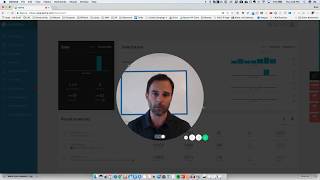
Brad Costanzo presents a live walkthrough and review of his Kartra account (for Homebrew Academy), demonstrating Kartra as an all-in-one marketing automation suite aimed at information marketers, coaches, and small product catalogs. He shows product setup (prices, checkout types, one-click/express checkout and bump offers), affiliate configuration, campaigns/sequences with prebuilt funnels (Frank Kern templates), page and membership builders (drag-and-drop sections, conditional section display), form and broadcast email features, integrated video hosting with engagement tags and CTAs, help desk/live chat, analytics, and integrations. He notes Kartra does not replace a blog or large ecommerce catalogs, mentions pricing/trial ($1 for 14 days; starter plan up to 2,500 leads) and some specific examples from the demo (e.g., $47 product, 40% affiliate payout, Stripe processor, 125 GB video hosting/month). The tone is practical and generally positive, with minor bugs noted but ongoing feature additions.
Questions this video answers
$1 trial for 14 days.
Starter plan for up to 2,500 leads.
125 gigabytes of video hosting per month (as stated).
One-time payment of $47.
40% (example: $47 pays 40%).
Chapters
Hey there. I have been wanting to do this video for a while. My name is Brad Costanzo. Maybe you follow me on my podcast Bacon Wrap Business, or maybe we're just friends. But this is a review inside my Kartra account. Now, Kartra, K A R T R A is a marketing automation software suite that is relatively new. It came out about four or five months ago, and it's designed to be really every single system you need as a digital marketer. Actually, I take that back. There's a couple things that it does not have that you may not be able to use it for, and I'll explain what those are before I explain what all it does, because it's actually easier to explain what it doesn't do than what it does. So, yes, Kartra is a marketing automation suite. Page builder. Everything that you need. It's every piece of software you need, except for two things. Number one, it does not replace your blog. So if you are a WordPress blogger, for instance, and you publish a lot of content, it does not replace that and it's not designed to. It integrates perfectly with WordPress in a multitude of ways, just like a lot of other programs do, but it does not replace that. I still use this blog, WordPress, but I use Kartra for literally everything else. The other thing it's not really designed to do is to to be an E commerce platform, such as like a Shopify competitor, for instance. If you've got a big catalog of physical products, this is not what you want to do. This is more for information marketers, coaches, consultants, people selling maybe like one or two products at a time and usually in a funnel standpoint. So like buy one product, buy the next, opt into a subscription, generate leads, et cetera. And I am going to tell you what this does replace, which is Infusion, FusionSoft, Wistier, Vimeo hosting. It replaces every membership site you need. It replaces every page builder you'd need, an affiliate program, a help desk and everything. So right now I'm going to take you inside one of my several Carter accounts, my smallest one for a business that I own called Homebrew Academy. And we just recently set this up. There's not a lot of activity, but I wanted to share with you. So the first thing I'm going to do is I'm going to take you through this kind of quickly, but I'm going to share my favorite aspects and features of Kartra. So when you first log in, you see the dashboard just like this, and it's A real quick view of some of the most important things such as sales, subscriptions, email broadcasts, traffic conversions and your help desk tickets. Now you'll see down the left hand side all of the various categories. So this is where you set up your products. This is where you manage your leads and campaigns and broadcasts and automated sequences and funnels. Pages is where you build your pages. Forms is where you build your opt in forms. Membership programs is where you obviously build your memberships. It even has video hosting which is super cool. I'll go into a couple of my favorite details there in a moment. It has a help desk like a Zendesk, et cetera, that you don't need to have external systems. You can, by the way, it integrates with pretty much everything, you just don't need it. It allowed me to get rid of almost everything I've got and then affiliate promos. So let's go into this super duper quick and just show you some of the things I like the most. So when it comes to products, which is the very first thing you'd probably want to set up, here's one product called Beer Tasting Mastery for one of the properties that I own. And you can see multiple products here as well. First of all, up along the top you see products, affiliates and analytics. Every single one of these has an analytics tab, so you can see what's going on. And one of the things I like the most about this is the fact that it's created by real marketers, direct response marketers who are advertisers and very picky and particular about what stats and KPIs and analytics they're tracking. So you get literally what you need. And there's no guesswork. It's not just done by a bunch of programmers who are guessing what marketers need. It's done with a marketing first, a marketer first mindset. So the very first thing I'm going to do is I can see some quick stats here. But let's say I wanted to set this up and, and edit the product. Everything in Kartra is done via a wizard, right? It's a step by step wizard that walks you through. So you can see I've got, I'm on products. By the way, this is tracking links, coupon, sales tax. But here I just set. This is my product, this is my processor. You know what credit card I'm using? Stripe. I can use PayPal as well. And I quickly go through this. Now I have the ability to change the prices. And for instance, this is just a one time payment of $47. But I could, I could enable an initial payment, set that as a default price. I can do recurring payments installments like three pays. I can even do recurring installments like every year. It's three payments at $99 over three months every single year. No other system I found can actually do that. But there's a lot of pricing capability you have. You can even set secondary prices. So it's price one, price two, price three, and you just simply click confirm. Decide if there's a shipping cost, sales tax and a refund policy once more. I'm going through this quickly. I'm going to try to give you the 8020 of this. You set what the product page is that you are selling it from. You can sell it from an external URL very easily with just a simple button. Or as you'll see in a moment, you can create Kartra pages inside here. And that's what I did. So I just associated it with the Kartra page. And this is super cool. You can add a different thank you page for each and every price point. So if I had price point 1, 2 or 3, giving them different downloads or just different messages based on if they took the expensive or the cheaper version. Now the checkout. This is huge because it gives you a lot of opportunities. You can do a Kartra hosted page. You don't have to design. It's already set up, it works really well, but it's just brain dead simple, no design needed. The picture pulls in from the product. Or you can overlay a pop up that's just real quick from a button. You can also embed the checkout form into a custom page. For instance, if you're using a Kartra page or your own, you can have much more design and flexibility. That's what I use. You can also just do a totally separate custom design with your own HTML code. This I find is the easiest. I just click confirm Checkout page fields Express checkout. This is killer. So imagine the way you would use this as if you get people to buy a product for A$7 or $100, whatever, today and a week later, a month later, a day later, whenever you come back. And it says your customers will see a minimalistic version of the checkout with just the price details and a pay now button. So that means all their billing details are kept in the background on previous orders. So this is like a one click upsell after they've already purchased something from you. So they have to be a customer. But Imagine you sell a product, like a $7 product, and a week later you come back and say, how would you like to get this a hundred dol. Click here and it's like, yes, just process my order. So without ever having to pull out their credit card, this is killer. Now, as people come in, you can tag them as, hey, they abandoned the cart. So that can abandon the cart. And then I can easily set up a sequence in the email system, an automated sequence of emails that go out trying to encourage them to come back. Mandatory billing agreement and bump offers. Now, bump offers were invented by Russell Brunson, founder of ClickFunnels, which I'm a huge fan and a user of. ClickFunnels. Not to take anything away from them, but this allows you to do the same bump offer that Russell made famous by clicking here. And I'm not, it's not actually activated at this moment for mine, but I simply, here's the order. And if I want to, right before they buy, if I want to give them a little bump of like something, I just select the product funnel down here and it allows them to add that to their order before they, before they purchase. So I'm not activating it at this time on this funnel, but I'm just going to keep on going quickly and through this. So you can add the buyers to a specific customer list. You can tag them how they access your product. Is it a Kartra membership? Is it maybe a Memberium or wish list or Thinkific or something else that it integrates with? Is it a downloadable file or no access needed? And then down here you have all these advanced automations which are super cool. And it says, look, if somebody buys the refunds or cancels this product, you can do a bunch of stuff with them. You can add them to a list and add them to a sequence. You can give them points. There's a bunch of features in this automations. I'm not currently using any at the moment, but I may come back and do that. The very last piece is do you want to activate this affiliate program? And you can have multiple tiers of affiliates. So this is one tier. $47 pays 40%. I can have JV brokers, I can add different things and I can even have different landing pages for my affiliate traffic very easily. So here, for instance, I could say I want, I want this to be a little bit different for different people. So I can even say that this goes to a different page. I can have multiple affiliate pages that they land on. I'm not changing Anything there. And I can also change the affiliate page, sign up, look and feel. So as you can see, I just went through and created basically an entire product in a matter of a few minutes. Does not take long at all and it's very, very clean. Now if I want to see, this is where I would see how my affiliates are doing. If I'm, you know, if I've got affiliate sales and what's going on there, I can also see on analytics, sales analytics. Now this is a very small business and we've only been testing some stuff out here. So I'm just going to show you that in the, in the lifetime we just did a little promotion. This is not a big, this is not a big deal. But you can see, whoops. This year here there was our spike, but you can see real quickly total sales, rebuilds, visitors. I can see here how many visitors, how many sales, how many rebuilds, what was my conversion rate, what's my profit per click, how many refunds I've had, chargebacks, profit, etc. So this is a small deal, but you can see everything you want here and you can change all this up as you wish. Super cool. We are literally just scratching the surface and we're just getting going. So hopefully you're enjoying this. Let's jump over to some of the more important pieces such as campaigns. Now this is where your lists reside. So here you can see like I've got a list, I got multiple lists down here from affiliates to, you know, a general newsletter and this is where the individual leads would be. So let's just pull this person up and you can see here I get all their information. I can see their customer value if they have a score, if they have tags, any notes, what list they're on, emails they've received, automated sequences they're in, memberships they own and that's how you assign a membership transactions. They've made a log of everything that's gone on and any help desk tickets they've created. So you've got that at a glance. Tags, I think tags go without saying. I think you guys understand how to use tags. Now this is where it gets super cool broadcasts. If I want to send out an email, anybody who's currently using any type of a autoresponder right now will understand this. I don't think it's that necessary that I go in and show you exactly how to do this. So I won't. Because it's literally who you want to receive it. What do you want to say? How do you Want it to go out design the emails, they have a lot of cool design templates or you can just create your own. I don't want to bore you with that. I want to jump into some of the cooler things such as sequences. Now these are the automated funnel based sequences multi step email programs. And let me just show you one. I think this was a test that I had done this test List builder funnel. Now before I go to list builder funnel let me show you what this is. So I can create a blank sequence but I can also go in here to done for you. And this is where Frank Kern and some of the other founders of this have created these sequences here which is, it's already done. So when I click build list builder funnel it gives me opt in forms, pages, emails, sales copy and all of the stuff that I simply have to go in and fill out the, you know, change the sales copy and change the stuff on the page so that it fits my message but I don't have to actually start it from scratch and build it. So for instance if I go back here to sequences, this test builder funnel, I'm going to go here and edit, edit and you will see the way that this works. It's a fairly basic sequence. So here are the starting rules. So right here I would say that if a person opts in to this email like I would click add, I'm sorry this opt in form or they get a certain tag or they are added to a list or they make an order or they visit a page or they're in another sequence or they're part of an automation. It's just how do you want this to start? And then you can see each and every email here and if I just click this I'll see the basics like immediately after previous step, any day of the week. Here's the, you know the name of the email, here's the gateway. Send this to anybody reaching this step. Split test on or off. And then here's the email content. Now so once more, this was written by Frank Kern and it just says it's very basic, this one is. But hey blank as promised, here's what you asked for. In it you'll discover these things, you just have to change that. Now if I close this, I can change, I can edit, I can change any of these things that I want. For instance if I go here, I click edit, I can come in here and change it all here. Now this is going to go to a page and I do believe that this page, I don't know if it's set up here. Yes. Okay, so look, this is already set up. I do not know what this looks like yet. Yet. But this is a template that was all set up for us. I did not have to go in and build this page inside Kartra, but if I click on it, let's see how it looks. Okay. This is because nothing has been published, but I'll show you where that probably would be. So I'm going to go into pages. That's actually going to take us into pages here pretty soon. But I think right now you understand just how super cool this is. And you can send text messages, add and remove tags, and there's just anything you can do, like in infusionsoft and all these other things. It just allows you infinite capability to make changes. And by the way, yeah, you can even list it like this if you like it horizontally or vertically or however you want. So that brings us into. I'm skipping around, but I think you're getting the gist pages now. So if I want to look at these are categories and let's just see. I pull up test. So I want to see I've deleted a bunch of pages. So it created this whole list builder funnel and I think I've deleted them. So they're no longer in there. But let's pull back up test pages. In fact, let's create a new test page. So this is the thing. I think most people are going to be super, super interested, probably this. And memberships would be the easiest. So now here you can see I can save templates. I can do squeeze video. Thank you. Long sales pages, product launches, checkout pages, upsell pages, and all of this in between. So let's choose long sales pages. And here you can see a handful of the templates. You've got video sales pages, you've got more templates. Let's just pull up a long sales page and you can preview it or select it. I'm going to launch it and I'm going to do test demo. I'm going to put this in the test category so that I can delete it when we're done. Now I am going to show you how this looks. Now you can see the way this looks and it's a very nicely put together page. Great fonts, great designs. So this is already done. Now if I want to edit it, I can simply click here, click the T, get your premium. Now I can add whatever I want and then utilize all this without having to go into the sidebar. But if I want to Add some things. If I want to change the styles, change the settings, add sections. So this is game changing. I haven't seen anything like this. So we're all familiar with templates. Like this page was a template, but these are sectioning block templates. So one of the things you guys might be familiar with are hero sections. You can build them yourself or you can scroll through here and see what they've got. So this is an entire section pre built out. And let's say I wanted to do this one right here. I simply drag it, drag the section here. And now I can edit it. So if I get out of this, I come in here and I just want to edit this section. Let's see what I can do. Okay, so I can change the style, I can change the background a little bit. I can do a background pattern of dots. Let's see if that does anything. Yep, added some dots. I can add padding. I can even change this image. I can make it parallax scroll, which let me see if that happens here. That didn't really work, but I can add more image opacity. See, there was an image overlay on this versus no image. So if I do 50% here and then maybe I want to blur it by 30%, you can kind of see what we're able to do. And I believe this image is that guy or no, it's the thing in the back. So I believe I would change that by clicking right here and then changing this. Now I can even delay this section so I can activate it. So it is, you know, it delays 10 seconds or it's only displays in the first visit. And now this is crazy. Watch this. So I can hide any section that I've. That I've clicked on. And for instance, this section right here, if I wanted to hide this, first of all, I can only, I could say only hide or show on browser tablets or phones or. This is where it gets killer. Display this section to everybody, only to those subscribed to a certain list, not subscribed to a list, only those subscribed to a certain sequence or not on a sequence, and only those who have a tag or no tag. So maybe I wanted to have a section that only my customers, my paying customers would see or not see. So if I'm driving normal traffic to it and one of my customers also comes and stumbles across it, they're only going to see what I want them to see and they're not going to see the other stuff. This is crazy. Cool. And there's really unlimited amount of things that you can do with this hidden feature. And as you can see there's, you know, you can add different components, images. This is kind of sections are more templates. But like let's say I wanted to do a carousel, I guess. Oh, that'd be a photo carousel. If I wanted to add lists or videos. Let's see how these come up and come through. They're starting to populate. Yeah, so see these are already kind of done. I could add this right here. I can add it wherever I want that, you know, that's a terrible place, you know, to add it. But you can kind of see what, you know, what I did there. And if I want to delete that, I would just click here and delete the whole thing. So between sections and download boxes and testimonials, you know, I could bring this here and add the testimonials. I don't have to build it from scratch, it's already done. And then I just come in here and I edit it. Blown away by this. You can also do landing pop ups. So check this bad boy out. If I wanted for this to show up whenever somebody gets there, I want to display it 10 seconds in on the first visit only. It'll do that. Or I can create an exit pop up which will kind of do the exact same thing. Pretty cool, right? So I'm going to unactivate those. I'm going to go back. You can create an alert bar like up top that tells them or like I guess this is at the bottom. It tells them something to do, it gives them a call to action and it stays there. And you can add a help desk icon. So for instance, I've got a help desk here. If I did this, I'm going to add that. When they click on it, it's going to pop up a little. Hey, how can we help you? Super, super cool. You can also add your own code. If you want to place some of your own code in here and just make it like HTML. I could go on and on about this, but I think you get it right. So okay, now I'm going to come, I'm going to return to the dashboard. I'm not going to save this. You bored yet or you having fun? I'm having fun. So you can see all the various things here. You can even get analytics on your various pages and see how they are converting. So I can see for instance this one, I could select that. But this one I know has a 7 1/2% goals ratio. This one call your own, converting it 4 1/2%. Pretty cool. Happy with it? Forms. All right, we are speeding through this now. So forms, this is just where you create your opt in forms. And you can create really beautiful opt in forms on here, including one that I did that kind of looks like this where they enter their name and then they can choose, hey, I'm brand new, I'm existing, et cetera. And it will, I can tag them and do all this cool sequences and automations and stuff. Memberships, can you replace your membership site? You absolutely can. So let me show you what this one one looks like. I'm going to click here, I'm going to edit it and you're going to see pretty much the way it looks to the users but you're going to see it from the builder. So I'm going to give it the basic information and then the next thing I'm going to do here is. I'm just going to leave that because I just tell it what its name is. Now here's the content, here's how you build your membership site. First of all understand they have multiple, multiple membership templates. I'm using the most basic unstyled one. I just put my, I put my logo up here and now here. This is the nav menu. If I want to, I can drag this over to one of these. If I want to add a new nav bar. And you can see the way this works. This is the sidebar. So if I want to add a host, if I want to add a photo, banner or a link to another product, like one of the things I should do is link to. Watch this. I'm linking to this other product of mine just like that, right? So I may as well co promote my own other products while we're in there. And then I would just drag a headline over. I could drag a video, an image, I can drag audio, playlists, buttons, download boxes, link boxes and anything you see here. If I come over here I'm going to go to weekly tasting too. And you can see this is relatively basic but it's a little text and a video and some downloads. That simple guys. It also has your profile, your search, your help desk and everything else up here. So now I am going to save and exit. By the way, these are some of the colored templates that you can do. I gotta admit this is not as advanced as some of the membership programs out there. As far as a lot of the internal features and wingdings. I do have a feeling it'll get better and better. But it is more than efficient and sufficient for 99.9% of membership sites. So pretty cool, right? Let's go on to one of the other cool things. By the way, you also have portals. Let me show you what portals looks like. It'll look just like this. So it'll give you a. It's basic what you can do, but it gives you a header and then it'll access all your courses here. If I'm not a member, it'll take me to the sales page. If I am a member, it'll just let me log in just like this. Cool. Okay, let's keep on going. Next, you can add comments inside. This is super cool. Watch this. So if we change this right now I only have everything is standard, everything is opened up, it's not delivered, it's not dripped over by the week. I could do that very easily. In which I said, look, this is open. And then over here, like if I turned this off, I would say give them access seven days after signing up. Makes sense. Okay, cool. Or on a specific date, if you're doing this at a specific time, that's when I want to unlock it, but otherwise I just lock it. Now let's say I wanted to do this and I wanted to call this free. So if I want to have somebody join for free and I'm giving them access to to all of this in week one, but then they don't get access to any of this unless they upgrade. I can do that, whereby I have a section that says, sorry, you don't have this, you need to upgrade to a new account. You see how easy this is like pretty crazy. And if I want to get rid of this, I just click that and bam, it's gone. Okay, I'm done with this. I didn't make any changes here I associate a help desk with it here I associate a welcome email here I associate any automations like tags, lists, advanced automations, etc. And boom, I'm done. Right? And then I can see some analytics on the membership site as well. Now here is. We're on the home stretch. Home stretch. So here was an interview I had done. And this has video hosting. So if you're used to using Wistia or something like this, you may want to change. Number one, it's included in the price. And number two, it's just so much simpler now you don't have to host all your content videos here, but strategically I think it makes a heck of a lot of sense. So real briefly, upload your Video how do you want it to display as a pop up dimensions embedded settings show controls not skin color autoplay. So show the social share here, overlay the title if you want. I'm not including any of those now watch calls to action. So I can do a new call to action which says for instance they start the video and I say after 1 minute and 30 seconds want to watch the rest register below I select an opt in form and then it says video will be paused by while displaying the opt in or and it's mandatory to start upon filling out the form redirect to the thank you page or just resume playing. Love this. Super super cool. I can also overlay a banner captions at the bottom or it can say share to unlock this video. So let's say you're doing a five minute video and you're talking about one, you know something great. Well at one minute it says wanna watch the. That already actually says it wanna watch the rest share to unlock it. So the minute they share then you get a little bit of social love on it. Love what they're doing here you can tag leads. So in this one you can see here that I said anybody who visited the page, if they're already on my list, they visit the page, I'm gonna tag them as viewed the page. If they made it nine minutes through a 19 minute video, it's going to say watch nine minutes. And if they made it all 19 minutes through the video, I'm tagging them as watch 19. That way I can set up sequences to send different emails to different people based upon how much how engaged they are. In my video, imagine you're doing a product launch formula where there's four different videos in succession. Video one kind of builds awareness and video two talks about how you do it. Video three is testimonials and video four is the offer to buy. So most people, what they'll do is they'll promote video one and then a day or two later video two will release. And video three or four, well that relies on people potentially watching staying engaged over multiple days. But just imagine that you've got a video and somebody consumes that video, they opt in, they consume video one and then after video one you know for a fact that it says they watched all of it. Now if they only watched half, you can maybe just wait till tomorrow. But if they watched all of it by tagging them here and then going over to campaigns and sequences or automations, you can say follow me on this. If they watched all of video launch Video one immediately, send them an email or wait five minutes and say, hey, congratulations on finishing video one. If you're still interested, I've unlocked Video two two days early. Feel free to watch it now. So now, as long as they're in consumption mode, you get them going. So you say, all right, cool, I'm going to watch video number two. You can set the exact same thing on every video. So at the end of video two, if they watch it all and you tag them as such, it says, congratulations, you're on a roll. Do you want video three? You can access it four days early. Boom. Watch it now, and you can really compress a product launch into a very short period of time by simply rewarding people who've engaged with your video once more. What I love about all this is it is completely and fully integrated in one system. There are no necessary plugins that you have to buy. You can see how very easy this is. And lastly, end actions. You can have it just end the video loop from the beginning, play another video immediately, like in a playlist or redirect to a URL. Super, super cool. You can even set up playlists in here so it looks like this. And you've got like four different playlists. Maybe it's like a product launch. And then you can see on the analytics of your videos, okay, so of all my videos, I mean, there's really only one I'm really using. And you can see in the past 30 days, all time, whatever. I can see the number of plays, the number of completes. I can see when they drop out. For instance, you know, I can see here at this point and over here, it tells me, you know, basically the engagement level and what you know here. 7% of my viewers ended the video here and 29% of them ended the video at the end. So 29% of people viewed the whole thing. And you can see that here. Both numbers of video plays and completes. So I can see. Okay, so these two numbers aren't matching up completely, but maybe it means totally complete. Because this says 29% ended it in the last two minutes. So maybe that's what it is. This still gives me really good information. All right, lastly, help desks. I set up one help desk. I'll show you how this looks. So where do you want it hosted? On my own site. I'm just going to. Or I'm going to host my help desk in my own site. Or I'm just hosting it on Kartra. It's the easiest thing. Put in a header design Template and a custom marquee up top. So you can add support departments that they select. You can have channels, you can add phone. You have actual live chat capability with this as well as Skype. So you can integrate all of it very well. You can have which products are we supporting. And you can create a FAQ wiki for people who aren't like. I think that Kartra itself has a wiki. If I go to support, this is their wiki. So you can create the same kind of a thing like this for your people. Exactly like this. I don't have that on mine yet. Lastly, you want to capture them into leads. Do you want to assign tags? Do you want to subscribe your support people into lists or subscribe them into sequences? Which you can do. You don't need to. But then when you're done, okay, so you can see kind of how that all works and it works out real well. Live chat. I can see my tickets here, I can see analytics on my support tickets, etc. Right. So you can see the different people integrations. It integrates with pretty much everything you need, including Zapier and, you know, all of these things. Kartra Academy is simply a place to learn more. It's almost like their internal information products and then affiliates. So somehow. Okay, cool. So some of these are ones that I just. I didn't. I wasn't really trying to apply to, but I think I did when I was testing some stuff because they have a marketplace up here like this. So this marketplace is where other people who are using Kartra will allow you to promote their stuff and you can list your own. Think ClickBank. These are promotions that you're actively doing. I don't believe I'm actually promoting anything. I should get rid of all these because once more, I was just going through and clicking Join as I was testing. So this is not important. I can see affiliate sales. So I can see any sales. If I'm promoting somebody else's stuff, I could see those in here. If I'm a JV broker, the exact same thing. And this page just went blank. But okay, there we go. That's basically it, right? So this is super cool. Here's what you need to understand. It is 90. I've been in this business for 10 years and I've used every software out there. This is 90% perfect. It's got almost every single thing that you want and it has not been very buggy. I found a few little bugs. Nothing that keeps you from using it. And there's been several feature requests, they're adding new features all the time. And you have to understand that some of the world's best marketers are starting to use this right now. And not only that, some of the world's best marketers are the founders of Kartra. So they're running their own business on it. So you can better believe that the advanced things that they're doing, like Frank Kern and Andy Jenkins and more are they're putting in the things they want, not just what programmers behind the scenes. Now, I've been moving everything over to this, both myself, my clients and if you're interested in this, you can grab it. I will have an affiliate link because I did all this work for you, I should get paid, right? If you like this, check it out so you can buy Kartra. You can get a $1 trial for 14 days to get in here and poke around as you see fit. Now, as of right now, let's take a look at the pricing on this. So you can get started for a dollar. And you can see right here you just want to start off as the starter plan for up to 2,500 leads. Fine. Or start up right now where they've got a $50 discount. Up to 12,000 leads. And all the pages, products, help, desk, everything is pretty much unlimited. Anything you want here you can do unlimited membership sites, automations, page visits. This is Really, I mean, 125 gig of video hosting a month. This is really incredible. And think about all the things you get to think about all the things you get to get rid of, whether It's Wistia or AWeber or Infusionsoft and different membership programs or leadpages or other page builders. Anything you can get rid of like WordPress is typically free, except for hosting, etc. But if you've got a WordPress blog, you might not even need a blog. But if you've got a blog, you keep that and you do this, you are absolutely golden. Once more, I'm a big believer in it. And if you decide to buy this product, Kartra through me, check it out and then send me an email because I've got something very special for you, a very special bonus, including a group that I'm putting together where I'm going to be sharing some of the advanced automations and things that I'm doing on this. All you have to do is buy it, send me the, send me the receipt that you've got it and I'll be able to check and verify that this pays me to promote this, but as you can see, I'm using it myself. I am thrilled that it, and I'm excited to share. I just can't imagine that if I had this when I was starting in this business over 10 years ago, how quickly I would have moved instead of having to learn a ton of technology. So if you've been looking for a great marketing automation suite, a one system to rule them all, that's very intuitive, simple, easy to understand, powerful, and backed by some of the brightest marketers in the business, then you'll want to check out Kartra. All right. Hope you've enjoyed it. If so, leave a message. Send me an email to askbrad at baconraftbusiness. Com and let me know what you're working on. And if there's a way I can help, I'm happy to take a look. All right, over and out. Talk soon.
More from Brad

Seriously. If you pay mortgage or your rent this is like an IQ test Bilt https:/bradslinks.com/bilt
AI Native email marketing: Send emails from Claude/ChatGPT with NitroSendAI (Review, Not Sponsored)

How to Migrate ChatGPT Memories and Chats to Claude (Including Claude Cowork Triage)
My Investing Message To My Younger Self (And The Lessons I Learned the Hard Way)