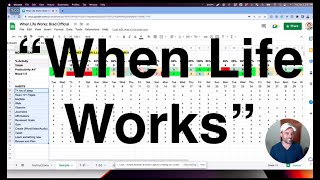
This content was created by Brad Costanzo. This content was uploaded by Brad Costanzo. This is a YouTube talk titled "When Life Works" Daily Habit Tracker presented by Brad Costanzo (recorded/presented around Jan 3, 2023; metadata created Jan 4, 2023). It's a solo instructional/presentation video in which Brad walks viewers through a spreadsheet template called the "When Life" worksheet (inspired by Sean Stevenson) for tracking daily habits that correlate with productivity and mood. He explains how to list and tick daily habits (examples: 7+ hours sleep, read 10 pages, meditate, walk, vitamins, journal, gym, create content, tweet, etc.), how the sheet calculates completion percentages, how he rates productivity (A–F) and mood (1–5) with conditional formatting, and how to duplicate and use the template for a month. He also mentions using the Oura ring for sleep tracking, invites viewers to copy the template and follow/contact him on social media, and demonstrates light journaling/commenting in the sheet.
Chapters
Hey there. First of all, this is a brand new year. Today's January 3, 2023. My name is Brad Costanzo, and I am offering this to you as a way to help you improve your productivity, your mood. Just get the gear off to a great start. Now, what I'm about to show you is called a When Life works sheet. It was not created by me exactly. It was inspired, however, by a near dear one of my closest friends in this world, Sean Stevenson, who unfortunately passed away in 2019. But what he's created, the impact he's made, is, you know, will reverberate over a lifetime. And this tool he showed me in a, in a journal, a handwritten journal. And I remember loving it and putting it into practice. But I'm kind of a computer guy, I'm a digital guy, so I like to digitize it. I remember sending him this back, you know, when he was still with us. He loved it. And I've used it periodically throughout my life. I wish I could say that I've. I've been super dedicated to doing this, but I actually have didn't even do this at all in the past year. And 2023 is just starting, so I'm going to be back at it. And I invite you to put this to work too, if you think this will be useful for you. It's very low tech, it's very simple, but it's insanely effective. So let me get, you know, show you what this is all about. And by the way, you'll have a link to make a copy of this. All right, let me move my little photo here. Okay, so I'm showing you a template. This is what's called a When Life worksheet. So the, the premise of this is that we all have habits that we want to instill right now. There are some habits that we want to do, you know, brush our teeth, you know, make our bed, etc. And that's great, you can put those on here. But this is not an ordinary habit tracker. To a very large degree, this is, this is a When Life worksheet. You want to find those habits, those things that, that when you do them, you know, life just tends to work out. Life, business, professional, career, et cetera. And the way that we're going to determine if life is working out well is with two things. And you'll see this populated here in a second when I switch screens, productivity and mood. Right? So if I'm super productive all day and I get a lot of things done, but I'm in A crappy mood. Well, you know, that's not a fun way to go through life. I could be in a great mood all day. Like just absolutely happy. Go lucky, but not productive. Well, maybe that's what retirement's like. I don't know. I'm not quite there yet. Hopefully not too far off. But I figure that if my productivity and my mood are, you know, rock solid, then I'm having a pretty good day. Now, what you're seeing here is a blank template for the month. Over here is a sample. Now, I populated this with sample data. This is not an actual month. So some of it may or may not be as accurate. What I want you to pay attention to is something very simple. The very first thing you do is you just list out the habits that are personal to you or habits that you're trying to create that you just want to say, look, every single day, this is something I want to do every single day. Now you could put brush your teeth on there, but hopefully you've got a habit of that, of brushing your teeth. These are the things, however, that I'm trying to do every single day. Because when I do them, life tends to work out seven plus hours of sleep, read 10 pages, at least 10 pages of a book that is inspirational, etc. Meditate, take a walk, take my vitamins, journal, do my affirmations, review my goals, go to the gym, create something. Word, video, audio. In fact, this today will satisfy my requirement for the day. You'll see me mark that off. Tweet. I've actually been trying to build up my Twitter profile. This is a, a brand new New Year's resolution is to tweet more and to build more of an audience. So I put on there I want to tweet every single day. Which by the way, you can follow me at Brad Costanzo. That's just at Brad Costanzo. Learn something new. This may fall into this, but not really. It's like I want to learn something new, something I didn't know before. Lastly, review and plan. And there is an extra one on here, but for the sample one, I put, you know, trying to get to bed before 10. Right? So anyway, and by the way, if I get to bed before 10, I've got a much better chance of getting that seven plus hours of sleep. Now how do we do this? Very simple. I just leave this open throughout my day and as I do something, I just put a little X in there and tick it off. Right? What you'll notice is this number here, this total, which is up top, not the bottom. Is I did you know, on this day, I've done 85% of my activities or 11 out of. That's 12. 11 out of 12 activities. Right. So if I. If I were to remove one of the X's, you'll see this drop down to 77. If I put it back, it comes back up. All right, so now that's fairly simple. This is the number that I did. This is the percentage that I did. And then this is just the tick marks. Now, the colorful part. Here's how we use this. Sorry, I got a little something in my eye here. But I rate my productivity A through F, and I rate my mood one through five. Sorry, I really do have something here in my. In my eye. So if I have a really productive day, I get an A. If I have a. If I'm in a really good mood, I get a 5. Ideally, it's bright green across the board, like, super productive, great mood every day. But obviously that's not possible. But all I have to do is, at the end of the day, I go in, and the very last thing I do is I rate myself. How productive was I? What was my mood? And that's it. Okay, so step one. Step one. Mark what you want to do. What? Mark your habits. Steal mine if you want, or create your own. Tick them off throughout the day. And at the end of the day, do an A or, you know, A through F and 1 through 5. Five being the best, as you can probably see. And this is already formatted to just kind of change the color automatically. So if I were to put a two here and hit enter, you'll see it changes. Magic of conditional formatting. All right, so now that's my goal. Now, how would I use this? Well, first of all, let me go over here. Let me show you the other numbers. So every day you can see how many you did. And if I scroll over, you'll see that here, on average, I had a 75% completion rate. Right. I could probably create an average on this, too. It doesn't really matter. I don't really care about the average month. Although, you know, I could probably do that. Let me. Let me do that while we're talking. You want to see how the sausage is made? Let's do this through this. Yeah, see, it's not really coming up. It's hard to average a letter. Maybe there's another way to do that. Anyway, so you'll see I've got a 75% average. And then you'll see here the total number of days I got seven plus hours of sleep. By the way I use the aura ring to track it is yeah, they'll say 23 days, read 10 pages, 26 days. Well, here took a walk. Only 12 days. And this is the percentage. So now I can see which of these I'm doing really well with, which of them I'm not. But more importantly, what you'll start to see over time, especially if you just do this for one month. A correlation between the more often you do these things, I'm gonna bet the more often you're gonna get them in the green. Right. And the less often you do like I did one here to where it's just like I only did six and that was I only completed 46% of them. And yeah, I wasn't productive that day. I was in a terrible mood, no fun. So really what this is kind of designed to tell you something you're already gonna know, which is the more often you do the habits you want, the more likely you are to have a productive day in a great mood. By the way, one of the other things I'll do is I'll click into here and so I might write right here. I'll click, I'll right click and I'll comment, you know, what happened that day or color commentary. Right. This can be a basic journal. I don't try to keep a full blown journal in these comments, but it's kind of nice, you can do it just like this. And that's really about it. And I think what you'll find is over time it starts to gamify this and you're trying to get the, the greens as much as possible and you're trying to do these and as long as you see them right there, you're gonna click them off. There's a lot of habit trackers out there. Is this the best? I have no idea, but it's one that works for me. It's one that was inspired by a very close inspirational friend of mine. And it is really kind of fun to see and play with how this works out over time. Now I'm going to give you a couple quick directions on exactly how to use this. It's fairly simple by the way. The instruction sheet pretty much has them right here, but I'm going to go over them real quick. So this is the sample page. I wouldn't touch this or you can delete it. This is a template t for a 31 day month and a 30 day month. That's just because some of the numbers on the totals need to be a little different. And then all I do, since this was going into January, I just went up here to duplicate. I'm going to. I'm going to recreate January so you can see it. I'm going to duplicate it. Okay? Now, January, January 1st, as we all know, we should know, I believe it started on a Sunday. Okay? So all I have to do here is if I knew that January 1st was a Sunday. I just type in Sunday and then I click on this little blue handle and I drag it all the way across to right there. And it already perfectly populates what the month is supposed to be. That's all I have to do. And then I add the. And I. Then I add my pieces here. By the way, just so you know, this little cell, A seven has got a. A formula in it. So what it's doing is it's counting the number of these. That means if I add one here. So first of all, so don't edit this, but if I add something here, it's going to adjust this. So that's just a little thing to know. Now I'm going to delete this right here and then you can see Jan of, you know, month and year, January 23. So because I'm creating this for you, I'm going to put a little X in here. Now watch my 43 go up. All right, great. Let's take a look Yesterday. Yesterday was actually just January 2nd. I was just kind of getting things going on and just kind of reviewing what's up. It wasn't a very productive day, but I was in a real good mood today. I was in a pretty good mood and I was semi productive, but still, you know, just trying to get back after the holidays. And I am going to continue to populate this out. And if you. Once you get a copy, I'll give you a share copy of this. What you're going to do is go up here and click file and make a copy and you'll get your own. But that is really about it. Once more, I really hope that if you find this useful, you put it to work for yourself and you get a lot out of it. If you want to follow me for more once more, I'm going to be doing a lot more tweeting, but all of my handles across all social media is just at. Brad Costanzo, please, if you start doing this, send me an email. Send me a direct message, let me know. And if you'd like, you know, any help or any insight on it, please don't hesitate to reach out to me. So thanks a lot. Put the big one up here and say bye bye.