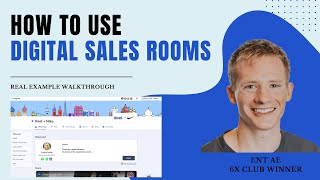
Brian LaManna demonstrates using digital sales rooms (via a tool called Aligned) across the entire sales cycle — from before or right after the first call through deal close — to centralize assets, accelerate deal cycles, and enable multithreading. He shows creating a reusable template of ~15–20 common resources (pricing sheet, security packet, demo recordings, case studies, Gong recordings, etc.), toggling/hiding sections per opportunity, previewing the room, and sharing via link with required viewer identification. He also describes embedding this link in follow-up emails, continuously adding resources (mutual success plan, recordings) to drive engagement and internal sharing.
Chapters
Hey, what's up? Close one community. Super excited to highlight today how I use digital sales rooms in every single deal cycle really from like the first call, sometimes even before the first call, all the way through the end of the cycle. So just to frame up the problem for a second through a mid market or enterprise cycle, typically in the past I've been sharing somewhere between like 5 and 25 different resources. But those resources could include, could be demo recordings, it could be a pricing sheet, it could be an integration video, three case studies, terms and conditions, legal security, things like that, right. There's a lot of different material throughout. And what happens is when you're sharing two links or two attachments per email, when your buyer has to go back and find the terms and conditions, they can't find it, they're not going to hunt through their email and look for the 15 different follow ups that you've had over the last six months. So the goal of this is to help accelerate your deal cycles but also help you multi thread as well. And, and the fact that they're going to naturally share this link with other people internally and you're going to uncover stakeholders that you didn't even know were a part of the cycle. So I'll show you like a full example. First say I've got this opportunity with issue what I'm doing and I'm just doing this through aligned. I can use their logo up here in the top, right. I can put in their name, I can write a short little like preamble. Sometimes I include my cell phone number. I always encourage them to bookmark it. And then down below is when I can start adding different resources. Right? Our pricing sheet, our G2 reviews, they're on HubSpot CRM. So I wanted to highlight that video. And what makes this really easy as well is this is kind of the full live version. But if you look at this edit one, what you can see down below are different resources and you'll see some that are grayed out like Salesforce and Gong reporting. So since I know issues on HubSpot, what I did was I just basically hit hide section. So. So because I have a template loaded with like 15, 20 different resources already of like my favorite things I like to share throughout the cycle, what I do is for each opportunity I just come in and I basically turn some on or I'm able to preview them. That way there's a steady drip through the cycle where maybe I start with like two resources and it's three, then it's four, then it's five. It's a really great way to kind of build up, but you don't want to just share like 20 resources off the bat or you might, you might scare them a little bit. So once you have kind of what you want, you can check the preview here, can make sure it looks good. I've also added like a mutual success plan here. I won't dive in too deep, but it can kind of give them a roadmap of like what you've accomplished so far in the next two or three steps in the process. Then what I'll do is I'll hit share. I usually do the second one where anyone with a link can access it, but they're required to put in their name. That way I know who's actually viewing it. You can require like an email address or password protected if you need to for different compliance reasons internally. And then I've also sometimes used this thumbnail. So when I copy this it has basically like an icon to it. So it makes it really clean. So after the end of the first call I tease this and I say hey, like just, you know, Brian, I'll shoot you a follow up email by end of day. Look out. As part of that I'm actually going to include a digital sales room. Make sure to bookmark that. I'll continually add resources back to that like micro site throughout the process. So it makes it super, super easy on you to be able to find any material you need. Buyers will absolutely love it. Then here's what the email will look like as a follow up. This is just kind of a sample one here that I wrote out and anonymized. We hate Tim Short little salutation. You can review our call. Here are the key points, here are the next steps and then in every single subsequent email I just continue to link resources, GONG and ACME digital room sometimes just to tease it even more to make sure they click on. I'll do like pricing forester to case studies type just to make it even more hopefully you know, urge them to want to click it, want to open it, want to share with colleagues versus just resources. Doesn't sound quite as great. So I'll continually add to that. You can eventually just add like your gong calls or whatever recordings into this room as well. So you don't have to include this if you want. But I like to call it out and keep it a little separate just so they can find that really quickly like from the last 24 hours. But you can definitely just include it in there as well. So I'LL just continue to link back to that and then again throughout the process. I'm just going to continue to come back here, add to my room, hit that edit button, add any other resources. The way that this is built in the first place, just you have a little bit of context is what I'll do is I'll actually create out a template so you know, I could have a new room create from template and then this template here that I made Gong Times Acme is the one where I'll have all my resources down below and that way it's really easy for me to just have like my 20 favorite resources in there and then I can kind of toggle them on throughout the process. I already have our msa, I already have our pricing sheet, I've already got our security packet and things like that as well. Curious to hear from everyone in the comments. If you use digital sales rooms in any other ways as well, you can can definitely use them to value touch to multithread. You can use them before a first call. You could use them in prospecting, heck even just to get some visuals behind it. A lot of different use case. I feel like I'm in like the second inning of a nine inning game here and excited to learn from others. Cheers.