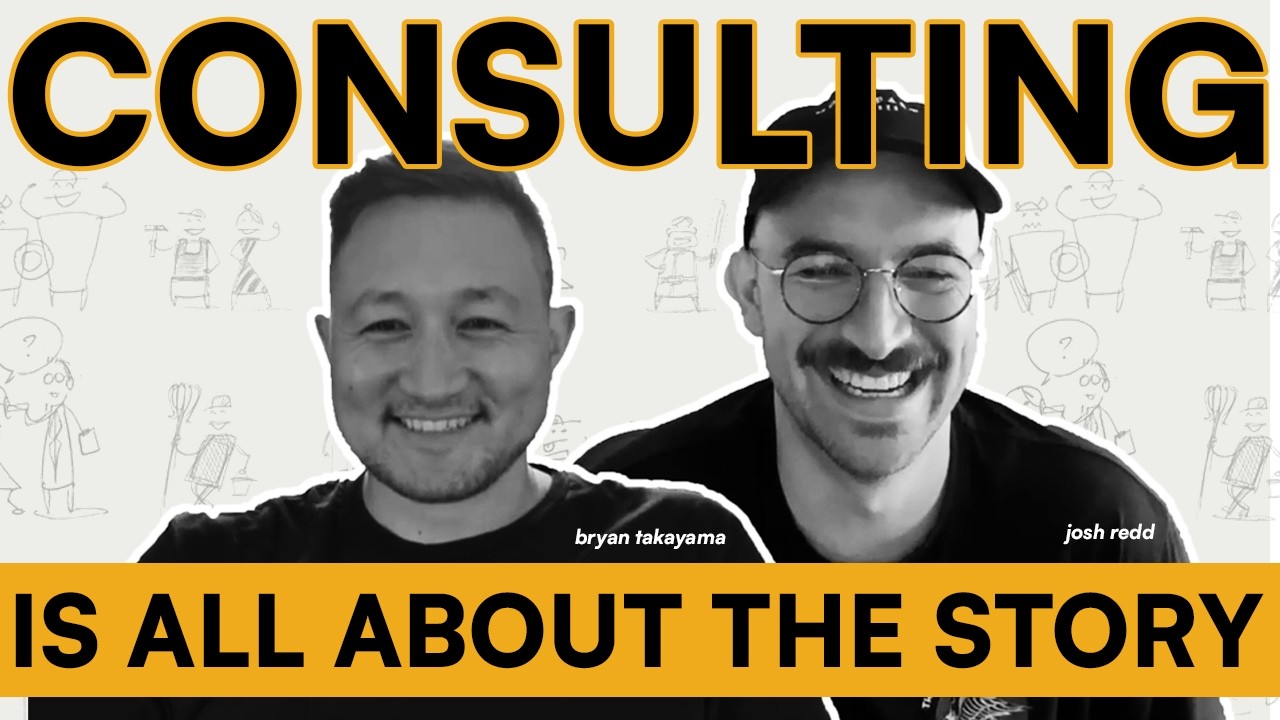
Josh Redd and Bryan Takayama break down why Notion feels overwhelming and offer frameworks to fix it: map documents by who views and edits them, separate permanent artifacts from transient operational info, and use predefined views instead of letting users create infinite ones. The goal is moving teams from chaos to a coherent workspace.
Chapters
It's easy to also say a creative request is very different from a project, but is it?
Welcome back to the Notion State of Mind podcast where we talk all things Notion State. I'm your co-host and co-founder Josh Redd, joined by Bryan Takayama. And we're here to talk about how to think. First of all, how to think, which is a baseline to our, our real topic, which is how to think in Notion. So if you can't think, it's not the podcast for you. If you can, then let's talk about how do you do that on screen? How do you do that in this software that we all love called Notion? What does it mean? Why are we even talking about how to think in Notion? Like, why is that even the topic of the day, Bryan?
I think it's a really important topic because of the concept of blank page fear.
Do you know what that means? You know what I mean, Josh, when I say that?
I mean, we've said blank page shock before.
I like shock.
We're really ramping it up.
Yeah, man. It's scary.
Oh man. Yeah. Open up a page, have no idea what you're doing. You see the light at the end of the tunnel, but that, that tunnel is a really long tunnel and you're not sure. If it's actually real or not.
Yeah, everyone talks about how awesome Notion is, and then you go on Instagram and you see these amazing templates, or you hear these incredible stories from Ramp about how they built these incredible systems, and then you open up Notion and the default page is like a checklist, but one of the things they have you do is just forward slash page at the beginning and it just gives you this, this blank page, no title on it. No, it doesn't even start you out typing in the initial page. You just have this blank page. And it's scary. I remember my first time entering Notion 5 or 6 years ago. I turned it off right after that. I was like, this is not a place I need to be. Um, it's a, it's a scary thing. Did you have a similar experience or do you have any thoughts on that?
I don't remember. I think I, I think I got introduced to Notion watching some videos. I think maybe an Ali Abdaal video or even a Thomas Frank video. So funny that we came full circle. Thomas Frank's, uh, now a big name in the scene, but It really unlocked for me watching August Bradley, not to, not to digress too much, but, uh, there's definitely levels to the game of, of learning how to use Notion and not just the different features and bells and whistles, but how to do it correctly, right? Like how to do it in a way that's actually useful.
No, that's fair. So you did not have blank page shock when you entered Notion because you were coached on it from a, uh, from, from a YouTube influencer.
Yeah. Yeah. I, I didn't open it up and be like, it wasn't for me. It wasn't like somebody told me about Notion and I opened it up and I was like, oh, what do I do? But I think I saw it first. So I kind of had an idea of where to go.
I think that that's fair.
But talking about organizations, especially at an organizational level, all of a sudden, you know, hundreds of people now have a license or a seat to the software that they're expected to use. It's very common, very typical for people to experience that kind of What do I, what do I even do with this? And maybe they're not even super stoked on it or they haven't seen that light at the end of the tunnel, but they kind of get the feeling like this is where I need to be to kind of be efficient and more helpful and collaborative. But what do I do from here?
And for those organizations, I think it actually happens in two different ways. One is the organization starts using Notion and having one person or one seat in Notion or 100 seats or 1,000 seats, and you just enter into Notion with Nothing already there, blank page shock for the individual and for the organization. And people start to use it in very different ways really quickly.
And they start to build systems very separate and individualized.
And, uh, it's this, um, disjointed and it's kind of scary approach when you first enter Notion. That's, that's the one side of it. The second side is there's already a lot happening in Notion and you enter this, this world and you don't, or in your company's Notion space and you enter it and you don't really know. Where you belong in the system. You don't really know where you're supposed to kind of build and interact. So you just start to create your own offshoots or you just don't use Notion at all because you don't want to, you feel like you're going to break things. So I feel like the, the concept of thinking in Notion comes, comes into play in both of those zones for organizations.
Yeah. And we're not talking about, I mean, yes, maybe the onboarding or, you know, uh, tutorial section of Notion could be maybe a little bit more tailored, at least compared to what you experience, like. Slash new page. All right, great. You know, but we're, we're kind of talking about more than that, something deeper, how to actually not just know the different features on a surface level, but now that you have these tools, how do you, what's the best framework, right? What's the best way to put them together in a way that's cohesive, that, you know, feels good. That's not just good for you, but for the rest of your teammates in a way that unlocks these collaborative workflows. I think at the, at the really core of it, Notion is best used in a collaborative environment, right? Like it's really good for individual use. It has historically been marketed towards individuals. It's, it's experienced, uh, crazy growth from the Community Days and, and individual kind of, you know, start with the consumer, then they bring it into work. Uh, but at the end of the day, there are, there are other single-player tools. I still like Notion even as a single-player tool, but where Notion, I think, really shines, but you have to figure out how to get past these obstacles, is when we're talking about multiplayer, right? So are we talking to the individuals that use this, this system? Are we talking to the admins that build in it? Who is this? Who is this for?
This framework of how to think in Notion? Everyone. Um, it's literally everybody. Uh, it's, it's intentional in that way, but I actually really liked where you were going when it with Individuals versus companies, and it kind of brings us around to this concept of altitudes. And Notion does a really good job, or it has the opportunity to do a really good job at framing the information in the workspace for the relevant altitude. And your altitudes can be at the highest level of the entire company, and then it could go into just the leadership view, and then it could go to the department view. Or the team, and all the way down to the individual. And being able to structure and organize your information, or be able to visualize the information that's relevant at each of those altitudes, is incredibly important in creating a user experience that's easy to onboard to and easy to, to onboard into.
Yeah, I think the key, the key concept here that maybe doesn't quite, uh, click for people at first is that you might think, well, I've, I've got different altitudes of dashboards in Google Sheets or Google whatever. But, but at the same time, those are different artifacts. Those are duplicates of data. They're not pulling from one central data source. And that's where Notion really comes to shine and why it's so worth figuring it out is that you have one central data source with infinite possible ways of showing it. That's why we have blank page syndrome. And I'm talking about specifically databases, right? But we could talk about the structure or what we call like the front end of Notion. Again, infinite possibilities. And so in that world of infinites, how do we actually kind of land on something that is useful and not, not broken or, or, you know, disjointed. So yeah, when we, when we think about this, I often think about it in my weird ways of like, you, you have this kind of warehouse of data, warehouse of information, and your, your linked views of databases are kind of filtered windows into that data, you know, so this window kind of shows it in this way, this window shows it in this way. This window is only accessible to leadership. This window is only accessible to these teams, or maybe it's primarily for this team, but another team also can walk down the hall and look through that window too if they really wanted to. So when you're talking about altitudes, coming full circle, I promise, we're talking about like, how do we surface the data in context? In this new AI era, context kind of has been turned around to mean like just all, all of your information kind of dumped in one spot that AI can pull from and use as context. But Context really, okay, not to be facetious if that's the real way that I should use this word, but context matters in context, which means like the things around it, who's looking at the information, what are they looking for? You know, what's the filter criteria? Like how do you actually surface it in a way that's not just information overload? If we're talking about context for AI, we're just information overloading them. That's not real context, but I get it. For us, we're talking about how do we, actually filter that in a way that is contextual and relevant for somebody to take data and turn it into useful information.
Yeah, we need to be able to index our context effectively, both AI and the human, to be able to find and self-service that information or know where to create the right information.
Yeah. So sorry to go back to your altitudes 5 minutes later. Yeah. Say more about like, why is that important? Like, is that really only applicable to a company situation where you do kind of have hierarchy or is it not really hierarchy based?
It's not necessarily hierarchy-based, but I think it's the best way to apply it. Altitudes being, you want to see everything at the highest level.
It's like bird's eye view, and then it starts to narrow out, narrow down as you, as you go down the funnel.
There's, there's probably some other ways that we could do this, but the general company interpretation of altitudes are going to be based on a company hierarchy. Yeah. Something you mentioned earlier, and you've actually mentioned this on a couple podcasts, I think it's important to highlight.
The double-edged sword that comes with it is the, the infinite views concept.
It's, it's one of the most amazing parts of Notion, but it's also one of the hardest parts for large collections of individuals to, to touch on. And the reason I say that is while you have one database and you can have infinite views of it, every additional view you create is a new surface area that someone needs to manage or be aware of.
And it's very important, especially for the majority of the organization that aren't super users, to give them the pre-developed and predefined views, not just give them infinite opportunity to create them. And why I believe this, and I, not to opine on this before you can even respond to it, but it's, I feel like there's a limited amount of mental capacity the individual can have to know where things are going to exist. And if you have one project's database and you create 500 views of it, you're going to lose 490 of those. And we want to be very intentional of at the beginning and the onset of this, giving them the perfect 10 or the directionally correct 10. That way it's easy for people to to get what they need most of the time and not feel the need to create their own views time and time again.
It's dawning on me that this whole conversation that we're talking about is actually the reason why Notion State exists and has value in the marketplace, because we don't just teach people how to use Notion, right? There's Notion 101. If you, if you think about Notion knowledge, right? We've even said this before, there's like Notion 101. How do you, like, what is the slash menu? What's a block? That kind of stuff, right? The basics, like just an introduction to what's available. Then there's like the, Notion state way of doing things. And I'm talking more in our client services kind of, you know, realm of speak, like how do we actually do Notion? And that's, that's kind of in what we're talking about here, like frameworks, tried and true and proven and tested frameworks that actually work, that have opinion, that have conviction behind them so that when people start asking questions to try and chip away about its effectiveness, we've We've seen it, we know why we chose it, and we know what the rule is so that when it's time to make an exception, we can. But we come to that with a lot of, I think, experience and knowledge. And this framework is important because if we just teach them how to use Notion, kind of this train the trainer kind of model, it doesn't work, right? Because you still need that layer of framework. You still need opinion and conviction on how the software should actually work. And then I think the third layer that I wanted to kind of finish off with is, you know, we've got the Notion 101, the Notion State Way, then we've got the client-specific use or implementation or workflow of Notion. And that's how, that's when we marry the Notion State Way with Company X and actually build it around their process, build it around their workflows. You know, like we always say, model. Now we can shape the software around the process. We don't have to fit our process into the software. So how do we actually do that? And that's how it all kind of paints this picture or is this service that we provide that is actually it's valuable. We're not just teaching people how to use Notion, but really helping them do business better, right?
Yeah, absolutely. And I feel you nudging me to, to start to talk about the framework. So let's dive into it. Um, cause I'm, I'm, I'm 1000% aligned.
It's that Notion State way that really is like, is the secret sauce into how we make Notion with blank page shock into a collaborative environment that organizations can scale over more users as well as over time.
And this framework that we largely apply across every client, it's one that we learned from Notion themselves. Professional services rep Kevin Hillier, shout out to you. It was an awesome presentation a few years ago and it's really stuck with us and stuck with me. And we've really started to adopt it into our workflow, but it's this concept of projection and collaboration. And when you start to—
sorry, sorry. As a, as a matrix, right?
Like a, like a 2x2 matrix. But the idea here is like. The first axis on this matrix, projection, is how many eyes need to see this. High projection is the entire company. Low projection is me. And then somewhere in between is your team, is your department, is a specific— is a cross-functional project. And then the second one is collaborations. How many hands are involved in this workflow? So it's high collaboration is many, many people, multiple departments, the entire company. The team itself or just me as an individual. And that's where you can start to see we have a spectrum across each of these axes and you can start to create this 2x2 associated with it where if you have high projection and low collaboration, it's a document that's for everyone that not many people can, can edit or should edit. And this is total rewards at a company or the company handbook or company strategy and OKRs for the upcoming fiscal year.
These are documents that are for everyone, but only a few people are involved in.
Then you have high projection and high collaboration. These are things or areas that everyone should be able to interact with, or everyone should be able to see. It's like your company operating system, right? This is where your core company projects database lives, or your core company notes database lives, or what have you.
These are systems and workflows that are used by everyone.
But then you can start to like move on the other end where it's low projection and high collaboration.
And these are like department zones.
Um, and I guess what I'm getting to here is once you start to think about Notion on this matrix, you can start to think based on who needs to be involved in this and who needs to see it, where should I build this or where should I find it? And it starts to make it easier for 1,000 people to start to know where in the workspace should I be going for specific zones. And I think this is what we, we kind of mean when we, when we're injecting the Notion State Way.
We.
We come with this point of view and we build infrastructure to fit into this sort of matrix.
Yeah. Yeah. I love this, this matrix idea because I think it's actually been proven already to work with, with Apple back in the day, you know, when Steve Jobs was brought back as CEO, they had a huge catalog of products, you know, X104, X1, whatever they were, right? It's like just different iterations with like slight changes and it's too much for the market and the consumers to really keep track of. It's a lot of, overhead for Apple to really support, right? And what he did was he created a 2x2 matrix in the way that people think, and it was desk and mobile. Sorry. Yeah, it was desk and mobile, personal and work, and one product for each of those categories. And when you're trying to make sense of where does this go, or how do I, where do, what room do I go to? We're not talking about, you know, a, a labyrinth or a maze to find what you're looking for. Um, or like a, a mind mansion, you know, if we're Sherlock Holmes, but we're talking about like 4 rooms or, or 4 kind of concepts or areas that you should That's what you need to keep in your mind. The problem is when you've got to remember every single thing, uh, that you, you kind of get lost and you shouldn't expect people to remember that, right? But we're, we're making it really easy for people to, to know where to go. And that's, that's only part of kind of the framework that we, we bring to the table or we think in.
Yeah. I haven't heard you talk about that framework or the Apple comparison. That's so fantastic. And our solution is, is, is the exact same, right? Like High projection, low collaboration, company intranet. High projection, high collaboration, company operating system. Low projection, high collaboration, department hub. Low projection, low collaboration, personal hub, right? Like we have, we have one object for each of these and the intention is the exact same. It's very easy for people to know where to go and where to build.
Yeah. And this is why audience is actually like, it's such a critical piece of Collaboration, right? That, that people don't think in. They try to take this system from like the individual framework where audience just wasn't part of it. Not to mention permissions, right? Audience is, you know, kind of almost one-to-one with permissions, but they're different. And so that's like half the picture that's missing when people, even if they're really good at Notion, haven't really had the ability to kind of sharpen, sharpen their tools in this area. It's, it's nothing against people that don't know how to do it because the opportunities to be able to do it have been, you know, pretty few, like far and few between. And, um, we're kind of in the leading edge of actually making Notion work at scale. I mean, we're, we're a few years into it, right? So other people are, are definitely getting, getting the reps in, but that's a, a really important piece to Notion at scale is actually the scale piece, which requires more than a few people.
Yeah, absolutely. Well, I think what we find is the more surface area you introduce to the system, the more confusing that it is and the harder it is to navigate and know where. And the more friction that you add to any part of the workflow for anyone onboarding or anyone building in it, the more likely they are to just build their own thing.
So it's like, yeah. Yeah. Want to just dive into the weeds real shortly and hopefully come out unscathed. But as far as like the technical details of this, let's combine what you just said with the four kind of zones with this idea of like centralized data with a million, you know, windows into the room, right? When we talk about data that belongs, that is showing up in a team hub, it can also be the same data that is available in a different an area like a company hub, company operating system, right? So like these are not, would you, would you call those MECI? I don't, I don't think so. What we're talking about is with your 4 hubs kind of framework or 4, you know, areas, that's very front-end user interaction with the software concept. Behind the scenes, not that it's any more complicated or, or, you know, it's, it's, it's still pretty simple, but it's, it's centralized, especially in the company operating, that's operating system. That's where we kind of house centralized projects and docs and meeting notes and all that. Kind of stuff. Those are like one, those are one thing that can kind of surface in different ways. So if you create a really nice personal hub, that personal hub could include your private stuff, but also your curated view of maybe your team documents that you want to pull in via some filter, right? You know, maybe the team hub has a specific filter that kind of works for the majority of the team view, but for you, you kind of want something more curated. And so that's where you might pull in your own private view, right? So. Yes, we have this kind of standard, I think, approach. And then for the people that really want to dig in, those kind of people that do really enjoy like learning the software, there's still plenty of room. Like we're not locking people in to only, you know, interacting with Notion in this way. Right. And I think that's really important to a lot of people that we work with is like, we're not, we're not taking away your autonomy on how to work. We're just kind of giving you guardrails so that, you know, people don't go off the side of the road.
Spot on. It varies from organization to organization how much autonomy and opinion they want us to inject into the process. Some organizations will want us to lock down the company OS and people only interact with the department hubs and they can't even edit their views in the department hubs.
That's very high opinion and very strong admin management of how people are using the tool. Some organizations want everything to be can edit across the board so they can build and customize their views based on what they need. So the framework very much is for us to guide how people are thinking, not necessarily limit what the technical execution requires.
We've been talking about kind of the Notion State way of approaching Notion at scale. Another, another kind of, I think, key concept that has been really important to pick up along the way in how to think about Notion, this is for the individual as well as the organization, is kind of objects and types. Like, what do we mean when we talk about types of things, right? And thinking this way is actually really critical to aligning with kind of what we think is the correct way of doing Notion. But also being able to, to build it in a way that doesn't just turn into a, a mess of spaghetti. Oftentimes we're coming in and, and helping like clean up a workspace where this was not, you know, part of the framework. This was not how people thought in Notion. Therefore there were 10 different projects databases. There was like the specific, you know, engineering projects database. There was the marketing projects database. Because they thought of those things as different types, as different objects. We've even consolidated, you know, if this kind of department had their specific offshoots of objectives and deliverables and specs and things like that, actually, are they the same object? Can we kind of consolidate them and bring them in to simplify the way they relate and connect to the rest of the system? I've, I've, I've opened the Pandora's box for you and maybe I'll ask you to see if you can close it for us.
No, it's, it's, it's such a fun topic and it's always the challenging one because even if you build a perfect framework for it, everyone thinks that their data is different and there's a lot of conversation and convincing to make it happen. But before we go into like objects and operations, let's actually take a step above and talk about how you can categorize information by type across this, the, the 2x2 we were just talking about. When, when we think about high projection, low collaboration. Generally speaking, those are going to be artifacts. And we use the term artifact intentionally because an artifact is set in stone. It's like, it's written in stone. It is something that is relatively evergreen or not going to be updated frequently.
And that's what belongs in your intranet.
And these things are like your application software inventory, or again, your handbook guide, or your just general like company intranet artifacts. That are for everyone. And it's important to distinguish these from this next category, which is operational information. And it's important to distinguish them because there's a different level of publishing, editing, and management and access to them across these two. So like you have artifacts that are for everyone to view, few people to edit, and then you have operational information, which is for everyone. This is your projects, like you were saying, your creative requests, your meetings, your docs, which are more ephemeral in nature, tasks, status updates.
And so on and so forth. These are operational pieces of information that while they might live forever in this database, they are likely only there for a quarter or two at max over time.
So before I dive further, any, any reactions, Josh, to that?
No, I think that that tracks, you know, the operational, they almost feel to me like they're transient and they're consumable, right? You, you kind of consume this information to, to get to the more outcome things or the evergreen things. And artifacts, not to confuse it with— maybe this is where we're going to have to develop our language. Like, you've got AI artifacts, right? So it's like, you know, we'll have to mature a little bit as AI kind of dwarfs the way we've been speaking. But yeah, I think it totally makes sense. Awesome.
Yeah.
Cloud artifacts are operational in nature too, which is kind of frustrating comparison.
So yeah, maybe we need to move to a consumable. Actually, I like that quite a bit. But going into the operational piece, and this is the one where we, we do a lot of negotiation with teams and departments and entire companies over time, because it is easy to say this outcome is different than this project is different than this milestone. But when you, and it's very easy to say like, oh, because of that, we need 3 databases where we are connecting all our outcomes are just these high-level topics. And then our projects are more bite-sized levels of those. And then our milestones are like points in time. It's easy to say we need 3 databases for that. But over time, as you start to use that framework, things become chaos and confusing because one, three database relations are challenging, but two, it's hard to distinguish a project and a milestone when you have tasks connected to both of them. And it's hard to distinguish a milestone and an outcome when you have a final date associated with each of them. So what we tried to do is determine how we can take these like objects and fit them into one framework and build a similar workflow that is still easy for individuals to use. And I think that this is where a lot of the negotiation comes into play. Outcomes are actually just a parent project and projects are actually just a sub outcome and milestones are actually just a sub project. And we can start to use our sub-item feature in Notion to create a one database approach from this. And extrapolating this out from these three very tactical operational pieces, it's easy to also say a creative request is very different from a project. But is it? Because the creative request is going to have a title, a date, an owner, a team, a type. And once you start to realize that, like, these objects are actually having the same metadata characteristics, separating them out is actually just causing more challenge and workload over time than combining them and condensing them into one. And that's a lot of the negotiation around, like, these operational artifacts. Like, how do we start to structure those in an organization to use?
Yeah, this kind of highlights an area that I've thought about as as well in our, sometimes in our sales conversations when we talk about, yeah, we bring, we bring kind of common things to the table, like your projects and your tasks and your meetings databases. It's funny. It's like that, it's like that curve where you start really simple and from a simple understanding and like a lot of people that come into Notion, like that's a really simple understanding of how to do it for an individual. There's really common data types. You build those and then you go through this complexity curve. Of all these crazy systems and distinct databases and connecting them, creating crazy formulas that, that make sure that data is showing up where it's supposed to. Really fragile, but can be really powerful. And then you just kind of come right back down to the end where it's like projects, tasks, meetings. Let's keep it simple. And the, the path that we took to get there to say, you know, these are your common database objects sometimes doesn't really come through. Or get translated, but the, the knowledge that took us there is quite a bit different and nuanced. We know why we're there. We know the rules so that we know when to break it. But yeah, it often comes down to some of the, some of the common things that people talk about and keeping it simple, really.
100 clients worth of experience has really helped inform how we're, how we're approaching this.
One of my, one of my favorite, I guess, thought experiments, and maybe it's a question for you to answer, is, um, What stops us from just having one master database? Everything is in one database.
The metadata associated with it are different.
So you can always add another property.
You can, but then that property still lives within there. Uh, I, I hear you, but when you end up advocating for this, just to be clear, I think there's a world where it works when you're an individual.
Um, and it's quite easy to do it as an individual, but as you I think, generally speaking, I think that you could do this as an individual.
But once you start to expand out to tens of people or 20 or hundreds, we start to see the onboarding experience degrade as complexity of the system increases. And if you have 100 properties to justify a system, it's very hard to onboard to that because when you click the filter menu, it's really confusing.
When you're trying to create a view, it's very nuanced and complicated. And it's daunting. So minimization of properties is really important to scaling a system and having a one master database goes, goes against that.
Yeah. Yeah. It really highlights, I think what actually the thought experiment is useful in highlighting or surfacing what makes types different. Like everything is not, there's a reason why we kind of call it an object or a type. And it's what actually makes it a distinct type from another type. Right. So we're, we're very well experienced in like, maybe these 3 different things are actually one thing. But if we go to the opposite end of it, like when do we know when too simple is actually too simple? And really, I think it comes down to, and I like this kind of thought experiment is like, if you had one single database for every single object and you had some sort of like property to say, this is this kind of thing, this is this kind of thing. When you start seeing patterns emerge where. These certain types of objects share these property values or these field uses, and they don't share them in the other ones.
There you go.
Long as you're done.
There's your types of objects. Not to mention the performance issues in Notion. Like, it's not feasible to actually do that, but conceptually it's, it's a good way to kind of think about what it, what is a different thing. And projects are very, you know, they're very workflow and outcome and, and work towards a, towards an end goal within a framework of time, collaborating with a certain amount of people. And attaching to specific documents, right? That's one thing. Tasks are very granular, bite-sized pieces of those things assigned to a person with a distinct date, not a range, right? Then you get into meetings where it's like, this is specifically for logging information, actually meeting with people. That will probably turn into— that's very transient, will probably turn into a bit more concrete information like action items or updates to a project, etc.
Yeah, spot on and aligned.
And I love the way that you kind of broke that out at the end.
The, it's not just the metadata that's, that's different. And so the property requirements, but the page bodies are also quite different. And I don't just mean the template you need to build them would be different, but the type of information you're capturing inside them is different.
The project has the brief, the task might have instructions, but oftentimes is never used. And the meeting has a transcript and action items, right? So. That's another indicator for a new, a new database.
Yeah. And not to bolt on AI, and I won't, I won't stay on this for very long, but I, I do think just even thinking about it right now, not even a pre-thought, is like, I think this is actually still an important distinction for AI, is letting it know what, what kind, what should you do with this, this particular piece of information? And by having some sort of label and what that label means and how to treat that label, how it relates to other things, I think is really important because if you tell, if you give it a title and say it's a project versus giving it a title and say it's a task and you've defined a project and a task, it will, it will take you that much further into actually helping you without having to ask you what you mean. Not to mention you could go down, you know, a black hole of just ambiguity if you don't really define these things. And that's really what a framework is. It's like, how do you, how do these things actually, like, how do you expect these things to work? Together.
There's kind of aligned with that, but also aligned with another comment that you had made earlier about when you know the rules, you know when to break them. And I think that this, this becomes really important for some workspaces, maybe, maybe not in the near future as compute and token spend becomes more efficient. But for individual users, there's a world where you might have two docs databases in your operational section of your workspace, where imagine you're a product organization that has 50 engineers, and then you have a sales organization that has 500 sales reps and the engineers are creating tech specs and PRDs and, uh, post and pre-mortems, very, very specific types of documents. And they're doing this at the tune of a few thousand per year where your sales organization is creating a handover document from sales development to the AE and a handover document from AEs to CSMs and a QBR and a success plan. Plan and an account plan. And they're doing this for every client and every customer, and they have 50,000 customers. So the, the world where we have a docs database for the EPD organization with 5,000 pages in it, um, and then a separate sales doc database that has 100,000 pages being created every year in it, I think actually becomes really important to, even though they're the same data type and perform a very similar function, to actually break those out for AI efficiency, for self-serviceability in the database, and just keeping a pretty clean line between a very outweighed use of the database.
Yeah, yeah, that's good. I think in terms of sometimes when it is the same thing, but the distinction between the audiences is different, like we talked about the metadata being a good signal. If it's different, it's probably a different type. If the audience is so different, That it's like practically more friction to use different databases than separate. Also a good signal, right? We got to live in the real world, not in the perfect conceptual world. That's the problem with templates too. They're, they paint this perfect concept of how a business runs and it takes about 2 hours to realize that it doesn't actually work that way.
Awesome. Do we feel good about where we landed with this? We have a framework that's a 2x2 projection and collaboration, eyes on it versus hands on it.
Using this to inform how you build and how you use Notion, identifying your document types and object types and being able to distinguish where they live on that matrix and when you merge versus when you don't merge.
All right, well, that's a wrap. Hopefully you walked away with some useful frameworks and some thought on how to use Notion. Of course, if you want some thought partners, we're always here and we'd love to talk to you about it. Otherwise, I hope you enjoy your day as much as the birds behind Bryan are enjoying their day. And we'll see you in the next episode.
More from Bryan



Bolt-On or Built-In // AI-native services, scaling, and the people who make it work