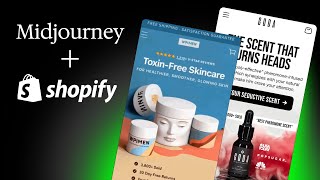
Ash shows how to build a high-converting landing page using Midjourney for images, Photoshop AI to refine them, ChatGPT for copy, and Figma to assemble everything. The workflow cuts design time significantly and can replace hiring a copywriter.
Chapters
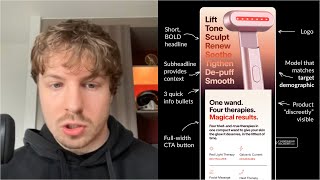
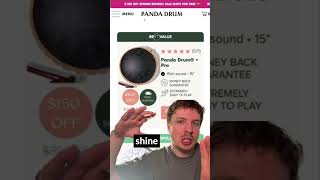
Hey, my name is Ash, and what I'm gonna do today is walk you through a document that I put together and how you can use ChatGPT to create landing pages from scratch. Now, this process is actually something that will help you speed up the whole process and get you some really, really good results if you follow it down to the T. So let's go through this, and what I'll do is I'll also leave the document and link it in the chat below as well, um, so that you can actually use this. So let's go through this. So basically in this document, it's insanely powerful, as I said. So this is basically the entire process. So step 1, we're creating images using AI, and how we can do that is use a tool called Now Midjourney, if you haven't know what Midjourney is, basically this tool that you can install on Discord, which will allow you to upload product. You can upload photos where you can take inspiration from it, or you can use your own prompts. I've actually got a list of like prompts that you can actually use in here. So you can see if I've got like speaker products, what I put down here is like white speakers with red and white background in the style of, you can quote like a certain artist or someone online, and then you can come up with like the aspect ratio and stuff like this. So really, really cool to get quick ideas on how you can position your products. And then what you can use is, and this is not in the document, but highly recommend this, use Photoshop AI. This is something that I've just been playing around with recently. You can actually get a free trial for it, but this is insanely powerful. There's actually a few different things I've been experimenting with this recently, and I'll show you something that I've come up with recently from this tool. I was basically playing around with Photoshop AI for building out this landing page for one of my clients called Gota. Yeah, so this is, I just sent this off to him like a day ago. Yeah, you can see he quite likes how it's turned out. So basically what I actually started with is I just uploaded this product photo here, this one here. I'm not actually sure if it's gonna show you the finished work design. So I uploaded this product photo, I removed the background, which you can do by using, you know, different actions in here, which is really, really cool. You can use like the lasso tool, quick selection is I think the main one that you can use. Yeah, like this. And then you can use this really cool feature in Photoshop called Generative Fill, remove the background and then give it like a whole new background. And the whole new background that I gave it was this one here. So I gave like the prompt, like I want black marble, I want it to be a dark background and I want like red smoke to kind of create this seductive feel. And this is the output. Now with a little bit of tweaking and a little bit of touchups, this is kind of what I created. So you can see when you combine AI with a structure like CRO for a landing page, it will be insanely powerful. And what I'll also do in this video in the description is I will give you, um, basically the framework that I use to create high-converting landing pages. So you can combine the ChatGPT process I'm giving you here with the AI process— or sorry, with the landing page process that I'm going to link to you in the document. And that is where the magic can happen. So let's go back to the process and I'll give you a quick overview. So we're using, if I go back to all the way up here, so we're using Midjourney to create the photos. You can generate, like if you're coming up with like different headlines for your landing page, you can generate them with AI. I've got that processes document as well. Offer headlines as well. Benefits. What I would say when you're coming up with benefits is like the power of the copywriting you're going to get back is all to do with the prompt that you're using. So there are some prompts I'm using down here. Like for example, generate me 5 benefits of the speaker using a similar tone. Some suggestions are highlights, deep bass, sounds pure, portability. Now this is okay to start off with a prompt, but to like even take this to the next level, call out things like tell ChatGPT, tell the AI who your customer is, what are their top concerns? How old are they? You know, why would they shop with your product? What would they feel when they get your product? Give it as much context and information around your product and be as clear as possible and then tell it to like generate, um, benefits based on that. And you can see that the quality of the output that you get is gonna be a lot better than if you just use like 1 or 2 lines in your prompt. So that's that. Let me go back up to the top again. So, and then yeah, so I will leave in the description the optimized page template. So you'll actually have that in this document here if you scroll all the way down. Where is it? Yeah, so you can, I'll leave my templates in here. You can actually find them in this document as well. then basically mash everything together in Figma, which I'm gonna give you the templates for. Figma's like a really cool tool that you've seen me over here. This is where I like build out all the client pages that we do. Um, and then yeah, this is kind of the output that did. Now I did this like several months ago, so imagine with the new prompts I'm gonna be telling you about today and my new process, you can imagine how you can take this to the next level today. And ChatGPT has come a long, long way in even the last few months, so Yeah, definitely apply this. You can see how this can enhance your whole process. And just remember one thing, like the first time you're doing this, your results, the output that you're getting might not be great, but just keep on doing iterations. I'd be doing iterations for this for months, and my process has obviously gotten more and more optimized along the way. So that's what I'd recommend for you the same. But this is definitely gonna save you a lot of hours. It could even eliminate the need for you to even hire a copywriter. I mean, I do all the copy for my clients myself, but I leverage ChatGPT to give me ideas, to give me different perspectives on how to look at, look at those things. And that's the power of using AI is when you can use it with you, with your processes that you're doing. So apply this. Let me know how you get on.