30+ Business Procedure Terms Explained in Simple Terms
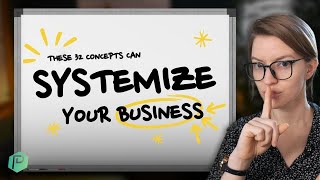
A single speaker breaks down over 30 common business and management terms in plain language. Covers jargon around processes, systems, project management, and organizational roles for leaders and managers who need to understand what these words actually mean.
Business jargon like Systemize, erp, qa. These are just fancy terms used to express complex ideas in as few words as possible. But the problem is if you're not familiar with these terms, they become like a giant wall saying keep out because you aren't in the know and familiar with the terminology that people are using. That is problematic because here at ProcessDriven we really believe that every leader, every manager, every entrepreneur not only deserves to be in the world of process, but but you kind of have to be because it is a superpower available to you to help guide the way work happens inside your team or company. So in this video, I'm going to break down 32 business process terms with definitions as simple as possible. So that wall of jargon becomes a wide open door welcoming you in to the world of process. You can use the timestamps below to skip around if you want to expand on these definitions. Or if you think there's a term I missed, use the comments below. But with that, let's get started. First up, we have return on investment. Technically, this is a financial ratio of what get divided by what it costs you to get it. That's it. So if you get $1.25 and it costs you a dollar, you have a 25% ROI or return on investment. But because many times in small operations you don't actually have a measure of time or money associated with the thing you're doing, ROI is often more usefully used to just say, is this worth it? Usually with no numbers attached. But this is the true definition. Whichever one you want to use. Next up, deliverables. In other words, things that you are creating. If you are doing a web design project, you might have a deliverable of a deliverable of a brand guide, a deliverable of four calls that are part of your process that you need to deliver. No matter what those are deliverables. Next up, pain point. It's some kind of ongoing pain that somebody you care about is suffering from. And no, it's not like an illness, it's more like an inconvenience. So if we think about a customer trying to buy something from your shop when they have to click three times to get to the checkout cart, that might be a pain point because it's a persistent issue that's keeping them from doing what they want to do in that moment. You can also think of pain points as specific problems. Next up, process a series of steps with potential deviations that you do to achieve a certain outcome you want to have. You can also Think of them as habits. Processes are often confused with SOPs, which we'll be defining later on. And you can learn about the differences in this side video. Next is a system. If you have a ton of different processes and people and technology and other things all working together like an ecosystem, you have a system. It's just a collection of processes and other stuff that make things happen in your business. Process and system are often confused, which is why we have a video explaining the difference up here. Next we have Standard Operating Procedures or sop. You might also hear these called SOP or sops. This is just a business term for a recipe. A recipe for a specific thing you're trying to have happen in your business. Just like you'd have a recipe for red velvet cake. This is a recipe for how to send an invoice. SOPs are often confused with processes, but I have a video up here explaining the key differences in case it's confusing you as well. Uh, we Also here at ProcessDriven have an annual kind of event each year where we help people write sops. It's a really fun event. Surprisingly, despite the topic. Um, if you want info on that, you can find information in the description below. We have it every September, so it's right around the corner. Love to see you there. Next up, we have Personal Knowledge Management or pkm. In other words, how do you remember and find the information that flows through your life in some organized way? PKM is solving that on a personal level. And when you're thinking about building processes and systems, you're really just doing the same thing, but on an institutional or team level. Speaking of expanding Personal knowledge management to a team, Wiki is our next term. Wiki is like having an encyclopedia that a bunch of people can access and read and edit. If you're familiar with Wikipedia, Wiki in the operation sense is having your own little Wikipedia articles inside your team for topics that matter to your organization. Our next term is documentation, which includes both the wiki I just erased as well as SOPs and anything else that you do that records the intangible information inside your business. Anything where you are writing down something that was not previously written down is documentation. Documentation is a powerful way to equip your business because it records information that would otherwise be floating around in people's heads. And that's our ninth term. Our next term is job title. Something like this. CEO and Virtual Assistant. Job title is just your external facing name for what it is you do inside an organization. So CEO, Virtual assistant, those are job titles. Our Next term is a job role, and this is a little different rather than an external facing title that's for showy purposes pretty much only. A job role is a word for a collection of responsibilities, and these are internal names that aren't reflected in your business card but reflect what you actually do in the organization. For example, the job titles of a two person company, CEO and virtual assistant, would look like this, but the job roles chart might look like this. We have the CEO, we, we have the content creator. These two job roles are by the same person, but they're two separate roles. We also have a social media manager and an admin assistant. These two roles are both done by the virtual assistant, but they're actually two separate categories and as the business grows, they'll probably be owned by two separate people. So these internal names for collection of responsibilities are job roles. And you can learn more about the difference between job roles and job titles up in this video here. Next up we have CRM or Customer Relationship Manager. This is usually a piece of software, but doesn't have to be. And it's just a spot where you record two pieces of information at the very minimum. The first piece of information is who the heck your customers are. And the other piece of information is how are you interacting with those customers. This could be tracking emails you send. This could be writing manual notes of phone calls you made, tracking people's contact information and the interactions your team has with them. That's what brings a CRM to life. And even though CRM technically starts with the word customer, keep in mind you could actually switch out that C to be Contact Relationship Manager and use these same two components to keep track of any important relationships in your life. Next up we have pms. And no, it's not the BMS you're thinking of, but sometimes it can make you feel the same way. This is project management software. This is some kind of tool you use to support you in managing projects. And I really should have made project management a term on here. But essentially project management is a collection of tasks trying to achieve a set outcome, usually in a short term time span, maybe a few months, maybe a few years. Project management is what this is. Software is a tool to help you do it easier. Usually online tools like ClickUp, SmartSuite, Monday, Trello, Notion, sort of, they all kind of fall into this category. We have tons of content on these inside this channel, so be sure to subscribe if you like that kind of stuff. But now it is time to move on to our next one, which is wip work in process. All that means is the thing that you're looking at right here is not quite done yet. Next up we have pipeline. This is more of a colloquial term that's used to describe a process that is in a piece of software which allows people to work through a process with very set steps. Thanks to that project management software holding things in. For example, inside my ClickUp account, our process for how we produce videos is built in to our software in this case, which is ClickUp. And this is what we call our pipeline for videos, because we just put a new video in and it moves through the steps almost like a conveyor belt. And it just moves things along that process on a repeatable level. This kind of creation of pipelines is something that I talk more about with clients and in other materials inside our process driven foundations program. So I'm not going to overwhelm you here, but leave it to say this kind of stuff. This is a pipeline. Next up is scope, and much like the viewfinder, it sounds like scope is about what is and is not included. Inside scope is a fancy way of saying it's included. And outside of scope means it's not included. It wasn't something we planned to include in this project engagement, whatever. Next up is a two for one definition with as is and to be. These are best understood in context. So let's just play out a scenario. I want you to write down your process for sending invoices. I would then specify what kind of process I want you to write. Do I want you to write as is, meaning how things are today, or do I want you to write to be process, meaning what would you like invoicing to be like at your company? As is a status quo. To be is ideally future looking, you know, our aspirational process or whatever it is we're talking about. Next up we have the gap. The specific actions, obstacles, challenges that are keeping you from getting where you want to go. This gap can also be explored through something called a gap analysis, which is essentially you spending some hard time thinking, trying to figure out all of the things that are keeping you from achieving your future state your outcomes, your goals, what, whatever it is you're aiming for. Next up we have policy, and for the sake of this video, just think of them as rules. Next we have iterate, which means to try something again, usually with the hopes of making it a little bit better. If you're working on something and it's not quite going well, you might take a moment and say, hmm, we're going to try this a different way and you'll end up on a little loop and hopefully end up doing it a little bit better. And then you'll iterate again and end up doing it a little bit better, and so on and so on and so on. Iteration is usually explained in in contrast with trying to get things perfect the first time around. Next up we have change management. Change management is about making that jump from where you are now to where you're going to be as easy as possible. And just like the skills you would need to get people to cross a giant canyon, change management embodies many different skills. You can incentivize people, you can criticize people, you can scare people, you can encourage people, you can so on and so forth. Essentially, change management is about building a bridge between where people are and where they want to go. And, and whether you build that as, you know, a bridge, a zip line, a formal highway. However solid your change management processes are, the easier it will be for people to cross that canyon in this, you know, metaphoric sense. Hope that makes sense. Change management applies to all change, but most often on this channel, you'll hear us refer to it around software changes or process changes. Next up we have bottleneck. And that refers to this area on a bottle or at any point in a process where things kind of just slow down because people can't get through. It takes too long a moment where things just kind of pile up. That's what a bottleneck is. For example, if your business is doing a hundred blog posts a week and all of a sudden you decide, ah, we need one person to review all of those blog posts before they go out. Even though there's 50 people creating those blog posts, that one person who needs to review them all is going to become a bottleneck because they won't be able to keep up with all of the other work that's ahead of them earlier on in the process. Next, key performance indicator. In other words, important number that tells me something important. More on that one up in this video. Next, quality assurance is the thing that we are looking at the quality we want it to be. The QA process is to make sure that's true by checking things over. QA in a factory might be inspecting products before they ship. QA in a professional services business might be proofreading those emails before they send. And QA for your kid doing homework might be checking their answers before they submit that quiz. Up on number 25, we have rituals. And rituals in a business context are things that you're doing on an ongoing or repeating basis, often to improve the culture of a business. So your ritual might be at the beginning of every ALTI meeting you have an icebreaker. A ritual might be after every project you have a retrospective and you celebrate the project together. These are different things that you're doing on a routine basis, often with a culture component built in. Next we have stakeholders, holders, people who have some kind of skin in the game for whatever it is you are working on. If I was going to change the way that my company invoices, I'd probably need to include our office manager in that discussion because that office manager is a stakeholder. And come to think of it, our accountant might be a stakeholder in that as well. Stakeholders can be clients, customers, business owners, friends, family, the environment, your local community, any people or things that might be impacted by the work you're doing is a stakeholder. Next up we have ERP or enterprise Resource Planning software. These are pieces of software that are basically custom built around the needs of a specific company. They usually incorporate specific pipelines and everything you see about that software, from the buttons to the clicks to the everything has been designed for one business in mind. ERPs are typically crazy expensive and have really high upkeep costs because you are sort of custom building the whole experience. So every time your process changes, you got to get your systems administrator to change that process. Some examples of ERPs would be something like SAP or Oracle ERP Cloud, but there are a lot more tools out there, especially on the enterprise half of the market. Next up we have Noco and Loco. Not the name of your new favorite twin puppies? No, this is actually referring to no code and low code often when it's applied to software. So something like ClickUp that I showed you early on where I'm just kind of dragging and dropping things around and never having to code anything. That's a no code piece of software. Low code software is where I could if I wanted to incorporate some coding into the experience. Not always required, but it is around you as you go through it and that would be a low code piece of software. You might also hear people say no loco. I kind of think Noloco sounds like one of those like hipster development complexes that should be developed out in California, but for now it means no code, low code. Next up we have systemizing, systematizing, systema, brising, whatever you want to call it. This is all about adding more organization to your business that allows allows things to happen with less chaos and more control and predictability Systemizing might mean writing out documentation. Systemizing might be and having a policy or procedure. Systemizing might mean having a wiki. The whole goal is that you're adding more rigidity to the business so that way it can withstand someone leaving the business, someone needing to be out of the office, someone traveling for a conference, someone stealing. Like you've got a game plan for anything that might happen. So the business becomes really strong. That's what system, whatever the heck you want to call it, is all about. I should also say this is the topic that we talk about on this channel every single Friday with new videos. So if you're looking to systematize a wise jiza guys your business, then be sure to like and subscribe and subscribe and subscribe. Because that's exactly what this channel is here to help you with. Next up we have Retro, which is short for retrospective. It just means taking a moment to look backward at how things went and see if you can learn anything from it. Yeah, it's like, I don't know why we need a fancy word for that, but there you go, retro. I find retrospectives a really great tool when it comes to one off projects that you are doing one time, you're learning a lot along the way and then you're moving on to the next one. Having a retrospective is a good pause to make sure that you learn from your mistakes. And actually one tool we use here at ProcessDriven, which I shared about actually on my LinkedIn right here is the Retro vault we use. You can check out the full LinkedIn post. I'll put the link in the description below to actually, you know, explain, explore this and we can chat more about it. But retro, not only a fun word to say, but a really good practice to incorporate into your business. For our final word, we're going to keep it very simple and stick with E O D. End of day, it just means a time frame in which you'll be doing something. You'll also hear people call this eop which is end of play because they're trying to be cute. But this just means the end of the workday whichever way you want to spin it. Now, because you stayed to the end, I'm going to throw in five bonus terms, which are pieces of jargon I am a little guilty of using too much. They're process driven terms that along the way we've kind of started to incorporate it into our language that I want to make sure that you're in the loop on, especially if you watch these videos and you're like, what the heck she talking about? I want to give you those definitions as well. One such piece of jargon is action it. This is a phrase I will find myself saying all the time and can confuse some people. Actioning something just means that you're going to create a task with an assignee and a due date that is distinct for our team because by default we normally do nothing work on something. Just when we talk about it, we will instead make it an idea. That's a whole other topic we talk about in this video on how we manage tasks. But action it is a phrase to mean at a task with an assignee and a due date. Next up we have equipment or process equipment. This is a term you'll hear me use all the time in these videos. This is a catch all term to describe any kind of thing you can create to make your work easier to do. This includes SOPs. This includes wikis. This includes documentation. This includes many of the terms that we learned in this video. Equipment is the term we use as the catch all for that. I like to think of equipment as almost like physical equipment. If I need to go excavate my yard because I'm digging out a landscaping bed, which I am doing, I could either use a shovel, which is a pretty crappy piece of equipment, or I could upgrade my equipment and rent a skid steer or something and that equipment makes my process the thing I'm doing a lot easier. When it comes to business process, we use equipment in the same sense. Anything we can do to equip and help the humans involved is equipment. Next up we have Echo. This is a four letter framework we use at ProcessDriven for every email we write. Whether it's to a customer, to our audience, to a sponsor, every email we send needs to have these four components. It's a policy we have here. Look at us using our new vocabulary. Echo stands for empathy, Challenge, humility or honesty and opening. These are our four components. You can learn about these four things and steal this maybe for your own business by watching this video up here where I share our full process for writing emails of any kind in a consistent way across Process driven. Next up we have process. Org Chart. And yes, this is a term I created. Please don't steal without giving us credit. The processor chart is an exercise I created here at ProcessDriven years ago because I wanted a visual way to see every single thing my business does so that way I could start systemizing it and that over the years have become the process Org chart. Exercise that we guide every client through. It's the kind of the first major lift when you're going to systemize your business is figuring out what the heck are you systemizing. It's an alternative way to view your business rather than just a traditional organizational chart, which is not the most helpful for small teams. For more about this and the process driven approach and the framework, you can find the links in the description below. I also have a free webinar I'll put down there. It's called the Blueprint that kind of gives you a video overview of all of the kind of beliefs and strategies that we have here at ProcessDriven. In case you're a total nerd. Okay, TLDR is definitely not a word that we made up here at ProcessDriven, but it's something that I've noticed. I say a lot and it tends to confuse people a lot. So we're just going to include that in here. Too long, didn't read. TLDR is the in summary for the Internet age and actually speaking of phrases that aren't really unique to ProcessDriven, but we use a lot and it confuses people. This one. I've had so many new hires see this in some communication and kind of oh gosh, what is. It's not the FU you're thinking of. Okay gosh, give us some credit. This is follow up. Okay, so if you write FU sponsor, it's not. Well, sometimes it is, but most of the time it is follow up with the sponsor. And so that is what FU is. It's not that, you know, whatever. It's a shorthand when writing notes. Similar to how N R N means no response necessary. FU is just abbreviation when taking notes to say follow up. CARS is a four letter framework we use for communication at ProcessDriven. So any kind of internal comment message, things that aren't an email but we need to send to another human being. Cars is the way that we reduce miscommunication and wasted time when trying to use a project management tool to collaborate. It saves us from having to have a bunch of phone calls, a bunch of meetings, a bunch of back and forth. It is really valuable as just a practice to make sure you're communicating clearly and you know what I mean. A whole video on cars. So if you want to keep learning on this journey, thank you so much for watching like and subscribe and go watch this video on Cars. I'll put it on the end screen here to continue on your jargon free journey. Until next time, enjoy the Process.










