7/22/2025 - HubSpot Updates #hubspot
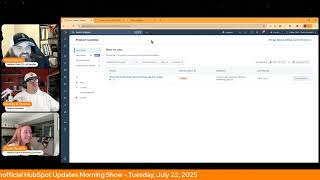
Chris Carolyn, Casey Hawkins, and George B. Thomas break down the latest HubSpot platform updates. They cover video editing tools, multi-account workflows, SLA pausing, and AI-powered video marketing apps.
Foreign.
Wake Up Customer Platform it's time to start the day. Discover all the value you already own. Don't let solutions slip away way Wake Up Customer Platform the tools are at your hand. No need to sleep on capabilities that can help your business stand. The answer's right before your eyes. You just need to realize Wake Up Customer Platform and watch your business rise. Wake up. Wake up. The platform's waiting for you. Wake up. Wake up. See what your system can do.
Good morning HubSpot Nation. It is time to Wake Up Customer Platform with your unofficial HubSpot Updates morning show where we help you discover the platform value you already own. I'm Chris Carolyn, joined by my co hosts Casey Hawkins and George B. Thomas. We're here every weekday morning to make sure you're not sleeping on HubSpot street capabilities. If you're joining live, drop a hello in the comments and let us know what you're building in HubSpot today. Happy Tuesday, July 22nd. How we doing?
Happy Tuesday. I think it's a little rude that on a day with 11 updates they repeated a bunch from yesterday.
Wow.
I'll do my best because there's a sneaky one that's not on here that we're gonna get into that's super duper exciting. Also one that's been going around on LinkedIn that I'm not seeing on here either. Some CM card, CRM card activity, but we'll jump in again. This one is hit every day so I'm not gonna describe it again, but unsubscribe feedback surveys now available on preference pages. All all hubs and tears after it.
If you want to know more about it, watch yesterday's episode or the day.
Before that the year before that. Yeah, we're just coming to this update and check it out. Knowledge Base Agent Also discussed yesterday. Get your customer agents set up and then the Knowledge Base agent can create articles for you to fill in the gaps. I imagine there's some gaps that could be filled in when your humans are doing stuff too. So get this set up and you will start enjoying ready made content. Very exciting to think about. Number three for today, Timeline Editing for Video what is it? Timeline Editing lets you view your video clips on a visual timeline within HubSpot's video clip editing tool. This interface makes it easy to trim and cut clip tracks with greater precision.
This matters because Timeline Editing streamlines the editing process. It provides you with an intuitive, flexible and visual way to build and refine video projects, enabling quick adjustments, real time previews and clipping it helps you work more efficiently and creatively when producing polished video content. This is very cool. I. I've done a little editing in the HubSpot tool lately. Oh, crazy. Once or twice. And I did find it like kind of difficult to get the timing right because I don't know at least how I was doing it. You had to like select the text basically, which was okay, but obviously there's sometimes a pause before or after and it could. It could just be a little difficult to get just right. So this is exciting.
Yeah. I. If you would have asked me if I would ever think that there was a timeline editor for video editing and HubSpot, I probably would have laughed and called you crazy. But here we are.
No more.
Here we are.
Yeah, man. So good. Anybody who will listen, please start checking out video editing tools in HubSpot. I know it's going to be so hard to move away from the tools you already use, but I think you'll be pleasantly surprised. And if you do it here, it's next to everything else that matters for your business.
So I say all the time, like, one of my. When I get into a new portal, one of the things I feel like I can quickly have a win on is people are using calendly and I'm like, hello, did you know that you can do this inside of HubSpot and you already have it included in your subscription and people are like, amazing. I feel like this is the neck. This is the next.
For organizations that understand content creation and are wanting to do content creation. Maybe don't have tools or do have tools but want to lower the budget and streamline where they're actually doing it. Like there's some levers to this. But yes, I totally agree. This is a. I hate to use this phrase, low hanging fruit for value.
I was avoiding saying. And I knew I was going to get in trouble.
I mean I get the video recorded. Folks like do that part and then start using HubSpot to help. Like, and this is where like when they first started talking about this was like video marketing platform, right? And it was just like this, this new. Like, oh, click into the file and there's a new interface. Okay. You can either question whether it should be called the video marketing platform at that point or wonder what's coming next to get to the video marketing platform. Right. Because it's not on our list today. So I imagine it's slow rolling out. But I stumbled across this gorgeous thing in the profoundly portal today. Oh, video library in the nav. And this is How I saw it first. Right.
I didn't tell you this, but last week, Chris, I was, I was editing a video and I exited out of the editor and it landed me on this page. It said video library, but it just said coming soon. And I was like.
Yeah.
And she didn't say a word. Either of us.
I know.
Universe is this that we live in.
That was pretty.
We got, we got filters here. We got sorting. Like come on folks. Like true video platform. Like whatever you'd expect from others. Like it's on the way here. Like, and that's without any conversation. It's just video marketing platform. Know that they will deliver on those words and they already are. So that's where. This might not be exactly what your other tool is right now, but if you wait to come in, the value you could get will be delayed. So try not to delay it. Exciting times for video practitioners Number four today. Multi Account Workflows. Big old screenshot here. What is it? Introducing Multi Account Workflows, a powerful update to workflows that enables you to automatically create and edit CRM contact records and their properties across your connected HubSpot accounts.
That's crazy.
You will now be able to build workflows in one account that seamlessly create or update contact records in your other connected HubSpot accounts.
Why does it matter? Multi Account Workflows enables customers with complex organizational needs that benefit from separate HubSpot accounts to maintain the separation that they need while automating data orchestration between the connected accounts. The two most common use cases are routing form submissions from one brand or region to another brands or region and the other running cross sell campaigns across brands after purchase.
This you would have ever asked me, I would have laughed it, but here we are. Wow. Like.
This is massive. Oh man. I think you're talking about the franchise use case yesterday, George.
Yeah.
It'S getting more and more sensible to. To separate like when needed. Hasn't always been that way. But I had a, had a conversation, you know, with the team last week and like two business units doing completely different things in the same portal and one business unit's ready to go and they can't do deal. Can't do their deal. State is right because they don't like owners. Like the HubSpot owner isn't in their business line, right? And I just asked them simply like what is the reason for being in the same HubSpot? Like is it if it's only cost, it's only to save money. Like 10k a year. Like meanwhile you're you have all this strife that's holding you back from growth. Like if there's no other overlap for why you should be in the same portal, it is time to consider like going this multi account route. This is we're in a new era.
Of HubSpot George without a doubt. Yeah.
And just to be clear, this is different than brands. These are two separate HubSpot accounts. This isn't a brand within.
This is not. You're in the same HubSpot portal with multiple brands, what used to be business units. This is Portal ID and Portal id. And there it is.
Indeed. No longer request the beta in the Demo account. For some reason people had brought that up on LinkedIn on how that could be an issue. So hopefully that gets resolved SLA Pausing in Public Beta Scheduled for release expected Aug. 21 for help desk what is it? This feature allows SLA timers to be paused based on ticket pipeline status. Service managers can designate specific pipeline stages to automatically pause all SLA timers when a ticket enters that stage. In Help Desk, reps will clearly see when a ticket is paused. SLA reports will reflect these pauses, ensuring consistency with what reps see in the Help desk.
This matters because SLAs are key to measuring ticket life cycles and agent performance. However, during stages like on hold or waiting for customer, agents often can't take action. Yet SLA timers continue counting down. To avoid unfairly penalizing agents and distorting performance data, we now offer a way to systematically pause SLA timers during these periods. This ensures SLA metrics more accurately reflect urgency and give agents meaningful ownership without being held accountable for delays beyond their control.
Control. Interesting guess. We need to get to work in documenting what delays beyond their control means. I love me some pipeline like automation though. Let me tell you. Like there's so much opportunity for most companies out there to get right on stages and have stuff automatically happen.
Mm.
I'll be interested to see something like this put into practice because it's probably not as cut and dry as like. Well, it's in the customer's hands now. Like we're gonna stop our timers and not follow up and do stuff like that. But yeah, I'll be interested to see how people use this number 6 use your own landing page and website templates in Content Remix what is it? You can now select any of your landing page or website page templates when creating content in Content Remix without having to make any changes to your website's code.
Why does it matter? Previously using your custom templates for Landing pages or website pages and Content Remix required updating your templates file code with a custom schema markup that allowed it to interact with our AI. Now, now that's no longer necessary. We can use any page template to generate content, making it easier and faster than ever before to generate pages that fit your organization's unique branding needs. This is pretty major.
Yeah, I think we've seen this or heard this before. Maybe it was when we were on the unboxing, I don't remember. But this is.
Yeah, I feel like this was an update, like without having to make any changes to the code. Feels like that was new. But yeah, progress, progress, progress.
I just think that could have been a reason people wouldn't use Content Remix.
Oh for sure, without a doubt. Yeah, yeah. Mobile Inbound Calling what is it? Answer incoming calls to your HubSpot numbers directly from the mobile app. See who's calling with full contact preview, manage call recording and automatically log everything to your CRM when you miss a call. Get instant push notifications with direct voicemail access. This delivers complete calling functionality across desktop and mobile.
Why does it matter? No more blind forwarding. Previously forwarding calls to mobile meant losing contact details and HubSpot features. Now your mobile app works just like a desktop, keeping all call context and capabilities wherever you work.
Nice quality of life for probably a bunch of humans out there.
Available to sales and service hub users starter tier and above. Nice iOS and Android multiple Pipeline Support for Buyer Intent what is it? If you use Buyer Intent and have multiple pipelines set up in HubSpot, this one's for you. You can now access deal stages from all of your created pipelines both as part of your visitors and Research tab filters and to generate intent criteria recommendations.
Why does this one matter? Starting today you can now hone your view segments, create more granular targeting for your visitors and research tab views by filtering for deal stages within specific pipelines. Perfect if you have separate pipelines for different brands, business units or target markets. You can also improve recommendation accuracy because now you can build your intent criteria with recommended page path based on a deal stage conversion data from all pipelines. This means more relevant recommendations to pair with your different target markets and views.
Feels powerful.
I think it is especially where they mentioned like if you have different pipelines for your brands or target markets. I have a client that has like an E commerce pipeline as well as like a hands on sales pipeline, enterprise sales pipeline and the intent there is like so different so I think it would be really valuable to see those differently.
I Like Chris, that you said feels powerful. My brain was going to. I Wonder how many HubSpot users are using Buyer intent.
I know that's.
That's where my brain went. I don't have any data. I wish I could see the data. But I'm just curious. It must be enough because they continue to update it, make it better.
Oh, this is one of the. Like in probably all the, of all the places where you're trying to scale back, you know, the contracts of places like Zoom Info and all the data sources traditionally have not been easy to get out of. So I imagine there's still a migration incoming. But where my mind went is like so much opportunity inside of your HubSpot portal right now. Like why are you going to other places to. To understand your market, your data like the things that you know. This gets so much easier to do well once you do it right next to the data that you have and you do know, right? Which is what we're seeing with the deal stages here. So very cool. HubSpot payments available in Canada now you can collect online payments directly within HubSpot alongside your customer data with lower fees and dedicated support.
This matters because with Commerce Hub, payment collection should be fast, easy, and you should have the flexibility to choose the payment processor that best fits your needs. HubSpot Payments delivers exactly that by enabling you to manage your entire revenue process in one unified place.
Commerce Hub is growing up. I'm just gonna throw that out there. It's, it's, it's growing up. Maybe teenager, young adult at this point.
Taking over, that's for sure. Yep, Winning hearts and minds everywhere. Number 11 for today. Lists filter by used in channel what is it? You can now easily identify and filter lists on the list index page based on how lists are used and activated across HubSpot.
Why does this matter? Lists are used throughout HubSpot to help you quickly gain insights or communicate with your most important segments. However, it can be difficult to manage where all of your lists are being used across HubSpot. Prior to this release, you had to click into the Used in tab of each individual list to identify where and how it was being used. Now you can easily filter lists based on where a list is being used, for example email, workflow, smart content, etc.
Okay, that's cool. This is huge. Dang gone. I'm just gonna. My goodness, the amount of time that this will save mere mortal humans and the thread that it draws between the things that you're actually doing in HubSpot. Yes, yes, please. More of this.
Andy, huge quality of life updates here. Thanks to Ankur. So much for watching. I got you brother. Because it's not even in. I'm going to refresh now and see if we see it in the. In the updates. But since I already saw it in the. In the profoundly portal, we got to show it off earlier today. Assuming this is what you mean by video app. So let's watch it.
Something else obviously. Nah, Chris, not that. Poof. This.
Yep, there it is.
There we go.
Delivered access just in time. Number 12, the AI powered video marketing app from pages.
Wait, what?
Just. Yeah, it's. It's in the nav over here for sure. Like we said. Now we have some. What is it? We've expanded access to the AI powered video marketing app. You can now use it directly in landing pages. I think we went over this last week. So not the nav update yet.
Either way, tell whoever runs this page.
Yeah, getting easier than ever and responding to what the people have been asking for. Make it easier to manage the videos. And I'm glad they just didn't give us a video link to get to the list. The files list. Because then we would have heard, oh, why do I have this extra thing in the nav to get the. To get to just the file same place. Right? So awesome to see. Thank you for highlighting this, Ankur. And thank you for being a loyal listener and making awesome products. Yeah, yeah.
Most important, that last bit right there.
Yes, we are lucky to have you and the rest of the team Crack.
Squad videos right now. He uncated the wrong portal. I think he tried to give you access, Chris, but Chris is in too many portals.
All good. I. And apparently I'm in them all the time. So I still. Still got you. But that's where we'll wrap for today. Remember folks, you probably already own the solution you're looking for in HubSpot. Sometimes you just need to wake up to it. Join us tomorrow morning live at 7:30am Central or catch us anytime on Spotify and Apple Music. Drop your biggest takeaway in the comments and let us know what capabilities you want to wake up to next. Until then, I'm Chris Carolyn.
I'm Casey Hawkins.
And I'm George B. Thomas.
And this has been Wake Up, Customer Platform. Now go build something amazing. Have a great day, everybody.
Wake up, Customer Platform. It's time to start the day Discover all the value you already own don't let solutions slip away. Wake Up, Customer Platform the tools are at your hand. No need to sleep on capabilities that can help your business stand. The answer's right before your eyes. You just need to realize. Wake up, customer platform. And watch your business rise. Wake up. Wake up. The platform. Phones waiting for you. Wake up. Wake up. See what your system can do.










