7/29/2025 - HubSot Customer Platform Updates #hubspot
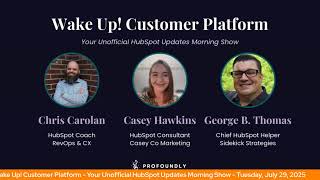
Chris Carolan and George B. Thomas walk through HubSpot's latest platform updates from July 29, 2025, covering new features, integrations, and tools designed to help users get more from the platform.
Wake up, Customer Platform. It's time to start the day. Discover all the value you already own. Don't let solutions slip away. Wake up, Customer Platform. The tools are at your hand. No need to sleep on capabilities that can help your business stand. The answer's right before your eyes. You just need to realize Wake up, Customer Platform. And watch your business rise. Wake up. Wake up. The platform's waiting for you. Wake up. Wake up. See what your system can do.
Good morning, HubSpot Nation. It is time to Wake Up Customer Platform with your unofficial updates for HubSpot Morning show where we help you discover the platform value you already own. I'm Chris Carolyn, joined by my co host George B. Thomas. We are here every weekday morning to make sure you're not sleeping on HubSpot street capabilities. If you're joining live, drop a hello in the comments and let us know what you're building in HubSpot today. Happy Tuesday, July 29th. George, how are we doing?
Doing good. How you doing, Chris?
I'm doing all right. Doing all right.
Nice.
Nothing Better Than AI news show right before the HubSpot news show. Oh, get a lot of energy from that as you know. So what do we have? Look forward to today as I click on product updates.
Oh, really? I don't think so.
We'll see. We'll see how real this is. We better dive in. Wow, this. This one's certainly New file. We got 22 today by the way, what we're being told by the system first one File Manager Grid view. Is it weird that we get excited about file manager updates, George?
Not really, maybe.
Oh, and look at this. Not far behind the video gallery update that we just got. What is it? You can now browse files in a visual thumbnail based layout, making finding the right assets faster and more intuitive. Switch between list and grid views to manage your files in the way that works best for you.
Man, say it ain't so. Why does it matter? The current list only view means scanning through long columns of file names and to find assets, making it especially difficult to find specific assets in large file libraries. In other words, every HubSpot portal that I've ever seen. The new grid view solves this problem by displaying files in a visual thumbnail based layout similar to desktop file systems. Man, it's the small things in life, I tell you.
Yeah, I. I think we knew this day had to come at some point. Digital Asset Management System.
Yep, yep.
Getting real close. If we're not there yet, I'm sure there's a fancy things that those systems do, but getting pretty good over here in HubSpot.
Without a doubt.
Huge updates. Number two, use custom drag and drop email templates in Remix. What is it? You can now select any of your drag and drop email templates when creating content in Content Remix without having to make any changes to your templates code.
Yep. This is a beta. Why does it matter? Previously, using custom email templates was not available in Content Remix as our default templates were the only ones available. Now any email template you have created using the drag and drop template editor is available to select in Content Remix. Legacy design management are not supported at this time and I hope they never are. Nope, nope. Never mind my words. Not obspots.
I'll second that and then dive right into number three, Export from descript.
Wait, what?
What?
What is it? You now have the ability to export videos directly from descript into HubSpot.
Wow.
Streamlining your workflows across content creation and marketing distribution. And this is not a beta. It is live.
Yeah. Why does this matter? Descript is the leading video editing platform for marketers. Wow. Now you can seamlessly push your edited videos from descript to HubSpot for omni channel distribution. My goodness. That is. Well, that's just crazy. It's just crazy. Obviously, I think HubSpot might be building for HubSpot a little bit because the thumbnail is literally a HubSpot podcast. They're like, hey, you know, it'd be nice. You know, it'd be nice for us and every human on the planet that uses descript if there was an export to HubSpot button. Wow.
I've definitely heard about some HubSpotters using using descript.
We use it. I mean, wow.
There you go.
Yeah.
Video marketing management in HubSpot, folks. It is here. Don't let anybody tell you otherwise.
Yeah, really?
Number four, Customizable ticket properties in the customer portal. What is it? You now have full control over which ticket properties are displayed in your customer portal. With customizable ticket properties, you can now select which columns are visible on your ticket listing table. What? This enables for admins select up to 10 ticket properties to display. Rearrange the order in which those columns are listed and rename column headers to match your business terminology.
Customize those things that need to be customized. Okay. Love it. Hey, this is a beta, by the way. Why does it matter? Every business handles its support tickets differently. Until now, customer portal visitors saw pre selected ticket columns, which often meant they missed important business context. Now you can provide a more tailored experience for your visitors and help them get the info they need at a glance. This brings customers closer to a fully customizable support experience and gives your customers the information they need in one place. I love that.
Speaking of legacy tools, starting to get some love customer portal, right? Big opportunity there for most companies. Yeah and good to see Andres today. Thanks for joining the show. The ticket columns and customization is huge. Joining us from Costa Rica today.
Nice.
It shows international George Hey.
Hey.
Why is IT International? Because HubSpot is international number five redesigned analytics suite what is it? The redesigned analytics suite is a fully refreshed experience for reporting in HubSpot. It includes improved single report templates, enhanced coverage across marketing, sales service. Wait for it. Commerce reporting. Yeah, we can do commerce in HubSpot folks. Purpose built templates designed for key business questions.
Nice. Why does this matter? Before reporting in HubSpot could feel fragmented, overwhelming or hard to start from scratch. Team spent too much time figuring out which reports to build and hunting across tools for business specific insights. The redesign suite solves this by giving you purpose built templates, better defaults and more guided experience, making it easier to get the insights you need without having to be a reporting expert. I love that they're helping solve 90% of HubSpot users Achilles heel Already tried it. Question mark. Then there's a link that you can click on in this update which by the way is still beta but you can give HubSpot feedback. They're continually or continuously improving the experience based on what we the HubSpot users tell them. They listen, we talk, they build. I love it.
Oh man. Who gets it? This might be the first time seeing Commerce Hub on this list on the lead too. So exciting.
Yes.
Oh and in case you're misinterpreting Commerce, how does it work? Commerce Reporting, which is new, track your subscriptions, invoices and more with the new Commerce Reporting. They've got order orders reporting, they've got line items based reporting.
Commerce Hub is growing up. It's becoming a big are.
They are very excited for what's to come. The rest this year quote to cash optimization on the way. In the meantime, we're still connecting to our AI friends got HubSpot connector for chat GPT is now officially live as of July 24th. What is it? We've expanded HubSpot's connector for chat GPT. Now it's just as good at answering quick everyday questions as it is at Deep research and analysis. We rolled it out first to help a deep research giving you PhD level insights from your HubSpot context keywords there your HubSpot context right in chat GPT. Now we've expanded the search functionality to answer quick everyday questions in addition to deep research with HubSpot's connector for ChatGPT. Read this one a couple times.
Yep.
I'm gonna ask George for his take on why it matters.
Well, here's what I'll say for Because I don't want to skip this, there is a prompt library link in the. What is it the first time that you're hearing about this, even though we've talked about it before, make sure you check out the prompt library. Why does it matter? Hey, with our unified customer platform, you can access your HubSpot's context directly within AI tools of your choice. With over 75% of HubSpot customers already using Chat GBT, which is a really large percentage rate, this Update brings your HubSpot context to chat for quick one off searches to accelerate your data or your daily sorry productivity. For more complex needs, turn to deep research to analyze trends across multiple sources with detailed cited reports. Man, if you haven't connected this, if you, if you haven't tried it one, pay attention to maybe any security stuff that you need to pay attention to at your organization. But once you get the. The green light, check this bad boy out. See what it can do.
Yes. And remember, it can only give you PhD level insights if there's context in the platform to give it about. And usually that relates to your data. So be prepared to understand that you might have dirty data and oh, gaps in your data.
He went there, folks. He went there.
But we're here to help you out. Some exciting news coming for, for how far we're willing to go to help you out with that data next month, Tuesday. Yeah, and you remember that the template library, like marketing template resources. Yeah, so that's. They've done that with the prompt library too. So not just a few prompts here. Right? Really cool.
Yeah.
So moving on. Add Deal collaborators from a workflow and via API. I think we've hit on this once, so for these we've hit on before. George, I'm just going to do the what is it today? Because usually there's some nuggets based on backdating things that we might miss, so I want to make sure we get to those. But what is it? You can now set and update Deal collaborators directly through workflows in the CRM API. This lets teams automate collaborator assignments based on deal criteria like region, stage or owner. No manual updates or workarounds required.
Nice.
Very cool. Help teams understand what they need to own and don't make them do a bunch of work to do that New Customer Agent Navigation what is it? We've updated the navigation of Customer Agent to make it simpler and more intuitive to manage, optimize and access your agent. The new structure features three streamline sections, Overview, Manage and Performance. And it's basically getting its own getting its own workspace here. A nice healthy screenshot in this update. When you come in to this update Association Limit Increase what is it? Association limits for paid accounts have increased from 50,000 to 100,000 records per association type. You can now associate up to 100,000 contacts to a single company for 100,000 deals to a single cont Single contact across many common object pairs. Man. How about some customer lifetime value for that single contact?
Sheesh.
Better be taking care of that guy.
Yeah, that guy needs a needs a.
Spiff and some good notes about how it works and the maxes related to line items, deals and all the other questions you probably have as you check out this update. We've got a quarterly App Marketplace update that's been happening. So this quarter they've got 77 + new and 15 + featured updated apps in the HubSpot marketplace.
Crazy.
Oh, lots of stuff here. So come in and check it out and see if your favorite app is one of them. Already find a new app that you didn't know existed onto page 2. Unify buyer insights in your deal records with the trumpet app for HubSpot. What is it? The improved trumpet app for HubSpot now unifies buyer insights from Trumpets personalized digital sales rooms, also known as pods, directly in your HubSpot deal records. New enhancements include a new HubSpot app card showcasing key buyer engagement data and stakeholder intent data from Trumpet Pods. Trumpet buyer intent Data syncing to HubSpot Contact Company or deal records as timeline activities. Enhanced bi directional sync with seamless mapping between HubSpot properties and Trumpet fields.
Wow. Very nice.
This is the first time lots of why does it matter here? But key points. Deal visibility, turning all these signals into automation and spending less time on data entry. How about that? Like those three things always important. Maybe we don't use new names like pods to like just confuse the hell out of everybody.
Well, I mean, if you're a Trumpet user, maybe it's always been pods, but for us it might be new terminology.
Apparently that's the case. It's okay. We're here to do the HubSpot translation for you folks. Appointment Name property required for record creation. What is it? The appointment name field is now required when creating appointment records in HubSpot. This ensures all appointments have a descriptive name to help with identification and organization. And this is a continued journey of the object library, objects, appointment courses, listings and services reaching parity with the rest of the objects that we have access to. We've got Smart properties, bulk actions. What is it? Smart properties can now be filled in with data in much larger ways, allowing you to fill entire lists or filtered views in a click. Fill your CRM with smart data, much easier. Are you using smart Properties yet, George, or any of your clients?
Not yet.
Who gets it? Anyone with HubSpot credits? So if we can just take a moment. We've got Breeze Intelligence which is, you know, data enrichment that cost credits and we've got Customer Agent that cost credits with this thing in the middle. Now Smart properties related to CRM and using AI calls within the property itself to support data maintenance and management. Right, so three different spots where credits are being used now. Get, get comfy folks and at the very least if you can't get comfortable, understand it right? Licenses and seats and credits all need to be clearly understood if you're to understand the roi. Grab Stop Portal. Not seeing any other new ones on the list.
I mean you do have a page three. Good God.
Yep, a couple will be there. But we've got DNS setup records for web content. They've made that easier to share with our IT friends or our webmaster friends. And a quick hello to Safwan here. Thanks for watching sir, Good to see you.
Good morning, good afternoon. Wherever you're tuning in from, got a.
Bunch of improvements happening with with campaigns including better API management, more love for the app, app developers and app providers, portal and trends data right in your HubSpot space to help you manage HubSpot customer behavior. AI powered video marketing app, we love that one. Apply company branding to invoices, export tickets in the customer portal or sun setting the create podcast feature in Content agent expected on September 29th. If you've used that, we'd love to hear from you. I haven't heard of many people using that. Maybe that's why they're. They're choosing to sunset it just maybe. And then we've got in Development back on June 30, 60 day auto disable for unused URL redirects. That could have a high impact, George, according to this label here.
Yeah, it sure looks like it.
But that one's in development so took a shorter route but we made it through all 22. I can. I could play this game too. HubSpot. We'll find the balance. What are you building in HubSpot today, George?
Oh, we don't have enough time to talk about that. I'm. I'm building multiple things in HubSpot today. Just depends on the client, to be honest with you. It's a. It's a pseudo meeting free day, which I was excited about when I got to the end of my day yesterday. So it's hopping into ClickUp in multiple clients and kicking butt and taking names. How about you?
I'll just share a reminder here. Thankfully it connects to me highlighting credits because is this not happening today? Oh, yesterday we mentioned that there was an event today for hug for admins. Maybe it's here or maybe it just got canceled.
Yeah, I don't know.
Things happen.
I mean, you could always go try to sign in how you normally sign in and see if it's there later today.
Yeah. Well, on that note. So we'll wrap up.
Yeah, there.
Folks, you probably already own the solution you're looking for in HubSpot. Thank you, Sarah and Michelle for confirming that the admin hug has been canceled for today.
Wow. I don't know to cry or what, but that, that's. I don't think that's ever happened. Like, maybe it has. I could be wrong.
Yeah. Vernon says so the community coming together. Apparently we just need to be challenged on the show, George, to get the engagement that we've been looking for. Oh, man. Thanks.
And when needed, which, hey, that's what helpful humans do, right?
Yeah. That's the ecosystem in a nutshell.
Yes, sir.
And that's probably the solution you already own today. This community is a beautiful thing. Sometimes you just need to wake up to it. Join us tomorrow morning live at 7:30am Central or catch us anytime on Spotify and Apple Music. Drop your biggest takeaway in the comments and let us know what capabilities you want to wake up to next. Until then, I'm Chris Carolan.
And I'm George V. Thomas.
And this has been Wake Up, Customer Platform. Now go build something amazing. Have a great day, everybody.
Wake up, Customer Platform. It's time to start the day. Discover all the value you already own. Don't let solutions slip away. Wake up, Customer Platform the tools are at your hand. No need to sleep on capabilities that can help your business, business stand. The answer's right before your eyes. You just need to realize Wake up, Customer Platform and watch your business rise. Wake up, Wake up the platform's waiting for you. Wake up. Wake up. See what your system can do?










