8/1/2025 HubSpot Customer Platform Updates
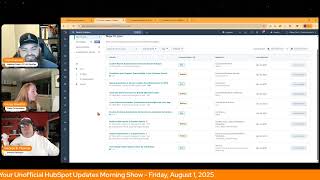
George B. Thomas, Chris Garland, and Casey Hawkins walk through HubSpot's latest platform updates from August 2025, including improvements to lead scoring, custom report builder, customer portal, quote association in CPQ, brand management, list performance insights, and invoicing features.
What?
Wake up, Customer Platform. It's time to start the day. Discover all the value you already own. Don't let solutions slip away. Wake up, customer platform. The tool are at your hand. No need to sleep on capabilities that can help your business stand. The answer's right before your eyes. You just need to realize. Wake up, customer platform. And watch your business rise. Wake up. Wake up. The platform's waiting for you. Wake up. Wake up. See what your system can do.
Good morning, HubSpot Nation. It is time to Wake Up Customer Platform with your unofficial HubSpot Updates morning show where we help you discover the platform value you already own. I'm Chris Carolyn, joined by my co host Casey Hawkins and George B. Thomas. We are here every weekday morning to make sure you're not sleeping on HubSpot street capabilities. If you're joining live, drop a hello in the comments and let us know what you're building in HubSpot today. Happy Friday. It is August 1, 2025.
Let's go, let's go.
I need it. I need that energy. George, thanks for bringing it.
You bet.
How are we doing, Casey?
I am good. It is officially lead score property. Sunset month.
Sunset month. There you go. Love that tie in.
That has a. A birthday month. I'm like, that's not how it works. Birthday week. That's not how it works.
You better buckle in, buddy. I think we're in for lead scoring month. That's for sure.
For sure. Which, funny, speaking of that, I talked to a client yesterday about the fact that they can now score deals and it was one of the first times I kind of ran that narrative past people since the new update happened. They were genuinely excited about what they could put in from a like BD to understand this, to hand off to an AE to like, it's a property. And then all of a sudden you could trigger a workflow to do xy. See? And how their brain just started to work immediately. I'm like, drop the mic, job done. Go, go build it. So scoring is important, can be important if you have the right mindset around it.
Indeed. Where can people go if they want to help with. With scoring?
Casey, Value first dots site. Why is he doing this?
I mean, you don't have to get specific with the URL.
Listen, I mean, Casey, the answer is come to me. There you go. That's how easy it would be. Yeah, come. Not me, Casey. I'm playing the part of Casey. Chris, try this again for a second. I'm Casey Hawkins. Chris, try this again.
And Casey, where would People go if they want to get help with lead.
Scoring, just reach out to me, hit me up on LinkedIn. I'll give you a page you can go check out later. All right. There we go.
I won't be weird about it. And try to remember the URL immediately in the moment. That would be weird.
Come hang out in the lead scoring or in the value first scoring. Mastermind would have worked too. That would have been an acceptable answer. I think the judges would have accepted that one.
I don't know why I'm being attacked next time. George is the one that's supposed to be quizzed.
That's the thing. That's the thing, Casey. I've learned you got to come to this show prepared every single day for a pop quiz. It's gonna happen.
There we go.
I do the reading, George does the quizzes. That's. That's the whole deal.
All right. Clearly we've got some alignment issues, folks, and we will do our best to work on on those. But, yeah, other stuff going on today. We've got the HubSpot helpline later this afternoon streaming live from the Profoundly page, just like we are doing right now. Always a good time. Problem solving live. And I'm connecting after this show with Pedro Micaelaso. Been doing a revenue architecture show talking about data model today as the second model out of six models from that winning by design framework. So getting into the details to help you with this last 32 days before inbound as the product update slate continues to roll on.
32 business days, I guess. Wow.
No, 32 days in general.
No, 32 days until September 2nd, which is my official start date.
I was like partner day, not Matt. Okay. I was confused.
31 days in August. We're starting on the 2nd if you're a partner and going to partner day. So, yeah, let's get into it. Custom report Builder. Quick access to report settings in private beta. What is it? You can now edit settings for reports built using the custom report Builder, giving you the same flexibility as reports built with the single object report builder.
Why does it matter? This empowers you to quickly customize existing reports without starting from scratch. If you see a report that's close to what you need but requires adjustments, you can now modify chart types, properties, and dimensions directly rather than rebuilding the entire report in the custom built.
Seems like a powerful, powerful update. Yeah.
Okay, okay, okay. Sorry I had to see the screenshot. I was.
Screenshots really tell it. It's like you. You literally are able to not go into the Report builder, but just click on the settings of the report and then change. Like the way that you would visualize the data that's already in the report and other stuff, time frames, things like that. That's. It's nice. I like this.
Do you think this was one of those things, George, that would cause people to default to single object reports instead of custom reports?
I don't know if it makes them default to single versus multi, but it is definitely a thing where it makes their life easier to visualize the data and get the insights that they need to understand to take the actions that they should be taking. Like, I'll go that route with this.
Like, yeah, I. I was confused while reading this because it said you can now do something in custom report builder that you could do in the single object reports. And I've gone on the record to say that the single object report is not as flexible. So I was like, part of my brain was breaking that there was something the single object report builder did better. But I've been using the custom report builder for so long that I didn't. I didn't even know that this is an option.
AC's brain was like, it's the end of the world as you know it. Let's.
I was like, don't. Nope. I was truly like, don't make it like the single object report builder. Please don't do that. Why would you like.
Don't ever use flexibility and single object report in the same sentence. Get out of here.
Backwards.
Moving on. Customize a really normal day. Your support team display and the customer portal. I like customer portal updates. This one's live already. What is it? You can now choose how your support team, AKA ticket owners, are displayed in the customer portal. By default, we display first names and now you have more control. New display options include first name, last name, full name, and a custom alias. Great for branded support teams that don't want to raise their hands as humans, I guess.
Is it weird that I was like, I am Batman. Like, that's what I feel.
Custom A.
That's what I thought. Glad they had the branded support teams part in there. Honestly.
Yeah.
Why does this matter? Not every business works the same way. Wow. We've heard from customers that some prefer a more formal representation of their support team, others need to align with branding guidelines, and many have cultural or regional naming preferences. This update helps you tailor your support team display names to match your company's tone, culture, and customer expectations. I love a little culture.
Yeah, I mean, you know, and the fact that every Business work doesn't work in the same way. Yes, facts.
This is true. Deep Education have Batman in their education from this show. Always, George. I always appreciate HubSpot when they can help with that.
That's what people are coming here for.
Yeah.
Looks like we've got a quote update. Getting assigned to Commerce.
Definitely.
That's fun to think about. Quote Association. Quote association wait and quote creation from Board View for CPQ in a private beta. What is it? Customers with access to CPQ can now view quote associations and create quotes directly from the board view in the CRM and sales workspace. This enables you to instantly see which deals have associated quotes, check the current status of each quote, and quickly create new quotes via the quick actions menu.
This matters because sales reps rely on Board View to track their pipeline and prioritize deals. By surfacing quote activity and associations directly in this view, reps can one, get a comprehensive picture of where each deal stands, two identify which deals need quoting action and three, spend their time more effectively on deals that are progressing.
Are there any screenshots below? Oh, kind of.
It's kind of nice. I get it.
Not entirely helpful but I mean.
It'S not. They gotta fit it on the deal board. So yeah, there's some stuff if you want to come and take a look at this. At this update, there's some. Which looks like you might not have access to unless you're in the CPQ private beta, which if quotes matter to you, you should definitely be in. Team is working hard for inbound ready updates and doing a lot to make the quoting process easier.
Yeah, they are.
But we're seeing it right. Nicely, neatly packed on the deal card.
Yeah.
With colored dots and you know, usually the things that I see. Joshua Oaks work so hard to use. Deal tags. 4 also a little mini menu.
Yeah.
Popping up.
Yeah.
On this card here.
That one sure does look like a download icon, but I can't tell on the far right. Super curious what that is.
This one.
Oh, that's the created quote. Never mind.
Yeah, yeah. Looks like we've got Create Quote edit email, get some breeze, view it.
Yeah, interesting.
I like it. Looks like it's available on hover too. So out of the way until you need it. Number four, Associate social accounts to brands formerly known as business units. This is public beta. What is it? This feature extends HubSpot's brands formerly known as business units functionality to HubSpot's social media tools. You can now assign your social media accounts to specific brands, streamlining management and reporting for organizations with Multiple business units, divisions, products and brands, etc.
Why does this matter? Many enterprise organizations manage multiple brands, divisions or regional entities within their company. Business units allow these customers to effectively manage and organize their marketing efforts for each distinct brand within a single HubSpot account. Problem solved. This feature addresses the need for large organizations to segment their social media accounts, users settings and reporting by brand. It enables better organization targeted configurations and clear reporting across different business business units operating within one HubSpot portal.
I think I'm going to stop giving this team a hard time about business units versus brands because this is a challenging one. Like you go into organizations, they don't think in terms of different brands. They have a bunch of different brand, they have a bunch of different business units that are actually sub brands and they just don't think in that way. So we're gonna have to probably for a while play this translation game, brands and business units and just making sure, like if you need to segment the business activity for any reason, take a look at brands.
Yeah, I was gonna ask why. Yeah, so I've worked in some accounts that have brands. I. Is anyone from HubSpot watching today? I feel like some, at least when it first came out, I had at least one or two clients that got sold business units when they didn't need them.
And.
So I'm a little, I'm always a little skeptical whenever I see an account with business units because I feel like I got a little burned early with them. So when you look at who does need brands, it's if you need to like segment your users, your reports and.
Things, subscription types, social accounts, forms, contacts, two distinct, different types of businesses or processes. By the way, let's back up for a second. We can't feel that way about a piece of HubSpot otherwise Casey, you would think that Service Hub was ineffective because the amount of humans that have been sold service hub that didn't really need it or use it because you got a better price anyway. But yeah, business units is it. And by the way, I am frustrated that they are renaming it. Go to Google and try to search HubSpot brands. Spot business units right now when you're trying to give people information that they're looking for and it's a real ish show right now because all the agencies or people that were educating on business units are not going to go back and change it to brands. And if they do, Google's confused because it has no idea the difference between what now we're calling brands and what it's been calling Brands for centuries. For years. So anyway, I understand why they did it in, in platform but out of platform it's created a whole thing.
Yeah. Let's give AI six months and it'll, it'll figure out the difference for us contextually.
This is why you're the nice guy.
My experience has been like business units. The only reason I ever found was like you needed to send from a different domain like marketing emails and you only get one unless you go enterprise route. And it's a lot better now. You get so much more than that. That's, that's why we're challenged right now. It is worth the investment if you need separate business activities inside of the same portal because now we have brand identity too. We have so much more. This is my business contextual stuff inside of HubSpot now that it makes sense. If you have to leverage a different voice, a different message, a different tone, different branding assets. It's no longer like hey just load in 10 different logos, you know in the, in the back and it'll be fine. Invoices. I've run into that like you get one logo to put on those. So all these things like full customer journey. You really do need to take a serious look. And I'd say most people in the ecosystem are burned like by the way that you know business units has gone so far. Just know that it's a. Which is why they want to change it to brands. Probably it just not going to work as well as they want it to because it's actually in business vernacular people see these things as business units and. Right.
Yeah. But they're, they're worth it. I have a client that we have three different business units for very important reasons. I mean look at, look at even little old me. There's George B. Thomas Kick strategies. There could be superhuman framework. Right. Those different business units because we're talking to different people have different processes, have different graphics, have different themes, have like so it. You can quickly see why it makes sense. Especially if you have multiple humans in your portal trying to do these different activities.
Yep. Number five, cross channel activation comparison and insights for your segment in public Beta. What is it? We are revamping the lists performance tab for you to get deeper insights into how each of your segments are performing. Compare each list to another across dimensions like email performance and list size and explore the various ways you can engage with each list. All this is packaged in what is now called the analyze experience inside of each list to help you better understand what's working and what's not working in your engagement strategy.
I have officially signed up for this. Casey. Go, go.
I'm like, I'm going to need to open up some of these screenshots. This matters because lists are used throughout HubSpot to help you quickly communicate with your most important segments and create personalized experiences for them. However, it can be difficult to understand how a specific segment is performing or how a message is resonating with that segment, especially as you engage with it over time. Before the release, you had to pull manually from each marketing asset or, or try to combine all of the data with custom reports. Now, all of these rich insights are available directly within each list, helping you understand what's working and where you can improve.
So I'm excited to see what happens with this because I have always seen list performance as a hidden gem and I have taught it for years of like, hey, you can go into your list, you can see churn, you can see growth, you can see life cycle stage, you can see source. It is the way that you can see the micro actions. The people in this list have done these things in the last 30 days. So the fact that they're doubling down on like this micro segmented possibility to then analyze deeper inside of HubSpot, this excites me. It excites me.
Some nice screenshots here. If you come in and take a look at the update, Want to learn more? We are definitely joining that.
It's immediate, by the way. Yeah, it's immediate because I'm, I'm, I'm seeing it right here in my portal.
This is very cool, man.
The available channels thing that they have.
Yeah.
You can filter it by communicate, personalize segment, analyze, automate. It's got all the different tools.
And here's something to blow your mind, George. And what I connect this to, we've already talked about. There's been an update in, in Content Remix.
Yep.
That you can select a list and just create a whole new campaign of assets.
Yep.
For that list. Tie that to what we talked about this morning with AI being able to scale and spin up 50, 100 agents.
Yeah.
When we talk about going from personalized experience to is to personal experiences, it's possible. Like we're not far away from being able to click some buttons and just have people have the most amazingly personal experiences based on that individual on a specific list.
Yeah. I have a really important question. How are we getting through four updates in two minutes?
Whoopsie.
Invoice features available to all customers. Automatic reminders, shipping address and custom presets. What is it? Automatic email reminders, custom presets and the shipping address field are now available to all customers, not just those using HubSpot payments or Stripe payment processing in Commerce Hub. Hallelujah.
This matters because you can now access invoicing tools that streamline billing and improve your customer experience even if you don't have payments set up within Commerce Hub.
Thank you HubSpot. And the last two we'll we'll hit on real quick as George reminded us of the time and we've talked about these before. Perform bulk action in Content Remix which.
Is on here twice.
Yes, it is on here twice.
Whoopsie.
And you can now select multiple pieces at a time, right to do stuff and remix with. And then we've got user based ticket capacity limits by ticket type. Continuing to move forward with helping teams out with help desk. Remember folks, you probably already own the solution you're looking for in HubSpot. Sometimes you just need to wake up to it and it might be shipping addresses on invoices.
Oh come on, that's the one. List List performance, List performance.
Join us Monday morning live at 7:30 Central or catch us anytime on Spotify and Apple Music. Drop your biggest takeaway in the comments and let us know what capabilities you want to wake up to next. Until then, I'm Chris Garland.
I'm Casey Hawkins and I'm perturbed on.
Chris's choice this week, but still George.
V. Thomas and this has been Wake up, Customer Platform. Now go build something amazing. Have a great weekend everybody.
Wake up, Customer Platform. It's time to start the day. Discover all the value you already own. Don't let solutions slip away. Wake up, Customer Platform. The tools are at your hand. No need to sleep on capabilities that can help your business stand. The answer's right before your eyes. You just need to realize Wake up. Wake up, Customer Platform and watch your business rise. Wake up, wake up. The platform's waiting for you. Wake up, wake up. See what your system can do.










