A TON of HubSpot Updates 11/17/2025
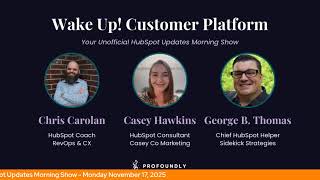
Chris Carolyn, Casey Hawkins, and George B. Thomas break down seven HubSpot updates shipping in November. Custom tags for reports and a new Workflows publish permission are live now. Configurable email unsubscribe links and LinkedIn post display are in private beta, with sandbox deployments and buyer intent backfill coming soon.
Chapters
Wake up, customer platform. It's time to start the day. Discover all the value you already own. Don't let solutions slip away. Wake up, customer platform. The tools are at your hand. No need to sleep on capabilities that can help your business stand. The answer's right before your eyes. You just need to realize? Wake up, customer platform. And watch your business rise. Wake up. Wake up. The platform's waiting for you. Wake up. Wake up. See what your system can do.
Good morning, HubSpot Nation. It is time to Wake up, Customer Platform with your unofficial HubSpot updates morning show where we help you discover the Chris, Carolyn, joined by my co hosts Casey Hawkins and George B. Thomas. We're here every weekday morning to make sure you're not sleeping on HubSpot's true capabilities. If you're joining live, drop a hello in the comments and let us know what you're building in HubSpot today. Happy Monday, November 17, 2025. How are we doing?
Happy Monday. Last full week before Thanksgiving.
I was thinking the same thing. If we can just get through this week, it's a very short week next week, at least for our crew. I don't know if everybody's off Thursday, Friday, but I'm imagining most people in America are off Thursday and Friday, so. And it'll be. It'll be Turkey Day before we know it, but I'm doing. Doing good. I missed you guys.
I was gonna say we missed you. It's been a couple days.
Yeah, it's been a hot minute. You know, that's what happens when you get old and you don't pay attention and you stack your doctor's visits back to back on top of each other. And you always do early morning. But hey, the good news is healthy, still above ground, and ready to talk about HubSpot updates. How are you doing, Chris?
I am doing great. Just had a fun show with Nico again. Day eight of my vibe coding life. Things are happening, including really cool app that I'm excited about to help people learn, you know, about to get to get to learn HubSpot like, like true HubSpot better. That's really the goal of that app.
I like that. So, hey, before in here, we should thank Lauren Ryan. She likes the hype music to get us all started.
There we go.
Yeah.
Oh, Lauren.
Hi, Lauren. I actually dance every morning when Chris plays that. Like, you can't see me, but I'm like, I'm back here, like, jamming, like, all right, let's go. Let's help people with HubSpot.
So Chris can see us, but we can't see each other or anything. So I'm usually like mouthing the words to the song. George is usually dancing and I do sometimes think about like. And then there's Chris just watching George.
And I, I'm, I'm definitely fish one of the two. Yeah, I'm definitely doing some stuff myself. We need to adjust the, the video opener so that like halfway through the, the screenshot goes away. And there we go. We get to show our true colors.
Taking a nap? No.
That'S true.
Sometimes George gets changed.
Speaking of true colors. Yes. Let's get into the orange today. Seven updates on our list, including one.
That'S a big number for what we've been seeing.
Yeah, yeah. Again, no doubts that the team will find a way to keep the pace starting with this in development. Update, delete or mark notifications as read on mobile. Forward looking statement at the top here. Yeah, what is it? Someday users will be able to select individual or all notifications to delete them or mark them as red on the mobile app.
Why does it matter? Users will be able to have more control over the notification center.
And as you might think, how does it work? You'll just select individual or all of your notifications to mark them as read or delete them from the notification center. Also, by the way, everybody, just so you know, Chris said some day, not Sunday. If you misheard, maybe how he that Texas English came up.
Yeah, something like that. I think that's Chris enunciation English. That's what she meant there. Number two, Configure unsubscribe links in email. This is still in private beta. What is it? Configurable unsubscribe links let marketers control how an unsubscribe action is applied in emails. Instead of always removing a contact from all email communications, you can configure the link so that it only unsubscribes them from the specific subscription type tied to that email.
Oh, nice, nice.
Why does it matter? Marketers can control the unsubscribe experience, choosing for contacts to either opt out of just one category of communication while saying subscribe to others. It can minimize users unsubscribing from all communications unintentionally.
So.
Yeah, go ahead. I was, I was just gonna say you last time we talked about this, George, you taught, you taught me something so well.
I, I, yeah, I like this. And I can maybe potentially stop teaching how I've taught. Like just switch it to manage preferences. So they have to go there. But this is not where my brain went this morning. If you want to hear that, go back to a past episode on the podcast and listen to all of them, ladies and gentlemen. Listen to all the past podcasts to get caught up. But today where my brain goes is, ladies and gentlemen, that does not mean that you create a marketing email 1, marketing email 2. Marketing email 3 meaning subscription types. Like you don't burn out a subscription type and then have them in another one. So like they can. Because I know there's somebody out there oh yeah, that's already thinking about the hack.
Lots of somebody's knocking on. Look how easy this is though. I can only imagine this in the email editor, the sidebar. Right? Yeah. Just opening the door for this because that is frustrating when you do the real work of trying to create different experiences and then a lot of times users will accidentally they don't want to opt out of everything and then they do and then they stop hearing from you. Very cool. Number three, Deploy object configurations selectively from sandbox to production is in public beta. To take advantage of this public beta, you must first enroll your production portal to another update, which is the new standard sandbox version with improved copy of production metadata and deploy to production.
That is a long name.
Yes, it is. That's the name of an update.
My goodness.
Enterprise customer platform customers enrolled in the public beta get automatic access. What is is granular deployment controls that allow you to select and deploy individual object configurations from your sandbox to production, rather than deploying all available object configurations at once.
Why does it matter? Granular deployment object configuration gives you control over what gets deployed to production, ensuring only tested and approved changes go live. This reduces clutter in your production account and improves deployment efficiency by letting you deploy incrementally as different object configurations are ready. Sandboxes have gotten a whole lot better, that's for sure.
I think people should probably read down a little bit lower below the how does it work? The for new custom objects and then also for existing standard and custom objects. Just if if you are enterprise and if you are enrolled in this other beta and if you are going to enroll in this beta, that's a lot of and ifs. You should probably go and read this whole rig of a row.
Yeah. Basically if sandbox or a thing for you. Yeah, you've probably been asking for granular controls like this and good to see them continuing to come our way.
Yeah, Lauren, we love deployment as well.
Indeed. I love other people doing deployment.
At least you're honest.
I mean that's the biggest thing that has changed in the past 24 hours. I'm definitely clicking some deploy buttons thanks to the help of some AI friends. But let's come back to a social update that I am very excited about. Display External LinkedIn Personal Posts is in private beta. Interesting medium impact here. What is it? Previously, externally published posts for personal LinkedIn accounts weren't shown in the Social Manage tab. Will now be showing all published posts for personal LinkedIn accounts, regardless of whether they were posted via HubSpot or through another publishing tool like, you know, LinkedIn itself.
Yeah, yeah. Or Agora Pulse or whatever.
But yes, why does it matter? Users will be able to see all posts on their LinkedIn personal pages in HubSpot, not just those published from HubSpot. This is cool. I wasn't actually sure when I read the title exactly what this meant, but I would say this is a nice quality of life improvement as we tend to refer to things.
Yeah. One thing to note, because this is social, it's professional customer platform enterprise, Customer platform marketing Pro and marketing enterprise, because that is the set of hubs that give you the social tools in general. But I do like this. This is a good, like you say, quality of life because I do spend a lot of time on my personal LinkedIn, not necessarily on my company LinkedIn. I know somebody's gonna yell at me that I'm doing it wrong.
No, no, no, no, no, no, no, no, no, no, no, no, no.
Somebody might know.
Chris, you're doing it right. Yeah. I'm excited to talk about loop marketing with you next week because this is the kind of thing where when you rely too much on the tools, you don't. You don't care about personal LinkedIn accounts because they're not in your HubSpot or they're not in your other place where you do the work. So you just post on company because we can track it. Meanwhile, everybody in the free world knows that it's often more valuable to be doing activity on your personal posts, but that's harder to track, you know, all of the things. So I'm so excited to see them taking these steps because this is a blue ocean for most any business. I have interacted with so much potential here.
Oh, without a doubt.
Right. So. And when you bring it in here, that's when it's like, okay, you get your teams locked in now that making it easier for them to post, just big snowball can happen. So excited to see that. And I think this is central to a lot of what loop marketing is trying to help help people do so, how about some custom tags on the Reports list? Add Custom Tags to Reports List is live. What is it? You can now add custom tags to any report from the Reports list page to organize and categorize your reporting.
Why does it matter? And organizations grow. As organizations grow, so do the numbers of reports. Custom tags bring structured and context to your reporting without needing to edit report names. This helps teams share knowledge and stay organized with labeling that matches internal workflows, team structures, and business goals. I actually did a demo of this with the team, I guess a couple months ago now. It was before Inbound. I see this as almost like a a foldering structure. I do find that a lot of teams have duplicate reports or very similar reports, and some of that is because people just have trouble finding them. So excited to see how this improves things.
Question number one Can Can Breeze do this for me? Oh, I probably shouldn't be coming up with the tags myself anyways. This is one of those updates. I'm excited to see stuff like this because people have been asking for folders in reports for a long time. We don't have them yet. I'm just making sure I'm not misspeaking here.
Yeah, not that I know of.
I just have to imagine it's written in stone somewhere inside of HubSpot where it's like we will not recreate the folder madness reporting experiences that you find in other platforms. Because that, yeah, if you've ever been in a Salesforce instance, you know exactly what I'm talking about. So cool to see they're trying to do it in new and innovative ways. Publish Workflow Permission what is it? Every user within HubSpot is assigned permissions. Permissions are critical for usability, security, and scalability. Today the Workflows app has three basic permissions that a user can have View, edit, and delete. With this launch, which is live, customers will have access to a new Publish permission.
Why does it matter? Publish users with the with this permission will be able to turn on a workflow so that it can begin triggering and executing. This will allow portals to feel more confident about more users creating and editing workflows while limiting who can actually turn them on. I love this. I do a lot of like HubSpot product training and I can definitely see a world where there are people who are still learning how to use workflows and they may be able to edit workflows so they can learn about them, but may not be ready to like be the final say. And there may be people that will be reviewing them prior to publishing.
Yeah, let's, let's. Let's be honest. The building, playing and testing publish is where chaos happens. Like. Like if you don't know that this, that and the other thing is attached to this, that and the other thing and you hit the publish button. Yeah. Anyway.
Indeed, this last one is interesting. Historical signal backfill for buyer intent.
I like the sound of that.
This could be why I woke up this morning to no more credits my other account. What is it? No more waiting for intent signals. Starting today, when you track a company for intent signals will automatically and immediately backfill 30 days of their historical signals free of charge. Oh. Get a complete picture of every tracked account's intent from day one.
This is very cool. Why does it matter? Starting today you can now do the following. Take action immediately. No more waiting for future signals to occur. As soon as you track a company, their 30 day signal history for example funding, job changes, visitor and research intent and more is added to their record timeline as events instantly power workflows, segments and lead scores backfilled signals are emitted as events meaning companies will immediately get added to your signal filtered segments enrolled in signal triggered workflows or have their signal based lead scores updated and see the full history. Every tracked a ever tracked a company because you saw a preview signal and knew there was already visitor research activity and then only see zero signals on their record. Now the historical activity that sparked your decision to track is instantly reflected. No more incomplete picture or starting from zero. This is very cool. I have been a little hot on buyer intent lately. Um, I like it from a lead scoring perspective. I also another thing I've been a little hot on is like how do you use these credits that we all have? I know Chris and George, you have heard me complain about this. I think the buyer intent is a fairly like low hanging fruit to at least test out the credits that you have. Hence why Chris is.
Yeah, figured it out. Click some buttons on the buyer intent tool and you'll get there real quick.
So was it. Was it not actually free of charge as the beginning? No, no.
It actually the way I think it works for what I was doing it's like 10 credits per. So it's not. Has nothing to do with the number of signals at least per company. But yeah, it was easy to like you know, pick a list and 10 times 300 and you're at the credit limit for most people. So but with this and I didn't know about this when I was doing it like it's just another oh man. A really powerful way to start to get some probably a little more meaningful data instead of just importing data from other systems that you're paying data, you know. So I'm excited later today for our scoring session, Casey, because we've got a bunch of data in in our hubshaw portal to look at now. Pretty made meta too because it's anybody that's been searching for lead scores or lead scoring is the list.
Oh nice.
I'm going to start cold outreaching every company that's looked up LeadSport.
Yeah. Which is every company by the way.
Probably before we jump off of this update though we should let everybody know there is a quick overview loom video under learn more that they can watch and again see how it's automatic, how they can just track a company and how there is no extra cost for this 30 day back bill.
Yep. Yeah, no extra cost for the 30 day backfill. Um, but yeah, this is again probably double edged sword here. Like try to do something with the data if you're gonna bring it in, at least just look at it and understand it. You don't have to like change your whole direction of HubSpot, you know, on your HubSpot strategy because of it. But it should inform at the very least. If it's not informing and you're using it, let the team know and they'll appreciate your feedback and how it could be better for, for you. But yeah, very cool. And to Casey's point, credits don't roll over. So learn a little bit about that side of the platform.
And I'm not saying that buyer intent is going to be forever the best use of your credits for every company. But I do think if you're not using credits right now, Buyer intent is easy to set up and if you're not using the credits, it's an easy way to just get something and see if it works well for your company.
Indeed. Good question from Kathy here. Casey.
Hi Kathy.
What time is our scoring session today?
3:30 Eastern, 2:30 Central. We'll get back on a regular schedule soon, don't you worry.
That's funny.
And I'll make a, I'll make a post later. I'm just waiting for Chris and Riley to like officially stamp my topic for approval. Because one thing about us, we plan well in advance.
Oh geez. I just got sick to my stomach a little bit.
Joe's notes is if I'm, if I'm involved, probably not a lot of planning in advance actually. Yeah, we're still able to come and share knowledge every day. I don't know how we do it, uh, so I know exactly how.
We just have so much to say. We're just never sure what part we want to say.
Well, we're here. We, you know, we talk to all the different peoples about HubSpot and how they use HubSpot, including product managers and customers and people interested. So, you know, it was easier for us.
Agile, Nimble. Those are some words.
Comfortable. Going live is also some words.
Planner. That's a word.
Unprepared.
Yeah. Prepared, planned.
I mean, to be fair, she has started working with the project management tools in HubSpot. So we're not leaving it all to chance just yet. Remember folks, you probably already own the solution you're looking for in HubSpot. Sometimes you just need to wake up to it. Join us tomorrow morning live at 7:30am Central or catch us anytime on Spotify, Apple Music, or the Profoundly HubSpot Updates blog. Drop your biggest takeaway in the comments and let us know what capabilities you want to wake up to next. Until then, I'm Chris Carolyn.
I'm Casey Hawkins.
And I'm the planner, George Thomas.
And this has been Wake Up, Customer Platform. Now go build something amazing. Have a great day everyone.
Wake up, Customer Platform. It's time to start the day. Discover all the value you already own. Don't let solutions slip away. Wake up, Customer Platform. The tools are at your hand. No need to sleep on chill that can help your business stand. The answer's right before your eyes. You just need to realize Wake up, Customer Platform and watch your business rise. Wake up, wake up. The platform's waiting for you. Wake up, wake up. See what your system can do.










