ABM Automation | Admin HUG | July 11, 2023
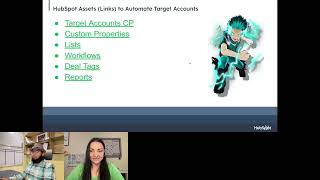
Shadab Khan from RevPartners walks through setting up ABM automation in HubSpot using the Target Accounts Control Panel, workflows, lists, and custom properties. Learn how to streamline sales and marketing efforts with practical implementation steps for HubSpot admins and RevOps teams.
So hi all. Welcome to the HubSpot Admin Hug. If you took some time off during HubSpot's Global Week of rest. If you're just joining for the first time there. Hi, I'm Deanna Giloff, HubSpot advocate and admin. When I'm not creating silly Scrabble boards and keeping the hub running with with Kyle Jepsen, I do run my own HubSpot partner agency, Stratsmark, offering fractional HubSpot and strategy services. Today I am super excited to welcome to the hug Shadab Khan. He's a Rev op strategist from RevPartners and he's going to help us discover how you can automate administrative tasks, discover key criteria and approach selling dynamically to keep sales reps continually selling with relevant data on their side. That way we can leverage account based marketing within HubSpot for so shut up please. Go ahead and take it away.
Thanks for the intro Rihanna. Welcome team. Appreciate all of you being here. Let's get started then. I'm gonna share my screen and I'm gonna wear this because this is where all the knowledge is coming from. My head is blank. It has nothing. So Target counts ABM or Target counts Automations. We are going to talk about foundations. I'll get to that in a second. Little bit of background on because this is the admin hugs. You guys are HubSpot admins. So you guys are you know, cutting edge, top of the tier. So I want to give you a framework that we follow and it's been working phenomenally for us. So think CRM is a product, not a project. And what I mean by that is so you folks are product owners. So whenever you guys are building anything, literally anything, think about any solutions you are building. Lifecycle stages, sales to service, handoff, marketing to say sales, sales to cs, anything. Be agile, think like a product, build the first MVP and then go from there, iterate from there. That's what we are going to follow during this one. This is the foundation that we'll be building. I've already built it but I'll be walking you through how I built it and how we can think about building on top of that user experience and adoption is the key. I cannot stress that enough. So let's get into little bit about me. So that is me with the horse. I know horse is much better looking than me so I bought him here and so I started my journey as a salesperson plus a CRM admin in a manufacturing company. So I know all the you know, back and forth between the sales and you know, closing deals, running the calls. So I've been there and I know how it feels to have a bad system on your side where you cannot do anything. So I've worked on Salesforce, I've worked on HubSpot. So I am in a good enough position to tell you like okay, this is how we do stuff and this is how we not Next I went ahead full on with HubSpot and this HubSpot architecture that was a real job name in my previous company. After that I joined Rep Partners as a Revop strategist and finally I am here in the role of product manager. So we have a specific team dedicated to building products or solutions in the system. We do data analysis, we run delivery, we support our sales, we support our strategy team. So it's a really fun team to be in. That's little bit about me and about my team, little about Rep Partners. So we basically build CRM products. What I mean by that is what you're gonna see is actual product that we have built that we are gonna use internally at Rep Partners that I'm gonna share with you guys. So we actually call those things as products like the solutions that you're building. And then we do not just build stuff. We help business drive growth and outcomes. We enable them to look at the past performance and predict future performance. How stuff is going to happen based on the data that you're looking at. And then we are die hard fan of adoption. We can go every length to ensure adoption. So that's what we do. We have developed a CRM maturity framework. I can share that sometime later. That's a much more dynamic field where we know that CRM goes through a certain stages from all the way from stage one where you are building out initial foundations and technical setup all the way to stage five where you are generating the revenue data, disseminating it and enabling yourself and your team to leverage those and drive decisions and actually make those like you know, actual business decision. We pull X lever and Y is going to affect. So you can make all of that happen in a spot you don't have to rely on with those plenty of different spreadsheets that you have. I see you. I know. So that's little about revpartners agenda for today. So what is ABM abs? Where does it live on the go to market? When do you use that? And we're gonna go a little bit about the target accounts tool that HubSpot has offered us. Some of the things that are Obvious some of the things that are not so obvious and then basically automating that tool so that you guys can reduce the admin task admin time in that and sales folks can focus on that. So with that let's get a little bit on what is abm. So it's a go to market strategy that's used by businesses to target very specific high value accounts. So we are talking about not lead gen. ABM is not a lead gen. It's true. Like I can debate anyone on that. It's you know, fishing with poles, like fishing with spear. So you have to be very specific on who are you going to target, how are you going to prioritize those and then you can go from there. So for this purposes we are going to use account based selling and account based marketing interchangeably. They have their own differences. When you go into this world it's a very like comprehensive nuance. But for now we are going to use them interchangeably for the purpose of this hug event. So where does it live on the go to market? So basically if you have large deals where your sales cycles are longer and you have large contracts and the volume of the deals are relatively low. So this is where the target accounts fall in. So you can see this is where PhD lives where you have large volume and then very low deal count. Think about you know, subscribing Grammarly or something like that. So it's $20 or something. But if you're talking about target accounts, you're actually selling very high value equipments, be it hardware sales for example, Cisco is selling some equipment to IBM. So that will be one heck of a target account. But software companies have their own target account. It doesn't necessarily mean you have to hit this particular, this is just sample, it's a framework. But the idea is the deals will be generally speaking high value. So when do I leverage that? So you know who you want to sell. You have a list of companies that fall under your, you know, icp, you have Netflix, you have Amazon, you have IBM or somewhere in the mid market or Fortune 500 or there is like a trend of one too many ABM going on. So if you are into that then you have a very specific list of companies that you want to target. You have an enterprise sales team. So these are or conditions, any of these are true then it's a good indication. You can start using ABM or abs. Then you have a complex sales and pre sales cycle. So your sales cycle looks fairly complex. So think about, you have to go through negotiation and then you have to go through it and then you have to go through regulatory and all of that stuff. So yeah, you have multi threaded deals. Multi threaded deals are your bread and butter. Why I say that you cannot close a deal with single person involved. You will have 5 people, 6 people, 10 people, 20 people in the buying community and then you have to engage with all of them and then you can, you know, think about that. And there are many more criteria that I cannot really capture in this just one event. So feel free to let me know what other criteria you think are good for ABM. Because you guys are like 10 times more smarter than me. So feel free to share that and I'll continue. So what we will cover today, so we are going to cover Target Accounts Control Panel overview best practices automating Target Accounts Control Panel. What we are not gonna covering today is marketing data and attribution in account based go to market ABS and ABM strategy talk. So I'm not going to talk about, you know, this is how you do your abs, this is how you do your abm. That's like strategy stuff. We're not going to talk about that. Even though that's important. It's specific and tailored to your business needs. Definitely we can talk about industry specific stuff but not today. ABM land and expand. So we are not going to talk about the MSA model where you're selling to one company but it's not actually your customer and people who work at that company will buy our product. And it's kind of like a complex sales system that's going on. So we can implement that in HubSpot but not today and then cross sell an expansion. So for example you are selling, you have already sold to Johnson and Johnson in Germany and you want to expand to Johnson and Johnson, Italy, France, United States, whatever, or maybe not inter country but inter city or something like that. We're not going to cover that. So any questions so far?
I'm not seeing any in the chat or in the Q and A. So guys, if you do have any, don't forget to make use of that Q and A panel and I can interrupt him if there's anything relevant to the conversation.
Okay, so I'm not going to waste any more time. Not exactly waste but not going to bore you with all the theory stuff. We are going to go tactical. So let's look at the target accounts control panel together. Okay, so this is the target accounts control panel. You can see couple of things on the left and on the top. And this is the Main panel where you see all your target accounts. So think of this as a command center where your enterprise team or the relevant team who is executing the ABM will operate from here. So one of the key things that we already talked about is adoption. So adoption will be think about how I can make my team use this particular control panel as much as possible. Because there are a couple of key things. How many contacts do I have for a particular account that is in my target, how many open deals do I have with them and what is the deal value that's coming out of them and when was the last touch happened, what kind of engagement we had with that particular account and do we have anything scheduled in future? So this is really powerful snapshot that HubSpot has given up, given us out of the box. It's like often overlooked. And then on the left you, on the left you have, you know, no open tasks, no log calls. So you can basically filter out all the companies that you want all of these or any of these activities to be happening, but it's not happening. So you have all these filters natively enabled for you so you don't have to do a thing. Finally you have the owners. So whoever is entering the target account control panel, they can select themselves as the owner. Right now this is the dummy portal, demo portal, so I'm the only one. But if you have 10 salesperson, they can select themselves and they'll see just the account that's owned by them. Ideal customer profile. So you have tier one, two and three out of the box. You can create your custom tiers. Some of the common examples are retail or wholesale or manufacturing if you want to go like a very specific sort of thing. But generally speaking these tiers work for most of the folks. You can also rename these tiers. So tier ones, what does those mean? And you can add a parenthesis and you know, expand a little bit on that. Don't go too crazy on that. But you can do some customization here. Industry and it's like self explanatory. You can select a particular industry, I'm not going to go into that and life cycle stages. Where does your target account live in its customer journey? So it's a very powerful tool. One of the hidden nugget is recommendation and prospects. So recommendation will not work for you until you have a good amount of data. So as soon as you have a decent amount of data it's going to look into the similarities of what, what kinds of companies fit in your target accounts. You can also import them in by recommendation but we are going to do something much more fun. So wait for it and prospects. So this is a cool one. It's not going to work for this portal but if you have a HubSpot tracking code, everything correctly set up. What you can see there are from the large companies they have a dedicated IP addresses like a proper server or something like that. So you'll see. Okay, people from Apple are looking at my website or from Google or from, you know, majority of those Fortune 500 or thousand companies they will have a dedicated IP address. From the point of view in terms of work from home or remote work. This data is getting depreciated a little bit. So it's not super reliable. But still people still go to offices and they work from there. So you'll see a couple of good points in the prospecting tool. Okay, so that was the quick overview. I don't think that any questions before?
Yeah, before you move forward we have a couple questions in the chat. What is the interest of completing the Tier 2 and Tier 3? Aren't they the ones that should be automated? It's from Dennis.
What is the interest? Yeah, yeah, we'll get to that in a minute.
Okay. Okay. And then Shereen says where does the ICP and industry pull the from the pull through from company level. Okay, perfect.
It's company object. And here's the recommendation that I'm going to share. If you're setting up your HubSpot instance, almost always that is the case you build a workflow that will push the company industry to the contact industry. It's just a nightmare to see like you have a person come working in the same company and they have two different industries. Just so annoying. And it's so funny. If I'm working for a professional services company and I have, you know, let's say aerospace in my industry as a contact that's not fun. So always push and override the value of the contact industry so that both of them are aligned and you can run good reporting. Any other questions?
I think that's it.
Awesome. Custom properties. These are some of the custom properties as best practices that I have created. You don't have to, but these are some of them I have created. The list can go more or less based on your specific use case. So this is just a framework. Treat this like a framework, not a, you know, one size fits all. So I have a couple of things became a target account date ended target account date. So basically I am capturing the date when a company entered the target account control panel and then when they exited. And then based on that I'm running calculation how, how much time they're spending and eating up the real estate in the target accounts control panel. So these are the three properties and then key buying role associated. So I have only three here. I consider like these three to be like more important ones. So if a contact has a specific buying role, either a decision maker, a budget holder or a champion, this property is gonna get toggled up. We have a workflow in place that I'll get to that when we're talking like when we'll get to talk about workflows. So this will get populated. You can run some interesting report out of it. Things like what are the companies that are converting into customers and what are the major, you know, buying rules that are influencing that? So you can run that kind of reporting. That's the idea behind it. And then target accounts effectiveness. So did your target account efforts success succeed or failed or got unqualified in your deal level or got unqualified in the prospecting? Again, you can tailor this as per your need. This is like a generic overview of what I have built. Target accounts conversion or status. So where does this live? Right now it's a target account. Good. Are we prospecting it? Is there a deal open with it or do we have like warn that it's a multi checkbox property? And there is a fun way to look at that. We'll get to that. You will appreciate why using multi checkbox is better choice in this particular instance. So these are some of the custom properties. Any questions so far?
I'm not seeing any in the chat. Everybody's just ready to absorb whatever you've got going on. So keep, keep it up.
Nice. Either I'm boring everyone to death or either I'm doing a good job. You guys decide. It's clear.
I agree with Juan. It's very clear and concise and at that point that's, you know, no questions to be had.
Could you please share a demo? How would you create and set up a target account? That's a good question. So you will find the target accounts in here. Once you click on this, you'll get a control panel like this. But if you're doing it for the first time, it will prompt you to, you know, create one company. If your portal is totally blank, just create a dummy company and then follow the wizard. It's fairly straightforward. Select any of the options. Doesn't matter too much. It's going to ask you questions like are you, what are you going to use it for to acquire new customer, upsell to current customers and two more options. Select all of that and then mark done and then you'll get this control panel. So let's go to lists. So I'm using lists, you can differ with me and start using directly use workflows. But I prefer list. And there is a very key reason to use lists. So these three lists are gonna hold the criteria and filters to mark folks into specific icp. So we are gonna automatically mark the ideal customer profile. And if you want to update it, you don't have to fiddle with your workflows. You can just update the list and that will take care of the entire thing. That's why I'm gonna use list because it's more scalable and any general end user can also. I wouldn't recommend everyone changing the ICP tier triggers very frequently, but a person with authority in sales operations or sales management can do it and I empower them to do it. They don't have to rely on admin to update the workflow for every now and then. So this will be much more scalable. So you build a couple of lists. So we'll start with the lists and then we'll go to the workflow. So list will cover all the triggers and the workflow will cover the actions. So I have made this split. So but feel free to ask me any question if it's confusing. So tier one list. So remember this when you're building this out, this needs to be totally as per your Yanodia company list. Correct as per your needs. So when you're talking to your sales team or any relevant stakeholders, ask them what are the companies that we consider Tier one. When I'm saying tier one, those are the highest priority and we are ready to invest our best resources, best salesperson, best everything for them. They will live in this list. So in my example, my fictional company is, you know, have this high standard of, you know, they have to be greater than 1,000 employees, they have to be in states and annual revenue should be, I guess that's 1 million or 10 million, whatever. My math is super bad. So this is my tier one list. And tier two is going to be something different. Tier three is gonna be, you know, you get the idea. So I'm not gonna go into each and every list, but the idea is simple. You need to identify your trigger. Note that somewhere in a Google sheet or something and then populate this and definitely keep updating this. I recommend not updating this too frequently, otherwise you will do like lose the visibility on how much like which one is working and which one is not. So this is, you have the ICP tier lists. Let's go to buying roles. This is general best practice. But even though I built this list, I have a recommendation that is against that and, and I'll share that in a minute. So we can assign buying roles to contacts. Buying roles are very key to ABM in general. You, you need to know who are in the buying community and buying committee and where they fall. Are they gonna block your sales process? Are they gonna champion your sales process? Are they the decision maker or budget holder or both? So you can assign this using job titles or if you have certain custom, you know, model that you have. Okay. When a context checks all of these boxes, they are considered in this particular buying role. So you have this. But I recommend doing this manually because sales rep will have much more familiar and intimate relationship with the contacts that they are talking to. And that will enforce them to, you know, do their homework and their research and identify like who is the blocker and who is the decision maker, who is the budget holder, who is going to write them check. So I recommend doing this manually. But if you want to automate that, there you have it. You build a list and then we'll come to the workflow very soon. And next is these two lists. These are the most important ones, qualified and unqualified. So this is the compulsory mandatory list. Just like the ICP tier, you need to have a threshold. Where a company hits that certain threshold, they will get automatically moved into your target accounts control panel once they hit the criteria. So for example, in my case, I'm considering all the companies that are already ICP tier one and tier two and they have a budget holder or a decision maker as a buying role associated with them. So you can think about all the criteria that you want a company to be hitting on the, on the company level, on the company object, and then they'll move to the target accounts control panel automatically. And finally we have the disqualification. So general best practices, as soon as they are customer, let's move them out. Unless, unless you have a upsell cross sell thing going on. Using this control panel in my use case, I'm using it to acquire new customer. So as soon as you are a customer, I'm gonna move you out and you're not gonna use any more real estate in the target accounts control panel. And if the deal is closed, lost, unfortunately or unqualified, then also I'm gonna move you out of the target accounts Control panel, any questions on the lists and triggers? Because in the workflows I'm just gonna discuss the actions.
It looks like we've got one question. Let's see if you want to observe date associated primary contacts. How would you do that? For example, I want to find the oldest date on a contact property among all associated primary contacts. Not 100% relevant. But if you want to go ahead and champion it, go right ahead.
Absorb dates on company level based on associated primary contacts. I don't. Yeah, we can, we can take it offline. I need to digest that more because I think that's not super relevant for my build. But also I don't understand the question. Honestly.
Nicole, if you want to DM me more information, then I can pass it over to you.
So you don't recommend to keep tier one with deals associated in closed loss? That is one of the disqualification criteria. It's not about tier one. It's about once they are already a target account. So if they are not a target account, then that will not apply to them. They are already a target account and my purpose is to move them out as soon as they had a closed loss deal so our sales team can focus on other things. So definitely I'm gonna move them out when they have a closed loss deal. But you can see target accounts is equal to true. That is the main factor. If they have the ICP and stuff and they have a closed loss deal and they were not even a target account, doesn't matter. It's not going to work. So. Okay, so I think if there is no other question, I'll jump to the workflows. So we have a couple of workflows to cover and believe me, I have a couple of workflows to cover. Yeah, just 15 workflows. But these are. These six are straightforward. So we'll run through them like I'll run through two and then others are just replica. So if you meet the criteria that we discussed in the list of being a target, being in the ICP tier filters, we move the ICP tier to tier one. Straightforward, simple and sweet. Easy to maintain, super scalable. And that goes for 1, 2, 3 covered super fast. If you have any question, let me know. I'll cover a bunch of part and then look at the Q and A back again. Then setting buying rules. Same, very simple. You have a list that you know your job titles or any other factors that are affecting and moving those people in that particular list. As soon as they meet that criteria of decision maker, set the buying role of that contact. This is a contact based workflow to decision maker. That's it done. So these are the simple ones. So six workflows covered in two minutes. Good job myself move people to target accounts. So this one is a little bit different. Same criteria. You are qualified as we saw in the list for target accounts. Now we are going to mark you as target account and then we are going to stamp our custom property became a target accounts date. So we will know. Okay. On this date you became the target account for the first time. Next is my screen is going weird disqualified. So okay, there is a delay and there is a reason for the delay. I'm not going to go into the technicality but it was conflicting with another workflow when I was building this. So it's better to keep a one or two minutes delay. It's not the end of the world. But again, if you are disqualified from again using that list, you will set the company property target accounts to false and then we'll mark the date and ended target account date. We know on this date they went out, this particular company went out of the target accounts. This is where the majority of the build that we discussed the gets covered. Now some other key components. Target accounts status and effectiveness. Something is happening with my Mac. So target accounts is true. As soon as someone enters the target account you can consolidate this in one workflow. It doesn't have to be exactly same as my build, but I find this clean and it's easier to troubleshoot. So I'm going to mark this property as target accounts. You know status or conversion as prospecting. So I know we are prospecting on them right now. Next is open deal. So as soon as we find this is a deal enrollment deal based workflow. So record ID is known and any company associated to that deal is true. So is target account is true. So we are going to mark them as target account open deal. You can see I am not replacing the value, I am appending the value. And you will see why really soon once we get to the reporting and dashboard part. So we are going to append the value. So it's going to have both values. Now it was a prospect, it is a open deal now. So you will see that in a minute. And one same thing. We are going to look at the deal stage if it was won and then the target account is true. So we mark the effectiveness to like successful. Okay, we successfully executed the effectiveness and we're also using like appending the conversion here the target accounts to one. So why we are doing this before everyone is like suspicious of me doing this weird stuff. So let me show everyone. So this is the reporting you'll get. I'm trying to be smart and trying to build a funnel because HubSpot doesn't give us any kind of funnel reporting for target accounts or any stuff. So think of this, take this away as a framework whenever you want to build some conversion that you want to build. Multi checkbox is a good way to do that. It, it won't give you the percentage but it will give you the funnel like structure and the count. So you can see that linear manner. Okay this nine companies went into target account. Seven of them opened the deep and then three of them actually won. So you can see that. So this is the multi checkbox at your service. What's next status is won or failed? I think we already went to one. Let's look at the field. This is a deal based workflow. If the deal is closed lost, then definitely your efforts failed. You can use different wording or something like that based on your companies. I'm using a very generic and simple terms to make you understand the effectiveness was failed for this particular target accounts effort. And I think we have three left. So let's go into that unqualified again. This is a deal based workflow. If the deal is moved to unqualified now I'm gonna take a step back from workflows and go into deals. So you can see I have this placeholder pipeline. It has a stage called unqualified. And the reason I have this is you can have certain custom property here. I've seen this very useful in some cases where deals are not exactly lost but are unqualified for now and then you can collect the unqualified reasons. So for example, if you're a SaaS company you can collect. Okay, this was a feature related issue or this was not a correct timing for them. There's still not lost lost to a competitor or they hate you or something like that. But there is a hope. So you can have that stage or you can like you cannot as well based on your specific use case. So just wanted to share that and I think we are good to go. Buying role, contact to company, last one and then second last actually. So buying role is any of these on the contact property. We then check which one and based on that we append the buying role. Not copy, not gonna replace. We are gonna append the buying role on the company level with that particular buying role so that you can run that kind of reporting that we just discussed. Like which kind of buying role are mostly converting. You don't have to you know, fiddle around with all those cross object reporting. You can just do it on the company level. Plain and simple reporting just using one single simple property multi checkbox. So that's the second last. And finally I'm also using deal tags. So I had you know the thing going on about adoption. One of the major HubSpot releases that is influencing adoption is deal tax and ticket tax due to use them. Don't go crazy and build like 10 different deal tags for very common criteria. It's going to be messy. But use deal tags. It's super awesome. So what I'm doing this is a cross object workflow deal is checking where a company associated to it has a target account. Then I have a property on the deal level which is going to be marked as yes. So deal will check. Okay. I have a company and that company is a target account. Fine. This property will be marked to yes. And the reason why we do this is to enable deal tags. Deal tags will work only using deal filters and not any other filters. So if I go to edit and then next you can see this is where I'm using this filter and what is the use of that? You can see all of the deals in my pipeline. Whichever is associated to an active target account, they will not an active target account. But any point in time they were like their company was a target account will know from the get go, okay, these deals are a target account deal so we can treat them differently. And now you have all these filters so tags so you can even you know, single them out if you want to. That's pretty much it in terms of the build. Any questions before I go to the reporting? Reporting is fairly simple. It's going to take 25 minutes. That's it.
We do have a couple questions. You stirred something up when you said use lists instead of workflows. That's pretty much where they all stem from. Which would you then add to workflow on the other end of the TA equals true if they match your criteria. Cor correct. Just to qualify. Hector says let's see. I think that. Let's take that back. That's that one wasn't one of them. Are you able not able to use workflows to set different tiers if you are not on Sales Hub Enterprise Marketing and Service Hub Starter. And then I think that was a correction of marketing and Hub Service Hub Professional. So when. When you said you because you can enable your sales team to go in there and make Changes to their criteria.
Yeah, it's the matter of preference. At Ref Partners we use lists because it's much more clean and scalable that we have found. There is a con using list. You cannot track the changes on a very granular level on the triggers itself. So there is a downside to using lists but still the benefits outweighs, you know, the, the cons. So we use list because one of the reason is to empower people to go ahead and update them if there is a need and they don't have to touch the actual workflows and blow everything up. So for example, if you, if someone made any change, critical change in any of the conditions, that's going to be very difficult. And if you are working with a very large complex workflow, so it's a better habit to use lists. And then lists are a very good asset where you can literally see who is going into your workflow right from the get go. You don't have to go into all the other settings and dive deep into that. Second, third benefit is you, you're using lists so you can use single list in multiple workflows and different locations. Much more scalable. So that's why we use lists and why it is better for you to use list again. You can use this code in the list itself and yeah, that's pretty much it. That's why we use list again. This is not set it like set in stone. You can use the triggers in the workflows itself. There are situations where I, I use. You know, you have seen not all of my workflows are using lists. Some of them are and some of them are not because the ICP tiers and stuff that can change over time. So the things that are going to evolve and change based on your business because your business is going to evolve and change and grow. I prefer to use lists on that. I hope that clears up why I prefer using list.
Yeah, it makes sense to use the workflows for the infrastructure and then use the list for the criteria. So that way it's more flexible.
Someone asked, can you create a list for the companies that counts, some related to contacts or related custom objects. Target accounts equals to true plus contact greater than two. Yeah, definitely. You can create like lists have a bunch of flexibility. Let's look at your filter. So company properties, target accounts equals to true and we have the number of associated contacts. So it's not a cross object. So super easy. So associated contacts is greater than two. That's it, that's how you build your list. You can even go granular. Like you can use all conditions if this is true or this is true and you can use the other associated objects. Like you can actually use the filters from the context and then if you're using the contacts you can use the association labels and stuff. So it's pretty cool. I love lists. Do you have a specific workflow for tier 1? My like again this is, this is totally dependent on what company you operate in, what is your business model, what is your data model and and like which industry you're working on. So that is depends. Like that is totally subjective. One one question that you'll have have to ask yourself. Tier one is equals to. I'm gonna spend all of my best efforts in this. My, my best reps are gonna work on these accounts and I'm gonna focus my utmost attention on these because these are making sense in terms of both firmographic and the Persona itself. So you can go much more complex than this. This is just the foundation of how you lay that out. And so things are a bit more automated. So think about leveraging lead scoring and the target accounts. So based on certain score you can put people in if, if a particular contact is hitting your website and looking at your assets and stuff and then you're scoring their behavior and their fit. So definitely you can use all of that. But again I cannot give you a like a bulletproof filter for tier one because that is going to be subjective. Ask yourself question what is the like best account that I can sell to both in terms of revenue, both in terms of like effort and however it makes sense for your business to you know, go to market to those accounts. Will you be showing how to manually add target accounts? Yeah, 100%. So let's go in the company first. Let's filter out who is not a target account. So you click on advanced filters right here and then you'll get this panel. Target accounts is false and then or maybe unknown. So next gen, whatever is that. So you have this so you can view all property. You can do it much more easier. Like from here if you want to do in bulk, I'll show you both. So if you want to do in bulk select all of those and it search for target account and then mark them as true and then update here and then it's going to move them in in the target accounts control panel. If you want to do it for specific, you go to the specific record of the company. This is on company object, not on contact. And then you search for target accounts and then move this to True. So hope that answers your question. Any other question?
I think, I think you took care of them all. You didn't even need my help to point out all the questions. So.
Sorry.
Keep it going. You're good, you're good, you're good. I appreciate it.
So, yeah, that's. That's pretty much it. If you have any questions, ask away or then I'll let you go. If you don't.
I did put in the survey in the chat, so please let us know what you thought. Any cost, any questions, concerns, thoughts on other events or what you thought about this event, please let us know.
I do have a little bit on the reporting. So target account, like this is the standard dashboard that you had a look and you can see this icon here. So if you are not a boring person like me, you, you can use Super. It's free for five users. You can record a loom or something like that and explain your dashboard and explain the target accounts itself. Like what is the target account asynchronously. So pretty good. So you can think about that and bit of reporting. So target accounts effectiveness, successful, failed. So you can measure what's working, what's not and then how much time people are spending. So I'm breaking this down by tier, but you can break it down by industry, by vertical or whatever custom data model you have. And apart from this, these are all the standard reports that are out of the box provided by HubSpot. This is how you pull them out. So create dashboard and then look for target accounts landscape. So just import this dashboard and build all your custom reports. That's pretty much it. Sorry, I just missed this reporting part.
No worries. You caught it and shared some very valuable information and some easy ways to get started. We do have one question. Do you recommend to segment every company on the CRM on one of the three tiers?
Good question. Actually, this is a very good question. Let's go to Custom properties and Company Ideal. So you have tier 1, 2 and 3. Yeah. So we cannot rename these ts, so be careful about them, but you can create new tiers. So in one of the instance when I was working with a client, they had five different tiers, so it depends. I wouldn't recommend to partition every single company in tiers if they are not part of the account based marketing campaign, but if they are, then definitely they need to live in a certain tier. If you are certain that they will be going into the target account control panel, not now, not today, then definitely you can do it. You can also move companies between tiers. So that's also you can think about. So let's say you have a certain scoring that on the company level and they are now tier 3 but based on certain things like a decision maker getting involved or like a specific amount of contacts getting associated or like a large deal getting open for that particular account. So you can shift them to different tiers as well. You have to build you know, a couple of automations for that. But yes, that was a good question. You recommend moving companies out of ABM if they have closed, lost or warn deal. What about named accounts that might have reps multiple? Yeah, that, that's, that's the abm, you know land and expand. We cannot go super in depth. But say you, you have a very specific Persona, very specific go to market in terms of target accounts and you want to keep those companies and even add more companies. So for example, even if you are not selling inter country or stuff like that, definitely keep them as much as possible. If you have those you know, upsell cross sell motions going on for those companies so that they live in the target account control panel. But if, but if you are selling to Johnson and Johnson Germany sold, you want to sell to France then definitely you can move the Germany out and get France in and Italy in and you can start selling to them. It depends on what legally on what account level you're selling in. Do you target companies in different companies in target once they are sold for purpose of upsell and cross sell? Yeah. So in my build I was focusing on new acquisitions so this is how it's built. But if you are looking at expanding so your target accounts criteria can be totally different. Like you can have the qualified list when life cycle stage hits customer and then you can start you know, evaluating how you can go from there and you can build custom life cycle stages out of you know, customers. So you have the customer now you want to upsell them so you can have custom life cycle stages to move them further in the journey as, as you are you know driving more value for from them and they are you know, converting more for you. So. Yeah, good question. Tony Foreign.
I'm not seeing any other questions so I, I really appreciate Shadow, but thank you for sharing everything and really going into detail. That showing, opening up and actually doing it is I think what the admins like myself really do appreciate you going in and doing that for us. So I, I very much appreciate that and anyone that didn't miss something had to step away. The recording will be posted later. I again appreciate it. I will share it out. And thank you so much, Shadib. I will look forward to more of your content on LinkedIn. And everyone, have a wonderful day.
Bye, team. Thanks for joining me.
Bye.










