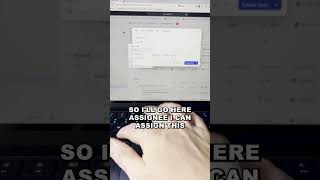
This is a YouTube video titled "Add tasks in ClickUp FASTER! 🚀 #shorts" created on June 29, 2023. It features a single speaker providing a tutorial on how to quickly create and manage tasks in ClickUp using keyboard shortcuts and slash commands to improve productivity.
Here's an amazing productivity tip you need to know about in ClickUp. You can create a task in ClickUp in seconds by following these instructions. So first of all, go to anywhere in your workspace, come to your keyboard and click T. So you'll see here I now have this task menu popped up and I can start creating a task. What you're going to want to do first is, you'll see up here it says retainer xyz. That's the location that my task is. If I want to use my slash commands, I can do move just like that and I can move it to any spot in my workspace that I want. I'll just leave it there. Next, what you want to do is actually edit your task name. So I'll just say task for this example. And now I'm going to start using my slash commands to start adding on assignee, due date, and time estimate. So I'll go here, slash assignee. I can assign this to me or someone else just like that. Click enter. Now I'll do due date. Let's say due date is today again, all using my keyboard. And then I'm going to do time estimate just like that. Let's say that this is going to take an hour. Super easy for me to do that. Now I can add in my task description if I want to, just like that. And then I can go and I can create this task and we're all done. Looking for weekly productivity tips inside of ClickUp, you've come to the right place. Subscribe below to become the most productive ClickUp user in the world.