Are these HubSpot Updates right for you?
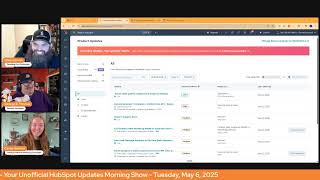
Chris Carolyn, Casey Hawkins, and George B. Thomas break down HubSpot's latest updates in customer service, video marketing, and AI tools. They cover which features might actually matter for your business and how to use them.
Good morning HubSpot Nation. It is time to wake up Customer platform with your unofficial HubSpot Updates morning show where we help you discover the platform value you already own. I'm Chris Carolyn, joined by my co hosts Casey Hawkins and George B. Thomas. We are here every weekday morning to make sure you're not sleeping on HubSpot's true capabilities. If you're joining live, drop a hello in the comments and let us know what you're building in HubSpot today. Happy Tuesday, May 6th. How we doing today?
Good?
All right. I like it.
I like it. I'm excited for the admin hug this afternoon.
What's going on this afternoon?
Oh, good morning.
Okay, morning. Andy Petrie is what she's talking about.
Jeez, Chris, 11 Eastern I'm just making sure you're doing all these new shows. I want to make sure there's that we highlight them when we can. Yeah, excited to see the Q A with with Andy Petrie at the admins hug for sure. But to hold you over, we'll be going over some product updates, including a big post from Dharmesh too that we'll get to. But first, it is today's Insights Feed for Service and Help Desk. What is it? Today's Insights feed is a new feature designed to streamline access and consumption of service hub data. It enables leaders of support teams to monitor operational health with a holistic view, bringing together multiple data points into a single centralized location. Today's Insights feed will provide a new format of insight consumption with the goal of more timely, actionable insights in the Help Desk. With today's Insights Feed, insights are delivered in an intuitive text format that simplifies your data review process. This means quicker, more informed decision making and less time spent on manual data analysis.
Very cool. Why does it matter? Support organizations usually have large amounts of data at their fingertips, but leaders don't always have the tools and resources to extract meaningful insights. The number of data points available to leaders of support teams is becoming increasingly overwhelming, making it difficult to identify relevant metrics and understand the relationships between between different data points.
We like our feeds, don't we?
Who gets.
Service Pro seat or Service Enterprise seat? So get into Help Desk. I just started checking out Customer Success workspace in earnest this morning and yeah, definitely feeling the workspace love as they start to bring all these things into one place. So cool to see this continuing on the journey. New card ticket priority on the Help Desk Summary tab. Medium Impact or Help Desk. What is it on your Help Desk Summary tab? You can now review Your most important tickets through the new Tickets by Priority Card.
Why does it matter? A support organization has to manage a large number of tickets every day. In order to make sure teams work on the most important and time sensitive tickets, support leaders need to keep a close eye on the priority of a ticket. The Help Desk Summary tab enables leaders to monitor operational health. With the new Tickets by Priority Card on the Help Desk Summary tab, leaders will be able to keep a closer eye on tickets with high urgency, enabling leaders to gain deeper insights into their team's performance effectively manage workload distribution. Key benefits include clarity, circumstances, immediate and clear graphical representation of ticket priorities. Enhance focus identify critical tickets that need urgent attention and streamlined efficiency. Reduce time spent on manual sorting and analysis.
Have we historically seen emojis in the updates?
I think this is an AI update. If I've ever. As someone that spends a lot of time in ChatGPT, I'm like, why does.
It feel weird that there's emojis here? But maybe I just haven't paid attention before.
I've seen it, I think before. In line with the update itself, this is one of the most common use cases, this visual green, yellow, red situation where you have to innovate down sometimes and understand the users and their, their, you know, their work process, what, their what, what they're moving through on a daily basis. That's one of the most common ways I've seen product teams like innovate past where they need to be. It's like, oh, you've got the screen, you can do all these things and then you talk to the team. It's like, where are my green and red lights? Like, what did you do with them? So very cool to see, you know, HubSpot continuing to move in this kind of visual, you know, direction.
Yeah, it's, it's funny, Chris, that you mentioned this because my brain goes to, oh, you're saying we're visual people. Oh, okay. And every time I get asked, well, not every time, but a lot of times I get asked for like reporting, it's like, yeah, we want some pretty reports. And not just we want reports, we want some pretty reports. We want to be nice to look at. And it's like, oh, okay, okay, we'll see what we can do there.
Speaking of nice to look at you remember that time, George, yesterday when you started talking about Wistia and Vidyard and, and like what the video limits and, and when we're, when were we going to get more stuff? Yeah, yeah. Well, AI powered video marketing platform, man, if that doesn't get you.
My goodness. Right now.
I might not get to Dharmasha's post at this point.
Wow. We're going to see only easy and fast.
Video marketing medium. What is it? Introducing a new suite of video features that streamline your workflow, publish SEO optimized content faster, manage video lineage and editor projects, and measure performance across channels. Combined with our new clip editor, HubSpot is the ultimate destination for marketing videos.
That is a claim we can might truly be screwed. So we'll see.
AI optimization. Optimizing a video for SEO is time consuming. It requires understanding all the fields that are required. Now you can see all the SEO relevant fields on a single screen and quickly optimize your video with AI performance insights. Whether your video is hosted on your website or shared on social media, or we have the reports to help you analyze its performance. Exactly what George was asking for yesterday. And clips. If you use Remix to generate video clips, you can now manage these video projects using our Clips tab. The Clips tab will show you draft editor projects and rendered exported videos. You can even open the new clip editor and create a new clip from the app itself. I'm starting to get watery eyed like you're.
Why does this matter? Marketers recognize video as a top performing content format. Yet optimizing and repurposing long form videos into social clips and tracking omnichannel performance often demands multiple tools, fragmented reporting and intensive SEO research, making the process overly time consuming and cobbled. Yeah, where's that? Where's that Join beta sound? George.
I was just waiting for my time because I have officially clicked that freaking button. I hope this is in my portal by the weekend because I am super interested in checking this out.
Wow. Yeah, I'm kind of like, let's see how long this.
There's a lot. There's a lot here.
Yeah.
Like it continues to go down for a while, right?
We're probably gonna come back to that video, honestly, because it's two minutes. I love giving Ankur airtime when we can. He's doing some awesome stuff. Yeah. Let's come back.
Spotlight all over.
Yeah. Should that just be the end of the show right there? That I know.
It's like I need a breath. I need a minute.
Right?
All right. Faster property creation experience on the CRM index page. What is it? You can now create properties on the CRM index page more quickly with a streamlined, easy to use side panel. Oh, property creation side panel is back.
Why does it matter? It's easier and faster to create properties in context when working in, in the index page table. I'm, I'm feeling mixed. I'm feeling mixed.
Feeling mixed. Tell, tell me, tell me about those feelings, Casey.
Oh, don't get me wrong. It is annoying when you, like, go to make a property and you have to like, you're like in a workflow, you know, like in, you know, not in a workflow. I always say that. But like, I'm not in a workflow. I'm in index page and I want a property and I have to go to settings. Like, that is a long and tiresome process. But I see a lot of portals that have a lot of duplicate properties or like not used properties. And so the idea of making it easier to make properties makes me nervous.
Well, here's the thing with this. It's. There has to be a mindset of locking down who can create properties just in general. Like, first of all, I, I, I, I hear your mixed feelings. Me personally, I immediately go to, thank God that we're starting to blur the lines of that I don't have to go pop the hood to go do something for the car that I'm driving because I just want to be able to drive it. But then I do go to. There are so many organizations that, again, I'm preaching to, like, if you got 12 super admins in your portal, can you just knock it off? Like if, if you haven't taken the time to give people the permissions that they truly need, instead of a broad brush stroke, can you please stop? Like, so this, this reinforces like, step one, go in and make only super admin. Super admin. Step two, go in and look at who has the permissions to create properties. Change that. Step three, enjoy the rest of your day and create things in the things that you're doing.
Like step four, train your people. Yeah, they can enjoy the power of that. They should have sometimes.
Step five, document along the way. Okay, we're done, right?
Just as someone that does a lot of like, portal cleanup. Yeah, I think, I think I have a lot more portal cleanup work in my future. Maybe it would be cool.
Yeah, it would be cool to see this, like, grow back into like, you know, the other things that you can do. And, and maybe that's what we're seeing here. Because what I envision is like, you know, situations where it's like, oh, I want another colored property. Let me go create that real quick. And then I can't do it right there. So then I gotta go like into the other property, you know, mode anyways, so I would I anticipate this is gonna continue to fill out because that's the part like we love the, I love the new experience from a perspective of like maximum space to enable and understand what's going on and make sure all the steps are hit. So kind of shortcutting that definitely designed for admins only. And I think you take this right alongside all the new property creation, you know, permissions that you're able to, to manage in the portal.
Just like an over, I'm probably, this is probably not the right platform. These are not the people, the people I'm talking to right now, just like check, check to see if the property exists. Just like check it out. Just like look, that's all.
Well, you gotta, you gotta Wonder though, because HubSpot already does say like there is a property very much like this. Like it doesn't show it in the screenshot or the, the GIF or the GIF or the not why we're here, ladies and gentlemen. Don't judge me. Anyway, like you almost gotta wonder if like, if you type something that's close to something else, if it like gives you a warning there of like hit the brakes, homie. Like I, I would assume that it does. If it doesn't, we'll see the update again probably.
I just have trauma, that's all. Just have trauma.
Yeah, yeah, yeah, yeah, yeah. That's funny. I, I, I literally can hear Casey's brain like, you know, email version of that, you know.
Thanks.
Upcoming Sunset Extension Contact Lists API September 30, 2025 A high impact. What is it? We have extended the timeline to migrate the from the Contact Lists API to the V3 lists API from May 30 to September 30. On September 30, all endpoints from the Contact List API will be deprecated and return a 404 error response message. And we mean it this time.
Why does it matter? We're sunsetting the Contact List API to focus our development efforts on the improved v3.3 lists API which offers a richer and more comprehensive experience that's closely aligned with the HubSpot List app experience.
Yeah, this tells me that still a ton of people out there just using HubSpot for leads management and you got leads coming in from all these other systems and all we care about is contacts.
See, I'm, I'm, I'm sitting here going, I wonder how many developers are out there like that don't know this, that have built something and, and it's gonna get like a whoops but, but then also I wonder how many are like just scrambling like to try to fix or put into place. Man.
Yeah, I don't know.
I, I, I hope HubSpot. I think they do. I think they do, but this is where my brain's going, so I'm gonna share like the impact of a sunset. One would think usually something gets sunset because it's like, ah, that was a piece of anyway. That's not always the case. Like sometimes it's just because the next thing is better. But the last thing was awesome. Anyway. Like there's just a anyway.
Yep. Property history exports now only include records who have historically had a value for that property. That's what it is. Why does it matter? Casey.
You didn't want to repeat it again? Why does it matter? Exporting a property's history gives you insight into how your CRM data is changing over time. Previously, these exports included a row for every record of the property object type. That meant that Even if only 10 of your 200,000 contacts had a value for the property phone number, your export would include 200,000 records rows. By filtering this export down to only deliver the records that have a value for that property at one point in time will make this export type much quicker. This is actually quite nice. I've done this before to backfill data that was accidentally updated or some something and it was just like kind of annoying that it's like all the you can ever record.
So Chris, I've got to ask you a question because Casey, you just did something and it made me question myself.
Okay.
You were reading this and you said 2000k records rose. Am I the only human that reads the slash in there? Chris, when you read it, would you say 2000 records/rose or would you say records rose? Because I'm now questioning the way that I read slashes in sentences.
I could see saying slash. I could see saying or.
Okay, you can't see it the way I did it.
No.
I'm like, my brain hurt for a second. I'm like, wait, George.
This is fresh. Because I'm starting to have to like, like when I talk to GPT or Claude, like, and defining like what the, the spreadsheet is.
Yep.
Like picking which word is important in, in some cases.
Chris, that communication and using the proper words in the right sequence, you can actually get better results out of AI and humans.
Is that, is that right?
Wow.
That's the more, you know, I do.
Think about my reading aloud a lot more since we started doing this show. Like, I've I spend every time I read aloud, I'm like, well, this is my job now.
There you go.
I can tell, like, my energy levels when I start reading the first ones. I'm like, oh, man, it's gonna be a rough, rough show at all the case today. Just saying. Sometimes only forecastable revenue goals will appear in forecasting. What is it? We're updating the revenue goal creation process to provide more clarity about which goals appear in the forecasting app. There are two templates for revenue goals in HubSpot. Forecastable revenue, which is designed for use in sales forecasting, and Revenue, which supports additional goal cadence and pipeline customization options that are not always compatible with forecasting. With today's change, HubSpot will proactively point users toward the right template for their desired use case during the goal setup process. In addition, only goals built using the forecastle revenue template will be available in forecasting. Moving forward.
Why does it matter? An accurate sales forecast gives sales leaders predictability and confidence. To ensure accurate forecasts, you need an easy and clear way to send and view your team's goals and confidence that the goals you create will show up in the right place in your HubSpot account. With today's change, you have a clear goal creation process and more control over which goals appear in your forecasts.
I am actually really happy about this because historically, forecasting revenue has been a little bit confusing. And especially if you're trying to educate somebody how to do it, because it's almost like you got to have them share the screen and show them where to click, and they don't know where to click. And then you're like, this whole thing right here is like, historically, how many humans didn't know whether they should pick forecastable revenue or revenue? Because in their mind, they just want to see revenue for, like, what they're selling. And so, you know, why was it a little bit more complex than it needed to to begin with? But at least we're going in the right direction. I could keep going, but oh, my.
Gosh, like, I love, love, love guardrails like this.
I'm. I'm torn. Now, do I like this better or the video one better? Oh, my God. Like, what is happening in my brain right now?
Oh, man. Just because you can doesn't mean you should. And like, brother, because, like, forecasting out of spreadsheets and like, getting asked to then go build that in HubSpot, just because we've decided out of nowhere that we want to be able to forecast it. Like, so ridiculous. Yeah, let's forecast things.
Doesn't mean you should.
Let's forecast things that make sense for the business. Oh, let's set goals that make sense for the business.
We're supposed to have goals. Thank God.
Oh, man. We've seen enough. Apparently. Yeah. Awesome. Very cool guardrail update there. I don't remember seeing this one on April 11th. Because we definitely would have reacted the same way. Yeah, back then.
I. I don't remember. See, I, I don't. I don't know about this system. I really don't know about this.
No one look up the video on April 11th, please.
Yeah.
Like, have we ever talked about. I, I have to bring this up and maybe I'm just not the sharpest tool in the shed. I don't know. Like, I, I try to be like the best I can be. I try to learn every day. Have we ever talked about AI powered automatic associations for calls and tickets before on the show? Does that sound familiar to anybody?
I think so. Yeah.
Okay. Yeah, because I surely don't remember it.
And that's on your new to you screen.
Huh?
Is that on your new to you screen?
No, it's just in all. And I. Look, I'm like, I don't remember this thing and I hadn't signed up for the beta before and by the way, since I've been on the show, I've signed up for almost, almost pretty much every beta. So. So search in all Chris for a second AI powered automatic associations and see if you have signed up for this beta because maybe I'm just insane. Okay, you have signed up for this beta, which means you probably talked about.
It, but thank God you might have been off that day.
I might have been off that day.
Well, it was last updated August 2023.
Yeah, I don't, I don't know.
See, that's not true.
I'm just reading. Yeah, I don't know about my job.
Not true.
In 2023, I don't think we had AI powered. Yeah, nothing like. I. Sorry, I paused myself there. I almost like went a little like, crazy, like.
Yeah, I feel you can.
Ibrain has been. And I know you're going to get to these other things. Please, I. I hope. Here's a. Here's a way. Ankur, are you listening? I hope you're listening. I. Here's one of my wish list items. When that video AI powered video thing gets turned in my portal, the day that I can actually go to a recording in my calls platform form and bring it into my video editing system and actually Clip all of the meetings that I have. Like, because I say a lot of stuff in a lot of meetings that if it was pulled out of, like it was this business or whatever and it's just me talking, like, there's a ish ton of stuff I could clip out of my calls to put on the Internet to make the world a better place or funnier, whichever way you look at it. Like, that's a wish list item. I'm just throwing that out there.
Now we're talking.
Also, to be real, Chris, email. The email. Email changed yesterday and I expected to see it here and I don't see it here. The email tool changed.
Well, what do you mean by it changed?
The settings are all different. It's different. It's different.
Wait, what?
Talk about it.
Oh, my God. Are you kidding me?
We didn't know you were listening, Ankur, but thanks for joining.
Look at that hashtag winning for today. We have in the room.
Yeah, we are very excited about this AI powered video marketing platform.
Okay, go on to his thing. He's here. Fine. I'll complain about emails changing later. Maybe it'll come up tomorrow.
Yeah.
Watching the video. Do we have time?
Do we want to. It's two minutes, right?
Yeah, let's. Let's do it.
Let's do it. Yeah. Let me reset the share here.
Share that audio, brother.
Stop screen.
By the way, if it's ever going to be possible that we can clip our calls object items, just send me a straight up email because I'll be happy for the rest of my life. Okay.
All right, here we go. I bet Ankur didn't plan for this to happen today. Hope you did good, buddy. I'm sure you did.
Video is one of the most important forms of content that a marketer has at their disposal.
Can you expand?
Rebuilt its entire video offering to make it easier and faster to publish SEO performance videos on any channel with the help of AI? Let's take a look. Right now I'm on a video in the Social Composer and I want to use AI to generate metadata for my social post. So I'm going to generate a description and some keywords. In addition to using AI to generate these two fields, I can also use it to generate chapters. And once those chapters are generated, when I play my video, you'll see those chapters reflected in the video player itself. Now that's just the tip of the iceberg. In addition to now supporting a beautiful unified view of all metadata and AI commands to generate that metadata, we now offer out of the box Reporting. For the first time ever, we're pulling together your video views and your post, comments and interactions into one chart. You can see how your video performs on all of the social networks that you have connected to HubSpot. Additionally, we offer reporting out of the box for your web hosted videos such as Plays, Views, retention, so how long a user will keep watching your video as the seconds elapse engagement as well as information about cookie contacts who are viewing your video. In addition to all of this, we've also introduced a brand new tab called the Clips tab. Here in the Clips tab you'll be able to see all of your video projects, whether they are rendered videos which you can quickly jump to, which is the click of a button, or potential video projects. I don't have any video projects right now, so how do I start one? Well, I hit this action dropdown and I select Clone and edit and right here you're opening the brand new video editor. Now I'm going to go ahead and export this video and it will take me right back to that Clips tab where I can track the progress of that video as it renders. Additionally, I'll be able to see all work in progress video Editor projects right here on this tab. This video is looking pretty good, so I'm going to go ahead and insert it onto my social post where we now pre fill the social composer with all of that generated metadata. Things are looking pretty great. I think I'm going to publish this video. Thanks all for watching. We hope you love this beta. Please reach out, give us feedback and let us know what we can do to improve the video experience for you and your business even further. Okay, the most important.
Oh, a couple things. A couple things. One, I saw an actions thing on the reports which means if there's actions you can add them to a dashboard. Oh my God. The other thing I saw when he was in the Video editor there was a little right hand crop tool which makes me wonder if you can actually crop the video to like a vertical from a horizontal, which then makes me want to ask how long until we've got a tool like Fire Cut Clips or Opus Clips inside of HubSpot where we can actually do like the. What's the. The words on it and like the thingies on it and oh man, George.
George is so excited.
He's like, I know whenever you're ready.
To unbox the things.
We'Ll be happy to to have you on to unbox this magnificent updates. Wow. I mean I had to say like you knew it was coming at some point, like if everybody else is developing it and you can put videos in, you can do all the content, remix stuff. Like this is. Oh, man, this is very.
Listen, listen. This just goes back to the bigger conversation. I swear to God. I need to write an article about this. I need to. There's coming a day where I don't need transistor fm. There's coming a day when I don't need a voma dot com. There's coming a day when I don't need opus clips. There's coming a day where my tech stack can shrink because of the power and love that HubSpot is putting into the products that they're there. There is a day now that I might not help scout all the help desk and service. Like, I hope people are paying attention to the true power that throw that up when I'm in the middle of talking all the thingies, by the way.
Come on. I'm gonna assume that everything you just said, George, is all the things.
Oh, my gosh. I need to know. Schedule the unboxing, Chris. Yeah.
Clear my schedule. I'll be there.
Right. Let me clear the rest of my week. Whenever you want, anchor. Let's do it.
Wait, My brother's getting married. Sorry, gotta unbox AI Empowered video.
Maybe we can hit on this tomorrow. But since we love AI, I have to know if this. This post from Dharmas yesterday, mcp. If you don't know what this is yet, pay attention. This is standardizing for me. This could be standardizing away all of the complexity and problems that we've been dealing with with SaaS like systems not talking to each other and just these Frankenstacks and all these things like, this is the path to that. And to see HubSpot next to the. Next to the acronym MCP is so exciting. I can't wait till we see more information.
Scroll down just a tiny bit. You'll get my feel on this. Oh, maybe not. Maybe. There's been a bunch of comments since I comment. Anyway, I said it brings me great joy. This. Like, I saw this last night and I just sat there and smiled for like, a really long time. This was amazing.
Big deal, folks. And if you want to understand what MCP is, Nick and George and I have been screaming it from the mountaintops for a few months now. And you could probably find it in almost any let's Build AI Skills episode. And now we have something to talk about this week for sure.
Oh, God. Yeah. I can only imagine, like Nico on this on Friday.
Yes, indeed. So we're gonna wrap there. I think. I. I'm. I've got. I need a break, for sure.
Overwhelmed.
Yeah.
Overstimulated with updates.
You certainly, by now, except for accounting, you probably already own the solution you're looking for in HubSpot, and it is video marketing and editing. Oh, my gosh. Sometimes you just need to wake up to it. Join us tomorrow morning as we continue exploring what's new in HubSpot. Drop your biggest takeaway in the comments and let us know what capabilities you want to wake up to next. Until then, I'm Chris. Carolyn.
I'm Casey Hawkins.
And if I had a second one for our top three, I'd say the forecasting one as well. But I'm George V. Thomas, and this.
Has been Wake up, Customer platform. Now go build something amazing. Have a great day, everybody.










