Building Dynamic Pages with CMS Hub
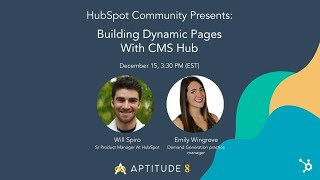
Dennis Edson and Will Spiro, a senior product manager at HubSpot, walk through building dynamic CRM-powered pages in CMS Hub. They cover custom objects, integrations with Shopify and Thinkific, and using GraphQL API to create personalized web experiences.
All right. Hello everybody. I am Dennis Edson and I am joined by a couple really cool folks who are going to be talking about building dynamic pages with CMS Hub. I got em coming over here. She is web ops and Demand Gen Practice lead for aptitude 8. A lot of words to say. They are an elite partner and she's a career marketing leader with 12 plus years of experience working in the B2B in SaaS. Goes crazy for corgis. Good to know. Being by the ocean and building really cool web experiences with her talented and fun team. Next, I have over here Will Spiro. Will is the Senior product manager, HubSpot. Well, not the. He's one of our senior product managers at HubSpot and he is dedicated to the data driven content. How are you guys doing?
Doing great. I'm excited.
Doing well. Thanks for the introduction, Dennis. Cool.
Real quickly, this is what we're doing. We're going to do a real quick recap on CMS Hub. We'll discuss what a dynamic CRM page is and how it applies to CMS Hub. We'll have a workshop led by M initially which is going to be pretty cool. I'm excited about. And after that, questions, I'll be monitoring the chat as well as the Q and A. So if you have questions, please drop them in there. There's nothing too small to ask. Ask away Em, it's all yours. Have fun.
Awesome. All right, CMS Hub. What is CMS Hub? Why is a CRM powered CMS life changing? What's that all about? Right, so here we've got this block of text which you can certainly refer to, but basically cms Hub is HubSpot's C CMS product, right? The content management system arm of HubSpot that is very, very tightly baked into its all in one connected platform. So two big call outs here for CMS Hub. One, it's just a very robust and well built CMS that can do a lot of really cool things that other CMS Hub CMSS can't. The other big call out is when I say that it's integrated into HubSpot's all in One connected platform. It's not just because it's behind the same login screen. I mean the data and everything is trul integrated and very connected. And obviously why we're here today is to talk about how we can leverage that data for web experiences. But before I get into all the juicy CMS content that we have lined up for today, I do want to make a call out that it's no coincidence that I, a career marketer, and met here today with Will, who is a senior product manager for CMS Hub and spent his career in operations engineering, obviously very heavy on the product side. You know, it's not just because our schedules happen to line up today. Will and I are here intentionally and wanted to do this together on purpose. We sort of represent two sides of the same coin. He brings to the conversation the perspective of the developer, while I bring to the conversation the perspective of marketer. And while, yes, those are two sort of different Personas, the fact that we're both here today is very telling to me. What that really means is that software like HubSpot, like the way that HubSpot built its CMS product and obviously the rest of its suite, it opens up this huge world of possibilities for marketers to build things that maybe they didn't even know that they could build. So it also means that if marketers don't sort of understand how they can leverage these new opportunities, flex into that ops way of thinking, flex into the dev way of thinking, then their dev resources are going to be underutilized and their customers are likely going to be underserved. But the same is true on the other side, right? Like, if the dev and ops folks don't really have a window into the perspective and what's driving the marketer, they may not be able to develop elegant and creative and seamless solutions for both the marketer and the customer by way of the marketer. So, long story short, we are sort of bringing two voices to something that's really important and really, really cool. And because of the way that HubSpot built its CMS very, very intentionally for marketers, but also very, very intentionally for developers, it creates this sort of this new paradigm or new channel, new way of collaborating with one another. I'll try not to ramble too much here, but my long history of building a bunch of websites, leading marketing teams, working with inside developers, outside of developers, and the way that I've worked with them in the past before CMS Hub has been very transactional, right? Like, I have designs that I had my design team make because I know what's possible. We have this limited world of things we can do on a marketing site. We design it, we hand it off to the developer, they build it, they send it back. Okay, cool, got some adjustments, I send it back to them, they fix those adjustments, and then like, that's it. I feel like it's a very limiting way to work with a different group of people that are also trying to all achieve the same goal. Right. So again, long story short, the way HubSpot was built allows us to interact and collaborate with one another in ways that we haven't been able to do in the past. It also means that we also, we need to get outside of our comfort zones and try to flex into those other Personas so that we can understand each other outside of or in addition to what the tool can do and sort of force, I guess, in a way. All right, so important call out. Just wanted to make sure that I have both perspectives covered. So let's get into the content dynamic CRM pages. What are they and why do we need them? So, in short, dynamic CRM pages are web Pages built in HubSpot CMS Hub whose content is pulled from a structured data set that's also in HubSpot in the CRM. Think product catalogs, employee directories, resources centers, which are all the rage these days. So I want to show you some examples. Some of them are pretty straightforward. Just cool. Here, look at this resource center and I want to show you how it's built in the back end so you can take a peek under the hood. But I also got some other examples that are a little complex and may speak to the developer a little bit more, but may also speak to the marketer in some senses as well. So I am going to jump right on in and hopefully everybody can see this. I'm going to start simple. I'm going to start with a resources like page. So this is 4Q. They're a client of ours. This is live, this is done. It's living out in the interwebs. And this is a, they have a resources center, but they also have this other center. And this is for news and awards. And what we've done here is we've used the blog objects. You see, we've got in the spotlight. I think these are blog articles and then these, these are news articles. So they're separate types of content and they're both in the blog object, but which is cool because we're pulling data from the CRM and pulling it into the cms. But what I wanted to show you here is the back end. Obviously, if content's being pulled into a module, you're probably not going to want to change the headings here, the subheads in these images, because they're being dynamically pulled in on their own. But one thing that I really, really love about HubSpot CMS is that it offers the developers to build the editing experience for the Marketer in a way that the marketer can do the things that they need to do. And a great example or sort of corollary is if you think about like WordPress and they have WP Bakery, they've got Elementor, they've got these builders. And when you get, you activate that inside of your WordPress account, inside your theme or whatever, and you get what you get, right? But with HubSpot, you can really build things to be as static and rigid as you want, where you're kind of just like, okay, the marketer is just like adding in fields, but you can also build this builder, build the content editor to be very open and very flexible. So like I said, we wouldn't want to change like these headings. But look what we can do. We can change how many articles are viewed are displayed here. So we've got six. We could change that to four or three. We can even change how many columns are being used here. I don't think we would want to do that. And that's just something also to keep in mind for any developers or marketers that are about to use CMS Hub, just keep that in mind that you wouldn't want anyone to go necessarily rogue, but you have to understand the needs of the marketer. We don't want to lock them down and sort of handcuff them. But this is great because you've got a ton of different options here. Animation, you can even add some CSS if you'd like. So this really gives the marketer a lot of power. This is a straightforward example. Now, I'm going to go to one that's a lot more complex, but it's two parts. The first part is straightforward. It's the Resources Center. This is Palo Alto University. This is an important call out. This is not live. We are scheduled to launch January 5th. So you may see some more mipsum, you may see some dummy content, but the actual function of the dynamic content is working and is live in this. I think this is maybe a sandbox. So anyways, this is a resources center for Palo Alto University. We work with specifically their continuing education and online learning arm. And what we have here is another resources center. It's broken out by content type. So you've got the blog, you've got their podcast. Obviously you know these important details like the author, date and the tag or the category. These are like research articles. They've got case studies. And you see not only are these being dynamically pulled into each respective module, they also have their own indexes or Indexes. So you've got the blog, podcast, the research articles, and the case studies. And these are all being populated again by using the blog object. So I wanted to show you guys what that would look like in case. It's hard to sort of wrap your head around what that means, because it was for me, when I first started figuring this stuff out. But basically, if you go into your settings, website, and blog, you can look at all of your different blog views, because perhaps the case study post is much different than the podcast post. Right? Like, those templates need to be built differently and separately, but they are all still a blog object, and all of that data can still be pulled in to different pages and different modules. Okay, so that's sort of part one of this example. The second part of this example is much more complex and involves a different use case than just a resources center. Try not to get too into the weeds, but this stuff gets me really excited also, Dennis, and will keep me honest on time. If I. If I'm going over or getting too deep into the weeds or if anyone has questions, totally interrupt me here. So Palo Alto University, they sell their courses online, and they needed a shopping experience, like a shopping cart experience. We've built things. And I think I have an example, actually, that I'll show after this. That includes HubSpot payments, how we leverage HubSpot payments. But for this, we really did need that shopping cart experience. So HubSpot Payments wasn't going to be the best option for us. We thought Shopify, okay, Shopify is going to be a great option, but one of the biggest goals of the client was like, we've got to consolidate our tech stack. So I was like, man, how do we make this work in a way that we can still have the shopping cart experience, but still sort of have some consolidation of how the team, the Palo Alto team will be working. So what we did was, and this is the reason I have this up on the screen, is like, this is where a marketer really has to flex their brains and really open up to the op side of things, because the way that data is flowing is absolutely integral to building a seamless web experience. You have to understand the data and where it's coming from, because as long as it's in HubSpot, you can get it on your pages, but you have to get it. In this example, we have some data in other places that we've got to get into HubSpot. So we used Shopify headlessly. Again. This is still. It's scheduled to launch in January, so it's not fully done yet, but we're using Shopify headlessly, headlessly in the background, which means that we're able to build all of the pages, the catalog, the products, the checkout, all of that we can build in HubSpot. CMS, again using Shopify headlessly. And it's sending. Look over here. Shopify is sending information over to HubSpot, the things that we need. It's also got an integration with thinkific, which is their lms. Again, try not to get too into the weeds, but this is all very exciting stuff for me. So we've also leveraged serverless functions to tell HubSpot where to put this data. And we put this data into a couple of different kinds of objects. Obviously the deal and line items and products, those are default inside of HubSpot. But we made an enrollment a custom object. We also made the course a custom object and we made the instructors a separate custom object. And if you aren't already aware, it's not just the default objects that you can use in CMS Hub for dynamic CRM pages, it's also the custom objects, which again, just like opens us up to such cool stuff. Stuff like using Shopify headlessly, being able to talk to an LMS platform, being able to get payment information back over to HubSpot so that we understand how this is actually impacting our bottom and top line, our revenue. And so I talked earlier about instructor directories. We're using that custom object to populate a directory here. We've got the course library. So I'm going to walk you through some of these things, but I also want to show another example before I show the designs. So as another example of sort of the marketing and demand function, leaning more into ops, leaning more into the dev function. So now that we understand how the data is flowing, we know what's possible, right? We know that the data that we need is going to be in HubSpot. It's just a matter now of how do we want the experience to look and feel. Because we need to know how to design that so that we can then develop that. This is wireframes that were built by someone on our demand gen team. Obviously, for this account, we've got operations rev ops resources assigned to it, demand gen resources and developer resources and design resources. But just a big takeaway from this, I was so impressed and so pleased to see that a demand gen consultant was building out a wireframe that's heavily rooted in a data model that will ultimately become a design that will ultimately become a real functioning web experience for somebody. So we were just coming up with different options for how that checkout experience could be. Now, again, this is a ton. These are designs because if I showed you the developed pages, they're even less baked than the previous ones that had some dummy content on them. But I want to help sort of shape and scope what, what's happening here. So this is the course catalog. So this is where someone could go in. They can use all of these different categories or criteria to sort the courses that they want to see. They can do it by continuing education hours format. Is it live? Is it on demand? Who are the instructors? Again, start thinking about that object of the instructor, the object of the course, and how we are enabled and empowered to do so much with it as a web experience. We also added in sorting, of course, we've got search some dummy content here, of course. But this is what the courses catalog page will look like. Again, it'll be built on HubSpot, but powered by Shopify. This is an example of an individual course and what that would look like. This is a dynamic CRM page that's being populated by the properties on the custom object. So you've got the instructor, you've got of course, all the cost and the buy now and these details about it. And then you've got this module down here for the instructor curriculum, all this good stuff. Here's just another example showing if there's more than one speaker. Again, this is a design, so it's not fully complete, but this is us building out the checkout experience and how it's going to look based off of the data model that we built in that lucid chart that I showed. That's pretty much all of the designs that I want to show you. Oh, each individual instructor has its own page and they have all of their courses that they've instructed or are going to instruct listed on their page. Might be wondering, how do you do that? How do you know that they did this course? They love this course. Well, because they're two separate objects that we're actually, we're using Aptitude 8's app that we built. It's called Associate. Go check it out. It's super helpful for our use cases like this where you need to take multiple objects and associate them to one another. And I'll show you real life examples in another use case here in a second where you can see the actual custom object and see the association on those records. But yeah, check out Associate. It's super cool. The number eight at the end. Go Branding. Yeah, that's all I wanted to show you for that. So I want to actually show you what that looks like and it doesn't exist for the Palo Alto University HubSpot instance. So I'm going to go over to another example. This one is Ignite. They offer courses online as well. It's professional coaching and professional training. But it's the payment experience is different because they have. The model is a subscription. So you pay for a membership and then you get access to all of this content. So you can see the courses and all of that jazz. So what we're looking at here is their all of their course listings listing page. You can change and sort by different tracks here. But for the sake of today's example, we'll pretend like we're just going to go into this communicating with clarity when you get to the page. And this is all live by the way, so you can go check out experienceignite.com and sign up for a membership and go through that flow if you'd like. Hopefully you'll buy. So anyways, this is the individual session page. It's got the information about the session, how you can register. And again, we have a similar module here, same same concept. The instructor is a custom object, the course is a custom object, and this page is being populated by two separate custom objects, one being again the course information and one being the instructor. So I want to show you that. So this is what the custom object looks like for that particular course. So call out here, you've got all of your. Oops. You've got all of your properties. And maybe it's good that I zoomed in on the dynamic page slug because that one is very important because that's going to dictate the actual URL of the page of communicating with clarity and consistency because you can see that it is right there. Now for associations, we've got all of the contacts who have registered for this course listed here. We've also got all of the world, the instructor who is on this course listed here. So if you wanted to go over, you could look at a separate custom object for the instructor. You can now see all of the training events that they're associated to. So going back to in this example, we don't have a page where the instructors are listed with all of their respect. Oh wait, no, we do know for. Sorry for Ignite, we don't have that. But for the example I showed with Palo Alto University where there's a page for the instructor and it shows all of their courses that they've taught. This is what would power that. Like this exact same concept and it's done again through using the Associate app. Certainly makes that helpful, makes that possible. So that's the instructor and then I want to pop over to a contact so that you can see that they are now associated with that training event. So this also opens up a lot of different ops opportunities to be able to look at and report on and understand what's happening. What are the associations, right? What are the instructors for this course better or worse or whatever. There's, there's so many different things that you could do with this data. So that's a contact record. I also want to show again just the interconnectedness of marketing hub, sales hub, CMS hub, because pretty much none of this stuff is possible without each other, without one another, without the respective hubs. So here we're using a workflow. Again, this was a. There are memberships. You have to have a membership to view the content. So here we're going through. If you filled out the form to start, they have a 30 day free trial. Change the membership status to active, put a date stamp on there, send an internal notification. So we know someone has now just signed up to become a member. Wait 30 days and then let's see if after 30 days did they pay? And this is an example where we did use HubSpot payments because it wasn't really a full shopping cart experience that was needed, it was just a checkout experience. Hey, let's buy this membership and move on with our lives. And we'll have that payment recur every month and auto renew every year. Great for revenue, great for predictability. So yeah, this is just looking, let's see if it's closed. 1. Obviously there's a workflow that's separate from this that says did they pay? Let's check the data that's coming in and change the deal stages. If so, so then we can either put them in a nurture. If they didn't buy, we put them in a nurture to try to get them to buy. If they did buy, we can make sure that they're added to those membership lists so that they can see the content that they're entitled to that they paid for. So I also kind of wanted to explain the way that this page is built with custom objects populating a page. You don't really need to, especially for this use case, you don't really need to go in and edit the page because the page is built off of a template. And in this, again, in this example, all of the courses have the same exact layout every single time. So. So I can go in and edit this page, but it's not what you'd expect. Again, I just sort of want to show that by using the template and using these modules. So this looks like the listing page, right? Because the listing page is the same template that we're using for the individual event page. So they're all like connected. But I just wanted to hit on that so that you guys would understand that the process and the publishing flow isn't to go into a page, create a page, clone it, add this, add that, maybe change a color here and there. It's really just to add a new custom object and hit save. And then now the page exists with all of the information you need. And Will, I think something else here that we did, because this was, I think, one of the first times that we used the rich text property field so that we could add all kinds of different formatting bullets and bold and italics and whatever else that we needed into some of these properties, these fields. And this is not just limited to copy, it's also images in here, multiple. So, all right, that was a lot. And those are all of the examples that I've got. But it was a lot. So I'm sure there might be questions. And I also didn't really go into the why we need dynamic CRM pages, because I think to really answer that question, we have to take a look back back at the history of websites and web and the history of web design. And to my point from earlier, I think this is the perfect example of when the developer's perspective is particularly important. So, Will, I would like to hear from you, I'm going to stop sharing and have you take over so we can get your perspective.
Awesome. Thank you so much. Those are such cool examples. To see all the cool sites you've built and how you've used data to build sophisticated website experiences. One of the things I love to see about people using CRM objects and custom objects to drive content is you're exactly right. Like you don't go into a page to edit the content. And one of the things that's so cool is like workflows, automation integrations can actually be the thing that's updating and creating content for you. And it's all automatically reflected on your website. So super cool to see what you're building and pushing the limits. That's really awesome to see. But anyways, as Dennis said earlier, my name is Will Spiro. I'm the product manager at HubSpot and I focus specifically on how developers and marketers can use data to power their websites. So today I'm going to talk a bit about why it's important to use data to power websites and give you all a little preview of a new beta feature that we have built to enable developers to build really sophisticated and data driven websites. Anyone who is a developer day will have seen some of these slides already, but make sure to stick around as EM has some more great content after and we'll also have time for a Q and A at the end. So without further ado, for anyone who's not read it, I highly recommend checking out this blog post Angela DeFranco, a former VP of product at HubSpot, wrote it's called the Evolution of Website Design. How Websites Are Becoming More Than a Pretty Face. And in this blog post Angela talks about the future of websites and how websites have evolved from brand assets to growth tools. Right, so no longer do we just need a website or even just a beautiful website. We need a website that drives business results. And with this evolution, we've learned that companies aren't just looking for brochure websites, they're looking to design and build sophisticated interactive digital experiences that will power their businesses. And this seems cool and makes sense, but it does beg the question of what exactly does a sophisticated interactive digital experience actually look like from an end user's perspective? How does it work, how does it drive business results, and how do you build it? But let's take a big step back and jump into the problem. As I mentioned earlier, why is it a problem for websites to just be beautiful in nature? From the perspective of our website visitors, what problem do they face? Well, the reality is that many digital experiences don't live up to their expectation and are anything but seamless. Just because a website is beautiful does not mean it is functional. And this can come at the expense of our website visitors. And we can all relate to that, right? We've all had frustrating, slow, two dimensional customer journeys that took much more time than you expected and you might even get as far as to the point of being able to make a purchase. But by then you might not be super excited to continue your relationship with that company or even worse, your bad experience might start after becoming a customer. But we want to make this solving. We want to make solving this problem for your customers and prospects easier. We want to enable you, our customers, to build remarkable digital experiences for your customers. So you should be able to Turn that frustrating journey from before into something that looks more like this. And it shouldn't end when someone makes a purchase. A great digital experience can act as a guide throughout the entire customer journey. And now, obviously, every product and service should not have the same journey, right? There are many factors that might change the experience depending on the nature of your business. Just as EM showed us, there are different ways that people interact with the website depending on on the nature of a business. But you get the idea. It's all about creating as seamless a customer journey as possible based on what we know about our website, visitors, prospects and customers. So you might be wondering to yourself, like, what is the key to these seamless experiences? How do I build them exactly? And really, at its core, the key to building these seamless digital experiences is all about using data to power them. So as your business grows, you curate more and more data from your customers, from your prospects, from your marketing, sales and services teams. And using this data to power personalized digital experiences is how you can create that amazing experience for your prospects, your customers and your internal team as well. Just as EM was saying, it's really all about a mindset shift and thinking about data actually as content and not data and content as two separate things. So I'm super excited to share with you all that we've been investing in a refined data layer to sit next to the presentation layer of the cms. We want to provide a cohesive way for you to interact with for cohesive layer for you to interact with to power your digital experiences with data as you grow, integrate more data sources into your business and try to build more seamless user experiences for your customers and prospects. And this data layer of the CMS will make utilizing data across your digital experiences easier to implement and learn. And at the core of the data layer is a brand new beta GraphQL API. This is going to let you query for all of your HubSpot data and its relationships. Excuse me, in a single unified layer, and use it in CMS hosted content, external content such as jamstack sites or apps and integrations. It unlocks all of your data under a unified API and provides a straightforward way to connect that data to your websites and apps. And this unified data layer is going to make it much easier to interact with all of your data across channels rather than needing to learn a bunch of disparate ways to access your data. As depicted on the left, the core queries can be used throughout websites, apps and integrations, meaning less learning, less coding and more time solving for your customers. As depicted on the right, the mental model of what data you can get, how to get and how to use that data will be much simpler and much more powerful. Now this is all really technical, so if you're not a developer, this might not make total sense to you, but you might be wondering to yourself, why would I want to use GraphQL instead of Hubble for querying for data? There are a few main benefits really. First is that GraphQL is an open and widely accepted data query language that's rapidly becoming the standard for API based data access. Second, it's self documenting, making it easy to learn. It will allow you to get all of your HubSpot data and its relationships in a single query rather than needing to learn separate functions and make round trip calls to get associated data. So really a whole bunch of benefits with this functionality you can make a single query fetch all your contacts and their associated companies, or fetch custom objects and tickets associated with a contact logged into a CMS membership page to create a portal style experience. So let's take a look at a really simple website we put together to illustrate some of this power. So we put together this really simple recruiting agency job website that's basically a listing of roles. Here we can see there are some filters we can filter by company, department and location. We can also click into individual jobs and see more details about the role and even let people apply for these roles. And I've already gone ahead and applied for a new job at HubSpot here and I actually have behind CMS Memberships an application portal where I can log in and see my job application. And so this is a really cool approach to have one single page that really acts as a portal for customers to log into and see highly personalized content for them. So this is a really scalable approach to create personalized data driven content. And what's really cool, similar to what EM just showed us, is this is all powered by CRM data. So this is actually my job application which is a custom object in the CRM. We also have all of our roles stored in the CRM which is what we're using to generate the listing and detail pages. And obviously this is all assigned to my contact here. And because all this data is in the CRM, we can run marketing, sales and services activities based off of all this data and these objects. We can use workflows, integrations, reporting, all the other tools that interact with the CRM. And if you want to get technical, what's really cool about how all this Data is getting pulled into the website is at its core, it's using these GraphQL queries that I was talking about. They make it really, really easy to pull in all the data you might need to create a data driven website or create those personalized portal style experiences where depending on who's viewing the page, they see data that's relevant to them. And one thing your developers will be super excited about is the sample website is actually an open source theme. So if you want to get started checking out this new functionality, how to create Data driven websites, this is a great place to get started. It's also where you can sign up for the beta to get going with this new functionality. We dove into in more detail this functionality and walk through the sample open source recruiting agency theme and developer they talked about a month ago. So I won't go too deep into that, but I highly recommend checking it out and sending it along to your developers if they're interested or if you're a developer yourself, definitely check it out. The possibilities are endless and hopefully watching this will help you get inspired for what you're going to build next. And I'll make sure to post some links in the chat for the beta signup form, the documentation, this past presentation and the open source sample theme. And I really look forward to seeing what you build, but for now I'll pass things back off to em.
Awesome. Thanks Will. Yeah, let me just get this presentation back up. So admittedly with GraphQL I had such a hard time wrapping my head around it. Remember, I come from the marketer's perspective, so I had a hard time with it. So my CTO and internal developers probably want to kill me because of how many times I've called meetings with them to be like, but wait, but wait, what about this? What about that? Because I really just want to understand how it affects the marketer and that was my main impetus and goal. But obviously I met with my team, I got some insight, chatted with Will, but it wasn't until we started scoping this project that is still scoping. Can't tell you what the company's name is, but it's a major cruise line. But once we started scoping this project out, it kind of all hit me why this matters so much and what the the tangible impact is for marketers. So if you think about a cruise line and you want to say you've bought some cruise excursions in the past, by the way, can you guys see my screen? Good, Cool. So imagine you've bought some excursions in the past, you have some upcoming cruises, the client wants to be able to have like an account portal for each user to go in and see. All right, what are the excursions that I bought in the past? What do I have coming up? How many days until my next one? Who, who are the guests that I brought with me on the first one? What are the email addresses? What are, you know, there's like a whole loyalty program and that's pulling in from somewhere else. There's customer support, logout, login, all of that stuff needs to be included here. I mean, I mocked up of there. I mean, it's very, very low fidelity mock up of what it could look like. But when I was doing this, I was like, okay, with GraphQL, instead of making a query for every single little piece of data that I need to see on this page, I can make one query for all of this data at once. So it's streamlined, it's efficient, it's something that developers are familiar with. So I think will correct me if I'm wrong. Very interested to hear you weigh in on this. But from my perspective, I think the biggest impact to a marketer, specifically a marketer, is that their devs will be able to create, help them create more things. But I think it just maybe even make the dev resources happier, more streamlined, faster. I think there's also, it could be faster for the actual site itself, the page itself, how it's getting that data could load faster. But I think the big, big impacts and benefits of GraphQL are a little bit more on the developer side. But like I said when I was putting this together, I was like, okay, I get it now. This is data from different contacts, different objects. There's images, there's links, there's, there's links out to go get contact support. So to me it made a whole lot of sense. Like, okay, yeah, I get it. This is like a dashboard type of a use case. And having to query, make multiple API calls for every single piece of data seems wasteful. And when I was understanding and wrapping my head around GraphQL, GraphQL I was like, oh, I get it. This is dope. Like, this makes developers lives easier. This makes marketers lives easier because now we have more opportunity to do things and developers who are more willing to do them in a way that makes sense and is streamlined. So that's my sort of GraphQL example or use case to help the marketer understand it. Because like I said, I had a tough time understanding it. So what else I Think. I think we're now time for Q and A, so I'll hand it over to Dennis, but I'll just keep sharing my screen.
Yeah, guys, amazing. Seriously, like this. First of all, m, your presentation initially was just spot on, wonderful. There was a question back there specifically about those diagrams, the lucid diagrams. And I think it was Carl who asked, how do we get that diagram?
Well, those lucid charts are very specific to the data model of that customer and their, you know, the experience that we're building, the tools that they're using and the data points that they really need. So and every solutions design that we build is a little bit different because the needs are a little different. But we use lucidchart and we. It's never just a one person thing. It's always the marketing function, collaborating with the dev function, collaborating with the ops function. It's never just one person just doing it on their own because like I said, we all have to understand each other and be speaking the same language so that we can really seize the opportunity that HubSpot has created for us with CMS Hub. So I can't really give that to you. I'm sorry, Carl.
How much does that evolve over the process? Like just from, you know, you start building out whatever you're building and you realize, oh, I need, I forgot X. You know, how much do you actually change?
Hopefully not at all. The goal would be to build a data model that is sound and secure and solid so that you don't have to go back. And honestly like we, back in the day we would build sites and not really go through the data modeling sort of phase. And what happens is you realize like, oh well, we can't get that because we don't have that data point and we would have to build this whole page entirely. The UX would be entirely different if we wanted that thing to happen, but we've already built it this way. So like what are we going to do? So it's very unique to customers, from customer to customer and we, we definitely now especially for web projects that are going to involve multiple platforms or data sources that are needing dynamic CRM pages, we'll do a solutions design first. We're a services partner here with HubSpot, so we'll, yeah, we'll do like a paid solutions design first so that the client can feel really, really comfortable about a lot of how complex this stuff is and about the experience that we're going to be able to create. So there's not as many. We don't want to have any guesses or any question marks or any surprises in the future. So that phase is very, very important.
Carl also asked and I'm not sure I don't know what this is reference Is that example able to be pulled from someplace we can try it locally? I believe that's from the graph dwell and I'm hoping that GitHub repo answers that question. But Carl, if there's anything else you want to add to that, go ahead and put it in the chat and we'll ask Will that question.
Yeah, feel free to check out that sample repository. Make sure to sign up for the beta first though, because your account does need to have access to the functionality. But once you do that, we've got some simple instructions for getting started and then you can check it out.
Gabe asked. GraphQL is only available for custom objects currently. If so, what's the timeline on other objects, hubdb, blog, etc.
That is a great question Gabe. I'm glad you asked it. Yeah, so Right now the GraphQL functionality works with all of the default HubSpot objects as well as any of your custom objects you have in a given account. But as I mentioned earlier, we are looking to round out that functionality. We're actually currently working on adding hub DB to the GraphQL functionality, so hopefully at the beginning of the New Year's you'll have a nice surprise that will be rolling out pretty soon after the holidays, and then we'll be working on the other data sources after that. So very soon you'll be able to interact with really all of your data that might be used in content or other applications through this layer.
Cool.
I'm not seeing any other questions in the chat, so I will give you guys just a couple minutes here or minute to add some more questions. If not, I feel pretty satisfied with this conversation we've had while we're waiting Em or will if there's anything you guys want to add. Oh, so does it work with Blog currently? I apologize and will answered immediately. Wow. So Blog in the future.
By the way, speaking of locally available code and some of the use cases that we were talking about today, like the Resources Center, I do think HubSpot has published their Resource center code and that's I do believe. I think it's using humpdb or is it using Blog objects? I can't remember, but either way I'm pretty sure that that's publicly available and locally found online.
To answer Max's question about will the recording be available? Yes, of course we'll put it on a YouTube developer channel. It'll also be available in the community. Yeah, it'll be all over the place. I believe Will gave a link to a video that is on our developer channel. I'll see if I can find her channel once more to just add it to the chat and Jose asked this may be more for Will. I was able to build out this example for a team member page and there's a link. I was able to add a custom module to a template. Question Sorry, maybe I should just let Jose talk here. How can I edit author drop?
Yeah, good question. I think ultimately how flexible you want to make something similar to what EM talked about earlier is really up to you. At the end of the day, modules are the mechanism that developers use to basically pass on a highly usable and editable concept to marketers. And we also have a concept called drag and drop areas which makes the page a really drag and drop and easy to use experience. So it's really like the application of both that data driven content and those marketer friendly building blocks and meshing those together to make it sort of an easily editable and drag and drop experience for like anywhere across your website. You know you might want to drag and drop team members onto an email as well and so you can enable your marketers to have a module that they can drag and drop into an email and it all pulls from your team member hubdb table. They could drag it onto a homepage, show their team members on the homepage too if you want. In addition to that sort of dynamically generated listing and instance page for your for your team members.
Dynamic pages, don't the pages have to be developed using that boilerplate and D&D versus the old school templates way back in the day that were drag and drop. Won't those not function with dynamic pages?
You could probably do either. I think you could do either. Haven't set it up the old way in a while. And one other thing, but definitely if you want the most marketer friendly approach that the new themes drag and drop areas approach will definitely be the most friendly for you. One other thing that we want to do to make dynamic pages more friendly for marketers is one of the things that EM showed is when you enter the editor for dynamic pages right now the listing page and the detail pages are actually generated by a single page and that makes it so the editor is in the context of the listing page, not detail pages. But let's say you wanted to drag like some random module onto just the detail page. There's not really an easy way to do that right now. So one of the things that we're working on is separating out the listing and the detail pages so that you can make a listing page that looks and works however you want. And then you also have an editor for the detail page. And you actually could choose up at the top of the page which instance you should be previewing the page. And it could drag and drop modules that would basically apply to all of those dynamically generated instances. It's sort of a blueprint of sorts. That's another thing that we're thinking about if anybody's interested in talking more about that. Yeah, providing feedback on those concepts. We definitely love to share where we're headed, where we're headed with that direction, and get any feedback from you all. So definitely feel free to reach out for that.
And with that being said, I believe if you just go ahead and advance the next slide, we have some contact information. So if you guys have questions for either of these two very, very smart folks, please feel free to reach out. I hope that's okay. And yeah. All right, guys, it's been a great thank you, everyone for coming and Will and Em, a special thanks to you guys. Once again, I'll get this onto the community and the YouTube Developer channel. Post haste. It should be up there probably tomorrow. We're here in the community. Dev Slack. You can find us. Have a good day, guys.
Bye, guys.
Thanks, everyone.










