Call in and get Help with HubSpot! #hubspot
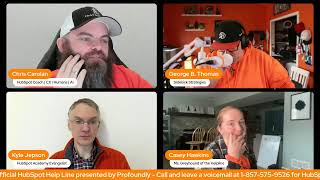
Chris, George B. Thomas, Kyle, and Casey discuss HubSpot's Customer Agent AI, including voice integration via 11 Labs and how to feed it call transcripts and email logs. They cover a new feature that links contacts, deals, and tickets to campaigns for full-funnel attribution, and show how to validate your tracking code directly in settings.
Chapters
The HubSpot Helpline. Helpline, helpline. It's Rob, it's George, it's Casey, Kyle and Chris. Admin call in, then tune in. You can't miss this. Every Wednesday at 10. Streaming straight from LinkedIn. Helping with HubSpot. Building community is our philosophy and we're so proud to be orange you so glad that it's time for the HubSpot. God help.
Good morning, good afternoon, LinkedIn friends, HubSpot Nation. Welcome to another episode of the unofficial HubSpot Helpline, presented by Profoundly here with our favorite HubSpot experts. Missing one today, Rob Jones is having some fun, fun with the the super team on a strategic off site in California. So we'll miss him, but luckily we've still got Kyle, George and Casey. How we doing today, folks?
Doing good. Excited to be here, excited to see what we're going to talk about today and how we can help some, let's say humans with HubSpot.
For sure.
That's the earliest that's ever come up.
I know. Pull out all the stops today, Kyle.
Yeah, we got big shoes to fill with for Rob, so I appreciate George pitching in, Pitching in there. Doing okay, Casey?
Yes, doing well. I am ready for spring, but other than that, I'm doing fine.
All righty. I think I would love to start as we continue to test Kyle.
Hopefully you're doing all right, buddy.
My comment here.
He had his moment.
He had his moment, I guess.
Yeah. Maybe I got to learn from Rob on how to drag out these intros a little more. It's new for me. But as we continue to experiment with the kind of segments and things we want to be talking about, I would love, Kyle, if you could give us a little recap of what's been going on at the hug lately. Yeah.
So the HubSpot admins hug is a user group for people who identify as admins. No strict qualification or definition there. We're happy to welcome anyone who just wants to know more about HubSpot. We meet every Tuesday, 11 o' clock Eastern Time, have a webinar. Typically, one of HubSpot's own product managers comes and gives a deep dive. And yesterday the deep dive was into customer agent. So we actually had three different HubSpot product people there, presenting, showing stuff, answering questions. It was, it was. They did great. No notes. Love your team. The, the, the HubSpot user group, the Hug program as a whole is in the midst of a migration and that. That has been a little rough the last few weeks. Yesterday was our first time on Zoom webinar. And it was my first time as a person setting up a Zoom webinar and I made some mistakes and the chat didn't work in the Q and A was weird and Chris could not log in. So we're working on it. We're, we're sorting it out and we'll, we'll get through it. But the content was good. It'll be on our YouTube channel before too long. So yeah, I can't wait.
I can't wait till it's on YouTube so I can go watch it. Because I gotta be honest with you, the amount of conversations I've been having with humans that we help with HubSpot around Customer Agent, but then more importantly, maybe Customer Agent and Prospecting agent as a one, two punch together is really kind of. I find it interesting the amount of times that's coming up and also people's what I'll call awe when I start to explain all the things that you can do with Customer Agent at this point. Like when you show them, like, and here's if it answers the phone, the voice you can choose and here's the custom instructions you can add and here's the brain you can build. Like, so I again, I can't wait to see like what other details or information comes from that hug on YouTube.
I haven't deployed Customer Agent yet. I know you have, George. Yeah, I think personally my own hesitation with it has been what do you need to get started with Customer Agent? Like, I always just feel like I don't have enough.
Well, see, that's the interesting piece about this because it depends, right? There are organizations like me and some folks that I help that have been doing content in those portions or places. It's very easy to just get started because you can say, here's my website, here's my knowledge base, here's my whatever. But if you're somebody who historically has like a smaller site, I'm sure that you're probably a person that at least has like processes documented other things like videos, transcripts, whatever, because you can upload files as well. So it does. Just because it's external knowledge or not external knowledge doesn't mean that you can't still build knowledge. And to the point of this. And I'm loving this feature, by the way. By the way, I didn't know we were going to talk about Customer Agent, but I'm loving the feature that you can go in and you can just give it like quick answers here, actually, because I don't want to say the Wrong thing. I want to tell you exactly what it is. So if you go into your content sources, you now have, when you hit add content, create a short answer. And so this gives you the granularity of like, well, if they ask me this, this is what I want to say. And if they ask me that. And so Casey, imagine using your AI assistant, pointing it to your website, telling it who you are, telling it who you help and ask it, hey, what do you think the top 100 questions I might get are? And also with everything that you know about me, how do you think I would answer those? And then you could literally read through and you could either upload that as a file or you could create those as individual questions that could be answered. And by the way, you may have not created blog article one or video transcript one, but at least you're starting to give that the base. And this is where it goes back to not to be that guy. It goes back to they ask, you answer. What do you think they're gonna ask? Sweet. Get the freaking answer into your customer agent. Guess what? All works out well.
Yeah, George. Oh, go ahead.
I was gonna say, George, when you say your AI assistant, you mean your AI platform.
Yeah, ChatGPT, Claude, whatever you've been using that knows information about you, that's, I would go there because that's going to give you the best starting results that you can then tweak and humanize to get to the thing that you actually want to put into Customer Agent. But again, if you're sitting here listening to this and you haven't been creating valuable content over the last 2, 5, 10, 30 years.
Beep.
Okay, do it anyway, George, I was gonna, that's, that's kind of what I would love to hear your thoughts on this. HubSpot has been, has been pushing hard on, on customer Agent, both developing it. It is incredible to me how fast that tool has, has developed, but also like promoting it, trying to get everyone to use it. We're even like we're offering now like a 28 free day trial, right? 28 day free trial.
Right.
And like we just want people to try it out because we're so confident work well HubSpot ourselves, we've been using it, it manages a huge percentage of our, our, our incoming support tickets. But in all of that we've pretty transparently, pretty emphatically said this is a tool for scaling support. And I think like if you have knowledge docs, if you have a, especially if you have a customer support team that you have some way of training? Absolutely. Just today, this afternoon, Take two hours, set up customer agent. It'll save you a lot of work and you'll be able to refine it over time. If you are coming from scratch, you've never done live chat support, you've never had a support rep. You're a small business. You like, answer questions over the phone as they come in. I think setting it up is going to take a little more. Like, you're going to have to do more of the thinking about, like, well, what questions do I expect I'll get? And there will probably be a lumpy time when you've launched a customer agent and people asking questions like, sorry, I don't know. Right. And you have to train it to do that. Do you have a. Do you have a sense of. Is that an accurate way to think about it? If you have a support motion in place, turn it on today. No brainer. If you have to invent support, then, like, this is going to take a little more thought.
Two things, two things I want to say. One, you addressed the knowledge gap, by the way, if you don't know, HubSpot customer agent will show you the knowledge gap. It will show you the answers it couldn't answer so that you can create content around that. So that's one thing. Know that now you have a little helpful assistant that's like, hey, you should build xyz beep bop boop.
But keep asking me about pricing hours of operation. Like, can you document that somewhere, please?
Yes. So second thing on my mind though is what I don't want people to do is just think the word support. Because this can do way more than support. Because here's the thing, when, when it all changed and nobody really knew it changed is when HubSpot added expressions now called guidelines where you can create custom instructions. HubSpot is great at renaming stuff after they launch it, by the way. Anyway, I digress.
I'm impressed you know about that change. Yeah.
So, hey, listen, I've been nerding out on this thing for a hot while now and so I want people to think past support. So like, yes, if you have a knowledge article, by the way, or not our article, but knowledge base by the way, on HubSpot or off HubSpot, but it should be on HubSpot. Come on, let's be real. But either way, you can give it a URL and say, ingest this information if your website is on the HubSpot CMS or if it's on, you know, WordPress. What are you doing? Anyway, you can get it and you can adjust it in. Right. So that's, that's the thing. So you can pull information in but, but think past.
Support.
Because if I had a wish list item, Kyle HubSpot would look at what Delphi AI has been doing and they'd look what they've built so far with customer agent and it would get to the point where somebody could actually either chat with on my website or call air quotes, call in and talk to me. And the customer agent would actually allow me to use like my 11 Labs API to use my voice. And now all sudden they could feel like they're talking to George or Bobby or Chris or Kyle or whoever. I don't know who Bobby is. Just threw that out there. But now all of a sudden it's like it. You're vocalizing with that human or typing with.
Right.
And it's the. So I think there's places we can still go. But when you think about it as more holistic, like in the guidelines, a rule like determine if this person is a current client or customer asking a question if they're a new prospect, trying to figure out something that we may have Talked about or XYZ and then treat the conversation once you know that XYZ ABC 1, 2, 3. Now all of a sudden you're giving it like this. Choose your own adventure based on the human that you feel like you're interacting with. And now it's sales, marketing or support. So like you just got to open your mind to what this thing can actually do.
Yeah. And a couple of great comments here. Shares your, shares your thoughts. George and I think this kind of thing, the fact that it like as soon as it got unlocked from the service hub. Right. June 2nd of last year, I think. Right. Which makes sense. Like that made me so happy because it's like customer agent. Like customers exist outside of service and support, so let's serve the whole journey. But also the way that it touches so many different products teams like you were just talking about, you know, voice and we've been talking about, talking to the calling team about how they're supporting the customer agent. And I think the way it touches all those teams and the fact that HubSpot themselves is using it like speaks to how it's getting developed like so, so very quickly. But to Robin's point here, still confused why it answers the same question differently sometimes. I wish in the testing process you could thumbs up and thumbs down the answers to help train it even more. But I love the new tools guidelines Beta, short answers, et cetera.
See, this is where I get very granular on, like, if I wanted to always say a certain thing based on a thing, because sometimes it can be kind of different and sometimes it cannot be different. So I'll do a couple things. One, I'll do what I call like an important tag rule of like, whenever you're asked this question, make sure that you answer it in like this way with these things. And then I'll definitely go in, like I said earlier, create that like one off. I always, I wish it was named something simpler. Create a short answer. I guess that is kind of simple. I'll immediately go in and create a short answer for that thing that I always wanted to be the same because now I've given it in guidelines and given it the actual answer that I want to keep it being a little bit more consistent. So it's, think about when you're working with customer agent, how you might work with humans. Now, Bobby, I've told you not to get in the cookie jar three times. So here's the rule about not getting in the cookie jar. And, and so finding multiple places where you might put those important threads or messages. So customer agent goes, oh, oh, oh, oh, I'm not allowed in the cookie jar. I'm actually supposed to go get a, like, I don't know, vegan. I don't know. We'll just leave that lay there.
Yeah. That said, I am working with, you know, Clement and the Celestial guys have, have been working with prospecting agents and, and trying to understand how to effectively do things at scale, you know, with, with the right level of control that people are used to. And what everybody's experiencing now is we're trying to implement control into a system that is not deterministic. Right. So if the human doesn't say the thing to the customer agent in the exact way that you need them to, it's very hard to control the answers like we've been able to in the past. So there's definitely some, some balance to be understood in terms of. That's why I love the fact that they're called guidelines.
Yeah.
Yep, yep.
Well, and I, I, I see Robin's comment here. Short answers aren't always used verbatim. That's the issue. This is an interesting thing and I would love to hear, not just from you on the call, those of you who are watching and commenting. I'm a HubSpot feedback guy. Like, give me your thoughts here and I'll, I'll get them to the product team. Because one thing that I think customer agent, just a really hard decision the product team always has to make that they will forever have to make is how much do we make this like one toggle switch, turn it on, it runs and how much do we make it like right, Instructions verbatim, right? Like HubSpot always has to thread this needle of we want it to be as simple as possible, we want to have smart defaults, but we're always going to have to enable some level of configurability. Right? And in the broader world of AI there's this concept of temperature, right. Which is basically like how unhinged you want an LLM to be. And like uh, you know, in some regards you want, you want the temperature. I forget if I think hot is the higher temperature is like it's going to be really creative every time it's going to say something different. It's going to think it, it's going to think really outside the box, some context you want that the other side is like it's going to be starkly not creative. It's going to give that verbatim answer every time. And I think for something like customer agent, you don't want to just set the temperature in one place and have it apply to everything. It sounds like what, what you would like. George. I like this idea of like the, the important tags, right? Like this is the stuff that like legally or whatever we are required to say this verbatim. Do not get creative with this. Right. But then over here like by all means, yeah. Adapt it to the question and the context of the person. I would love to just hear your thoughts of what, what does the ideal look like? Do you have a sense of how we can offer that sort of flexibility without it just getting wildly complicated to set up?
Well, one let me. Well, first of all, yeah, feedback to Kyle. Anybody watching this, listening to this? Because your feedback makes it better. And when it gets better, I get excited because you know, it's all about me. I'm just kidding. It's not all about me. Listen, at the end of the day, Kyle though, the fact that we don't have a temperature slider as a setting is interesting. The fact that we don't have like length of response, short, medium long as a feature is interesting because if you go into other systems, again I mentioned Delphi AI, you have those levers that you can pull, right? So now you can kind of like tweak it into. But I do love this idea of maybe those are features that are added, but then there is also this other subsection of knowledge that is like when tapping into this, that's it, like this. And you can have freedom over here, but over here it's got to be like straight up legit compliance, different things like that. So I love that idea. I want to go back to this because I don't want it to get lost. Listen HubSpot anywhere that you can allow me to use my 11 labs API because if my knowledge articles or my blog articles. That's what I meant to say. If my blog articles, if I could be reading them to the humans instead of Onyx. Because Onyx is my favorite out of the ones that I have choice of. But if there was like a George B. Thomas in the dropdown that use my 11 labs or like if I could use my voice and customer agent. Like I just wish there was a tighter connection because with their latest version 11, it's, it's ridonkulous. Like I'm just saying it is so good. So good. It just needs to be tied into the marketing, sales and support process of people using the HubSpot CRM.
Yeah.
This is probably the easiest fix in the short term is being able to control what like the statement looks like.
I like that. A checkbox idea that's super simple and smart.
Yeah, I mean, I don't know under the covers what the. The. The logic is. If there's. If you have like a knowledge base article connected and a short answer that both answer the same thing. But it'd be really interesting if it's like as a baseline we're going to use your knowledge base and whatever else you've uploaded. But these short answers can maybe override. Right. And they could have a checkbox that's like this one. Like give it to them exactly in this phrasing. We don't want any confusion on this point. That's really interesting.
And that's where outside of HubSpot, like even the LLMs. Right. You can try your hardest to layer the instructions in the right way. And that's where the lack of deterministic ability to manage it starts to come into play. I do want to take it back as we wrap this topic because we've got some questions to get to. If you haven't done any of the stuff we've been talking about. If you got emails inside of your HubSpot which if you don't and you're using HubSpot like it's probably not. You're probably not going to make it to customer agent. But there is usually Gold in the emails. Because usually you're asked, questions are being asked and answers are being given in emails. Right. So if you've got emails being logged into your HubSpot, pull up Breeze assistant, ask about those emails, and you will get some ideas for how you can get started.
I would even. I would. Can I double down on that? If you don't have meetings, slash calls and call transcripts coming in to your HubSpot portal and you're not asking Breeze about the call transcripts that you have the power to ask about, Please, please do that.
I. I mean, I think call transcripts is one of the lowest hanging for ways to get data inside of HubSpot, but I have, so. I have. I see so many portals without.
Oh, yeah, yeah, yeah.
Which is a travesty.
Yeah. But I, I think this is not an. This is a new muscle we need to build as people who have jobs in the modern world. Right. Like, because calls used to just be these ephemeral, like, yeah, I talked to them on the phone and I Even once transcripts became a thing that existed, like, who was going to dig in and find, like, the exact phrasing? Right. It's been very recently that call transcripts have become a useful thing, and now suddenly they are the most useful thing. But, like, we don't think of them that way. Right. And that is the habit we need to start building. But, yes, absolutely, get your talk transcripts in HubSpot. And AI can do a lot with that data that, that we as people really struggle to do this.
This is. And then I'll shut up, Casey, so you can go, this is the mindset I'm trying to teach people is don't think of them as calls, think of them as unstructured data and realize that AI can use unstructured data like you've never been able to do in your life. Right. And so if you think about that, you've got your properties and that's your structured data and your activities and structure, and then all of a sudden you're laying on this unstructured. The two of those hand in hand will take a portal from, like, this is cool to oh, my God, like, in minutes. Well, days. Well, weeks. But anyway, you get my point.
Yeah. I was just gonna say I had a teams call yesterday and my recorder didn't join. Probably have some team setting, not configured. Right. But I got off the call, and it wasn't until I got off the call that I realized my recorder didn't join. And I immediately was like, oh, my God.
Devastating.
I was like, I don't even. What even happened? I have no idea.
Yeah.
It is a new muscle. And that's why I picked out emails. Like, if you're not getting your emails in HubSpot, there's like a whole different conversation to be had if you're somehow using HubSpot and not logging emails in HubSpot. But it is. The way that I like to put it is like, if you need. Because this comes up where it's like, oh, it's the CRM. We're only supposed to put sales stuff there. Like, if the. If the thing has context in it that would help you do your job that you're trying to do in HubSpot, then please try to bring it into HubSpot. Right.
Yeah.
So much opportunity for that in most organizations. All right, Casey, should we get to the question or your updates or tip of the week?
I was going to say segment one. Done 30 minutes later.
That's how we roll.
Why don't we do the update, then the question, and then if we still have time for the tip, we can.
All right. Should I share my screen? No, share your screen.
Don't share it yet.
Okay.
Oh, there's suspense.
You gotta set it up.
That's right.
That's right.
Demon hunters pulled up. Don't. Yeah, yeah.
We got drama.
Okay. So for the update of the week. So we only had two shows in the past week between moves and holidays and everything, but we still covered 30 updates. We cover. I know. Monday we covered 24 updates alone, so. So we covered automation and deal management updates. Adding line items to deals through workflow actions now lets you select a product set quantity and auto attach line items in workflows. This replaces a ton of custom code. We can now revert a prior revision in workflows to give you an undo button for workflow changes. And then paired with the workflow CRM property data restore. This lets you roll back accidental property changes within 14 days. So HubSpot is building real safety nets for OPS teams with all of those updates. We also had scoring and segmentation updates, conditional scoring for and with and rules for lead scoring and health scoring. This is now live. It was previously in beta. Compound criteria natively. This compounds criteria natively in the scoring app without workflows or workflows or workarounds. We also have granular filter insights in segments. This shows us each how each filter shapes your segment in real time. I'm very excited about that one. To see kind of what filters in your segments are actually adding contacts we also have form and data collection enhancements multi step form logic launched with new hide and show step level actions so you can dynamically control which steps your visitors see. And then a ton of quality of life updates that we continue to see coming. Marketing notetaker or meeting note taker with smart properties, restoring property edits and more personalization options for signatures. But number one update of the week. Oh okay Chris, you can do it now. Associate contacts and deals and tickets with campaigns. Yeah, this edged out my ad line items to deals and took the top spot just today. And that's because it affects HubSpot users doing marketing, not just with portals using the products and deals automation. Marketing attribution has been a blind spot for anything that isn't a digital touchpoint. Trade shows, field events, in person meetings. None of that showed up in campaign reporting. Now it can and the revenue attribution follows the association. How this looks in action. So here is a Just a workflow. Just a workflow.
Just a workflow.
It's a contact workflow. But I now have the action here to add a contact to a campaign or remove a contact from a campaign. It also gives me the options to do just the enrolled contact or any associated contact and then I can choose the campaign itself. How I see myself using this most frequently coming moving forward. I often help teams do imports from trade shows. So I would say if a contact is part of a specific import, add them to the associated campaign.
Well, I even, I even would add in here like for me if I think historical lead gen right. Landing page has a form, they fill out a form and then they go to thank you page. They download the thing like almost immediately. I would want to go and add a workflow that when this form is submitted add this human to this campaign like boom.
But you could, if you had the form or the landing page, the contact would already be associated. The human would already be.
Well but my question. Well okay, I guess my question is then what does this give you that.
You would Everything that you've been doing from outside of HubSpot usually related to in person events or salesforce campaigns. Now I think for a lot of people this makes campaigns whole.
Yeah. And it just offers a lot of flexibility. So Casey showed the workflows action. I think that's great because it's not just available on contact based workflows. Right. Like any sort of workflow you can assign the associated contacts with whatever object to a campaign, which is great. But you can do it from record pages for contacts, deals and tickets. You could there's like a campaign associated campaigns card on the right side now and you can say, add this person to a campaign. You can bulk select on on index pages and say add all these people to a campaign. There's just a lot of different places this is surfaced. And so instead of attribution and influence being just like kind of a black box you don't have any control over, you can add people in manually as needed.
So I'll be the guy that I'll be the, the town idiot for a second. Is a contact more important to a campaign or is a deal where the money is more important to the campaign? Like which one should humans be thinking of first? Or is it just all of it?
That's all of it.
Okay.
For sure.
I was just curious and it might.
Be I. I am also the only. I am not ahead of you at all as, as town idiot. Except that I learned what buttons to click to make a demo on this that I published this morning. But behind the scenes stuff. The everyone, anyone who's like, whoa, this is great, this is awesome. Or anyone who's like, wait, what? I don't understand Everyone just go read the, the text of the product update because it includes some very interesting tidbits. Like once you associate a contact to a campaign, if you then remove that association, they are still counted as an influence contact. So there's a difference between influence and association. And when you associate a deal to.
A.
Campaign that has implications for the contacts associated with that deal. And so there's just like kind of some cascading effects here that you really want to understand. Not, not that, not, not the sort of cascading effects like this is going to ruin your HubSpot account. But just like you want to understand what attribution means, right? You want to understand what it means to connect a deal versus a ticket versus a contact to a campaign. Because this does open up a lot of possibilities. But you got to educate yourself on what those possibilities are and what they mean before you just hop in and do it.
Yeah, and I think like that reminds me of like a lot of the ways that people have solved for attribution. And HubSpot is usually a custom object of some sort being associated, which can help with the control, like reducing the black boxiness of influenced anything. So the fact that like I got really excited when I saw the campaigns like card on a record with the campaigns associated and being able to add and subtract from there gives you a lot of control and visibility, that's been fairly hard to achieve before. Because I think even in George's example like of yeah like you could see like did they fill out the form? Like you'd have to do a lot of put a lot of pieces together to really understand like how much the influence was like did it happen before the deal started or after. And like for me it's always been a challenge to show a campaign report and not have the influence revenue like number just get. Get picked apart in any meeting I try to show that in. So I think this is huge. And it was really as we talked about before like the campaigns was at like 27 or 28 asset types. Yeah. And CRM objects I think was the last. The last asset type. Right.
So yeah, it's crazy because. Because by the way that if you're only thinking of it as like marketing campaigns that's another shift that needs to happen because like the fact that you have sales and service tools and marketing tools and like there's just like this idea of a full funnel or a full org style campaign gets very interesting to me dependent upon how you build it and what you can put into place like this idea of yeah, if they come in from one direction it's a landing page in a form. If they come in from another direction it's a template and a document.
And a lot of these sales assets can now also be associated with campaigns. Calls are in there. I think sequences are. So that is an interesting point.
Yeah, so very cool. I did want to hit on this question that Robin asked prior to today says hi Casey, quick question. I have a workflow that is mostly working, mostly in all caps, but it's unable to send follow up emails to certain people. She's going to share a video at some point because that always helps give the context needed. And I'm reminded of how hard it is to do call in shows to solve HubSpot problems. But I'm curious, what are the first questions that come to mind when you hear I have a workflow that is mostly working but it's unable to send follow up emails to certain people. What would you need to see in that video to help.
Solve this problem? Some like did you turn it on and off again type questions that I have when I read that are like are people being set to marketing contacts automatically? Are they on any unengaged list? Opted out bounce things like that.
Don't forget subscription type. Subscription type like one of the things like turn them into a marketing contact, make sure they're subscribed to this subscription type. Now send the Email like is that flow in place?
All right, that was an easy one I guess.
Sorry Chris.
Hopefully it is that easy. I think if it's not that easy that it then it's really like all right, we've got to see. There's so many moments for the sending follow up emails. Especially as HubSpot has made it easier to send non marketing emails through this, through this channel as that continues to expand into sequences and you know, transactional emails sometimes that kind of stuff gets in the way. But yeah, definitely better explained on a video.
I mean that actually Chris, you just made a statement but would be also a dope question to ask of like is this email a typical workflow marketing email send or is this a one workflow that is a. Then enroll in sequence send. Because that's a big difference.
Yeah, I'm super curious Kyle. Like is there. If I can just be direct.
Oh God, I love when he does.
That when it comes to emails because one of the last updates that was really big deal was email automation for one to one like emails. Like is there any thought from HubSpot internally of things that might help us understand all the different types of email and which hubs and apps apply when and which automation features apply when? Because it used to be pretty clean in terms of if you wanted to use any kind of sophisticated information that was a marketing email and everything else was handled separately. Right. That is no longer the case. Right?
Yeah.
Or maybe if you could share or any resources come to mind in terms of clean like these are the different types of emails and this is not.
Like a, a feature request for the product to behave differently. This is just like straight up we need some documentation, some sort of resources that give us the heuristic, the flowchart, whatever it is that's like these. Do you mean for like use cases I want to do this thing, you should use this type of email or more like I'm using these tools. Which kind of email is that going to end up?
Yeah, I think both of those things.
Right.
Because especially as we grow outside of like marketing hub and like transactional emails comes up but traditionally that add on has been associated with marketing Hub.
Well then Chris, Chris, are you also saying things like the fact that it's not real easy for people to know that you can send an email using Hub DB and it be like are you like that or like you can send email through custom code and or API sends and do XYZ that you can't like is that what you're talking about as well?
Or I think, I mean, I guess we could let Chris answer that question. But I think, George, it's interesting that your question just reveals how many different permutations there are. Right.
Sending email. Yeah, yeah, yeah.
There's a ton of ways. So yeah, that's definitely another layer, I think. But like, especially as Commerce Hub and I've talked to this team about this, most of the transactional emails really are not associated with marketing in a traditional sense. And now that we have transactional stuff flowing through HubSpot much more than we did before, like invoice emails going out, you've got quote emails that all like get sent from a very different place. They show up similarly, like in on a record. But like common questions like, do I need transactional emails? There's lots of ways to, you know, serve those. Use cases through sequences even or, you know, or using Commerce Hub more effectively. Right. Sometimes. But that's where like based on what your license structure is and What. How does HubSpot classify this email? Yeah, that's. Without talking about deliverability related to which domains are sending when and for what purpose. Right. So yeah, if there's any resources related to different email types in terms of how HubSpot classifies it, I think there's a knowledge base article I did some content with Danielle at some point about it, but yeah, I think that would help a lot of folks out there.
Cool. Noted.
All right, Casey, you got a tip to wrap us up?
I do. I was auditing a HubSpot portal this week and I very quickly in my audit got this sense that the HubSpot tracking code was not firing correctly in on the website, but it was a new portal and. Or a new portal for me. And so I didn't want to jump to too many conclusions too quickly, so I wanted to show. And you can bring my screen up. Let's suspense on this one where you can actually validate the tracking code inside the settings. You can get here by going to Settings, tracking analytics and tracking code. Or you can just type tracking code into the HubSpot search and get here. That way the code itself will be here. But sometimes that's not easy to find even if you look on the code of the website because it might be in Google Tag Manager or deployed in a different way. So you can actually enter a URL, you can enter just the homepage, but you can enter any URL. So for example, if you have landing pages and the tracking seems to be weird on those, or a subdomain, you can test all of those separately. It does take a couple minutes. So I did this before the show, but really you just click that and then it will verify within five to 10 minutes. But it sends you an email and it shows you whether it's validated or not. In the case of my client, it did not validate, which was very easy and confident for me to then say, hey, we need to set this up asap, because you're missing a lot of data.
I love that you're sharing this tip because for about 10 flipping years I had to go to a website, view, page, source control, F4.7, whatever their ID was and be like, well, I don't think it's on the page because I can't see your ID number on it. Like, and when this came out, I was like, let me just say this was one of those. That was one of those moments. I'm just saying, I was like, thank you. HubSpot. So easy, so nice.
And I think it was just last year, right?
Yeah, yeah, yeah.
Also worth noting, the tracking code itself and this feature, it's not pro, it's not enterprise. The portal I was looking at is Starter and I'm pretty sure this is even in free accounts. I know the tracking code itself is even in free accounts. So it doesn't matter which subscription you have. You can. No is.
Well, maybe that's changed. I don't know if. I don't know if that's true. Like maybe if you have website or content, I like if you just have sales Starter, I don't know. I don't know if you get that tracking code or if you get the information. Like maybe it's because you have to have marketing. I don't know. I don't know. Anyway, just something for people. Like if you're on that spectrum, like you're HubSpot free, you might just want to double check that information. Because by the way, everybody, if you can, should have the flippant tracking code in there. Like it's that important.
Yes.
Indeed.
Super helpful.
And that's time for today. We look forward to having Rob back. I look forward so that he gets you. Rob and I miss you hang out. But we thank you for joining us. Hope this was helpful. Don't forget to give us a call if you're needing help with HubSpot. So until next week, everybody have a great rest of your Wednesday.
Hello, you've reached the HubSpot helpline. Helpline. It's Rob, it's George, it's Casey, Kyle and Chris. Admin call in, then tune in. You can't miss this. Every Wednesday at 10. Streaming straight from LinkedIn. Helping with HubSpot Building community is our philosophy, and we're so proud to be orange you so glad that it's time for the.










