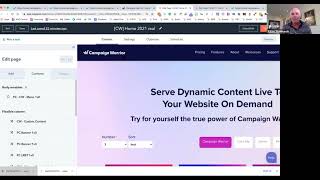
Adam Steinhardt, CEO of the Kingdom, demos Campaign Warrior, a tool that scrapes website pages and organizes them into topic clusters that integrate with HubSpot for better content management and customer tracking.
Hi and welcome to Campaign Warrior. My name is Adam Steinhardt. I am the CEO of the Kingdom. We are a HubSpot Diamond Partner down in Adelaide, South Australia with the 2015 International HubSpot Partner of the Year. I'm going to get stuck straight into our demo. Campaign Warrior what it is, it's a tool which allows you to go ahead and scrape all of your forward facing website pages and build them into one fantastic list. Once you've got the scraper finished, then you can audit that list and go ahead and find all your pages based on meta title, description, meta size and the domain. Make it much easier to order a website with HubSpot. Our native integration will call upon the HubSpot APIs to pull that list. So you've got a dynamic list of your pages very quickly. Now once you've got that list of website pages, then we're going to go ahead and tag those pages, put them into topic clusters, those topic clusters. Then we're going to use and serve dynamically to the Internet as dynamic content and hopefully from there continue the customer's journey. So let's get stuck into it. I'm going to jump on and just go through the process of creating an account. All this is pretty normal sort of cloud based activity, 14 day free trial to get started. Once you put it in there, you're away. Now to save time, today's demo I'm going to go ahead and jump to the screen which has go list off pre done. So what's going to happen in the background whilst that's is that you are going to go ahead and scrape your website straight away. You have a list now of all the website pages. Now this is coming from your website sitemap and one of the first things that Campaign Warrior does to help our customers is identify if you actually have a sitemap. So we're now looking at our own website, the Campaign Warrior website. And this is a list of all the particular pages. Straight away you can see the title, the meta picture, the description and the size. From there we've already tagged some stuff, now we can go ahead and find. So for example, find any page that has sales in the title, any page that might have sales in the URL. We can see there's two particular pages found here. If we want to go ahead and look at help, we can go ahead and type in the word help and that will find all of the actual help pages. And now what we're able to do is go ahead and apply a tag to these. This is clustering this we can add the help tag and that will go ahead and add that help tag to this entire list. We're able to go and edit these particular pages, see the meta content, leave a note for someone else to help you, and also self rate these pages we can rate based on the way the journey is set up from an inbound perspective. The design, the sales and the tech and these weightings importance. We can also position this particular page in the funnel to show exactly where it's going to stay in the funnel. We save all this, it gives us a rating and we can actually see that visually. Most importantly though, we've got the ability to rank our content. And now that we can rank our content, what we're going to do is, is go ahead and build a dynamic cluster of this content. And this is where the HubSpot module fits in beautifully. So we've gone ahead and created a specific module that allows us to actually build and serve this clustered information to HubSpot. And this is the related content module. So we can display any particular filter we can say, right, we want to go ahead and see the cluster 1 filter that we created. Type that in here. And these are all our settings which we made now really super powerful module. And once we've done that, we can apply these changes and what will happen is the Campaign warriors site will automatically pull related content cluster information from that website list so we can continue the customer's journey of trust. Super exciting. So here's our thank you page which has come after a landing page. And this is the information that's being pulled dynamically from the Campaign Warrior list. So you have a way of creating related content. Now this is big in the e commerce world, but not so much in B2B. And some of the things we can filter on include where this content sits in the funnel so you can continue the customer's journey when it comes to tofu mofu bofu. If I look here at our own website page, we've got an operational demo which shows us that you can actually show the different tags and automatically serving that content on as a dynamic link. At the top of our website you can play with the actual type of information you want to see. So you can see it as links, or you can see it as quick summaries, or you can see it as content tiles.