Changing How We Use ClickUp for Content Planning
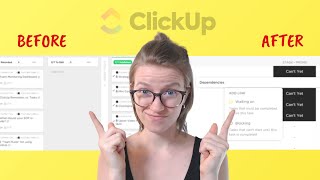
Matt D'Avella walks through his ClickUp setup for managing content, showing how he separates creation from promotion using dependencies to keep his schedule consistent and intentional.
If you're managing your content production or deliverables inside ClickUp, I have a quick little tip for you from my own workspace that I want to just share. Now. I'm going to take you inside my own workspace here, which you know is something I rarely do on the channel. Everything that you're going to see here is actually in a bit of a flux. We're changing some things up. So do not like, put a lot of emphasis on the custom fields and the views that you're seeing, because we are doing some major changes. And I'm going to update you guys with a video once it's all rolled out. But I do want to call your attention to one specific element which is right here on, on this view, called dependency. This is a column for dependency. It's just showing what tasks are related to this task. And as you can probably tell just by what I'm showing you here, we are looking at my YouTube video content creation list. This is in the content creation area. And I also have an area called content promotion. And this strategy is really what I want to share today. Just the fact that you can have two different areas and use a relationship of some kind, in this case a dependency, to connect those two together. Let me show you how exactly this works and I'll explain why I ended up making this decision for us a few months back. So inside the workspace here, these tasks inside the content creation area, each task equals a video that we're creating, and the key steps involved in that process are outlined inside it. But that is the task. Basically this is where we're actually tracking the video creation. And these are some of the ideas that have probably already come out in the channel, but nonetheless they're there. To the right of this, though, the dependency is showing the actual schedule and promotion of the YouTube channel. So if I go over here to June, you can kind of get a sense of how this works. This area, content promotion, is our actual content schedule, whereas this area, content creation, is where the creative work is happening and where the actual original content is being created. With this method, I've a calendar in one area in ClickUp and the actual production happening in another. And when the production is done, we put the produced pieces into the content calendar. And why I really like this structure is it allows me to have a quota. So let me show you what this looks like. Every single week we have two schedule and promote YouTube video tasks. This is all pre made in a list template that we have, which again is kind of changing, but nonetheless this is how we have it here every month has a list, template and schedule and promote YouTube video happens twice during that area with the exception of live streams, if we are doing those in that month to the right. Here we are. We have a dependency column visible. This is a hidden field that is available as long as you have the relationships clickapp turned on. And if you don't know how to use the relationship clickapp, just search ClickUp Relationships and you'll find their help doc where it walks you through how to turn this feature on. But you need that on in order to have the dependency column dependencies then look like this. It allows me to take a piece of information, click this and relate one task to another task. So in this case, if I wanted to promote a particular video in that email newsletter, I would click Add task and click Waiting on and say that this email newsletter is waiting on the creative for that video to be done. Maybe in this case I'll say the eight ways to simplify your ClickUp the video that's going out that Friday, I want that to be the one that's featured in the newsletter. So that video is blocking both of these content production tasks from being done in this way. Again, we're separating the creation from the production and planning. They're two separate elements that ultimately need to be done by two separate groups of people at two separate times. And we're using relationships to bring them back together. What's particularly fun about this is we can also create automations based on this relationship. So if I want to go up here, click automations, add automation. I can say when task is unblocked, meaning the dependency is done, then do whatever else. Change the status, change the stage, change the due date. Because of the way we have this set up, that's saying when this video is done and it no longer is blocking the promotion, we could say promotion is ready to draft. We can do all sorts of things based on this dependency style relationship. And that's one reason why we're using a dependency here and not a custom relationship, because customer relationships at this point in time are not supported by automations. Ultimately, the main reason we adopted this kind of two prong strategy for content and ClickUp. And one of the reasons why I'm leaning into this even more in some of the work we're doing behind the scenes is because it was very important to me to commit to consistency both on YouTube, because YouTube likes that, but also on the blog and the other things that we're doing. I wanted us to be highly consistent because I think that's one of the fastest ways to really grow and see the results from the work that you're doing previously. And what you'll see in most people's ClickUp structures is they're just using ClickUp for production and it's treated more like an assembly line. You have a piece of video that goes through these stages, and when it's done, it's done. And then you schedule it. You end up just having this production line, and whenever something is finished, you throw it into the next published spot in the queue. But for me, at least, I found that there were certain videos I was more excited about, and sometimes I would work out of order. And when we ended up just kind of working like a production line, the videos would all come out. We'd fill the slots most of the time with little hassle, but the overall end result didn't feel like a cohesive story, because it wasn't a cohesive story. We were just creating content. And when the content was done, whatever it had to get done, it went out. And the way it went out might have been, you know, haphazard, it might have not been sequential, but it went out nonetheless. And we just hope that it all made sense in the end. Whereas with this structure now, rather than just having a production line spitting out what it's spitting out at the pace it's spitting, with this method, we have a planning arm, so we have production happening pretty much the same way it did before. But now the production steps of actually scheduling the video, doing the promotion, doing some of the repurposing that is happening on its own planned schedule. And because I can see it all now, I can see it all inside ClickUp here you can see, like, when we had a launch happening, we were able to coordinate our whole content schedule around that launch that's occurring. And we can ensure that the actual content not only fits in with our monthly theme, which is currently how we're organizing content, although that is going to be changing. But not only does it coordinate with our monthly theme here, we can ensure that the actual video content that is going out throughout the month has a sequence that makes sense. When I'm coming in here to plan a month of content, really what I'm doing is I'm going in here, I'm creating a new list template, and once I create that template, I'm just filling these dependency slots. I'm literally just going in here and plugging in ideas and putting them into these slots. And that idea is then turned into a YouTube video content that task, which was then moved through the process until we can actually start doing this stuff here. So by breaking this apart allowed me to be a little bit more intentional and ensure that what was coming out was very well designed. I wanted that to be a cohesive experience. I wanted to have control over how that felt versus just, you know, production line. Whatever came out, that's what happened. But as I said at the beginning, this is actually an area where I'm looking to improve my process pretty significantly. We're doing some pretty exciting, I think, in my opinion, changes to how this process is going to work. So if you're interested in seeing that video, definitely click subscribe and also like this video while you're at it. That helps. Helps a lot. It'll probably be a few months because I want to implement it, work out the kinks, and then share my experience with you guys here. If you click subscribe and you click the little bell, you'll be notified when that comes out. But otherwise, thank you so much for joining me for this quick video. I hope the idea of a quota based system versus a production line is a helpful framework for you and maybe something that you can apply throughout your clickups, workspace, or even your notion account, anywhere with relationships really to help you become a little bit more intentional about your own production line. Because this is a change that has really helped us and hopefully it will help you as well. But otherwise, that's it for this one. Thank you so much for watching and until next time, enjoy the process.










