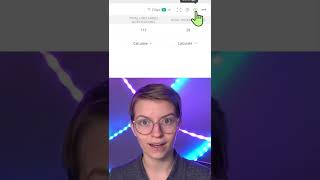
This is a YouTube video titled "ClickUp Notifications Don't Make Sense in Who's Behind Widget" created on January 3, 2023. The content features a single speaker named Tony explaining how to troubleshoot discrepancies between notifications and the "Who's Behind" widget in a ClickUp dashboard, including checking widget settings, filters, and refresh options, and suggesting contacting ClickUp support if issues persist.
Tony's trying to make sure that the notifications actually Uncleared Line up with the notifications showing up as uncleared in the who's behind widget in a ClickUp dashboard. While it's possible a ClickUp bug might be the issue here, we want to first check the actual widget itself to make sure it's set up properly. To do that, we want to go ahead and click on the settings gear on our who's Behind Widget and check to make sure all of these settings actually make sense. You also want to check your filters to make sure that everything that you're tracking in terms of location or anything else is actually appropriate. The second thing I would check is this refresh option here. Let's make sure our data over here is updating regularly. If I just scooch us over there so we can make sure that this dashboard is always showing up to date information and we're not manually needing to refresh it to get those numbers adding up. If your notifications are not lining up with the who's behind widget, once you've checked the settings and the refresh cycle, I would suggest reaching out to ClickUp directly@Helpickup.com and just have them take a peek to see if there might be something off.