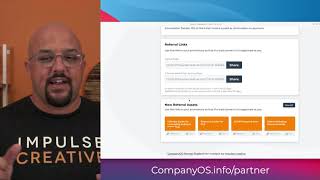
This is a YouTube video titled "CompanyOS: Partner Dashboard App Demo | CRM/Sales Hub App Accelerator 2021" created in June 2021. It features a single speaker, Remington from Impulse Creative, demonstrating how to leverage partner commissions and referral tracking within HubSpot using a partner dashboard app. The content is instructional and focused on CRM and sales hub functionalities for partner management.
Hi, I'm Remington from Impulse Creative and today we get to dig into understanding how you could start leveraging partners and showing partner commissions in a transparent and actionable way, all from within HubSpot. Now, the start of the dashboard all starts with a home base. And so what we've done is for partners, we've created a behind HubSpot CMS membership allows for a partner homepage. Now this partner homepage is going to be the one stop shop for the user to be able to come in and see the current status of the overall 30 day summary as well as whatever updates that you want to provide. As you scroll down, you'll see that you've got a 30 day summary. And so what this is going to allow for you to do is register the number of leads generated. You'll be able to, they'll be able to see how many deals are in progress, the potential revenue of those deals and overall the commissions that have been paid over the past 30 days. Now, as you scroll down, we've got two really exciting areas here. One is the ability for us to leverage referral links. And what we're doing is we're leveraging a unique identifier for that referral id. We've got an area here for specific hot links that we'd want to drive people to, for instance a signup link or you could be taking them to a specific landing page for an ebook offer. The things that you know as an organization are going to be successful for those partners as well as creating a resource library of sorts in the bottom here where you can link people over to certain resources that would accompany their referral link as well as the actual asset URL. So when we click Register a lead, you'll get the Register a lead page. Now while this looks like a simple form, what we're doing here is we're actually allowing the user to register a lead. And so by filling out this form, what it's going to do is it's going to go out, check the CRM, make sure the leads by email doesn't exist, it's going to return back status, either green, that everything's good or it's going to roll right into the warning status and it would say to reach out to the partner manager, whatever the owner of the referral object is. With our registered lead summary, you'll see we have that same block as the homepage and this information will show the running 30 day stats as well as the status of all of the registered leads that are in the system. You'll be able to break that down by an overall status that you define. Now, when we look at the commission dashboard, this is where the rubber meets the road. And coming soon, we'll have the ability to register or withdraw funds via PayPal if you enable it. And we could set any type of criteria that you would want within HubSpot from an automated standpoint or even a manual. If you have any questions, don't hesitate to reach out and we'll see you on the other side.