Creating Post Sale Processes HubSpot Admin HUG November 21, 2023
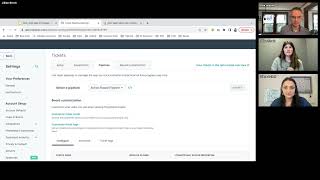
This is a YouTube video titled "Creating Post Sale Processes HubSpot Admin HUG November 21, 2023" containing a recorded session from November 21, 2023. The content features a presentation and live demonstration by Kyle and Jillian from Blue Frog, discussing how to build and automate post-sale processes using HubSpot's ticket pipelines and workflows. The session includes detailed explanations, examples, and Q&A interactions with participants, focusing on managing customer onboarding, task automation, and internal team coordination within HubSpot. Multiple speakers are involved, but none named George B. Thomas.
There it is. Okay, welcome everybody to this session of the HubSpot admins hug. Super excited to have Jillian straight here from Blue Frog to talk to us about a post sale process. Jillian, go ahead and take it away.
Well, awesome. Great to see Everybody. I see 122 people here. Love seeing where everyone's coming from. So definitely put where you're coming from or how far you have to travel for the holidays. I, I know some people travel a long ways, so let's, let's get some fun chats going over there. But a little bit about me. I am the director of research and training at Blue frog, one of HubSpot's agency partners. My role basically entails training all of our clients to get the most value out of HubSpot and get them set up for success for their business needs using the platform. And this topic has come up quite frequently now where people need processes for what happens after that sale happens. So excited to dive in here and show you guys. Not just going to talk today, we're actually going to build and, and look at things in the platform which I know everyone loves to do. So please throw questions in the chat. I know Kyle and Deanna are going to help me walk through those and keep an eye on them. But let's, let's dive right in. All right, let's see if I can share my screen here. All right, here we go. So just kicking it off with basic overview of what is a post sale process. It's basically just any series of events or steps that you take that happen after the close of that deal or one of your customers purchases from you. These can be just for internal purposes for your team to manage who's handling what, where is this customer at in the completion of that task or for following up with those customers and it can be end facing for them. There's different ways you can do this within HubSpot. Couple examples that I have here is in some instances you have a time based post sale process. These tend to be onboardings for your customers. So you need to be up and running and you have our support for 90 days or it's your internal task management where they need to, we need to be sending out these instructions or steps within this amount of time. The other side of it is action based where things have to happen in a certain order. So sometimes it is time bound but they need to accomplish this action before they can move to the next one. Sometimes that can be check in follow ups as well where as a sales rep you want to follow up 30 days after purchase and just see how are things going now depending on the complexities or the teams involved. Excuse me. Sometimes a ticket pipeline is beneficial, other times simple workflows or automated tasks can be perfect present. Martin, I wish you said that earlier. I'm about to move into HubSpot instead, but I will make sure that that gets shared out afterwards. But let's actually dive into some examples. So we're going to start with the time based ticket pipeline example. I jump in to a pipeline here. Now this is a ticket pipeline. If you haven't gotten to this page yet, you can get there from service and then tickets this setup and we'll get into how to build this setup. But this one's based off of how long they have for a certain onboarding or process that you have going on. So traditionally how we like to get these ones set up is upon the closure of a deal of a certain type, it automatically generates this ticket for you and it puts it in new. When that happens, it's going to want to assign it to the correct team member. Maybe you have a dedicated team handling your post sale processes or your dedicated customer onboards, it can be assigned to them. You can pass any deal information into that ticket so that team member has all of the information they need to get up to speed, reach out to the correct contact to get kickoffs scheduled and all of that. But once that ticket gets into this pipeline, it is in that other team's hands to manage that process. A lot will be fully automated and we'll set up that automation process because we don't like to just manually move things here and there. So for example, maybe our Ghostbusters gadgets and gizmos, our team has reached out to them. I'm going to manually move them into make introduction. I have sent them my intro email. I'm waiting for them to get back in touch with me. Once we've gotten that kickoff meeting scheduled, I can move them into kicking off. Now from here. This is where we like to have automation takeover for you because that initial week or so where you're getting things set up and kicked off that can be a little manual. But once you move it into kicking off, you like to base it off of end date. So beauty of the ticket pipeline too is because it is traditionally used for more help desk support styles, it's tracking how long things have been open, when it was created and things like that. But beautiful thing here with your custom properties is to create that end date whether they are always the same where every process is 90 days or if they differ where some are 60, some are 30, some are, you know, eight weeks. Whatever that time frame might be, set that end date so that you can properly put it in the correct place or HubSpot can put it in the correct place for you. And then you can use this to just see where people are at. The other beauty of this ticket pipeline is wow, this is time based. It's looking at, you know, Gandalf's gadgets Is in their 90 day phase. They're not yet in that one week area. There is still a checklist of things that we want them to do. I'm a huge Lord of the Rings fan if anyone hasn't picked on that yet. So while this one is timeline based, you as an internal team might have a set list of things you want them to accomplish during that onboarding period. So you'll notice this tag here for checklist not completed and the deal ticket tags and deal tags can help you just easily identify those tickets that might need a little bit more attention. You can even set them up so that if they are getting in a tighter window of time and maybe three out of the five things haven't been done yet, you, you can even give it more of a notice like this one needs extra attention versus ones that are just kind of doing well on their own. So that's a great use of that there. But let's get into building that automation in the back end because while this looks great, how do you build it? If we dive into our ticket settings and we jump into pipelines. For those who didn't know, I'm sure Kyle shares this one a lot. But that settings button is dynamic so whatever tool you were in, when you click Settings it's going to take you to that tools settings. Fun little tidbit. So if we are in our action based pipeline settings here, you can easily create that new pipeline and add those steps in here. Now just to keep track of all of your open versus completed projects, you can have your statuses appear here as well. So once they get to that completed, you are done there. But let's make sure we're in our timeline based pipeline here. And if we go into Automate, you can build what I like to refer to as mini workflows directly within each stage of your pipeline instead of actually building a workflow. These do show up in the workflow tool, but this can be nice to keep them organized by stage instead of one giant workflow. So new one thing that is a great first step to do Especially if you're moving a client or customer from one team to another is to send out a notification or to assign them a task to do something. So we can easily once a ticket is created in new can do our classic communication or to send internal email notification to our specific team member. That way they get notified. So new on board. So now the onboarding team will get their brand new notification there so that nothing slips through the cracks. From there these two you might just leave as is so that they manually move them to I've made that introduction you can even I like to hear in this make introduction if it gets moved there. So just send a notification back to that that deal owner so that they know in that closed loop they know you've reached Take a moment to look at the chat. Perfect. Yep, kicking off too. I've seen some people like to set it up when a deal sorry when a meeting gets scheduled as well. So you can automate that but completely up to you and the team that you want to work with. Once we start getting into these phases though, we like to have HubSpot automation and take over. So it's just handling what this ticket is actually at for you. Now if you're going to do this I recommend you base it either off of that create date of the ticket. So again you're going to be looking at it's you know, less than 90 days from create or if your time ranges tend to differ and you have true ending dates for these prices processes I recommend having a custom property on those tickets for end date so that you can base this off of it's more than 90 days from that close from that end date. So here what we can do is once it gets to kickoff I like to add an action here for delay until a date property. We can select our end date property. Say if it is 90 days before that end date, cannot type today. I recommend just doing like sometime in the morning. So it's going to hold them there until it notices that that end date is 90 days away or less. Then we can simply move them to the next phase. So set property value, ticket status, say move to 90 days and you basically just keep repeating that process within each of these. So then it's looking at hold here until 60 days before then move to 60 days and so on and so forth. 30 days and one week section. Great things to do is either start sending out reminder emails for things that maybe haven't been done or if you have certain things that need to be accomplished in that final week, sending out Task reminders or just notification saying please do this before it can be completely wrapped up. It is also something we've seen where even if you're in that one week period, it automatically moves to complete once that end date is reached. Other teams like to have a little bit more control over that. Maybe it isn't a true end date and you are completely done, but it's more of a this is just when we hope to be completed. They want to manually move it to complete, but you're at least sending out those notifications to those owners of the ticket that they should be wrapping up at this time. You'll notice too within these little mini workflows you can still send out emails to those contacts tied to your tickets. So all of the contacts or maybe the main point of contact if you're using those association labels. So this can be a great, great benefit for being able to say if you're in this phase, you have 90 days to accomplish these things. Here's your getting started checklist and sending that to them. Great for self service style or just kind of nudging them in the right direction. So now that you have some of your automation running and again you'd kind of copy these throughout the rest of this. If we jump back into our pipeline, if we move those timeless watches to kicking off, we see we have our workflow in there and should kind of take that and move it to the correct spot. It's probably thinking should probably end up in like 30 days. Now if we kind of dive into the details of this one, it is timeline based which is great but, but you still have a checklist of things that you are trying to accomplish with this ticket. So a great way to do that is again with those custom properties, if I look down in here we can see I have my checklist items on the side. So I'm trying to say this and this and this. If it's more of a manual thing where one on one you're working in meetings with these customers and you can say yes, we've completed this item, we've completed this item and save. Then as they move through that process it's easy to say okay, now let's work on item 3 or item 5. Once all items are checked you can say yes, they have completed everything and you internally know you've checked your boxes off while you. But you're still providing that support to your customers. If you've got the custom CRM cards, that's a great little tidbit to pull those in here as well, so you can easily see what's done, what's that end date and all those things coming up. The other approach is more of an action based timeline. So sometimes it's less about how long they have for that post sale process, but they need to do this and then this and then this. So if that's the case, and again you notice in that timeline based process there's still a list of things to do, but it doesn't necessarily matter in what order they're accomplished. But in action based, that order matters. So we jump into this one. You'll see that initial two stages are very similar. We have our new again closing of a deal, have it automatically created, send out your intro email. But then here, just an example of some of the actions you might be doing with them is we have to. This is very HubSpot centric. For those who are familiar with HubSpot onboardings, you have your initial setup of the platform. Once that's done, then we can move into data migration. Then we'll customize your system a little bit more, then we'll train your team and then you have support. So it's very things have to move in a certain order. You can even base it and add those properties in there. So preventing someone from moving it from one stage to another unless they can check something off. So you know, was system configuration completed, yes or no before they can move it to that next stage. This one will probably have a lot less automation running in the background. But again with those pipelines you can set up automation to send tasks out to your internal team, say complete this or schedule this next meeting. You can even let your customers be a little bit more self sufficient and send them emails saying here's how to do this configuration. You guys are really loving those company names. I'm gonna have to keep doing that.
I'm impressed. My demo accounts are always just garbage that I put in at some point. I don't even remember why this is. This is beautiful.
You know, I had too many contacts named Test 1, 2, 3 and so on. So I needed to be more creative.
We appreciate the creativity.
Absolutely, yes. So these are going to be less automated in how your tickets are moving, but a lot more automation in terms of either sending out emails to your customers saying here's how to be self sufficient and start this process or here's things to do before our call about this conversation or those internal tasks and reminders to the team responsible for do this before that next call and things like that. If your process is less about Managing each individual customer or client and more for your own internal sake as maybe the sales rep or the account manager where you just want to check in here and there. I want to follow up just to see how things are going. An add on that you can do outside of the ticket pipelines and just for your own management is to have a post sale follow up workflow that either assigns you tasks or notifications to follow up with your customers. So the best approach. We can't be enrolled in multiple workflows at one time. If you are running into that issue. Most workflows are set up so that you can be enrolled in multiple at one time. I would double check your settings and notifications up here and see under unenrollment and suppression if there are any triggers in there that are preventing your objects from being in more than one workflow. Perfect. I'm curious to hear from everybody. If you were to create based off of how your business operates one of these post sale processes, would yours be more action based or more timeline based? Always curious to hear action. A lot of action based things. You have a lot that move in in order. Interesting. Yeah, I've seen the action based become more and more popular. One thing you can do to prevent your your pipeline from getting way too long if you have many, many different steps is to take it in chunks. So try and categorize your steps a little bit more and then within those. So for example CRM setup, there's probably a lot of steps within that. So using a combination of that phase and the checklist properties to say we've completed this, this and this. Once all of those are complete, we can move them to that next phase. Connection based. We use conditional properties or recommend how to use them. Kyle, I'm surprised there hasn't been a conditional property. I think you had a video on your tips and tricks page, but no hug event yet. Right?
Right. Yeah. Properties is a wild new world. Yeah.
Either the last 30 days of it or specific time frames that you want to grab. Click save there. Now that ticket will automatically be created for those who have had things automatically assigned to them. You know a notification will go out in an email saying you have a new ticket assigned. But if you want, you can also double up on those notifications and either send them another notification with more detail or assign them that task to accomplish the first thing that they need to do like making that introduction email for more of your internal sake as the sales rep moving your customer to the next team. From here you can either create a new workflow to manage this or stay within the same one. But you know if we delay for 30 days so a set amount of time, 30 days after that purchase they should have started and been working with a team or maybe they're self sufficient and that's your onboarding process. But wait 30 days. Then you can either send them an email to check in, assign yourself a task to manually send an email to check in or if you have sales enterprise you can automatically enroll them in a sequence that sends that email for you. But can be quite nice. I'm going to do the create a task option here. This in email type make it do immediately upon it being created and you would kind of just keep that process going. So wait another 30 days then you have your 90 day post sales support. I do agree with you Janelle. Sales can ignore tasks a lot of times but at least you know you're doing your due diligence on putting that responsibility on them. But yes, for those who do have Sales Hub Enterprise being able to automatically send that email can be a great approach or enrolling people in sequences on their behalf so kind of bypass them a little bit. But that can at least help manage you there. Some people do like to do a workflow here instead and do a similar process for moving the ticket from one stage to another instead of those mini ones that we were looking at before. Kind of a personal preference thing there. But you do have all of those options. See there been any burning questions that I should address and pause in here.
I've been pretty impressed with how you're keeping an eye on the chat.
I had two monitors. I think that helps.
Yes, that is the secret to success. Couple questions about recordings. Yeah, this is being recorded. We'll send it out to everyone afterward.
Perfect.
I don't. I don't think there's any questions for you specifically. I guess we've got some stuff in the tune. Do you want to save that for the end or do you want to.
See? I'm looking at some of the Q A we got. Can you automate the entire ticket process based off of deal property changes? Yes, I have seen that work in the past. If that happens you might need a few different workflows that are looking at those different property value changes instead of one workflow looking for all that. But yes, you can say if this gets changed then update the ticket to this. Either by moving it to a certain stage in the pipeline or updating a property value and saying this item has been completed. For Cody's latest question, I have not experienced that issue where an object can't be enrolled in multiple workflows at one time. If you are running into that issue, most workflows are set up so that you can be enrolled in multiple at one time. I would double check your settings and notifications up here and see under unenrollment and suppression if there are any triggers in there that are preventing your objects from being in more than one workflow. Perfect. I'm curious to hear from everybody. If you were to create based off of how your business operates, one of these post sale processes, would yours be more action based or more timeline based? Always curious to hear action based things. You have a lot that move in in order. Interesting. Yeah, I've seen the action based become more and more popular. One thing you can do to prevent your your pipeline from getting way too long if you have many, many different steps is to take it in chunks. So try and categorize your steps a little bit more and then within those. So for example CRM setup, there's probably a lot of steps within that. So using a combination of that phase and the checklist properties to say we've complete this, this and this. Once all of those are complete, we can move them to that next phase. Action based. We use conditional properties or recommend how to use them. Kyle, I'm surprised there hasn't been a conditional property. I think you had a video on your tips and tricks page, but no hug event yet. Right?
Right. Yeah, properties is a wild new world. Yeah, so I mean conditional properties are still basically just properties. I don't think anything about conditional properties will change the way things are enrolled in workflows or the way you filter or display stuff on records. But yeah, I'm curious to hear people disagree.
Yeah. Yes, the checklist idea would be looking at if all of the values are known, so if exactly contains all of the items, then enroll in workflow and move to the next step. The other approach is with within ticket pipelines. Just like with the deal pipeline, you can make property values required to be updated in order to move that ticket manually. So you know, some people don't want to go fully down the automated path right away. They want to get used to things a little bit. For example, in order to move it to data migrate, my checklist items have to be completed so I can require that to be set. The downside with the checklist thing, it's not going to require all of them be checked off, but at least forces the hand of double checking. So in order to move that I have to check off at least one of them and click save. Such great questions. Yes, check requirements are very helpful. I think someone made this comment earlier about teams can be kind of lazy in updating the CRM. This definitely prevents that from happening. You have to force them to update those properties. Perfect. What other questions or thoughts does everybody have?
I've seen a question coming up quite a bit about line items from deals and how you take those into account. Tickets.
Yeah. What I've seen people do in the past is obviously you can't move a line item to a ticket, but I have seen it where within your deals you can look to see if a deal is associated with a certain line item and then you can set a property based off of that. So let's see if I can do this Live filter criteria one. So it's the challenge of doing it live. Line item look for specific line item, name product. So if the deal is associated to a certain line item, you can branch off those different line items and then you'd set a property value set property value on the ticket instead. So that associated ticket that you would have created to then say this ticket is regarding this line item or this product that they purchased. A little bit of a workflow workaround, but it works quite well. Can the workflow or these checklists be exposed to public views customer facing by default? Not necessarily. With HubSpot you can. I've seen some people try and make it work with the customer portal. However you have to do it a little bit differently where you are sending notifications through the conversation inbox. For those who haven't seen what the customer portal experience looks like, it's more for help desk but you can at least show they have open ticket. So if we go service customer portal, it's a little bit of a workaround for a post sale process. But what I've seen some people do is creating a different ticket for each action that they need that client to or customer to complete. So you kind of create your pipeline more action based and less action based but more incomplete and complete. And then each task, each ticket is a different thing they need to complete. So then you have all of those listed here. So configure the portal, do this thing, do this thing. Then they can come in here, see the instructions that you may have outlined here. If they need to submit something back to you, they can do that. But it is a little bit of a workaround compared to kind of sending them email notifications. Very clever. Thank you. Until I spend a lot of time in HubSpot what are the questions? I've been moving through a lot faster than I thought I would.
There's one. Let's see. We're looking to see if HubSpot can help us with customer health score based on activities a customer is supposed to complete like onboarding, product usage and similar.
Gotcha. Um, a lot of that can depend on where those actions are taking place and whether or not you can automate checking off some boxes or if it's more of a manual effort like your team checking that they did that thing and then confirming in HubSpot that yes they did that. Whether you're not you're using one checklist property or a few different property values to indicate that they completed certain actions, you can use those to score them. So you know, if I was looking at the checklist property I have in this ticket, you could create a ticket property information score. Is that a contact company or deal? So that one's not going to work on the ticket itself, but you could pass it off to the contact record. Or if you pick just a number, you can use a workflow to increase or decrease that number property. So it still feels like a score, it's just not set up the same way as the scoring properties you're used to. So we have our score. You can come into your workflows, create brand new ticket based workflow and your enrollment trigger could be with certain filter criteria. So we can look at our either specific checklist. So checklist items is any of one one of them is done or you can do when properties get updated. Then under this CRM tab you can increase or decrease a property value so you can increase score by 5 if all of them are completed or by 1 if one of them are complete. Yes ticket proper tickets are available to all regardless of what hub you've invested in upgrading. With Service Hub, either starter, professional or Enterprise just unlocks additional features like the customer portal being able to send surveys out automatically. So anything under this service tab, your feedback surveys a knowledge base and that customer portal would be with Service Hub as a purchase.
Let's see, there's a couple more that were upvoted. Let's get those to you. Can you create a task or ticket when sales update or saves a playbook so that customer success or professional services can take the customer to the next stage.
So it sounds like you're using playbooks on the deal or at least the contact or company. I would say just by using a playbook on its own it'll be harder to automate certain processes off of that, but with any of the prompts that you have in your playbook and I think this is either professional or enterprise only, you can have those prompts be saved to properties instead of just being a prompt itself in the playbook. If that's the case, you can then look at the updating of that property to reflect some triggers and reflect on that ticket. I put the link to the Playbooks.
Knowledge base in there in case anybody wants to check that out a little bit further.
So many great questions. Let's see.
Can you show an effect of not making deliverables from a client to us due to when? Like for example due on a Wednesday, not delivered until Friday and how it affects the schedule. Very specific.
I would love that to be a built in feature that does take some just communication efforts. I've seen it where you give them a due date and you send out an email and say you have to complete this by this date. You can look at if the property gets updated by that date and if it doesn't then sending them a notice saying this is going to be the new date for when this can get started. I know a lot of sequences of events where you have to have this thing done in order to move to the next thing and if they are delayed it's going to push timelines back. That is an approach I've taken. It's a little harder to have it visually represented, but just being able to send it out with email notifications can help. Better way to describe that might be on your ticket having some sort of next step start date or some sort of date property where you're storing when that next phase is supposed to start or your estimated completion of that project then based off of when you're getting those responses from your customers or when you're checking off yes, delay until a property is updated. If that is updated after a certain other property that you have that's set for next due date, then you can push that timeline back and by having that timeline be updated send out a notification to that customer saying timelines have been adjusted because you were three days late.
I like that. See there was another so I'm trying to create a post sales process and I want to have a sales deal move in to close one and then create a new deal with all of the same info and in an installation pipeline of the product base for the customer success team. Should we be creating tickets instead of.
Deals or do deals work so deals can work? The general rule of thumb I recommend is if you need something new created that's almost identical to that deal if it's renewal based or monetary based create a new deal. But if it's more process based or like check in style, tickets can be nice simply because it puts them in different places. So subscription renewals or upsells are great examples for creating a new deal pipeline. So you can manage that renewals and you can do the same process with this post sale follow up where once that deal is closed it creates a ticket but instead you can create a new deal. So instead of creating a ticket we can create a new deal. HubSpot is going to warn you that that will create an infinite loop. But what I've seen a lot of people do is they'll carry over deal name and then they'll also add to it like renewal or year four or something like that.
We have a follow up to the account score question do we use dashboard to see the visuals on which account is at risk for churn or ActiveCore for great product usage?
Great question. Yes, any kind of reporting will be helpful. If you have properties that indicate you know they had 90 days and they only set up two out of the 12 things that were recommended to them, they might be at risk for Churn. Either a list or a report can easily show you that. I've seen some people and it's kind of a personal preference thing on how you like to manage these. But once that something is complete and you can flag those criteria for potential risk of Churn moving them to a different ticket pipeline for Churn potential, that way it's more easily manageable. Just those. But yes, reporting is a great example. See if I can show some reporting dashboards. Here's an example where within your tickets you can monitor your team workload. So who has how many currently active in that pipeline? Which ones are set to be ending on certain dates? So you can manage if you have the bandwidth to take on new ones. And then if we jump down here, this is kind of that scoring that we look at here is how many have completed that checklist item. So no versus yes. Some of them end up being partials and things like that. But that's some of the reporting for those that are more action based and less timeline. Because you're using the service tickets, it is tracking how long it takes you to close that ticket. So you could start to get metrics on how long it takes your team to complete all of those items. That way you can better forecast when you have items.
Looks like we've got one more question in there. How granular is ideal when we're breaking out internal processes during or after the sales process. While working through a sale, our success team has several steps to take to support the sales. From getting and setting pricing to coordinating the shipment of a sample and demo. Is it ideal to have all of this in a singular ticket pipeline for the success team to live in one place? Or does it make more sense to divide these between their pipelines? So you kind of touched on that a little bit.
But yeah, I know it's not everyone's preferred response when I say it depends. But the way I view that is when you have different teams helping you with different processes in the deal process. So before something gets closed, some prefer where you create a new ticket for each thing that needs done and you can automate that. So when your deal gets to a certain stage where you need to get pricing information, create a ticket and assign it to that team with all the information that they need, or a task works as well, then they can complete that one, give you the information, then you're done. Then if it moves to the next stage and you need proposals again, same process, create a new ticket, have it assigned, move that way if the process is always the same four steps every time. Some do prefer to just have one ticket be created for the support that that team needs to provide to the sales team. But then they have tasks for things that need to be complete and they get notified when the deal gets updated so they know they can move on to the next thing.
Love it. I think we had one more question just pop in. I saw it show up.
Should.
Should we view this as an answer to project software and other per client basis. I think was just a response to your question.
Yeah.
Awesome. I'm not seeing any more questions in the Q and A panel. I know there's been a ton going on in the chat. I've been trying to manage the chat. I see. I mean the Q and A. I see Kyle over in the chat trying to. We're just double dutying everything over here. Anybody's got any further questions, definitely get those in. We've got a few more minutes. If, if you would. I put the survey in the chat. I'm going to put it in again since it got kind of buried. If you guys wouldn't mind sharing that and are clicking on that so that we can share that feedback with everyone. I've never been so engaged in these calls.
You're welcome.
Cody. Yes, Jillian. We really appreciate all of the information that you're sharing because a lot of people have These questions and they're just not sure how to ask them. So. Appreciate the demos.
Yeah. Jillian, if people want to connect with you after this, what's your preferred.
Absolutely. LinkedIn is always a great spot. I'm probably too diligent at responding to messages, so let me drop that in the chat for anyone who wants to connect. Otherwise I'll join that spark to your Slack channel too.
Awesome. Even better.
Very cool. Absolutely. I don't think people. So hopefully the recording, they can go back and look at it.
No, for sure, we did get. Let's see, we got a. Any best practices for upsell or more services after a project is closed?
You know, most of the time when you have tickets and you're managing client or customer engagements and you have a dedicated team interacting with them, the best approach, because they're going to be the first ones to realize like there's potential here for more services or an upsell in this product, either immediately or down the road. The best approach is just to have them notify the sales team or update something on the ticket that can be pushed back to the sales team. I find the more you are able to get that human approach and it's not just a hey, we heard or it's been a while and we think you might need this. That's kind of the best approach there is to have them update it and say good fit for this.
Keep the human element in involved for sure. Appreciate that. Well, Jillian, we really appreciate you having you and love the. All of the examples and of course the demo information was great. Everyone loved that. I always love that extra personality when. When we get to see into the minds of the speaker. So absolutely appreciate that. So thank you so much everyone. Make sure you connect and get in touch with Jillian. I think that's a wrap, guys.
Agreed. I am just as promised, taking screenshots, all the requests for more than 10 tags. So I'm collecting those. But you are all free to go.
Yeah.
Been very diligent back there. I'm watching, I'm seeing it happen.
Yes.
There you go, guys.
Have a good one, everybody.
Bye.
I'm not gonna kill it until you are done taking photos.
Then. I wish. I wish there was threading like in Slack because then I could just take one screenshot instead of having to piece them all together. Okay, I think this is the last one. I think I've got them all now.
Okay.
All right.










