Custom coded workflow actions WORKSHOP | HubSpot Admin HUG | October 31, 2023
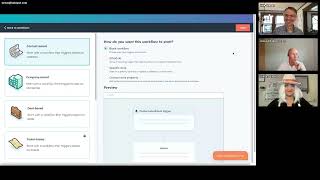
Willem and Kyle walk through building custom coded workflow actions in HubSpot, including live coding and API integrations with Kickbox. They cover error handling and answer questions from participants on automation and custom workflows.
Is to bring additional value to my customers. And what I see is that quite a few of them don't leverage Operations Hub Pro with the custom coded accidents. So that's why me and Kyle and Dana got together and said, well, let's try to do a workshop so that the people can't just read about it. They can actually say, well, you know, we're gonna make something, we're gonna do something. So the purpose of today is not to create the fanciest workflow that we possibly can, but to actually get our hands dirty. So keep that in mind. What that means is that I will share my screen and I will try to build something live. I will make typos, I will make mistakes and we'll sort it out. Realistically for at least some of you, you will do the same. And in case you see me make a mistake, well, call it out or just bully me or whatever. It's all fine. So to try right now, this video.
Is going to get banned.
Probably. So let's see if I can start sharing my screen and that should show you my account. Basically, keep in mind that in order to keep it fair, I have an account with a trial in there with just when it loads the two basic standard contacts in there. There is nothing special about this account. Everything is just as basic as you can get it. And that's just to make sure that everybody understand there is nothing fancy going on. There is a trial on there. So I have Operation Top Pro in here. For the rest, I just have two free tools now in order to try to create something, we need to think what we're gonna do. So in this case, we're gonna use Kickbox. Kickbox is a surface where you can send an email address to and it will get back to you with quite a bit information. The only thing that I'm interested in today is that it gets a sendex score. So the Sandex score is how likely is it that this will actually end up in an inbox? Or how likely is it that it will bounce? And the closer to one that it is, the more likely it won't bounce. The closer to zero, the more likely it will bounce. So what we're going to do is we're going to store that sendex score in a property. So in order to do that, we're going to go to the settings and properties and we're already in the content properties, we should select a group that's, let's just for now say email information, but it doesn't really matter. Looks about right. It should be a number type because as I explained, it gives back a numeric value and I do not need any rules. What I also need is Cakebox account. What I already have is the API key and we're gonna get back to that in just a bit. But do keep that in mind. And if we go back in here, what we need, since the workflow will write something to the database to the CRM, we need a private app that has that permission. So if I go to private apps, then you will see that I do not have a private app right now. Let's give it a little bit more of a descriptive name and keep in mind it doesn't really matter. I do not need a description for now. What I do need is the permissions to actually allow this to store something. And of course this is really important to give it just the right permissions. I can allow it basically everything, but that's not really the most secure way. So what in this case we're gonna do is we have something with the CRM, the objects, it needs to have something to do with the contacts. Now in theory I could get away with just to write. I also when I have to write, I like to read. And that's all I need for now. Yeah, yeah, yeah. I want to create that. Go away and that gives me the token. Now do keep in mind that you should never show somebody the token because if you do, then they have all the permissions within the scope that I just gave. So if somebody would have this, they can actually create a call to my portal and do something funny. Now I'm gonna just copy that and that's basically it. So what I am gonna do right now is I'm gonna go to automation to workflows and I'm gonna try to start and create the basics of the workflow before I actually start with. And if you think that this looks a little bit funny, well, you should follow the other. Everything will be explained why this looks this way. I'm going to start one from scratch. It will be contact based because what will happen is a contact will enroll and for that contact we will check the email address. Normally you would figure out the enrollment trigger when you want to send this to somebody. Right now all I care about is the custom code, so I'm going to straight away include a stab and that has something to do with no, didn't get that custom code. And in here I need to figure out what I want to do. Now what I do start with is node js. Some people prefer Python I prefer Node js and that is broader supported. So that is for me also the reason I need to include a secret, because something like the API key is what we really want as a secret, where it's not visible to whoever looks at the code. So in this case I'm gonna add a secret and I'm gonna give this a name. Now what is more important is that I actually put in the secret, but for now I'm gonna say private app key. Not really descriptive, but it will do for today. And I'm actually gonna copy that maybe for later or just type that over. What you also saw is that with the same logics, I already created a kickbox key and the kickbox key comes from here. And I'm actually not gonna show this one. I'm also going to include that. And here we have properties that we can include. And I will explain this a little bit better later. But for now just know that we want to do something with the email address and this will pass the email address into partially into the next bit of code. But I said, I explained that a little bit later. In just a bit. Now this sets up everything for the workflow itself and that means that the rest is basically just the code. This gives me a little bit of a starter. But what I'm actually going to do is I'm going to go for the documentation and if I look in here, I will find the supported libraries. Keep in mind, you can just google this and if you Google custom coded workflow actions, you will find this exact documentation. And I might just as well put it in the chat as well. Now what is important here is that you will have a number of libraries that you can use to do something that to bring in additional functionality in custom coded workflows. And one of them that most people will know who use custom coded actions is that you can actually connect to the HubSpot API. And something that I want to call out right now is that it connects through the SDK version 8 and that will become important in just a little bit. What we also have is the request library. And the request library was a common library used to make API calls. Now what I say is it was because I believe it's obsolete and deprecated for quite a number of years. Axios is the more recent version. And if you don't know what all of these are, keep in mind, we nowadays have something called ChatGPT. You just throw it in there. You say what that I'm gonna make sure that you're not that bandcal but I was gonna say what the is that making an effort? And in this case, since we are connecting to Kickbox, we really want to go include Axios in here. Now, for Python we have different libraries and what we have here is basically a code sample. Now what I'm going to do is I'm going to take the code sample. Keep in mind that anything like this is a comment. So we don't really need most of the comments. I'm just going to start with copy and pasting that and from there I'm going to look over it and see if it all makes sense. Now what you will see here is that it starts by saying, and I'm going to scroll down just a little bit to get more screen real estate constant HubSpot require and that is the library that you saw. So one of the things that I want to start with is I want to include the one I just mentioned as well. So I'm going to say constant and that is the library for the API calls and I'm going to require it the same way as mentioned in the documentation. Keep that in mind. It started at the very top by saying you should require that. So I'm gonna do the exact same is and what am I gonna require? That is, and that gives me right now the capability to do an API call. Now what we have on the next line is export main and this will be the main event, what we're going to run basically when the workflow runs. What I do want to note here is that we have the event data and the callback. What this means is the event is actually what goes inside the workflow and the callback is what you will actually push out of the workflow. So we have here a little bit of a description on how to use secrets. For now I'm just gonna remove that and here we start connecting to the HubSpot API. Now this has the secret name and what I want to include here is my API key. Now in case I don't know that anymore, that's private app key and that should be okay for now. Then we're gonna in the example, do something with the phone. Don't see the need for that. Then we're gonna try something and I'm gonna explain that in just a bit and then we're gonna catch the error. And again I will, I'm just gonna clean up the code before I will explain the rest of it. So what this actually does is it will say I'm gonna try to do something and if I succeed that's okay. If not, I'm gonna catch the error, and that is this bit, and I'm going to log the error to the console and I'm actually going to throw an error. And what that throwing an error means is that HubSpot will likely retry. Because if, let's say there's a rate limit that you meet or that you exceed, then you really want this workflow to run again, and that's why we throw an error. So right now we have a workflow that literally does just about nothing. What we have is an email address that is passed into this. And this way we're going to say from the event, and keep in mind the event is what is pushed into this. We're going to take the input field. If we scroll up, this is the input field, and we're going to take the one called email and make that available in a constant called email. Now, for now, I'm going to say we're going to move that up. And so far it should be pretty okay, I assume. So the next thing we want to do is we actually want to go to Kickbox and ask Kickbox, or pass the email address to Kickbox and ask Kickbox, what will you give me back? What we need for that is the Kickbox API. So the API key, which I already stored in a secret, and we need the email address. So we have the email address, we have the API key in there, and from there we're going to use a little bit of code. So what we're going to do that goes inside of the trial, because keep in mind that this is what we're gonna try. And you see that it gives a descriptive error message saying, well, you're doing nothing, basically, which is very, very true. So what we're gonna do is we're gonna say Axios, because that's the protocol or that's the function that we're actually gonna use to try to connect to Kickbox. And then the question is, how do we proceed from here? What is actually the endpoint? And if we look at the documentation from Kickbox, you can see here that we actually get a pretty descriptive bit of what we should do. So I'm going to copy that over.
Willem, we can only see the HubSpot screen. FYI.
First of all, thank you for mentioning that. Didn't know that. Did we already complain about Bevy, that it may be a little bit different? So let's. I put it in the chat and if you open that or let me try to stop sharing and try to go to the API overview now, you should be able to see at least the documentation. And in the documentation here you can say, well, if you want to call out out to Kickbox, then this is how you're gonna do it. So I copied over this part, or at least I tried. And do keep in mind that this is something where we say get something. Get means that I want to get something from Kickbox. In this case, I want to get the sendex score and likely little bit more. So what do I want Axios to do? I want it to get me something. And what do I want it to get?
Now we're still seeing the documentation.
Yeah, my bad. Let's try that again. So what I did was I said, since we're telling Axios to do something, what do we want it to do? That was the get bit. And I wanted to get me something from that URL. Why do I have an error? I have two, two closing braces. So yeah, so far I would say looking good. Despite that, it gives me an error. So what do we have in here that is not okay? We have an email address and what we want there is we want this replaced with the correct email address. And the correct email address is stored in the variable email. So how we're going to call that is with dollar open curly braces, closing curly braces and email in there. And hopefully that's gonna work. Keep in mind that I'm still writing it, so any errors that it right now gives, I can pretty much live with. And the API key should be kind of the same dollar sign, open and closing curly braces. And how do I actually get the API key in here? Now what we should know is that we kind of have the same here. So I'm gonna copy and paste just to make sure that I don't make any typo, and then scroll up a little bit to see that it was kickbox key. So I think that I have the URL correct right now. What I'm missing is that the URL isn't just a URL as in text, but it includes a little bit of JavaScript right now. So that means that I should use backtick there and a backtick there. And now it has two. And let's see what, what else it gives. It does give me an error, which I was not entirely expecting what that may be. Ah, the closing back. Yeah, sorry about that. So, yep, I am messing up somehow with the curly braces. I'm sorry for pausing just a bit, but I'm trying to.
The last One should be a parenthesis, not a curly.
No. Yeah, no, this is not a backtick, basically. So it has one normal quote sign and one backtick. And that seems to be the cause.
But also the thing after it closing out the Axios git, is that a curly. It should be a regular. Yeah, one of those. There we go.
And that seems to be the cost.
But also the thing after it closing out the Axios git, is that a curly. It should be a regular. Yeah, one of those. There we go.
There we go. Now what we should mention also is that we're doing things asynchronous here. So that may mean that this will actually, if we run this code, it may give a response at a time that we're not expecting. So what we can do for that is, is actually say await till this is executed. And the next question is, what are we going to do with this? And I really, for now would like to say I'm going to test this out because how I write code is I'm not, as you have seen, the most, well, handy developer. I'm just going to test it as I write the code. So I'm going to get, say I'm gonna log something to the console. This will make sense in just a bit. And for that I need to actually store this. So that means that I'm going to create a variable, I'm going to call that response and with I can actually keep in mind, same thing again, I can actually write that to the console. So right now it still gives me a warning that I'm doing something with the HubSpot API, but I'm not using that, which totally is correct. But I'm going to resort to that a little bit later. So for now let's just see what I got back. So I'm gonna scroll down, I'm gonna click on past action. This is gonna be exciting. Which of the two contacts I will pick now go away. And this always takes a little while. And there we go. It's still successful. So nothing broke and I get a whole lot of information. Now is this really what I wanted or is it just a whole lot more? Oh, look, we have data here. And inside of the data we have my Sandex score. So basically I don't want everything, I just want the data. What I can do is if I go back to the code, I could say const data is response and out of the response I just want the data. And now I'm going to ask it to just log the data. Yeah, it's A little bit annoying that it's that long, but if I test it again, you will see that I just got back what I really would like to see. There are easier and quicker ways to do this by basically saying, deconstruct the same during the creation of the response. So if I'm correct, it's curly brace in curly braces, putting the data directly. And I'm sure that somebody in the chat can verify that. But basically this gets me where I want. So then the next question is, now that I have that, what are we going to do with that? We have seen that we got a valid response and now we need to do something with that. So we're going to kind of do the same and we're going to store this, but we're not going to do a get. We're going to directly communicate with the HubSpot SDK, because keep in mind, we loaded that previously and I am aware that while I switch screens, you're not seeing the right one anymore.
You learn quick, Willem.
Let's put that up for debate. I'm gonna try to paste that in the chat as well. What you can see here is that we're gonna store something in the contacts. So what I did was in the developer documentation, and the developer documentation is normally pretty decent. We're going to look at what exactly we need to do to make that happen. If I go to the endpoint and. Sorry, Dennis, I'm trying to read your comment now, right now. Oh, yeah, the dot notation. You are right. Every time you go one step further, you can place a dot to actually get that. What we're going to do with the contact record is we're not going to do a batch action, we're going to do a basic action and we're gonna update a record. Keep in mind that we're not gonna update everything in the record, but it's just one small bit in the record. And normally this makes the page scroll down. Let's try to find it. Update a batch of records, and somehow the page is not really responding the way I expected. So let's try to just refresh the page, go to the endpoints, and this gets me to update. So here I have pretty clear instructions on how I should update a record. This may be a little bit long and look a little bit daunting. Keep that in mind. But basically we can see here we are doing something with that record, and then we're going to do a console log. So in theory, this is the main bit that I would be looking for. And from here I'm gonna switch a little bit back and forward. So hopefully doesn't annoy everybody too much with the screen share.
Can you drop that thing you just copied into the chat so I don't have to look it up myself?
Absolutely. What I do want to say is everybody will have access to the full code. So do not think that if you miss out on just a bit that all is lost, that sort of thing. So it's still going to be within the try. And before we actually catch an error, do keep that in mind and I'm gonna start off with that. Now what I do notice is that we have something in here and an error. And basically this for me is a little bit questionable. I'm gonna. I know that we have Dennis in here, but what I'm expecting is that potentially this is just a flaw in the documentation. So if I'm going to do that, then it gives me the contact id, which does make sense to me. And it will say you should put in the simple public object input. Now again, I did warn you that I'm going to switch back and forward slightly. If my assumption is correct, then we should have something in here with the properties basically that I want to update. So if I'm going to look through here, I will see that this is actually an array and in the array we have the properties and the properties are given here. So potentially. And again, I'm going to stop sharing my screen and share the other screen again. So we're going to start with the contact id. How do I get the contact id? I can do that in two ways. I could have at the very top included the contact ID in there because it can pull it from the object that is passed through. But there's also another way, and I'm going to show you that other way as well. Keep in mind that I mentioned that we have something like the event itself. The event contains an object and that object has properties including that object. Of course. Keep in mind that this is a contact based workflow. So the objects that is passed into this is the contact. And then all I need is the object id which will be the enrolled contact. What you can always do is a console log and look through this. If you don't know exactly how to write it, is it ID with capital B as well or not? But in this case we're just going to say we're going to save a little bit of time and this is basically the one. So for what we want to update the properties itself right now it has the simple object. But I'm not going to create the entire drill down with putting something in something else and then inside here just for the kickboxer and the semic score. So what I'm going to do is I'm going to say keep in mind the simple object input was an array. And in that array we had something called properties. And for those who wonder why the properties are not directly in there, do understand that we have the properties itself, but also the associations. So we have a separate object or a separate section for the associations, which. Which we're not going to look at. But this basically means that right now we are only looking for the properties. Now, the properties itself is of course also an array because it can contain multiple properties. And just for readability, I'm going to put in another enterprise. And then the question is, what is the property that we want to update? I hope everybody recalls that we created this property and this should hopefully therefore work.
Sorry, just to interrupt real quick. That's going to be the property's internal name, right?
That is going to be how I called the property. So that's indeed the internal name.
And since you named yours with underscores in it, the internal name and label are probably the same, but just for people's future reference.
Absolutely. So that is a very good call out. So what will that be? That is do keep in mind that if it's still at open at the bottom with the test, what did it give back? Sendex. So that was part of the data array. So here we expect data. Sendex. Yeah, should be it. Fingers crossed, right? Not seeing any errors. So right now I assume that this should be pretty much it and I'm gonna test it again. This is always the part where we should get the Nerf is so we have an error. And I hope that everybody understands errors are always fun because it gives me. Well, it kind of lets me do what perhaps another beginner like myself would also do. What I see here is that there's an error in there. We have something with this function that's not working. Okay, so then the question is, did I put everything in here? Is it patch? Is it BASIC API? And for that I could go back to the documentation, which would make sense. But for now I may just question if patch is really do right. Well, we're gonna call that a prototype and a prototype. You should see that as a function. So going back, one of the things that we should keep in mind here is that I kind of messed around with this a little bit, removing part of the code. So did I actually do this right? And is this actually patch? Spoiler alert is what I mentioned. This is SDK version 8. The documentation is for SDK version 9. And in SDK version 9 it probably is patch. Now the question then is, how am I going to deal with this? And what I can do is go to ChatGPT, ask ChatGPT how do I get the available functions for that. And what it will get back to me with is saying, and just bear with me while I copy that. And that's what I actually did. ChatGPT will tell me something like make a console log, ask the prototypes. So kind of read that as the functions that are in here. For now, I'm gonna cut that out and I'm gonna run this and hopefully get back the functions which should include. So we have constructor, archive, create, getbyid, get page and update. Now, for the geniuses out there, can it actually be that if I want to update a contact record that I should say update and not patch? Could be right. So let's go back, let's remove that bit again and say update, try again. Do we see that we right now have success? That is just the bit that I still logged in there. And all of a sudden we have a fully functioning workflow to try to wrap the most bit up. And I hope that this was kind of clear for everybody that this was not necessarily an error in the documentation. It's just that there's a difference between SDK version 8 and 9, and we likely have some people who will verify that. But it did work. It is working right now. And, and something like that. Like I said, if you ask ChatGPT, get me from this bit, the prototypes, it will give you that same console log that I showed you. The catch error. That's for me, looking quite nice. Then we have the last bit, the callback, and what we actually want to put in the callback and is the SENDEX score. For now, do keep in mind that that is already stored in the contact record. So in a next workflow step, you can actually directly call that. But for now, just for good measure, I could say I'm going to make that available here. And as an output field, I'm going to say Xandex score is data.sandex. and what that does mean is that I have to include an output, which is which, where the name should match and that's a number. Did I just make a typo there? Pretty sure I did. Now you know why I copy paste, because at least then I Have to typo twice. And there we have it. It's passed back to the workflow. Everything is successful and within an hour.
Amazing. How's everyone feeling? We got some questions in the Q.
And A. Oh, gosh. I'm sure that there are a lot of smarter people in as the participants who can answer them, but I'm gonna give it a go. Oh, boy. Doesn't sound good when you say that, Kyle.
We have uploading now, so maybe, maybe we can give everybody a second to do some upvoting. Yeah, how about everybody go into the Q A. Upvotes are back. Hooray. Upload your favorite questions. There are only eight questions here, but we only have six minutes, so we'll get as far as we can. I guess I will say I followed along really well, but I have one final error. I don't know. I stumbled at the finish line, so I'll be puzzling over.
That's why we share the completed code as well.
Perfect.
And what you saw me do just as I wrapped up the code was actually, say, not Sandex, but more like scene decks or something like that. You know, that happens realistically. And yeah, that can seriously break it.
Okay, so the most upvoted question is the one that made me say, oh, boy. So apparently other people understand what this question means. I sure don't. So, Chad, my good friend Chad, he says, can we go over uploading a file from a URL that was passed to a property in HubSpot and upload it to a note associated to the record so it shows up as an attachment? That sounds really complicated, Chad, with five minutes to spend there.
And do keep in mind that the purpose for today was to try to build a workflow that is simple. And if you want to upload something in a file, if I'm correct, you should attach it to a note to make sure that it is associated correctly.
Makes sense.
I'm not sure that that makes sense, but it is the only way that works.
We'll squeeze in a couple more questions here. Laura asks, the main problem I have with a custom code is that if you add a list with many contacts, the custom code starts to show errors. Because there are many calls at the same time, it is not possible to handle queues in the custom code. Any suggestions or solutions for that.
For me, if you indeed work with a very high number of contacts, yes, you are right. What this workflow is meant to do is basically try to leverage the cake box API on a somewhat smaller scale. What we do see is that there is A rate limit. What you actually get back in the workflow is how many API calls you can still make. But realistically, yeah, that's why you should make sure that whatever kind of workflow you write, that the rate limit to the HubSpot API is not exceeded. And what I have seen some of my customers do is that for something where I feel like you can, for instance, leverage the GraphQL API to make one call, get one answer back, and utilize that, they instead try to daisy chain API calls and failed because of the rate limits. So this particular workflow, I'm not sure if this will ever exceed the rate limits. But yeah, HubSpot is pretty okay with managing that. And that's also partially why we put in the error handling.
Yeah, okay. I think that's as many questions as we're going to get through. Thanks everyone for being here. Willem, if people want to connect with you after this, what's your preferred method for that?
LinkedIn.
Great.
I don't know if I should share that in the chat or if you're gonna follow up in an email. Whatever you proc.
If you have it handy, it'd be great to drop it in the chat. I can probably get it really quick. We have about a minute and a half left, but yeah, thanks so much for being here. Thanks everyone for showing up. This is our first time doing a workshop sort of thing. Please give us feedback and let us know if this was useful. If there's some way we could. If there are other things you would like to see workshops around, happy to make this a thing we do.
And thank you all for your time. Now do keep in mind, as you said yourself, Kyle, there are some really other interesting workshops. Sorry, not workshops, but. But hugs. Do look at them as well.
Yeah, for sure. So I just dropped Willem's LinkedIn in the chat. With that we're gonna call it a day. Thanks again, Willem. This is great. Thanks everyone for being here and have a happy Halloween if that's a thing you do. Everybody.
Thanks.
Bye.
Bye.










