Custom Quote Template Beta workshop with Aptitude 8
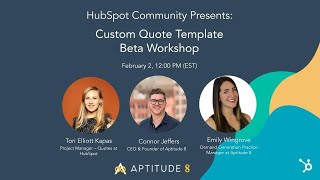
Tori from HubSpot, Connor Jeffers, and Em from Aptitude 8 walk through the new custom quote templates beta feature. They cover technical capabilities, CRM integration, and how to customize quotes for your workflow, with a Q&A on API usage and feature requests.
Yes, yes, it will be recorded. You know what, while we're just waiting and I apologize for interrupting you two, but I am going to do a little housekeeping and just say one yes, this will be recorded. It'll be available on the developer YouTube channel afterwards. I will also be sending out an email to everyone who registered. You can also find on the community. So yes, yes, yes, recorded and available for everyone. If you have questions, you'll notice on the right there should be a chat. There is a tab there says Q and A. So if you go ahead and just put your drop your questions there, we have the lovely John McLaren who is on chat duty today so he can drop some knowledge as well as our esteemed guests that you see on the screen presently. And beyond that, I think let's just get going. You guys are all here to talk about custom quotes templates. It's a beta we have out at HubSpot. I have some very, very special guests with me that are much smarter than I am and can talk better than I do. So I'll go ahead and introduce them now. First of all, we have Ann Wingrove and Connor Jeffers joining us from Aptitude Feet. They've done amazing things, you've probably heard of them and they'll teach you many things. We also are lucky to have Tori on the line here. On the line. What, what era am I from? She is the product manager for Quotes. So if you have questions, these are the people to ask. Again, I direct you to the Q and A area. Yell at them. With that being said, I think I'm going to hand it out over to Tori who, who is going to save me.
I will do my best. So as previously mentioned, my name is Tori. I am actually the new product manager for Quotes. I'm coming to you from our CMS Hub and Marketplace, which means I'm even more excited to be here and working on our new custom quote feature, which I'm going to intro you to here in the next moment. But before or after we do that, we are also going to hear about some really, really amazing use cases from Em and Connor and those are really going to kind of highlight what is possible on this tool today. And then of course we're just going to leave plenty of time for questions at the end. So let's just go ahead and dive into this new custom quotes experience, why they exist and what they're all about. So at HubSpot we've had a quoting tool for a while now and that quoting tools allowed to leverage select CRM Data via deals and product line items to quote their customers and then kind of transact with them. It's you know, kind of a rough term I'm going to be using here, which ultimately means you're able to exchange payment or kind of that signature, that promise to work with each other that's ultimately going to close deals and grow your business. Now this is a great tool. We've got a lot of positive feedback from it. However, it has kind of like one pretty small problem in which we've gotten even more feedback about and that is the posts that we've seen coming through on the ideas forum. They're in our kind of top five in the ideas and they have almost the single comment has over 800 upvotes and it's kind of to summarize that idea. It's, you know, there's no flexibility here and that flexibility really shows in a ways that you leverage the content data and potentially like design brand elements you're looking for. You can't propose contract invoice with these. Maybe you want to add multiple line item tables or for multiple brands and domains. You just can't do that today. Which is why we've set out to create a new solution. Caitlin, go ahead and hop on over a couple slides here. So one of my favorite items of feedback actually from that ideas forum is that I think it's on to summarize it says something like why on earth would we introduce a new content type that does not work like the other content types. And so what we've done so far with the traditional tool is really allow against sales professionals to have a pretty streamlined process powered by data to quote. However, the inconsistencies really come through for our other Personas like our developers, our marketers and admins and even your customers. We really want to lean into your customers experience here. And so to kind of solve for that and ensure that because it's an experience, what we've done is leverage our CRM and the data in it and our kind of content piece, our CMS tools to ensure that we can really lean in to consistency and that consistency manifests in a few different ways. So what we really wanted to do is create that consistent experience from a setup perspective for web developers, admins, marketers and reps. That's going to increase your time to value because you're not going to have to redo redundant work. You're not going to have to learn something new. It's going to ensure that you have a more powerful and flexible experience that you can leverage more data, more modules, things that you're already familiar with throughout our other tools to ensure a more personalized experience that's build trust with your customers and in turn grow your business. I think a really good example of this is like you're on you, you've interacted with your, with a business for a little bit, right? You've gone from maybe their website, you've got a few emails, potentially a landing page, and then you get to where you actually have to give them your money or sign your life away. And it looks nothing like it, right? And you're like, whoa, whoa, whoa, something's going off in your head. This is inconsistent. I. This is not building the trust that I want it to. And so ultimately by leveraging those kind of tools that we have out of the box and, and HubSpot, we don't only want to drive a consistent experience for you all creating these, but we want to make sure the end user experience is magical and delightful too and builds that trust, builds those relationships that enable you to transact with each other, that grows both of your businesses ideally. All right, so enough about consistency, enough about kind of the theme and problem that we're trying to solve for. So what did we actually do with custom quotes? So custom quotes, again, we really lean. We already had which enables our developers to leverage our kind of suite of developer tools. You can use local development, our design tools, Hubble, to create quote templates similarly to how you would create landing page templates, website templates, et cetera. We've also leveraged the CMS to build this kind of interim no code editor. Ultimately what we want to do there is provide you the same exact editor that you're going to get for landing pages and website pages. But so far what we've done is ensure you don't have to touch code. You can go ahead and edit the modules that are available in our default, our custom templates that you might get from working with a developer where you can go in and use our RichText module, set theme settings, support multiple brands and do some of those customizations you bought. Now this is all really exciting. We're definitely kind of on that path to creating a really powerful experience. But there's a lot more that we want to continue to do here, especially beyond content. As I mentioned, I'm very passionate about content, but we really want to ensure kind of that end to end experience across our HubSpot tools. So some things that we also have upcoming are some updates to our API going to be introducing some create and update functionality there. And we also know that, you know, it's not as simple as creating the quote, right? We want to make sure you kind of have that quote to cash experience completely covered. And so reporting and workflows is going to be a really big part of that. Automating where you can and then ultimately reporting on it. How much money did you make? How much money is outstanding. Like, those are really crucial things to your business. So really rounding out that experience. And then for those of you who are not working with great developers or great agencies, we're going to continue to work on introducing more default templates and more default themes to kind of make up for some of the lack of drag and drop that would allow you a little bit more flexibility to provide. And that's really the biggest piece of feedback that we're hearing so far is that why doesn't this work like landing page, drag and drop editor? Why does it not work like websites? And we're going to get there. We promise we will get there, but it's just going to be a little bit of an omission for this year. And so we're going to do our best to kind of fill in the gaps, make sure we can offer more variety of modules and templates to make sure that you can really get what you're looking for if you're not working with a developer or partner. I'll also just quickly note now we're really not going to lean into some of our enterprise features this year. That's something we're going to punch on again and kind of think about in 2023. Now, despite all those omissions, Em and Connor and team have done amazing things with the custom quotes tool and I'm so, so excited for them to show it off. So on that note, I'm actually going to pop that over to Em and Connor. Thanks, guys.
Thank you. We're so excited to be here, everybody. We've been doing some really, really cool stuff with custom quotes. I think that's the basic way to think about kind of what you guys can do in custom quotes is you can make your quotes look like whatever you want and you can really style them and have all the power that you have in sort of an HTML or a CMS editor. But the thing that makes us really, really excited about custom quotes is some of the really unique buying experiences we've been able to build and create for our customers that then they can bring to their customers. And so really thinking about, we talk a lot about kind of that, that CMS powered CRM experience and really tying that back into quotes, which is really, quotes are just another way to collaborate with your customers, expose your CRM data and really manipulate what that customer experience looks like tailored to exactly what your CRM data has. So we're going to go through a couple of examples here. I'll take kind of this first one and then I'll let em talk through some other ones. And if you guys have questions on these or if they bring up sort of ideas for stuff you guys are trying to do, throw them in the Q and A. And after this we'll, we'll chat through that. So the first one that I'm going to go through is an example that we did for one of our customers, which is they sell to multi location businesses. So one of the things that's a challenge for them is that their customer and the people that they're sort of reaching out to aren't as simple as just one single location with one single piece of information. So they need to pull data into their quote from other objects beyond just that deal record. And so they have a custom object in their system and we're able to build that quote so we can pull a lot of that information all the way down. And then similarly on this quote, this particular organization sells a lot to hospitals and medical systems that love to manually sign things on paper with ink. And so we did some optimization versus kind of that E signature so that they could print it and fax it and it really be optimized for everything that they wanted to do. So this is our example. What this is, is you have sort of your the is a little blurry, which I apologize for. Let me see if I can make it bigger on my side. I don't think so. That's okay. So this is a particular kind of deal with somebody to the Mayo Clinic. So they're actually selling to this individual Mayo Clinic. But related to this Mayo Clinic deal is a specific hospital. So this deal is not just with the Mayo Clinic. They need to make sure that in the quote, in what they're sending, they're providing information about the hospital that this deal is related to. So we have this hospital's custom object on the right that has specific information about that hospital, what the hospital's address is, which hospital they're actually working with. And they need to make sure when they generate and create that quote and send it to that customer that it has all this information on it. So if we jump forward to our next slide here, this is kind of just A small screenshot snapshot of what this looks like. So we're actually able to generate the quote. It can be styled as kind of whatever you want it to get styled as, but we're able to pull in information from that custom object that's related to the deal. So the sales rep is going through their process, they're associating those hospitals to the deal that they're actually working with. And then we're pulling information about that custom object into the quote so that when the customer receives it, it's not just, oh, you're sending this. And we're generally Mayo Clinic, even though that's where we want all of those deals to be stored for our data model. We're also able to merge in information for other custom related records. So you could apply this same concept to part numbers or inventory distribution locations or shipping records or anything else that you might be storing in your CRM. And you can really extend what you can do with quotes really, really far by doing something like this. So jumping to the next slide, we have a little bit of a snapshot. This will be a little easier. We'll send through this as a follow up and you guys can look through this, but of what that code actually looks like to fast fetch information related to that custom object. So we're using the CRM Objects API, we're searching for different associations and being able to grab data that is related to that deal that isn't necessarily on the deal record itself. So not only can you grab any deal fields, but you can pull information from any related records related objects. And you can really extend this with. We've done some cool things with flexible associations. You know, grab sort of the distributor contact or distributor record and you can really extend this sort of as far as you want to. So if this is something that's really exciting and interesting to you guys, throw QA in the chat that's related. We'll tackle sort of all the questions that you guys have may at the end. So em, I'll pass you this one for another example that we did for another project.
Yeah, this one's a little beefy. It's like four parts. It's not a twofer, it's a four for. But this one, this use case is all about generating quotes that are tailored to your customer. And specifically what I mean when I say that is contractual details around your product, around the terms of the engagement of that buying that product and making sure that there are legal representation on the actual quote that represents what's going to happen. If they get that product or they have that certain term. And I think this is great for customers, but I also think that there's probably a legal counsel somewhere that's like, yeah, yeah, we need this, we need to make sure that's happening. So the first part of what we built into this quote is the sort of just standard terms versus an msa. So basically I think you'd be thinking about like a net new client versus a returning client. That's a net new client. You probably want to have that MSA included. So if you flip over to the next slide, you just in the legal terms there, that's being called out in that little yellow box that's the top put the drop down, there's you, you put the MSA into the dropdown and then on the output of the quote, boom, the standard terms are replaced with the MSA terms, which is amazing if you're a new client and you need that MSA or you're the legal person from that new client and you need to make sure that that is stored somewhere in your system. Next piece was add on flexibility for deals. Obviously when you're selling products and services there are a number of different things that go into how you sell them and how you categorize them. So one and discount them. So one thing is having a free product, like a one time free product different than a discount, especially for legal terms. So in this situation we, you see here on the left that there is a free month product that's been added to the quote. And the, the terms of that, like the length of that is a, is a one time ordeal. And you can see that once that's input as one time and once that product is there, the free month is added, that those terms for free months are added to the output of the quote, which you can see now is in addition to that MSA is there. And then the third part here is the multi year deal or you know, long term annual contracts. But again it's just select, simply selecting the term from the dropdown and it dynamically updates. And then you can see now you've got three separate things that have been dynamically added to the output of the quote. And then finally discounting, which is in most people's use cases is different than a free product. So in this case we changed the US Dollars, the discount field to be, I think it was like negative 250 bucks or something. But either way it is dynamically output onto the quote itself. And now you've got four separate pieces of content. I Guess we're calling them copy legal terms that have been added dynamically to your quote. Your clients will thank you and your legal team will thank you. And I think from an operational perspective that is also makes things a breeze. I want to show some of the. Oh yeah, the final. Got all of the pieces there. But on the next slide I think.
I've gone through, you jump to the codem and if we jump back one, something I want to add here that, that this is related to is we run into lots of use cases with customers. So if you're, if you're a partner working with customers and they're like we need cpq, how are we going to make sure the right things get added? How are we going to make sure people add the right line items? You can really use the custom quotes to power a lot of that. So taking individual deal fields and showing different pricing configurations or limiting what gets displayed on the quote itself, I think a lot of folks get tied up in how do I build sort of like a validation rule on the front end and prevent people from adding things. You can actually take that all the way to the end user experience to say we're only going to show stuff on the quote that should be here and we're going to build all of that rules and logic when that quote is generated and sent, which makes sure that you're not exposing anything out to an end customer that you wouldn't want to. So sort of like those right MSA terms, the right multi year terms. How do you make sure that all the right items are added and subtracted to make sure sales reps do this correctly? And I think one of the things that we get really excited is this ends up a better user experience for that sales user because instead of them just constantly hitting a hey, you can't do that. Did you add the multi year terms? You need to go add the multi year terms. They're just going through their flow and the output is ultimately what you want to make sure that customer sees. You can really extend that to any other type of use case also.
Yeah, and it centralizes that data too, the term language, so that there's not a. It eliminates the risk that a salesperson could accidentally put in an outdated term from last year or the year before. So it's centralized and controlled in a way that reduces risk. And then here in the code you'll see this. The first box on the left is really just showing all of the legal terms. And then I think on the right is the discounts. So those are for the technical folks. And then I included another slide here, which I got really excited about this morning when I was going to find these screenshots. Because when we built this, when we built this back in like I think.
It was.
Maybe September, October of last year, the interface was just the design manager, so we were working with developers. And I think this all makes it all very interesting how the marketing piece comes into play here because as we were servicing this client, we have an ops team that doesn't have a developer to make things look pretty and doesn't have a developer to make the data go where it needs to go. So looping in some of the marketing folks and dev folks from the marketing side was necessary here. But in looking back at it now or looking at it now, we have this no code view. And like Tori is saying, obviously that's going to improve and be more like what we see with a cms. But this is just like glorious to me that when we built this not even that long ago, it was only. It was literally all code and required, you know, a bunch of different kinds of shuffling to get the right people to be able to, yeah, have the right inputs. And now going back, going and looking at it this morning I was so refreshed seeing this, this view here in this instance. And I think I even, oh yeah, the, the module here, it's a rich text module. It makes it so, so easy for the user. But yeah, just wanted to include that bit. I think that those are all four parts of the for.
And then I can go through this. This is our example, this is our quote. So we'll give you a little bit of a peek behind the curtain. But we have a couple of needs for our particular quote that really matter. One is we often, because we're a services business, have custom MSAs with individual customers. And while we give them our standard msa, we have lots of back and forth on. Well, we don't want these terms or those terms or this different net policies and we need to make sure we capture all of that. The other component here that we need to be able to do is when we decide on final terms with the customer, we want to be able to have a single signing experience. So rather than sending a quote for a signature that has line items and deal elements on it, and then we also have to send them an msa, we want to make sure that we have a record of what MSA were agreed to with this customer in writing. We also want to make sure we only have to go through one signature process and then we want to make it really easy for our customers to book time with us, have a follow up, ask questions so that we can make this really easy versus us sending a quote and then they respond and then we send them a booking link. So we're going to go through a couple of examples here of how this works, which is we allow for our sales folks to have different rules and fields on this quote, different purchase terms that we're merging in with snippets and then we're pulling those into the quote itself. And we're also doing a bunch of this with deal fields also. So being able to have deal dropdowns on how many months is a retainer for what's their overage rate, what does that look like? And being able to merge some of this information of little write ups from the sales agent plus those deal dropdown fields to dynamically populate those individual terms. So if we jump to this next one, we can probably skip this slide. I don't think it's super relevant for this piece of it. We have a couple here. Let's keep going to scheduling ease. So something that we're doing on our particular quote. Let's jump to the next one for. Yeah. 32. So on our quote itself we're actually merging in the calendar booking link for the rep that is making that. So this is the HubSpot meetings and the HubSpot sales asset to be able to have this direct booking link. And we're grabbing who the user is that's associated and owns that deal record and then we're pulling in their calendar link onto this quote so that when we send the quote from the actual quote formatted page, the users can book time directly with those sales reps to ask follow ups and everything else. And then we're dynamically generating all of our MSA terms and all of the policies on that quote. And we're also allowing for sales users to override those by pasting that whole MSA into a rich text field that allows you to sort of populate that. So when that customer goes through and they they sign and they check out, we then have them with their signature. They're agreeing to all of our terms, whether they're our standard terms or custom terms, they auto get generated onto the quote and they can book follow ups or questions directly from the quote page by embedding sort of that booking widget directly into the quote itself. So this is something that we built originally and then we built a whole bunch of these for different customers. So we'll jump into Q and A. If you guys have questions and you want to chat through them, please throw them into the Q and A. And we will go through some of these. One note for all of our hosts is that I was used to a different webinar platform and I clicked Answer Live, which does not take ownership over that question. It removes it. So no edge are going through those that if you're like, oh, this one looks cool, you'll just. You'll remove it into the answered bucket. Good to know.
Thank you. First of all, I think we could just leave. That was an amazing example right there. So I think, I think we're just going to end it right here. No more questions.
Anything.
We're just gonna go, no. All right. So, yeah, if you guys have questions, go ahead and add them to the qa. I'm gonna go hand these out to you guys to answer. Sergio asked a while back, is there an option to custom the format of the quote number? Customize format quote number. We have a big problem with that.
Corey looks excited, so I can let her take that one.
Yeah, yeah. I mean, it's not really possible in a way. We don't have something built in to the way that we automatically create the reference number that would enable you to one, just fill, like, you know, override that or to set a schema. But this is something we're really eager to talk to y' all about. So I'm going to actually throw my email in the chat. So if anyone else wants to talk about reference numbers and how they envision those, please. Oh, perfect. I don't even need to throw it in the chat. Please send me an email. And I'm going to hook you up with our designer Matt, who's currently actually running some research around this, a workaround.
That we've done as well that's sort of related to that perimeter is whether we're using sort of code in the quote its or an op subscript to go stamp a unique ID onto a record, you can pull in other values. So if you build a custom quote template and you want to pull in either a value that you're generating or a value you're storing on somewhere else, like a customer reference number or something to that effect, you can pull all of that into that quote on that front end, and that. That is development. So you're, you're, you're building something to do that. But Tori will be happy to help you sort of figure that out. On the. The config side, I think that's Sort.
Of a cool thing. Oh, go ahead.
I was just going to say that that speaks sort of to Callie's question here about the customer job title. I think that would just be considered another data point that you could pull in.
But would.
I think that would require some custom depth.
Yep.
Not necessarily. I mean, if it's. If it's a custom property that you have that is associated to like the contacts and the company, the deal, you can go ahead in the no code editor. Now any rich text module in there, you can add personalization tokens. And so if that's something that already exists in your CRM data, you can go ahead and pull it right in, not add custom personalization tokens. Right now is the line items module, unfortunately. But you could customize your own. That could include some of those things. That's like the coolest thing about what we've done with custom quotes is that while we want to ensure that out of the box, you can leverage the power of the CRM, we know that with a developer, the possibilities are endless. You could literally build anything you want and work around pretty much all of the roadblock flux that we have currently.
Thanks for clarifying. I actually am very happy to be wrong on that one.
We still have a long way to go. So it's not perfect by any means, but it's definitely a stepping point.
I, I can take this question from Gene Jones, which is you really need to be able to clone quotes into new deals. When is that coming? Uh, so we, we. I'll do a little bit of a plug and also an explanation which is we have an app, it's on the marketplace, it's called Clone Attack. Uh, it lets you clone records inside of HubSpot and so you can clone deals. It'll bring over all of the line items and associated records and all that kind of stuff. However, it does not currently bring over quotes and it couldn't because there was no Quotes API. Now there's going to be a Quotes API, so we're going to update that to include quotes on it so that those will come over as well and bring across those associated records. So our answer is like, we're building that at some point here and if Tori has any other updates on cloning, feel free. The last time I saw it was not yet planned on the HubSpot side, but we're looking to solve that for people with the Quotes API here in the next couple of, I'll say months only, so I don't get yelled at by product. But in the near future, Is the.
Answer.
When I go hit this the answer section of a couple of questions that were not really answered prior from Stephanie. I'm told there's no way to use a salesperson avatar. Is there something we can do or is this a feature request? I'll let Tori take that.
I would probably need some clarifying information and some of the templates we do go ahead and pull that roof for whoever the rep is, you kind of pull that avatar image in. Again, we leverage the rich text module and the no code editor. If you're not working with a developer, you can go and open that module and see that that image is pulling in. If you're looking for something additional there, you can go ahead and create a custom property to do that. I actually talked to a customer who had a really cool use case today who wanted actually the the kind of signature image already added to each quote and be able to pull that through with data rather than having the rep have to sign it in response to the customer signing it. And he was able to do that with a custom property.
Nice. Callie asked in the standard templates templates, if there are no comments left by the deal owner, the comments box is not shown in the custom quotes. It is shown regardless there are comments left or not. Is there a way to customize this viewability?
I think this one. So again in that no code editor we actually have the option to hide modules. And so if you're in the no code editor, the sidebar has the list of modules. If you hover over those modules, there's a little like show hide little icon. You're going to click that and that's going to hide it. Now I will caveat this for our comments and our terms that will hide the module from showing on the template and the completed quote. However, that box to add comments and terms in the quote wizard will still show. So just make sure if you're going to do that, you set kind of expectations with your reps who might be actually going through that process to create the quote using that template.
And while we got you, Tori, will quote templates eventually be available on the Asset Marketplace?
So another beautiful thing about building on the cms, we built quotes using themes using these building blocks that were already and are available in the Asset marketplace. So I don't know when this will happen, I don't know if it will happen this year. But my end vision for this is like you'll able to go to the marketplace and you will be able to download a theme and it's landing page Templates, website templates, blah, like all the templates imaginable. And maybe if you only want some of those, then you can kind of take those out and only use the ones that you need, maybe with some sort of like theme add on pack or something. But that does excite me a lot that we've kind of unblocked the ability to do that. So just stay tuned. Unfortunately, nowhere on our near term roadmap, but something I'm really excited for in the future.
Nice. And for everyone here, Mark asked a popular question with four links need to have a product and a monthly recurring price and a startup cost. Is this achievable?
Yeah, I can take first pass at that. So our quote does that. So our custom quote that we use, we have both recurring and one time amounts on it. So we often have a here's an implementation cost and then there's some sort of ongoing retainer support agreement with it. And so that's just built into that, that custom quote where we're showing different fields the nuances in totaling. So basically like we have terms. So how long is this for? Are you showing 12 months, three months? There's in general for this type of stuff, the front end is really dependent on that backend infrastructure. So you kind of have to solve for the rev ops problem and then you can sort of solve for that front end experience. But for that type of a use case, that's something we've solved a whole bunch of times. The short answer is basically in the custom quote logic, you just need to say for line items that say one time only, show that amount once. For line items that say monthly, multiply that amount times whatever the number of months is and then aggregate those together as your sum. And it just modifies some of that logic piece. But you can absolutely do that in custom quotes and you can even extend that to payment terms and all sorts of different payment schedules and whatever level of complexity sort of you might want to run into. And you can really build that into sort of any type of front end piece.
Quality. First stab, Evan asks what are the capabilities for differentiating which associated records on the deal are pulled for what data on the quote by their association labels.
I can take this one also because they're near and dear to my heart. So there's an amazing feature called flexible associations which I think is in general release, I think now, or general beta. You may still have to ask for it, but you can have it. You don't have to have the secret key, so ask for it. For flex associations, you may already have this, which is why you're describing this. So this basically allows you to create relationships between records with a label. So you can say this record is relate this company is related to this deal with a label of distributor. And then you can actually use the CRM Associations API to then in your custom quote fetch information from a record that is labeled as distributor and grab the name the primary. You. You could even go further and say grab the the record related to this deal as distributor and then find the contact at that that's our primary distribution contact and grab their information and put it onto this quote. And you could run all of that script in the quote itself which is super cool. And you can grab all of that and render it on your end quote and associations are awesome. You can do all sorts of cool stuff. I think our someone from our team I think is throwing links to labs and other stuff. We have an app that helps with some of that too. But associations are awesome and you should use them and you can do really cool stuff with them. But yes, you should be able to solve for that particular use case. It'll just require some logic built into the quote template to fetch that.
Cool. Cali asks is it possible to set default line items to show on all newly created deals specific per pipeline?
So that would be ways that we've done that is with with coded actions. So like Operations Hub, you could have something that every time a deal is created goes create this line item and add it to that deal based off of these properties. That wouldn't be something in the quote itself because it would. It would be something would need to run on the deal. So you should be able to do that. You'd need a coded action for it, but that is achievable. It wouldn't necessarily be on the custom quote side but that that's doable version.
And Dane asks will there be the ability to put forward multiple options in a single quote like package A, B, C et cetera.
So I can let you say something or I can speak to that. It's up to you.
I think you're probably gonna have a better answer because our answer is it's not something we're going to support natively for a while, but I'm sure you have a cool solution.
Yeah, yeah, yeah. So the answer is definitely yes. What you want to have happen on the back end and happen next gets interesting. But you can build multiple links in cta. So something that we've done for instance is we have a. We have a landing page for onboardings that allow people that you. This is where you can start doing cool stuff with HubSpot payments, which is really exciting. But you could have a quote and you could have like product checkout links and you could have multiple options on your quote pulling those links in and then allow people to click and go to that screen and check out and enter credit card information or payment information. Or you could just redirect them to something in a form and then you carry over what option that they selected. But you could offer multiple options on that quote and what you'd probably the easiest way to architect that I think would be to have each line item be an option so that you can generate some sort of next step action on the quote itself. But there's no reason you couldn't have multiple buttons on that quote that are links. I think the beauty of sort of what Tori had talked about is it's all built with the same CMS Hub framework and so anything you can do on a website you can kind of do in a quote and it just lets you build sort of this unique page for that specific record which is awesome. So totally achievable. Happy to chat with you More about around that use case but should be doable.
Cool. Nicholas says I had clients mention friction with assigning verification of quotes. A rep emails the link, they click the link. They then have to hit verify, go back to their email, click another link and sign any workarounds or have you had anyone voice issues about this enough to think of a workaround?
I believe security reasons.
Yeah, we bounce that tutorial.
Yeah we have heard a little bit of this in the past. It's just not the ideal experience not only in regards to how it works for I need you to sign and then I I need to sign. It's just you're seeing them some friction. It goes into junk or spam sometimes that email from hellotide and so this is something that kind of. I'm going to point back to those omissions for this year. We're focusing on improving that this year, but something we definitely considering for the following year and something we are hearing a lot about unfortunately. It's just not something we're going to focus on in the near term.
And this one is specifically for Connor. Chris asks is creating custom quotes a pain point that typically occurs in initial stale conversations or is this typically something that some that comes up while the initial scope is underway?
Yeah, the we we have people that come to us and say I want to do a custom quote help. And that's exactly what they're looking for. We also have a lot of people that, that are saying hey, I need to solve for this use case. It's part of an implementation cycle and so we, we usually identify it as a potential option. What I will say, one of the things that I think is exciting about Tori and the work that, that her team is doing is making that a lot more accessible to non technical folks. But we in sort of our approach are typically working with customers and identifying kind of what are you trying to do? How is this going to work? Is custom quote templates a way to solve for this? And then that's just sort of one of the things in our tool belt. So it could be active customers, it could be scoping side, it could be. That's the whole project. It's honestly, I'd say it follows all of the same principles as when you talk about like a CMS Hub custom object powered page. Rarely is someone coming in and saying this is exactly what I want to build. And it's usually a here's the problem I'm trying to solve or here's the experience I'm trying to create. And we're usually sort of mapping that back to here's how we could do that and here's how it would work. So a little bit of both. But that's typically how we approach it. And then I, I can speak to this Alejandro and I'll let you, I'll let you read it.
Dennis.
Yeah, I feel relevant. Can we call an API endpoint inside the design manager to pull third party info into a custom quote? Do we need a CMS Enterprise serverless function feature to do that?
So I can speak to like is this possible? Which is yes. Like we're, we're, we're doing it. We've actively done it in quotes and projects. We have a, we have an app that we're building right now that sort of is a big stripe integration thing that's going to pull a bunch of data in from Stripe based off the customer record inside of that quote itself. In terms of what skews you need to do that, I'm not 100% sure and Tori may have the answer. That may be a follow up. I know that we, the, the framework to do that is using something like a serverless function. What I don't know is if you have access to custom quotes, but not CMS EPA Enterprise if you have that feature on the quote itself. I don't know if you have the answer to that or not.
Tori.
Yeah, so There's a few different ways you could do this and even beyond leveraging serverless functions or API, there's a, a bunch of out of the box integrations that you wouldn't even necessarily be required to have CMS Hub or the highest tiers in Enterprise and those will do all that data integration for you and then you won't even need to potentially use our API. So that's where folks do is definitely check out our ecosystem, check out our app marketplace. There's a lot of really awesome integrations there. If you are looking to do something a little bit more custom and you're looking to kind of pull that data more into the object itself, I would have to follow up on serverless, but I don't necessarily think that you would need that here because it's more specific to the objects rather than to using serverless function. But again it's all depends on how you build.
Looks like John actually answered this in the chat with the correct answer, which is that if you have access to CMS Hub then you can do the serverless functions and then you can access those inside of the custom quote template itself. But if you don't need authentication, you can just do it straight with JavaScript using the custom quote. So thank you John for the clarification. I was not 100% sure what licensing you needed, but what you want to do is definitely possible and we've done it a couple of times and I think serverless functions are incredible and a tool that a lot of people should leverage. You can do so much cool stuff with them and it bums me out that they're stuck in CMS at better price, but I lobby constantly for that to change. I just don't have enough control to make it happen for you.
Well done. Any female sending questions, go and drop in the Q and A. That looks like everything's cleared out there. Do you guys have any other thoughts you want to discuss?
Trying to think, no pressure that I, that I encountered was Connor, do you remember this? There's a feature on the link, the Quote that's, that's hosted on web or you can download it. Yeah and it gets a little wonky when you, when you do that. And I don't, I don't know the answer of how to fix that, but I do know that that's probably something that will come up more and more as the custom quotes feature is continue to be built out. Especially with that no code editor and looking more like the CMS content editing experience. I would imagine that that problem would increase because you got more design functionality and more elements on the page. So definitely something think about. Although I wish I had the answer.
I can speak to a little bit of that because we are starting to see a lot of feedback around this. And so for our default templates, we're actually putting in a lot of effort to kind of do that final polish as we're looking to launch this beta to all make sure that we can kind of get ahead of some of the ways that you would want to update these to make sure the downloads look fairly nice. And then the way that you could do that if you are a little bit more technical, is you can go ahead and set some like kind of on print, on download styles right in there to ensure that the alignment looks nice. I know it. I mean, if you're in the web dev space and you're already like, how do I make this thing responsive? This is just another element to kind of consider. There is how do we make sure it looks good on all devices, but then how do we also make sure it looks good on download?
It's a good problem to have though. We're sitting here talking about really interesting data points and really beautiful design options and having both of them at the same time. So it's a good problem to have.
Cool. I think that pretty much sums it up, folks. Connor, M. Tory, thank you all for helping out here putting this on after today. We're always thankful for you. If you guys have any questions, they have very nicely put email addresses on this last slide and I believe they are all very receptive to talking to any one of you at any time about anything. I'm not sure about that.
It's true. It's true.
Yes.
Yeah. So as I said, I'll be putting this on the developer YouTube channel as well as sending out an email to everyone who actually signed up for this. So look out for that. If you have any questions, you can find me on the community. You can find these folks. They're very nice and you can talk to them and say hi with that. I want to say goodbye, everyone. Have a great time and stay warm.
Thanks, everybody.
Thanks, everyone. Bye.










