Developer Bytes | Macros with Derick Beauregard of Beacon Digital Marketing | Part 1
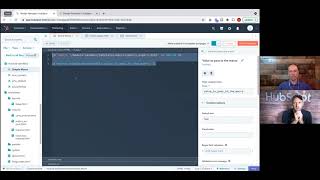
Derick Beauregard, senior developer at Beacon Digital Marketing, explains what macros are and how to use them. The conversation covers basic and intermediate examples, their benefits, and how to organize them so they actually save you time.
Welcome to an episode of Developer Bites. I am joined here with Derek Borgard, who I am, I think, officially pronounced it correctly.
That's right, yeah. Perfect.
He is a senior developer at Beacon Digital Marketing and.
Hi.
How you doing?
Good. You?
I am very well. Today we are going to be talking about macros. Derek is gifted in the area of macros and we've been exploring it a little bit and I think we have enough content here. We're going to break this down into two videos. So this one is. This first video is just going to be kind of intro and we're going to level up on video number two and do some more advanced topics with it. With that, Derek, would you go ahead and just kind of introduce what a macro is?
Yeah, sure. So a macro in its simplest form is just a reusable chunk of code that we can pass into modules and templates and just kind of streamline the development process.
And at what point would you start trying to think about when you start planning for a macro? At what point does it say, you know, I'm doing this, I need to think about a macro.
So that usually starts in the, in the post design phase where you're starting to think about how you're going to build things out. If you start to see an element that's used over and over and over, it's usually a good candidate for a macro. So that you're just building it in one place and you can easily edit it in one place and have the effects take place globally.
And this is like a structural thing, so you can have that macro in different places and style it and you could skin it a thousand different ways. But this is like more of the structure of it, right?
Correct. Yep, yep. The bones. Yep.
Perfect. And I don't know, do you have any kind of examples of how you would. Just off top of your head. And after that we'll kind of get into maybe some. Some written examples you have. But what would you use it for, for example?
So. So one place we often use it is on a card element. So you see these often in blog listings and resource centers. Just something that's used all throughout the site. So it's always a great, a great spot to add that into a global file that you can pull it in wherever you need it. Cool.
And this is very much a developer type thing. Like, if I was a marketer coming in, I would not have to worry about this at all. This is just something my developer took care of.
Correct.
And I'm good to go, ideally.
Yeah.
All right. If you want to go ahead and just walk us through a few examples here, this would be amazing just getting us. I think you got the idea. We're going to just do maybe a really simple example and we'll move forward from there.
Yeah, no problem. Let's start with something very, very basic. So let's say we want to construct a header one macro. So something that we can use to render a header one throughout the site. So I have it in a custom module here, so let's just walk through it real quick. So first thing we're doing is we're defining the macro, we're giving it a name, we're just called it simple macro here and we're passing in an argument and whatever's passed in through here you can render within the module. So whatever we pass here, you'll see within your header one tag.
And can I have more than one arguments in there?
Correct? Yeah, you can have as many arguments as you want. Yep. So let's. Let's call the macro. So just cut and paste this in here. So here we're calling the macro and we're just passing. Hi. So if we go over to our preview here, you can ignore this stuff for now. You see, that's a. So pretty basic, not very useful, but just a macro in its fundamental usage here.
In theory, I could just copy and paste that and replace hi on the same module you have here 10 times with 10 different words or whatever I want to put in there. And it would just render that out, it print that out, whatever's in that argument, right?
Yep, that's right. Yep. Cool. So now let's make this a little bit more useful. So I have this field here and just called it value to pass passed to the macro. So this is what we're going to use now to define this argument. So I'm going to grab this and I'll replace this here. And now let's go back to our preview. So now we have this value test and whatever we put into here, it's going to render into the macro. So now we have a module where we can. We have this header one macro and we can just pass in whatever field we want on whatever page we want. Cool.
So as a marketer, I'm starting to see the benefit of this now. You put this module on a page and now I can control what's going on there, correct?
Yep, that's right. So next step would be to make this a lot more useful and let's put this macro into a global file that we can Call throughout, throughout all the modules where we're going to use this. That way we don't have to define this over and over and over. The. What we're trying to do with a macro is not repeat ourselves. So one way to do that is to put this into a file. So I'm going to cut this out of here. I started this macro export file here. Just an HTML partial right, right here. So I'm going to paste it in, I'll publish that. And so now all we need to do is call that file. So I here and that red warning right there.
Just saying, basically, I have no idea what you're talking about.
Right? Yeah. What is this, what is this nonsense here? So let's import it now. So we're importing our file and we're going to define all of its contents with this macro. So now all we need to do is just Prefix this with macros. So now it's, it's reaching out to that file and it's finding this simple macro. And then we still have the same parameter that we're passing through locally. So it should, it should work just as it, as it did before here, where we can, we can put in whatever we want. It will change. So, so now what we can do is just grab this and this and use it wherever we need, in whatever.
Module we need, just to make sure we're very clear on this. So you got another file out there called macros, underscore export, right?
Yeah.
And in that you are calling it macros in this file right now, right?
Right. Yeah. This could be anything we want.
So it could be. Jim. It could be. Yeah, right. And then you're calling it by saying macros. Which is basically saying, hey, here's the file. And within that file I have this function, this macro that I want to call.
Correct. Yep.
This is amazing. This is great. And I can just put this anywhere now, like, as long as I can import that, I'm. I'm kind of golden, Right?
Exactly. Yeah. So there's, there's a lot of value there. Because now if we wanted to, for whatever reason, make it a header two and we wanted to do that globally, we just make it in this one place and wherever this is being used, it would, it would take effect. Cool.
Is there a time where you would have, you know, you have your global file there, Would you, would you separate them out into, you know, multiple files? Does it make sense just for organization to do that?
Yeah, definitely. If you have like resource specific macros, you may want to Keep those separate just for your own organization. And it's a little bit more efficient when you're calling a. Calling a file. If you have hundreds of macros in a file that you. And you only need a few of them, doesn't really make sense to call the whole file or call. Yeah, all those macros.
Right, right. So wait, can you call, can you break it down even more? Can you. I guess. Nevermind. I don't know why I was going with that. I will stop there. What else you got for me?
Yeah, I think I know where you're going with that. You can call a single macro from a single. Single file if that's where you were.
Okay, yeah, yeah, yeah, yeah.
Um, so. Yes. So the next step. So while you're building a macro, I think everyone finds themselves in the situation where they're trying to decide should I. How should. Should I make this one giant macro or can I break it down into more digestible chunks and then, and then create almost like a parent macro that you can feed things into.
Right, right.
So I have a. Another simple example of that. So let's say we wanted to add some sort of subtext under our, under our header 1 module here for macro. So we could just put in like a header two and add another argument to pass through that. And that would make sense here, but for the sake of argument, let's just say it's going to be a lot more than that. And for some reason we want to break that down into two separate macros. So we can do that. We can create a new macro and feed it into this one. So I have another one here that I'll add in. So this is a new macro we're going to define called the subhead. And in this one we're going to pass in the header type. So you can make it a header. 2, 3, 4, whatever we define in our module and then the text to pass into it and then to call it in to this macro, we are just going to need to do two things here. So we got to, we got to call our macro into here. Pass the arguments. We need to pass them into the parent as well. So we are going to grab this. So now we're passing three arguments into our parent. Two of them are going to feed down to our child. We'll call this the child macro. Okay, we'll publish that out and come back to our simple macro. So now I have these other two fields in the module here, header type and subhead. So let's call this. Now we need to Add those parameters to our macro here. As you can see in this one here, I have. I just have three different header types defined that we can pass through and then our just a text field here. Now let's go into our preview. So now we have our subhead rendering. We can choose. We want to make that a header four. We can make a header four. You can see how it changed and add to it as need be. So just a basic example of how we can create a parent child macro relationship.
And you could probably have some statements in your module and say when you want to render, you know, the subhead, for example, like a boolean or something like that.
Exactly. Yeah, yeah. Good, good, good opportunity there to add some, some conditionals in here so we can make it even more useful.
And those, those red errors I'm seeing right now is basically, it's just. I don't know what this is right now.
Right, right. It's because this is a HTML. It's saying, you know, this is saying this isn't valid HTML, but it does work.
Is there ever a time where you'd have this macro in a different file from your parent macro? Does that even work?
Yeah. So you can, you could call this into. If we had this in a different file, we would do just what we're doing in this file where we would import that, whatever file that is up here and then we would call it similarly to how we did the other one. So whatever we defined it as, it would be that name subhead.
And I imagine very good comments on this probably make this a lot better. So you know what's going on.
Right?
Because this, if you just came here or saw this, you might not know what's doing what.
Right. As always. As always, add comments wherever possible.
So, yep, this is good stuff. Derek, thank you so much for working with me on this. Next time. You have some really cool examples. I am really excited to explore them. If you guys have any questions about what we're doing here, please feel free to reach out, put something in the thread, just be posting a blog. So yeah, you can comment and we'll make sure to be monitoring that. And thank you very much, Derek. Have a great day.
You too. Thanks.
All right, bye.
Bye.










