Dirty Data Cleanup Other Ops HUB Use Cases | HubSpot Admin HUG | May 30, 2023
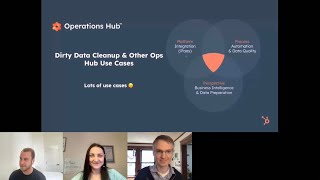
Jack Coopersmith walks through HubSpot Operations Hub's data cleanup and automation tools. The Data Quality Command Center finds and fixes bad records, bulk merge removes duplicates, and custom workflow actions let you write Python or JavaScript to automate tasks. Data Sets lets you build reports across objects and sync data with external databases via webhooks.
Chapters
Indiana and I'm definitely going to be signing up for those sessions myself because that's a pretty sweet lineup that we have coming. Folks. I can tell you we're chatting a lot about artificial intelligence at HubSpot nowadays and some we have some cool stuff cooking on that front. The CRM customization stuff is incredible. I feel like we've made some huge strides on that over the years and I've also gotten a little sneak peek into that prospecting work in that command center. I'm not sure if that's the exact term that we're using, but folks, we have some really interesting stuff coming out on that front as well. Lots of cool stuff. I'm definitely going to be attending those, so I'll see you all at some of those admin hugs for sure. I'll go ahead and share my screen folks. To kick us first, introduce myself though, for those that I don't know as I do see a handful of names. My name is Jack Coopersmith. I've been at HubSpot for about six now. I'm now working on our product marketing team and folks, I'm lucky enough to work on the two coolest products that HubSpot has. My of course biased opinion. I work on Operations Hub. I also work on our commerce product as well. I'd love to connect with you all. I'll go ahead and just drop my email now. Reach out to me whenever. If you all ever do have any specific questions or thoughts, connect with me on LinkedIn. I'd love to keep this conversation going outside of just this HubSpot user group. And Deanna, thanks for having me. Kyle, of course. Great to be here with you as well. And what I am planning on chatting with you all about here today is Dirty Data cleanup and other Ops Hub use cases. Folks, I'm going to be throwing a decent amount of use cases your way here today, but to be completely honest, we really are just scratching the surface as to what can be done with Ops Hub and to just really kick us off with this visual right here. It is admittedly somewhat difficult to create one visual to encompass all of what Operations Hub can do, as it can cover a lot of surface area and solve a lot of different business problems. But but at a high level it really is that intersection of platform, process and perspective and we're going to get a lot deeper into that over the next 55 minutes or so. Or I guess 52 minutes or so. And where I'm planning on taking us here today is just kicking things off with what is Operations Hub. We'll spend the vast majority of our time digging into how Operations Hub is used today. Also Q and A and discussion at the end. But as Kyle alluded to a few minutes ago, feeling feel free to let us know throughout if you have any questions. Deanna, Kyle, please, please, please go off mute and chime in if you have any thoughts, if you have any use cases that come to mind for yourself or anything else that you think the Hubs that the audience here would find helpful. So definitely let me know throughout this conversation. So let's kick things off with what is Operations Hub? Operations Hub can solve a lot of business problems folks. And to quote Yamini, our CEO here at HubSpot, it really is HubSpot's special sauce that supercharges the entire platform and makes all of the other hubs a lot more powerful. And what it's all about is being able to really efficiently manage your HubSpot account. So when it comes to automation, when it comes to reporting, when it comes to integrations, it really is allowing for you all to make HubSpot that platform to power your business forward. So I'll kick this off by really chatting about the product philosophy that the Operations Hub team here at HubSpot has. And we boil it down to the three Ps. The first one is that platform, as I alluded to a minute or so ago, what can we do to allow for you all to bring all of your data and all of your processes and all of your teams within HubSpot so that they can then turn improve your processes to allow for your team to really capitalize on that data? So once everything is underneath our roof, how can you allow for your front office teams to be as efficient as possible when it comes to their day to day job, leaning into things like automation and also leading into a consistent user experience throughout for your HubSpot team? Once you have all of that information underneath our roof, once you have consistent processes for your teams to work within HubSpot, you can then take that bigger step back and drill into perspective what's working, what isn't working, what should you lean into further that is working and then what should you be removing and experimenting more around the things that aren't working. So that's kind of how we think about building these tools and some of the problems that these tools solve and the opportunities that they can also open up as well. Now as I'm sure you all hear this, you're like, yeah, that makes a lot of sense. Why wouldn't I want to allow my teams to work in the same place as efficiently as possible with all of the data that they need. This is a lot easier, easier said than done. I know this is of course the admin hug, so I'm sure sure a lot of you all can empathize with this gift to a degree here. Folks, I've seen this like a thousand times at this point and I do chuckle every single time. And I think a lot of HubSpot admins can indeed empathize with this. Kyle Dan, not sure about you, but I certainly have run into things like this myself. So folks, it is. Don't just take my word for it, don't just take a funny GIF or gif. Wherever you stand on that debate, this is something that businesses are struggling with across the board. Over half of the marketers that were polled use more than five tools per day. So folks are living in a lot of different places. That of course means data is in a lot of different places. Which of course means which of course leads to this really eye popping stat to me from the Harvard Business Review. So saying that only 3% of companies data meets basic quality standards, that's not a typo folks, just 3%. So that is low. And 75% of companies admit that employees will fabricate data to tell the right story. So this is definitely something that businesses are running into every single day. So it presents a huge opportunity for us to of course help these businesses improve those processes. And Martin and I definitely agree. I personally fall in the GIF camp, but I know that is somewhat controversial. Folks, I want to put my finger on the tools into the buckets of the three P's that we've already discussed. The first one being Platform which is really around integrations that is both data sync, something that frankly we're not going to be chatting too much about here today folks. We do however have over 100 data sync apps within our app marketplace. This integration engine is going to continue to expand with more and more apps within it. We're to going we're also going to be syncing more and more data within those apps as well. When it comes to process, that really is automation. Centric things like custom coded workflow, actions, data quality, automation, webhooks. We're going to be digging into this process bucket quite a bit here today. And then finally perspective is mostly around reporting as well. So we can really lean into using HubSpot to supercharge and using Operations Hub specifically to supercharge your reporting processes and make things easier for your teams as well to allow for you to really gain those data insights into your HubSpot account to drive those business decisions as you all continue to move forward. So I wanted to just set the stage there. Regarding what is Operations Hub? How should you think about it in relation to the rest of your HubSpot account? I now want to roll up our sleeves here folks and dig into some specific use cases with you all. The way that I'm going to break down these use cases is we're first going to dig into data quality. We're going to spend a decent amount of time on this here today. I'm also going to show you all this demo portal that I have to give you all some concrete visuals short of just screenshots on a slideshow. We're going to be digging into automation. The way that I broke this up is automation within HubSpot as you can do quite a bit on that front, but also automation from outside of HubSpot as well, because we really do have a pretty open door when it comes to our relationship with other systems. So I want to dig into some of the use cases there. I want to chat with you all about how you can use Operations Hub tools like data sets in order to make reporting easier for your teams, but also make it smarter as well to again really supercharge our reporting platform and make us a little bit more of a business intelligence platform, for example. So to kick things off folks, let's chat about data quality here. This is a tool that's crafted into our CRM. It's not bulk bolted on like a lot of other folks do in our space. It's also powered by artificial intelligence. This is a pretty unique offering that we have in the marketplace for those two reasons, folks, and this is something that we are absolutely not done with. We are continuing to add more and more data to our data quality tools. So you're going to continue to see this expand, you're going to continue to see it become smarter. And while we will give you all some other admin hug events around artificial intelligence, this is another space where we are leaning in as a product team is on that data quality side of things as well. So don't overlook that this is a powerful tool and I always do like to just tie back to this Harvard Business Review stat. Folks. I don't know about you all, but this cup of water does not sound very appealing to me at all. If we can use a tool like Operations Hub to clean this up, I'd certainly be a lot more inclined to Take a big gulp of this. So folks, what I'll walk you all through here is some of the problems first that teams are running into, because I'm sure a lot of you all feel this way here. And I'll touch on a couple of specific ones. What sales rep wants to spend their time chasing down leads that aren't really worth their time? Absolutely none of them. Marketing. I do sit on our marketing team. Now. Very few things make me more nervous than sending messaging out to the wrong person. That is not what our tools are all about. It's about being in front of the right person at the right time with with the right message. On the support side of things, folks, I started my HubSpot path on our customer support team. You don't want to have awkward conversations. As a support rep, you want to close cases and help your customers as quickly as possible. And then folks, I imagine we have a handful of people who fall into the operations and the leadership category in today's hug. On the operations side of things, no one likes spending time waiting through spreadsheets. And then on the leadership side of things, you want to make sure that you have a high degree of confidence in the data that you're looking at so that you can make those smart and strategic conversations. So this is something that almost every single team within your business can and does feel. And we want to help you all improve your data quality within our system so that all of those teams can have a higher degree of confidence in the things that they're looking at. So I'll run you all through some specific tools here and then I'll jump in and show you all where they are and how you can actually use them yourself. This is also one of those sections here, folks, where I'd encourage you to pull up your HubSpot account and walk along with me here because these are tools that I'm sure a lot of you all can indeed access. In fact, this data model tool specifically is something that all of you all can access. And this is a no brainer thing. So folks, pull up your HubSpot account and follow along with me if it isn't already pulled up. Now, there's no particular order in which you want to do this. This is kind of how I think about it though, and how I generally walk folks through understanding their CRM, really wrapping their arms around their data model. First is just understanding your data model, zooming out and knowing which objects are relating to which ones. We will of course give you all some specific examples within each of those as well, understanding how those objects within your CRM relate is important. You can then also go a layer deeper and check out our data quality command center. So understanding things like how's this data sync integration engine performing, how are your properties, how are your records? Again, I'll show you more in my demo account in just a few minutes here. So start off with that data model, understand how everything relates. You can then go one layer deeper and understand what are the properties that you're using, what are the attributes of records and potential issues within those that should be addressed. You can then take it one layer deeper here and dig into some specific recommendations that we have. So you'll see things that will indicate missing punctuation. For example, maybe the first and last name should be swapped. You'll see other things like unexpected numbers in this example right here as well. And then finally folks, you can keep your data clean. So instead of going in every Monday morning for example, and cleaning things up, you can indeed just turn on some automation, click on save, and then have our system essentially put up these data guardrails for the rest of your HubSpot account to adhere to.
We're getting a question about how to navigate to some of these screens you're showing. Is there demo coming or do you want to hop out and show real quick?
Absolutely perfect timing on that because that is the exact next thing that I wanted to show. Absolutely. And folks, when it comes to the data quality recommendations as well, I'll show you a couple of other things short of that, the last thing I'll just quickly mention on this and I guess I will show you exactly what it looks like within your HubSpot account. When it comes to Operations Hub, if you all wanted to roll up your sleeves and really get into writing JavaScript or writing Python, you can absolutely do so. Guardrails though, all you need to do is know how to check a box and then click on save. No code required at all. This is one of those no brainer things. So let's start with our data model. Waylon, you beat me to this right here. Click on reports, you'll see data management and then data model right here. You all will likely all see these default objects that we have like contacts, companies, deals and tickets. I'll also show you all in just spotlight these custom objects that have been created within this account that I have right here. Now if you all do have a lot of different custom objects and you wanted to reduce the noise a little bit, you can always come right in here and uncheck a given Object and I'll also just drill in a little bit here. If you click on Properties, you're able to really zoom into everything within this one specific interface. So folks, this is one of those things that I'd encourage all of you all to check out if you haven't already. You'll also see that this is the same interface that I'm sure you've come to know and hopefully love within HubSpot. So check out the Data Model overview if you all haven't already. It is one of those no brainers Data Quality. This is another thing that you can access folks from reports, Data Management and then Data Quality. I'll also say that this is something that folks will often access from your Contacts Object Index screen. So if you just click on Data Quality up here you'll see Properties Records, Data Sync. We're also now monitoring your workflows as well. If an automation set goes awry, that can indeed cause problems. We're rolling out and we have rolled out a lot of tools to allow for you to really monitor this. So I won't completely read from the screen folks, as I do think a good portion of these do indeed speak for themselves. You can always of course click View All Property Insights and then see absolutely everything within this one page as well. So this is what we call the Data Quality Command Center. Again, we're going to continue to add more and more stuff here. When it comes to fixing formatting issues and managing duplicates, this is something that I personally access pretty often via this Actions button in the upper right hand corner. So folks, if you click on fixed formatting issues, you'll see a lot of these have the first and last name swapped. You'll see that you can really navigate this page like most other pages within HubSpot. And then of course if you notice something that should indeed be fixed, go ahead and just click on Accept. It really is that easy. It's not just formatting issues though. We all, or at least good good portion of us run into duplicate data as well. This is something that you all can not only view and easily review or reject. With Operations Hub you're actually able to do bulk merges here. If I wanted to come in, do a quick glance and say, you know what, these do all seem like duplicates. I can bulk select bulk review, select a criteria right here and then merge everything in this one place. So folks, definitely check out these quick bullet points here. But this is the easiest way to merge your data and this is one of those Operations Hub specific features. Seeing a Couple questions come in around duplicate data. So let me go back here folks. I mentioned that you don't need to code anything in order to create these data guardrails. If you do come in to fix formatting issues, you'll see the ability to turn on some automation right here and you'll see a lot of options on this front. You'll also see a history of changes to records as well. Think I'm catching. Also, Colton, when it comes to automating this, this is something that you can actually do with custom coded workflow actions. You can also do this very simply from the upper right hand corner of this fixed formatting issues page right here. Kyle, as always, thank you for tackling some questions on that front as well. When it comes to bulk merge, folks, I just want to call out, I think Katie right there. Yes, bulk deduplication. This is an absolutely awesome feature right here. And again, it really couldn't be more simple to just come right in bulk merge all of this data. Folks, any thoughts, questions around data quality?
Colton asked specifically about automating deduplication. The deduplication process we do want you to review somewhat. Even if you're doing it in bulk, we want you to set some rules and just give a quick verification that our system has gotten it right. Just because this is your data. I don't know if automation about deduplication is something you have thoughts on, Jack, but that is one that I know we haven't had and I think has been an intentional omission.
I would plus one that when it comes to data quality as a whole, there's one thing that can make that can be very tricky to unwind and that is merging. And so while we do want to make it very easy for you all to merge your data and maintain a clean database, there is an element of human control that we want on this front. When it comes to validating emails, for example, though, that's something that I'll get into with you all in a few minutes. So you can indeed create some controls at the very front door of things. But when it comes to once the data is in that front door and merging it all together, we do want a little bit of human control over that. Angela, when it comes to custom objects, we are going to continue to invest in things. But right now when it comes to managing duplicate records, it is on that contact and company side. But again, we are absolutely not done rolling out data quality features. This is something that as we continue to lean into things like customize the CRM, we also want to make sure that the quality of your CRM data is indeed quite high. I also did zoom in on the screen a little bit. I think I saw one question around, can you make it larger? If this is too large, let me know folks. But I did want to call that out and zoom in a little bit. So folks, if you all haven't already run through these features that we've chatted about and chat with them for any partners, for example, with your customers as well, because we are on a mission to make CRMs as clean as possible. The last thing I'll call out on this front here is this isn't just data from within HubSpot. HubSpot has a very open door to other systems and you can use Operations Hub to ingest a lot of that data. And so there's so many use cases that I've heard where folks will essentially use HubSpot to clean their other systems data as well. Because once you bring it in underneath our roof we're going to be checking it. So don't overlook that as well. It isn't just the stuff within HubSpot, we can indeed ingest that other data and then clean it up within our system too. So don't overlook that. That's something that a lot of folks are using HubSpot operations up for. I anticipate that to continue to expand over time as well. And Angela, when it comes to the Dedupe, automations aren't available in workflows, you can do that with custom coded workflow actions. So let me get into that a little bit because that does indeed fall into this automation within HubSpot Bucket. So folks, when it comes to custom coded workflow actions, you can do quite a bit with this and each individual use case is going to be pretty unique and that's why we've built the tools the way that we have. They're very, very flexible. Now I'll just tell a very quick story before getting into this here and like tie this back to my personal route with Operations Hub. When we first launched this tool set folks, I was in our onboarding organization and the way that HubSpot trained me on someone on the front line speaking to customers about our platform, how to think about this is they pitched Operations Hub as a this can really do anything that you're unable to do within the HubSpot native UI. And I'll be completely honest folks, when I first heard that I was like really? It can do anything? Anything. As I've dug in further, it can do almost anything I would take as a rule of thumb, if you're ever running into a wall within the HubSpot UI, consider Operations Hub, because that will allow for you to build a pretty big ladder to get over that wall. So my initial skepticism around that has honestly been overcome as I've gotten deeper into everything and so I keep that as your rule of thumb. If you're hitting a wall, Operations Hub can be that ladder to get you over that wall. So what are some of those specific things that you can use Operations Hub to do when it comes to automation within HubSpot? Well, one of them is indeed fixing formatting issues, so I think we've had a couple of questions about that. You can indeed use this for some more complex data quality motions. You can also use this for things like CRM maintenance. So associations and labeling as well. When it comes to custom objects or native objects, if you're ever seeing limitations around associations and labeling, you can indeed use custom coded workflow actions in order to overcome those limitations. A few other things Rotate and Assign. This is a huge use case that we see. I'm sure some of you all have built workflows before that have 50 different workflow branches for as an example that can be mind numbing to create. I've certainly created some of those automation sets myself. They're even more difficult to maintain over time though as you have folks move teams. For example, being able to use custom coded workflow actions to rotate and assign records is absolutely huge. I'll tie back to a use case again myself for my time. In our onboarding organization, we want to consider things like someone's tenure, their capacity. So how many onboarding customers do they already have? Using custom coded workflow actions, we're allowed to take in a lot of different information and make sure that the right person has the right record in front of them so that they can hit the ground running as quickly as possible. This is a huge use case that can allow for very complex logic, so definitely don't overlook this one. Kyle Deanna, is this something that you've seen as well? Because this is one of those top custom coded workflow actions. I'm curious if this is something you all have ever run into.
I'll answer. Kyle yes. Yeah, being able to say you get it this time, you get it that time. That's one of the biggest recommended and requested items that I see when I'm talking to sales. They want to know they're getting the leads.
Totally, totally. And I'd say anytime. If you all have any workflows that have like 500 different if then branches can probably make that a little bit easier with custom coded workflow actions. So that's another rule of thumb as like wait, should I consider Operations Hub? If you're in that circumstance, absolutely I'd recommend considering Operations Hub. I'll touch on one other as well. Folks manage renewals in a lot of different ways. Within HubSpot, you can also use custom coded workflow actions to do things like create a renewal deal for example. So you close a deal. Let's say you have a renewal in one year, you can have that other deal created, associated properly with all of those other records and then populate that new record with any of the entire information that you would need to populate like renewal date for example. Now I think we had a question from Caleb come in around example of that secret for associations. If anyone else is wondering like wait, I actually want to circle back to this. Well I believe we are going to be distributing this deck. One thing though folks that I want to make sure everyone is aware of is our permit to programmable automation use case library and I did hyperlink these on each individual slide. Folks, when it comes to creating these custom work custom coded workflow actions, you can write Python and you can write JavaScript into these. Now I'm not a developer, but I do know that this is like the English and the Spanish when it comes to developer languages. So if you all are also in a similar boat to me where you wouldn't necessarily write these custom coded actions yourself. If you are wondering how heavy of a lift is this, would I need to bring on a full time developer to create maintain these? No. To be completely honest, this is something that if you do have a degree of developer experience, you should be able to do pretty easily. We want to give you even more of a head start on that front though with our programmable automation use case library. I'll show you all this specific one just because I am on that slide and then I'll circle back to this whole thing. You'll see folks that if you do click into Discover, we are literally giving you the code that you can use in this. Now of course you'll want to modify just a couple of things so that it's specific to your account, but this gives you a giant head start in creating some of these custom coded workflow actions. This is the specific one around deal renewal management. You'll see though that this is a comprehensive library that we're going to continue to expand. Check this out. If you all haven't already. Again, this really is that head start mechanism, but we'll also hopefully get some creative juices flowing as to what you can do with this. Short of just what we're going to run through during this hug here today that's using data within HubSpot. What about data from outside of HubSpot? At a high level folks, this is things like data enrichment, connecting with other internal systems and creating custom integrations. For example, if you have a database custom or from another firm and you wanted to integrate it with HubSpot, I'm extremely confident in saying that you can do so with Operations Hub and that will allow for you to be able to now one thing that I'm not going to be touching on folks, but I do want to make sure that we are aware of web hooks. That is another very, very powerful system that can do things like ping another system to provision or deprovision a license for example for that software as a service use case. Happy to get into webhooks further. I'll focus on some things though that we do see a lot of HubSpot customers using, the first one being email validation. We had a question a little bit earlier around automatic deduplication. That's a little tricky for sure. But when it comes to how can I create a very secure front door for data at HubSpot to ensure that anyone coming through that front door is a clean contact that we do indeed want in the system, you can use this custom coded workflow action in this case to speak to Kickbox in order to validate that email. This can link up with a number of other systems though, not just Kickbox. So this is one use case that again seems like one of those total no brainers as you're thinking about what what Operations Hub could do for your business. It isn't just validating your data though, you can also enrich your data as well. So this is pulling in information from Clearbit. There are a lot of other systems out there though of course on the data enrichment side of things. So if you did indeed want to pull that data from, let's say a zoom info for example, you can absolutely do so so that you have the data from within HubSpot and generated within HubSpot, but also pulling from other systems that you would want to have in one place so that you can really see that full picture. So you can validate your data, you can enrich your data. You can also do things like speak to other databases as well. Something that I alluded to a few minutes ago for example, this is a custom coded workflow action that will check on your platform to see if someone is already using it, and if they're not already using it, create a free trial for them so that they can start using your product and hopefully upgrade and become an evangelist of your product in this case. So if you all have other systems, you want to bring that data in and you want there to be a little conversation between HubSpot and those other systems, you can absolutely use custom coded workflow actions to do so. And folks, we really are just scratching the surface here again. Tying back to what I mentioned a few minutes ago. Anytime that you're just running into a wall with something, I'm confident Operations Hub can be that ladder in order to get you over that wall. Kyle, looks like you're tackling a lot of questions, so thank you, thank you, thank you for that. Deanna, thank you for dropping in those docs that I'm alluding to right there as well. Anything that you all feel like we should discuss as a group because I'd hate to just spend time staring at this chat. So any thoughts that you all have before moving into the next section, which is going to be a little bit more data set focused.
I think, just so you can feel better. We are caught up on the questions that have come in so far. There are a lot in the Q and A, so we'll have plenty to discuss at the end. But yeah, Chad was just wondering, I don't know if you know the answer to this Jack, and I don't know if you're comfortable speculating, but all data sync integrations are HubSpot built. He's wondering if there's a world in which external apps would be able to build their own data sync integrations with HubSpot. And like I. I don't know enough about how that magical system works to even know what would be required to expose APIs or whatever make a two way scene possible. I think for now that will continue to just be a thing HubSpot builds.
Chad, I'd love to hear more about this use case because I could indeed speculate as to what you're thinking about, but I would love to hear more about what you're thinking about. We of course do have. Dana, you're awesome. Thank you for being quick there. I'd say we of course have open API as I'm sure you know. So when it comes to like building your own integration, you can absolutely do so within our app marketplace we have a tremendous amount of integrations built by our partners as well. So if you're thinking I want to build an integration so that other HubSpot customers can leverage it, feel free to reach out to me as well. And I'm happy to facilitate that conversation with our team because this is a place that we are going to continue to invest in. You all will indeed see this app integration marketplace grow in a big, big way when it comes to are we going to open the door for the turnkey solution that is Data Sync? Not positive. I'd love to learn more about this use case though. I'd say at a high level Data Sync very much is that PY Sync engine. And this is another one of those things where you'll never see code like this. It's a drop down here, drop down here, tell us the rules and that's really that. So Chad, reach out. I'd love to hear more about your use case. I'd say we're going to continue to have an open API door and we're going to continue to expand our integration marketplace. That is for sure. Cool. Excited to get through some of these questions and folks, keep them coming here. I want to do a little bit of a pivot and chat with you folks about reporting within HubSpot. This really is the lifeblood of decision making for any business and we do want to make this easy and powerful for you all. I'll start off by just chatting about how reporting can be made easier for you folks and it really is about creating a jumping off point for your team. I'm sure a lot of HubSpot admins can empathize with this and I'm going to go ahead and just open up the custom report builder to show you all what I mean by this here. So give me just one moment. The first thing I want to just call out is around reducing the noise that can come with the custom report builder, especially for specific teams. I'm sure of the 144 people in here and maybe I'm over assuming at least 100 of you all probably have other teammates within HubSpot who are like, hey, can you help me build this report? Can you help me build this report? Can you help me build this report? Of course. It is great to help your teammates and I'm sure all of you all happily do so. However, I'm sure you also get to a point where it's like, ah, I wish folks could just jump right in and build the reports themselves. Data sets allow for that to be a lot easier. Now folks, I've definitely spent a good amount of time in our custom report builder. But for those who haven't, or for those who have never really used it before, there is a lot going on with this. The first thing to kick things off is what objects do you want to pull in? There are a lot of objects here, including. I'd be remiss if I didn't mention commerce objects as well, but you'll see that you can pull from a lot of different pieces of information and then you'll see even more information that you can pull from after this. That makes teams sometimes a little nervous of the custom report builder and all of the power that it brings. Data sets can allow for you all to bring in those objects and bring in those fields so that your sales leader, for example, can jump right in, only see the information that they need, quickly plug that right in and then answer the questions that they need to answer so that they can make decisions and move as quickly as possible on those decisions. Of course. So reducing the noise is hugely valuable functionality that folks are leaning into with data sets quite bit a aggressively. And again it makes our report builder, which is extremely powerful, easier to jump right into. So don't overlook this functionality. This is one of those mean things that folks are often using data sets for. Also the Snowflake data share. If you all do have almost all of your information living in a Snowflake data warehouse, for example, and you would rather report within there, or your teams that are building these reports are already working within Snowflake, you can connect HubSpot to Snowflake very easily, bring all of that data down into that warehouse and then visualize that. So if you'd rather work within Snowflake, you can do so. If you'd rather have these jumping off points to allow for yourself and for your teams to build reports very easily within HubSpot, you can absolutely use data sets in order to do so as well. So that makes reporting easier. But folks, it isn't just about pulling some data in and allowing for that jumping off point. You can do quite a lot with our data sets functionality when it comes to things like cross object calculations, conditional fields and formulas as well. This is one of those things folks, where if you're ever pulling data out of HubSpot into for example, a spreadsheet so that you can then manipulate it a little bit and visualize information. Pretty confident in saying that you can use data sets and not have to export that information into spreadsheets, just visualize it within HubSpot. So that's another one of those water's edges where I'd encourage you all to consider using Operations Hub. I'll get into some specifics with you folks though. Who in here does not want to know how profitable each individual product or service that they're selling is? This is a very simple calculation that you can use when it comes to the unit price and the cost. We'll do that math and allow for you all to visually easily visualize which profit which products are most profitable. So here's one use case that again I would imagine the vast majority of businesses would be curious about. You can also use this for, let's say the B2C use case. So this here folks is using a number of different custom calculations within data sets in order to pull things like whether or not shipping is overdue based upon the average time that it takes to complete shipping for a given product. So this is something that isn't just B2B through and through. You can absolutely use this on like a B2C side of things when it comes to shipping. As I'm sure you all can imagine. This is also data coming from other systems. So just like you can use Operations Hub in order to clean up data from other systems, you can also use it of course to visualize data from other systems as well. So that really is that platform aspect of that 3ps time back to perspective. Of course now on the B2B side of things as well, I imagine we do have a handful of B2B folks. You can also zoom out on your sales process. So here's a dashboard created from a couple of different data set reports from calculations, understanding things like deal velocity so in which industries are deals closing the fastest deal risk score so that you can evaluate them at a high level, understanding where there's drop off within your pipeline and understanding things like deals that are at risk for churn. So ultimately if you all are asking yourself how can I just pull this data together from a number of different objects and can this do some complex math for me? Data sets can indeed do that. So folks, not only will this be easier for your teams to use, it will also be more powerful and allow for you all to really answer answer deeper questions about your business, whether that data is living under our roof natively or whether it's coming in from another system. So data sets is a very powerful functionality folks. If you haven't played around with them, I would highly encourage you to do so. Now that's all I had for our core presentation here today. I know that we have had a number of different questions coming in. Kyle, Deanna, I can't thank you all enough for the backup during this as well. This has been super, super helpful. I'd love to open the door to any and all questions and I'd love to get a discussion going here. Kyle, maybe I can call you out. Where do you think we should start off for DNA?
Yeah, no, thank you, Jack, so much for this presentation. Lots of positive thoughts in the chat here. Thanks, Chad. If everyone wants to go charging on over to the Q A tab. So where the chat is, if you go to the top, there are different tabs there. If you go to Q A, you can see the questions other people have submitted. There is an upvoting system. So if you see a question that you would like answered, please click that little thumbs up thing and then I can sort these on my side by popularity. And we will just work top to bottom until we either get through them all or run out of time. So I will chatter here for about 15 more seconds until I end this very long rambly sentence that I'm using to fill a bus a little bit while you all vote. And then I will sort. And now, Jack, first question Leslie asks, if you merge two records that are syncing from another platform such as Salesforce, what happens to the merged records? I saw another question in here, I don't know where it went, about the inability to merge records that are linked to Salesforce records. So when you think about deduplication and record management stuff in terms of data that is integrating from other systems, what. What are your thoughts and recommendations there?
Yeah, so I'm happy to dig into specific use cases because frankly folks, I'd hate for anyone to flip a major switch just from this webinar in their database and then have something unforeseen happen. And so I just want to call out that disclaimer because the first thing that I'd say to keep in mind when we're talking about data from other systems and merging that data within HubSpot is to be careful. This is one of those things that does have like larger ramifications. And so I'll be completely honest. I'm unsure if you're on if you're able to merge companies if that Salesforce integration is in place, I can circle back to that question and I think Bevy will allow for that to happen. Gina, Kyle, let me know if that's not the case. Cool. I'm seeing. So I can circle back to that question and I'll take a quick note. But my first recommendation Anytime that we're talking about merging data, especially that impacts other systems is to be careful with it and chat with other teams that it affects. Because I've definitely had plenty of customer conversations where one person flips a switch without consulting other folks on their team that then causes problems. So first thing is to be careful. Second thing is to discuss with other teams that this could impact to make sure that absolutely everyone is on the same page before flipping any switches and making any changes. I'll circle back to that specific question regarding Salesforce though and that integration that we have.
Cool, thanks. Then Michael asks, can we have parent child association on deals, which is also not your jurisdiction, but I know the answer to this one. Currently no, we do not have that functionality but same object association. So the ability to associate a deal to a deal or contract to a contact or company to a company is something we are working on building that I believe is slated for release sometime this year. We had a session here at the HubSpot admin user group with Rachel Webb, who is the Association's person at HubSpot and she shared her timeline and her vision. If you go to YouTube you can find the recording of that video. It's great. But that is a thing you cannot do today. But ask me again next May and you definitely will be able to do. I don't know Jack if you had anything you wanted to add to that, but that is not tied to Operations Hub at all. That is just like a core CRM functionality we know you need and we.
Are working to get it to you.
Is how I would describe that.
The only other thing I'd add to that is the way that I would think about Operations Hub playing into other things like that is we have this CRM unified data layer that I'm sure all of you all know quite well. Operations Hub is like the pipes underneath that data layer. And so when it comes to us rolling out that feature that Kyle just referenced, I can nearly guarantee you all that Operations Hub would be able to spin up some of those associations and labeling without even knowing that that much about that exact piece of our roadmap. And so while I do indeed see us moving in that direction, Operations Hub will always be the pipes underneath that CRM unified data layer.
Cool. Tom's question relates to that more directly. I think he says maybe a too specific question for now, but is it possible to automatically associate engagements with a custom object through custom coding?
Probably, is the answer. Probably because they Both have open APIs so you can access both of those things. I would give that a very strong probably. I'd recommend checking out some of that documentation that we have around that. If not, let me know. But I would give that a very.
Strong problem if I can add a little color to that earlier. Jack, you were saying you don't have to be a developer. Look, we have this library you can copy paste. The thing is though, if you are a developer really the sky is the limit on what you can do with custom coded workflow actions. Those APIs all exist and if you or someone you know can navigate those APIs and write the code, a custom code workflow action I'm confident can do that. But it might take kind of a lot of code and a very technical understanding. I don't think for a specific use case like this you're going to be able to go to our library and find some code you can just copy and paste that will work perfectly for you. It's going to take a little more thought than that, but the ability is there in the system. Waylon asks are there any plans to bring AI into the reporting suite in some capacity? I would love to see an interface in the future that allows for more natural application of filters. It's harder for less data literate users to work with things like ifs, any ofs and contains versus plain English. Maybe there's a way to use AI where you could say show me X as Y changes and it'll get that logic ready for you. Seems like something within the power of a good LLM. Chat Spot does a little of this already. You can just say show me a report of the customers that were created this month and it'll be like okay, here you go. It's a little rough right now. It's, it's an alpha product. Give it, give it some grace. But that is Wayland. You are thinking very much in the same way. I think a lot of minds at HubSpot are thinking about this. I don't know if Ops Hub has specific AI plans, but HubSpot in general has big AI plans.
When I think about HubSpot AI plans, there's chat spot, there's content assistance, and the third piece is really how this plays in to the CRM and data quality. That is something that we are thinking quite a lot about and then piggybacking off of what Kyle just mentioned mentioned play around with Chat Spot folks if you haven't already. Not only will we give you that information, we'll format it in a really clean to read way as opposed to ChatGPT which will throw out some like bullet points. So yes, this is an, this is a, an area that we're thinking a lot about and that will continue moving in for sure.
Cool. Then Jordan asks, what is the functionality behind reducing the noise for reports?
The big thing, I'd say on that front, Jordan is really around enabling your team to view all of the data that just they need. So for example, on the customer support side of things, if a support leader wants to create a report, you can serve up a data set that just shows information around, for example the contact company and ticket properties that they need to see so that they aren't overwhelmed by all of the sales data and all of the marketing data, for example. So it's really around enabling teams to have that jumping off point and move and removing all of that other data that a given person may not care as much about.
Yeah, and just a point of clarification there. Dataset is the name of a feature inside of Operations Hub Enterprise, right? Where you can sort of collect together and curate the data that someone uses to use a report and then instead of having to select the object and the properties, they can just go into a nice tidy Here are the five or six properties you might need and create it. That's what that but it's called Datasets. That's the name of the tool I'll.
Also mention folks, I gave a shout out to the Programmable Automation use case library. We have a data sets formula library as well. This is something that we're going to build out further. As you'll see, it isn't as robust as the Programmable Automation use case library. I'll drop this right here though folks. If you have a formula that is working really well for you or a custom coded workflow action that's working really well for you, go ahead and share it with us as well. I want to make sure that that door is open. We'd love to shine a spotlight on your business and you. We'd also love to of course help our customers as much as possible. Go ahead and submit a use case if you haven't already and if you have something that's working really well for you.
Folks, I created a dataset formula that generates today's date. It was a mess but it works. I will send that a log to you because I think people would like that one. I was very proud of it that afternoon. Well spent. We are coming up on time here, but we can get through a couple more questions. Chad asks will there ever be meeting booked and meeting rescheduled webhooks.
I'll follow up with you on that, Chad, because I'm frankly not positive as to our plans on that front. So I'll follow up with you on that one.
Okay. Some of these.
Well, Kyle's reading. I'm just going to remind everybody to complete the survey for today's event. Let us know how you liked it, what you want more of. Don't forget to do that, please.
Yeah. So if we all want to head over back to the general chat tab, this is the part of the program where the general tab and the QA tab get confused as people are chatting in the qa. They look too much alike and that is. That is Bevy's fault. I think we have answered everyone's questions. If that is not the case again, Jack's email has been dropped into the chat a number of times. Definitely recommend reaching out to him directly. Jack, is there any other calls to action or last thoughts you want to share before we shut it down?
Always keep data quality in mind. That is a major front door for Operations Hub. And then let us know your feedback in the survey folks. Check out those use case libraries. If you have any feedback from me specifically or Operations have more broadly, I'd love to hear it. So feel free to reach out directly. Cool.
Well, thank you so much. I think we will shut it down there and hope you all have a great day.
Thanks everybody. Thanks Jack.
Bye.
Thank you. It.










