Do you like these HubSpot updates? 10/7/2025
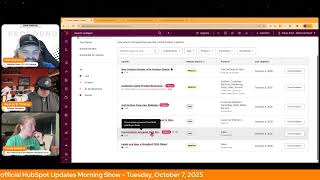
Chris Carolyn, Casey Hawkins, and George B. Thomas walk through six HubSpot updates: Product Builder now has Active/Inactive status and pricing fields, Customer Agent surfaces page-specific chat prompts, Automation Overview got a redesign, Custom Report Builder has quicker settings access, Deal Risks and Buyer Goals now analyze call and video transcripts, and Leads became a standard CRM object with saved and board views.
Chapters
Foreign.
Wake Up Customer Platform it's time to start the day. Discover all the value you already own. Don't let solutions slip away. Wake Up Customer Platform the tools are at your hand. No need to sleep on capabilities that can help your business stand. The answer's right before your eyes. You just need to realize Wake Up Customer Platform and watch your business rise. Wake up. Wake up. The platform's waiting for you.
Do.
Wake up. Wake up. See what your system can do.
Good morning HubSpot Nation. It is time to Wake Up Customer Platform with your unofficial HubSpot updates morning show where we help you discover the platform value you already own. Chris I'm Chris Carolyn, joined by my co hosts Casey Hawkins and George B. Thomas. We're here every weekday morning to make sure you're not sleeping on HubSpot's true capabilities. If you're joining live, drop a hello in the comments and let us know what you're building in HubSpot today. Happy Tuesday, October 7, 2025 how we doing?
Good. How you doing Chris?
Feeling good?
Doing good Casey I am good. I know we have at least one big update to go through today.
I'm excited to talk about interesting ones for sure on the list while we're there. I mean, might as well just dive right in. Don't forget the hug later today. Content Hub Team is is showing up to let us know what's going on. Post inbound. Excited to see that at 11 Eastern 10 Central, but we'll get into these six updates today. New Product Builder with Product Status what is it? The Product Builder has been updated with a full page layout, giving you a cleaner distraction, free editing experience, and control over whether a product is available to use. The updated builder includes flat rate pricing support, one time or recurring image upload, SKU tax category and product type selection A new Active inactive toggle from the Product Builder or Preview panel an updated Product Products index page with optional status column which you can use the column editor to add the new status column to your view.
Why does it matter? Instead of deleting or duplicating products, you can now easily deactivate outdated products and keep your offerings up to date. This reduces the risk of using old products while making it simple to reactivate items when needed. Is that why? When I read the title New Product Builder, it seemed to me bigger than like reactivating and deactivating products. I think it is.
It had me confused at first until I understood what they were talking about. Then I was like oh yeah, yeah. Products in HubSpot. Okay, so maybe you're right. It seemed a little bit more like.
This experience is brand new for sure.
Yeah. But like the why it doesn't matter is like instead of deleting or duplicating products, you can now easily deactivate outdated products. I just, I feel like. I feel like, why does it matter?
Well, this is my gut response. I need to go back and look at my products and see what I need to clean up and actually what I need to do for 2026. I hate to be that guy, but it is Q4. Like, what do I need to do in my HubSpot portal around my products so that I'm ready for next year to hit the road running anyway?
Do you use products, George, in your portal? Oh, yeah, I guess you do products for me.
Equal line items, equal quotes, equal deals, equal revenue, equal.
Yeah, yeah, in this. So I think ultimately the experience is just kind of like a reconfiguration of what we've been doing. All that. They had all this packed into the sidebar. But this is new functionality in terms of active and inactive. Yeah, that is a big deal for lots of folks and this signals a little bit. So one of the challenges that we have in systems like QuickBooks is since there is no like line, items are still connected to products. So if you discontinue a product but you have any invoices that have that product on it, you cannot delete it like from the system. So you need this active, inactive, and HubSpot's never had that. So maybe that's also a signal that there's some growing importance of products as we give them a new builder and status updates.
Yeah, so. And you can say, George, I don't want to answer that question, but Casey, your question makes me want to ask you the question, do you use products?
Not really. But I will say I'm like, I'm. I'm still fairly new to Commerce Hub.
How do you get paid? Oh, well, you don't necessarily use Commerce Hub for like your business. Like you get paid through QuickBooks or whatever else system you use.
I only started using Commerce Hub.
Maybe.
Six months ago now and I only use it for my. I use subscriptions sort of for my retainer clients. But honestly, like, I would. It's like 75, 25, 25% of my clients. I use Commerce Hub for 75%. I don't.
So, so interesting, right? Because you asked me the question. I asked you the question because I live in this default world of like, of course I use everything Commerce Hub, but. But that's not everybody. And I have since I started the business like three years now, we've nothing. But Commerce Hub is how we get paid other than we've got a few people who have actually sent us physical checks along the way and we've got people who do ach like just through their bank to us. But for the most part, 95% of humans that pay us, it's through HubSpot, Commerce Hub.
And I think why I asked you about whether you use products is you're in a service business.
Yep.
And obviously products still apply to service businesses, but there's not. Like. For me, I'm like my, I don't have that many, I don't have that many products. Like it's.
No, I got it, I get it, I get it.
Chris is conversation for sure. I mean there's lots of reasons why people choose to just bypass products altogether and just do custom line items and then clone the deal. And like there's more and that's most.
Of what I do.
Yeah, yeah. Especially when that's where it's been super interesting to watch the CPQ come out. And they're starting to figure out ways to bridge the gap that there was between quotes, which is supposed to lead to the commerce stuff, but there was no connection between quotes, products, line items and like invoices and subscriptions. And they're kind of building it from both sides. And now they're finally starting to like connect in the middle through things like the product builder, which is good to see, good to see. They're making a lot of progress real quick over there.
Oh yeah.
Number two, Customer agent prompt recommendations. What is it? Customer Agent can now display smart prompt suggestions that appear in your chat widget based on what page your visitors are currently viewing. Instead of generic conversation starters, the widget shows relevant, helpful prompts tailored to each specific page, making it immediately clear how the AI agent can assist visitors with their current needs.
Why does it matter? Most website visitors can see or see chat widgets, but don't use them because they're unsure what the AI can actually help with. This feature eliminates that hesitation by showing visitors exactly what questions they can ask right away. The result is higher engagement rates and more visitors getting the help they need instead of bouncing from your site. I think this is funny because we went like chatbot with selected features to AI chat that you can type anything in and now back to. And I know you can still type anything in but. And really I guess I wonder how much of this is like what us as Humans are used to, like, we're used to chatbots where you select the. The thing and so you're just kind of like reverting back to that. Those are some words.
I love my friends in SAS product that think they can solve every problem with the new feature or function. This feature eliminates that hesitation. Is that. Is that right? Yeah. To your point, Casey, like, humans are still learning how to use these things and I'm sure there's lots of other reasons to be hesitant other than I'm not sure what to use it for, so. But one last thing that hopefully is in the hesitation list. Default experience for chat widgets set up with customer agent. So very cool. And I'm sure you'll be able to see which prompts and which suggested prompts people are clicking on and start to understand how people are engaging with your content, with your website, with your business. So very cool to see. Number three Automation Overview Redesign. What is it? After hearing your feedback, we've redesigned the Automation Overview page. This refreshed page is simpler, cleaner, and easier to navigate.
Why does it matter? The new design helps you quickly see what's most important, including recommended next steps, performance insights and apps to connect, all without feeling cluttered or overwhelming.
Without feeling cluttered or overwhelmed. For some reason, that's not the vibe I'm getting.
Yeah.
When I look at that picture. Okay. That's why this links apparently. Okay.
Oh, you want to open the image in a new town.
Yeah.
Come on, Chris. This is the.
Yeah. Not the vibe I'm getting. Uncluttered and not overwhelming. But I applaud them for making progress and responding to feedback, I'm sure. Go ahead.
To be clear, I think it looks nice, but I wouldn't say it doesn't look overwhelming. Yeah, Both can be true at the same time.
Yeah. That's why you just start focusing on this nice. These nice pink buttons here and get used to hitting those. And then once in a month, once in a quarter, you're coming and trying to understand the dashboard and all that stuff. AI is ready to do the work for you, so you just need to let it. Custom Report Builder. Quick access to report settings is live. What is it? You can now edit settings for reports built using the Custom Report Builder, giving you the same flexibility as reports built with the single object Report Builder.
Why does it matter? This empowers you to quickly customize existing reports without starting from scratch. If you see a report that's close to what you need but requires adjustments, you can now modify chart types, properties and dimensions directly rather than rebuilding the entire report in the custom report builder.
Nice. Very nice.
Makes sense.
I think this is nice too. I think reporting is a pain point. I hear a lot or a point of confusion maybe is a better way of phrasing it. And I think one of one of the reasons is you do when you go to change filters or anything you get pushed into this other like enclosed experience that might feel overwhelming.
I agree.
Feeling that I wouldn't want to have towards HubSpot or reporting is overwhelming. But I I do Hear you.
Number 5 Today Conversation Power Deal Risks and Buyer goals. What is it? Deal insights now pull from your conversations. HubSpot's deal risks and buyer goals now include call transcripts as a data source on top of emails and notes. This means AI generated risks and buyer goals can reflect the full scope of buyer seller conversations, including what's said live. During phone and video calls, every conversation holds valuable signals about deal health. Until now, deal risks and buyer goals didn't include phone or video call content, despite that data being among the richest sources of buyer signals. Transcript analysis now live identify risks earlier and with greater confidence, coach more effectively and forecast more accurately and see fewer false alarms and more actionable signals.
Why does it matter? Every conversation holds valuable signals about deal health. But until now deal risks and buyer goals didn't include phone or video call content, despite that data being among the richest sources of context. With transcript analysis now live sales reps can identify risks earlier with greater confidence. Sales managers can coach more effectively and forecast more accurately. Customers see fewer irrelevant risks and more actionable ones.
I mean I love this. I just wish it didn't always have to be be wrapped around sales and deals. And I know we say that every time, but there's valuable information in every conversation for every human. Okay, I'll stop. I'll stop.
Well, we are seeing this this kind of capability throughout the platform like any any company like overviews like so many of the things happening in the middle of records now like on the intelligence tab are doing this right. This is just like one of the use cases and I'm going to share my struggles with the with how we know people use HubSpot after I read this next one because that is a powerful like what I just read like super, super powerful. That should be valuable for every team using HubSpot for deal management. They should be like excited about it. Yep, last one on the list today. Leads are now a standard CRM object. What is it? Leads now function as a standard CRM object with the same index page Capabilities as contacts and companies, including standard tables, saved views and board views.
Why does it matter? When we initially launched Leads, it was only available through the sales workspace and wasn't a full standard object. We later added Leads to the Smart CRM navigation to give admins the ability to manage leads without accessing personalized workspaces, but it still lacked the full functionality you'd expect from a standard CRM object. This created an inconsistent experience. Leads behave differently than other objects like contacts or companies and lacked features such as saved views and board views. I'm very excited about this specifically because I have a task in Asana right now to build a safe view for a client and I have not been able to do that because of this.
I did.
I saw this yesterday so I pushed that task to today. But I pulled up their, their lead view this morning and I don't see an option to use save views so I don't know if they're sometimes with these things it like kind of slow rolls out so it takes for that for that specific task. I might have to wait a day or two but I can talk a little bit about what like their use case for safe views are.
Let's. Let's hit this changes to existing functionality part. That's probably important.
Yeah.
Converting leads into a standard object is did cause some functionality to change for the Analyze tab. Standard objects don't include an analyze tab, so this has been removed from Leads. All reports from this tab remain available at Sales Sales Analytics, Sales Activities and Leads. A pre built dashboard including these reports will be added in the coming weeks. Also changing custom leads columns. The following columns have been modified. Stage no longer displays for X days. Next activity. You can no longer schedule a task directly from this column if nothing is planned. And for company, you can no longer add a contact view, target account status or change the associated company to the lead from this column. Wow. I feel like those could be impactful if you're using them just, just a little bit. So tell us about your use case, Kasey.
Well I, I mean I have, I'm working with a team that's not very tech savvy and I have had to hold hands while we build save views in the sales workspace for them. And anytime they have to edit one of those, it's a hand holding experience to make sure they understand how to change them and I can't. The biggest pain point has been I have not been able to save, create save views for them so I do have to like every time they have an edit or anything we have to like do it together. So that's one big thing is just being able to me very quickly being able to just like create a save view and send them a link would be more efficient and provide kind of for this specific client a better experience. The other pain point is that you cannot see other people's saved views in the previous world. So for example I had a say a sales manager that wanted to see his sales reps views but he couldn't. And I actually was talking to HubSpot support last week about this and there just isn't a way other than creating a report of leads and building basically the view and as a report instead. But we all know that doesn't. That's okay. But then you lose a lot of like the view functionality if it's a report and not a view. So I'm very happy it's.
I'm happy that if it's going to be an object it needs to be standardized across the system. So that's good. Have you guys heard anybody else talk about deal risks and buyer goals as an update? Like any post on LinkedIn, it's a bigger.
I agree with no.
I see lead stuff almost every damn day. And that's part of the problem here like because what this tells me is that either they're not doing it in HubSpot, but I think from my experience most customers aren't digging in this much. They like deal risks and buyer goals aren't even a part of the process.
I think that's it that leads people are using leads people aren't using deal risks and buyer goals. But is some of that because we haven't had the conversation powered versions of these so they just haven't been that helpful.
Right.
But this still requires you to have your transcripts in HubSpot which I find doesn't happen most of the time.
So still. Any thoughts George?
I don't know to be honest.
George is ready for his cruise.
He's like whatever is the actual question. It's fair. Like these are the kinds of things like so leads have always been in CRM land like practices like you go look at the list of leads, you upload leads and. But these deal risks and buyer goals, the kind of thing that would be handled on the weekly meeting or like in discussions with the sales manager, your other sales, you know, peeps. And now like so even though this, this might be the most powerful thing of these six today, right. Because we've been bad at forecasting and just sales management like from this, you know a little bit more subjective perspective like do we know what's going on? The sentiment, the feelings, that kind of stuff. It's available to us now. But even getting people to ask their CRM in general and go expect to find deal risks and buyer goals, like we got to be asking these questions on our calls first, right? So yeah, speaking of ways that the product team, as hard as they try, can't solve every every problem that we might run into. So moral of the story, get your data in HubSpot. Get your all of the unstructured data, emails, your your your notes and now your calls and your meetings and just watch the insights that are going to show up auto magically thanks to the power of breeze. Remember folks, you probably already own the solution you're looking for in HubSpot. Sometimes you just need to wake up to it. Join us tomorrow morning live at 7:30am Central or catch us anytime on Spotify and Apple Music. Drop your biggest takeaway in the comments and let us know what capabilities you want to wake up to next. Until then, I'm Chris Carolyn.
I'm Casey Hawkins.
And I'm George B. Thomas.
And this has been Wake up Customer Platform. Now go build something amazing. Have a great day everybody.
Wake up, Customer Platform. It's time to start the day. Discover all the value you already own. Don't let solutions slip away. Wake up, Customer Platform. The tools are at your hand. No need to sleep on capabilities that can help your business stand. The answer's right before your eyes. You just need to realize Wake up Customer platform and watch your business rise. Wake up. Wake up. The platform waiting for you. Wake up, wake up. See what your system can do.










