Enterprise Level Use Cases Across Industries + Housekeeping | HubSpot Admin HUG | August 8, 2023
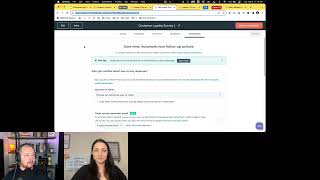
Deanna Giloff and Ryan Gunn walk through how to customize HubSpot CRM for professional services, product-led growth companies, and higher education. They cover custom objects, workflows, and integrations built for each industry's specific needs.
Welcome to the admin hug. I'm Deanna Giloff, HubSpot advocate and admin and your host for today's user group. If you are joining us for the first time, hi there. It's very glad to have you. When I'm not reminding you incessantly to join the next hug, sending you a million reminders and doing my darndest to keep it operational. Alongside Kyle Jepsen while he is out, I run my own HubSpot partner agency, Stratsmark, offering fractional HubSpot and strategy services, mostly to other agencies needing to fill a gap in their service offering, but also to businesses just getting started with taking their enablement efforts to the next level using HubSpot. Today's hug is with Ryan Gunn, Director of Demand Gen and marketing ops at Aptidu8. He's going to be demonstrating three examples of how companies could use Customize HubSpot to fit their industry. So Ryan, I'm going to let you go ahead and take it away.
All right, thank you. Yeah, as she said, I'm Ryan Gunn. I work at Aptitude 8. I also live in Richmond, Virginia with my partner Aaron and our two dogs Giles and Willow. Let's get screen share going. As Deanna said, we're going to be talking about how you can customize HubSpot to fit your industry. This is taking it beyond the out of the box setup and really doing things to extend the capabilities of HubSpot. I've got a speaker slide here, we just introduced ourselves, but we've got links here for you guys to connect with us on LinkedIn. And I want to tell you a little bit about Aptitude 8. So we are an elite HubSpot Solutions partner. We help companies implement, integrate, optimize and extend their CRM operations using HubSpot and AI. Today we are going to primarily focus on how to extend HubSpot. These are some examples of HubSpot's extensibility features. So custom objects are going to allow you to build a custom data model that goes beyond the standard objects that HubSpot provides. Custom coded actions. You, you can create your own workflow actions that utilize HubSpot APIs or do various different other things that aren't provided as a built in action within workflows CRM cards. This is a really cool one. I know you guys just had a hug recently about the new REACT based CRM cards, but they allow you to basically put micro apps into your object records. So. So a really cool example of that that we just created is one where you can use a CRM card on the contact record to access sensitive data like credit card information or social Social Security numbers that can't be stored natively in HubSpot. HubSpot just doesn't allow you to do that for security reasons. But you can use this card to access that data from a third party PCI compliant vault. And, and the CRM card basically just lets you save that information to the vault or pull it from the vault to see it. So that's.
Yeah, don't. Not to interrupt. You can. Is there any way you can make it full screen? I think some people are having an issue seeing all of the words.
Yeah, let me get that.
There we go.
All right, so that's a good example of what CRM cards can do. There's really like unlimited possibilities for what you can do with those. And then lastly, apps and integrations. HubSpot has got a really fast growing marketplace of apps and integrations that can enable new functionality that's not natively available with HubSpot. How. There we go. Oh, I'm skipping around. Whoa. There we go. Okay, so let's start about talking Data models. So HubSpot standard objects are contacts, companies, tickets and deals. You are probably all very familiar with all of those. But you can create custom objects if you have at least one enterprise hub and that allows you to create new types of objects and records to store additional information. And this is really critical if you want to customize it for like an industry specific use case that HubSpot is just never going to create like a native object for. So I've got three examples right here that we're going to go through and I've got these data models right here. We're going to go into them a little bit more in depth for professional services. This is the one that I'm most familiar with. If you are a HubSpot partner, you are probably very familiar with professional services. So what I have here is we've got our standard objects that are highlighted in orange and then I've created some custom objects, some examples of custom objects that you could create for professional services. So we've got two different types of work here, which are retainers and projects. And I think those are distinct because a retainer could be like an ongoing thing that is more support, whereas a project has a set start and end date and you could even potentially use a pipeline to show how the project is progressing. I also have delivery teams and delivery team members and that's how we organize and show what members of our team are working on specific projects or retainers and how, how those teams are, for example, tracking against capacity or an hours quota. So that's stuff that you would want on these separate objects instead of on like a contact object. All right, I've got a few examples for how you can use professional services and I'm actually going to go into HubSpot and show some demos of these.
So this group doesn't like demos. You don't need to do that.
Let's stop sharing that. Oh, I just need to exit the full screen, not stop sharing. Here we go. Okay, professional services, let's start with the, the service, the sales to service handoff. This is a point of friction in almost every professional services company that I've come across and it's probably the most critical point when it comes to the customer experience, because that is they've just finished the buying process. You're making a first impression with your services, so you need a way to really automate that process and make sure that things are running smoothly. This workflow is going to show how you can kick off onboarding as soon as that deal closes. So if we have the deal stage set to closed one, we've got a branch here. As I said before, we're treating projects and retainers a little bit differently. And then when the deal is won, we're branching on this work type which has the options for project or retainer. And we are going to create a record for each of these. These are the custom object records. So you can create a record right in the workflow. It's going to associate it to that deal, to the company. And then this task, this create a task action is through the integration with ClickUp, which is a project management system. There are all kinds of project management systems. ClickUp has a really good integration with HubSpot. So this is the example that I've used. In a single action, you can create a space, you can create a folder, you can create a list, and then you can create a task within that list. So this is just one single task that we're creating, but it creates all those different layers that you would need to create within your project management system. And then you could potentially create a series of tasks that go through an entire onboarding process or pull information from the deal record to populate those tasks and create different types of tasks based on the type of work that you're doing. And then we can do the same type of thing for Retainer. It's, you know, just like with a project, but we could create A different series of tasks because it's like I said, a different type of work. Another way that professional services companies can use HubSpot is for client measuring client satisfaction. So that's one of the most important metrics for professional services company. And HubSpot Service Hub allows you to send surveys such as Net Promoter Score, and then you can create automation to act on the responses to those surveys. So here I'm within a survey that we've created. If we go down, you can see with Net Promoter Score, responses are measured in terms of detractors, passives or promoters. If someone responds and they are a detractor, that means they're unhappy with the service that you're giving. You can send an internal email notification to someone on your team that flags that company or that contact for intervention so that you can remedy whatever problem is causing them to be unsatisfied. For a passive, that's a seven or an eight, they're like, yeah, you're, you're doing what you said you do. It's fine. Maybe you send them a reward for being a great customer and that could be the push that they need in order to really bump that satisfaction up to a 9 or a 10 where there would be a promoter. In the case of a promoter, what we're going to do is send an email to the contact owner or the person who's running the project and say, hey, these people are super happy with what we're doing. Let's reach out to them and see if we can get a testimonial or a case study and turn them into an evangelist for your, your company. And then the last thing I'm going to cover on professional services is using a pipeline for something other than a deal. So deals are what you typically think of when it comes to a pipeline. This is a custom object pipeline that we're using for product projects. So you can track a project from onboarding kickoff discovery all the way until you are either marking them as closed retained, which means, hey, they're really happy with the project. They signed a support retainer so we can continue that relationship or close churned, which means you finish the project. They're not interested in further support. Maybe they don't need it. So you're, you're really capturing that, that whole journey all the way through. And these are pulled directly from the actual stages that Aptitude 8 uses within measuring its projects. Do we have any questions about how we use it for professional services?
No questions on that yet. Oh, sorry. Something just popped in the Q and A let me see, do you use this in place of ClickUp or is high level view of what is managed in ClickUp?
So this, the. The ClickUp workflow that I showed definitely doesn't replace ClickUp in any way. This is just a way of creating tasks within ClickUp. So instead of having someone manually go in once you've marked a deal as closed one, but you might have someone whose job it is to go in and create a list of onboarding tasks. But oh, the project pipeline. Okay, no, this is once again not something that we would replace ClickUp with. But through the integration you can actually use automations within ClickUp to send information back to HubSpot and that can keep some of this stuff automatically updated and then you can use this information to trigger automations. So this project health is definitely one that we look at a lot. If it goes to red, we are sending a notification to our VP of Services and making sure that she's aware there's a problem with this account. Alright, let's close out professional services and move on to product led growth.
Lars said, is there a way to sort documents and attachments in such a project into folders and tags?
That's a good question. I do not know the answer to that. Yeah, with the native HubSpot documents functionality, that's not something that I use very extensively. I've actually created another custom object for content where we store a lot of that stuff and we have links to a Google Drive version of something if we need to share it.
Gotcha.
Okay. Product led growth. This is going to be our second industry that we're looking at today in product led growth. In addition to the standard objects, we have custom objects for free trials and app accounts. If you're in a product led growth company, you know the goal here is to sign people up for a free trial and then have your app do the talking and convert them over to a full, full account once they realize how valuable that is. So let's show some different ways that we can use that information. The first is going to be once again onboarding. Like I said, this is a big, big friction point in pretty much every company. So this is, this workflow is going to check to see when a contact has a free trial associated with them and you can create that free trial. You know, if they fill out a form you can create that is signing up for a free trial, you can create a record and automatically associate it to that contact. This is going to say when there's a free trial record associated to the contact and the start date is known and the status is active. Let's send them on this little email series that introduces them to the app, shows them different features they can use, and then alerts them when their trial is almost done. And this is a really, really simple version of this you could use. If you have custom behavioral events set up and you're getting product Usage data into HubSpot, you can create branches, you can trigger this sort of thing based on specific feature usage. So if someone uses a really basic feature, you can send them an email and say, hey, have you tried this slightly more advanced version of that? Or if someone's not actively using your free trial, you can send a specific email that's like, you haven't been using this. Please, please check out these things. Let's warm you back up and get you back into the product. And something that we have here, if we go to the goal of this workflow, the goal here is that they fill out an upgrade app account form. So as soon as they fill out that form, they are going to get pulled out of this workflow. You're not going to send them any more emails saying, hey, have you used these features? You should sign up for a full account. When they've already signed up for a full account, you want to make sure that all of that information, all of that, like, segmentation is really clean so that you're not sending people emails that aren't relevant to them. I'm sure everybody here has gotten an email from a company that they are a customer of saying, hey, please become our customer. And that's really annoying. All right, let's see the other thing that we can show off here. This is a record for a free trial. So I've created this fictional app called Collaborate, and we've got various pieces of information here that we would need to know. This status has active expired or upgraded. Obviously, if their free trial expired, then we could use a workflow to set that to expired versus if they fill out that form saying, I would like to upgrade to a full account, we can change it to upgraded. We've got a start date and an end date to their trial. If they upgrade, we've got the upgrade date. And you can store information like what's the last page they visited before they signed up for a free trial? So you can do some attribution in order to show what's actually driving free trials. We're also associating the contact who signed up for the free trial, the company, if they upgrade to a full app account, we've got that record associated to the free trial as well. And I've got some additional automation that I can show off that you can use with this. So free trial sign up, we talked about this already a little bit. But if they fill out a form, you can create a record and you can say let's name that free trial this. Let's, let's associate it with these different things and let's copy properties from the contact to the free trial record. This is where that attribution piece comes in. So this could be anything from last page scene to HubSpot's original source properties to if you have custom UTM properties that you're storing data in, you can pop those into the free trial record and then do some really cool attribution reporting on your free trials. Let's see the free trial start and end dates. This is pretty self explanatory, but when a free trial record is created, we're going to do a date stamp for the start date and we're going to set the free trial to active and then we're going to use OpsHub's format data action to add seven days to that start date and copy it into the end date property. And then at the end of seven days after this delay, they're either going to be upgraded, in which case they filled out that form, they've the status has been updated to upgraded, or they haven't done anything and that trial is going to expire. And then the last one is this upgrade workflow. So when someone fills out an upgrade form and they've got a free trial, then we're just going to update that free trial status to upgraded and we're going to automatically create a full app account record and once again copy a bunch of information over to that record. So this makes sure that all of that stuff is automatically associated. You don't have to do any like manual connecting an app account record to the contact who signed up for it. It's just all going to be done through workflows.
Ryan, we have a question. What is the difference between app accounts and companies? Shouldn't they be the same? Even if a contact has multiple accounts companies, this could be managed through the company object. How do you usually handle multiple accounts in terms of associations and matching?
So I'm not talking about companies. It's, it's not like account based marketing. You're, you're focusing on marketing to companies. This is more like their account in the app. So one person or one company could have multiple accounts. You may have multiple products. So those different products would have, you know, different, different accounts. They could be associated to the same person or the same company. If there are. If your accounts are individual users, then one company could have an account for every single employee. But you would still want to know these are all of the accounts that are associated with that company.
Makes sense.
All right, any other questions on PLG before we move on?
I don't see anything else at the moment.
All right, let's move on to colleges and universities. This is my favorite one because it is a really unique use case. Colleges and universities don't operate like any of the other businesses that we've talked about today. They don't even fit with the standard objects that HubSpot provides. Like, a university has very little need for a company's property, but they do have a bunch of other stuff that they, they may want to use. So I know this is a little bit small. Maybe I can. I've got a larger version of it here. All right, so we have contacts. Universities are going to deal with a ton of different types of contacts. The biggest one obviously being students. But they also have instructors, they have people who have submitted applications, they have alumni, they have donors. Lots of different types of contacts that universities are going to deal with. We are sticking with the standard contacts object, but we're going to create a property called contact type that is going to tell you what type of contact that is. Then I'm going to show you in a little bit how you can use that field to really customize the contact record based on conditional sections so you can only show the information that's relevant to that contact type. For companies, we're going to use departments. So different departments within a university, they'll often have their own, like email domains or URLs. There are, there's going to be courses and instructors and students who want to be associated with a department. So you know, that's, that's kind of where all of that stuff is operating. For deals. There's two different uses that I thought of for deals, one being admissions applications and the other being donations. Those are two really common things that universities deal with. And they benefit from having a pipeline view. So separate, separate deal pipelines for admissions and donations and then for tickets. You could use that for something like a counseling program, whether that's career counseling or like health services, something like that, where there would actually be like a request, something. Something where you're saying, hey, I need help with this specific thing. The student would be saying that. And it could be assigned to their counselor. Then for custom objects, I've got objects for courses, scholarships and research grants. So let's jump into some of these use cases. All right, so I've got, I've built out this entire portal. I've got a demo portal that is exclusive to this university use case because there was just so much cool stuff that I could build with it. So here we've got some examples of different contacts. You can see the contact types. We've got an instructor and a few students. Let's start by, by looking at a student record. So within the student record you can see here we've got the contact type set to student. And that's going to be really important for something I'm going to show you in a minute. But within the student record we've got their student id, their degree, their major, minor, GPA and graduation date. Really all kinds of information about students you could throw in here. But these seemed like the obvious ones. And then on the right sidebar, we've got all of the courses that they're enrolled in, any scholarships that they've applied for or gotten. And then within the deals object, we have the application that they submitted. If we go back to an instructor, then you can see the information here is different because that's not relevant to this contact type. So instead we have their job title, their office location, their phone number, and I don't know if you guys remember Rate My professor, but they used to have a hotness rating about how hot your teacher was. So Rupert Giles is apparently five chili Peppers hot. We've also got the courses that they teach and then down here in companies, this is the department that they fall under. We've also got a research grant where any money they've been awarded for for research purposes. So in order to customize these contact types and show different information, we're going to go into the record settings here and you've got your standard about this contact. I've just included really basic email and contact type here. And then all the contact type specific information comes in these sections. So within student information you can check this box to make this section conditional. And we're making it conditional on the contact type and only showing it if they're a student. So you can have different views for all of your different contact types. And your record is not cluttered with a ton of different information that's not relevant to who that person actually is. This is by far one of the most useful features that HubSpot offers in terms of getting the most out of your contact object. Because lots and lots of companies, not just universities, are dealing with different types of contacts. All right, let's jump over to courses. So within, if you look at a course, you can see all of the contacts that are associated with that course. And we're using association labels to show if they are a student or an instructor. You can see the department that they fall under. And then there's information over here we've got like the course id, the course title, what type of course it is, whether it's a seminar, a lab or an online course, the number of credits, and then capacity information. So this, I haven't built out something for this, but theoretically you could use the capacity information to create a wait list, allow people to enroll into the wait list after it's full. And then if someone drops a class and that capacity opens up, you can send a notification using HubSpot's workflows to all the students on the waitlist saying, hey, there's a spot open. You should rush to sign up for this class. And you can pull information like these capacity numbers in from an integrated learning management system to really, really connect everything, get a ton of data from that system into HubSpot where you can create automations around it. Moving over to our deals, this is the admissions pipeline that I was talking about. So we've got when someone submits an application, they could actually submit it via a HubSpot form, or if you have a specific, you know, college application technology, you could have that. They could actually submit it via a HubSpot form. Or if you have a specific, you know, college application technology, you could have that send a forms API call so that it actually submits it to HubSpot as a form. And you can still trigger automation to actually create an application record in this pipeline and then you can track it all the way through interviews and offers sent, accepted, rejected or wait listed.
Brian, you're drumming up some curiosity with the beta at the top.
Oh yeah. I actually just saw this for the first time this morning when I opened it up because I was like, this is not the view that I'm used to. So this is, this is brand new to me. This is something that, that just popped up today.
Welcome to being an admin in HubSpot. Surprise. You get a new feature.
I know, but yeah, this is actually interesting because we, with applications, we do still have a deal amount and that would be the amount of tuition that the student is paying. So we've got a lot of good data up here about the amount of Tuition that's coming in that year. And if we go to our workflows, we can see how we can actually use some of that information. So as I mentioned before, you could create an application. If they fill out a form or a form API sends that information into HubSpot, you create a record and then you've got that application record to track through the deal pipeline. This, let's see here, we've got a workflow that looks at the state or region that somebody that a contact has when they submit that application and it will actually change the amount of the deal based on whether they're in state or out of state. So you can customize that. You could do something really similar. If they are awarded a scholarship, you can update the tuition information so that you're showing an accurate amount for, for how much they're actually going to be paying. And then let's see, I've got some automation around acceptance or rejection emails. So as soon as a application is moved into the offer sent stage, this workflow would send an email to that contact and say you've been accepted. Similarly, if they've been moved into waitlisted, you can let them know to keep an eye on their inbox for a future email. And then lastly, if they're rejected, rejected, you get that classic we regret to inform you message. So those are some various different ways that you can use HubSpot for higher education. That is, those are all of the examples I have. So we can move on to questions about any of those industries. Or if you have other industries that you're curious about, maybe I can just improv some examples from those we have.
We do have some questions I'm going to throw out, but everyone loved your sample information, your sample data very over here in the chat. Good job on that, by the way. Okay, so we do have one question right away. The cardinality of custom object associations can only be many to many rights. Some objects associations can be many to many to one.
Yeah, I think you can do many one HubSpot, I think it's in beta right now. It, I don't think it's a full feature yet, but they are at least planning to release a feature where you can actually associate the same object to itself. So you could associate a contact to a contact or in the university's example, a course to a course. That's probably not a good example. I don't know why you'd want to do that, but maybe if it's like a prerequisite or something like that. So that, that Potentially opens up more opportunities for association.
So there was a question and I've lost it in the chat, but it was about adding the association tab to. Is it. Is that done manually? Are you doing that during entry?
The association labels?
Yeah, the labels.
So there is an app called Associate made by a company named Happily and that allows you to create associations or edit associations within a workflow. It is super, super helpful. You can do the same thing with custom coded actions, but if you're like me, you don't know how to write custom code. So Associate makes it super easy and they allow you to create those association labels on the fly in a workflow. You don't have to do any manual work with it.
Let's see, let's see. How do you manage the portal access for this use case? For the education use case.
Manage portal access. So that would be like which, which users within the university have access into HubSpot? I don't think you would ever have a student going into HubSpot. You might not even have a professor going in. I think this would be mostly administrative but just with, you know, with any other business you have lots of options for role permissions and you can really segment who can access what. So if you did want to give professors access to it, you could restrict them from anything they didn't need to see. Maybe they just get access to courses.
Gotcha. Sarang that you asked that question. So if anything, need anything further on that, just let us know. How do you automate the relation of a course start days and the payment dates for the course that can be split into multiple payments. Well, that was a big one.
That's really interesting. I think for something like that you would probably need an integration with some sort of financial system, whether it's an ERP or. I don't know if universities use Stripe, but Stripe is a really good one. They've got lots of great HubSpot Stripe integration functionality. But I think an ERP or an LMS integration would be the way to go there. I don't know that you would want to manage all of that within HubSpot.
Makes sense. Let's see, what do you do if you have external consultants so contacts and firm object in the buying center of your lead move the consultant objects to a lifecycle stage other or better manage them in custom objects.
Yeah, I think you could do either one. You can create like a custom lifecycle stage as well. That so you don't have to. You're not stuck with just a single lifecycle stage, the default one that HubSpot gives you is great. There's a lot of good functionality that comes with it. But you can create custom stage properties you might have. Just as we showed how you can customize the sidebar of the contact record with information conditionally. You could show a different lifecycle stage property based on whether they're marked. As a consultant, that's smart.
It's a super smart way to look at it. I'm going to just interject for real quick. I'm going to add in the survey for today, just in case I forget and we run out of time. Let's see. Don't forget to do that. Let's see. Can you share about SAS industry use cases with renewal and subscription sort of like HubSpot?
Yeah, I think a lot of the stuff I showed for PLG is really applicable to SAs as well. OpsHub is really, really great because you can use that format data action to do all kinds of stuff. You can set renewal dates. You can basically just transform that information so that you know when the important dates are, you know when the milestones are that you need to hit. So you can send reminders before renewals, stuff like that.
Let's say, how can you restrict viewing certain types of contacts in the company page view? I've got contacts for admins, managers and employees and I would like to show the contact cards only to the admins.
Yeah, I know with, with CRM cards you. You can create specific permissions so that some roles can see CRM cards whereas others cannot. That's really important for the example I talked about earlier with credit card information or other sensitive data because you don't want that widely accessible to like your marketing intern. So you can create specific role permissions within HubSpot's user settings to restrict all of that information.
Let's see. Returning to the cardinality question, I believe there was a limitation preventing one to one associations. For instance, when financial services you have primary account holders. So it would be best to have an association label from account to contact that is one to one. Is it possible to create that cardinality?
That's a good question. We can go into the settings. I don't know off the top of my head, but let's just click into here. Alright, so we'll just use projects as an example. Oh, I need to enable another association. So this would be for contacts. That's the example they were asking about, right? A custom object to a contact.
Yes.
Yeah. So this is just it. You're only allowed to do one type. It looks like it's not like the, the one to many that you were talking about. I hope that answers your question. I, I, I'm not exactly sure on that.
Justin, you can clarify further if you need some additional on that. I feel like I remember somewhere a beta possibly that there was something going on with the one to one and one to many.
So keep an eye on that too.
Yeah.
We've got a good question in here from Wendy asking about copying fields from one object to another and how you can do that multiple fields at a time instead of using a workflow to just do one field. The best way to do that is let's go to workflows is when the record is created. Let's go back to one of these PLG ones. They do a free trial sign up. In this case something is happening to trigger a free trial record being created from a contact. We've got this create record action. Then down here you can see there's a few things that we're copying over the last page visit before signup the source. Then you can add more properties and you can copy a property from the previous record onto the newly created record. So you can choose like copy this over to a new one or if you just go to set a property, oh wait, I need to actually select one. So let's do. This is not helpful because I don't have any single line text ones in here. Yeah, but the app account name is a good example. You can pull multiple personalization tokens into a single one of those. So if you have information in separate properties on the contact record and you wanted to combine them into something on the new free trial record, then you could add multiple pieces of those together. So for example, like if you instead of storing first name and last name separately on the free trial record, you just want their full name. You could do first name space, last name.
Good point. Let's see a question for the end since it's not one of the three examples. Thank you Chris. Any use cases developed for manufacturing to mirror ERP like activity things like inventory shipments, work orders, service unit service service visits, assets, warranties. Because he went on and on, good job.
In most cases. For something that complex, I would recommend just integrating with your ERP if you already have one. I think in most of those cases you're going to need some sort of third party tool, but there are things you can do in order to make that information accessible and actionable within HubSpot. So a CRM card is a perfect example of that. It's not quite ready for primetime. But I've got a video coming very soon that is going to show off a CRM card where you can actually see and manage inventory on a deal record. So if you're going into a deal, you're going to sell somebody something, but there's a limited amount. You can go into this inventory management CRM card and see how many of them are left. If you add it to the deal, it will kind of reserve that, that product for them. So you can create custom CRM cards and other solutions in order to pull information from your third party systems like an ERP into HubSpot and allow your team to use them there.
Awesome. And let's see, we've got another question over here. Love the professional services. Is there a version for law firms? Do you have something, anything in your back pocket for law firms? For Brad?
I do not off the top of my head. But Brad, if you message me on LinkedIn, I can spin something up for you. Just a. I got to think a little bit about how law firms operate, but I can give you some recommendations for what you could do.
I love it. And there was some questions, there was some feature requests and ideas going on in the chat. I say go to the HubSpot ideas forum, share those there. When we have a HubSpot employee on, feel free to share it in the feedback because those absolutely get back to them. I'm not sure how much poll Ryan's got. I'm sure he's got a lot, but I don't know if he's starting to add features in the HubSpot on our behalf. That'd be cool. Ryan.
I am not. I wish I had that power. That would, that would be amazing.
Me too.
Yeah. Like I, like I said before, if you guys do have specific questions about how you can use HubSpot to customize it for your business, you can always message me on LinkedIn. I've got a, I been creating videos for, for a bunch of different industries. So I've got all the ones you saw today. I've got one that we just released for event management and that would be for like a company that does event management, but I've also got one coming out for if you're a company who like your sales team attends trade shows, how do you manage leads that come from those trade shows and make sure you're tracking that and attributing it to revenue. So I'm continuously trying to make more and more content like this. If you have recommendations, please message me and I'll, I'll see what I can do.
Absolutely. And you said LinkedIn was the. Your preferred method. I will pop your link in there for everybody.
Yeah. LinkedIn is the only social media that I have, so if you try and reach me anywhere else you can will fail.
I love that. All right. I do want to make sure that you can go to your next event because I love that we're gonna all have to check that guy out. Thank you so much, Ryan, for sharing your expertise. If you guys got any more questions, connect with him on LinkedIn. And I will. I will share the recording after I get a chance to download it and send it out in the email. But I appreciate you coming for and sharing all this with us, Ryan. See, seems like everybody had a good time. Don't forget to fill out that survey for me, guys, and enjoy a couple extra minutes. Go to the bathroom, do whatever you need to do before your next meeting.
All right, thank you so much. This is amazing.
Bye, guys. All right.
That was fun.
Yeah, Good. I'm glad you enjoyed. I appreciate you coming and hanging out with us.
Yeah.










