Even more HubSpot updates...
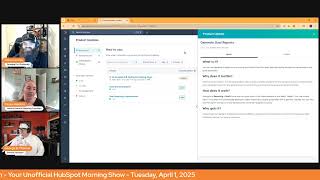
Chris Carolyn, Casey Hawkins, and George B. Thomas break down HubSpot's latest product updates: new email analytics features, calling integrations, AI tools, and customer portal improvements.
Good morning, HubSpot Nation. Welcome to Wake up with Customer Platform, your unofficial HubSpot morning show where we help you discover the platform value you already own. I'm Chris. Carolyn. I'm joined by my co hosts Casey Hawkins and George B. Thomas, as we make sure you're not sleeping on HubSpot's true capabilities. If you're joining live, drop a hello in the comments and let us know what you're building in HubSpot today. Happy April Fool's Day. George and Casey, how are you today?
Happy April Fool's Day. Doing well. Oh, I didn't tell you guys. There's a snake living in the siding of my house, so that's been an exciting adventure for me.
Not a joke at all.
I see your snake and raise you a bird in my attic that we need to get out. So I don't even. I don't even know where that is. But yeah, I'm okay. I'm doing okay. I. I was doing better until you put the screen up on this screen and I'm like, oh, geez. Out.
How many? Thirteen.
Ladies and gentlemen, and six.
Six fresh from yesterday. So let's dive in because this one is actually not that fresh.
We gotta jog through this one.
They always help us out with some. Some reprints, this being one of them. Connected email analytics rates in Custom Report Builder in a private beta scheduled for release May 6th. Low impact. What is it? You can now report on your one to one email, open click and reply rates when building reports in the Custom Report Builder.
Why does it matter? Your email performance is an important indicator of your sales team's performance. Tracking these rates over time can give you insights into how your efforts to improve your sending reputation are paying off.
Just saying.
We're in. We're in.
Yeah, I think that's pretty straightforward. Yeah. Moving on.
We got. We got too many. Yeah, we got it.
Number two, inbound calling for air call customers.
Here's another app alert. App alert.
Let's see if it says that over here. No, it doesn't. Okay. Definitely not what this is for. HubSpot apps versus marketplace apps. What is it? If you're using aircall in HubSpot, you can now receive inbound calls anywhere within HubSpot and navigate around while on live calls.
Oh, why does it matter? Using a third party app that fully supports inbound calling offers the following benefits. You can make outbound calls and answer inbound calls in your app of choice anywhere within HubSpot. You can navigate around HubSpot while on live Calls and access call recordings directly. In HubSpot, outbound and inbound calls are automatically logged on the call index page where you can take real time notes and review a call after it ends.
This is nice.
When you do a call in HubSpot, it's native call. Can you navigate around or are you locked into the page?
It's a. Well, last time I used it because I have it connected to my mobile phone because I'm just like, please just call. But, but, but last time it's like a pop up so you can kind of still do your thing because it's over on the side. But, but this is interesting. Like Air Call is cool. I used Air Call for a while. Heck, you can even do an Air Call analytics dashboard in HubSpot, which is kind of cool. Not, not part of this thing that we're talking about now. But the fact that they're focused on inbound and outbound calls. And then also my, my brain goes to like the coaching, the call list because then that would also be brought in there. Anyway, this, this is cool.
It's cool.
I'm interested. How long? Like, because obviously if they had Air Call and couldn't roll around HubSpot prior to this, they have been using it separately and then HubSpot's on a separate screen or something. Like, what's a realistic time frame for you guys to get a team switched. Switched over? Like process wise.
To start just navigating in the same window?
Yeah, just to like train everybody. Like I'm doing something different.
I mean, in this case. And then Casey, you can say in this case, I feel like if you told a rep that you now no longer need two screens, they'd be like, boom. Okay, thanks. I'm gonna, I'm gonna start doing this. But maybe not. We're creatures of habit, but that's my thought. I feel like this one would almost be like a duh. Like, let me go do that.
Yeah, I feel. I agree, George. This one specifically at least I think would be pretty quick.
Cool. Number three back on the list. One of my favorites that I have yet to try. Sorry. Uncur remix. Multiple pieces of content is live. Maybe it just went from beta to live.
Guess what?
They're just helping us get through.
Yeah, right.
Yeah. Right next to. Right next to video remixing. Is that going to give me something? All right. By the way, people, you can remix a lot of stuff with content remix, including multiple inputs. Super powerful if you haven't checked it out lately. Speaking of more inputs, tools upload a PDF to Breeze Copilot private beta Medium Impact. Scheduled for release, expected May 13, 2025. What is it? When you use Copilot, you'll see a paper clip icon in the chat window. Click it to upload any PDF from your computer. Copilot reads these files for you, so you can simply ask questions about your documents in plain language and get helpful answers without having to dig through them yourself.
Why does it matter? Even in the most advanced, LMS are prone to generic or irrelevant responses when they lack context. LLMs. Sorry. By allowing you to upload a PDF directly to Breeze Copilot, HubSpot is enabling the underlying model to provide a more relevant response. Being able to upload a PDF means Copilot can become more aligned with your goals, your company's voice and whatever other context you want to provide. Copilot.
Yeah, I can't give you chimes on this one because I smashed that request beta button yesterday. Actually recorded an extended version video and put out on LinkedIn and Facebook about this because I was super excited about this. Like, listen, y' all know that I'm like into AI. Love me. Some AI built the clone like rocking it out. Saw this was like. This is absolutely amazing for HubSpot users. More people need to know they need beta. I want a bunch of people testing this and using this so that the team that is releasing this can make it the best. It can be like this, this. I feel like when I see the word context and I understand what people could upload and what it would mean, this, this gets exciting.
Yeah. And in case there's any confusion out there, Copilot is not with Breeze Intelligence. It does not cost anything extra and as you can see here, free for all hubs and tiers. So no cost to start trying this out. I know you have PDFs, I guarantee it.
If you don't have PDFs, can you hire me, please? Because it gotta be easy to work over there.
Yeah, yeah. So very cool. And again, this takes us. For me, like I'm always thinking about that chat interface and when I see the home page that's coming like that, that's gonna be Copilot and it's turning into like whatever you get at GPT and cloud and other other places. So gonna be powerful.
Yeah. Imagine when it's not just PDFs and it's spreadsheets and you can actually export your HubSpot data and then circle back around and like give it to co pilot and start asking Anyway, they are.
Working on some amazing stuff. When I was in Austin last week at the meetup. I got the chat with somebody from Ops Hub about data sets and what they're trying to do with stuff like spreadsheets is pretty mind blowing. It's the kind of stuff that anybody who hasn't digitally transformed yet is going to be able to just take the fast pass, like right over to transformation land, should they choose to do. So.
Chris, does that make you happy?
It does, it does.
Can you hear it in his voice?
Yeah, I think he's in his happy place right now.
That's why like 110 of my energy right now is helping you choose to do so. Like, please move forward and prepare yourself for AI undo edits.
Oh, reverse.
Okay, more April Fool's jokes. Breeze Suggested Properties and report Filters. Okay, this is a. Probably don't want to skip this one.
That's why I was like, whoa, what is it?
When you create advanced filters in reports, Breeze makes it easier by suggesting the most relevant properties for you. We recommend options based on what you're searching for, what data you commonly use, and which fields actually contain information in your CRM.
Why does it matter? Identifying the right property and reporting can be challenging and time consuming. Properties can have similar names, or you may not even know the exact name of what you're looking for, which is confusing and often results in endless scrolling through options to try to find the right one. By leveraging AI, we aim to streamline this process, enabling properties to be suggested based on somatic search and other inputs that so that you can quickly and easily find the right data. Hell yeah. Smash it.
I I It's a whole new world. Like I just want to start singing like, oh my God, like there's so much goodness. If you break down the words that you just heard or if you go read this and look at. Oh, this is going to be interesting.
Yeah. Which fields actually contain information in the CRM?
Yeah, yeah.
Commonly used.
That's going to be some a gotcha for some people. Oh, maybe they get to the gotcha faster this time.
A lot.
Oh, it's actually named that. Okay, I didn't need to make this second property.
How do, how do we hunt down three employees ago and get them up? You can't, by the way, documentation. I'll shut up. Nevermind.
I was gonna say we do that by worrying about leads, but probably not. Number seven, Undo edits to lead association card on the record page. This medium impact. We did just association oh, property cards yesterday. Yeah. What is it? This enhancement will inform users when a property edit is saved and give them the option to undo any data entry mistakes.
Why does it matter? We've enhanced the property editing experience for the lead association card that appears on the right side bar of the record page. Now users will see a save status component in the bottom left of their screen with an undo action when editing the following properties in the lead association card Lead type stage. Clicking undo will revert the most recent edit to the property. I feel like a couple weeks ago every day we talked permission something. I feel like now every day it's undo something.
Well, and I feel like it's Groundhog Day. I swear to God this is the same thing we covered a day ago. But maybe not. It feels like.
Was the same thing. Except this is for leads specifically. And I did mention like. It's interesting to understand because as they roll this out in separate places, it's like, oh, why can't we just have that for all the cards? Yeah, well this card impacts this rest of the portal and this card impacts this part especially. Leads the way. They've I'd say very meaningfully taken their time to build this out and build it out. Right now we just need it to be named something different and then we're good. But yeah, good to see this. What came to mind Jeff Vincent, please. I know you have to have a data map somewhere to be able to roll this out in this way. Understanding how all of the objects fit together. If we could please just share that with the world, that would be amazing. So that we're all not building our own separate versions. Very cool. File preview format for file properties in personalization tokens. Medium impact. I am intrigued. What is it? The format of file properties inserted as personalization tokens is changing. HubSpot will now format file properties as file previews. Previously, file properties inserted as personalization tokens are formatted as raw URLs that cannot be easily shared. So before you see this monstrosity of a URL and now you get a preview version. Now file Properties insert as personalization tokens will display as a file Preview page in HubSpot. The file preview is a 24 hour shareable link that can be easily grabbed to share with other HubSpot users if needed. Now I'm confused, but I'm like, what? Complexity at its finest. Why does this matter?
Casey? This change will simplify the format of the URL or File properties inserted as personalization tokens that make it easier to use and share them. Before crazy URL after not crazy URL. This change does not impact the Underlying data stored in a file property. Who can access file properties in the current state and future state. Users must log into the HubSpot to view the uploaded file. The experience of uploading files in the file property in the CRM. So it's the 24 hour part that we're all still like a little confused about. Right?
Well, and I'm just curious of like why you have to share a link to other HubSpot users who have access to where the actual link is. What use case am I not thinking of? Please somebody call in let. No. Oh you can't do that. Hang on, never mind, never mind.
Not yet. Next week, George. Next week.
What am I not thinking about here? Because I'm like sweet pretty URL.
So this is all the transactional commerce stuff I would say like which I'm guessing this is who is asking like for this functionality first? Because when we are sending invoices and stuff about the money, like nothing breeds less trust than ungodly like long URLs that nobody can understand and look like spam. So if I'm. So then if I'm sharing a document like that I could see the request being for a time window of availability. That being said, it's not a great customer experience if I don't get to that email today. Yeah, I try to click on it and I can't access it.
So I don't know, I don't know, I don't, I don't, I don't get it. I can't, I'm trying to get it. Somebody helped me understand why it's medium because it just feels like a pretty URL thing right now. But you know, maybe I'll take a nap and wake up and it'll.
No. Also like often stuff like this translates to how bringing the property into like a CMS page as well. And if that does that I'm gonna lose my mind. So I've already shared that URL with Derek just to make sure we're aligned. So number nine users can reply to closed tickets in the customer portal. Medium impact. What is it? Users can now reply to close tickets directly within the customer portal. No need to start a new conversation or switch to email. If a user needs to follow up on a resolved issue, they can simply reopen the conversation with a reply, keeping all the context in one place.
Why does it matter? Reopening closed tickets in the customer portal is one of our most requested features today. If a user wants to reopen or respond to a closed ticket, they have two options. Exit the portal and reply through email. Create a new ticket without the necessary context. We're introducing this update to give users an easy way to continue conversations on closed tickets without forcing them to create a new ticket or leave the port portable. Very exciting.
This is a signal. This is how active the product team is. Now we're getting updates on Customer Portal, Baby.
I'm just saying, I'm just requested, like, really, like, for Customer Portal. This is one of your most requested features.
I mean, I'm not a user. I could see it all day, though.
I mean, I can see it, but there's got to be a few ahead of this one.
Especially when all the KPIs relate to SLAs and how fast can I close this ticket? I imagine there's some customers, they're like, hold on. Well, not done yet.
Closed. Well, you are reopening it though, aren't you?
Yeah. Oh, yeah. So I think that. I think that could easily be an experience that would have kept people out of. Because even when we do our own tickets, like with HubSpot support, like, that's how. That's how it works. That's how the chat works with us being able to reopen the ticket. So customer flexibility. I like it. And I got to speak with the product manager for Customer Portal a couple weeks ago and they are putting in some work right now. They've got some fun stuff planned. Updated call summaries. Low impact. What is it? This update expands call summaries to provide additional insight for recorded and transcribed calls in HubSpot.
Why does it matter? Understanding the context of logged calls can be time consuming, especially when in a hurry. This feature provides reps with detailed AI generated summaries for their calls. Can we scroll to see? Can we scroll? Oh, that is not super helpful.
But let's enlarge that bad boy. Let's open this.
It's a call summary. That's great.
Okay.
I've never. That's a call record page. That's cool. All right. Maybe if we do the call in thing and we do it through HubSpot, maybe we'll get to play with some of these calling tools that I have not touched before.
Yeah, I haven't either.
AI powered a B Testing for landing pages. Medium impact. What is it?
We've been here. Okay.
Yeah, we have. Optimize your landing pages faster and with greater confidence using our new AI assisted AB testing feature. When creating page variants, you can now leverage AI to. To generate alternative content suggestions and implement recommendations with a single click.
Why does it matter? This enhancement makes AB testing more accessible and effective. Eliminating the guesswork of what elements to test let AI help you discover the best performing versions of your landing page while maintaining complete creative control.
Yep, this bad boy got an honorable mention on yesterday's recording of the Hub Heroes podcast, by the way. We talked about a B testing for an episode. And we talked about how you now have three ways to a B test. This was one of them. We talked about.
Nice. I hope sometime soon, like, people will click the button and it'll say like, okay, that's a great idea. When you get to this many this and this many of this. Now we can do some a B testing. That makes sense.
Yeah, yeah.
Generate goal reports. Well, March 18th. I don't know about that one. I feel like this is the first time I've seen it. What is it? You can now generate a report for any existing goal directly from the Goals app, eliminating the need to create reports and goals separately.
Oh wow.
Why does it matter? Creating custom reports to track goal progress often requires complex configuration. This update let update lets you instantly generate a pre configured report for any goal with just one click, saving you time and ensuring accurate goal tracking.
I just gave HubSpot a happy dance. I don't know if anybody is paying attention. Makes me happy. Anytime you're simplifying the complex, especially around goals or God, hopefully soon forecasting. Like please. Yes.
Yeah, give it to your starter level too. Can we set some goals, people? How about. How about that? Then maybe we can get to the forecasting.
I've thought about setting goals in my life, but I just don't know if they're for me. April Fools.
And alongside that, goal reporting improvements. What is it? You can now add goals more easily to reports to analyze goal progress and add goal reports to a dashboard. With this change, users can add any goal type to a report, not just revenue goals. Select a specific goal to report on and not just an aggregate of all revenue goals. Oh my gosh. We can have other goals besides revenue goals.
Revenue goals are nothing.
Wow.
Previously, only revenue goals could be added to your reports. If a portal had multiple revenue goals, they would be aggregated together into a single goal line. Yeah, nobody like that. This prevented users from reporting on other types of goals. I don't want to say that like it's the worst example ever. What? Give me another example. George, that's not.
Calls me somebody worked hard on that line of copy. Okay. Yeah, I don't know. I'm with you.
Email sent. Chris.
Oh, stop it.
Stop.
All right. Why does it matter?
Hang on. Like this one. Leads generated.
Chris is leaving the show. He's leaving the show.
Triggered.
Speaking of value first culture.
It could be that maybe.
Oh, man. Speaking of the conformity trap that I'm going to talk about in 10 minutes.
Why does it matter? Sales teams that want to report on goals for specific users teams or who track goals for activities beyond deals can now create reports with that that information and add them to dashboards.
Because sales teams are the only ones that want to track goals. And yes, Meline, indeed, reports and goals are related.
Wait, what they are.
Who would need that?
They can and should be. That's for sure. Gosh.
And we, we love you, HubSpot.
Yeah, thank you for all of this progress.
I can't get over Chris just tabbing over to that other tab. Finding nothing after update.
Yes. All right. And recommended number is going up. Schedule for release. Let's hit schedule for release tomorrow. It's been a minute since we've done that, but for today, that's where we'll wrap it. Remember, folks, you probably already own the solution you're looking for in HubSpot Breeze PDF uploads. Maybe sometimes you just need to wake up to it. Join us tomorrow morning as me, Casey and George continue exploring what's new in the ecosystem. Drop your biggest takeaway in the comments and let us know what capabilities you want to wake up to next. Until then, I'm Chris. Carolyn.
I'm Casey Hawkins.
And I'm George V. Thomas.
And this has been Wake up with Customer Platform. Now go build something amazing. Have a great day, everybody.










