Facebook Group Management in ClickUp Example | Creating a Process from a Workflow or Process Map
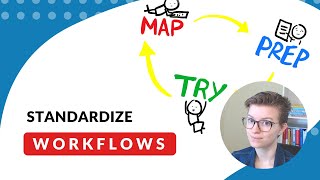
Layla from ProcessDriven walks through how to build a Facebook group welcome process in ClickUp, turning a workflow map into an actual system your team can follow and delegate.
Good morning everybody. I'm going to just text to make sure we are all live here. If you are able to see here all that good stuff, I would appreciate a heads up. My name is Layla. If we haven't met before, I run ProcessDriven. I'm also the person behind this group and this morning I am going live for our weekly workflow mapping. So if you are new here, you might have seen that we have a lot of tech tutorials on this channel. I post a lot of stuff on YouTube technology, specifically SaaS, software, things like ClickUp, G Suite, those kinds of tools, ones that are accessible to small teams without, you know, breaking the bank but do still help you get more work done in less time and reduce some of that stress that comes with small business ownership. The reason I have every Wednesday dedicated to workflows is because I believe that so often the content that's out there, that helps small people, small people, small teams use technology. So much of the content is about shiny new releases. It's talking about how, you know what, I'll even take this off the screen here. I'll just go full screen for you. So much of the content out there is talking about why you need this shiny tool. Every advertisement is telling you that ClickUp is going to save your world. Every YouTube video is telling you about a shiny new release or a new feature or new whatever that you should, should, should, should, should be doing. And I think that in at least the way I approach this in my work is that that is doing a disservice to many of us who it's not about taking advantage of every shiny new element of every possible tool out there. Instead, it's about trying to figure out we know what our it's not a service. I have people entering the world over on this side. I have these funnel icons. Don't worry, it's not really a funnel, but they're coming from these sources. I've noticed that most people seem to say that they're coming from YouTube. Now, unfortunately, many of you haven't told me. So if you did come from YouTube, comment YouTube in here, that would be great. To give me some more data, I've also got some people who are coming as clients or community members, people who are invited, whether from me or from someone who's in the group. And then there's a good number of people who are coming from search, whether that's search in the Facebook world or just they found something, we posted elsewhere and they came on in. And those are the main ways that people seem to enter the group. Now, I have a bit of a gate on the group right now. So it actually has a questions that you need to answer before you can get in. And that's our first kind of step in this super simple process of letting people into the group, the group tasks. And I'm going to start mapping out whatever this process is. So do I need subtasks for this? Let's see. Let's create it. Let's open it up. Before I start organizing it into different categories of the ClickUp interface, like do I want it as subtasks or checklist. I'm going to first just draft it. So I know maybe people do this different ways. I'd rather just get it out of my head. Normally the way I would do this is actually do the task while writing the instructions. So do we want to do that? No, I'll just. I'll just go through my mind's eye and say we're doing the task. So let's just say I'm in the Facebook group. I know you need to go to the ClickUp B Suite. Facebook group, Facebook group. It's every Monday. Trying to think what other things they need to know. Create a post using the new post button to welcome new members. Now, as I'm thinking about it, I know that there actually is. You know what, let's go through. Do I want to share this with you? There is a shortcut button that I could have use the welcome members button to automatically generate the list of names. So for those of you who don't manage a Facebook group, there's actually a button there and I'm going to snip a copy of it and put it in here. So that way my instructions have that. I'm just starting to collect information here based on what I can think of that people might need to do this process. All right. They might also need the link to this group. So let's go in there. Let's get the link to this group. I could add it as a link website link or I could add it as a hyperlink here. I think I'd rather do that. Go to the click of the suite every Monday. We're just jotting things down here. What else do they need to know? They need to write the post. And I know because I've done this before and many of you, when you're writing your processes, you've probably already done that process. You've done that task maybe hundreds of times. So in this case, I know that I have a post that I've been writing and maybe I write it from scratch every week, but I can go in here and I'm actually on one page here. I'm going to go into the Facebook group. I'm going to look for a recent email or a recent message I put out and I'm going to copy and paste. They put this in there. Perfect. Maybe I need to fine tune this a little bit. I'm going to make it stand out a little bit more. It's weird to be working in light mode, so I'm starting to drop that there. Is there anything else? Well, I guess I should put people's names. Go here. I know this is a little bit basic, guys, but the reason I'm. And let's just take out. Take out this for a second here. The reason I am going through this tutorial so painstakingly breaking down how to actually document a process is because in the Facebook group, when you guys were asked, what do you want to have a co working hour on or what do you want to work on? In the group? Overwhelmingly, the response from all of you was that we really want to get every single part of our business documented. The process I'm showing you right now is how to actually document it. We've been doing the past four weeks on this stuff of actually mapping it, figuring out what you want once you know what you want. The stuff we're working on now is about how to actually have people do what you want. So this is just drafting in the description of ClickUp. You could use a Google Doc, you could use Evernote, you could use, you know, whatever the heck you use to organize your thoughts and share it with other people. But I'm going to use ClickUp because I have it here. All right, so keep jotting this out. Anything else that we need to do for this step of writing a welcome, maybe I want them to let me know when it's posted or Mark Mark task complete when it's posted. Actually, you know what I want to do. Mark subtask complete when it's posted. And since maybe I'm not working with people who are super familiar with ClickUp, let me be super clear. Change status of subtask to complete when it's posted. Something I like to do, and I think I've showed you this before. I really like to use emojis in just writing like this. I'm actually going to go do a quick search and add in some icons there just to make it jump out. And I can also do this and whatever other formatting we want want to do. Okay, so we've got a rough draft here of a process. We can make it a little bit clearer. Maybe when I put this. Create a post. Use the welcome members button. All right, I'm feeling pretty good about that now. We might need to copy and paste this out of here because I think some of this we're going to make into a subtask called Create Welcome Post Every Monday. That's going to be task number one. I'm going to paste that stuff into the description here to give some context for what this step is. Create welcome Post Every Monday. Every Monday. Go to the. And I'm going to take this then. And I'm going to zoom out a little bit because this is very, very tight. I'm assuming you can see me. I'll get my Sam. Oh, I'm sorry, my audio cut out. That was my fault. All right, so I'm just typing this into the descriptions here. I am just changes. I change the default post text using the template in the description above. So I'm referencing above since I know I can have more space to expand. And then when I'm feeling pretty good, put this in here. Change the status. Change the status of this subtask to complete when it's posted. I just want to check what my statuses are. Yep, Complete is the name of it when it's posted. Great. That's a pretty simple. Pretty simple example. To automatically get a post with everyone's names in it. Use the right post button and I actually might zoom out. Let me. Let me go back to this. If I was creating this actual instruction, I might take a snipping tool and just go a little bit broader on here just so that they can see where it's located. So if I do that, though, you guys are going to see all of the people who need to come in here. We'll just leave it like this for now. That way they can really see where it's at. I know you can't see this in this moment, but. All right, so I just made a quick snip and replace that with that. So it just shows them the context of where it is. This is something that only admins can see, I believe, unless this is getting pretty exciting. All right, so we have this to automatically get a post with everyone's name in it. Use the written post button. When in the body of the post, copy and paste this message. And maybe I want to have these kind of broken out a little bit. I know it's not right to do it as heading Three. But heading one is just way too large. Look at that. Like, that is unusable. Just go bold instead. Okay. Might do some indenting. Just some formatting here to make it a little bit more bearable. Okay, good enough. Okay, so we have that in there. Um, yes. Now I feel like I've got that first prep piece. So again, back to our process here. We want to. Want to plan, prep, try. So I'm going through the prep stage right now, and I'm trying to think, what other resources might someone need in order to complete this task for me? You know, honestly, I can sit here and try to think of possibilities, but the easiest thing might be to just let someone try it. So I'm going to go back here to ClickUp. I've got this drafted task. I don't think I have anyone actually else in this status. So I could assign it to myself or I could assign it to someone on the team and basically leave them a comment, say, hey, this is a new process. Would you try to complete this and let me know in the comments what's confusing? I like to leave the assumption that it is confusing. So that way there's no pressure to tell me that it's perfect when I know it's not. Um, and yeah, that one's in there. So I could assign that to somebody. I don't think anyone else is in this sample space, but still, I'm also going to add maybe another subtask here. First, let's change. This is a task to perform within the Facebook group just so that link is there. And then maybe I also want to task here to say, remind Layla to go engaged, because I love to engage with people who actually respond to the welcome post. So I'm going to take these two tasks, I'm going to make link them, and I'm basically going to say, did I do something wrong there? Okay, linking is not what I want. I want dependencies. There we go. Brains working. Okay, so I'm going to say this task is blocking. Let's see if it let me do. Okay, that was a little confusing here. Let me explain what I just did. Even though I was clicking around a little crazily here, so now I have it. That welcome post is blocking. Remind Layla to goengage. So as soon as it's done, it will trigger me saying, hey, this task is now unblocked. You're able to do this task. Go do it. So. So if I had someone else assigned to this step, it would make a lot more sense here. So I have this in there, I'm going to assign it to some fake person, give it a due date of Monday because that's when this is due. I'll give it a time too, since I want this to be in the morning. Let's do 9am and there we go. So when. Sorry, I'm going crazy on all the different options here. So when we're talking about documenting every little piece of your business, this is the process we're referring to. It's really the idea of starting to actually do. Let me grab my tablet back again, Whoops. And knock my microphone over. It's really the process of this, of this prep work here. It's trying to make sure that we have all the ingredients. We need the unsexy stuff to make it easier for not just me but anyone to do this task in the future. So by creating the task I have here, maybe I'm just a one person show, but since I have this task here, I have the instructions and I have a script for myself, I'm making it easier for anyone, whether that's me or someone else, to perform this task in the future. Now I know this isn't perfect and I know I'm going to need to go through this process probably a few times until I figure out what works. Not just what works for me, but what's actually getting engagement from you guys, what's meeting the KPIs of success I have for this group. And that's going to involve going back to the map that we have drawn over here. That's going to involve maybe changing our prep ingredients. That's going to involve trying it or having different people try it. And yeah, that's the journey that we're on. So on this workflow Wednesday, I'm pushing beyond just a little bit beyond our world of just workflows and giving you kind of an example, real life example. I'm glad I made this because now I have it for myself in about 20 minutes. 20 minutes. While talking about it of how you can take a workflow that you've mapped and put it into technology that allows you to delegate more easily or just give yourself structure to the tasks that you need to do. Like I said, this took 20 minutes for me to do live with you. How long would this take for you to just do for yourself in silence? Probably about five to 10 minutes. So when I see the most popular request in the group from that survey was that you all wanted to get your processes out of your head, I'm sitting here thinking, well, join me on Wednesday you could have it done by the time you are finished watching one of these lives. Yes. Oh and a quick request for feedback here. If you're watching this, I would love some of your feedback on the cadence of this group here. That is something I still have in the do phase, the try phase that I'm trying to figure out what works best. So if you enjoyed this live, I do go live every Wednesday at 10 Eastern and on I think 4 Eastern on Thursdays as well as having posts on Tuesday and Fridays with YouTube videos and Monday with our welcome post. So if you think this is awesome, if you're enjoying this, please let me know. If not, I mean please also let me know if you're watching this and you'd be so kind, I would love if you would respond with some kind of GIF and let me know what you thought how you're doing today. Just give me some kind of feedback to let me know if this has been a good use of your time. And yeah, just a reminder, this is this kind of live event happens Wednesdays at now o'. Clock. So whatever time that is in your time zone, it is 10:00am Eastern here in the U.S. east Coast. And next, the next time we go live is tomorrow at 4pm Eastern. So now o' clock plus six whenever this was for you plus five or six hours there and that's pretty much it. So again, respond with a GIF if you're seeing this. Respond if this is helpful to you. If this is not helpful to you, I would love to know because I could try something else that's going to give some value to you guys. I just want to make sure that we are getting this message out about process and workflows and saving people some money and time by trying to fit themselves in the square peg round hole scenario of trying to use every tool for everything and feeling like none of it's helping. That is it for this video. I'm going to just say sit here and finish this nice little doodle and I will see you all at the next video tomorrow in five hours from now. But in tomorrow's time in your time zone it's 4pm Eastern I believe. So thank you so much for watching. I'll see you at the next one. Bye Bye.










