Gues what today is about... #HubSpoUpdates #HubSpot #HubspotCRM #Changes
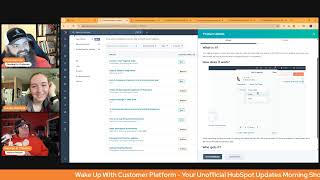
Chris Carolyn, Casey Hawkins, and George B. Thomas break down the latest HubSpot updates, covering email logging rules, Shopify integration changes, data enrichment, ticket management, and calling features.
Good morning, HubSpot Nation. Welcome to Wake up with Customer Platform, your unofficial HubSpot updates morning show where we help you discover the platform value you already own. I'm Chris Carolyn, joined by my co hosts Casey Hawkins and George B. Thomas. We're here every weekday morning making sure you're not sleeping on HubSpot's true capabilities. If you're joining live, drop a hello in the comments and let us know what you're building in HubSpot today. Happy April 23, 2025, folks. How we doing man?
I'm doing good. Like every morning you say the date and I'm like.
Ticking up, doesn't it?
Time keeps on slipping. That's all I'll sing because I don't want us to get a copy.
I did fail you, Chris. I realized this last night, but I did forget it until this moment that I did not pack any orange when I packed for my parents house. I know, I know.
Good thing you just exude orange on a. On a daily basis.
I mean I feel like I've got the hair thing.
You got it.
It makes it easier.
Yeah.
Did I tell you the story that I used peroxide on my hair one summer and I had orange hair? Did I ever tell you that story?
Was this before your HubSpot life?
Yeah, this is way before my HubSpot life. This is back when I like was worked at a camp and taught kids how to ride horses. Anyway, I digress. Not why we're here.
I hadn't heard that.
I have pictures to prove it by the way.
So you surprised me.
Yeah.
All right. Contact email logging rules in private beta. What is it? Contact email logging rules let admins configure their portal to automatically capture all email communications between users and existing contacts in HubSpot.
Why does it matter? The current default logging behavior only captures contact emails that are replies that to already logged user emails which can lead to important communications being missed in your CRM. When a contact responds to a sequence but their email isn't logged. When your emails from your mobile device without when you send emails from your mobile device without using the BCC address. When you forget to click log in your email client previously you needed to use the forwarding address or the retroactive log button requiring extra manual steps to to capture missing emails.
Yeah, if you're watching this or listening, you'll want to scroll down to the how it works because it literally talks about like if you choose the new logging behavior, be aware aware of these key differences and just read those three bullet points in Your portal before you turn this on outside of HubSpot, such as the email client and mobile apps to existing contact records will log to the. All emails. Anyway, just read those.
Yep. Yes. Private beta right now. All hubs, all tiers. So you wanted granularity on your emails. You're getting granularity.
Hey, question. Do you think emails ever become an object?
I think they kind of already are.
Well, we can't do custom properties though. Like here's, here's what I'm talking about. Like I'd love to be able to have a custom property where then you could set something where it's like an operations email versus a marketing email and then be able to report on like operations versus. Anyway.
Yeah, I'm opting into that beta.
Are you opting into that beta if email was an object?
I don't know. I'm opting. I'm opting into the. Into the frame AI world that was described yesterday where emails just come in and things happen.
I know. I was gonna say Josh, if you're asking Chris. Chris is still.
Chris is here, here, ladies and gentlemen. Let me describe Chris Carolyn, very quickly in two words. Frame orders. All right, let's move on. Let's move on.
Speaking of orders, it's like you saw one of my emails after that show yesterday.
No, I don't need to see your emails. I just know.
I know. Yes, I do email on occasion.
I didn't know that.
Number two, I'll share the story if we had time. Legacy Shopify Integration Upcoming Sunsets Medium impact Massive Impact if you are actually using Shopify. All right, Integration.
There's a new one.
What is it? Previously as previously announced on February 25th, HubSpot will discontinue support for the legacy version of the Shopify integration on May 15, 2025. As a reminder to ensure uninterrupted service, please install the new Shopify integration powered by Data Sync before this date. A built in migration wizard is available in the Shopify App within your HubSpot portal to guide you through the process of installing the integration, migrating your workflows and sync settings, and uninstalling the Legacy integration. For more detailed instructions, please refer to this Knowledge Base article.
Why does it matter? In 2023 we introduced a new and improved Shopify integration powered by Data Sync, featuring an enhanced data model with dedicated order and cart objects designed to accurately represent e commerce data. This this integration supports two way syncing for contacts and products, offers advanced sync settings, and provides detailed insights into syncing errors. As we sunset the Legacy integration. We encourage all customers to migrate to the new integration to take full advantage of these robust capabilities.
Two things to be aware of if this is you, if you have to worry about this, deals versus orders, educate yourself on that and how it's going to change your processes. And then this wizard works when custom properties are set up well between deals and orders in a very matchy kind of way. If you don't, go ahead.
So here's what's cool too. Like, because I didn't know this, but this is, this is why I love this show, by the way, is it? It forces me to dig in. You know, one of the things I love about the Salesforce HubSpot integration, I know that's not what we're talking about. Just stick with me for a second. Is the fact that there's visual force, meaning you can put HubSpot inside of Salesforce. I literally went over to the Connect HubSpot and Shopify, like the new page and there's a part where it Talks about use HubSpot marketing tools in Shopify and there's a screenshot where you literally see live chat forms, contacts, like these HubSpot features inside of Shopify. So like, you might want to just dig in and check this out and actually be excited that it's being sunset because of the new thing that you're going to have access to. Because it's. So just click on that. Well, right click Shopify integration powered by Data Sync down there towards the bottom. Chris or that one probably, but they're probably the same. Right click, open a new tab and then if you scroll down maybe about towards the end of the page, on this new page, you're going to see the screenshot that I'm looking at which is like, boom, here it is in Shopify. By the way, this is. I can also say this is why I like the WordPress integration. Because HubSpot is in WordPress. WordPress HubSpot is in Salesforce. Now HubSpot is in Shopify. Ladies and gentlemen, do you see a pattern? And if you, if you follow this show historically of like how it's like, we don't accept. Expect you to be here because we're gonna be there. Like mentality that's happening. Anyway, I digress. Let's keep rolling. I know, I know we got a hard stop.
Yes, agreed. There's lots of great reasons to migrate and to get this going as soon as possible. Just be ready for it not to be a click of a button, easy to migrate over to the new sync and I'll be doing Part two with Stefan Longar on Monday to talk about deals versus Orders in our four part series about the Shopify integration. Last time we talked about the role of HubSpot and the role of Shopify and getting that well understood in your organization. In order to make this integration work and understand native versus Custom and exactly what changes we're making, Part two is going to be about deals versus Orders.
Go Fig.
Yeah, honestly Enrich company properties in the Missing Data App what is it? Introducing data enrichment capabilities for companies in your missing Data tool, enabling you to automatically fill gaps in your records using trusted external data sources. This powerful addition transforms the Missing Data tool from a visibility solution into an active data completion engine.
Why does it matter? Incomplete data records limit your ability to make informed decisions and can cause downstream issues in reporting and analytics. By integrating enrichment capabilities directly into the Missing data workflow, teams can now proactively address data gaps with without switching between multiple tools or manually researching missing information. This not only saves time, but also ensures higher data quality across your organization.
Powered by Breeze Intelligence who gets it? Ops Pro Ops Enterprise with a little bit of Breeze Intelligence on top of so keep that in mind Ticket Reopening Management in Help Desk Private Beta Medium Impact what is it? Well, it's enterprise only, that's what it is. Ticket Reopening management in a new workflows powered solution that allows users to control if, when and how tickets reopen based on new replies to closed tickets.
Why does it matter? Once a support rep closes a ticket, their customer may reach back out for a number of reasons to say thank you, to ask for follow up questions, or raise a completely new issue. Historically, there's been no way to prevent that closed ticket from reopening or to auto generate a new ticket. Whether the end user reached back out within five minutes, two days or six months, that original ticket gets reopened, causing issues for reporting SLAs and overall rep efficiency and organization. Not anymore. Ticket reopening management workflows give support teams an automated solution that allows them to proactively manage their process for new replies on closed tickets and make it easier for reps to respond, prioritize and stay organized. Often a support team's process is to allow customers to reopen support tickets within a certain window of time after the ticket was closed, for example three days. If the customer responds any later than that, a new ticket should be created. This update makes that process possible.
I'm loving this. I'll be honest. Like that was one of the It's Always been a conundrum for me, like how automated do you make ticket creation in general just by plugging in an email address or a form when there's so much communication that, you know, probably doesn't require it? So good to see this kind of granularity, especially since they recently gave us the ability to reopen tickets.
Yeah, I got a little self conscious immediately while reading that because I'm definitely the person that will follow up and be like thanks. And then that's probably like.
Send it to me directly then don't send me a support thanks. Layout Settings in Help Desk Medium Impact this one is live. What is it? New Help Desk layout setting options and usability improvements are available to help support teams navigate smoothly around the workspace and be more efficient as they troubleshoot, respond and resolve their tickets. The this release includes three updates Layout settings, new preview panel and UI enhancements.
Why does it matter? Support reps need to feel grounded and focused in their workspace and being able to choose a default home base that suits their working style will allow them to navigate more easily through, find the information they're looking for quickly and deliver better customer experiences at scale man, I think let's call this one here's what.
I'm going to say though. Like this again, I love this show and being part of it. If you've been sleeping on Service Hub man, just knock it off. Like the thing that I keep coming back to as I see these layers of updates that are happening is there is a group of humans actively working on Service Hub Help Desk tickets. Like all the things to just this, this joint is about to pop off man. Like I I wouldn't be surprised if when in the next year, year and a half you see people coming into the ecosystem through Service Hub. Like we've gone through a transaction where it's been like it's all marketers and then all of a sudden start some of us started to freak out like oh my God, sales people are coming in and they didn't buy Marketing Hub. Like what's going on? Just wait till you have to onboard somebody and the only thing they purchased was Service Hub and like they're going to grow into the rest of it.
Yeah, it is already happening for sure and I've already heard of an agency that niches specifically just for Service Hub. So yeah, kind of a big deal folks. Throwing success. Throwing the success workspace too. And powerful post sales management inside of HubSpot permanently delete unused and unfilled properties. This one is live and brand new with Low impact.
This feel like we've seen this at all, ever. I feel like it's brand new.
It is brand new. What is it? There's now one last step in data model cleanup. You can now permanently Delete properties with 0% fill rate and 0 usages without first needing to archive the property.
Why does it matter? This will enable admins to clean their property data models with fewer clicks. If a property is unused or unfilled, you will no longer have to archive it first, then delete instead. You can delete permanently. Deleting permanently allows you to ensure the property is immediately deleted from your portal and not restored at a later date. I don't know how I feel about this one. I'm a little nervous Nellie though, so.
I'm not nervous at all. I was actually. I thought this was going to be something else and maybe this exists and if it does, I apologize. Listen, HubSpot has gotten really big and even I, like, as somebody who has been in it for years, I'm like, oh, shoot, you can do that now. Okay. I thought this was going to be like a report that it would deliver me and show me all of your unused and unfilled properties and I might be able to see like 7, 10, 27,000 of those and be like delete and just like get rid of them. That, that would be dope.
Now it's definitely in this data quality area.
Data quality. What a sleeper section.
Oh, yeah.
Oh, this is super powerful. So we're in this demo portal here. We see a lot of these fill rates used in at zero and View details. Action. Let's edit. No, I'm, I'm going the wrong way here. Somewhere in here is where, first of all, just the fact that I. I think it's a revelation for most people out there that you even have access to this, by the way, data quality tools, very easy to see. I don't know, I used to get a little crazy with Excel sheets and trying to like during the data cleanup step make these ridiculous like Excel tables that have like all these percentages and, you know, so the first time I saw that I was like, wow, so much time saved just to understand because sometimes that's the case. You gotta make to the powers that be for why we don't actually need that property that you think is really cool and you need a report on right now. Sometimes after the report it's like, oh, this is why the data doesn't actually matter because we've got 5% of this field.
Yeah.
Filled in. So don't get too excited. So very cool. Yeah. Check out data quality New Jira app Powered by Data Sync Public Beta. Low impact. What is it? You can now connect your support and development teams with our new Jira app. This app provides automated two way sync between your HubSpot tickets and Jira issues, as well as ticket notes and issue comments. And when combined with Operations Hub Starter, you can create custom field mappings to tailor the app to your organization's needs.
Why does it matter? Our new Jira app significantly improves upon the previous version by providing enhanced visibility and automation between your support and development teams. You'll now enjoy real time updates between HubSpot and Jira, eliminating the need for manual workaround workflows and creating seamless communication channels. The automatic syncing of ticket notes with issue comments keeps everyone informed and aligned regardless of which platform they're working in.
Am I the only one that feels like that's a weird pairing HubSpot starter in Jira. Maybe not. Okay, maybe. Yeah. Okay.
Well, I think the.
Get out of here, George.
I'm sorry. I'll shut up for the rest of the show.
I mean this, the starter part is definitely just to highlight the fact that unlike most, you know, data sync apps, like the ability to customize the custom like the field mappings is not always there.
Right?
And that's probably the most important. Like if you don't use Jira, this is the most important takeaway for you. Like the ability to do this is a great step because that often gets in the way of people like oh it's great native app exists. Let me go use that. It's like I can't add this one property to it. I got to rebuild custom. That's a great signal. And fortunately, let's be honest, you need starter to create customers custom fields custom properties. So good. Good to see that Sales Workspace Dashboards Public Beta A great unboxing session with Clemen yesterday on let's build Communication we unboxed the sales workspace and had some fun. What is this? Custom sales dashboards can now be embedded directly within the sales workspace, allowing team key metrics without leaving their workflow.
Why does it matter? Save time by accessing critical data directly in your workspace without switching between different applications. Make faster decisions. Visualize important metrics at a glance. Enhance collaboration. Share consistent data views with your team to ensure alignment on key performance indicators.
Yeah, just one thing I'll say here that you want to be careful of is when you do go to select data the like existing dashboard that you put in there, there's a checkbox that says, I confirm that all sales workspace users will have view access to this dashboard. So stop and think about what that means, like, and what they'll be able to view and what that dashboard should be based on what you want them to view. Like there's, there's some Stop and strategize on what should actually live there since it's going to be across multiple humans. Oh, hang on, I can't do it. I got. Yeah, so just stop, think, strategize as you're adding this dashboard functionality.
Yes. Inbound call transfer updates. Private beta. What is it? You can now transfer inbound calls from a calling channel to an individual HubSpot provided number.
Why does it matter? There are situations where a rep can't successfully resolve a conversation on their own or they need to collaborate with a colleague in a different department or team. This update allows users to easily transfer any inbound call to an individual not assigned to the same workspace calling.
Pretty straightforward.
So is this literally like real world scenario of like, please hold. I'm going to connect you with Jim.
I think so.
Yeah.
From Dunder Mifflin. Okay. I just want.
So if we're using calling, then we need this and we have a team of people, then we definitely need this functionality. What popped into my head is I'm curious if we, at some point we're handing off to the AI team instead of the other way around, but I digress.
Well, come on now, let's not get all radical and stuff on a Wednesday morning.
Now calm down, Chris, calm down.
Friday show. What are you doing?
A first touch. Updated calling remote.
They like this one.
We have remotes in HubSpot. What is it? The calling remote is a fast and easy way for users to make calls anywhere in the CRM. With this update, users can now take notes, set call outcomes and call types directly in the remote. You get it at starter level, making it really hard for you to find ways to communicate outside of HubSpot folks and do all the calling.
Now, I'm telling you right now, somewhere in HubSpot there's an evil genius who is like adding a period and removing a period and has bets placed on how many days in a row Chris and Casey will read this update. I swear to God. We talked about it yesterday. Like, what?
Okay, I think we kind of like breezed through it yesterday. I think they were like, they didn't give it the time. They didn't give it the time. We're putting it back on the list.
That is possible if you're doing that evil genius. Just if you're at inbound, like, let's go eat dinner because I'll gladly pay for your dinner. Seriously.
And we love this update, to be clear. We love it.
Yes. And speaking of why you'd want to do calling in HubSpot, frame AI, a great hug yesterday. The more communication, the more communication data structured or unstructured. Now that you have in HubSpot, powerful things are gonna gonna be happening. And Frame is all about taking those unstructured call transcripts and emails and turning them into action and insights and the email exchange I had yesterday. I'm working with the Commerce Hub team to figure out how we educate around quote to cash. And I shared my excitement for coming off of that hug and being in the space between adding CPQ and billing functionality and closing that loop. But then also Frame AI, I was like, imagine a world where somebody sends an email and says, yep, go ahead and charge the card on file, renew my subscription and I'll take 10 more. And then it just happens. You just get paid and. And they came back and said 100%. That's where we want to go.
So, Chris, the million dollar question though is can you take an order over the phone? Yeah, I just needed to get orders back in there.
Hopefully my AI, my AI will be able to do that too.
There you go.
Saw my first article today mentioning AI agents as customers and what we're going to do about that. So that is a great place to wrap for today. Remember folks, you probably already own the solution you're looking for in HubSpot. And yeah, it might be calling, it might be using phones. Sometimes you just need to wake up to it. Join us tomorrow morning as we continue exploring what's new in HubSpot. Drop your biggest takeaway in the comments and let us know what capabilities you want us to wake up to next. Until then, I'm Chris. Carolyn.
I'm Casey Hawkins.
And I'm George B. Thomas.
And this has been Wake up with Customer platform. Now go build something amazing. Have a great day, everybody.










