How to Build SOPs in ClickUp (and the 3 Parts of a Great SOP)
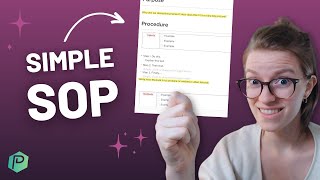
Layla walks through building SOPs in ClickUp with three core sections: Purpose, Procedure, and FAQs. She covers how to assign ownership, keep them updated, and tie procedures to specific roles so your team actually uses them.
In this video, I'm going to take you inside my own ClickUp account to talk about what you need to include when you're creating a standard operating procedure or sop, or if you really like, like gross words, sop. I don't know, maybe it's the American accent, but SOP just sounds disgusting. But if you want to create a sop, stay tuned. But before we dive into that, let me just introduce the talking head on your screen. My name is Layla. I am a ClickUp and process geek. Basically, I help people systemize their business so it feels less chaotic and a little bit more enjoyable on the day to day by building standard operating procedures and overall just designing the processes and the way that you work. So with that, let's just dive right in. You can see here that I'm using ClickUp like a database in this area. I am basically keeping track of what standard operating procedure I've created by having one task. Really one record in ClickUp equal that sop. Now, I have a few columns that are already added and these are starting points that we want to reference throughout our workspace. To the right of the title of the sop, you see a few columns. These are just pieces of data that I'm organizing around the task. The first is the task id. This is basically the unique identifier which we will be using more so on things like automation databases, which I linked up above, but it's here nonetheless. Then we have the strength of the sop. This is just a dropdown that we kind of subjectively evaluate based on how well we think things are working. Next to that we have the assignee and the due date. Now, as it says up in the list, description, assignee and due date are referring to the owner of the SOP and the amount of times or frequency that we want to have this SOP be updated. Every single process in your business should be updated regularly and regularly. It's going to differ a little bit depending on what process we're talking about. If it's a daily process, regularly might mean updating it every few weeks. If it's an annual process, maybe that's every few years. SOP work is not once and done stuff. Part of why people put it off for so long. It's something that you need to do and then continually add to over time. In fact, just recently I was talking to some of the people on the team and I was asking them how often they were using SOPs here at ProcessDriven. They might have just been telling me what I want to Hear, but I don't think so because one of them was my husband. But they were saying that they were using the sops pretty much every day. And because we build our sops like you can see here, inside something editable like ClickUp, they were also editing them almost every day. So let me show you how that might work. Inside the task, we have a description which basically works like a document. If I scroll down and click the full screen button, it really looks more like a document. Let me just zoom out a bit so it looks more normal. You can see based on the table of contents, there are three main sections to this SOP. Purpose, Procedure and FAQs. Now, even at first glance, this is probably not going to look anything like the standard operating procedure templates you're going to see if you search on Google for standard operating procedures. In my opinion, most people overcomplicate standard operating procedures. They waste too much time writing these perfect instructions that no one actually reads. So for me at least, I primarily work with small business owners. I'm assuming you're probably either in that demographic or you work with that demographic too. And for you guys, I, I just think that's overkill. So this simple framework gives you something bite sized that you can easily create in about a 20 minute sitting for any process in your business. The very first piece is purpose. And this is where we describe what is the business result or big picture goal of this process. This is basically giving the person doing the task meaning and context so that they know that when they're responding to social media inquiries, it's not just about, you know, responding to inquiries. Nothing is an end in and of itself. That inquiry that you're responding to, that support ticket, that sounds so boring. Know that the purpose of that support ticket process is to make sure that our customers, you know, feel valued, which then increases retention, which ultimately increases the revenue of our business. Those kinds of frameworks are what we put inside the purpose area. It is where we give both our people and our process purpose. Below that we have procedure, which is really broken out into three sections. Inputs, meaning the things you need to have to get started. Outputs, meaning the things you get when you're done and the steps in between. Now, I have some banners in here which are just kind of helpful little things that you can do inside ClickUp to keep track of some key callouts. But when it comes to writing a real sop, you don't need any fancy sections or fancy color coding. Really what it comes down to is the start, stop and steps. Okay? It's not that hard. Start Stop and Steps Start is referring to when does the process begin. The first step in the process stop is when does the process end. These correlate pretty well with the inputs and the outputs. The final piece is steps and this is just saying at a high level what steps are involved in this process. So we're going to go ahead and we can just put those there. So inside ClickUp How I would probably create these is by creating a toggle. I'd write step one and then I would create step two and now do step three. They do not and should not be long paragraphs in these step titles. This should be made for the attention span of a goldfish because honestly, that's what most of us have these days. These should be skim friendly headers that would help anyone, even an expert, know what steps they need to go through for this task. When we're done with the start, the stop and then the steps in between, we can choose to add additional details. So maybe we want to really explain this idea in detail and explain what exactly one would do to do this. This area is when you would add some screenshots if you wanted to, or maybe a video. Personally, I'm not a big fan of using videos in SOPs because they're a pain to update and I am all about keeping things easy. So believe it or not, text is actually going to be the easier option long term for SOPs because you don't have to refilm a 30 minute video when one thing changes. Instead you just change a few words and you don't have to refilm the entire video or recreate the ent entire sop. I've made a whole other video up here about why I don't think loom videos are very good SOPs. But that's the long story short, it's just easier to do it in text for the long term since you're going to be editing it very often. But once you have the start steps and you can choose to add additional details if you want to, you do not have to. Then we get down to the FAQs and this is the area where most people overcomplicate. They try to make their process perfect and so their process includes every possible condition or variable or situation that could come up and what you end up with is an 80 page long SOP that again, no one is going to read. That is what we're trying to avoid here. We want to make something that is easy, understandable and pretty much reads like a buzzfeed article. Okay, so to make that happen, what we're going to do is just build this document around search. Because the fact is, when you and I are in here and we're feeling lazy and we're trying to find something, we're just going to do control f or command f and we're going to search for word. That's what's going to happen. Because that is how modern people use computers and find information. They're not going to read your whole sop, they're just going to look for keywords when a problem comes up. So let's make it easier for them. Rather than writing long paragraphs here, let's stick to bullet points. And in the FAQs area, let's write those questions that someone might frequently ask. Now most steps in your process are going to be in the body of the instructions. But the reason I like this FAQ area so much is because it gives you a place for the catch all the random questions. And fun fact is you don't have to make these up. You have humans, most likely who you are working with and if you are like most people, those humans ask you silly questions sometimes. Or what feels like silly questions to you, who is more experienced in the process. So the next time a silly question comes up, just respond like this. Hey, that's a good question. Here's the answer. Blah blah blah blah. Now do you mind adding that to the sop? And if it doesn't make sense in the steps, can you just write it in the FAQs area below? Done. Done. That is it. You are finished. The SOP is not only created, it's now being updated and owned by someone who is not you. But I digress. Let's dive back into this. That is the content of the sop right inside. There it is. The actual body includes three simple sections including an FAQ which is just kind of your catch all for good examples, bad examples, common questions, confusion term definitions, all of it there. As long as you have that description filled out and you have this ownership delegated here to someone who is not you, that's very important. Someone that is not the owner should be owning these. As soon as that is done, you're off to the races. That is SAP creation in a nutshell. And if you'd like to get a bigger picture, a talk through of how this all fits into the business systemization strategy, watch this video next about the three steps to build systems in your business. Because it talks about using a template like this, but it takes a slightly broader Perspective. So check that out if you're interested. This in and of itself is a pretty excellent foundation for any SOPs. I think almost every team could benefit from from having something like this set up and doing it in just a few days. It doesn't have to be a big endeavor, just take little steps forward and delegate the ownership to push it further. But if you wanted to take it further from the get go, the next place to look would be using relationships in ClickUp, which is a feature that you can turn on or off in your settings. If you don't know where to find it, just look up ClickUp Relationships and it'll show you. But inside the relationships, we can relate these SOP tasks to two tasks in another workspace. So something I like to do is to relate these to the roles in my company. The different job titles we have. We're just going to call this roles and processes. And basically now I can take these sops that I've created and I can say which job in my business is in charge of them. So maybe it's the CEO, maybe it's the social media manager. These are the only two dummy ones I have in here, but I can then have these related back to tasks. So if I go inside that CEO task, if I'm looking to hire for this role, I can scroll down and see, ah, what SOPs are they in charge of? The reason I like to use a relationship in addition to an assignee is because assignees reflect people, whereas the relationship reflects a role. And if you're like most smaller businesses, you have one person wearing multiple roles. So when you hire a new person, they're usually not one for one taking over what someone else was doing. They're taking a piece of what someone else was doing so they can have a little bit more time. So for example, right now maybe the social media manager is in charge of naming files. That's the SOP that they have to maintain. And, and right now maybe the owner of the company is also being the social media manager. Well, that's fine and all, but now by having this relationship, when we do decide to hire a social media manager, we can go in here, scroll down and see all the SOPs or processes that this social media manager is going to be in charge of. Because eventually the social media manager will not be the owner, it will be their own dedicated role. See what I mean? This is how we can start expanding the SOP area, starting to think about it strategically and connecting it to other parts of our business and giving us extra data that's really going to help us focus on, on what matters most to us now. If you're feeling overwhelmed by this video, if you're like, oh my gosh, I need to create SOPs for everything, you might want to watch this video next. It focuses on four super simple reference charts which are kind of like SOPs, but even simpler that you might want to consider starting with. They're so easy that you can do them in like 10 to 15 minutes each. And they would be a great starting place if you're someone that feels overwhelmed by the idea of systemizing your entire business into all this stuff, stuff right from scratch. But if you're someone who's feeling pretty confident with these fundamentals, if you're thinking like, yeah, I know what you're talking about here, the next step for you will be someplace different. So I would suggest going to the description if you are this person and checking out the blueprint workshop we have in there. In that workshop, I talk through how we use ClickUp to systemize an entire business, talking not just about creating SOPs, but how to define what those processes even should be and determine which process you should start with when you're trying to systemize entire departments or entire teams and in your company so you can sell it, scale it, or just enjoy it a little bit more. So if you're interested in that, check out the description below. But otherwise, I think that is it for this video. Thank you guys so much for joining me. For another one. I hope this was a helpful explanation of what you want to include in your SOPs and how not to get overwhelmed. If you want to see more like this, watch these videos that are going to pop up on your screen here. And until next time, enjoy the process.










