This is a YouTube video titled "How to Create a Form Inside of SmartSuite" containing a tutorial-style explanation from April 26, 2023, describing how to create and customize forms within the SmartSuite application, including organizing forms in folders and setting visibility options. The content is instructional and presented by a single speaker.
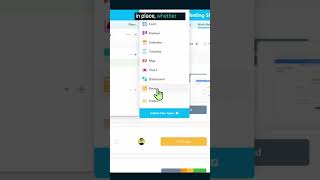
To create a form from scratch, you can click the little plus inside any relevant app and click Form. Note. You can also have your forms inside SmartSuite's new folder feature, and these folders can be great if you have multiple forms that you want to keep organized and you don't really like the clutter of seeing them all spread out. Once you have your form in place, whether it's a new one, old one, or something in between, we can start building it. Once I give the form a name, I can choose whether or not I want my other team members inside this particular area to see it or not. For most people in most situations, public is probably going to be the option you want, but review this for your own use case. Once we do this, we're going to click Create View inside here. Our default form is, well, let's just say a little uninspiring. It's just a blank document with a submit button. So we want to customize this form to suit our brand and make sure that we're providing clear instructions for whoever is going to be filling this in.