Andrew from doinbound walks through embedding HubSpot forms in LeadPages by extracting your portal ID and form ID, using Mike Hollis's generator to create HTML, then pasting it into LeadPages. The tradeoff: you lose live syncing, so form updates require re-exporting and pasting again.
Chapters
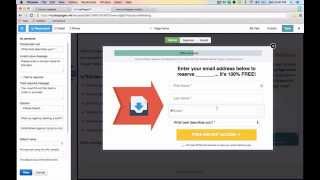
This is Andrew from doinbound and Guavabox. I want to teach you today how to integrate HubSpot forms with LeadPages. Probably on this post right here written by Mike Hollis. Mike helped me do this just the other day when I wanted to connect a leadpage with my HubSpot database. There's no built in integration so it's kind of hard to figure it out, but Mike built an or. Mike showed me an awesome workaround hack here and he built this little tool at the bottom of this blog post that can help you do it really easily. You only need two things to get started. The first is your portal ID. The second is a form ID and getting that is super easy. So inside of HubSpot go to the form that you would like to add to your leadpages. Go down to the bottom here and just click embed and copy this JavaScript right here. You don't need to worry about the redirect URL. LeadPages gonna take care of that and X out of this. With that JavaScript on your clipboard, go ahead and paste it in a text file copy because we want to pull out the portal ID right here. Just copy that. I'm going to head over to Mike's blog post and paste in the portal id and I want to grab the form ID as well here and just copy that form id, head over to Mike's post. We're going to paste that in here too. Then just click Generate form. What this is going to do is this little app gives you a preview of what the form looks like. So here's all the fields. First name, last name, email, what Persona they are. But then down here it generates the HTML. And this is really important because this is what this is the form that leadpages reads. So I just want to select all this HTML here and copy it to my clipboard. Head over to LeadPages here. So this is the page that I'm building inside of leadpages and when someone clicks download now I want this form to be this form so so that when someone fills out this form on my LeadPages landing page, their contact information is going to show up inside my HubSpot database. So with the HTML form on my clipboard I'm just going to click integrates with other here and paste my HTML form in here and click customize. And there you go. First name, last name, email best describes me exactly like our HubSpot form. So that was super easy way to add a HubSpot form into LeadPages. Just remember when you're using a HubSpot form inside LeadPages, you're going to need to make additional if you want to make any edits to it, you need to edit your form here, export again, and paste the updated HTML code into here. Because we're switching from JavaScript to HTML, the back and forth communication isn't really there anymore to keep the form updated, but this will update leads into your HubSpot database and capture all their information that way. So that is a win. If you're looking for a quick way to turn HubSpot forms into LeadPage forms, here's how you do it. You got questions? Drop them in the comments form below. We'll get back to you. Thanks guys.