How to Prioritize Agency Process Documentation
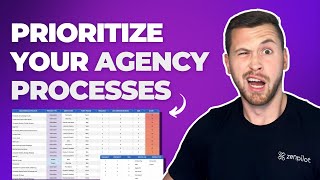
A guide to documenting agency processes using worksheets and tools like ClickUp. The speaker walks through categorizing workflows, involving your team, and using documentation to boost productivity and profitability.
One of the biggest mistakes I see agencies make when they go to implement a new project management system is that they don't stop to build out their processes. They think that the new project management system is going to solve all of their problems, but it really doesn't. It might help delegate some tasks and probably has some cool new features that might help your team and maybe it gives you some more visibility. But without the processes, it's not going to do much for you. So in this video, I'm going to walk you through an exercise that we've taken 3,000 different agencies through to help them prioritize the processes they need to build so that they can go through the last project management implementation they're ever going to need. I'm going to share a worksheet for you and take you step by step through this process. Let's get started. All right, so let's jump into our process prioritization worksheet here and talk about how you can prioritize your processes. First of all, this template you can go grab on our website. I'm going to put a link in the right hand corner of this video as well as in the description below. You're going to want to go snag that and start using it. Get your whole team involved. Don't make this just you. You can get everything out of your head into the sheet, but make sure you get all your subject matter experts as well as all those that are working with your clients. Make sure you get everyone involved in this process because that's going to be super helpful. And just get the whole team bought in. And just make sure we don't forget anything because we want to do a big brain dump of everything in your head as well as the team. Get it into the spreadsheet. That's going to be a big first step for us. Go download this, get it from our website and start working through it as I go through these instructions to jump into the spreadsheet. Essentially what we're going to have. We're going to have three tabs here at the bottom, the home tab, just instructional video, which if you're watching this video, you shouldn't really need that unless you want some additional context into things as well. But also this need help how to document agency processes. This is a blog post article on our website. Definitely helpful in terms of how to get better at documenting your processes, how to build that culture at your agency as well. So feel free to read that to get some additional instructions and feedback and things like that there as well. So we have the Home tab, prioritization tab, and Settings. I'm going to start with the settings and then the prioritization is where we're going to do all of our work. So I have a bunch of frequency, documentation, needs and pain here. Leave these on a scale of one to five, you don't need to touch these at all. And then process type, you don't need to touch this either Deliverable or project. That essentially just tells us whether or not we need to build a certain type of template in our project management system. So for ClickUp, deliverable would be a task template, a project would be a list template. And so we can use that when we actually move this over into our project management system. The one that you're going to need to edit is your work category. So this is just a way to categorize your work into your services. So for this you're going to have things like onboarding, which is most common for everyone's going to have to do onboarding also, depending on your agency, whether you offer SEO, digital pr, paid social, paid search, CRO, so on and so forth. Want to make sure that you list out your work categories for your business, get them in there so that you can kind of sort and filter out all of your deliverables and projects. When you go through this process prioritization worksheet, you also have things like growth and operations, which you can narrow those down even further if you'd like. But most of these are going to be for client services and then growth is for sales and marketing operations is for basically everything else. But feel free to get as granular or not as granular as you want, just depending on how you need to filter and sort this. So you want to go edit that. That's the only thing you need to customize here in the Settings tab. But now let's jump into the prioritization tab. So in this tab, right now I have a lot of stuff just, just examples for you that we would recommend of things that you may use. But this is just an example, a sheet for you to kind of know what all is going on here and how you should, what the final product should look like. So feel free either just to scrape this whole thing, delete it all if you don't want any of this, or you can go ahead and make a copy of this, just duplicate it just like that. Just very easy for, for you to just keep this existing example here and then start editing one over here for you. But after you copy that, feel free to go ahead and just scratch everything that's on here if you'd like. So when you do this though, with your team, again, get everyone involved. This is a very helpful exercise just to prioritize the processes that you're needing to build out inside of your project management system. But what you're going to do is, is just think about all the things that you do for clients. So maybe you do blog posts, maybe do website redesigns, maybe do just smaller keyword research projects for people or SEO audits, things like that. Think about all those smaller deliverables and larger projects that you do for your customers. In addition, think about also the growth things that your sales and marketing teams do, as well as anything on the operational side like finance or new employee onboarding. Those are processes that you're going to need to build out. But oftentimes the client services will, will be what is done first because those are the highest priority items that we need to build out for our team. So go ahead and just dump everything out that you do for clients as well as internally. So start listing out all of your processes. Again, get everyone involved here. It's going to make it super helpful to have more heads than just just you in here to make sure we get everyone's input on this. So that's going to be the first part here. Deliverables and projects. Just list them out and then you're going to go through and label them whether they're a deliverable or a project. So smaller deliverables or smaller things might just be deliverables. These deliverables are essentially something that you might do once or twice or three or four times per month that you just kind of do over and over and over again. Those are kind of the tools in the toolbox. Whereas a project is sort of a one time thing that you're just going to do once. It might take one month, two months, three months, you're going to do it. And that's sort of, that is done after that. So project is going to be the list template and ClickUp, whereas a deliverable is going to be more of those test templates you can deploy over and over and over again. So you want to go through and label those all as deliverables or projects and then start thinking about the work categories in here as well. So think about sort of the services that you offer and sort of different ways that you can group these up. This can be helpful in the future because this data can kind of be turned into profitability by service because this can become a custom field inside of ClickUp that can then tell me, hey, our paid social versus SEO is a way more profitable service line. Just because we're able to take all those deliverables, they have that custom field applied to them, then we can kind of take the time tracking and time estimates to determine if we're making more money on that or not. So that all goes into the profitability analysis in the latter end of you in your project management system. But just start thinking about that, think about the work categories that can be placed in here as well. Now is where we really start to get into the prioritization part of this. So you're going to have your frequency, your documentation needs and your pains. You're going to go through and label all of these on a one to five scale. And there's some instructions here on what a one means and what a five means. So one means that we, for frequency, we barely perform this process. So it's not necessarily something that we're doing all the time. We might do it once a year, we might do it a couple times for a year, but it's not a high priority on the frequency standpoint where 5 is something that you do all the time. So mainly maybe every single client you're doing this for, this is just something. This is like your bread and butter there. You're doing it all the time for. Your clients are going to label that a 5. But so start to think about on a scale of 1 to 5, what are the things that we do all the time versus what are the things that we don't do very much. Now we have our documentation needs, so start to think about whether this is A1 or A5, which A1 as it says here. This is something that is, is well documented right now. So we don't really need the documentation on it because we already have it. Maybe it's in a Google Doc or some other software that we have really the process built out for the most part. And so we don't have to worry too much about getting it all documented because it already is. Whereas 5 is saying, hey, we don't have this document at all. We really need to document this because maybe we do it a hunch and we don't have any instructions or sort of SOP document for anyone to do it. So start thinking about that because if it's a five, that means we're, we need the documentation on it. And if it's frequency of 5 as well, that's going to give us more points. So that's a something we do all the time, but don't have the documentation on it. That is a high priority process that we need to build out. And then pain here, another one to five scale, essentially, if it's a one, it's not really a pain point for us right now. If it's not documented, if it's not, the process isn't built out right away, it won't be too big of a deal versus a five, it's a big pain point. We need to build it out right away, otherwise we're going to be in trouble. So throughout all of that, you're going to have and be able to prioritize your processes to know what are the ones we need to do now versus what are ones that maybe it's not too big of a deal. You'll, you'll get your score of three to 15 here. So three would obviously be one one, one for all of these where a 555 would be 15. So from that you're able to list out all of your deliverables and projects and really gauge what ones you need to build out first based off of whether they do it a lot or not, whether we need documentation on it or not, or if it's a very painful or not so painful process. So that's going to be the most important piece, is just getting those all ranked. In addition, you're going to have listed out your point person. So who is going to be responsible? Who's sort of the subject matter expert when it comes to building out this process? They know it the most. Who is going to be that person that once we put it into our project management system, is going to be in charge of actually building this out. So you want to label that point person there as well. And then a couple other columns in here as well. We're going to talk about Needed for Launch, which Needed for Launch essentially is if you are implementing a project management system, this is something you need on day one. So not Needed for Launch might be more of the growth or some operational tasks there, but Needed for Launch is going to be those processes that you're currently doing for clients. So maybe you're writing a bunch of blogs for clients right now at this given moment that means that's going to be needed for launch. You need to build out that process because we need it as we move into our new project management system or refresh our old project management system. So Needed for launch. Check anything that needs to be built for your launch of project management system. And then next up, if you want to link to Any documentation that you have out there, Google Docs or anything else, you can just put that there. And if there's any additional notes that people need to know about that you've been thinking about, go ahead and label them there as well. So that's going to be your process prioritization worksheet. This is something that you could also move into ClickUp as well. Just to give you an example, we have this in the process library. This is something we walk teams through in our implementations and essentially it's just kind of a way to manage all your processes. And the best part about moving this into a tool like ClickUp is that now I'm going to have I can use this before I implement, but then I can also use this later on too. Because these processes are not going to be set in stone, you're going to continue to optimize them as time goes on. So it's very helpful to have a spreadsheet like this or a ClickUp list in here that I can basically manage all my processes. So I'm going to have sort of a central source of truth of what processes are live inside of the ClickUp template center and what processes are in progress, ready to develop, or which ones maybe need an update. So oftentimes you're going to have a process that goes out, you're using it for clients, you learn that maybe some of the time estimates are off, or maybe there's a task that you don't do anymore, or you need to add a task, you need to add a checklist item or something like that. That's when you want to go and update your templates. Because your templates are not going to be set in stone, you want to continue to optimize them. So use something like this process hub and or your process prioritization worksheet to sort of be your mission control for your process templates. Because the better you can optimize them as time goes on, more systems driven, systems minded your team's going to be, and the better off you're going to be inside of your project management system. So highly recommend you build out a process prioritization worksheet. You build something like a process Hub inside of ClickUp or whatever project management system you're using to be your central source of truth and your mission control for managing those processes. So if you're trying to implement a new product management system or refresh the one you have now and want to get more, more out of it, I highly recommend that you go through this exercise and get your team involved, get the subject matter experts into one room and get everything out of everyone's heads into the spreadsheet. It's going to help you prioritize your processes and make your team way more productive. And if you need a trusted expert to walk you through this process, go to zenp.com call and book a call with one of our experts. At Zenp. We've helped close to 3,000 different agencies build more productive, profitable and healthy teams by streamlining their operations in ClickUp. Taking your operations seriously will change your life and I want you to experience this life changing impact. I'm looking forward to you being our next agency success story. We'll see you again next time. I just not to waste it. It's about time. Yeah, it's about time.










