How to Quickly Familiarize Yourself With an Existing HubSpot Portal | HubSpot Admin HUG | October 17
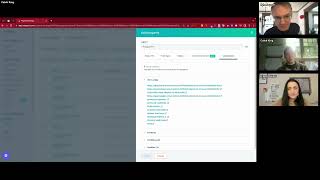
Deanna and Caleb from HubSpot Pro Services walk through how to audit an existing portal fast. They cover contact and deal properties, naming conventions, workflows, reports, integrations, and user permissions to get up to speed on what's already built.
Or maybe not. Wow, that was actually really slick. Good job. Me cool with that? Yeah, we are recording.
Good.
I'm going to pass it over to Caleb. I don't even know where to look for the recording light anymore. Everything's different. Caleb is here from our Pro Services team. Again, we're talking about how to quickly familiarize yourself with an existing HubSpot portal. Caleb, take it away.
Hi everyone, thanks for coming. So obviously we're going to be talking about familiarizing yourself with the portal. One quick call out, Chrome randomly fully shuts down on me every now and then. So if I disappear from the meeting, I will be back in within two or three minutes and then I'll be yelling at the HubSpot IT team to figure out what's happening. But in terms of what I'm going to walk through today, so just to set the scene, I'm sure a lot of people on this call have likely heard similar things before, right? So either you might be working at a HubSpot partner, solutions partner, and, and you're coming into a new client portal and you might have a bit of a brief and you can obviously meet and ask them questions, but you want to be efficient and you want to understand what's happening in their portal. So you could, based on what I'm going to show you today, have some information from them. Ideally, you have a rough guide of where someone wants to work with you or if you're going in house, you could just be working at a company and you are their new HubSpot person. I've seen it before. I've seen marketing managers or other folks, sales, individual contributors who become the HubSpot owner person. And so just when you come into a portal that has had a lot of data in it previously, here's what we're going to walk through is basically like how can I find some questions to ask that will best inform me about how they're using it and how can I kind of inform myself as to how they're using some data? One quick call out. Also, primarily I'm going to be looking at marketing and sales activities with maybe a little bit of service. I'm not going to be going super deep in how to learn everything that someone is doing in ops and CMS Hub, especially because a lot of that you may need to ask them questions. A lot of that is harder to get into at an easy level. So we're kind of focused at the three, I believe they're called like engagement hubs. Someone on our marketing team is going to Come for me for getting that one wrong. But we primarily focused on those three hubs today. The portal I'm showing you today, if anyone is wondering, is just a portal full of demo data that I haven't actually done this on before. I guess I'll jump in from there. Share my screen. Entire screen. Entire screen. No, one more second. Of course. This is happening now. And it worked five minutes ago.
Bevy keeps you on your toes.
It really does. Select it. Let's move you over here and we'll get like a little infinite thing like Kyle said. Can I share it if I just bring you over to my other computer? Of course that works. Okay, cool. Share screen. We're going to get an infinite thing for a second. There we go. We're going to move you off. It's going to be great. By the way, this is going to come up as a Q and A, so I might answer it in advance. I do have a rough doc outline of what I'm doing today that I will get through. Deanna and Kyle shared after the call. I have a rough outline, but there's not necessarily slides or anything like that. That'll walk you through it step by step. The first thing I do getting familiar with the new portal is I'm immediately going to go into the settings and the properties and I'm going to start with contact properties because that's typically where we're focused with marketing or sales, whatever it may be. And I want to sort by used in just to see how many assets do they have things using these different ones. And also this is a rough way to tell loosely what are the most important properties to people. So for the most part, email and name are going to be the things that pop up first. Okay. And this is helpful, but one of the things I want to click in here just to start with is I want to see like, are they creating too many of some asset type? Do we have people where this isn't known? Right. So it's used in a lot of places, but we actually have. What is that, 80,000 people that don't have a first name. That's not really a problem based on the size of the data, but it is questionable and we could get into it later. The usedin is for some reason showing 32,000 and then showing 0. We'll get into that later because I can pull one that's smaller. But once I've used in, I'm going to scroll past the default one email name. Those are all right. But what am I seeing here? That's coming up after that. We are using Contact Owner. Well, the contact owner could be a marketing person, could be sales owners. I don't know yet. At the end of this, not at the end, but further into this, you guys will see that. I'll stand up a single object contact report and look at the contact owners to see, hey, is it just used in a lot of places? Because Kyle, the marketing admin is assigning every contact to himself. But it is nice to see that's used in a lot of places. And also that lead status is used in a ton of places. We're using Lead Status, we're using Contact Owner. That's a good indicator off the bat. We're using lifecycle stage. One thing I want to do here is to make sure that I take a pause and get a rough understanding of where we have stages going. We have a ton of subscribers. Nine times out of ten you'll see a ton of leads. Not marketing qualified leads. I can see this portal is technically using every stage, but for the volume of MQLs we have here, I would definitely expect that more people had moved along to SQLs. Now I know in the back of my mind that this is a demo portal, so they don't really have clean SQL. But if this were a real customer, I would immediately come in and say, okay, it's pretty hard for me to imagine why you have mql. This volume of MQL is in such a volume, smaller SQL. So either they just started the process and I want to ask about that and I want to be prepared for that to be kind of a dead end, or we need to look at why people are moving along. Because what the person might tell me when I do get on a call with them is that they've let salespeople manually move people over to SQL. So technically a bunch of these people might have deals closed, ops open, who knows? But we want to figure out what's going on here. You often won't see this, but I can see, oh my God, we have 14 evangelists. It's a great thing. It's a tiny amount of people for a million. Excuse me, a million contact portal. But we have some and we even have some in other. So based on this tiny volume, it's obviously irregular. We've just moved a couple people down and I'd be curious about it, but I primarily want to dig in on hey, do you have people automatically coming in as mql? Are you not using this? I don't want to spend too long here, but I Want to make sure that I understand how at a high level they're managing their contact pipeline. On my other monitor that you guys can't see, I'm pulling up my outline of things to do to make myself look smart here. Okay, cool. We're using first conversion in a couple of places again, I can skip past country and region and record id, but at some point I want to keep these properties filtered but actually grab all property creators except for HubSpot. And what this is going to give me is a snapshot of their most important custom properties. So I want to go through. There's quite a few users in here. I'm not necessarily going to grab everything just because there's way too many users in this portal that Kyle knows, but I can start. Typically, in most portals you won't have to select 45 people because this will only show you people who have created properties. Here, if these were only 10 who had created custom properties. Now I can start to get a feel for what at the contact level they feel they've had to create that didn't exist by default. And maybe now I can get a better snapshot of used in. Hey, they're using saved views. This is great. The naming convention on their saved views is garbage and I'd maybe want to encourage them to do that if part of my. If either I'm working in house and I'm supporting the sales team, or maybe I want to flag that to the sales ops person and delegate it off my plate. Or if I am a partner working with them and their sales team, I want to call out like, hey, these are great, but you really want to clean up the names so that you know what these are for someone coming in behind you. Same thing with forms. Okay, so we're capturing product fit in forms. That's awesome. I love it. We're capturing in a new event registration form. That's really exciting. Hopefully we're capturing things like Pain Point two once we've gotten out of the basic name, email, zip code. And we might even be leaning on product fit in some way, either for a branch in a workflow or maybe potentially to assign it. It'd be awesome if we'd be assigning web leads based on the product fit. If anyone knows the shortcut for themselves to open a new tab, this is typically where I would say, you know what, I want to come back to that workflow. I'm going to open it a new tab that you can see here, but I want to keep moving through their properties. I'm flying I hope this is helpful for people. I'm going to keep moving. We're just at the beginning, so. Okay, so we've got a couple of the things. We've got which trade show attended. So if I'm either in house working on the marketing team or I'm a partner working with our marketing team, I definitely want to understand how they're using this. They're using it as a dropdown too. So only one value can be true at a time. That's a little bit fascinating as we know. Like, is there an opportunity to lean on the HubSpot marketing events? Is there an opportunity to lean on a multiple checkbox where we get a little bit more advanced with a workflow? When I get nervous, I talk quickly and I'm doing that now, so I'm going to slow down for a second for you guys. So we've got product fit, we've got which trade show attended. This is really helpful to start seeing. We've got budget allocation at the contact level, which is fascinating. So this is starting to tell me some things about what they're doing, like budget allocation, being at contact instead of deals. Maybe I want to ask Chris if he still works here, which he does, because this is not saying unknown user, but I want to go and ask Chris or whoever I'm working with, hey, why do we need to capture this? Because at the contact level, we're working with decision makers. Do we need to capture. Is this for one single business unit of what our business does or what the customer does? We have dental practice type. Again, this is a demo portal, so there's a lot of random data in here, but if I was working with someone in medicine, this would be fascinating to understand. Okay, so we've got dental practice type and our values are individual or change just because we want to understand the difference. That's great. Hopefully it's playing into nurtures. Kind of breaking my heart that it's only used in six places because ideally this is going to potentially be used in like at least one workflow, if not two or three or four. So yeah, there's. This is the initial. I want to come into properties and you can do a lot of understanding the portal just from what's going on with properties, especially when you sort over to custom. The big thing that I've only done once here is open things in a new tab. But let's say annual revenue used in 94 places and it's held at the contact level. I need to figure out what's going on here. Okay. So I want to take one pause and call something out to you guys. The other thing that I'm doing while I'm going through this is I'm seeing if they have naming convention. Maybe just only in forms, maybe just in workflows, maybe in lists, maybe in all of them. But again, regardless of if I'm in house or coming in from an agency side or freelancer or whatever it may be, one of the things I may suggest to them is to create and stand up a naming convention, especially for important assets views. I know I harped on it last time. I'm a little less intense about it. I'd love to get these view name cleaned up. But the really big thing is forms like new form March 1, new form Aug. 16. This isn't helping anyone, be it me or anyone else in the portal, figure out what that form does and what sort of data I should be expecting from it. Progressive fields. That's fascinating. JL Trust Mark. That's kind of getting there. That's maybe telling me a person and a thing, but it's not telling me what kind of data can I expect. Is this a time limited form? Was this for a campaign we ran in Q4 of 2020? So I really want to call out the naming convention here and I might even want to open some of these up if they did have a good name that were calling out to me like, hey, AZ Growth Advisors, what is that doing? Okay, so I want to call that out and figure it out. I want to look at the lists. One major call out. A lot of people who are on this event right now have probably had this experience of like, hey, I have this questionable data organization in my portal and I need help. Another thing you will often see is someone who's creating lists from every single import. Maybe regardless of what your project is, you want to help them clean up their lists because this is muddying the data. When you're doing HubSpot forensics, either for your company or for your client, if they have 67 lists in here because they've created one from every import and those imports are now three or four or five years old, you may want to consider just cleaning up lists. One quick way to do that is to stand up a list folder that says to be deleted or to be reviewed and another folder that says to be deleted and encourage them to in a big session or if you're doing it, to drop those lists into to be reviewed and to be deleted and set up some processes around that. But that's just one little Step, Yes. Naming convention recommendations we can. That's in my little doc that is going to be shared out after, hopefully. Another thing I want to pull up here is reports. So if I'm looking at these and I'm seeing, okay, annual revenue, is this really important custom property that's only known on 26 people? That's fascinating. I want to pull up reports and start to say, okay, what is this custom activities report. What is this contact report? And I want to keep these open. If anyone has seen the first season of the Loki show, there's these timelines that you can go down and little decisions can branch you down a tree. You should feel comfortable doing the same thing when you're auditing a portal like this. If you need to go down a rabbit hole based on the project you've been assigned or based on what you need to understand, go down it. Go chase five reports down. So go check it out if this is important to you. If annual revenue is going to be fascinating for what you know you'll be working on, or you want to make sure you really understand this, go check out that report and open it up and okay, we've got it filtered for record. ID is known and activity. Record id, annual revenue is known and call duration is more than one second. So I really want to figure, is this supposed to be a report of like valuable calls that we've had for people only where we know how much they have? But I want to go down this rabbit hole and chase it down and then I want to pull myself back to the main timeline here. So that's just one thing to be doing as you're going through it. Yeah, I say HubSpot forensics all the time. View property history is like my entire Batman belt. Okay, we stop, take a breath because we still have a lot more to go down. How we're doing on time? 18 minutes. Okay, so we've gotten properties. So you want to essentially do the same thing to deals. I won't necessarily chase down the entire path, but you want to do the same thing to deals and potentially to companies as well. You want to check used in your defaults. Hopefully you're going to see close date and create date. You want to open up close date and see how many people is this known? Hey, we have almost 400,000 deals and you have a close date known on 18,000. We have what's known as a problem create date hopefully is set in there, but even deal stage, deal owner. Are we assigning owners? Okay, we are assigning owners for most Deals. So we don't have close dates anywhere. We do have owners, so I'm comfy with owner. I'm calling out a major problem on close dates because how are we tracking revenue? How are we forecasting? A great way to get buy in on cleaning that up is to go ask a sales leader. Do you know how much revenue from what we're tracking HubSpot? How much are we going to close next quarter? And if they don't have any close dates, they might have a custom date property. So again, you want to do the same thing. You want to come in and you want to select all users except HubSpot to start seeing like, hey, what are their most important custom properties? And we've got, okay, we've got billing date, so maybe we do have close date and we're actually pretty comfy. We have churn reason technician assigned. Okay, a bunch of great stuff here. You want to run through contact properties, you want to run through deal properties, and you want to feel free to chase down those kind of like alternate timelines as you go further down and open up reports, right? So billing date might be really big. I potentially may have just immediately found the single most important dashboard that the sales leader looks at. If this was known on a ton of deals and close date wasn't, I can pull up deal shipment. And now I want to see, you know, maybe in the reports tab what dash that is shown in. And I want to pull up that dash and see, hey, Ms. Dash, is there anything missing? Is there anything? And maybe that's a question I bring to the call afterwards and say, hey, I found Your report about Q3 shipment and is that your best, you know, is that, is that where you spend all your time? Do you share that with your reps? I noticed that XYZ reports could potentially be helpful. Would that be valuable to you to have those reports in that dash? So again, feel free to chase down these rabbit holes. What I'm trying to give you today is like the primary timeline to blast through a new report to give you high value questions and high value projects to bring to either the company you're working directly for or the company you're contracted with as an agency or freelancer. Maybe I'll pause there. Are there any major upvoted questions Kyle and Deanna that we should take pause for?
Well, we don't have upvoting anymore, so.
I was just kidding.
That feature went away. I will say this is so far like the best webinar I've ever been to in my life. I am loving this. I hope everyone else is too. Couple questions in the Q and A. Will this be recorded and sent out to participants? Yes. Expect that in your inbox before too long and we'll also have it on our YouTube channel. I'm gonna be sharing this with everybody I know. Naming convention recommendations is something you're gonna circle back to later. Sounds like.
Yeah, I have a rough guide. But yes, I have a rough guide that I'll share after the call. There's also a lot of really good assets out there. Typically things you want to get are like campaign association. But yes, I can share that after the call.
And then any recommendations on creating peer buy in for naming conventions, list reviews, etc.
It's easiest to get buy in with the people who are taking things over from people. It's hardest to get buy in from the person who has owned the thing forever and just knows what everything is. So if you're dealing with someone with a ton of tribal knowledge, you're going to have a tough time getting the buy in for it. But any leader, you can go up to your manager and you can be like, hey, in the best case scenario, in three to four years, I'm probably not in this role anymore and the person we bring in to backfill me, I don't want you to pay them for four months of work where all they do is sit and scratch their heads and get confused and scared. Right? So like a naming convention is the fastest way that I can just hand things off to people. For anyone who's working at a company where there's multiple different teams who are kind of acting in silos in HubSpot, that's also a really easy one, is like, hey, we need to know what's my asset and what's yours and if you can't touch this or not. And so it's a clean way to kind of identify who owns it. So there's a couple different ways to drive that. But it's always going to be toughest if there is a person there who just owns the thing and knows it and is busy getting stuff done and not cleaning it up because they have never really worried or thought about and are likely scared by the idea of someone coming in behind them. But typically by the time you're doing this, you are the person coming in behind that person. They aren't there anymore. Or even if you're an agency, then the POC is also coming in behind. So typically by the time you're doing what I'm showing you today, Buy in should be relatively easy there.
Got it. Maybe you're getting here, but how do you quickly evaluate workflows? What's working, what's old, what needs updating?
That's a good question. That is a bit of a tab here. I think I'm going to come back to that one later because it's part of the flow. I'm going to dive back in and we'll get you guys back underwater and then we'll surface again. We've gone through contact properties, we've chased down rabbit holes, we've seen if there's a naming convention or not. I kind of called this out in the beginning, but one of the things you definitely want to do, especially if you're engaging with the marketing team or if you're going to be supporting marketing ops, is to check are they using Lifecycle Stage, custom or default, Are they using lead status, custom or default, and are they using HubSpot score, custom or default? HubSpot score especially is a great indicator of kind of marketing ops maturation. Have we moved away from a single page view or whatever it is? Have we moved away from manually moving leads over? Have we moved away from SDRs coming into a 2000 person list and just grabbing people that we give them? And now we are using a score to identify it. So that used in field is great on HubSpot score and you want to see what it is. The other thing that when you pull up score and I'll do it here for you guys because that's the entire point of this webinar is one thing I always look for is do they have a ton of negative criteria? Because in my personal opinion you have to sell me really hard on a great case. Okay, so someone puts in their job title as intern. Okay, yeah, maybe they can lose. If you need decision makers and purchasers, maybe that is a bad thing. If you have any students that sign up on your forms, maybe it's not email domain. Yeah, okay, again, maybe Gmail, I get it. But otherwise I love it. There's two negative criteria and that's it. And what I will recommend to people and folks love this is just add a time decay function to your positive score criteria. So what that means is right here less than seven days ago. So this person will lose these 20 points once they haven't had a page view of this URL within the last week. You don't want to. You don't want to. The negative score will off balance or reset the positive thing. They did what you really want them to do is lose positive points if they are no longer a warm lead. Again, this is a demo portal. For anyone that's wondering, this is why these things look crazy, because this is not a real portal, but we're just trying to make it feel as real as possible. This is the Pinocchio of portals. Of portals. I want you to look at HubSpot Score, lifecycle stage and lead status and if you don't see them using the defaults, what I would recommend here is you can sort it back to all users if you want. But really what we're looking for is custom properties. Typically in customer portals, I want to search for the words type, status and stage just to see are they using a thing called contact type, are they using a thing called account type? Those three words typically bring up from the muck some random custom system that they either did set up and used a lot or that they set up and has never been touched. Since I typically search those generic words again sorted by used in because that should bring forward the contact type field that an admin is using everywhere. I would also love a better way to filter for all those custom properties, but that is my life. So again, search for those types status fields. Check out HubSpot Score. I want to pause there. The next thing that you may want to do, you could take this property analysis into companies and yeah, you definitely want to check like do they have account type? Are they an account based, Are you working in an account based company where the sales team sells on company records and not on contacts. But one of the other things that you may want to do is just crack open the objects dropdown and check if they are using custom objects. Okay. And if they are, what, what sort of custom objects do they have? Okay, so this, this group has a lot. We've got Pokemon projects, shipments, we've got a skills matrix. You actually, you genuinely may see something like this in a recruiting portal. And one of the things you may want to do for the most case, you're not going to find 15 custom objects. You may, but unless you're in like a deeply high level enterprise portal, you're probably going to find 1, 2, 3, 4 custom objects. What I do is I'd open up one of those, I would go to the tab, open up the custom objects and let's go businesses. Because that's fascinating and I did the wrong thing. Okay, so I want to open one up and what I'm doing here is, especially if it's relevant to either my work for the company I'm working Directly for or as an agency. My client is. I just want to see what their association is. Are they doing one to many, is this just a thing that they've tacked on one to one with their deals? But the association relationship, be it one to one, many to one. One to many is going to tell me a little bit about how they're using this custom object and ideally the about this business. The default section should also give me a little bit of information. So, okay, so we've got Playbooks. That's not really helpful. We don't have anything associated. Okay, so maybe we stood this up and we have a data problem. If I came in and I saw one to one with deals, okay, they're likely using this. If anyone saw that famous roofing job custom object video, which I love, they could be using this as a way to track much deeper information at a kind of deal or engagement level. Might want to check activities. Kind of relevant, kind of not. But really what I want to see is how are they using custom objects and what are the most important properties for for them on these. Okay, I saw orphaned objects somewhere. Should we call them Batman objects? That's horrible. Okay, portal familiarization. Let me just pull up my guide here. Oh, so while we're still in settings, before we've gone anywhere else and we're still good on time, I do just want to crack open their integrations and I want to go to their connected apps and I'm doing a couple of things here. Typically, again, if I'm working for my direct company, if I'm a freelancer, an agency, I want to see are there apps that I've heard about that are helping me, Are there things. Hey, am I coming in as a marketing ops person? And there's a bunch of social connections. Okay, so we've got Databox, we've got Bevy, Adroll, Asana. Looks like we have a couple private apps in here. But I want to understand one of the things I'm looking for is are there any apps that I know the company uses for software and will be relevant to the project that I'll be working on? Are there any apps that are missing from the engagement that I need? Are there anything that I need to really understand who controls the settings on the integration? But I just want to get a snapshot of what do we have coming into the portal or coming out of it and which teams are these supporting? Again, with the demo portal, we have about 1,000 apps here. Likely you're going to come in and see 10, 15, 20, 20 apps. It should give you a good idea of kind of roughly how are we using HubSpot as the platform across those other apps that are connected in? Okay, I got to keep going back to my guide. So we got. Oh, one other thing I want to do here is I want to come into users and teams, especially if I'm in house as a sort of operations person, just like naming convention. I want to come in my friend Deanna, the HubSpot janitor. I want to come in and I want to check out if they're using permission sets. So we might have a hard time loading here. I think there's 3,000 users, but I want to check if they're using permission sets and if so, are the permission sets super broad? Is it sales and marketing and leadership and super admins. You don't have to be too nitpicky here. If you have a company of like less than 100 people, it shouldn't be crazy. But if you're in a company of 2, 3, 4, 500 people, and especially if that company is particularly active across multiple hubs, you want to see some well separated permission sets here. You also ideally want to see a little bit of team structure and particularly nested teams. I can start to get an image of what's going on here. This is where if you had a Google Doc running on the side or a sheet or a notion or whatever anyone is using today for your notes, this is just like on everything else we've done today and I haven't said this yet, this is where I might take a note of like, hey, we have 1400 people in HubSpot sales. Should we consider potentially, you know, is there a nested team? Should I check that out? Are some of those technically coming out of leadership? And we should separate the permission sets and the teams from leaders. So this is going to bring up a couple questions in another rabbit hole to chase down. Okay, I'm going to pause for one second. We've done custom objects, we've done an integration check, we've looked at users in teams and scoring lifecycle. Whoa, that's terrifying. I'm gonna get rid of the whole tab because that's just terrifying. Okay, so yeah, one quick one. Especially if anyone is touching marketing is in your settings, you just want to check out their subscription types. So technically this is something that you may also find is messy, right? You go to marketing and email and you just want to get a glimpse for this. This won't take you long. You just want to come in and see. Okay, do the subscription types make sense? Do they have way too many? I think I said earlier we have what is known as a problem. This is a problem if you also have only two. You might also have a problem if they're a relatively advanced marketing group. So we've got some settings here we can actually switch by business units. So if you do have multiple business units, you want to pop across and check them out, say, hey, you know what, look at demo spot that is clean. I probably don't have anything to fight here other than that I see the word test, so this looks great. But that other business unit, you know, we've got a lot of cleanup to do and likely someone is tearing their hair out and would be begging for our support to get this cleaned up because they know it's a problem, especially if GDPR settings are on. Okay, so that we got a quick one, we took some notes. We have some questions to bring up if we're going to be focused on improving email and cleanliness there. The next major part, and I want to spend basically the rest of the call on this other than Q and A is the next thing I do is I go into reports and I open up two tabs of reports. So let's get rid of these just to see if it speeds my computer up at all. But I want to open up two tabs. In one tab I'm going to create a single object report for contacts and in the other one I'm going to create a single object report for deals. I'll do it live because that's what we're doing here today. Again, single object look at an assistant. So anyone know that beta is out? Always a cheeky plug, right? Okay, so create date and lifecycle stage. A couple of things I want to pull in here by default is we know that we were looking at owner earlier. I definitely want to pull in original source. This hasn't always borne fruit for me, but I want to check out latest source and then I want to look at things like last market email send date. And because send date is a maybe the primary vanity metric, I want to look at last market email click date because that tells me if people actually care about what we're sending them. I would typically set my filters to all time in most portals. This portal has a million contacts and I don't want to spend the rest of the webinar just letting a single report load. So for now I'll keep the default filter of this quarter. So far, nine times out of 10 though, if I was really Doing this, I would set it back to all time. But again, I don't want to waste all of your time with just loading the visualization. To be honest, what I start doing here is if anyone remembers that child's toy that has a circle block and a circle hole and a triangle block and a triangle. I just basically brute force that to help me figure out what the hell is going on in this portal. Contact owner, count of contacts. Who do we have by owner? Everyone created so far this quarter. Not everyone, but basically everyone created. This has no owner. All right, that's a problem. We need to get into contact ownership. Unless someone tells me later on in a call that our contact ownership should, for a very good reason, take 60 plus days to get assigned. Okay, I'm going to drop that out. I'm going to look at original source and I personally, I get the most value out of this by create date. Daily is terrifying and ugly to look at. So I want to look at it this way and I want to flip these around because I want create a. Sorry, nope, I actually want it this way. Let's go monthly. Okay, so everyone is offline sources. Ideally for the portal that you'd move into, you'd find some email marketing, you'd find some organic search. And even if you find those, nine times out of 10, you still want to remove offline sources. To figure out how the online conversions are going for folks, you might also want to remove direct traffic. If the portal that you're in has any form of login system. A lot of times we'll capture those first ever logins on a newly expanded customer where they're going to bring in 200 people into our portal as direct. Most of the time when you're in here, you want to remove direct and organic. Let's give everyone just a little bit of a show and let's say this year and hopefully that's not too much data. Great, now we can do it and we can get rid of offline. And this looks more like what you might actually find in there. Okay, so I can see, hey, paid search is carrying a bit of the horse for them. I mean, offline, clearly people are coming from somewhere else. So is it because we're doing a ton of trade shows? Is that because we have something integrated? Is that because we have some page on our website that isn't connected to HubSpot and that's capturing our conversions, which by the way, is often tearing away our marketing attribution. So that might be a problem that we need to mitigate but when we do get rid of offline, hey, we're doing a lot of paid search. Okay. We've got some coming in from direct. Do we want to increase our organic. I mean, it's carrying 3%, but is that something that we want to improve on? So again, this is giving me notes to write down in my notebook notion, AI helper, whatever it may be. So I'll drop this and I'll go last marketing email, send date, get rid of, create date, because two date fields is terrifying. And then set it to. Yeah, okay, quarterly. So, all right, so we've got some people who we haven't sent them an email since Q3 of 2018. All right, that's kind of terrifying. And then we've got. Let's pull up click date to see if any of those people are more recently engaged. Okay, so we had a ton of people more recently that we'd send emails to. Not a ton of those people are engaged. So again, this is. You want to consider what your kind of marching orders are in the portal that will help you choose which properties to bring in. But just so you all know, in case anyone is on this call and isn't using this heavily, the knowledge base article from HubSpot for HubSpot default contact properties, I pull that article up on a daily basis to help me differentiate with things like last activity, last modified, last contacted date, especially when you're working with the sales team. So keep that knowledge base up in one monitor and pull this report up in another and just dig through and bring up questions and click into the drill down and figure out like, what is their lifecycle stage? Hey, we have a ton of customers. Okay, did you find back in that contact report a a contact status property that says if they're active or former, you know, maybe drop that into your data so that it pulls up here so that we understand why these people haven't gotten a marketing email. Except for my friend C. Manilo here, that they haven't got an email in four years. So are they former customers? What's going on with them? Are we marking former customers in any way? Okay, we're kind of cruising through time, so I will pause a little bit for a couple more questions.
You're just, you know, casually changing people's lives and making their days. I think a lot of people here are going to just block off the rest of calendar today and be building reports and HubSpot scores and things. Because change of the way we think about host slot here, lots happening in the Q and A I haven't looked at it recently to know exactly what it is.
Oh, wait, I got. Janelle just gave me a great one. So one. Oh, my God. Yes. Thank you, Janelle, so much. And okay. Also, if I'm pronouncing your name wrong, I deeply apologize. And please let me know how to pronounce it correctly. So one of the great things is if you are working with a sales team, Sweet Lord, you want to take two seconds, you want to divert over to the index view of all deals, and you want to set an advanced filter. So we're going to go into the card view by default. Card view is great for a lot of things. Are they using deal tags? You want to set an advance, you want to set this to all pipelines. I'm not going to do that right now because there's 400,000 deals in this. But I want to just. I don't care about insights. I want to set an advanced filter for number of associated contacts, and I want to see if they have at least one contact associated to most deals. So I want to. First of all, in my eye right now, I'm grabbing that there's 3,000 deals in my total view that I'm looking at. Then I'm going to set number of associated and I want to grab number of associated contacts. And if that number goes down from 3,000 to 100, again, we have a problem. So we say greater than or equal to one. Okay, so we have a contact associated to about one third of our deals. That's an issue, especially if the marketing team cares at all about attributing dollars to their activities. I am, however, going to hold my tongue for two seconds because I'm going to go back and I'm going to do the same thing on number of associated companies. They might be associating deals to companies, but that's still going to create attribution reporting problems because we aren't marketing to Coca Cola. We're marketing to Tom, the VP of sales at Coca Cola. Right. He's the one who engages in our emails, who lands on our pages. Coca Cola, the company does not open our lead nurture email and book a demo with my SDR or A. So I do want to check for companies and that might be fine. But it is still a problem that only 1/3 of deals have an associated contact record. Even if you're E Commerce, even if you're B2C all the way. Because you still want to know that that revenue. Who. Who has that revenue associated to them and what did we do to drive that revenue for them or did we do anything? Did they just find us by word of mouth and they just love our candles or our software or whatever it may be. All right, so anyways, I'm coming back in. I've got a ton of properties. If you go down the rabbit hole of original source, you're probably going to want to pull in the drill down 1 and 2. For example, I was telling you that you want to get rid of offline sources. When you're looking at original source, sometimes you may want to filter for only original source. Is any of offline? We want to only look at offline then. Now I want to pull in, in my data tab. Drill down one. What is it? It's a drill dash. Down one. Sorry. Now I can actually get rid of version source because I've already filtered for it and now I want to see the breakdown of people created. This far we've got people coming in through two different integrations. The CRM UI presentations. Okay. API. We've got a good couple things coming in here. What I'm really happy that I'm not seeing is a ton of imports. There might be good cases where it's all right to see see 50,000 people created by imports, but ideally we are having people throw in from integrations. This could still be a red flag to me if these people are interacting on the website and getting nurtured by our marketing actions and interacting with our assets and our social channels and then there's just some piece of software that is capturing their first conversion and not giving us clean data there. So that could still technically be a problem if it's integrations and not. And not imports. Okay, I'm just going to go back to my tab. I know we're getting, we're not getting close on time, but I've gone through 44 minutes so it feels like we're getting close on time. Oh, okay. So you do your contact report, you do your deal report. Same thing. So in your deal report you would pull in close date amount, amount in company currency from your notes that you've taken from looking at deal properties you've captured if they have any custom amount properties or custom things like that. Another thing you want to do, I'm going to go back to reports and all reports is you want to pull a quick funnel report on their deals. For are there funnels that are skipping stages? Right. So one of the quick ways, if you want, if you are coming into a portal that has like 10 pipelines, right. You're looking at sales Pro, Sales Enterprise, and you've got a bunch of pipelines. Pull pipeline into your data. Oh, pull pipeline in and just sort count of deals by pipeline. And this will give you one of the pipelines that they're actually using the most. So I have that 3,000 deal pipeline. Maybe it's not a problem. Again, I know that by default this is filtered to reports created this quarter only, but this actually tells me what pipelines they're creating a lot. And maybe it's not where I need to focus, but it does tell me the distribution volume. Okay, so for marketplace Transaction, they have 36 deals. Logics, they have 32 service and repair, Alpha Life Care Project bid, HubSpot, shared selling. These are essentially unused, right? We're, we're not halfway into the quarter. We're like a month less. We're 15 days into the quarter. For anyone who just panicked when I said that, we're very early in. So maybe this isn't a problem yet, especially with a longer sales cycle, but this is 36 deals created in something like 15 days. Maybe this is a big one. And this is where I want to focus. I also want to make sure that these pipelines have clean data because if this doesn't have a close date, I'm not as worried yet. Could have a longer sales cycle, could have a hundred other reasons. But if these 36 deals all have no billing date, no close date, they don't have a clean amount field in it. I want to figure out what we need to clean up on this pipe. So this is a great quick way to understand your pipeline prioritization. And then we can go from here alongside your single object reports. You might want to grab a quick, cheeky funnel report and just see, hey, so for that marketplace pipe, we're going to grab funnels, we're going to grab deals, and then we're just going to look and we're going to see, hey, in their marketplace deal pipeline, are they skipping stages all the time? Should my recommendation be to remove a stage? So I want to go down to marketplace and I also want to get a good grasp for how many stages they have. So this is going to potentially terrify me in a second. See, I knew going down these rabbit holes would kill me with the volume we have here. But either way I want to pull the stages and see, do they have too many stages? Do they have stages that are getting skipped? One of the big things I want to call out for everyone on the call. Some of these stages look like they are Subjective. And so that'll make it really hard for them to do sales enablement. On teaching a salesperson, like, when should I move something out of business considerations, what I typically recommend with my own customers, and I'm open to someone telling me I'm wrong here in the chat, is to make your stage names objective and action oriented. So objective is quote, sent, demo completed, demo scheduled, where obviously, once you get the demo scheduled, it's objective. There's no. We can't really have a debate. You have scheduled a demo. Okay. Now you have completed it and now you've moved it along. And that makes it really easy to bring new salespeople in. And it also makes it really easy, let's say all of your salespeople have been at the company for 20 years. It also makes it really easy to. For them all to understand what that definition is across all of them. There's no different definitions or debate or argument about what demo completed means. Right. But business considerations, that's pretty wide open. Also, I can start to see that all of our deals so far are actually in the first stage. But let's say I saw 36 here and 36 here and none that had gone through discovery. Okay, maybe we need to either rename or get rid of the discovery stage. So this is going to give me some good kind of sales ops things to chew in at. Also, when you stand up a funnel report, the longer of a time period you look at, I want to compare these numbers to the probabilities that they have on their deal stages. Because if they typically only convert 11%, but they've got it marked as 5% on the prospect stage, then I want to tell them, hey, we should consider realigning this because you're actually converting a lot more people and this is. Sorry, not next step. We want to go to cumulative all the way down. But we can use funnel reports to educate ourselves on what the probability should be. Even though I just explained it incorrectly there, you can still use this to reset your probabilities based on actuals. Okay, we're cruising. Okay. Any other QA stuff? I feel like I'm. I don't know, I'm talking a lot at people.
You're doing great. People are eating it up. We still, we have those few questions about workflows, so kind of at the top of the list. I don't know. I don't know which questions to pick with 10 minutes.
I think that's a valuable one. So, like how to determine the value of a workflow or if it's helpful. A good easy rule of thumb is to go in and start looking at enrollments, right? So if they have a really important property like life cycle stage or lead status or whatever else it is, if they have that getting set by a workflow that isn't enrolling anyone, then it might have been an experiment that they stood up and that they aren't using. The triggers might be off. And you can ask them like, did you want to come back to this? Was this an important thing? There's a chart that I think hopefully someone can share the link for in the chat if you found it. But there's a chart that says, like, how urgent is it? And how important is it? And the four quadrants of it says do this first, delegate this, schedule it, and then disregard the non urgent, non important stuff. So for that workflow, maybe it's not important or urgent or maybe it's both. But I want to look at enrollment volumes. I also want to look at. I want to compare recent enrollment volumes to historical. Yeah, I don't know. That's kind of primarily how I dig into workflows. So let's check out the workflows and see what we have in here. If you have a ton of workflows. One of my big call outs for cleaning up a portal is really just getting good folder structure set up. This is a great example. We have 6,000 workflows in this portal. Do we have any folders? Maybe not really. No. Yeah, we do. Okay, great. Amazing. But it looks like people have created whatever they want. We have 40 marketing workflows and then we have four more folders if I have spare time. This is like a. It's a non urgent thing, but it's mildly important. So I would want to schedule it out. But maybe I want to come back to cleaning up this folder structure and digging in here. If something is super old, that's another thing. If you look at how old a workflow is and no one has ever been enrolled in it, maybe you're getting comfortable deleting it. I do the same thing that I would do with lists where you stand up a folder that says to be deleted. And if you check and the enrollment volume stays low or it stays off, a lot of these will get set by default. So just when you create a survey, a lot of these are getting created automatically. You could pop into needs review if you want to prioritize. But again, I want to look at, do we have a folder structure? Do we have a naming convention? Do we have one of the Big scary things that I like to look out for is do we have two workflows that are setting the value across objects for the same property? Do we have something at lifecycle stage for company that's setting all associated contacts? And then also do we have some infinite loop danger where a contact is setting the company's lifecycle stage as well? Some people will set that up without knowing the danger of the loop that they might be creating. That's again what I'm looking at used in I want to check if they have things that are named. One good piece on naming convention for workflows. And again, people have better ideas than I do. But where I start roughly is you can start by calling it if it's internal or externally facing. So is it like a business process or is it a property update? Is it deal management for Dash Pipeline, Dash whatever. So a couple places you want to start with workflow naming is like nurturing. Okay, is this external for. Is it evergreen? Is it for a limited time period? Should we put that date period in the name? Those are a couple quick pieces on naming convention for workflows, deal creation for registration. Is this only for a single pipeline? Is this setting up certain properties? Another way to augment your naming convention is also descriptions. So you can see we have bad names in here for the most part and we have no descriptions. Whoever's helping me out is whoever set these up didn't really help me out to take over and jump into anything. Workflow, naming convention, how to prioritize workflows. I'm trying to think we got deal property. The single object report is really where I spend a lot of time in contacts and in companies. We looked at integrations. Oh my God. Okay, one last classic one and I don't know if I'm going to get any data based on what portal I'm in here. This is actually the first step I do. I can't believe I skipped this entirely. Really. One of the first steps I do is I just come in to see if they have the tracking code connected properly. Way too much data. So this year that'd be cool. This year. I personally hate area charts. That's a very personal thing that does not actually impact anything functional. So I set it to as much data as I can get and I just check is it connected properly now? Connected properly to me means like I'm getting a variety of channels here, which makes sense for any business. If you're dealing with a startup, maybe it's going to look a little less diversified. It's obviously going to be lower than several hundred thousand sessions per year. But you can start to dig in and say, okay, how are their channels performing? And you know what? I saw paid search earlier. Paid search is a really big part for them. Okay. And maybe I want to get rid of these for a second and I just want to see like, what is the trend in their organic. Not great. Okay, not awesome. Is paid search also following that trend? Kinda. They're kind of all going downhill. I mean, these are basically the same chart over and over. So this is something that's impacting them for every channel, even at wildly different volumes. So you know what, I want to dig in and say these people are probably feeling some pain. No wonder they hired me and or my agency. So they're feeling some pain. They want to get things going again. Why do they think this is happening? Do they know concretely? They might give me a reason. Maybe if you're comfortable enough, you can push back and be like, are you certain, like, what is your confidence level that this is, you know, the macro economy impacting us and not the giant, you know, marketing branding switch we made a year ago? Whatever it is. I also want to look at, okay, we're getting a lot of traffic here, but sometimes what you'll see in portals is that paid search is performing really well from a session perspective, but it's really not generating a ton of contacts. Or for example here, like referrals is generating a ton of traffic somewhat, relatively. But compared to other channels, it's not great. Now it's got a decent. The session to contact rate is comparable across all of them. So like, do we want to jack up referrals? So my, my thesis there was actually wrong. Right? Because the percentage rate is staying true across all of them. So 973 is just a lower volume, it's not a lower conversion rate. So is there a channel that we want to focus on? Because these all seem to be somewhat equal. Have we made improvements on one of these conversion rates over time? Maybe. I want to come up to sessions and look at session to contact rate. Again, a horrifying chart. But I want to see like, okay, so direct dropped, but I don't necessarily put a ton of water in direct. Paid search has relatively stayed the same. We had a little bump. Hey, something really tanked in other campaigns, but again, not so much worried there. So let's get rid of the ones I'm not worried about. Right? Let's get rid of these. Let's get rid of referrals too. Just for fun. Okay. And paid social. It kind of bounced around. Our median here went really low. Did we tweak our strategy? Did something happen here? And again, in my notion, Google Doc, scratch pad, whatever. I'm taking notes on further questions to ask. Okay, we got three minutes left. I will stop there. I hope this helped people get familiar with new portals.
I. I think in general, people are very happy with this. Yeah. With now 2 minutes roughly left to go.
Any.
Any calls to action. If people want to connect with you, do you. Are you a LinkedIn person? Like what?
Yeah, feel free to connect with me on LinkedIn. I'm also in the Sprocketeer discord. But yeah, feel free to connect and people I don't know technically send HubSpot questions. The best place for HubSpot questions is the Sprocketeer Discord or the communities forum. But the Sprocketeer discord is real time and less asynchronous, I'd say. But yeah, feel free to connect with me on LinkedIn. I try to post about similar things all the time. I try to only post things that'll be valuable to folks. Yeah. LinkedIn and Sprocketeer sounds good.
I hope you have your eyes on the chat, Caleb, because you're getting lots of praise. Everyone else, please scroll up a bit and find the feedback survey Deanna dropped in there. I definitely want your thoughts on this session and the admin hug in general. I think with a minute to go, we're just going to shut it down. Caleb, thanks so much. This was incredible. I learned a lot of stuff.
So that's, that's, that is high praise.
I know a lot of HubSpot theory. I don't know a lot of HubSpot applications. So.
Even what I showed is. What I showed, I feel like is. Is, I don't know, like giving the answer. It depends, you know, I just, I help you generate a lot more questions from an initial question. Right.
Which is helpful. That's a good place to start for anyone here, I think. Thanks again for being here. Thanks everyone for coming and have a great Tuesday.
See you guys.
Bye, guys. Bye.










