How to Secure Your HubSpot Account | HubSpot Admins HUG | January 25, 2023
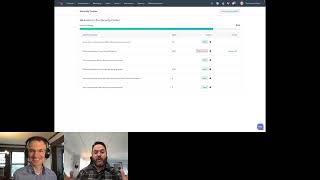
Kyle and Ryan walk through HubSpot's new Security Center, covering two-factor authentication, super admin management, and inactive user controls. They answer live questions from admins about permissions, alerts, and security best practices.
Welcome everybody to this session of the HubSpot admins. Hug on securing your HubSpot account. I've got Ryan here with me. Super excited for this. I don't know how many of you have seen or heard of the new security center inside of HubSpot. I just learned about it just went live like yesterday. I haven't even had a chance to make a video on LinkedIn yet. This is all super fresh but exciting things are happening. Insecurity in HubSpot and Ryan's the guy to tell us about it. So Ryan, I'll turn it over to you. I say that and then I'm going to say like two more sentences. Actually I'll be watching the chat for any questions that come through. Ryan is happy to answer your questions at the end. I've turned the Q and A section on, so if you have a question that's relevant to what Ryan is saying right now, go ahead and put it in the chat. We'll try to get to it. If you have a question about security in general, best practices or things HubSpot can do, drop that in the Q and A and we will get to those at the end and get through as many as we can. Now for real, we're turning it over to you, Ryan.
Awesome. Hey everybody. Thanks Kyle. It's a pleasure to be with you today. This is my first time doing anything on a live Internet webinar. So if anything blows up or goes wrong, I don't know, you can blame me. You can find me on LinkedIn and blame me for it. You can blame me for it live right now, but it should be cool. So I'm here. As Kyle said, I'm going to talk about all things security a little bit and I'm going to talk specifically about the new Security center which we just released to everybody and who uses HubSpot, including free portals all the way up to enterprise just about two or three days ago. It's a pretty simple feature right now, but I'm hoping you all might have thoughts about how we can make it better in the future. Things to add, things to improve and also just anything that's sort of security related that you're curious about. Maybe we can help by putting it in Security center so you don't have to call somebody who works here or ask on the ideas for them or all of that stuff that sometimes we ask folks to do. Maybe we can just save you a step and put it in the product. So I'm going to share my screen because I've got A nice deck here. Although of course this is. This requires some amount of clicking, so give me one second. Anyway, in the meantime I'll tell you a little about myself. I am the product manager here for a few different things. I work on our login flow, so two factor authentication, single sign on anything login related. And Kyle, do you mind doing me a favor? Could you share this? Because I have to quit Chrome to share my screen.
I was just going to say it would just be fantastic if your computer security got in the way of you being able to share your screen.
That's what happens.
Yes, that has absolutely happened to me before. So yeah, you keep talking. I'll have it up in just a minute.
Wonderful. Yes, thank you. Anyway, I'll tell you a little bit about myself and we'll skip that slide later. I work on those things. I also work on the Security center and I also work on some of our OAuth connections for integration. So if you're installing integrations in your portal and you see that little page that says here's the stuff that integration can access, that's also something that I do. And I work on our internal employee access to stuff, which is internal tooling at HubSpot. So I got my hands in a lot of different places. I've been in HubSpot since 2016, so about seven years now, which is a long time to be in lots of places. I started out in our tech support team, so you might have talked to me on the phone like seven years ago. And when I'm not at HubSpot, I enjoy reading, making coffee, traveling, listening to records and playing video games. That's me. And I'll walk you guys through a little bit of what the Security center actually is. You want to jump to the next slide?
I think live demo will be interesting if you can't share your screen.
I know.
Figure it out.
Yes, we'll figure it out. We will. We will figure it out. We can talk about anything security related if it's not in the Security Center. Doesn't matter if I don't know the answer. I can find the answer from somebody and I can get it to you. I don't work on things like cms, so. CMS security, email security, those aren't my bread and butter, but I know a little bit and I want to show off this new feature, get your feedback, new criteria and of course if there's anything else, just pop it in the Q and A section and I'm happy to answer later on. I think this is where we Would. Yeah. So what is a Security Center? Good start to this. It's a brand new feature we released a few days back. The goal of the feature is to give admins a way to get an overview of the security posture of their HubSpot accounts and, and help them action recommendations we'd make to ensure their data and account are as secure as possible. So right now the Security center has six criteria based on what your standing in those criteria is. You get a percentage score, you know, 80 out of 100, whatever. And we give you recommendations to improve those criteria and to make them, make them better. So if you have, say, a bunch of people who are inactive, haven't logged in in at least three months, will tell you, hey, maybe you should remove these inactive users just as an example criteria. It's really simple right now. The goal is just to give you guys some insight into your, into your accounts and their security posture. But we're hoping that we can add things that will actually help us just automate away a lot of these problems. So say you wanted to say, oh, I don't really want to worry about inactive users. If somebody hasn't logged in in three months, I'd like HubSpot to just like deactivate them and I'll reactivate them later if they need to get in. We should be able to do things like that. So that's sort of some of the future vision for where we want to go, just as much automation as possible. Because if you're a small company, you don't have a ciso, you don't have somebody who like thinks about these things. With HubSpot, we want to be your CISO, we want to help you think them through so that you don't have to go and like get a degree, you know, get a certification or two to make sure that you can handle your. Or like read through the OWASP recommendations. I've read them. They're not like, it's not a beach read, man. They're, they're kind of, they're kind of a sad time. They're interesting if you're a dork like I am, but they're, they're, they're a sad time. So instead we just want to like pull out the greatest hits, give them to y', all and help you figure, figure out which ones to use. So that's sort of the general vision for this. I know Kyle's probably planning out some screen sharing here, so.
Yeah, so here I've got, I have, I have, I am woefully Unprepared. I don't even know where the security center is, but I assume I am then a very good proxy for everyone on the call. So, yeah, this is actually.
Okay. I'm going to walk you guys through how to get to it. You ready? If you click on the settings gear. All right, up in the corner, this is kind of nested, so I think this is a good piece of feedback for us. It's kind of hard to find this if you're not looking for it. You go to account defaults, which is where our security settings are. Then if you click in your security tab, you get a nice orange button to visit your.
Look at that. I'm going to click that, see what happens.
Kyle is crushing it.
I can navigate HubSpot.
No, your score is great. 83.
I see.
Okay, good. Right now, these criteria are pretty simple. They're not weighted for which one is more valuable to your security. It's just we have six. The number out of six you get is your score. That's something we want to improve. That's something we want to add some weighting to so that the more important stuff we wait more heavily. But I'll walk you through the criteria that we have right now. The top one is requiring two factor authentication for your account, whether or not you've got that required. The second one is which percentage of your users have two factor authentication set up. Even if you require it, you might have users who don't actually log in, so they haven't been prompted to set it up. Knowing who those people are so you can bug them, get them to set it up is useful. The next one is how many super admins you have. The general rule is trying to keep your super admins. We do either less than 50% of your users or 50% or less of your users, or fewer than. I believe it's five. And all these criteria, if you mouse over the little information icon there, you can see an example of, like how we do these. Oh, see, it's 10. That's why the info bubble is there, because I'm an unreliable person. And up in the knowledge base section too, we also have a link to the Case AB article which explains the criteria in some more detail. We have which percentage of your users. Those two things are separate criteria right now. Probably should combine those together. And then the last one is about. The last two are about partner users. Partner users who are super admins, which is kind of like you probably don't need your partners to have access to your billing information. So we Want to flag this one for you. Making sure that partners who have access to your info don't have too much access is important. And then the last one, how many inactive users you have? I think this one again we go fewer than three. Oh, fewer than five. See, look, I don't know these numbers anymore. So this is all it is right now it is just a checklist and we want to get from checklist to more automation in the example of the resolve links. At the moment we have a few resolves, but right now what they do is they open your users pane and they let you look at like what's here. So you, in this case, where you're looking at users that do have two FA or don't have it, you have Kyle, who has a little shield icon that says he's got two FA and Andre, also a little shield icon. The other two users don't have two FA set up right now. So we're saying, hey, 50% don't have it. Right. So that's how we calculate that criteria. And there are plenty of criteria here, such as, here's your one inactive user, Cam Bishop, who has not hasn't logged in in a year. Oh, and another Kyle, who hasn't logged in in two years. Right. So these are the of the way that we're calculating these right now. It just takes you to your users list so you can look at your criteria and take some action. But our goal is to actually be able to show you a button that says resolve where you can click that and we will take an action on that user. Say for the one who hasn't been active in two years, we'll just mark them as deactivated. And if you need to reactivate them, you can do that later. Because if they haven't used HubSpot in two years, there is not a great chance they are going to need to use HubSpot in the next 25 minutes. The math is on your side that deactivating them is probably safe.
Yeah.
So this is, this is sort of where we are right now. And this is, there's a few reasons that we have these criteria. One, they're user based and they're authentication based, which are two of the biggest like risk areas for HubSpot users. If you have, if you don't have MFA enabled or two FA enabled, if you don't have inactive users, those kind of create gaps in your security. Someone can get unauthorized access to one of those accounts and they might be able to get into your portal and export contacts or Whatever, depending on what permissions those people have. That's one of the reasons that we have how many super admins you have. The more super admins you've got, the bigger chance that somebody could get access to one of those super admins and be able to do whatever they want in your account. Right. So minimizing the number of super admins and adhering to what's called the principle of least privilege, where people only get the permissions in HubSpot they need to do their jobs, that helps you make sure that if something bad does happen, the blast radius is limited. If somebody gets into your account because there's a user that's inactive, that has not a lot of permission or. Yeah, not a lot of permissions. They can only really do a handful of things. They can't go and delete your contact lists or turn off all your workflows or what have you. So that's why we've chosen these. I think one of the things that, that we want to try to dig into here a little bit and I'd love yalls thoughts. I'd love to open this up sort of as a discussion about what's missing from this page to you. Right. Like do you want to see stuff about your CMS security settings? Do you want to see privacy information here? Like information on GDPR toggles and GDPR settings, things about compliance? Those are things that I'm really like. Again, my teams don't own that stuff, but I know those things are important and I know people think about them when they think about security. Is there something here that you're looking at this list and you're just like, where the hell can I find X? What is X?
Yeah, I would love people to hop in the chat, give us some feature requests here, or weigh in and say you don't know what you don't know. You need someone like Ryan or this tool to tell you what else to think about. While we're waiting for some chat things to trickle in. I have a question, Ryan and then a couple other questions have come in that are relevant. Is two factor authentication required for your account? We've been rolling out that requirement for like by default. Right. How far reaching, what are the limitations? Are there still portals where this is up to the administration?
Yeah, there are a handful of types where this is still up to the admin. It's so essentially like all of our paid customers we're planning to roll out requiring two factor authentication for paid accounts. We've already done enterprise and pro accounts. We've done developer accounts, we've done partner accounts. The big missing piece there is anybody who has a free account where because it's difficult for free users to get support quickly, we don't want to require two FA on them. If something goes wrong, it would be difficult actually reach out to us, but we want to tell them like, hey, you should probably do this. Right. And so this criteria is mostly based around if you for whatever reason don't have it required today. And we do have a handful of users who also are exempt from that requirement for whatever reason. We want to remind you that it's good practice to do this. So that's why like most people should get a freebie on this first one.
Sure. Which is great. You'll never come get a zero percent in the security center.
Zero looks like in the ui. Which might mean that I'm not very good at my job, but might also mean that we're really good at requiring 2fa on people.
Yeah. Cool. So we have got several thoughts here in the chat. People with requests for you. I. Yeah, let's see, where do we back up to? So, Daniel, this is interesting. I don't know if this is like something you like to live troubleshoot or if this is like a connect offline later, but Daniel said he just went into a security system and for the. How many partner users who are super admins does your account have? It says four, but he says there's only one super admin in his account. Oh, that's two external partner users who are not super admins. Ah.
Well, you may have just live found a bug in our criteria. If you don't mind, do you. Could you direct message me your portal ID and I'll give it to my tech team and we can see if there's a bug. Look at that. Maybe we can find a bug right now.
That would be cool.
It's brand new, so I'm not going to tell you there are no bugs, right?
Yeah, yeah. But if we can have your team working in the background and fix that while we're here. Whoa. You're setting a pretty high bar for whoever gives the next super admin session on a product. As far as things people would like to see here, I'm seeing gdpr. Bill would like to be able to send a summary email, I think similar to reporting dashboards, how you can have those sent out even on a regular cadence. That would be pretty cool. Or like I think you maybe mentioned notifications and stuff, but that would. That'd be good.
I didn't mention it, but it's definitely on the roadmap of things you want to do. So we have this idea of like almost like a credit score email, right? Like yeah, changes or if you need an update on your score, we give you what it is. We wouldn't send those super regularly. Like we would, we wouldn't want to barrage people with them. Maybe like once a quarter we give you a quick update and we say, hey, like, because we're going to add criteria too. So your score may change because as we add criteria you might not have the ideal score and those criteria or your score might go up because you're already nailing it on those, right? So regular emails is definitely something we want to send. I think that's a great suggestion and.
We care about on that. So right now, HubSpot Academy, we just started this week, we're running a boot camp for super admins and this security center will definitely be in the next iteration of that. But as part of it, we've created a sandbox environment where these users can go test their admin skills without ruining their own HubSpot account. But to get them all in there, yesterday I think I added 300 users, 100 at a time using a spreadsheet and made them all super admins. And like that's the sort of thing that should flag, right? That is very suspicious activity. And I got, you know, 300 email saying a new admin has been added. But there is never a point where HubSpot was like, Are you sure?
So I think you're actually bringing up a really interesting point here, which is like the security center we have now is more of a checklist, right? Like if you wanted to actually name this based on what this page is, you'd call it like security action items, right? We want there to be a security center in which there are audits of things like, hey, somebody just did spooky thing. You should go look at spooky thing that just happened.
Happened, right?
That's not something we have today and it's not something that's like around the corner. But the grand vision of where we want this thing to go is the idea that like if you're an admin who's not like constantly monitoring like your audit logs by refreshing the page, somebody should tell you if something weird happens, right? And 300 emails about adding a super admin like that tells you, but it probably also sends you into a full blown panic, right? Rather than saying, hey, if somebody adds 50 of them at a time, maybe after the first 50. We should like make someone approve the next 50.
Yeah.
Right. Some kind of way to stop something that could be abusive and make sure that that abuse isn't carried out. Because oftentimes in situations like this where someone is trying to do something, like say those 300 admins were actually like, you know, illegitimate users. They're, they, they, they know enough to try to start doing it during off hours. Right. So they're not trying to do it when you're going to be checking your email. They will do it when for you, it's 4:00am and so, yeah, you might not be awake yet and thus you're not going to see this until three hours later when you wake up and it's kind of too late to go and say, wait, there are 300 new admins and it turns out there are no other users on my account anymore. That does cause a problem. So.
Right.
Thank you all for sending me your bug reports, by the way. I love that we can do this. I was in tech support, so trust me, when I honestly, with no hint of sarcasm, say that I love it.
And like, I don't know how each of these are weighted, but just in terms of, like, it would be interesting to know before and after what the, what the security rating of that particular sandbox was when it went from, you know, three or four super admins to 304, you know, and then this percentage jumping up to like 99% or above, maybe even like 100%. That would make my rating here crater, hopefully.
And yeah, exactly like we should be. If those things rapidly change, we should be telling people.
Right.
I think that's a very reasonable ask. And yeah, thank you again. Thank you guys for sending me the bug reports here. I am literally DMing them to my engineering lead right now. So.
That's awesome. It's exciting.
Exactly.
So I'm seeing a couple questions people want to note. Do you have some? I don't imagine we have a rigorous benchmark, but when you saw I was at 83%, you said I was crushing it. Do you have some sense of what is good?
Yeah. So the threshold right now, I think is it's, it's again, it's pretty basic. Like it's 100 is, is your good. So you got the green bar. The bar turns yellow, I think if you're below, below 70%. And then from there, when you get below 50, the bar is red. So red bar bad, obviously. Green bar, okay. Green bar good. And, and low bar, okay. You want to aim for green bar, which means getting as many of these little guys to say good as possible.
Sure.
Yeah. I'm scrolling through to look for any questions.
Yeah, so we have a ton of questions here. I think I'm gonna stop sharing. Just a minute. Because I haven't done anything with my screen recently. But were there other things you. You wanted to tell us before we dive into questions, or should we start working?
No, I think questions.
A lot have rolled in.
We got time.
Okay. Yeah. So will there be. Okay, I'm just gonna go chronologically or chronological order through the chat, y'. All. If you have done the good citizen thing of putting them in the Q and A, I will. I will head over there next. But I imagine we'll find some duplications that way, and I just want to make sure we don't miss any. So will there be a way to connect the Security center to our SoC?
That's the thing we're working on. So you're talking about consuming it in, like, a splunk, like an siem, consuming our results in there, or consuming, say, like, audit logs and something like that. Is that correct? I don't know.
Ruben, let us know if that's correct. Go ahead with that assumption.
Yeah. So in that case. Yeah, like, that's something we're working on. We're like, we know that you can't currently consume any of our audit logs through anything like that. There are no APIs to get audits. My team doesn't actually own the audit logging piece, but the team that does own it has heard me complain to them about it enough that I know that they're. That they're looking into it. So that is something that we're definitely aiming for. It's not there yet, but we know that, like, the Security center is hopefully going to be valuable for customers in. In the early stages of maturity where they're trying to figure out what security means. Right. And then also really valuable people who, like, already know and just need a way to get through a large corpus of data, all the stuff happening in their account, with good level of being able to churn through it without you having to click into everything and say, oh, yeah, this doesn't look spooky. What's next? So, yeah, one of the goals is definitely being able to connect everything up to. To an SIEM or into your soc.
Yeah. Tiffany asks, will there be an academy lesson, Ryan? And you and I should just. At some point.
Yeah, we can chat about that. I'm down for it.
I would say there's a pretty good chance. I would say probably more latter half of this year. Both to let this product mature, but also HubSpot Academy. I'll let you all know you'll be excited to hear one of our top priorities for 2023 is admin education. It will be a little slow getting there because we got to do some product stuff first in our lms, get more hands on assessments, get a more robust form of verification that you've actually done some work and deserve credit for it. But once we have those technical pieces in place, we do want to go deep in admin education. And security will by any definition I hope, be a pretty core part of that. So there's a hand Wavy Yes. No commitments of what it'll look like when it'll come, but it is. Consider that on the roadmap. Let's see. Summary Email GDPR we talked about these things. It would be great to see the paid seat breakdowns too. I'd like to get a flag if we are getting close to any of our storage limits or things like report limits. Maybe that is a link that shows the limit for each item instead of being on this made Security center page. So yeah, that's interesting. It's less of a security thing, but it's more just like these Admins here, the 41 of them here in the room. They want a page where they can just see what's almost broken. Where should I be putting preventative measures in place to make sure my business continues operating? And that is a big chunk of that is security, but a big chunk of it is other stuff too. That's interesting. Yeah, definitely for sure Would be helpful to see the grading criteria. Jen spend some time hummering over those eyes. I'm also really excited to click this knowledge base button and see what we learn here. I'll just share my screen real quick because I have now successfully clicked it. But we've got picture and breakdown. Yeah, here's a little bit of information Jen. I'd recommend giving that a read if you still have questions. Our Knowledge Docs team is all over this feedback. If you hit no and give them a few sentences about what you wish this contained, it'll get updated. I don't want to over promise but like within the week I think so. There's a pro tip. So yeah, people asking for benchmarks. I think we talked about that.
Sure.
Is there an ETA of when the weighting of each parameter would take place?
Not yet. Waiting is something that we actually want to try to do something a little more complicated with than just wait. Which which we, we'd like to try to get thresholds that are commensurate with your, your like portal's level of complexity and we're trying to scale like figure out how that would work. So we give these very general criteria right now like you should have no more than five super admins but in a portal that has 400 users. Five pretty good number, right? Yeah, you wouldn't want to have two on a 400 user portal because if something actually did go wrong, those two people had better not be like you know, having lunch.
Right.
I think that one of the things we really want to do is try to wait to put thresholds in for portals complexity and then the scores by extension should become a little easier to sort through because they won't just be a general is this thing a problem or not? That will help us figure out the weighting but I think we're going to still need to do some research on how to wait. If you all have thoughts about what things are like I don't care at all about the inactive users, but I really, really, really care about the people who, who don't have two F.A. for example. Right. That's also great for us to know. It's not so hard for us to come up with to actually technically build a model for this. It's just an issue of figuring out expectations about which things people really really care about and what really drives the most impact for them.
All right, so with that said, I'm going to reshare my screen. I'm just going to sit here on the security center. I want you all to if you can see it, squint at it and just let us know in the chat. Which ones do you care most about? Are there ones you'd like to see emphasize more? They're ones you would emphasize less or remove. And as I continue scrolling down the chat we will, we will get that information later. Aurora mentions seeing some missing numbers. I don't know if that's one of the bugs. That's. Yeah, that could to you.
Yes, I saw that. So I sent it over to my pal Johnny as well.
Cool.
In the tech team.
Ali says would love to know the spooky things, especially as an admin for a large database with many users of varying permission sense. So like yeah. Do you have stories you can tell of the stuff you've seen in your journeys?
Yeah, I definitely can. So like I said, I've been here for seven years and at the point that I joined the HubSpot PM team, We didn't really have security teams. We had, like my team, which did what we called auth, which was just like any type of authentication or authorization, but we didn't have a security product team, our security product arm, because we just did not see a large amount of abuse in HubSpot or really much abuse at all of HubSpot back in, like 2015, 2016. The abuse that we started to see is, I think, pretty common across the industry at this point and follows a pretty familiar pattern, which is the spooky things you tend to see are they fall into a few broad buckets for the way people use HubSpot. One, trying to get contact PII so they can resell. So exporting large amounts of contacts or doing several exports in a short period of time definitely can be a clue that something is off, right? That's one of the reasons that we recommend sort of like downscoping people from Super Admin, because they also could export your entire contact database and that information has value. That information can be sold. The other one, which was pretty common and is still occasionally something we have to contend with, is people getting into HubSpot accounts to use them in order to actually do that thing to other people. So they're trying to get into a HubSpot account so they can build, say, a fake marketing email that says, hey, check out your invoice from my super legit business. And they're using the footer and all the email design of your company and they're emailing your customers. So they have reason to believe that email is entirely legitimate, right? They click on the link that says, hey, like, let me see my invoice. It pops up some fake login page or some fake credential entry page, and these people thinking that it's a legitimate thing, go and enter some information that can then be used on another platform to try to steal their information or to steal from, you know, what they may have. Or they could even be doing things like those emails that say, check out your invoice could have an attached, say, like PDF. And that PDF could contain malware and could be used to, you know, infect a person's machine. So we've seen things like that before. They've been fairly common across the industry, especially since the pandemic when so much of businesses started to move really heavily online. This has just become a very, very valuable attack vector for bad folks. And, yeah, so if you see people like, one of the criteria that we used to. So when I started doing this, we actually built a service that would look at things that were happening in accounts and try to figure out if they were scary. And we literally, we couldn't think of a name for it and we were all like working 12 hour days so we were all really tired. And I just like, as a joke was like we should call it Scary Activities because the things are scary. And there is a service now in HubSpot that's named Scary Activities. And that's what it does. It looks at what's happening in a bunch of accounts and it says somebody logged in and within 35 seconds they tried to send an email to all of their contacts that isn't really well formatted. That seems kind of weird. Maybe someone should go check that out. That's the kind of thing we'd love to bring into the Security center and sort of like a more evolved version where we could say, hey, somebody exported six contact lists just now and they haven't exported contacts in four months. And that's a lot of contacts to export. We're going to send some emails, we're going to notify you, we're maybe in the future even going to like stop those exports until they get an admin approval, something like that. Because that is exactly what the spooky stuff is. Usually a person who is doing this is going to get in and know right where to go. They will have experimented with how to use HubSpot. They're not going to be there for long and they know what they're looking for. So when you start getting these emails oftentimes it's almost like it becomes too late, right? Like pretty fast. By the time you get the first email, this person has already started exfiltrating data. And you've got to either cut them off right now and stop the bleed a little bit or you've got to, you know, like, hope that everything goes all right. That's one of the reasons that we've added so much in the way of requirement for mfa, because MFA does stop these people from getting in a lot of the time if they can't get your token or access to your, to your device. But that's the kind of spooky stuff you often see. Contact exports, email sends, there's sometimes calling. So those are the things that we would really want to keep an eye on. And those are the things that we're planning to get into that sort of like Security center activity feed when it exists.
Yeah, yeah, it would be really cool to have some of that just in time stuff, I'm thinking. I mean, I just exported some data from my portal earlier this week and you hit export and it takes a minute, right. And then you get a notification or an email, whatever to download it. And to have a little thing that's like, hey, something about this doesn't seem right. You can download this as soon as an admin approves it. Like that would be pretty cool.
Yeah, I think that. So we do have a team working on approvals. It's just like a general concept to introduce more tools to HubSpot. And I think exports and imports too are like classic cases of where there should just be a toggle that says like someone should have to approve each of these. Yeah, right. Because exporting data, it's it. It is a common task for some workflows but it is also far and away the most common thing that can happen. And especially in territories like, you know, in the EU where GDPR is a big deal, it is the thing that can cause the biggest breach of those policies. That means your business is really, you know, the GDPR does not mess around, man. If somebody needs to click, yeah, it's cool. If you export this stuff and it takes an extra 15 minutes, that is way better than actually having to contend with any kind of GPU disclosure. It is not a fun time.
Yeah, just kind of spitballing. It would be cool in this security center to have, you know, percentage of users with export ability and like, or number of users or something and just like to be able to in bulk remove that one permission from those users or something like that could be good.
Yeah, I think that's a, that's a great suggestion. It is sort of an evolution of our like right now what we're looking at is just super admins because that's the highest level. But ideally you would want to flag four or five different roles that we say are the risky roles. Right? Yeah, like it's cool if you have 15 people who can do this but like maybe take a look at that 15 and make sure those are the right people. People change roles all the time. They. They change responsibilities. Having somebody still have access to do something in their role that no longer applies to their actual day to day responsibilities can cause a loophole that, that ends up. Yeah, that ends up being tricky.
Yeah. So back to the chat. I'm curious to get your opinion of this feature request from Daniel. Password strength check for users.
Yeah, that's a good. So that's my other. I'll put my other hat on. I'll put my login guy hat on because that's definitely part of the feature set that that team owns. I think we've never really done password strength checking to this point in HubSpot, mostly because we actually don't have people. Admins cannot force a user at the moment to reset their password. You can get a user a password reset email, you can send it out to them, but you can't enforce that they change anything. Right now it's not been a super common feature request though I think there is some value there. One thing that we already do and I think as browsing. I think I saw your question Daniel. We already do a have I been pwned Big data breach corpus check when users log in and that happens for everybody regardless of what account they're on or anything like that. So if your password and an email has been found in a breach in the past, we will force you to change those credentials and we won't accept some other like breached credential set. So while we don't have like a regular password rotation process or a password strength, we have a password strength checker, but it's just on an individual user basis. We do have that level of general password hygiene checking for breach data.
Cool. Jen. I like this suggestion. Lots of alerts are broken up or spread out all over the portal such as this security center, workflow errors page, audit logs. One place to see it all without a custom admin dashboard. It makes me think of the. The data Quality Command center that just came out in Ops Hub this past year where you can see all your property and integration and stuff all together to here have security stuff and workflow malfunctions and audit log information to see. To have the list of exports, recent exports here on the same page and. And that sort of thing would be pretty cool.
Yeah. When we originally built this, we were trying actually to start with an implementation that would have been a set of. It would have been a set of reporting library widgets. So rather than building out our own UI where we put this stuff, we were going to just create some custom widgets that you could actually drop onto your reporting dashboard to create custom dashboards. That ended up being a little trickier than we thought it was going to be because of the way that the reporting library works just for some like inside baseball, I guess the reporting library in HubSpot functions based on contacts and things like that. It points at your HubSpot account. It doesn't point at like the things your users are doing in that account necessarily. It works on CRM objects. And so like because all of our admins aren't CRM objects at the moment. We couldn't pull that together. But I think that there is probably a really interesting world where like components of security center can be plopped onto dashboards and components of all of these things can be plopped onto dashboards. And then we can have a default version of an admin dash which is just customizable with whatever it is that you want, but also gives you just a good starting point. That was always the goal of building a security center was like, we'll give you the first set of criteria and then hopefully in the future, if you want to delete the criteria for two FA requirement because you just do not care and you want to add a criteria for how many people can view contacts in this list, we let you custom build out like your own models because obviously you know, your email or you know, sorry, your. Your security posture better than we do and what you care about better than we do. So we want you to be able to customize what you. What you can do.
Yeah. Bill says he'd like an alert for user logins from unusual locations, which is an interesting. We. We just a little while ago, did your team work on the IP address?
Yes. So the login team, again, I'll keep that hat on. The login team did build out the IP restrictions feature, so if you put in your corporate IP ranges, you can restrict access from those ranges. We don't do geolocation yet. That wasn't a super common ask. Although I think we'd be open to doing, you know, only logins from the US for example, as. As one of the ways you could do this. I believe Okta does that and a few other places do as well. Salesforce may the thing for that ask of having login attempts from odd locations. I think that's actually something we could do relatively easily with something like an aggregator of scary stuff. We already have login audits and they include failed logins in them. So really what you're asking to do is have us log comb through that data and pick out the things you should care about rather than asking you to scroll through the log. This one doesn't look. This one looks weird. Like I don't know anyone who works in, you know, in like Germany. I'm going to. That doesn't seem right. Something's going on here. Right. We should be flagging for you that a login came in for a place you didn't think.
I didn't. I didn't realize failed login attempts were in that log they should be.
Yeah.
It's interesting just because the next question Aurora says, I'd love to have a fast way to identify if we have any deactivated users that have attempted to log in.
That is an interesting one. Yeah, I think again, that feels like a really good usage of that. The idea with the Security center and the way that audits hook up is we want to have robust audits in HubSpot in the future. We want audits of everything somebody did. Right now you have things like Security Activity, which is a feature I built many years ago and now has a ui. So that's great. But it only gives you a subset of information. It only gives you a subset of what we might consider the starting point for that spooky stuff. It gives you exports, it gives you new super admins being added. What you want to be able to do is look at that data and all the usage data for the application, comb through it and have us flag stuff to you that seems especially weird and just give it to you in a form that means you don't need to go through all of this. Failed logins for deactivated users would be one of those things, I would think that would probably have us kind of like trigger a light bulb and go like, that's odd. Like, if this person's not supposed to be coming back, like, why are they trying to.
Now we're getting to the part of the chat where people have responded to the question I asked a while ago of what should be added to this table. And there are a lot, so I'm going to read them out, but I'm also just copy pasting them into Slack for you. Seb says he would like to see two FA and admins. I can't read and copy paste, guys. I don't know what I'm gonna do. Less on inactive users and having a fast way to know who is inactive. Trish says users without preset security profiles.
Oh, interesting.
Which is interesting. I think Trish, we might want to know a little more about that. But presets is new and exciting. Brian gives an ordered list here. One is inactive users, two is two fa, three is partner users, and four is super admin count percentage. Bill wants to see hitting on this theme of passwords again. Users who haven't changed their password recently. Emily, I'd love to see the number of users with permissions that have the biggest impact. If someone got access to a user's account, for example, permissions to delete, export, edit workflows, et cetera. I really Think there's something about this principle you mentioned of least access. Like, you know, this person has access to these tools they've never used. Maybe you should take that access away from them.
Here is here. So I'll give you guys sort of one thing that we're planning to work on as soon as like next. Next quarter, hopefully. Fingers crossed. Is. So my team, I mentioned that one of the teams I work with does our OAuth integrations and last year or two years ago, we worked on this process of taking the overly large group of permissions to access contact data in HubSpot, which pretty much just gave access to anything in the whole CRM and breaking it down into a lot smaller pieces so that you guys weren't giving up access to all of your contacts because you wanted to install an email that could read a list or an integration that could read a list. In doing that, what we did was we looked at the API calls made by all of those integrations and we bucketed those API calls into new smaller buckets and we said, okay, you currently have access to all of this data, but you really only need access to the list reading part of this data. So we're going to only give you the permissions to do the list reading. We're going to take all the other stuff away. The team that's building Security center is the team that did that work. And one of the things that we want to do is apply that same principle for user permissions. If you have someone who has super Admin, but all they ever actually do is build workflows, then we should just suggest to you that you should take all of their permissions away and give them the ones that build workflows. And better yet, we should just have a button you click that says give them the right permissions for me. And that's where we're trying to go. That's what we want to be able to.
I can imagine similar to in our deduplication tools where we're like, we think these two records are the same.
Exactly.
And you can scrutinize and be like yes or no and train the machine learning to get smarter. Or you can just bulk accept. I trust HubSpot. Off we go. And to your earlier point, with security accidentally over restricting is less bad than allowing a crisis to arise. Right.
And imagine a world where we have approvals set up so if somebody needs a permission to back, you can just click a button to give it back to them. Right?
Right.
Those two things work really well together.
It's true with approvals and requests. If someone is trying to log into the workflows and suddenly they don't have access to it, just have a button that's like request access from your admin.
If you make it easy for people to add and remove permissions and you give them the right sized ones, at least if the right size is off by something that they needed, they didn't need to do for the last two years but now need to do, the fix is like, okay, just like we'll send you an email, you'll click approve, it'll work.
That makes me think like even like one time limited permissions, right? Like give them access for the next 24 hours because.
Right, right. And again like there are examples of systems like this that work in HubSpot today that, that do very similar things. So I mean I think that in terms of the permissions question, I think a lot of people struggle with the same things. It's the reason that we give the permission, the partner permission like line item in the security center. Sometimes it's really hard to know exactly what people are going to need to do. And there are a lot of permissions. And in order to make sure that your admins who are already. You guys are busy, right? You have like lots of things going on. Oftentimes it's pretty simple. Just be like, look, I know you're going to need to do seven really valuable things. They're probably all in super admin. Let's just give them super Admin for now. That'll get them through most of the things no one can blame you for like not being able to go through with a fine tooth comb and figure out exactly what somebody is going to be doing in a month. But if HubSpot could tell you exactly what they had done for the last month and then let you fit their permissions to that, that would be fairly simple. Right? And I think people would get some value out of that. So one of the other things to point out about this because I know we're on the topic of these sort of like user lists, I know right now like those resolve links just take you to the users pane. We know like I'm going to be totally. We know that sucks. It's not good. So we're building a modal right now which is actually like a list of the users that are in that criteria so that you can see who they are. It probably won't automate removing things right away, it'll probably just be a list. But at least the list would tell you exactly who the people are. In the case of that two FA criteria, for example, we want to be able to list out everybody that doesn't have two FA and then give you a button to send them like an email reminder to set it up, something like that. Right. That's sort of where we want to go with making it so that you don't have to like chase these people down on your own. Like, we'll, we'll, we'll help chase them for you. Just click email. All right.
Yeah, yeah. So I've gotten all the feature requests, I think copy pasted into Slack for you.
Thank you. That's a better feature.
But some of them are really interesting. Like some people are asking for like in certain circumstances, maybe more than one admin should have be required to approve something. It's not just one person. And so I definitely. Lots of good things through there, guys.
If I don't own the things you're asking for us to do, I will find the people that do own them and I will say, someone asked for this. You should do it. So I got you.
Here's just kind of a general security question for you. Estefania asks if someone is doing the user impersonation thing, a super admin logs in as another user and takes some action. And the logs, does that show as the super admin taking those actions or does it show as the user?
I honestly don't know the answer to that question. And it's a great question because it should show as the person who did the impersonation and not the actual person. I would think the team that owns both of those things is the same team though, so they will probably know and if it should be changed, we can bug them. I used to own a lot of this stuff and I've given it away to other people. So I show up every once in a while and say, hey, it's me. Remember I made the thing like, maybe it should work like this. So don't worry if it is showing as the actual user. I do think there should be some way to denote that it was an impersonated action. That feels to me like a very reasonable ask. If it doesn't do that today, I'll find. I think it's Alice. I'll find Alice and I'll talk to her about it.
Ali made a comment that got four clappy emojis, four pointing emojis and a thumbs up which says, would be great to have different levels of super admin. Right now we have users with super admin access for One purpose that requires that access.
Interesting. So, yeah, I think this is. Generally speaking, I think that this, this goes back to this idea of like, we need more granular permissions, buckets, right? Even the recommendations that my team could make to say, hey, you only have a guy who like sends a few emails a month, just give them, just email send. That would still let that person maybe send all types of marketing emails. Right? Like, there are levels within those buckets that we currently don't drill down into as deeply as we could. That's a thing that, like we're concentrating on really adding more granularity to our permission structure over the course of 2023. Again, like, that's, that's not my area of expertise, but I'm actually working with the people who are doing that work because it's a pretty common problem. Like I said, when you don't have a good way of right sizing, because the system doesn't give you a good way of right sizing, you tend to oversize. It's. It's the normal thing to do. You don't want people to get blocked and you're not. You don't want to read through every single thing that this could do. So you go ahead and say, yeah, it's maybe a little too big, but it gets this person where they need to go. And that's what I'm trying to do. Right? It's, it's just a, it's a, it's a sort of issue in the, in the system to get those levels of like more admin roles, more granularity of what an admin can do. So you can turn those things on and off. Off. Right? Security is actually a great example of this. If you want to modify SSO configurations, for example, you need access to the account Defaults role in HubSpot. Right? The account defaults. That also lets you modify branding. Right. Like, I don't know how many of you guys are in here and correct me if I'm wrong, but I'm going to guess that like the person in your business who is setting your branding colors is not the same person who is like going and setting up Octave. Right? Those things shouldn't be the same, but they are because a while ago they were in the same place and we want them to be separate. But getting more roles is a, It's a process that we're going through because adding more roles also adds more complexity for people and we don't want the mental load of managing permissions to get super heavy because we're just like, yeah, here's 75 toggles. Do whatever you want with them. That would be horrible.
And that's the thing like as permissions get more and more granular, the permissioning pain gets more and more intimidating to me at least. And so to have smart security recommendations I think would be great. We have those user templates now kind of like I'm adding a salesperson. Here's the access we recommend. But to have some just general like this is my person who just does social media posting. I don't know which toggles that is, but just let them do that. Connect the integrations to Twitter and yeah.
And the issue here, right is like I'm sure you guys have some experience with this. The issue here is imagine we live in a world where the security center does this. It makes these recommendations to down. To narrow down people's permissions. For those people who currently have user permission sets which you've spent time setting up, we're going to essentially be telling you, yeah, your permission set doesn't like right size to this person. So you want to give them unique permissions that look like this. Ideally you would be able to create permission sets that were a tight fit to that user, but because we're not tight enough in that world yet, you're going to end up moving in and out of permissions. That's having to create a lot of permission sets that are either too big or too small. Needing to manage that and manage users. When permission sets in some ways are built to avoid needing to do continual permission management, it's an artifact of the fact that there just aren't enough toggles to flip. There aren't enough ways to tighten that access up. Again, I'm not like that. That's not my area of expertise. And I don't mean to speak on what they're doing necessarily, but we're in all the same meetings lately, so I think, I think I can speak pretty intelligently to this. Yeah, but it is a real problem and without it, we do end up giving you these, these situations where you're giving somebody the tightest thing that HubSpot lets you give them, but that's still way more broad than it needs to be for their business. You know what I mean?
Yeah. So we are coming up on time here, friends. I am dropping into the chat a survey. I'd love feedback on this session if you're willing to give that one thing I want to call out Lori, your most recent comment. My clients marketing department creates the sales templates. Sales snippets marketing templates and branding kit. These are not accessible under the out of the box marketing permissions. There is a lot of thought happening at HubSpot right now around packaging and seats and who has access to which tools. And I think you're going to see improvements there, not just from a security side, but just from what's actually technically possible. So stay tuned for more on that. But Ryan, this has been awesome. There are clearly a lot of questions and thoughts around security from this particular group. If people want to get in touch with you after this is over, where.
Yeah, you guys can email me. I have the vanity email address radhubspot.com I will put it in here. It's not entirely just vanity. Those are my initials. So you can email me whatever thoughts you have. If you, if you didn't have time to look at the security center during the call and you just want to go like mess around with it in the afternoon and then you look and you go like, oh, I don't like this thing. Yeah, shoot me a message, let me know. Literally like the whole team working on this is me and like four other people, one of which is a backend tech lead who's also doing front end. And we have had a lot of fun just trying to build this thing really quickly and to build something that provides value pretty fast. But we really want to iterate on this in the right way. And so all of your feedback really, really, really helps. And I hope that I've kind of given like a good overview of some of the directions we want to go. And as we go there, I'm happy to update you all. If you send me an email and say, hey, you'd like love to be see new beta Security center readers as they roll out, I'm happy to keep your, your account in mind, whatever we can do to make sure that you can give us this feedback. Because trust me, you make my job so much easier when we just talk about this stuff. I feel like I'm taking advantage of all of you by asking you questions, but I'm so grateful that you're willing to answer them.
This is why the admin hub is great. I started with a hypothesis of admins want more insight into what's going on with HubSpot's product teams. But what I learned was when you ask HubSpot's product team, hey, would you like to Talk with some HubSpot power users who love HubSpot and have strong opinions, all of them are yes. That's why we have These weekly meetups, I thought it was going to be like, quarterly. And the product team is just like, no, no. You have access to those people, those ones, the people who like us, that actually have intelligent feedback to give. And so that's why this keeps happening. So, Ryan, again, thank you so much, everyone who's here. Thank you so much for being here. If there are sessions you would like to see, it sounds like the seats change thing is interesting to you. Again, that survey give us an NPS on this session, but there's just a free text box there. If you have requests for future sessions, let me know and I'll do my best to make it happen. But thanks so much, Ryan. Any. Any parting shots in the 90 seconds we have left?
No, this has been wonderful. Thank you all for your time. Like I said, I feel very grateful that I could chat with you all. I hope that this was helpful and if I can be helpful in some other way, shoot me an email. I'm not. I didn't give it out. Just, just for fun. Like, definitely message me. I'm happy to chat about this stuff. And if you have other thoughts about security or anything else that comes to mind that feels security related, even if it's not related to this, shoot me a message. I'm happy to follow up on any other concerns, questions you might have. Our security organization is always trying to get better and to grow, and we're still doing a lot of learning. So all the things like this where we can have these conversations, they really, really help us learn and grow. And that's the best part of working here. You know, I feel very grateful that you all are willing to do this, and I hope that I have, in some way, helped make your lives a little bit easier.
Awesome. All right, well, thank you again so much, everyone. I'll get this recording up and an email sent out afterward. Share it with your friends who are into security, and thanks all for being here.
All right, friends, see you soon.
Bye.










