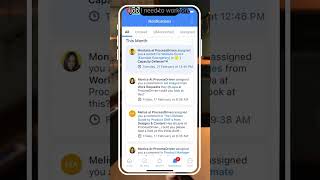
This is a YouTube video titled "How to Start Your Day on SmartSuite's Mobile App" containing a monologue or tutorial from May 10, 2023, explaining how a tradesman might use the app to manage notifications and prioritize work tasks in the field. The content is instructional and features a single speaker guiding through the app's features.
If I was starting my day, I'd probably start off in notifications just to see if there's anything happening related to the jobs I'm out in the field to work on. In this case, if I go about and clear the ones that I don't need to see anymore, I have the option to drag and make things red or to clear them out from this notifications area. But in this case I'm not seeing anything here that's telling me something different about the job I need to work on. So I'm going to move over to my work. If I was working as a tradesman in the field, I'd be living in this my work area more than any other tab because I just want to get a clear sense of what do I need to work on today. So I'd be grouping by things like due date and look at whatever tasks are showing up up at the top. In this case, when I go inside the my work area and I actually get things arranged in this demo account, it looks like I've got quite a few overdues and two things I need to take care of today. Looking at them here, I can see that both of them are related to this leak problem I have to do on a certain properties. If this was me, I'd want to start off by figuring out what the heck this is and figuring out which one I need to handle first.