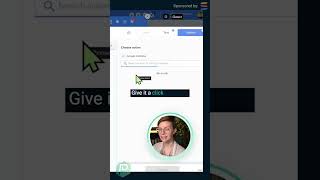
This is a YouTube video titled "How to Supercharge SmartSuite with Ply 🚀 Part 3" containing a tutorial-style presentation from July 12, 2023. The speaker demonstrates how to integrate Google Calendar with SmartSuite using Ply to automate event creation, explaining the setup process step-by-step.
Here we can see I have the Google Calendar identified. It's called Example Calendar and I just want all of my time off requests. Whenever I click that button imply smartsuite combo to create an event on the calendar. So that way my SmartSuite account data and my Google Calendar talk to each other without manual data entry. So I'm going to go over here to add a new step. I'm going to look up Google Calendar. There it is. Give it a click and move forward with setting up this connection to ply run. Remember, We've already connected SmartSuite, but anything else we want to also connect into this sequence, we're going to need to connect at least once. So here it's asking me, okay, what do you want Google Calendar to do? In this case, I'm going to choose quick add an event. Super easy way to create some events on my Google Calendar. Click that. Now, as you might have guessed, we need to set up the connection here. I'm going to click connect a new account. I'm going to choose my account. Over here I'm going to click Continue. Once it's finished connecting, you should see something like this appear once again, asking where you want this to save and then clicking save.