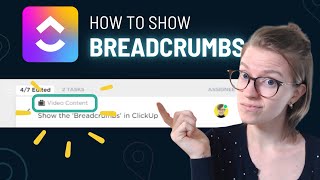
ClickUp's Breadcrumbs feature shows you where a task lives in your workspace hierarchy, so you don't lose context when jumping between views. The speaker walks through enabling it across different view types.
Understanding where the heck are things coming from. What kind of qualifying leads task is this? Is this test for the app. It may not be your fault, it may actually be that you're not aware of a useful feature that goes by many names that's floating around the ClickUp interface. By default, when you are everything level, you're going to see this kind of layout where the default list view is going to be grouped by if I go into this actual view, so this is a view by view setting, I can go into show locate it. Note if you also have subtasks showing up as separate tasks, meaning that they're not nested like this one, they're actually shown separately. You also want to make sure you have Subtask Parent View setting and so like all view settings, this is going to have to be set per view. So it's under show and it's called just Location. In Board view you have to go under show but it's called Task Locations and it's at the top. In List view you have to go to show and it's called Task Locations at the top you can also have Task Locations show up in your home view where you can have Show Location Breadcrumbs on Task Please do not let this confuse you. This is the same feature, it just changes name throughout the interface. So here we go, we've got Location breadcrumbs on task we can turn on or off in the home my work section. If we go to dashboards, we can enable the same thing. So if we go to editing mode we go to a task list widget we can choose to show breadcrumbs again, different name, same exact feature. This is what trips people up and why people aren't using this, unfortunately. But I want to add it to your arsenal because I think it is a really, really valuable one to so that's your quick tip for today. If you're struggling to keep context while you're navigating through the ClickUp platform, check out Breadcrumbs, Show Locations, Show Task Locations, Task Locations, and all the other variations of Task Locations. Regardless of what it's called, it's a really useful feature and one that I would encourage you to enable in some of your default views to help people understand where things are coming from, particularly on space and folder views. Thanks so much for tuning in for this quick tutorial. If this was helpful to you, please do like and subscribe below and remember to enjoy the process.