https://www.youtube.com/watch?v=UCa5z-Cinz4
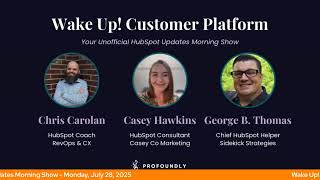
Chris Carolan and George B. Thomas discuss new HubSpot and Google Workspace integrations on their morning show. They cover recent feature updates, beta releases, and tools designed to boost productivity within the HubSpot platform.
Wake up, customer platform. It's time to start the day. Discover all the value you already own. Don't let solutions slip away. Wake up, customer platform. The tools are at your hand. No need to sleep on capabilities that can help your business stand. The answer's right before your eyes. You just need to realize. Wake up, customer platform. And watch your business rise. Wake up. Wake up. The platform's waiting for you. Wake up. Wake up. See what your system can do.
Good morning, HubSpot Nation. It is time to Wake up, Customer Platform with your unofficial HubSpot updates morning show where we help you discover the platform value you already own. I'm Chris Carolyn, joined by my co host, Kelly. Casey Hawkins is not here today. Thursday George B. Thomas is here, though we are here every weekday morning to make sure you're not sleeping on HubSpot's true capabilities. If you're joining live, drop a hello in the comments and let us know what you're building in HubSpot today. Oh, it's a happy Monday, George. Getting started on the right track.
It is, it is.
I need to. I've been telling myself I need to get off this, this script. I've only read it like a hundred times. Maybe I can remember it by now.
Yeah, you probably haven't memorized.
Yeah, just gotta break, break the leash. How's your weekend, man? We both, we both got to check out the new. The new Fantastic Four movie.
Yeah, yeah, it was good. It was good. Just if you haven't watched it, no spoiler alerts. There is two credit scenes, though. I'll say one interesting and one interesting, but interesting in totally different ways. But yeah, we. I got a chance to go watch a movie and relax a little bit. I did a little bit of work. I did some church. The wife and one daughter is gone. So it's me and one daughter and one son that are kind of just bouncing around the house. And it was a good weekend. Productive, relaxing. Sometimes those don't fit together, but for me, this weekend it kind of fit together.
Yeah, they're starting to fit together more and more, I think. Yep. Thank you, AI. But we're gonna try the thing I've been wanting to try for a while and just like get surprised by product updates live on the show. See what we got here. We've got eight.
Oh, wow. You've got one more than me. We'll see. We'll figure out what that is.
But starting with our favorite one from Friday, HubSpot integration with Gemini for Google Workspace. What is it? Gemini for Google Workspace is an AI assistant that enhances Gmail, Google Meet and editors, docs, sheets and slides. HubSpot is partnering with Google to develop a new Gemini integration within Workspace focused on sales, delivering Gemini powered capabilities to enable teams to be more productive and connect with HubSpot from within their workspace. Submit this opt in form to join our beta and use these guidelines to get started and share your feedback. Guidelines to get started and share your feedback are both links to places to go do that.
Yeah, so make sure you hit that beta. Why does it matter? With HubSpot and Gemini for Google Workspace integration, you can now enable your sales teams to be 10x more productive by accessing and using HubSpot inside of Gmail with the power Google Gemini AI.
And looks like I can request private betas again so that's cool. For any of you partners out there that were that brought up the issue of not being able to sign up for betas and and dev and demo environments like we got that back so thank you team. Looks like it's a Google kind of day. George number two here. Sync Google Meet recordings and transcripts to HubSpot.
Wow, that was quick.
What is it? The Google Meet app for HubSpot makes it fast and easy to connect your conversations to HubSpot. With this update, you can now automatically sync and analyze your meetings, ensuring no valuable detail is missed in your CRM. With this integration, you can centralize meeting recordings. Please Lord automatically sync Google Meet recordings and transcripts to HubSpot for easy playback and organized archiving. Enhance contact data, sync participant details directly to contact records and create new contacts for attendees not yet in your CRM. Streamline access. View a complete list of all your meetings in the call index and quickly preview them directly from your associated HubSpot records. HubSpot customers can use their Google Meet recording and transcript data in a range of features within HubSpot, from conversation, intelligence and meeting assistance to breeze AI. And by the way, these meeting recordings are about to do so much work for you as unstructured data gets real.
Inside of HubSpot, why does it matter? Never miss capturing important meeting details again. No, no, no, no. By enabling the sync of recordings and transcripts, all your Google Meet recordings and transcripts will be automatically synced to your HubSpot account. This integration makes it easy to maintain a complete record of customer meetings and updates your CRM with contact record and associations for your meetings. Boy, oh boy, I'm telling you, if the Google team is listening and watching, just, just get me the little Pen tool so I can draw on my screen. Golly. Anyway.
Or just tell George any other way he can do it.
That is. That isn't a janky app, by the way, because I've tried some apps, some Chrome extensions, if you will.
Anyway, well, we're requesting this beta for sure. And I'm gonna. I'm gonna jump around here to. To finish the rest of the Google. There's four out of the eight breaking the rules.
My goodness.
Enable auto Auto record for Google Meet meetings via HubSpot. What is it? Have you ever forgotten to record an important meeting, George?
I have. I have.
Well, the Google Meet app for HubSpot now has the ability to enable automatic recording of meetings in Google Meet directly from HubSpot.
Wow.
When you turn on Enable auto recording of meeting in Google Meet from your integration settings in HubSpot, HubSpot will activate this setting in your Google account on your behalf.
Wow.
Ensuring all your meetings are recorded without manual intervention. By switching on Enable auto recording of meeting in Google Meet from your integration setting page in HubSpot, you will give HubSpot permission to activate the auto record setting in your Google Me account on your behalf. This will mean that all your Google Meet meetings will be recorded and synced to HubSpot without you needing to manually record every meeting. This will happen seamlessly for you.
Wow. Why does it matter? Give me the annotation tool Google Meet. Okay. Why does it matter? Never miss capturing important meeting details again. With auto recording enabled, all your Google Meet meeting recordings and transcripts automatically Sync to your HubSpot account. This helps you stay organized, improve team collaboration, and maintain a complete record of customer conversations, all without having to remember to hit the record button. My gosh. Wow. Wow. Wow.
Yeah, yeah, yeah. Just.
I'm just. I'm so close.
And number four on the Google Google Update today. I don't discriminate. This is probably not my favorite one, but we got keyword and budget recommendations in Google Search ad campaign creation. What is it? HubSpot users can now use our recommended keyword and budget settings powered by Google to quickly and optimally launch their Google Search ad campaigns.
This is like a beta kind of day, by the way. Join the beta. Why does it matter? Content creation is not only time consuming, but harder than ever. Okay. And it's paired with consistently higher bars for what customers will interact with. At HubSpot, we want to. By the way, this is HubSpot speaking, not us, but at HubSpot, we want to empower our customers by making quality ad creation quick and Easy. We want to help you create ad campaigns that have a higher chance of performing well and free up more time for you to focus on managing and optimizing your ad campaigns. You can now use the keyword and budget recommendations in Google search ads, which will make it even easier to get your Google search ad campaign started the right way. It's a Google kind of day.
It is. Because Nico and I just spent a half an hour talking about this thing.
Oh my.
Building apps inside of Google and all I had to do was just sign in to my Google workspace. Yeah, if you're not using. If you're in Google workspace, like just. Yeah, start using it. It's. They're making it easy. And HubSpot, I love everything when they say partnering with Google that we're seeing that world right now and it's exciting. Back to earth here. We've got formula fields now in Custom Report Builder. I think this is a big deal too. George.
Wow.
What is it? Formula fields can now be created in the custom Report Builder, allowing you to perform row level math on your existing data and create new reporting fields on the fly. Wow.
Why does it matter? Well, first there's a big screenshot insight in analyzing. Okay, let me take some deep breaths here. Why does it matter? Speaking of, reporting is a journey, and so is this Update Description by the way, reporting is a journey of turning data into information which then generates insights to fuel decisions that lead to valuable impact. In this journey to value, gathering insights has been one of the most important connection points in the past. Gathering insights about your data has required additional work outside of HubSpot. If you need to provide a different vantage point about your data, whether it be displaying revenue less, any commissions, payouts, or performing a simple conversion rate between two numbers, you would have to export your data and attempt to piece together these insights in outside tools. Not only is this time intensive, but it inevitably clutters up your CRM with static one off data points that are only meant to be used for reporting. This also creates a disjointed experience with data analysis and forces you to outsource your needs instead of solving them right within HubSpot. Hang on, I'm going to get a drink. No folks, we're not done yet.
All right, well, what is done?
Those days are over. The ability to perform row level calculations has been the missing link in report building and is now available in the Custom Report Builder. This feature enables the creation of new reporting fields on the fly and gives you a taste of the raw power of data sets a core data transformation tool in Operations Hub Enterprise Formula Fields is opening up a whole new level of insight generation, allowing you to transform your data more easily than and faster than ever before. And so hint, hint. By the way, I'm scrolling all the way down to the bottom. My goodness, this thing is beefy. Who gets it? CMS Enterprise CMS Pro Marketing Enterprise Marketing Pro Operations Enterprise Operations Pro Sales Enterprise Sales Pro Service Enterprise Service Pro. That's confusing then because what I was reading, I would have swore it was just an Operations Enterprise, but maybe that's. They were just talking about data sets in there. I don't know. That's weird. But it was also long winded. Everybody should probably check out this update because. Holy screenshots.
Yeah, I'm just a little bit. Just a little bit of help. HubSpot team.
I feel like a tutorial, a video tutorial. Is there any links to a video tutorial? Links to a video tutorial might be nice on this bad boy because I'm. I'm wondering and I'm probably guessing that it's not in academy yet.
Oh yeah, yeah. Safe bet.
Probably learn more on the knowledge base. I wonder if in the knowledge base there's a link to any type of. No, no. I don't see any video on this bad boy yet. But there is a knowledge article you can go to.
I have a simpler request. Can we just. Can we just call this Content Hub maybe?
Oh geez. A little bit.
A little bit of help in helping us not confuse the masses on Content Hub and.
But it's a whole lot more letters. CMS is so much easier.
Oh man. But however, Journey to Value sounds a lot like Path to Value and Value Path. I'm liking this new language and this is a slide, so it's in a deck somewhere as a part of a bigger story.
Yeah.
All good things today, including light color theme. Oh, is this one of those new ones I've been seeing? What is it? We've introduced a light color theme that makes the interface cleaner and easier to read. The new color palette meets WCAG AA accessibility standards and reduces visual distractions.
Why does it matter? You get a more focused workspace that helps you concentrate on your most important tasks. The improved contrast and simplified visual design reduce eye strain during long work sessions, while the cleaner interface removes unnecessary visual noise that can interrupt your workflow.
All right, so no screenshots of the theme but telling us how to get there. I. I've been curious what. What people have been talking about. There's a lot of like Windows, Windows 95 or Windows 98 themed screenshots going around. Is this what they're referring to?
I don't know. And also I don't see. Switch to the new theme. Sure. Well, I guess request the beta. Let's do that first. Then I'll turn this on and see what everybody's talking about. Because I had not messed with this yet. I don't know if I will love it or not.
Well, we need to give some love to the other meeting recorders in the room. Enable auto record for Zoom meetings. Oh, via HubSpot.
Wow.
What is it? Have you ever forgotten to record an important meeting back at you? The Zoom app for HubSpot now does everything we just talked about in the Google Meet meeting.
How to record. That's cheating.
It basically gives permission to HubSpot to fix that setting for you in Zoom. In case you haven't figured out how to. How to do it yourself. This world, man, where we can activate things from inside of HubSpot in other apps and vice versa. You know, sometimes too.
Yeah.
I think this is the MCP world that everybody's been been talking about. It's right.
Right. Well, I'll do. I'll do my job. Why does it matter? Never miss capturing important meeting details again. With auto recording enabled, all your Zoom meeting recordings and transcripts automatically Sync to your HubSpot account. This helps you stay organized, improve team collaboration, and maintain a complete record of customer conversations, all without having to remember to hit record. There we go then.
This is an update screenshot kind of day. All these updates, chock full of screenshots.
Yes.
If you're struggling to keep up, folks, come and check out this product updates area. They take good care of you once you get here. You gotta get here though. Last one for today.
That's the one I'm missing. Interesting.
Create campaign and list calculated properties. What is it? You can now create calculated properties for campaign and list objects. These properties automatically compute values based on data from other fields using custom formulas.
Why does it matter? Calculated properties help you gain deeper insights from your campaign and list data. Without manual calculations for campaigns, you can track metrics like campaign spend variance and campaign roi. For list, you can capture information like time since last update or estimated engagement rate. What can't you do in HubSpot?
Yeah, I could. This makes sense from a campaign perspective. I'll need help with the lists, use cases. I'm sure there's many out there. Just none coming to mind. Right there. Yeah. Calculated properties. And if you're in the Generate calculated properties with AI Beta. You can describe what you're looking for in natural language and a formula will be generated automatically for you. Beautiful things. Man, what a day. What, what, what hug do we have to look forward to tomorrow? Just click over here if you haven't. Again, so much education happening every week in the HubSpot space. Next week we've got Breeze, Customer Agent and HubSpot Credits. That might be a record breaker, the number of people that show up here. Oh man, the guy in charge showing up too.
Hey, Nicholas Holland.
Nick Holland. I like that guy.
And Deanna Schwartz. Come on, she was on the Hub Heroes podcast back in the day. It's been a while, but there we go. When business units were business units and business units were just coming out now.
There we go. So if you're curious about Breeze, Customer agent and HubSpot credits, mainly the credits, like, I'm definitely going to be there to learn more about that. Oh, I think that's it for today, George.
That's it.
Remember folks, you probably already own the solution you're looking for in HubSpot. Or maybe today it's. It's outside of HubSpot with all of your Google workspace stuff that you can just seamlessly integrate with HubSpot. Now, sometimes you just need to wake up to it. Join us tomorrow morning live at 7:30am Central or catch us anytime on Spotify and Apple Music. Drop your biggest takeaway in the comments and let us know what capabilities you want to wake up to next. Until then, I'm Chris Carolan.
And I'm George B. Thomas.
And this has been Wake Up, Customer Platform. Now go build something amazing. Have a great day, everybody.
Wake up, Customer Platform. It's time to start the day. Discover all the value you already own. Don't let solutions slip away. Wake up, Customer Platform. The tools are at your hand. No need to sleep on capabilities that can help your business business stand. The answer's right before your eyes. You just need to realize Wake up, Customer platform and watch your business rise. Wake up, wake up. The platform's waiting for you. Wake up, up, Wake up. See what your system can do.










