HubSopt Customer Plarform Updates - 10/1/2025
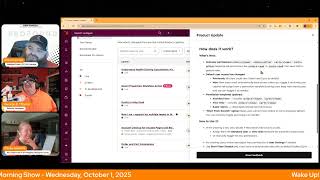
Chris Carolyn, Casey Hawkins, and George B. Thomas walk through six HubSpot product updates from late September. Health Scoring got a test mode, Help Desk now has auto-saving drafts, and the Customer Success workspace supports multiple teams with separate views. Account Cleanup enters beta on October 8 to archive unpublished pages and posts older than six months.
Questions this video answers
October 1, 2025
September 30, 2025
October 8, 2025
Chris Carolyn; Casey Hawkins; George B. Thomas
Chapters
Foreign. Wake Up, Customer Platform. It's time to start the day. Discover all the value you already own. Don't let solutions slip away. Wake up, Customer Platform. The tools are at your hand. No need to sleep on capabilities that can help your business stand. The answer's right before your eyes. You just need to realize Wake up, Customer Platform and watch your business rise. Wake up. Wake up. The platform's waiting for you. You wake up. Wake up. See what your system can do.
Good morning, HubSpot Nation. It is time to Wake Up, Customer Platform with your unofficial HubSpot Updates morning show where we help you discover the platform value you already own. Chris. I'm Chris Carolyn, joined by my co hosts Casey Hawkins and George B. Thomas. We are here every weekday morning to make sure you're not sleeping on HubSpot's true capabilities. If you're joining live, drop a hello in the comments and let us know what you're building in HubSpot today. Happy Wednesday, October 1, 2025. Yeah, a lot of orange on the screen right now. I like it.
Yeah.
This is our last Wednesday of orange before Taylor Swift's Orange album drops, which I know is what everyone else was thinking when they got dressed this morning.
I hope I'm on a game show next week where that's a question, because now I'll have the answer.
That's amazing.
When was the last Customer Platform podcast wearing orange? October 1st. All right.
Maybe we'll be like, an answer. Like a. One of the fake answers on a trivia question. Like, when did the Orange era begin?
Yeah.
And like, the real answer is obviously Taylor Swift, but then, like, answer B might be, you know, wake Up, Customer platform show publishing.
Yeah.
Not sure how I feel right now about becoming much more aware of the Taylor Swift ongoings of the world.
You're welcome, everyone. Everyone on LinkedIn, you're welcome.
Chris, you know you're a hidden fan. Come on, let's just bring it to the world.
I enjoy the music, but definitely would not qualify as a Swifty, I'm pretty sure. So that said, we will dive into these.
What's worse is you guys are gonna have to hear about this for, like, at least another week. Like, there's at least a week.
That's the thing. It's like, once feeling the seal has been broken, I don't see it ending.
Yeah.
Like, honestly, you're in trouble. Yeah.
Slide a note under the door. You know we're in trouble, folks.
Right, let's get into these updates. Six of them all last updated on September 30 number one understand health scoring calculations with improved Test A Record Medium Impact this is live for the customer success apps what is it? The Test A Record feature in Health scoring has been improved to provide customers a clearer view into how their scores are calculated while building a score Test A Record for contacts, companies and deals is now more easily discoverable, displays the number of events or contacts that meet rule level criteria and displays how many points from a group are allocated to the total score while taking into account group limits.
Why does it matter? Previously, Test A Record only displayed how many points were awarded for individual rules and the total score. This led to confusion on how total scores were calculated because the from individual Rules to the total score was not shown. The Test a Record button was also hidden behind actions which made it difficult for customers to find and use the feature. Now Record displays on how the score is calculated, such as how many events or contacts meet the rule criteria and the number of points from a group, including its group limit that is allocated to the total score. This helps customers understand how the total score was calculated from start to finish, from rule level to group level to total score level. Having a greater understanding of how scores are calculated can support building the most accurate and impactful rules for scores. Both the Test A Record and Preview distribution features are also now more easily discoverable in the top right corner. A very straightforward one in my opinion.
This yeah, I'm not sure how they calculated that why does it matter section, but this is.
This is.
Yeah it's. It's pretty self explanatory I feel.
Feels like it's the right thing to do and got lucky there just transparency. Having some technical difficulties this morning and as you're reading I could see my why my Internet strength like go down so in case to get it cut off at any point. Appreciate George and Casey stepping up to get the job done today.
You're doing good and sound good to me brother. Let's just keep our fingers crossed.
Alrighty. Smart Properties Workflow Action what is it? A new workflow action that automatically runs Smart Properties to fill data using existing prompts and the screenshot at the top. I think it's important to note that it is listed as the data agent is the thing executing this.
Why does it matter? This feature solves the challenge of manually triggering Smart properties to fill data. You can now automate when Smart properties run within your workflows, ensure data is filled at specific points in your processes, and leverage existing Smart property prompts without creating new ones. I talked to my friend Tricia about Smart Properties a couple weeks ago and this was one thing at that time that we felt like was a missing feature basically was the ability to like select a time to fill out the property. So happy to see this.
Making it ever easier to use those credits.
You've been playing with the Data agent much yet, Torch?
Not a lot yet. I'm sure I will. I'm sure I will indeed.
It's coming. Number three We've got Drafts in Help Desk is live medium impact. What is it? Drafts automatically save unsent messages, allowing users to leave and return to a ticket or find it in the new Drafts view without losing progress. Nice.
What is changing? Users will retain draft messages in the channel in which they were composed. Users can retrieve a draft in the Composer or via the Draft folder in Help Desk and drafts will be saved per user, not shared across team members, and are saved across multiple devices.
And Casey, let me take the why does it matter portion since you got the what changing portion. Multitasking is a central part of the support reps role. Reps frequently start writing messages and need to pivot to another task or go do something else before they can send them. Without drafts, they either have to copy and paste text elsewhere or risk losing progress. Drafts ensures reps never lose in progress work, allowing them to pick up right where they left off. It improves efficiency, reduces frustration, and meets support teams expectations for Table Stake Messaging features thanks HubSpot.
Nice. Pretty sure this is that that risk losing progress is maybe top five on the list of things that we try to avoid at all costs. Nothing worse than like writing out that email and then watching it disappear somehow. So glad. Glad for the help. Not letting that happen without a doubt. Now Live update number four Today Support for multiple teams in the Customer Success Workspace. What is it? Team Specific Views for the customer success workspace HubSpot teams will be able to have their own HubSpot user property to indicate ownership and their own views on each of the tabs of the CS workspace for customers, services and revenue.
Why does it matter? Post Sales encompasses a number of different teams, from onboarding and implementation implementation to customer success managers to contract managers or renewal experts. They all need a place to work, often sharing accounts but focusing on different pieces of information. Support for multiple teams in the workspace will allow more post sales teams to work together in HubSpot without stepping on each other's toes.
Oh man, I hate when the toe stepping happens. So this is such a good thing. Very good.
Yeah. So many people involved it's hard to write a Sentence about it to get them all in there. Yeah, good job getting through that one.
There's a lot of humans in HubSpot. Just saying.
Indeed. A number of different teams involved in post sales processes apparently. Who gets it though? Service enterprise. Usually the case once we start building more user and team granularity and views and permissions and stuff like that. So makes sense. Account Cleanup for unused pages and blog posts in public beta scheduled for release October 8th. What is it? The Account Cleanup app now supports automated cleanup for new types of marketing content, including landing pages, website pages and blog posts. The automation will archive all unpublished pages and posts that haven't been modified in over six months.
Wow.
Why does it matter? Account cleanup helps HubSpot admins identify and quickly remove unused assets using automated and manual tools. This helps you focus on high impact tasks and reduce clutter in your account.
I mean this is actually my brain goes in two directions. There are going to be some people who are maybe frustrated depending upon how their workflow goes and if they're like creating things and working on them and want to get back to them as like I'll get back to this type thing and all of a sudden it's archived. You can get it, it's on the archive. But also I've gone into so many portals where I'm like step one, tell me why there's 32 drafts in the landing page tool. Can we please figure out if those are supposed to not be there? Is there any reason that 17 of them are test dash, test dash test? Anyway.
Does anybody use, you think any use cases out there that use drafts as like templates like to clone from?
Because that would be for sure I do. But I would think most of those times they would have been edited in month. But maybe if all you're doing is cloning it, then maybe not.
You have it modified, go in and add a period like they do for the updates, save it and then save it again. But here's the thing, you got to think about everything that's new too, right? So like one of the things that I'm doing testing is the blog research tool. I have the blog research tool giving me three articles a week so that I can go look at and take it and modify and add to like their ideas. But I'm using it for an idea engine for three potential pieces of content a week. Now those sit there in draft until I can get back to them. But I want an idea engine in HubSpot now if I don't get back to all of those HubSpot is going to archive my idea engine. But that also then puts a fire under my butt to realize, okay, well, I need to get that into a process so that if it's not what we're going to use, then we kill it. But if it's what we use, then we start to modify it and push it through to like a published content that can actually help the world. So, like, that might also be part of the strategy of like, what you're thinking about this and that together.
Yeah. I have a number of blogs unpublished on my. In my husband account that I. And some are probably more than six months old. So to your point, George, on like the. You know, I could see myself being frustrated when I finally, you know, a lot of times the end of December is a pretty calm time. So that is definitely a time where I could see myself being like, oh, yeah, where are all those blogs that I started? And then they're all.
Well, they're archived.
They are archived. But don't do archived. I don't know. Do archive. I won't say too many words. Do archived pages get auto deleted at some point? Because I know, I know of. Okay. Archived. Okay. Archive properties get auto deleted.
Cms. I don't think archive pages do. You can always get back. From what I understand about the portal.
Yep. And important to note this again is at enterprise level for all the hubs. And that's where things like this will prompt you to create better processes. Because if you are using a draft page to start basically as a template, you have at Enterprise, you have content staging, you have building templates, like real templates that maybe you might be using, you might want to use instead. So enabling better process.
Yeah.
Is definitely part of this.
But I was thinking about that when we first said, like, why would I use a draft instead of a template? And a draft would let me save like the author of the page. It might save some things that a template is just never going to say. Like, maybe even campaigns. Maybe I have like a specific campaign that I use. So I don't know. Something to consider.
Yeah, yeah. It's all changing, ladies and gentlemen.
Ch, ch, ch. Change. Yes. Order and cart permissions.
I'm gonna have to listen to that song now after this episode.
What is it? You now have more control over who can view and edit orders and carts in your account. With the latest Permissions Framework update, these objects are now managed through dedicated roles instead of broad legacy scopes. Please let this be a signal that orders and carts are about to be big boy objects.
Why does it matter? This change gives you tighter control and flexibility over who can access sensitive order and cart data. Instead of granting access broadly, you can now decide which teams can view orders and carts which teams can edit them. This helps protect important data while ensuring the right people have the access to they need.
Nice. Very cool. Chris is like begging for orders and cards.
I thought this would associate orders with other things. That's all. Everything else that the content, the other objects can do. But since we got an extra minute. What's new under how does it work? I'm so glad you asked Granular Permissions when you did.
You wanted to know more about orders and cards.
You should. You should. By the way folks, there's orders and cards in HubSpot in case you didn't. You didn't know that. You probably didn't know that.
That's a good starting place actually. You're right.
Yeah. Orders Viewer Orders Editor Cards Viewer Carts Editor replaces old permissions like Orders read and carts read that were tied to general roles. So baby steps, right? We saw this with the rest of the objects throughout the past year or so where it's the usual view, edit and delete and then there's merge and then there's workflow stuff and there's create permissions. So I imagine this is these are on similar journey as they work it in.
Nice, nice night.
Anything else for today? We need to let the people know about any more Taylor Swift talk that we left out.
My happy Q4.
Oh, is that where we went?
Remember folks, you probably already own the solution that is going to help you crush Q4 using sometimes you just need to wake up to it. Join us tomorrow morning at 7:30am Central or catch us anytime on Spotify and Apple Music. Drop your biggest takeaway in the comments and let us know what capabilities you want to wake up to next. Until then, I'm Chris Carolyn.
I'm Casey Hawkins.
And I'm George V. Thomas.
And this has been Wake Up Customer Platform. Now go build something amazing. Have a great day everybody.
Wake up, Customer Platform. It's time to start the day. Discover all the value you already own. Don't let solutions slip away. Wake up, Customer Platform. The tools are at your hand. No need to sleep on Capability that can help your business stand. The answer's right before your eyes. You just need to realize Wake up Customer Platform and watch your business rise. Wake up. Wake up. The platform's waiting for you. Wake up. Wake up. See what your system can do.










