HubSpor Updates | Customer Platform - 8/6/2025
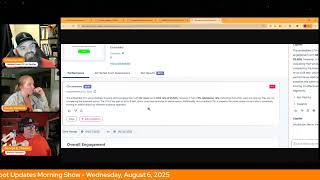
Chris Carolyn, Casey Hawkins, and George B. Thomas walk through HubSpot's latest platform updates. New features include AI-generated invoice emails, a bulk association editor, drag-and-drop dashboard reports, and AI-driven CTA performance summaries that show how your calls to action are actually performing.
Foreign.
Wake Up, Customer Platform. It's time to start the day. Discover all the value you already own. Don't let solutions slip away. Wake up, Customer Platform. The tools are at your hand. No need to sleep on capabilities that can help your business stand. The answer's right before your eyes. You just need to realize Wake up, Customer Platform and watch your business rise. Wake up. Wake up. The platform's waiting for you. Wake up. Wake up. See what your system can do.
Good morning, HubSpot Nation. It is time to Wake Up Customer Platform with your unofficial HubSpot Updates morning show where we help you discover the platform value you already own. Chris I'm Chris Carolyn, joined by my co hosts Casey Hawkins and George B. Thomas. We are here every weekday morning to make sure you're not sleeping on HubSpot's true capabilities. If you're joining live, drop a hello in the comments and let us know what you're building in HubSpot today. Happy Wednesday, August 6, 2025. How are we doing?
Doing good. How are you guys doing?
I'm doing good. Chris got a dedicated video from Rob last night. I watched it about five times.
It's good to feel loved sometimes, if I'm being honest. And that's one of my favorite things about this community is if you do show up, you know, and add value, somebody's noticing you somewhere. So, yeah, felt good. He's got 17 other videos planned, so it's not just special treatment because I'm awesome. And we do shows together and we do the HubSpot helpline on Friday just because I made it into this sweet 16 round of admin of the year. So appreciate him doing that and the team at Separd raising up all these great value adders in the ecosystem. It's more fun than I thought it would be, if I'm being honest.
Yeah, it is. I do sometimes find myself, like, distracted with the fun pieces.
Yeah.
And then I have some Salesforce contacts. I need to delete that. I just, you know, still want to.
There you go. I'm pretty sure part of the reason we get this time for Spotlights, because we show up every day sharing updates with you, but also excited to start sharing something we're doing at the end of this month. Value First Data Summit. The first of its kind, bringing a bunch of experts together, trying to get serious about this data issue that we all have in every portal. Like, can we stop joking about how dirty every single HubSpot portal is and maybe do some stuff about it? We'll be dropping more details throughout the day, week, month leading up to this event. But super excited. We got about 20 experts again, individual experts showing up for the community. This is a free event right before inbound. Let's help some people get their data cleaned up, maintained so that AI can leverage it for you. How about that?
My mastermind session today, I don't know if I don't think you know this necessarily. Chris is on data reliability, my lead scoring mastermind. And how if we're trying to score leads based on unreliable data, then what are we doing?
How about that timing?
Serendipitous, if you will.
Indeed. Speaking of AI generated things, I've seen some powerful AI generated emails. Our first update here is AI generated invoice emails. And I have to imagine just seeing those words together like might scare the crap out of some people. Like this is the point where you're trying to get, get the money, right? Do we want to put this in the, in the hands of AI yet, George?
I don't know, brother. I don't know.
We'll take a look. What is it? Generate professional invoice email drafts drafts automatically using AI. Each email includes relevant invoice context tailored to your customer.
Why does this matter? AI generated emails save you time by eliminating manual drafting and improve your customer experience with timely professional communication. I have, I, I don't hate it.
Can we open the screenshot?
Yes, we can. George is consuming the screenshot.
I'm, I'm just looking at like the amount of words. Yeah. And the length of scroll on the right.
There is a long scroll on this.
See? And I'm like, oh. I have never ever sent an email that is even this long of what we can see. So I, I hope that we have the ability to like give it like a certain length or some instructions. I don't know how automatical this is or how much I can. So I, I would want to know more on like how it works and like how we can tweak it. But also I lean into like this is the spot where you need to be the most humanist of human. So I don't know, there'll be some testing and trying before this actually goes out to anybody, at least for us.
I will say like, for me, my invoice, when I send invoice emails, most of my work is like retainer based, ongoing projects, good relationships with most of the people I'm sending invoices to. So my invoice emails are pretty short. They're like, here's the invoice that you were expecting because we do this every month in different words. So I agree with George where like this much text, at least from my needs feels too much. Feels too much.
Yeah, it looks like we're showing a collections example here. So I definitely like I think this combination of not starting from a blank slate, trying to get personal like with the context of the records and what's happening with this customer instead of sending out maybe less than personal, like please pay your stuff to avoid fees and interruptions. Like those are easy templates to set up. Right. But how can we, how can we make it, you know, more personal, more personalized? I think we're it's a combination of these things that we see on the screen, like playing with the generate button, creating custom email in your CRM because as soon as you do that you get breeze as a side panel you can start to massage it. So excited to see where that goes. I've been like the the CPQ beta has this option for quote emails too and the first time I tried it I was fairly impressed in terms of I could clearly understand that it was looking at the deal like finding unstructured data to use as context and bringing it into the email. But I think as we see like the lesson, these are the kinds of things that get better and easier as unstructured data shows up in your portal and as HubSpot creates the ability to leverage that unstructured data for AI. So very cool to see this progress, but definitely don't just click generate and ship it. Take a minute. Number two App Certification Lifecycle Status and Renewal Update what is it? This update introduces enhanced visual indicators for app certification statuses in the developer portal aligned with the new recertification policy. Under this policy, certified apps must renew their certification every two years to maintain their status. To support this change, you will now see clearer, actionable status indicators throughout the certification lifecycle, including new states like expiring soon and under review. You can also view their app's certification expiration date to better plan for recertification and avoid lapses in status.
This matters because this update helps you understand where your apps stand in the certification lifecycle. The improved visibility reduces the risk of losing certification due to a missed deadline and ensures ongoing compliance with HubSpot standards. Just to be clear, this is app certification, not like users certifications. Yeah, I was confused about that when I read the title. I'm clear.
Yeah. These updates apply to all app providers with listed apps in the HubSpot app marketplace. So looks like some of the stuff we were reading was sometimes talking to the app provider sometimes talking to the user. Either way everybody will understand better certification level of an app and if it's soon and if it needs to be reviewed, things like that. Because we are seeing it come more into the portal. I was having some fun yesterday and just the ability to in workflows to kind of say what you want to do and then it show you marketplace apps that you have not installed into your portal HubSpot really trying to make it easier for both sides to leverage extensibility that you know these app app teams have worked hard on to to make HubSpot go farther for you. So good to see that continue progress. Number three, something in development here. Bulk Association Editor forward looking statement at the front. This is in development. What will it be? You'll be able to view, select and remove CRM associations in bulk directly within the CRM.
This matters because whether you're an admin or a team member, you sometimes need to make small edit. You need to make small to medium sized batches of changes to your CRM associations. Today this requires workarounds that are complex, slow or have dependencies. The new bulk association editor helps you remove multiple incorrect associations at once, making it easier and faster to keep your customer data accurate and updated to date. This I love.
Yeah.
This will be a huge quality of life update.
Yeah, the amount of workflows I've built that are just to basically bulk associate.
Are many. That's the complex part.
Yeah.
Slow part is going one by one managing them directly. Not sure what the dependency part is, but when it comes out actually. What's that?
I don't. It can be. Well, that's the complex part. Never mind, I just said complex again.
Yeah, when it comes out, you'll be able to select one or more records to view their associated objects. You'll see associations grouped by record type in a two tiered table. You'll be able to select any number of associated records from standard CRM objects and then bulk remove selected associations in just a few clicks. Very cool. Love what that team is doing. Number four Migrate your existing knowledge base onto the new suite of customization tools. I mentioned it yesterday. What is it? Our previous release customization tools for new knowledge bases required that users start from scratch take advantage of new customization features. With this update we offer an easy path for existing customers to migrate their legacy knowledge base to the new platform. Note, this release is only applicable to customers that have legacy knowledge bases to migrate to the new tools. If you do not have a legacy knowledge base, you do not need to Migrate it.
Makes sense.
Does not exist. To confirm if you should be utilizing this migration tool, check out your Knowledge Base dashboard and look for our legacy interface. The new one offers themes, navigation, menus, editor management. Just get in there like it's the functionality you've been wanting and expecting for years. Now available to you in the new Knowledge Base Tools. Number five, we've got View all Properties on the side panel.
I'm going to jazz hands this one. I feel jazz handy.
It is, by the way, a meta.
It's a private beta. Low impact. I'm not so sure about. Oh my lord.
I mean, come on, come on.
I see what they did there.
What is it? The View all Properties page in this private beta will open as a side panel that slides in from the right hand side, allowing you to access property information without navigating away from your current page. Hallelujah.
The way I kind of want to cry. I'm so happy.
Tears of joy.
I'm feeling like emotional because I.
Let's be honest, like I don't usually. I try not to be mean to HubSpot, but for years I've hated the fact that I go to this blank white page that I've watched users as I've trained them struggle with navigating back to the actual record, like where they've literally hit like the browser back arrow instead of like the back to record link because they just, they get confused. So the fact that you'll still be on the record and this could slide in is.
Literally tearing up folks. I'm not joking.
I might.
Man, that is such a pain in the ass. Been having it on screen like everything else is starting to be so.
Casey, why does it matter?
HubSpot thinks this matters because this update eliminates the need to open new tabs or lose your place. When viewing properties, you can quickly reference property details while staying focused on your current task, making your workflow more efficient. I agree, I agree.
I upvote that. Why does it matter?
Yeah, let's do that for sure.
I'm like going to go into all my portals, right?
That's the beta for everybody. There should be like an all platform beta.
Oh man, so good. Do we have an unexpected release there? We do. Not yet, I don't think. Yeah, so get in there. I'm sure they won't be picky.
It's going to be inbound about who joins.
Oh, you're probably right, George.
Inbound release date maybe Number six drag.
And drop reports onto a dashboard.
This is another one that might make me tear up today.
We love our side panels. What is it? A new side panel that allows you to add saved reports and templates directly to your dashboard without leaving the dashboard interface.
Oh, my God. Can we open that image up after we read the. Why does it matter?
Yes, we can.
You can open it up. I have it. I can. I can just speak. This matters current because currently adding reports to your dashboard requires navigating away from the dashboard creation process, disrupting your workflow. The new side panel keeps you in context by providing access to all your saved reports and templates in one centralized location, making dashboard creation faster and more efficient. Creating a dashboard and organizing a dashboard is a pain in the ass. And that is why this matters.
Twice the A word has made it onto this episode by Casey. So, my goodness.
Explicit episode today, everyone.
Yeah. So y' all can kiss my.
I'm just kidding. I didn't say what we're seeing here, George.
Huh?
Tell me what we're seeing here.
Well, we're seeing a new world because again, somebody or some people or an organization is thinking, how can we keep them where they're at and let them do what they need to do? And so if you're listening to this podcast, we're looking at. We are on a dashboard, a traffic analytic dashboard, and we're dragging and dropping from a side panel of reports onto that dashboard versus needing to go to the reports library, hit add report, hit another button, then hit a link to go back to your dashboard that you're already on. Like. It's literally saved us multiple steps of like, okay, reports are on the reports.
Then the report gets added all the way to the bottom, and you have.
To, like, oh, my God, that too. I didn't even think about that, Casey. Yes, that's why I'm, like, always on the bottom now. You're just dragging it wherever you want the dang thing to go.
That's what deserved the A word.
And I might need a moment. My. I'm. I'm tearing up over here. My goodness. What is inbound gonna look like? Holy.
Yeah, hold on to your.
If all the good stuff is coming.
Yeah, hold on to something.
I'm bringing a box of tissues to inbound 25.
All right, I'm gonna move on from that. Number seven, summarize. CTA data with AI is live. What is it? You can now generate a summary of your CTA's performance insights with AI using CoPilot HubSpot will provide a concise summary of key performance metrics and suggest actionable ways to improve the results of your CTA. You'll be able to quickly understand what's driving your CTA's performance without extensive manual analysis.
This matters because this feature solves the problem of time consuming manual analysis of CTA performance data. It allows you to quickly identify key metrics and receive AI driven recommendations, enabling you to make faster data backed decisions to optimize your CTAs and improve conversion rates.
I have questions, I'm so I wonder if it's okay, okay, okay, okay, okay. So I wonder if it's just looking at the analytics, the numbers to analyze and then give like feedback or if it's actually looking at the imagery of the cta. So like the copy, the color, the button, the layout like and it might not be there now but I know I can take an image into chat GPT and say hey, you know, extract this text or how can I make this better? Or what are some creative ways and, and if some smart people in HubSpot are making it where this not only looks at the numbers but looks at the. I'll say this nicely, some of the radical CTA designs that I've seen in some portals and give suggestions off of that. Like this gets real interesting.
Yeah. Now this world, we're quickly entering this world of like coachability based on data and context in your portal because we got the ask a question button right under. Here you come. Come check out this screenshots if you're listening. I got a taste of this in one of the portals like early in July and I was like oh that's cool. Like I had just published the CTA so it wasn't super helpful. But this is the kind of thing where it can at least highlight it's highlighting options here. Like the CTA is out of, not a part of an a B test that might help. It's a standard cta. It's not dynamic. So it shows the same thing to everybody and might have a hard time, you know, being effective for different audiences. And then we see a breeze sidebar here like kind of cut off. But there's another question after. It's like would you like to know? Like this is where you just have the conversation of like okay, is that like help me understand what this summary means if that's what it is. What are my options helping people, especially as admins, like try to help your team start to have these conversations with the data, like not through you. You cannot be the break fix person anymore.
Well, a couple of things. One I like too that there's this ask a Question meaning you as the human can just let your brain go to what you want to ask Copilot around the. In this case the cta. This gets real interesting to me. You Chris, you referenced coachability when you were reading the actual CTA summary. I'm like, is it coachability or is it just reminders like reminding them that they might want to ab test which I guess could be called coachability. But like sometimes I think some people get so busy in this fast paced world that they just are like forget either conveniently or ignorantly. And I don't mean that in a negative way of like, oh, I should probably take an XY amount of time to do like a B test of this so that in three months my future self thanks me like anything.
I think what, what I was getting at, it's definitely a good push. Like the part that everybody skips to is like the next thing that you can do, right?
Yeah, yeah.
And everybody kept skips like a clear understanding and alignment of what is actually true right now. Like what is the current state. And that's where it's. This clearly states like this is not happening. This is what the button is like. And these are the kinds of things like I've been asking the team, I've been suggesting to the team, like if there's got to be behavior understanding of if something is happening this way a lot in the portal, let's say some, somebody's creating a lot of lists at an unnatural cadence. Being able to say like things like, hey, this also is available in the portal, like an index page, like maybe that person needs training or maybe you might want to try helping that user out and that's where they're a part of the AI. Stuff that I'm helping like give feedback on is like there's gonna be spots for little instructions. Careful, right. Careful here and there. Related to what we've been talking about of brand identity and just being able to apply context everywhere in the portal and when you can turn that into coachable moments instead of don't do this moments. Right. As an admin, that's really where your, your power is going to come from for your organization. You're going to create so much value.
So can I say one thing too? Because now that you've had time to talk and I've had time to look, what is, what is today? Today's August 6th.
Yep.
If you're listening to this podcast episode, you might want to look at the screenshot of the date range of this screenshot. That's interesting. To me, April. I mean, is that when they actually took the screenshot or did they just make it say that date? Like how long has this been around or being tested or being used internally at HubSpot before we're getting it interesting? I don't know.
Yeah, indeed. Man. Another exciting day of just little things like side panels.
Yep.
Like making making our HubSpot world a better place. Remember folks, you probably already own the solution you're looking for in HubSpot. And clearly it is view all properties on a side panel like on the record. And not 40 tabs open in your browser anymore. Sometimes you just need to wake up to it. Join us tomorrow morning live at 7:30am Central or catch us anytime on Spotify and Apple Music. Drop your biggest takeaway in the comments and let us know what capabilities you want to wake up to next. Until then, I'm Chris Carolyn.
I'm Casey Hawkins.
And I'm George B. Thomas.
And this has been Wake up, Customer Platform. Now go build something amazing. Have a great day everybody.
Wake up, Customer Platform. It's time to start the day. Discover all the value you already own. Don't let solutions slip away. Wake up, Customer Platform the tools are at your hand. No need to sleep on capabilities that can help your business stand. The answer's right the before your eyes you just need to realize Wake up, Customer platform and watch your business rise. Wake up, wake up. The platform's waiting for you. Wake up, Wake up. See what your system can do.










